
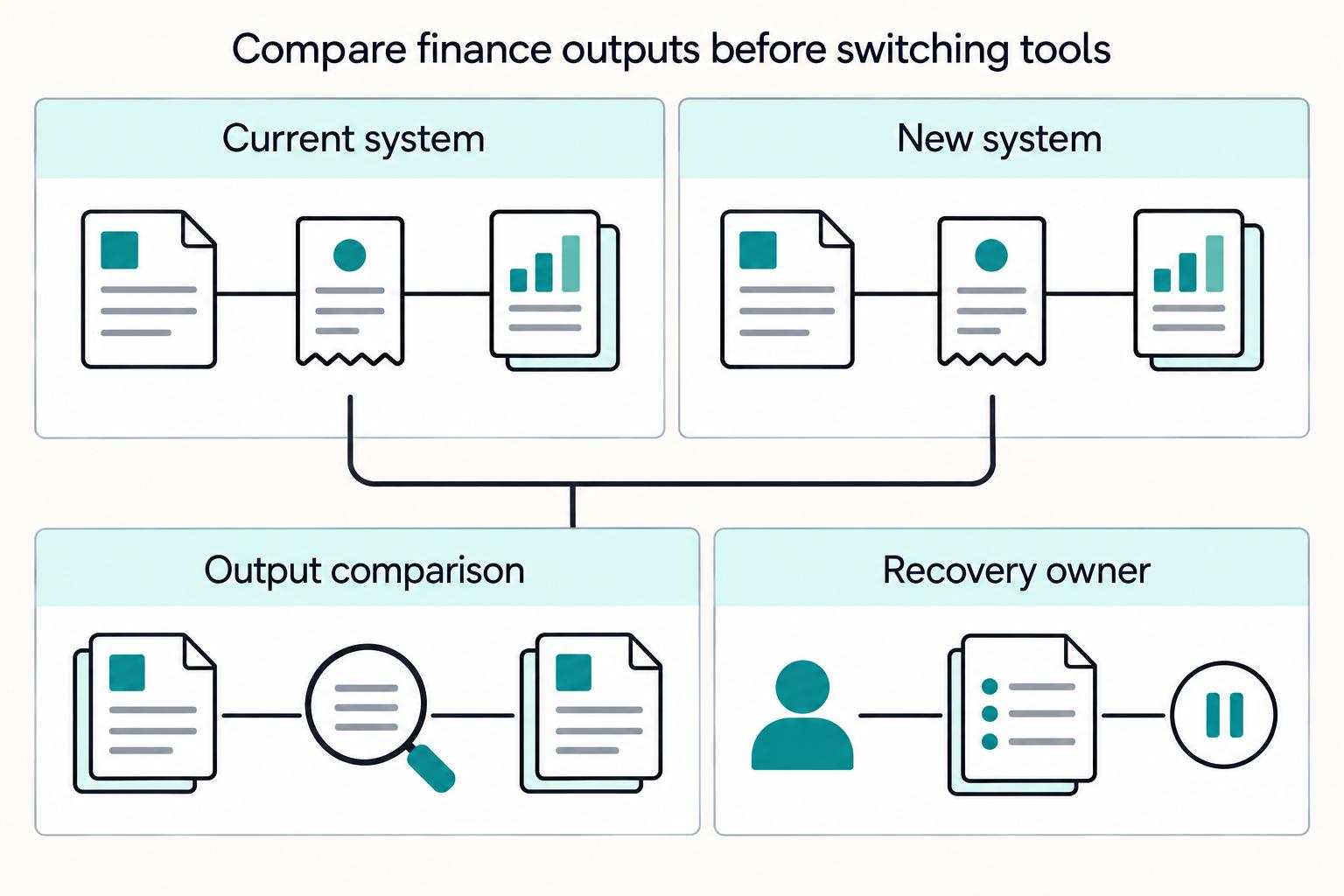
Start with the best freelancer tools 2026 that reduce delay between approved work and confirmed payment, then validate the record trail under real usage. Apply one lifecycle lens from lead-to-contract through cash-to-tax records, and run a live end-to-end test before standardizing. In the reviewed material, Plutio has the clearest documented timer-to-invoice path, while many API, webhook, payout, and export claims remain unknown until verified.
If you are comparing the best freelancer tools 2026, start with cash flow outcomes, not popularity. The question is not which tool gets mentioned most often. It is which one helps you move from agreement to invoice to cash with less friction and a cleaner record when something needs to be traced later.
Use one lens across the full money lifecycle: lead to contract, work to invoice, invoice to cash, and cash to tax records. That keeps the decision tied to operating results instead of feature sprawl. In practice, you are balancing budget, scalability, and integration friction.
Pick tools that reduce manual handoff risk between client agreement and the next operational step. If key details do not carry forward cleanly, you add avoidable admin friction before invoicing even starts.
Prioritize a stack that turns completed work into billable work with low friction. The 2026 coverage reviewed here points to specialized invoicing software as helpful for cash flow and late-payment reduction, and one source reports automation saving about 3-4 hours per month in admin.
Focus on capabilities tied directly to collection: multiple payment methods, automated payment reminders, real-time payment tracking, and accounting or banking integrations. Also separate "no monthly fee" from total collection cost. One published 2026 example still lists 2.9% + $0.60 for card payments and 1% for ACH. If you bill internationally, multi-currency support moves from nice-to-have to baseline.
Choose tools that preserve usable records through reconciliation and review. At minimum, confirm invoice and payment history stays usable and can connect cleanly to accounting or banking workflows.
Some 2026 tool claims are still thin in public roundups, so this article marks unknowns explicitly. Even methodology-heavy comparisons, such as claims of 15+ tools across 47 criteria, are still publisher-reported rather than independently validated. If you want a deeper dive, read A Guide to the Best No-Code Tools for Freelancers.
This guidance is most useful when your workflow has multiple steps or handoffs. It breaks when you treat unlike tools as interchangeable or assume every business needs the same stack.
Use this guidance when work moves across different people, apps, or process steps. In that context, tool choice is about fit. Tools can look similar on paper while solving very different operating needs.
If your setup is lightweight and work moves cleanly from agreement to payment, extra layers may add admin without enough benefit. The right check is your own workflow, not a generic "best stack."
This article does not establish one required cross-border stack. It does support the broader point that operating context changes requirements, so evaluate cross-border workflows separately from domestic flows for your own use case.
When accountability is higher, raise your evaluation standard and test how well each option supports your documentation needs rather than optimizing for quick setup alone. You might also find this useful: The Best Calendar and Scheduling Apps for Freelancers.
We ranked tools by operational proof, not feature volume. An app moved up only when its documentation or outputs suggested faster cash movement or stronger record quality.
| Factor | What it measured | Grounded note |
|---|---|---|
| Cash collection speed | Path from approved work to invoice sent to payment confirmed, with fewer manual handoffs and fewer places for billable work to stall | Higher scores went to tools that shortened this path |
| Reconciliation quality | Whether work, invoice, payment, and payout could be tied to one defensible history | Score dropped even when the UX was strong if this history was weak |
| Compliance readiness | Whether the tool appears to support required records and handoffs, including W-8/W-9 records, VAT handling, and 1099 export hygiene when relevant to the product's stated use case | Not treated as "does taxes for you" |
| Integration friction | Whether useful features depended on brittle handoffs or repeated duplicate entry across systems | A tool lost points when those handoffs or duplicate entry were required |
| Total cost | Full operating cost, including seats, add-ons, adjacent tools still required, and labor spent fixing preventable gaps | Not just list price |
| Failure recovery | Whether failures were diagnosable and fixable, with clear history when syncs break, invoices duplicate, or statuses conflict | Favored tools that made failures diagnosable and fixable |
Higher scores went to tools that shortened the path from approved work to invoice sent to payment confirmed, with fewer manual handoffs and fewer places for billable work to stall.
This carried heavy weight. If work, invoice, payment, and payout could not be tied to one defensible history, the score dropped even when the UX was strong.
We did not treat this as "does taxes for you." We scored whether the tool appears to support required records and handoffs, including W-8/W-9 records, VAT handling, and 1099 export hygiene when relevant to the product's stated use case.
A tool lost points when useful features depended on brittle handoffs or repeated duplicate entry across systems.
We scored full operating cost, not just list price: seats, add-ons, adjacent tools still required, and labor spent fixing preventable gaps.
We favored tools that made failures diagnosable and fixable, with clear history when syncs break, invoices duplicate, or statuses conflict.
Every app card uses the same structure: best for, key pros, key cons, and one concrete use case. That format forces a specific recommendation tied to operating context instead of vendor positioning.
Using one structure also keeps cross-category comparisons honest. Scheduling, project, and invoicing tools can all affect cash flow, but they do it at different points in the chain.
| Checkpoint | Counted as verified | Marked as unknown |
|---|---|---|
| W-8/W-9 records | Public docs showing capture, storage, or export of tax record data | Generic "compliance" language with no record path |
| VAT handling | Clear VAT fields, logic, or reporting references | Invoice claims with no VAT detail |
| 1099 export hygiene | Documented export structure or year-end reporting path | Contractor payment claims with no export evidence |
| FEIE claims | IRS-aligned terminology, day-count logic, and filing context | Vague "expat tax support" language with no day-count or filing context |
| FBAR claims | Evidence of notice-aware, date-sensitive deadline handling | Blanket FBAR support claims with no verification depth |
FEIE and FBAR claims received extra scrutiny. For FEIE, we treated key IRS mechanics as non-optional context: 330 full days in 12 consecutive months, with a full day defined as 24 consecutive hours. We also treated the IRS failure condition as material. Missing the day count fails the physical presence test regardless of reason. If a product implied FEIE support without showing a calculation basis or record trail, we marked it unknown.
We also did not credit broad "tax savings" messaging. FEIE applies to qualifying individuals who still file a U.S. return reporting that income, and the IRS lists a $132,900 maximum exclusion per person for 2026. Mentions of Form 2555 or 2555-EZ in IRS practice guidance were treated as process clues only, and that guidance was not treated as binding legal authority. For FBAR, because FinCEN publishes due-date and extension notices on its FBAR page, we treated deadline support as date-sensitive. Without that verification depth, the claim stayed unknown. Related: The Best All-in-One Productivity Apps for Freelancers.
If your workflow is still loose from signed work to invoice, start consolidated. If delivery and finance already have clear ownership and you need tighter controls, split by function and define handoffs up front.
The central tradeoff is failure surface. Many tools cover only part of the sequence, which pushes work into other apps and adds friction before billing even starts. Plutio is positioned around full-sequence coverage, while Bonsai is described as strong on proposals and contracts but still dependent on Calendly for scheduling.
| Option | What it is | Specific grounded signal | Switching cost and overlap waste | Red flags to watch |
|---|---|---|---|---|
| Plutio | All-in-one suite from proposal through invoicing | Presented as one connected flow where a signed proposal can activate a project and tracked hours can feed invoice line items. Price cited: $19/month. | Switching effort can be lower early on when one system carries core stages without extra handoffs. Overlap waste can also be lower when fewer tools duplicate client or project data. Quantified cost/waste estimates were not provided in reviewed excerpts. | Potential lock-in risk if history and billing live in one system. API/webhook coverage was not verified in reviewed excerpts. Payout visibility was not evidenced. |
| Bonsai | Consolidated suite with a scheduling gap | Described as strong on proposals/contracts but requiring Calendly for scheduling. Price cited: $25/month. | Switching effort can sit between an all-in-one and a full point stack because scheduling sits outside the suite. Quantified cost/waste estimates were not provided in reviewed excerpts. | Mixed risk: partial lock-in plus partial fragmentation. API/webhook coverage was not verified in reviewed excerpts. Payout visibility was not evidenced. |
| Notion + Trello + InvoiceNinja | Point stack assembled across separate tools | Three-tool setup by design. Reviewed materials did not verify specific InvoiceNinja exports, API/webhook coverage, or payout visibility. | Setup and switching effort can be higher because handoffs and data ownership have to be designed across tools. Overlap waste can occur when the same fields are recreated in multiple places. Quantified cost/waste estimates were not provided in reviewed excerpts. | Lower single-platform lock-in is possible, but handoff risk is higher. Fragmentation can create a multi-login experience, for example four separate logins. Cross-tool API/webhook and payout visibility were not verified in reviewed excerpts. |
Fewer tools can reduce context switching, but that benefit disappears quickly if handoffs are unclear. Before you commit, run a short proof test. Trace one job from approval to payment status. Confirm where time tracking becomes invoice data, and mark API/webhook or payout visibility as unknown when the docs do not show it clearly.
Choose your delivery tool by the failure point you are trying to fix, not by brand preference. The right choice depends on whether you are fighting missed deadlines, lost context, or weak client-facing visibility.
The reviewed evidence supports workflow signals, but not an objective ranking. Operationally, the goal is to avoid delivery chaos: missed tasks and deadlines, late time review, and invoice errors that damage revenue and client trust.
Trello appears in freelance workflow comparisons and can be part of a task-and-deadline visibility workflow. The reviewed material did not verify tool-level proof for approval traceability or billing handoff quality. Treat those as checkpoints in your own test.
Use Notion when you need project context and execution in the same place. It also appears in freelance workflow comparisons, and the grounded advice is to avoid scattered tracking across notebooks, sticky notes, and memory. Validate that your setup still keeps status clear and supports daily or weekly time-log review.
Use Plutio when client-facing execution is part of delivery, not just internal coordination. On Plutio's comparison page, it claims clients can view project status in a branded portal and that projects can be created automatically from approved scope. The same page cites $19/month. Keep the source confidence in scope: those are vendor-stated comparisons, not independently validated here.
The reviewed material does not provide tool-level evidence for Loom or OBS in freelancer delivery operations. If you use recordings, keep them optional and link each one to the related task or project record.
Before you standardize on any delivery tool, run one real job end to end and confirm four points. Check where deadlines are tracked, where time logs are reviewed, where approvals are stored, and which record billing will use if an invoice line is challenged. Related reading: The Best Tools for Creating SOPs and Process Documentation.
You are more likely to avoid payment delays when tracked work becomes clean invoice lines and those lines are easy to defend if challenged. Choose for billing control, not invoice aesthetics.
Use a simple decision rule:
| Tool | Timer-to-invoice flow | Reminder automation | Dispute visibility | Concrete note |
|---|---|---|---|---|
| Plutio | Vendor-stated direct flow is supported: timers on tasks and tracked hours feeding invoices automatically | Not verified in reviewed sources | Not verified in reviewed sources | Plutio's own summary lists $19/month |
| Bonsai | Not verified in reviewed sources | Not verified in reviewed sources | Not verified in reviewed sources | Plutio's comparison summary mentions $25/month and says Bonsai adds tax preparation |
| InvoiceNinja | Not verified in reviewed sources | Not verified in reviewed sources | Not verified in reviewed sources | No comparable timer, reminder, or dispute detail was verified in reviewed excerpts |
The evidence here is uneven. The clearest supported claim is Plutio's vendor-stated timer-to-invoice path. For Bonsai and InvoiceNinja, treat stronger assumptions as test items, not conclusions.
Plutio is the clearest fit when speed from tracked work to invoice is the main issue. In the reviewed material, it is the only tool with explicit claims that timers can start on tasks and tracked hours can feed invoices automatically. Its own summary lists $19/month.
Before adopting it, test whether each invoice line retains enough context to defend the charge later: date, task or project, duration, rate, and approval trail.
Bonsai is mentioned at $25/month in Plutio's comparison summary, which also says it adds tax preparation. But the reviewed sources do not verify Bonsai's timer-to-invoice flow, reminder logic, or line-level dispute evidence.
If you shortlist it, run a live test: one timed job to invoice, then confirm you can trace the underlying time entry, rate, and billing period without manual reconstruction.
For this section's core criteria, the reviewed sources do not verify InvoiceNinja's timer-to-invoice flow, reminder automation, or dispute-visibility depth.
If you evaluate it, require end-to-end proof with real time entries and a challenge scenario on one line item before deciding.
The practical risk is rarely "missing feature X." It is usually a broken billing chain that someone has to reconstruct manually, so these failure modes matter more than a long feature list.
Forgotten tracking can make work unbillable.
Thin or unclear time evidence can trigger disputes that damage relationships and delay payment.
Inconsistent logs can cascade into inaccurate invoices, missed revenue, and client-trust risk. Use a daily or weekly time-log review tied to clients and tasks before invoice generation.
Accurate time recording also matters for billing integrity: capture precise elapsed time, allow backfilled work, and confirm the correct client or project rate is applied when switching contexts.
Cross-border handoff. If your workflow spans multiple payment systems, keep invoice ID, client name, amount, currency, and payment status consistent for reconciliation. The reviewed sources here do not verify specific routing or settlement gains from any particular setup.
Use one practical check: trace a paid invoice from issue date to payment record to final settlement record without losing reference continuity. For a step-by-step walkthrough, see Best invoicing apps with Stripe for freelancers and small teams in 2026.
Costly surprises usually start with weak handoffs between contracts and payments. Keep contract drafting separate from payout eligibility so terms stay clear and funds move only after defined checks are complete.
| Control | What to keep visible | Why it matters |
|---|---|---|
| Contract record of truth | Current signed agreement, renewal date, deadlines, and task-level commitments | If the stack cannot show the current version, key dates, and linked work items, scope changes can turn into invoicing errors |
| Payout eligibility gate | A separate payout gate with a visible status and reason code | Helps finance confirm eligibility before funds are released |
| Enterprise evidence pack | Sample contract records, approval logs, document retention behavior, and at least one accounting or CRM export or integration example | Helps answer who approved a payment, against which agreement, and when |
| Scope-to-payment change control | On each material change, verify active contract version, project completion status, and payment approval status | Update the contract reference before the next invoice and before any related payout approval |
A practical 2026 benchmark is whether your freelancer management setup can track the lifecycle across onboarding, contracts, project status, and payments. One tool can do this, or several connected tools can do it. Either way, you should be able to trace the active agreement, work status, and approval state before release of funds.
Point each freelancer profile to the current signed agreement, not a draft or template. The key control is retrieval: active document, renewal date, deadlines, and task-level commitments without hunting across email, chat, and drives.
Contract controls are more than signature capture. If your stack cannot show the current version, key dates, and linked work items, scope changes can turn into invoicing errors.
A signed contract is not the same thing as payout approval. Keep a separate payout gate with a visible status and reason code so finance can confirm eligibility before funds are released.
If your operating model includes additional compliance checks, make them explicit pre-release conditions. This helps prevent the fragmented-system failure pattern of errors, misclassification, delayed payments, and operational inefficiency.
If enterprise clients are in scope, set a higher evidence bar. This is an operating recommendation, not a legal rule.
Keep an evidence pack ready: sample contract records, approval logs, document retention behavior, and at least one accounting or CRM export or integration example. The goal is to answer, quickly and clearly, who approved a payment, against which agreement, and when.
Contract operations and payment operations have to update together. When scope, rate, milestone, or deadline changes, update the contract reference before the next invoice and before any related payout approval.
At minimum, verify three fields on each material change: active contract version, project completion status, and payment approval status. If those fields live in different systems, add a required checkpoint before invoice send or payout release.
A tax stack survives year-end when it shows what was collected, what is missing, and what you can export without rebuilding records in December. The goal is simple: by the time year-end arrives, you should be reviewing records, not reconstructing them.
As an operating baseline for freelancer-heavy teams, keep required tax-document capture and filing-status tracking visible in each freelancer or vendor file. The control is traceability: current status, stored document or reference, and a clear owner for follow-up. If a tool only shows "tax info completed" without file-level status, dates, or exportable fields, treat that as weak evidence.
If you pay internationally, track FEIE and FBAR planning artifacts even when filing is handled externally. A practical checkpoint is whether Form 2555 or 2555-EZ is being prepared and whether supporting records are attached. For FEIE physical presence, the IRS standard is 330 full days in any 12 consecutive months, and a full day is 24 consecutive hours from midnight to midnight in a foreign country. Missing the day-count threshold can fail the test even for illness, family problems, vacation, or employer orders. If someone leaves due to war or civil unrest, log that separately and retain proof for the waiver path.
If your team uses payout checkpoints, apply a clear operating sequence for tax-profile review and missing-document handling before release. This is a process control, not a legal sequencing claim. Before release, your checkpoint should show: tax profile present, review status visible, and exception reason logged when payment proceeds despite a gap.
Do not assume "tax support" means complete, auditor-friendly exports. Ask for a sample export and verify it includes payee identity, document status, timestamps, and enough context to tie records back to the freelancer file. This matters in cross-border cases: FEIE does not remove U.S. return reporting, and exclusion timing is tied to the year income is earned, even if paid later. Also, avoid hardcoding a single FBAR deadline. FinCEN posts due-date resources and event-driven extension notices, including 10/11/2024 and 10/07/2024.
Keep this layer small and supervised. One freelancer-focused source recommends 2 to 3 tools max and a practical ceiling of $50/month total, while another warns that unused tools quietly leak spend.
Before anything is sent, verify names, numbers, dates, and clause language against the original contract, policy page, or tax record.
The failure mode here is stale instructions: alerts exist, but no one validates and updates the operating note.
Skipping this step creates preventable risk.
When scope, policy, or handoff expectations change, recorded context alone can be hard to audit later.
When evaluating new tools in this layer, be skeptical of padded roundups. Give more weight to comparisons that state their method clearly, including those that claim to use review data from G2, Capterra, and Gartner Peer Insights. Need the full breakdown? Read The best tools for creating charts and graphs in Notion.
For cross-border payouts, reliability comes from tracking each handoff from paid invoice to confirmed receipt, not from a single "paid" status.
Use explicit statuses: invoice paid, funds posted, checks applied, payout approved, then tracked to completion. This separates money received from money actually ready to release.
Rail choice changes both speed and cost. In the cited benchmarks, SEPA Instant is listed with a 10-second maximum, 24/7/365 availability, and a €100,000 limit. SWIFT is listed at 3-5 business days with about $35-$100 in fees. Actual speed can still vary by corridor, sending bank, time of day, verification state, and network congestion.
Treat direct payouts and Merchant of Record as operating models, not interchangeable buttons. These sources do not support a blanket claim that one is always faster to onboard or lighter on compliance burden, so decide based on ownership: who keeps records, who handles reporting, and who approves release.
Reporting pressure can tighten quickly. One cited 2026 change in Spain removes the prior €3,000 threshold, with payments reportable regardless of amount.
Define pre-release checks clearly and make hold states visible so pending reviews do not quietly move into payout approval. For time-sensitive payouts, test a small transfer before depending on a rail for a deadline.
Also assign clear ownership for payout exceptions so issues get handled immediately instead of being discovered after a missed payout.
Batches make sense when you pay repeated cohorts, run strict approval chains, or send enough payouts that manual handling creates avoidable risk. Mass payout platforms are positioned for this scale, including compliance, currency conversion, and tax-reporting support while sending high volumes, and the market is shifting from manual batch handling toward API-based automation.
If payouts are low-volume and irregular, batch workflows can add overhead without much return. This pairs well with our guide on Best Usability Testing Tools for Freelancers in 2026.
Replace tools only after you confirm that client-lifecycle operations and finance controls still work end to end in one connected system.
Before cutover, pressure-test payout approvals, batch handling, and exception visibility so month-end close is not carrying hidden operational risk. Then review the workflow in Gruv Payouts.
Roll out in stages: keep the stack tight first, tighten controls second, and add cross-border payout complexity only when your volume and risk actually require it.
| Stage | Timing | Focus | Key checks |
|---|---|---|---|
| 1 | Days 1 to 30 | Lock one delivery surface and one billing surface | Prove that client approval flows into delivery, tracked work becomes invoices without gaps, and payment status is visible without jumping across multiple systems |
| 2 | Days 31 to 60 | Tighten reminders, approvals, and payout controls | Tighten invoice reminders, approval checkpoints before work is marked billable, and payout review steps for exceptions or missing records |
| 3 | Days 61 to 90 | Add cross-border scale controls | Only move into this stage if you have real cross-border payout complexity; evaluate scalability, compliance, and fraud-prevention support, then confirm paid invoice status, exception handling, payout approval, and final confirmation |
Start with a tight setup instead of expanding tools in parallel. A known failure mode is paying for 10-12 apps that barely connect, which creates overlap cost and coordination drag.
In the first month, prove reliability with live work. Client approval should flow into delivery, tracked work should become invoices without gaps, and payment status should be visible without jumping across multiple systems. If you start on free freelancer-management options, treat them as a pilot path because free tiers often have time or feature limits.
Month two should reduce cash leakage inside your current stack, not add more apps. Tighten invoice reminders, approval checkpoints before work is marked billable, and payout review steps for exceptions or missing records.
As payout activity grows, formalize compliance and fraud-prevention checks in your operating flow. Before release, verify core records, approval state, and invoice match. Mismatches here can create holds, duplicates, or unapproved releases.
Only move into this stage if you have real cross-border payout complexity. At that point, evaluate whether your payout setup can support scalability, compliance, and fraud-prevention requirements as operations expand.
Speed and clarity matter here. Slow or clumsy payouts can become a retention risk, so confirm end-to-end status visibility before rollout: paid invoice status, exception handling, payout approval, and final confirmation.
Use these two rules to keep the rollout disciplined:
That is the 90-day operating logic: stay tight first, close control gaps second, and earn added complexity only when scale demands it. We covered this in detail in Best Sales Enablement Tools for a Business-of-One in 2026.
A finance-defensible stack is the one that can show a clear record from work to payment and hold up under review, not the one with the best demo. If you are comparing the best freelancer tools 2026, prioritize outcomes you can verify: invoice-to-cash visibility, reconciliation quality, and control evidence.
Start with your money flow, not the UI. Score each stack against your business profile, subscription budget, and required bank or integration footprint. Then judge whether it improves visibility and reconciliation without sacrificing governance.
Confirm encryption, multi-factor authentication, and whether bank connectivity uses a vetted aggregator such as Plaid. Keep data governance non-negotiable, and require clear answers on how records can be reviewed and exported before rollout.
Use your comparison and scoring work to shortlist a few realistic options, for example consolidated, split, and hybrid, then run a pilot cohort. At each review point, check for the same core artifacts: contracts, invoices, payment confirmations, and the related files or emails your finance team needs for reconciliation.
Favor setups that keep emails, files, contracts, and payments in one unified workspace, or map those records cleanly across tools. Product writeups also describe sync patterns such as payment and expense records flowing to QuickBooks. Treat that as a practical reconciliation checkpoint to validate in your own workflow, not a guaranteed outcome.
Shortlist a small set of options, run one pilot cohort, and decide from operating evidence. The defensible stack is the one your finance team can explain step by step when payments are late, records are challenged, or a client disputes what happened.
If your top stack options include cross-border freelancer payments, run a final control and coverage check against a Merchant of Record model before you commit to rollout. Compare fit at Gruv Merchant of Record for Business.
A practical core stack is time tracking, invoicing tied to tracked work, and a client-facing portal for progress and payment visibility. Time tracking is the non-negotiable part because weak logs can lead to invoice errors, missed revenue, and trust issues. Review time logs daily or weekly before they become billable so problems do not compound.
Choose an all-in-one tool when handoffs are your biggest problem and you want collaboration and billing to stay together. Plutio positions this as one platform and one price, including the cited $19/month flat plan, with collaboration and billing in the same system. A split stack can still work, but only if you run clear ownership and handoff checks, especially since Notion is strong for documentation but does not cover time tracking, billing, or client-facing features.
Treat overlap as a tool-sprawl problem: give each paid product one clear job and remove duplicates. If two tools produce the same output, keep the one that saves meaningful time in real workflow. The goal is to reduce constant juggling across disconnected systems.
No single tool guarantees a specific DSO outcome, so focus on workflow clarity. Prioritize clear line of sight from time logs to invoice, plus a client portal where progress and payment can be handled without long email threads. Email-only updates and split records can contribute to delays.
Verify that the new setup preserves the operational chain from tracked work to invoicing and payment status, not just document storage. Confirm how client-facing updates and payment handling will work after cutover so communication does not fall back to fragmented email threads. For tax records specifically, do not assume feature parity across tools. Confirm what is actually supported before migration.
At minimum, use a system that keeps onboarding, work records, and payments connected in one operational flow. A freelance management platform is useful when you need those functions centralized instead of spread across ad hoc spreadsheets and disconnected tools. If you bill from timesheets, a strong baseline pattern is timesheets consolidating into an automated invoice before global payment processing. Validate any specific tax or regulatory requirements separately.
Replace one delivery surface and one billing surface first. That aligns execution and cash collection before you add more tooling. In practice, fix the approved-work-to-invoice path and payment visibility first, then expand.
A former tech COO turned 'Business-of-One' consultant, Marcus is obsessed with efficiency. He writes about optimizing workflows, leveraging technology, and building resilient systems for solo entrepreneurs.
With a Ph.D. in Economics and over 15 years of experience in cross-border tax advisory, Alistair specializes in demystifying cross-border tax law for independent professionals. He focuses on risk mitigation and long-term financial planning.
Includes 5 external sources outside the trusted-domain allowlist.
Educational content only. Not legal, tax, or financial advice.

Choose for maintainability first. If you do repeat client work, the right no-code tools are the ones you can still explain, hand off, and troubleshoot a year later. A strong demo matters far less once real client data, deadlines, and day-to-day edits show up.

You want one command center because you are not trying to build a prettier to-do list. You are trying to run dependable operations. That is why the search for the **[best all-in-one productivity apps](https://gruv.ai/blog/the-best-all-in-one-productivity-apps-for-freelancers)** often goes sideways. The problem is not wanting simplicity. It is treating a business issue like a task-list issue.

Your scheduler is an operations layer, not just a booking link. It determines whether clients can self-book, whether buffers actually protect your day, and whether confirmed meetings land cleanly in Google Calendar or Outlook instead of creating cleanup work later.


