

Quick Answer
Start with use-case shortlisting, then validate each option in a live-like trial before subscribing. For most freelancers, that means testing Webflow or Wix for sites, Bubble or Adalo for app behavior, and Zapier or Make for automation, then removing any tool that fails handoff or field-change checks. The best no-code tools for freelancers are the ones you can operate reliably, explain to clients, and replace without costly disruption.
Start Here if You Want a Stack That Still Works a Year From Now#
Choose for maintainability first. If you do repeat client work, the right no-code tools are the ones you can still explain, hand off, and troubleshoot a year later. A strong demo matters far less once real client data, deadlines, and day-to-day edits show up.
Before you compare products, run four filters. Each one catches a common failure mode before it turns into cleanup work:
- Recency and test depth. Favor tools being tested now, not just praised in older roundups. Zapier describes no-code as here to stay, its 2026 roundup covers 9+ app builders, and it says the shortlist came from researching over 100 platforms with hands-on testing. That does not make the choices right for your work, but it does make the review more useful than a stale list with no sign of current use.
- Commercial bias check. Treat any roundup as a starting point, not a verdict. Zapier also discloses that some links may earn commission, so validate recommendations yourself before you build a client offer around them.
- Sync direction fit. Automation platforms vary in complexity and in one-way versus two-way synchronization. Pick the sync model that matches how updates actually happen. If both you and the client will edit data, this matters early, because record drift is hard to clean up once people trust the system.
- AI-assisted build discipline. Prompt-based tools can generate apps from plain language, and developers report rising use or planned use of AI tools. That can speed up early builds, but speed does not make a setup handoff-ready. You still need clear field ownership, predictable behavior, and a maintenance plan.
Before you commit, run one live-like test. Create a record, edit it from a second seat, and verify that automations still map to the right fields after the change. That single exercise exposes a surprising amount: permissions issues, naming drift, and brittle integrations tend to show up there.
Then write a short decision note with the date, sync direction, export path, known limits, and maintenance owner. Keep it short, but make it clear enough that another person could pick it up later without guessing what you meant.
Treat that note as a handoff checkpoint, not personal scratch paper. If someone else cannot understand why the tool was chosen, what can break, and who fixes it, the setup is not ready for repeat client delivery.
Use this rule throughout: if a tool saves build time but creates more cleanup and support work later, skip it for repeatable client work. If it keeps records clear and handoff simple, keep it on the shortlist and score feature depth after that. If you're tightening the business side too, you might also find this useful: How to Vet a Financial Advisor as a Freelancer.
How to Choose the Right No-Code Tools for Freelance Work#
Pick the tool that survives real delivery, not the one that looks fastest in a demo. The easiest way to stay honest is to use the same scorecard every time, then compare ongoing support burden instead of build speed alone.
Score each criterion from 1 to 5:
- Project fit. Start with what you are actually paid to deliver. No-code platforms can cover websites, web apps, MVPs, and even full products, so the first question is deliverable type, not feature count.
- Client handoff readiness. Check whether a client can handle routine updates in the visual editor without needing regular technical help from you. If simple edits still depend on your involvement, the tool is less attractive than it looks.
- Integration reliability. Test how consistently data moves between tools in normal day-to-day use. A setup that works once is not enough. You need it to keep working after routine edits, field updates, and content changes.
- Learning curve. Separate true no-code use from low-code setups that may pull you into custom scripts, logic, or engineering help as the project grows more complex. This is where a fast early build can quietly become an expensive maintenance choice.
- Lock-in risk. Review export and migration paths early so you know what can move cleanly if the stack changes later. You do not need a full migration plan on day one, but you do need to know whether you have one.
If two tools score similarly, break the tie with support burden. In practice, that usually gives you the better answer. Choose the option with clearer ownership, fewer hidden dependencies, and simpler change testing after field edits.
A useful pattern is to filter by project category first, then compare the finalists on workload. If your typical work is website delivery, begin with options in that category, like Webflow or Wix. If clients are paying for web-app or native mobile behavior, consider Bubble or Adalo. That keeps you from comparing tools that are solving different jobs.
Before adding automations, define one source of truth for fields and core business rules. Let automations move data between tools instead of hiding logic inside scattered steps. The more rules you bury inside connectors, the harder the eventual handoff becomes.
Use the scorecard as a starting filter, not a rigid formula. A lower-scoring tool can still be the right call if it reduces support work in the part of the job your clients touch most often. That is the kind of tradeoff worth documenting before you buy.
If you want a deeper dive, read Automating Your Freelance Finances: A Guide to Tools and Workflows.
Quick Comparison Table You Can Use Before Buying Anything#
Use this table as a go or no-go filter, not a universal ranking. Recent 2025-2026 comparisons cover different categories, including 12 workflow automation platforms, 10 app builders, 8 app builders, and 7 CRM builders. That is useful context, but it does not replace a real trial with your own fields, users, and update patterns.
Most rows are intentionally conservative. For several tools, this guide does not verify exact limits, integration depth, or pricing, so the right move is to test what matters most in your own process before you commit.
Read each row left to right as a risk sequence: strength, limitation, handoff risk, and when to avoid. Before you buy, run a short trial on each finalist. Check what is built in versus connector-dependent, compare strengths, user reviews, and pricing, and test pricing at the scale you actually expect. Added users or contacts can change the fit quickly.
| Tool | Best for | Strength | Limitation | Handoff risk | Typical first use case | When to avoid | Plain-English takeaway |
|---|---|---|---|---|---|---|---|
| Webflow | Client-acquisition sites that need tighter design control | Stronger fit when design control is central | This guide does not verify exact Webflow limits, integration depth, or pricing | Handoff can get harder if routine edits still depend on your help | Pilot one real page plus one routine update cycle | Client self-editing is the main priority and your trial shows too much friction | Keep it if design control matters and routine edits stay manageable. |
| Wix | Faster no-code site delivery and client self-editing | Faster no-code start | This guide does not verify exact Wix limits, integration depth, or pricing | Handoff can slip if clients still need you for basic edits | Pilot one real page plus one routine update cycle | You need tighter design control and the trial shows editing tradeoffs | Keep it if clients can handle routine edits without extra support. |
| Bubble | Web apps with real state changes, permissions, or publishing decisions | Balance between power and ease of use | This guide does not verify exact Bubble limits, integration depth, or pricing | Logic can look finished before role tests and state-change flows are proven | Prototype one end-to-end state-change flow | The project is mostly a website problem or the publishing path does not fit the plan | Use it when product behavior matters and the prototype holds up. |
| Adalo | Straightforward, mobile-first MVPs for iOS and Android | Visual builder with mobile-first focus; free plan includes built-in databases, unlimited screens, and test apps | Publishing to PWAs or app stores requires a paid plan | Plan limits can force late changes if you check publishing too late | Prototype one mobile-first flow and confirm the exact plan path | The scope is growing beyond straightforward MVP behavior or the plan does not support the release target | Keep it if mobile-first behavior is simple and the publishing path is confirmed. |
| Zapier | Straightforward trigger-based automations | Good fit when one trigger leads to one clear handoff | Exact Zapier limits, integration depth, and pricing still need validation in your own trial | Connector-based steps can break after routine field changes | Trial one real automation with your actual data fields | You need conditional paths, retries, or multi-step transformations | Keep it only if it stays stable and cost-effective at scale. |
| Make | Deeper branching, retries, and multi-step transformations | More flexible when the logic stops being linear | This guide does not verify exact Make limits, integration depth, or pricing | More branching raises support burden if no one owns testing | Trial one branching workflow with your real schema | Simple one-path automations already work fine | Shortlist it when branching is a repeated need, not a feature impulse. |
| Airtable | Data-centered operations and one source of truth | Useful when you need clear field ownership and a traceable record trail | This guide does not verify exact Airtable limits, integration depth, or pricing | Drift appears fast if fields change without mapping review | Trial one create, one update, and one archive path | Your team cannot name field owners or sync rules | Advance only if you can govern records cleanly under change. |
| Xano | Backend planning when ownership must be explicit | Clear prompt to document who owns backend decisions | This guide does not verify exact Xano limits, integration depth, or pricing | Handoff suffers if backend responsibility stays vague | Map one data model with ownership before you build deeper | No one owns the backend decision or the extra layer is not yet justified | Advance only if backend ownership is defined early. |
| Gumroad | Digital-product revenue | Useful when you need a defined buyer-and-order handoff into tracking | This guide does not verify exact Gumroad limits, integration depth, or pricing | Follow-up becomes manual if buyer and order data do not move cleanly | Trial one buyer and order flow into your tracking setup | Your test shows gaps between purchase data and follow-up | Keep it only if the data handoff is clear. |
| Jotform | Intake and lead capture | Good starting point for structured submissions | This guide does not verify exact Jotform limits, integration depth, or pricing | Small naming changes can spread cleanup work quickly | Trial complete, missing-required, and duplicate submissions | Required fields, allowed values, or ownership are still unclear | Keep it only if field naming and retesting stay disciplined. |
Best Website Builders for Client Acquisition and Fast Delivery#
For most client-acquisition sites, this is a two-tool decision: start with Webflow and Wix, then choose based on post-launch edit burden rather than launch-day speed alone.
Recent comparisons keep both in active consideration. One 2026 comparison says it tested over 10 no-code website builders. A freelancer-focused 2026 comparison includes both Webflow and Wix in a five-builder set, and a separate 2026 ranking places Wix first among seven picks and highlights a free trial. Use that as directional context, not a verdict for every project.
Here is the practical split:
- Webflow: Consider it first when tighter design control is a core requirement. You can build without code, but design and developer instincts become more useful as the site grows.
- Wix: Consider it first when you need a faster no-code start. In recent ranking context, it is presented as a top no-code pick with free-trial access.
The real decision usually comes down to who will be making routine edits after launch. If client self-editing is the priority, test Wix first. If design control is the priority, test Webflow first. Do not settle that argument in theory. Confirm it with a pilot page before full build-out.
A common failure mode is approving a polished home page before anyone tests routine edits on deeper pages. That hides the work clients actually do after launch: changing service details, swapping images, updating team pages, and publishing new content without breaking the layout. Treat one real update cycle as mandatory before sign-off so you catch that friction early.
Before final approval, run three checks:
- Test editor permissions with at least two roles.
- Walk one real content update from draft to publish.
- Check mobile responsiveness after real images and longer copy are loaded.
Those checks are simple, but they tell you more than a visual review alone. If the site looks good yet takes too much effort to maintain, it is not a good delivery choice.
If the conversation shifts from pages and publishing into accounts, logic, and state changes, that is the signal to stop treating it like a website problem and start evaluating app builders instead. Related: The Best Website Builders for Freelancers.
Best App Builders When You Need Real Product Behavior#
Once the project needs real state changes, permissions, or publishing decisions, page-builder logic is no longer enough. Choose by rule complexity and publishing path, then validate with a small prototype before you standardize.
The shortlist points in three directions:
- Bubble: Use Bubble when you want a balance between power and ease of use. In a 2025 roundup, published October 1, the reviewer said they considered over 100 platforms and positioned Bubble that way.
- Adalo: Use Adalo for visual, mobile-first MVPs targeting iOS and Android. One free-builder roundup says Adalo's free plan includes built-in databases, unlimited screens, and test apps, while publishing to PWAs or app stores requires a paid plan. A separate comparison also describes direct publishing to Apple App Store and Google Play.
- Backend planning: Define backend ownership in the same planning pass. In a freelancer-focused roundup updated Mar 01, 2026, Xano is explicitly listed as a backend-as-a-service option, which is a useful prompt to document who owns backend decisions.
Use a simple kickoff rule. Prototype in Bubble first when you want a balance between power and ease of use. Prototype in Adalo first when the scope is straightforward and mobile-first. That is enough to get to a real test without overcommitting.
Before final tool selection, confirm role tests and one end-to-end state-change flow. In practice, that is where fragile logic shows up. A screen can look finished while the important part, what changes, who can trigger it, and how it behaves after an edit, is still unclear.
Also confirm the exact publishing path on the plan you will actually buy. Free plans can include publishing limits, branding, or usage caps, and those details matter more late in the build than they do on day one. The preventable mistake is checking too late. If your chosen plan does not support the release target, you can end up rewriting screens, permissions, and data rules after the client has already approved the direction.
That is why backend planning belongs in the first discussion, not as a cleanup topic near launch. If nobody owns the backend decision, nobody fully owns how records behave when the product changes.
Best Automation Tools for Removing Repetitive Client Work#
Automation should remove copy-paste work, not create a hidden support problem. The safest starting point is the simplest setup that fits the job, then add flexibility only when repeated failures show you actually need it.
For straightforward tasks, simple no-code automations are often enough. Use them when one trigger leads to one clear handoff, such as form-to-email or lead-to-task routing. No-code automation tools use trigger-based automations and app integrations, which is often all you need to cut manual repetition without making the setup hard to explain.
Move to a more flexible setup when the logic stops being linear. If one trigger needs conditional paths, retries, or multi-step transformations, use a platform built for deeper branching. Platforms also differ in one-way automation versus two-way synchronization support, and that gap becomes more important as volume grows or more than one person edits records.
A good scoping rule is to ship simple, single-outcome automations first, then upgrade the logic before the client depends on edge-case handling. That sequence keeps you from building a complex chain to solve a problem that may not happen often enough to justify it.
The common failure mode is silent breakage after field changes in forms or tables. For every live automation, define these basics:
- Owner: one person accountable for fixes and change approvals.
- Alert channel: one place for failures and anomalies.
- Monthly audit list: top automations, last run date, field-map check, and unresolved errors.
- Verification checkpoint: after any form or table change, run test payloads for full success, partial failure, and duplicate triggers.
Treat those checks as release criteria, not cleanup tasks. If a field change is not tested end to end before publish, you raise the chance of rework and client-facing errors.
In practice, the best automation tool is rarely the one with the longest feature list. It is the one that stays readable after six weeks of edits, still passes test payloads after a schema change, and does not require heroics every time a client wants a small adjustment.
Best Data and Backend Pairing for Durable Operations#
If your records are unclear, no front end will save the operation. Durable setups start with a clean data boundary, then tool choices that still make sense after edits, new permissions, and ownership changes.
Current no-code comparisons help with shortlisting, but they are not the same thing as governance. What matters in production is whether the pairing keeps records consistent and responsibility clear when the build changes:
- Airtable signal: Softr is described as building secure apps on top of Airtable or Google Sheets, which can support Airtable-centered data for client-facing delivery.
- Bubble signal: A 2026 no-code app-builder list positions Bubble as a balance between power and ease of use, after a review process that considered over 100 platforms.
- Zapier Interfaces and Wix Studio signal: One comparison describes Zapier Interfaces as connecting apps directly to automated flows, and Wix Studio as combining design freedom with business logic.
The practical rule is simple: choose the pairing you can govern cleanly under change, not the one with the longest feature list. A setup is only durable if the team can explain where the record lives, who owns it, and how permissions work without digging through old builds.
Before sign-off, use a data model checklist so go or no-go is based on concrete checks:
- Entities: core records, required fields, and unique identifiers.
- Ownership: who can create, edit, approve, and archive each record type.
- Permissions: role access, restricted fields, and exception approval path.
- Archive policy: retention trigger, restore rule, and deletion boundary.
- Verification checkpoint: test one create, one update, one permission denial, and one archive event across app screens and automation outputs.
Add one practical review step before launch: trace a single record from creation to archive and confirm that every touchpoint reads the same key fields. It is a simple exercise, but it catches mismatch risk before clients feel it in the live product.
Take this red flag seriously: if the team cannot name who owns a field and where it is used, the setup is not durable yet. That is usually the signal to pause, tighten the data model, and delay any extra build work until the basics are clean.
Best Tools for Intake, Sales, and Digital Product Revenue#
This part of the stack creates a lot of avoidable cleanup because small naming mistakes spread fast. Choose intake and sales tools by role fit and handoff clarity first, then keep automation as simple as the process allows.
The shortlist breaks down into three practical pieces:
- Form tool (intake candidate): Lock the required fields, naming, and field ownership before launch so submissions stay consistent after edits.
- Digital-product platform (candidate): Confirm exactly how buyer and order data move into your tracking setup so follow-up does not become manual work.
- Site + form + automation + database stack (candidate): Treat this as a test pattern, not an automatic winner. Document each handoff point and who owns it.
No-code automation can connect apps through trigger-based steps, and platforms vary in complexity, flexibility, and support for one-way automation versus two-way synchronization. Sales tool fit also depends on your role, so the right question is not "which tool is best?" but "which setup matches how I sell, deliver, and track work?"
That is why scoping matters here. If your path is one form and one follow-up action, keep it one-way and simple. If records must stay aligned across tools, test sync behavior before launch and write conflict handling in plain language. If you cannot explain what happens when the same record is updated in two places, you are not ready to rely on that connection.
A short control sheet helps keep drift under control:
- Field map: exact names, required flags, allowed values, and owner.
- Verification checkpoint: test complete, missing-required, and duplicate submissions after any form change.
- Alert path: one channel for failures and one accountable owner.
- Routine review: compare current form schema to your tracking table and close mismatches.
As intake and sales volume rises, tiny inconsistencies turn into follow-up work very quickly. Clear field ownership and change testing catch those issues much earlier than ad hoc fixes after the fact.
Build a 90-Day Starter Stack Without Overbuilding#
A phased rollout beats a full-stack rebuild. Start with a simple browser-based setup, expand only after repeat demand, then harden operations so changes do not break delivery.
| Phase | Tool move | Validation |
|---|---|---|
| Month 1 baseline | One website tool (Webflow or Wix), one intake tool (Jotform), one database (Airtable), and one automation tool (Zapier) | Run one end-to-end test from form submit to Airtable to follow-up, and confirm required field names match across steps. |
| Month 2 expansion after repeat demand | Add Bubble or Adalo only when clients repeatedly need product behavior your baseline stack cannot handle cleanly; add Make only when branching or multi-step transformations become hard to manage in a one-path setup | Treat expansion as a delivery and outcomes decision, not a feature impulse. |
| Month 3 hardening | For each live tool, document owner, backup and export routine, client handoff pack, and rollback plan | Run an export-restore test and a rollback drill in a non-production copy. |
That sequence keeps complexity in check. Browser-based offers avoid app-store approvals and platform-specific builds, which is often a clearer path to revenue for non-technical founders. Mobile app distribution can add policy and release friction, including extra platform-specific steps when packaging PWAs for app stores. If you do not need that overhead yet, there is no reason to volunteer for it in Month 1.
If you prefer it as a checklist, use the same Month 1/2/3 sequence as a planning guide, not a universal rule:
- Month 1 baseline: Use one website tool (Webflow or Wix), one intake tool (Jotform), one database (Airtable), and one automation tool (Zapier). Keep one tool per job and one clear owner per handoff. Run one end-to-end test from form submit to Airtable to follow-up, and confirm required field names match across steps.
- Month 2 expansion after repeat demand: Add Bubble or Adalo only when clients repeatedly need product behavior your baseline stack cannot handle cleanly. Add Make only when branching or multi-step transformations become hard to manage in a one-path setup. Treat expansion as a delivery and outcomes decision, not a feature impulse.
- Month 3 hardening: For each live tool, document owner, backup and export routine, client handoff pack, and rollback plan. Validate recoverability by running an export-restore test and a rollback drill in a non-production copy.
The point of this sequence is restraint. A lot of overbuilding starts when freelancers add a second tool before the first one has been tested under real use. Month 1 is for getting the basics stable. Month 2 is for proving that new complexity solves a repeated problem. Month 3 is for making sure the whole setup can survive normal change without depending on memory.
At the end of each phase, run a short review: what failed, what required manual fixes, and which handoff steps caused confusion. That review tells you whether to expand or hold. If the current setup still has unresolved ownership or testing gaps, do not reward that with more tools.
Use the starter-stack variant that matches your service model:
- Web designer: Webflow or Wix + Jotform + Airtable + Zapier for site updates, lead capture, and follow-up.
- Automation consultant: Webflow or Wix + Jotform + Airtable + Zapier in Month 1, then Make in Month 2 when real branching logic appears.
- App builder: Webflow or Wix front door + Jotform qualification + Airtable tracking + Zapier routing in Month 1, then Bubble or Adalo in Month 2 after repeat demand is clear.
Use that as sequencing, not doctrine. The real value is that it forces each addition to earn its place.
Red flag: if you cannot name the owner, restore method, and rollback step for each live tool in under a minute, complexity is already outpacing delivery discipline.
Run This Go No-Go Checklist Before You Add Any New Tool#
New tools deserve a higher bar than a strong demo. Default to no-go until the tool proves it will reduce repeated delivery drag, not just make the next build feel more exciting.
Run these four gates in order:
- Gate 1: Repeated bottleneck, not one-off pain
Go only if the same bottleneck appears across multiple live projects and creates recurring manual work, correction loops, or avoidable delays. If the issue is isolated, keep the current stack and tighten execution first. A one-time annoyance is not a strong enough reason to add another moving part.
- Gate 2: Fit and operations are defined before adoption
If ownership, day-to-day use, or the actual process is still unclear, treat it as a no-go for now. A strong feature demo is not enough if fit with your business needs and technical skills is still fuzzy. In practice, this is where a lot of poor tool choices start.
- Gate 3: Evidence pack is complete
Require a shared pack with hands-on test notes, clear pros and cons, and pricing visibility. Use an independent review mindset: compare options honestly and test directly before deciding. If you cannot show what was tested and what failed, the decision is not ready.
- Gate 4: Replacement effort now vs later is written down
Before committing to Bubble, Webflow, Airtable, or Xano, document replacement effort in two states: now and later after usage grows. You do not need exact numbers, but you do need a written comparison. That keeps lock-in risk visible before adoption instead of after it.
If any gate stays no-go after review, pause adoption. Tighten the current setup first, then rerun the same checks with updated evidence so the next decision is easier to defend.
| Tool | Replacement effort now | Replacement effort later | What to document before go |
|---|---|---|---|
| Bubble | Current vs future migration effort | ||
| Webflow | Current vs future migration effort | ||
| Airtable | Current vs future migration effort | ||
| Xano | Current vs future migration effort |
Final check: choose based on your business needs, technical skills, and future goals, then validate those assumptions against current product and pricing reality. If the comparison table and this checklist point in different directions, you do not have a decision yet.
Keep Client Operations Clean as You Scale#
Scale gets messy when the record trail splits across tools. As volume grows, keep one traceable path from intake to delivery to payment so anyone on the team can tell what happened without reconstructing the story from messages.
Start with one record trail per client. Set fixed records for intake, delivery status, and payment history, and keep a single client ID across all three. Use your CRM and billing tools in that order so anyone can verify what was requested, delivered, and paid without guessing which tool holds the latest truth.
Keep delivery separate from payment and compliance records for cross-border work. When payouts or tax paperwork enter the process, do not bury that inside the build stack. Keeping those records separate can reduce rework risk and make financial history easier to preserve when delivery details change.
Apply simple controls early, before volume makes them painful to add. Review access on a schedule, limit sensitive fields in shared views where your tools support it, and maintain an exception log with date, owner, reason, and closure note. Add these checks at onboarding, after contract signing, and after the first invoice is collected so small gaps are caught while the client relationship is still easy to correct.
Treat tool evidence as time-bound. Keep a date stamp on pricing and comparison notes before adopting a new tool. For example, one roundup dated October 1, 2025 says it considered over 100 platforms, while another comparison included a 50% OFF promotion that ended 05 Dec 2025, so assumptions should be rechecked before rollout.
The point is not bureaucracy. It is speed with context. When teams scale, clarity beats improvisation. A clean record trail, clear ownership, and dated assumptions make support requests easier to resolve and easier to audit. If clients need payout or compliance-grade controls across regions, point them to Gruv options where supported and when enabled.
Choose Tools You Can Deliver and Defend#
Choose the stack you can operate under real client pressure, not the one with the longest feature list. The tools worth keeping are the ones you can deliver repeatedly, hand off cleanly, and support without creating avoidable drag.
Most breakdowns come from mismatch, not from a lack of features. Teams move between tools that do not fit, rely on packaged software that feels rigid, or push into custom-style builds that demand more time, budget, and technical support than the project can absorb. The better decision is usually the one that matches your level of control, the amount of change you expect, and the technical involvement your service model can actually sustain right now.
Keep three habits:
- Start with control-fit: use the minimum complexity that supports current client needs, then expand only when demand is consistent.
- Document decisions before you subscribe: capture buying criteria, hidden costs, hosting and deployment implications, governance ownership, data and integration planning, security and compliance checks, and how you will measure impact.
- Test handoff before adding tools: run a real handoff drill and confirm another person can operate key automations without your intervention.
Use one rule to close the loop: no new tool until your comparison table and go or no-go checklist point to the same decision. Then set a review date, verify whether delivery and support actually improved, and tighten documentation before expanding again.
Frequently Asked Questions
What are the best no-code tools for freelancers by use case?
There is no single best tool for every freelance use case. A 2026 roundup groups no-code AI tools into four categories and states all 10 tools listed can be used without coding. Shortlist by category first, then pick the option that clients can adopt and you can support over time.
Which tools should a beginner freelancer start with in 2026?
Start with project type, budget, ease of use, and required functionality. For complete applications, plan for both frontend needs, which cover the visual layer, and backend needs, which cover logic and data security. Keep the first setup small, then expand after demand is consistent.
Bubble vs Webflow for client projects, which should I pick?
This guide does not establish a universal winner. Choose based on the real requirement: frontend-heavy presentation or backend-heavy logic. If the decision is close, test both in the same client scenario before standardizing.
What is the minimum no-code stack for professional freelance operations?
A practical minimum is frontend and backend, plus workflow automation across the tools you already use. That gives you a base for client-facing delivery, core logic, and repeatable handoffs. Keep it lean until your workload proves a need for more.
How do I choose tools without overbuilding or overpaying?
Use a comparison method that weighs integrations, pricing, and real use cases before committing. One Feb 18, 2026 roundup explicitly evaluates 12 workflow automation platforms using that structure, which is a useful benchmark. Recheck pricing before rollout, since listed costs can differ, including examples like $20/mo per seat versus plans starting at $97/mo.
Zapier vs Make, when should I switch?
There is no universal switch point supported by these sources. Stay with your current tool until complexity or reliability issues become recurring, then reassess. Switch because of repeated operational friction, not a single incident.
How do I hand off no-code projects to clients without creating support chaos?
Use a concise handoff pack that explains access, key fields, and the process map across tools. Keep ownership clear so requests do not bounce between people. A short walkthrough at handoff reduces avoidable back-and-forth.
Try a related tool
Researched and edited by the Gruv editorial team. Gruv builds cross-border billing, payouts, and finance-operations software for global businesses.
Sources
Includes 4 external sources outside the trusted-domain allowlist.
- grants-neubauercollegium.uchicago.edu/data/uploaded-files/default.aspx/No%20Code%2...trusted
- cybernews.com/best-website-builders/no-code-website-buildersexternal
- emergent.sh/learn/best-website-builders-for-freelancersexternal
- unito.io/blog/no-code-workflow-automation-toolsexternal
- vezadigital.com/post/best-no-code-website-buildersexternal
Educational content only. Not legal, tax, or financial advice.
Related Posts

Automating Freelance Finances Without Losing Cashflow Control
You can [automate freelance finances](https://solofinancehub.com/blog/how-to-automate-freelance-finances) and still keep control over key cash decisions. The practical target is simple: automate repetitive admin, then keep human approval for higher-risk exceptions.
The Best Website Builders for Freelancers
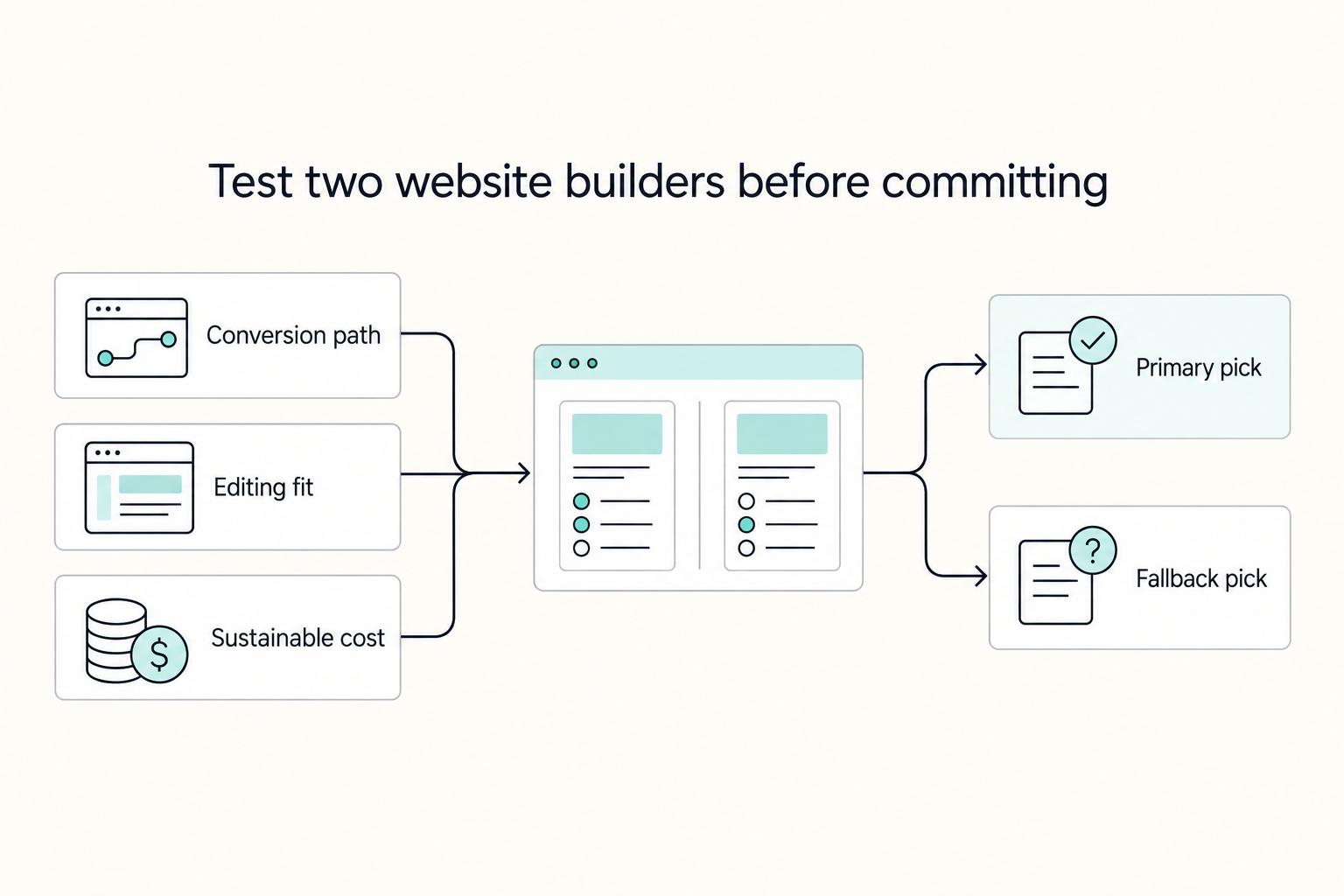
If you are trying to choose the **best website builder for freelancers**, stop looking for a universal winner. The right pick is the one that fits your conversion path, your editing habits during busy client weeks, and a budget you can actually sustain.

How to Vet a Financial Advisor as a Freelancer
**Use a repeatable, risk-first workflow: verify evidence first, then score the interview, so you don't hire on vibes.** Treat this like operator due diligence. Rerun it every year, especially when income dips and pressure makes nice-sounding investment advice feel urgent.