
Quick Answer
Start with a small, risk-focused setup: proposal controls, a reliable payment model, and simple deal tracking. For most solo operators, the best sales enablement tools are the ones that prove approval history, clear finance review, and weekly follow-up discipline. Use proposal software only if you can retrieve signed files and revision records, use invoicing with a compliance layer when cross-border complexity rises, and track every open deal with a dated next action.
Introduction: Why Every "Best Sales Enablement Tools" List Is Wrong (For You)#
For a solo operator, the best sales enablement tools usually are not enterprise enablement platforms. The practical move is a small set of tools that covers proposal handoff, payment handoff, and basic deal tracking. The goal is simpler execution, not a bigger stack.
A quick check usually tells you who these roundups are really for. One 2026 guide is literally titled "26 Best Sales Enablement Tools for Revenue Teams in 2026," while others publish 21-tool and 20-tool versions. That variation is the point: there is no single agreed list, so you need to verify the assumed buyer before you borrow the shortlist. If the page talks about "unified platforms," "Living Playbooks," intent data, or training multiple audiences at global scale, it is likely solving a team problem, not a Business-of-One problem.
| Enterprise enablement stack | Business-of-One stack | Why it matters |
|---|---|---|
| Built for revenue teams | Built for one operator | Your buying criteria should match headcount and operating risk |
| Built around broader sales/marketing/customer-success coordination | Built around a few core handoffs and basic deal tracking | You need fewer failure points, not more software layers |
| Can produce lots of dashboards | Needs clear next actions | A real failure mode is getting more reporting without better decisions |
So this article uses a practical operating model, not a giant software catalog. For most solo operators, that means focusing on three jobs: a proposal handoff, a payment handoff, and lightweight deal tracking. The aim is simple: make stage-by-stage tool decisions easier when you are doing the whole job yourself.
From here, go stage by stage and use the same filter: does the tool reduce a real point of risk, is the handoff verifiable, and will it still be usable when you are doing the whole job yourself? If cross-border tax is part of your work, A Guide to VAT for UK Freelancers may also help.
Stage 1: The Digital Handshake - Your First Line of Defense#
Treat your proposal as a control document, not a pitch deck. A verifiable proposal flow gives you fewer scope disputes, cleaner approvals, and a stronger foundation for later payment conversations because everyone can point to the same accepted version.
A polished PDF alone is not enough. The real risk is an unclear handoff: approval in email, multiple attachment versions, and no clean record of what was accepted.
Use this proposal tool checklist#
Use this as a send-or-don't-send gate:
| Check | What to confirm |
|---|---|
| Signing evidence | Clear signing action; export the final signed file; confirm jurisdiction-specific e-signature standards from the official source where relevant; "eSigning" only confirms category support, not legal coverage for your case. |
| Version history | Identify which draft became final and retrieve prior revisions. |
| Audit trail or activity record | Timestamped interaction history is available and retrievable; as of March 2026, the FitGap description of HubSpot's free tier references email tracking, document engagement visibility, and automatically logged interactions. |
| Approval traceability | Tie approval to a specific person and role, not just a generic email thread. |
The practical point is proof. Before you send anything live, verify that you can export the signed file, identify which draft became final, and pull prior revisions if a scope question comes up later.
Also check that activity history is timestamped and easy to retrieve, and that acceptance is tied to a specific person and role rather than a loose email thread. As of March 2026, the FitGap description of HubSpot's free tier references email tracking, document engagement visibility, and automatically logged interactions.
Before live use, run a self-test: revise a sample twice, sign from a second email, and retrieve the final signed copy, prior draft, activity record, and acceptance date quickly.
Scope table you can copy into your template#
| Deliverable | Explicit exclusion | Change-request handling |
|---|---|---|
| Discovery and recommendations memo | Implementation, facilitation, and ongoing advisory unless listed | Add written add-on with scope, price, owner, and date |
| Design files and final exports | Raw source files, extra concepts, and expanded usage unless listed | Approve extra formats/rights in writing before delivery |
| Workshop or training session | Recording, follow-up coaching, and extra attendees unless listed | Price and approve added sessions/attendees separately |
| Website or content delivery | CMS upload, analytics setup, QA outside listed scope, and future edits unless listed | Route additions through written change request with timeline update |
Minimum viable clause set (solo operator)#
Keep five items in the proposal itself:
- Scope boundaries
- Revision policy
- Acceptance criteria
- Milestone-linked payment terms
- Late-change process
This is about clarity, not legal theater. Define what "done" means, how many revision cycles are included, and what triggers paid change work.
How PandaDoc and Better Proposals compare#
Do not compare these on feature count first. Use the same decision criteria for both tools:
| Decision criterion | What to test in PandaDoc and Better Proposals |
|---|---|
| Fit for solo workflow | Can you run end-to-end without extra admin layers? |
| Contract controls | Can you reliably retrieve signed version, revision history, and activity record? |
| Collaboration friction | Do comments/edits speed decisions, or create version confusion? |
| Handoff clarity | Is final acceptance obvious and easy to prove later? |
Shortlist both, run the same workflow test, and pick the one that makes handoff proof easiest in real client work. For a solo operator, that matters more than a long feature list.
For a step-by-step walkthrough, see The Best Tools for Lead Generation for a B2B SaaS.
Stage 2: The Compliant Transaction - How to Get Paid Without Fail#
Payment failures usually happen at finance review, so your priority is invoice acceptability, not just invoice speed. After proposal approval, you still need a transaction record that AP can process without back-and-forth.
Run the invoice acceptance checklist#
Treat invoice acceptance as a pre-send gate. Your internal sponsor can approve the work and AP can still reject the invoice if key details do not match buyer requirements.
| Check | What to confirm |
|---|---|
| Buyer tax identity | Legal billing entity, billing address, tax ID (or equivalent), and whether a PO or vendor setup is required; confirm each requirement against the buyer's source records before sending. |
| Required invoice fields | Mandatory fields and submission rules, for example invoice date/number conventions, service period labeling, reference fields, and channel; confirm each requirement against the buyer's source records before sending. |
| Tax treatment labeling | Which treatment and wording the buyer expects on the invoice for this transaction; confirm the applicable treatment with the relevant tax authority before sending. |
| Record retention | Keep the signed proposal, final invoice, buyer validation details, acceptance or delivery evidence, and payment confirmation together; confirm the current retention requirement from the applicable legal or contractual source. |
In practice, most invoice problems come from mismatched buyer details or missing required fields, not from the invoice file itself. Before you send, verify the legal billing entity, tax identity, PO or vendor-setup requirements, and any submission rules.
Then make sure the tax treatment wording matches the transaction and keep the signed proposal, final invoice, buyer validation details, acceptance or delivery evidence, and payment confirmation together. If anything is unclear, stop and verify it before submission.
Before going live, run one end-to-end test invoice and confirm you can quickly retrieve the invoice file, source buyer data, tax-treatment note, and matching deal record.
Know where basic invoicing stops#
A basic invoicing tool is often enough for document creation, numbering, reminders, and simple collection. That can work when you operate in one market, one currency, and can manually validate each invoice.
For cross-border B2B, invoicing alone is usually not the full control point. In practice, the gap is broader revenue operations. One report notes that weak handling of pricing or renewal changes can lead to billing failures and leakage. Another report points out that quote-to-cash handoffs can still break even when tools are integrated, because execution-time policy enforcement is missing.
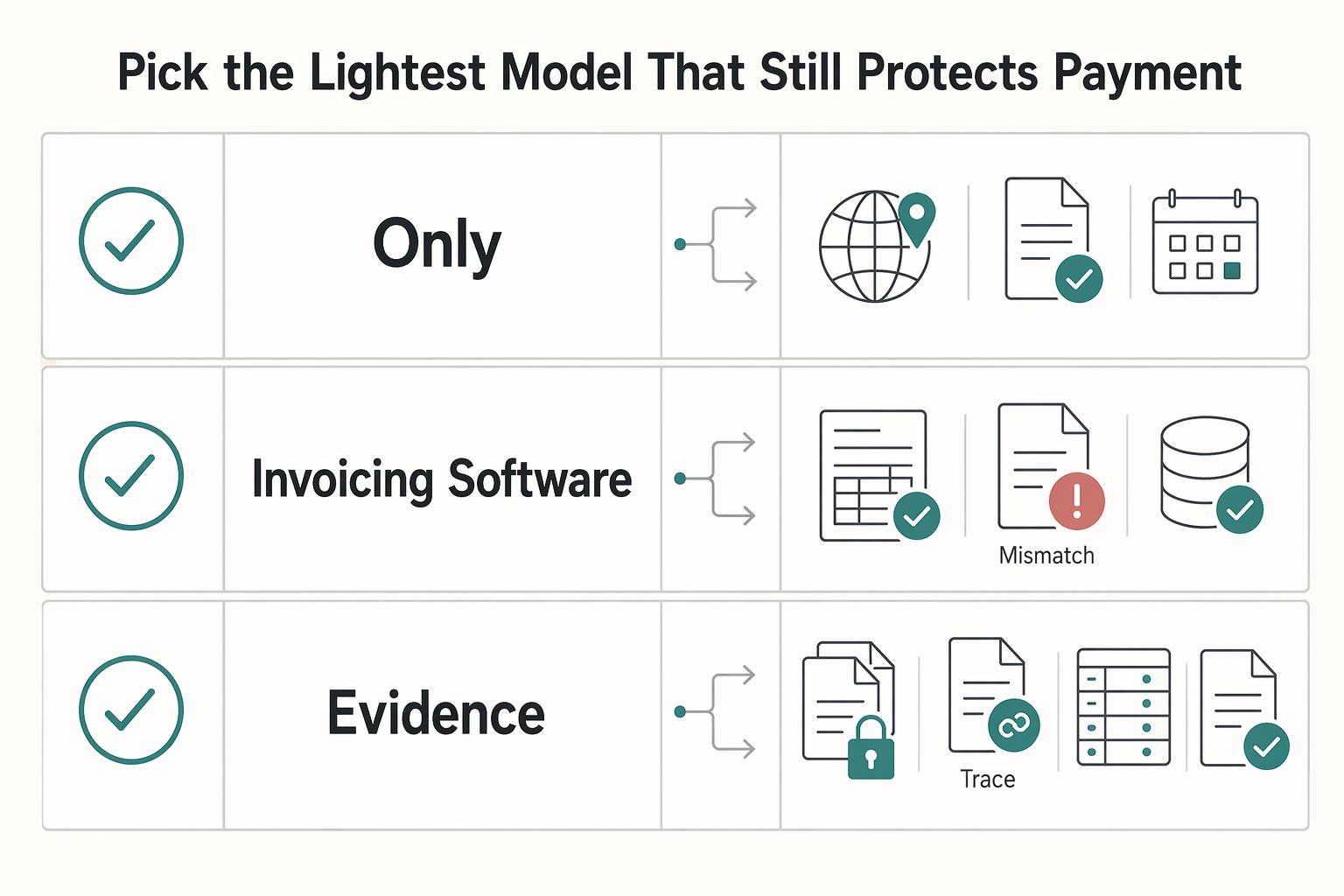
Pick the lightest model that still protects payment#
Use the simplest model that reliably clears finance review. For many solo operators selling cross-border B2B services, a Merchant-of-Record (MoR) is the most practical de-risking layer. It is not legally required in every case, and it does not remove every seller obligation.
| Model | Liability | Tax handling | Currency and payment ops | Dispute workflow |
|---|---|---|---|---|
| You only | You carry transaction responsibility | You determine and apply treatment | You run collection, settlement, and reconciliation | You respond and provide evidence |
| Invoicing software | You still carry underlying responsibility | Tool can format, but correctness remains on you | Tool may collect payments; you still handle edge cases and reconciliation | You still own the response and evidence pack |
| Merchant-of-Record | MoR assumes defined transaction responsibilities within its model | MoR handles tax calculation/collection/remittance within its model | MoR runs payment operations and currency administration within its model | MoR typically runs the transaction-side dispute process within its model |
A lighter setup may be acceptable when your work is domestic, single-currency, low-volume, and you can validate each invoice manually. If you are selling cross-border into stricter finance environments, add the compliance layer that removes rejection points before submission.
Once your payment path is reliable, tighten deal flow next with How to Use HubSpot for Sales Pipeline Management.
Stage 3: The Growth Engine - Managing Your Pipeline Without the Enterprise Price Tag#
At this stage, your goal is simple: keep opportunity momentum. You do not need enterprise reporting to do that. You need one system where every live deal has a stage, a last touch, and a dated next action.
Many sales enablement roundups prioritize guided selling, conversation capture, coaching, and automation. Those capabilities can be useful, especially for enterprise revenue teams. If you sell solo, the practical test is narrower: can you keep the system current every week without creating another admin job?
Use a fit test before you buy#
Compare operating load before feature count. Go-live is the start of work, not the finish line, and tool sprawl is a common failure mode when teams keep adding systems.
| Fit area | Enterprise CRM | Personal CRM system |
|---|---|---|
| Setup burden | Usually higher: fields, pipelines, permissions, and reporting structure are often defined early. | Usually lower: start with one pipeline and a few required fields. |
| Maintenance load | Ongoing admin can expand as views, automations, and rules grow. | Easier to maintain when you only track what supports the next conversation. |
| Visibility | Better for oversight across multiple reps and teams. | Better for quickly seeing your own open deals, blockers, and next actions. |
| Solo usability | Can be heavier than needed if no one else depends on reporting. | Often a better fit when one person runs outreach, proposals, and follow-up. |
Before committing, load 10 real opportunities. If you cannot see stage, last contact, next action date, estimated value, and linked proposal or notes in one view (or within two clicks), the setup is probably too heavy or too loose.
Pick by use case, not brand#
Choose the category that matches how you actually sell:
| Category | Examples | Best when |
|---|---|---|
| Visual board tools | Trello, Asana | Your cycle is short and you think in columns. |
| Flexible databases | Notion, Coda | Each deal needs richer context, like referral source, proposal version, service line, or decision date; you can filter by next action without jumping to a full CRM. |
| Lightweight CRMs | Folk, Less Annoying CRM | Relationship history and pipeline tracking both matter; you keep contacts and deal flow together without an enterprise layer. |
If you mainly need movement across stages, start with a board. If context is the harder part, use a flexible database. If relationship history matters as much as the pipeline, use a lightweight CRM.
Run a simple weekly operating model#
Use defined stages and require a next action for every open deal.
| Stage | Required next action |
|---|---|
| New Lead | Confirm fit and schedule first conversation. |
| Qualified Conversation | Capture needs and define the next decision step. |
| Proposal in Draft | Set a send date and confirm open inputs. |
| Proposal Sent | Confirm receipt and set follow-up touchpoint. |
| Verbal Yes | Confirm scope, approvals, and start logistics. |
| Won | Record handoff and relationship follow-up trigger. |
| Lost | Record reason and any re-open condition. |
| Stale | Decide: revive with a specific message or close it. |
Stale-deal rule: verify the current follow-up window from source records, then move any deal with no dated next action or no response inside that window to Stale and force a decision.
Keep follow-up intentional. After Proposal Sent, run a short sequence to confirm receipt, surface objections, and clarify decision timing. For relationship maintenance, use clear triggers like project completion, a meaningful client milestone, a referral thank-you, or a genuinely relevant new offer. If you want a deeper dive, read Value-Based Pricing: A Freelancer's Guide.
Conclusion: Tighten the Payment Path, Proposal Scope, and Next Actions#
If you do only three things this week, do the boring protective work first: tighten the payment path, tighten proposal scope, and give every active deal a dated next action. In practice, that is what looks professional: clearer scope, cleaner payment handling, and steadier follow-through without enterprise-style complexity.
- Payment path first
Start with the Merchant-of-Record decision, because rejected international payments and tax liability risk can show up early. Run a dry run from accepted proposal to paid invoice and verify who issues the invoice, how currency conversion is handled, and where transaction records live. The point is risk reduction. An MoR is positioned here to handle global invoicing, indirect-tax handling, and currency conversion. If you cannot explain who issues the invoice and what records you keep, do not assume a basic invoicing tool is enough.
- Proposal as contractual armor
Your next move is one proposal template that includes explicit Included and Not Included sections. Add e-signature and audit-trail support so the agreement lives in one place instead of getting diluted across email threads. The point is control. When scope questions come up later, you can point to a signed document rather than reconstruct intent from memory.
- Pipeline that is simple enough to keep current
Use a lightweight visual board or small database, not a heavy CRM, if you are selling solo. Track a short weekly set of fields such as stage, last touch, dated next action, and a link to the proposal. The point is consistency. If a deal has no dated next action, mark it stale. If you evaluate software, check export support early so your content and metadata stay portable.
If you want help implementing the approach after you understand it, Gruv tools can be one practical path. But the real answer to the sales enablement question is not bigger software. It is tighter operating habits you can repeat every week.
We covered this in detail in How to Create a Sales Playbook for Your SaaS Team.
Frequently Asked Questions
Should you use one all-in-one product or a small stack?
Start with a small stack unless one product can cover your core workflow end to end with very little setup. A single tool can reduce handoffs, but a stack makes it easier to replace one weak part without rebuilding everything. Choose an all-in-one only after you test one real cycle across key stages, from outreach through pipeline tracking and closing.
What should your proposal platform do before you send anything?
It should help you send one clear document and keep related content centralized. Check that each proposal shows what is included, what is not included, the decision terms, and how extra work gets approved. If you still settle core scope questions in scattered emails, your process is not centralized enough.
When is an invoicing tool enough, and when should you add an MoR/compliance layer?
An invoicing tool can be enough for straightforward deals when you can clearly explain who issues invoices, how records are retained, and who owns each handoff. Add a broader compliance layer only when documentation and control needs increase, especially for cross-border sales. Avoid hard legal assumptions and confirm country-specific obligations separately before rollout.
How do you validate the payment and compliance path before a live deal?
Run one dry run from accepted proposal to paid invoice. Confirm ownership at each handoff, the document sequence, and where transaction records live. Keep a small evidence pack with a sample invoice, terms, and a transaction export so you are not rebuilding the trail later.
What is the minimum you should track in your personal CRM every week?
Track stage, last touch, dated next action, estimated value, and a link back to the proposal or sales document. That can be enough to keep momentum without turning your CRM into another maintenance job. If a deal has no dated next action, move it to stale and either send a specific follow-up or close it.
Should you use a visual board or a personal CRM?
Pick a board when your sales cycle is short and you mainly need to see movement across columns. Pick a personal CRM when relationship history matters as much as stage, especially if you sell through referrals, repeat work, or multi-contact accounts. Board first, CRM second is often a sensible move if you can no longer answer “who said what, and when?” quickly.
How should you set a follow-up cadence without nagging people?
Tie follow-up to the stage, not your anxiety. After a proposal is sent, next actions should usually confirm receipt, surface objections, and ask about decision timing, with each touch dated in the CRM. If you reach the end of your follow-up window and still do not have a response, mark the deal stale instead of pretending it is active.
Are classic sales enablement tools worth it for one person?
Often not as a first priority. Sales enablement tools are built to help sales teams work more efficiently, and many focus on shared content dashboards plus tracking for sales performance, training, and project completion. In 2025 and 2026 market writeups, Seismic is framed for large enterprises, and features like LiveDocs personalization from CRM data tend to pay off only when your data is structured and your internal process is clear.
Why do powerful demos still turn into heavy admin later?
Because software does not fix weak inputs. A common failure mode is buying a stronger tool before defining stages, naming rules, handoffs, and record-keeping habits. If your data is messy, clean the process first, then add software where it removes a real bottleneck.
Try a related tool
Researched and edited by the Gruv editorial team. Gruv builds cross-border billing, payouts, and finance-operations software for global businesses.
Sources
Includes 8 external sources outside the trusted-domain allowlist.
- allego.com/blog/best-sales-enablement-toolsexternal
- betterproposals.io/blog/top-sales-enablement-toolsexternal
- cognism.com/blog/sales-enablement-toolsexternal
- croclub.com/tools/best-sales-enablement-softwareexternal
- docebo.com/learning-network/blog/sales-enablement-toolsexternal
- everstage.com/sales-productivity/5-best-sales-enablement-t...external
- execsintheknow.com/empathetic-voice-ai-brings-a-new-competitive...external
- guideflow.com/blog/enterprise-sales-toolsexternal
Educational content only. Not legal, tax, or financial advice.
Related Posts

Value-Based Pricing for Freelancers Under Real Payment Risk
Value-based pricing works when you and the client can name the business result before kickoff and agree on how progress will be judged. If that link is weak, use a tighter model first. This is not about defending one pricing philosophy over another. It is about avoiding surprises by keeping pricing, scope, delivery, and payment aligned from day one.

VAT for UK Freelancers Without Filing Surprises
If you want a low-stress approach to **vat for uk freelancers**, start with an HMRC-first baseline. Think of compliance as a series of decisions backed by records, not a setting inside your invoicing tool.
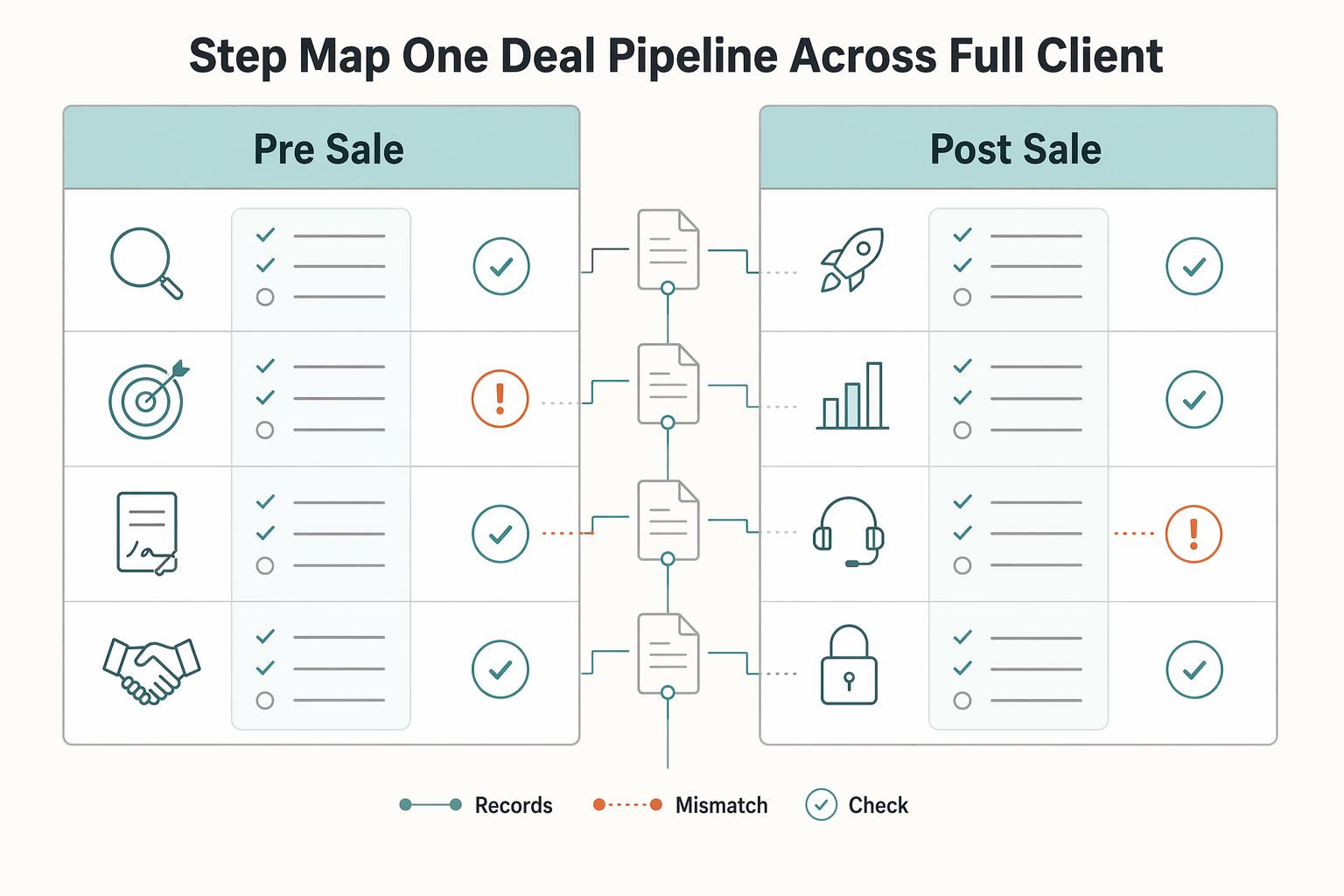
How to Use HubSpot for Sales Pipeline Management
HubSpot can feel like overkill if you set it up as though you are running a sales team. For a business of one, the real question is simpler: do you need tighter control over follow-up and client records, or will a bigger tool mostly add admin you will not maintain?