
Quick Answer
Start by choosing the best tools for creating sops based on how your work fails in real life: use a central written hub like Notion or Slite for process ownership, add Tango or Scribe for screen-based walkthroughs, and use Process Street when steps must be completed in order. The right setup is the one you will maintain weekly, with clear checkpoints for client intake, invoicing, scope changes, and closeout.
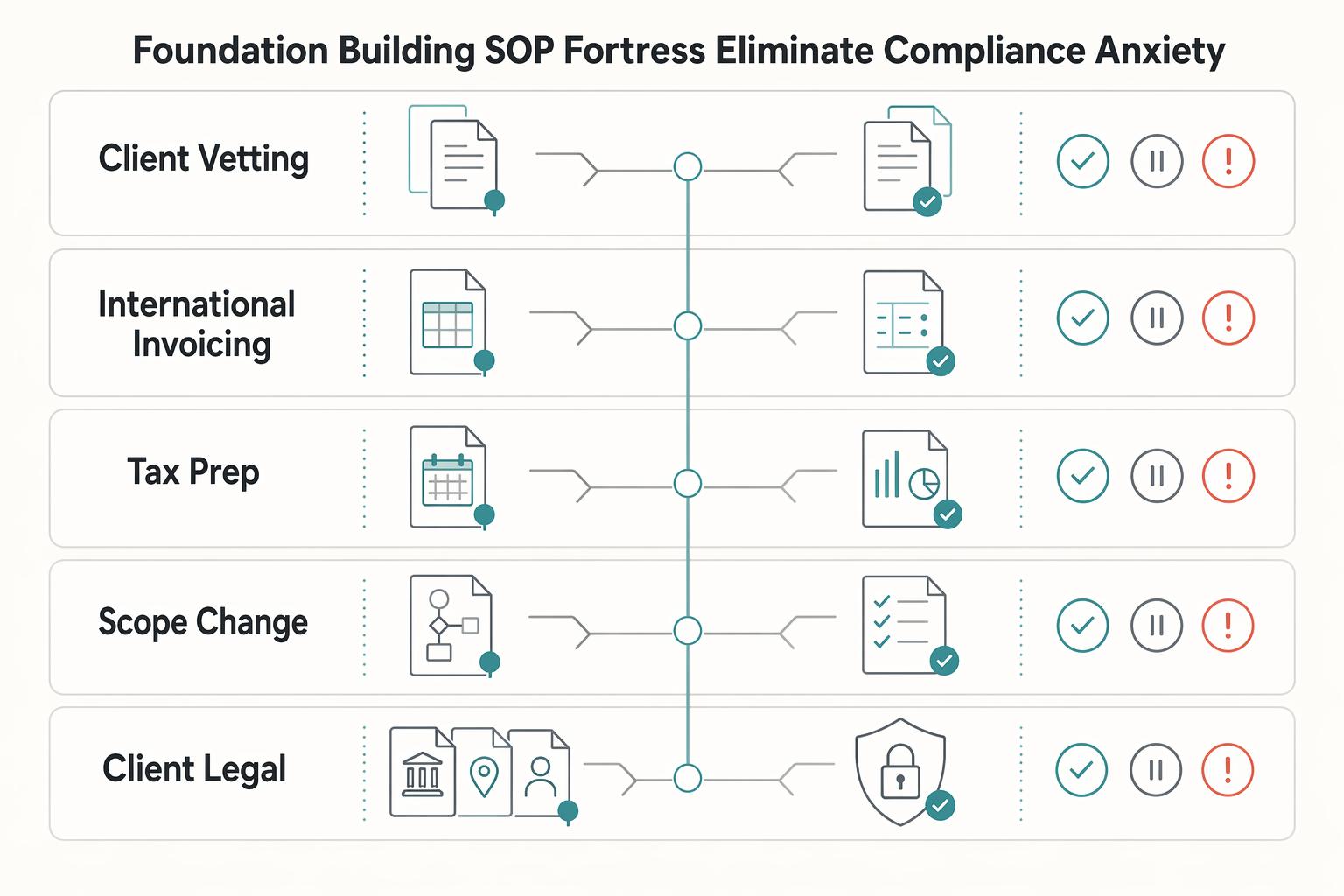
Stage 1: The Foundation - Four SOPs that help prevent expensive mistakes#
If compliance anxiety is the problem, do not start by documenting everything. Start with four SOPs that can help prevent expensive mistakes: client vetting, invoicing, tax close, and scope changes. If any of these still lives in your head, write it down now. In a January 2019 simulated SOP study (76 engineering students), stress impaired performance, while refresher training improved follow-up performance after a two-week retention interval.
| SOP | When | Key checkpoint |
|---|---|---|
| Client vetting | Before contract and before kickoff | End with a pass, hold, or escalate decision after collecting the legal entity name, billing address, primary business contact, AP contact, and tax or indirect-tax information |
| International invoicing | Before sending | Use a client-specific template and confirm the legal name, AP reference, service description, and tax or indirect-tax wording |
| Tax prep rhythm | Monthly or quarterly | Reconcile accounts, document multi-currency activity, transfer the tax reserve, and archive support files |
| Scope-change handling | When scope changes | Acknowledge the request, compare it to the signed scope, then confirm it is included or send the change-order handoff |
- Client vetting, before contract and before kickoff
Your pre-contract checklist should end with a simple pass, hold, or escalate decision. Do not sign, onboard, or send sensitive documents until you have the client's legal entity name, billing address, primary business contact, accounts payable contact, and the tax or indirect-tax information your accountant says you need for that client type.
What matters most here is source quality. If you are checking a registration, tax identifier, or agency guidance, confirm that you are on an official authority site first. HHS says it plainly: before sharing sensitive information, make sure you are on a federal government site. "The .gov means it's official." If a client sends a screenshot instead of an official source, treat it as unverified.
Build in a visible escalation step for missing compliance data. IRS procedure language includes "Guidelines for Improving Issues," and the idea is useful here. If key data is missing, contradictory, or cannot be verified on an official source, route the file to your escalation note, pause the contract, and request clarification in writing. Keep the evidence pack in one electronic client folder with a decision log, following the idea behind "Electronic Inventory Case Organization."
- International invoicing, built to prevent avoidable rejection
Do not rely on one generic invoice file forever. Use a client-specific template. One common failure mode is simple: the client says "please invoice us," you rush it, and the invoice gets rejected because the legal name, AP reference, or tax wording does not match how that buyer processes vendors.
Use a house matrix like this and customize it for each client and jurisdiction. It is a prevention template, not a statement of universal legal requirements.
| Field to confirm before sending | Example rejection reason | Prevention step |
|---|---|---|
| Client legal name and billing address | Does not match contract or vendor record | Copy from signed agreement or verified onboarding record |
| AP contact, email, and internal reference such as PO or vendor code | Sent to wrong inbox or missing internal routing data | Capture during onboarding and test it with a pre-invoice confirmation |
| Service description and service period | AP cannot match invoice to approved work | Mirror the wording used in the proposal, SOW, or approval email |
| Tax or indirect-tax wording (where required) | Missing or incorrect jurisdiction text | Verify the exact required wording from the governing source before use |
For cross-border clients, add one more checkpoint: note the official source you used to confirm any tax text or ID handling, and date-stamp that note. Rules change, and your SOP should show what you relied on at the time.
- Tax prep rhythm, turned into a recurring close
Do not wait for year-end. Run a recurring close, monthly or quarterly, with four actions in order: reconcile accounts, document multi-currency activity, transfer your tax reserve, and archive support files.
For multi-currency work, keep the payment record, payout report, and the exchange-rate reference you used for your books in the same folder. For reserves, move the amount your adviser recommends into a separate account immediately after closing the period. If a local threshold affects filing, registration, or reserve logic, leave the SOP unresolved until the exact threshold and effective window are verified from the governing policy or official source. Retention matters just as much as the close itself, so keep invoices, contracts, amendments, receipts, and bank support together instead of reconstructing a quarter from inbox search later.
- Scope-change handling, so extra work becomes a decision, not drift
Scope drift is rarely a delivery problem first. It is usually a decision problem. Make this SOP executable with three reusable assets: an intake reply template, a scope-check template, and a change-order handoff template. The sequence is simple: acknowledge the request, compare it to the signed scope, then either confirm that it is included or send the change-order handoff.
Be explicit about your definition of done before work resumes: revised deliverable, revised fee, revised timing, and written approval stored in the client folder. If any one of those is missing, the task stays parked. That rule can feel strict, but it prevents the most common failure mode: informal approval in chat followed by formal disagreement when the invoice lands.
If you want a deeper dive, read Value-Based Pricing: A Freelancer's Guide.
Stage 2: The Engine - Justify higher rates through consistent execution#
Once your compliance basics are stable, you justify higher rates through consistent execution, not a better pitch. Clients trust premium pricing when they can quickly see what is done, what is next, and what you need from them.
An SOP is a documented, step-by-step process for a specific task. In this stage, your three client-facing SOPs are onboarding, communication, and offboarding. If any of these still depends on memory, consistency drops.
1. Onboarding handoff#
Your onboarding SOP should start only after the signed agreement is saved in the client folder. Keep the handoff sequence fixed so you do not lose assets, access, or decisions between sale and delivery.
| Part | Includes | Record or output |
|---|---|---|
| Signed-agreement trigger | Start onboarding only when the signed agreement is stored | Welcome message with the shared workspace link and intake checklist |
| Secure asset intake checklist | Required files, access invites, brand guidance, and technical dependencies | Log source, version/date, and storage location for each item |
| Kickoff prep brief | Project goal, confirmed scope, open questions, and what the client should prepare | Send before kickoff |
| Single source-of-truth workspace | Scope summary, timeline, files, decision log, and current contacts | Update the same record instead of spreading changes across chat and email |
- Signed-agreement trigger
Start onboarding only when the signed agreement is stored. Then send one welcome message with the shared workspace link and intake checklist.
- Secure asset intake checklist
Request required files, access invites, brand guidance, and technical dependencies in one checklist. For each item, log where it came from, its version/date, and where you stored it so completion is easy to verify.
- Kickoff prep brief
Before kickoff, send a short brief with: project goal, confirmed scope, open questions, and what the client should prepare. This keeps the meeting focused on decisions.
- Single source-of-truth workspace
Keep scope summary, timeline, files, decision log, and current contacts in one client workspace (for example, Notion or Slite). Update the same record instead of spreading changes across chat and email.
A simple rule keeps onboarding clean: keep the signed agreement, intake checklist, kickoff brief, and workspace link together in one evidence pack.
2. Communication cadence#
Your communication SOP should reduce misunderstandings, not increase message volume. Define where each type of update lives, who owns it, and how decisions are captured.
| Channel | Purpose | Owner | Response expectation |
|---|---|---|---|
| Shared workspace | Scope, timeline, files, decision log | You maintain it | Reference record; reply when approval is requested |
| Formal summaries, approvals, milestone notes | You initiate | Reply when a decision or approval is needed | |
| Chat | Narrow operational questions for active work | Both | Keep brief; log outcomes in workspace |
| Meeting | Kickoff, milestone review, unresolved issues | You lead | Capture decisions after the call |
Use the same update template each time: status, next actions, blockers, approvals needed. Consistency makes progress easier to scan and reduces reporting fatigue.
If client input is delayed, escalate in writing: link the open request, state the decision needed, note delivery impact, and add the date to the decision log.
3. Offboarding closeout#
Your offboarding SOP should close delivery with the same control as onboarding. Follow a fixed closeout sequence so revenue, files, and relationship follow-through do not get skipped.
- Payment confirmation
Confirm the final invoice went to the correct AP contact. Mark the project financially closed only after payment evidence is stored.
- Structured asset transfer
Deliver final assets in one organized folder set plus an index listing file name, purpose, and final version/date. Request written receipt confirmation.
- Testimonial request workflow
Ask after receipt confirmation. Provide two or three prompts tied to delivered outcomes so the client can respond quickly.
- Follow-up checkpoint
Set one follow-up reminder inside your promised support window. If retention, deletion, access removal, or policy wording applies, leave the exact wording and timing unresolved until verified from the governing policy, contract, or official source.
We covered this in detail in The best tools for creating 'Flowcharts' and 'Diagrams'.
Stage 3: The Flywheel - Designing SOPs That Let You Scale Beyond Yourself#
Once your delivery is predictable, your next limit is usually you. If a task still depends on you adding context in chat, it is not ready to hand off. Write each SOP so another competent person can run it start to finish without guesswork.
1. Delegation-ready SOPs#
A delegation-ready SOP is executable, not just descriptive. Use one repeatable template so the handoff quality stays consistent:
| Section | What to include |
|---|---|
| Objective | One sentence on the outcome and what "done" means |
| Prerequisites and access | Tools, files, permissions, templates, and where each item lives |
| Step sequence | Short, ordered action steps written with verbs |
| Quality checks | What must be verified before completion |
| Failure handling | Common failure points, escalation contact, and immediate next action |
| Handoff notes | What the next person needs, where records go, and any client message to send |
Add lightweight governance at the top: who owns the SOP, which version is current, and what changed in the latest update. That keeps training, knowledge sharing, and execution aligned as your process evolves. If people stall in a dry run, treat it as a documentation gap and update the SOP before you scale the task.
2. Automation audit#
Automate only when the process is stable enough to trust. Use the same rubric each time, then separate clear candidates from tasks that should stay manual for now.
| Rubric | Automate now | Keep manual |
|---|---|---|
| Frequency | Repeats often enough to save meaningful time | Infrequent or one-off |
| Rule clarity | Steps are explicit and repeatable | Heavy judgment or frequent exceptions |
| Error impact | Mistakes are costly enough to justify controls | Mistakes are easy to catch and correct |
| Integration fit | Inputs/outputs move cleanly across your tools | Data is fragmented or heavily manual |
| Fallback path | A manual backup path is documented | No reliable backup path exists |
If rule clarity or fallback is weak, keep the task manual and fix the SOP first. If you use agentic AI, raise your review bar because coordination failures and prompt-based manipulation are known risks. Keep human review for client-facing, financial, and compliance-adjacent outputs.
3. SOP library organized for quick retrieval#
Your SOP library should make retrieval quick during real work. A practical structure is: organize by workflow, then by client lifecycle stage, then by criticality so the most important procedures are easiest to find.
Keep one canonical home for written SOPs and link supporting assets from there. If you use Notion or Slite, keep core written procedures, checklists, and decision notes there; use Tango captures as supporting walkthrough assets, not your only instruction source. For every SOP, keep links to current templates, related files, ownership, and the latest change note so handoffs do not depend on memory.
For a step-by-step walkthrough, see The best tools for creating charts and graphs in Notion.
Choosing Your Tools: The Right Instrument for the Job#
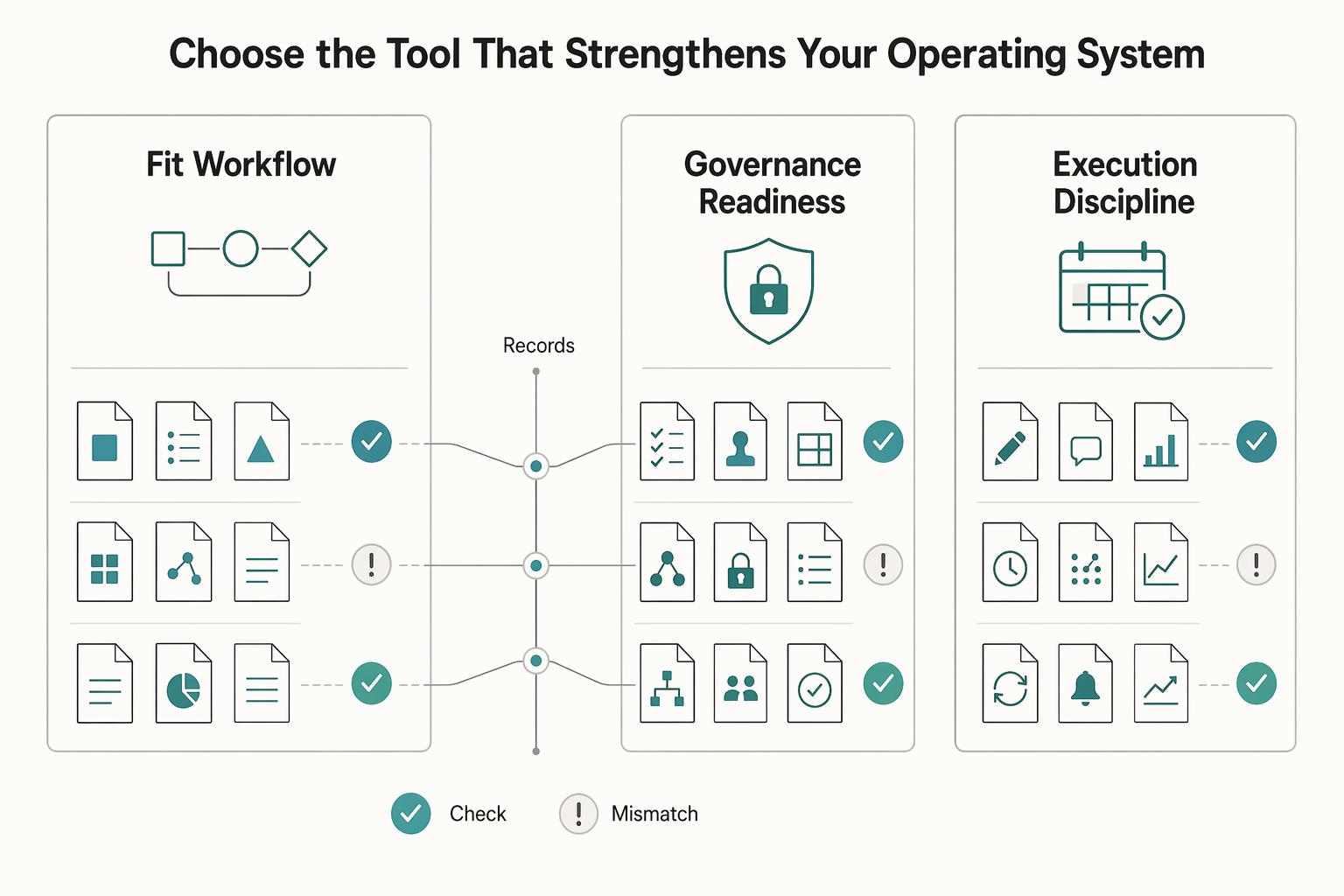
Choose tools by operating mode, not by feature hype: capture for clarity, workflow checklists for execution control, and a knowledge base for your system of record. If an SOP touches payments, client trust, or compliance-sensitive work, favor step enforcement and version discipline over convenience.
| Tool | Best-fit scenario | Setup effort | Governance strength | Handoff quality | Common failure mode |
|---|---|---|---|---|---|
| Tango | Capture exact screen paths for repeat software tasks | Low | Low | High for UI walkthroughs | Captures age quickly after UI changes |
| Scribe | Fast capture-first how-to documentation | Low | Low | High for tool-specific walkthroughs | Used as the entire SOP instead of support material |
| Process Street | Recurring higher-risk processes where steps must be completed | Medium | Higher | High for accountable execution | Too much process for low-risk work creates friction |
| Notion | Central hub for written SOPs, policies, and related docs | Medium | Medium when naming/version rules are enforced | Medium to high | SOPs sprawl into pages people stop using |
| Slite | Focused knowledge base for shared written guidance | Medium | Medium with regular upkeep | Medium to high | Static docs become outdated quickly |
Use this selection framework:
- Document only
Use Notion or Slite when your main need is clear, searchable process documentation and knowledge sharing.
- Enforce steps
Use Process Street when missed steps create real downside. In this mode, the SOP is executed, not just read.
- Run a full operating hub
Keep a knowledge base as primary, then pair Tango or Scribe for UI-heavy procedures where visual handoff matters.
An all-in-one setup is reasonable when procedures are low risk and your team-of-one already works there daily. A specialized stack is safer when you need tighter control over revisions, approvals, or permissions. Start with one primary system of record, define naming and version rules, then map each SOP type to the tool category that best protects execution quality. Related: The Best Tools for Building a Knowledge Base.
Your SOPs Are a Business Asset When They Reduce Risk#
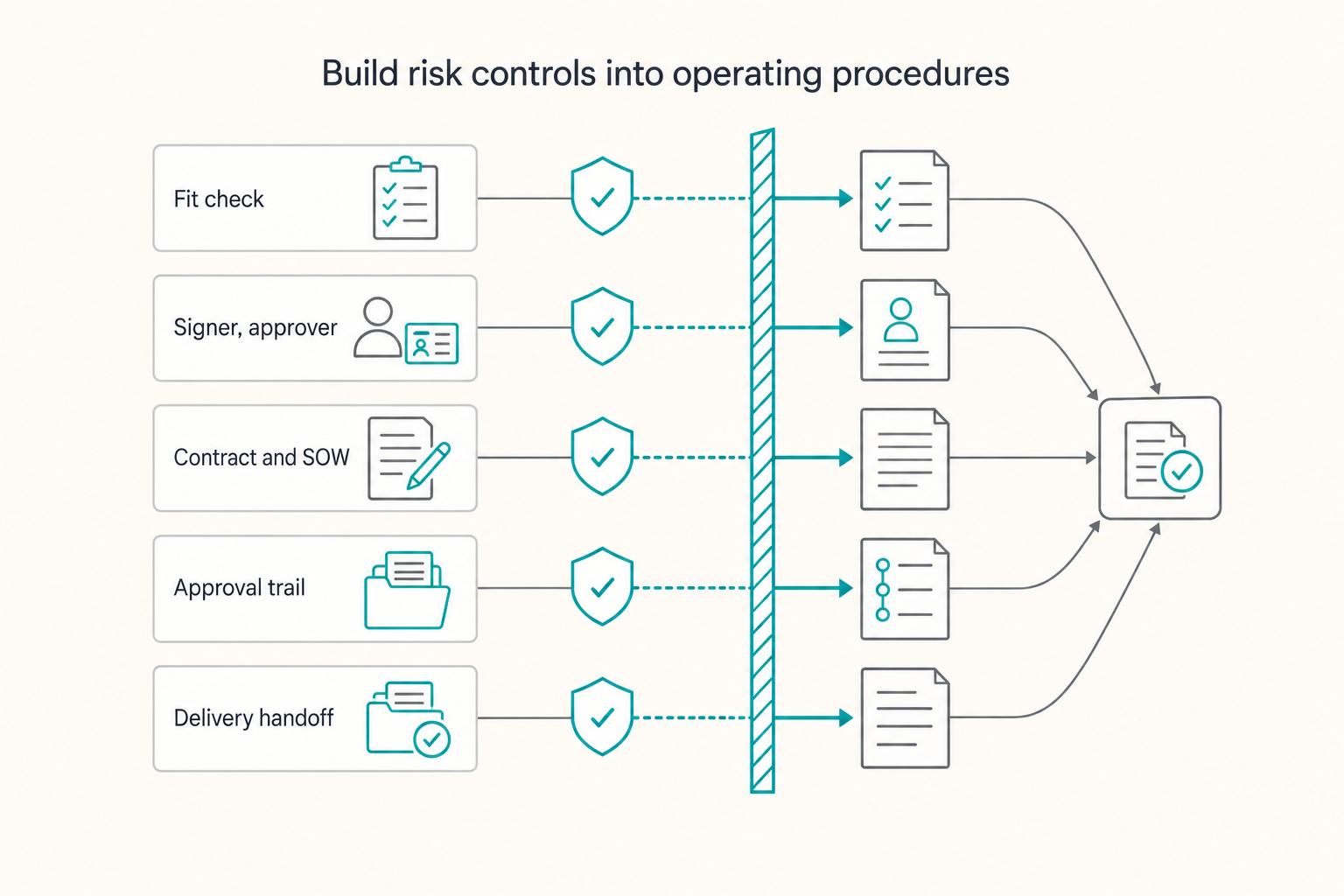
Your SOPs are a business asset when they reduce risk, keep delivery consistent, and let work move forward without constant follow-up from you.
-
De-risk. Start with the procedures where missed steps create real downside, such as an intake checklist and an invoicing checklist. In your week, this looks like pausing kickoff until required client details and billing path are confirmed in one place. You move from case-by-case execution to a repeatable baseline.
-
Professionalize. Next, standardize the moments where projects drift, such as your change-order workflow and routine client updates. In your week, this looks like handling every extra request the same way: confirm the ask, check approved scope, and document the change before more work starts. You get steadier quality with less avoidable back-and-forth.
-
Scale. Then document repeatable work in a delegation-ready playbook stored as a single source of truth. In your week, this looks like capturing one screen-based workflow, cleaning transcript typos, linking the working template, and defining what done looks like. That makes handoff and onboarding easier and gives you more predictable capacity planning.
SOPs become less tied to your immediate time when they are maintained, searchable, and actually used. Pick one upgrade now:
- Choose one recurring task where a missed step causes meaningful risk.
- Create or clean up one master SOP with checklist steps, template links, and a last-reviewed date.
- Add one verification checkpoint and test it next week with future-you or a helper.
You might also find this useful: How to Create a Standard Operating Procedure (SOP) for Your Freelance Tasks.
Frequently Asked Questions
What is the best SOP software for a solopreneur?
Start with your most expensive failure point, not a roundup ranking. There is no single universally agreed "best" list, so prioritize tools that give you a centralized searchable hub, version control, and a low maintenance burden over time. During trials, time how long it takes to create your first SOP, then pick the option you will still update after the first busy month.
How do I create a compliance-focused client onboarding SOP?
Build it as a step-by-step onboarding checklist with clear checkpoints. Use an intake form or document upload at each checkpoint, and add automated reminders so steps do not stall. Choose the checkpoints that fit your services and jurisdiction (for example, agreement status, billing details, and any required tax documentation), then verify records before work starts.
Scribe vs. Process Street: which should a consultant use?
Do not choose from brand names alone. Run the same pilot workflow in each tool: create one SOP, assign it, update it, and confirm people can find the current version quickly. Pick the tool that makes first-SOP creation and ongoing maintenance easiest, then keep approved SOPs in one centralized, searchable home with version control.
How exactly do SOPs reduce business risk for a freelancer?
Use a simple map: payment risk -> invoicing checklist; scope risk -> change-request SOP; reputation risk -> offboarding checklist. SOPs help reduce risk when each one controls a known failure point, is kept current, and has clear ownership. If you cannot name the risk it reduces, do not write that SOP yet.
Can’t I just use Google Docs for my SOPs?
Yes, if the task is low risk, low frequency, and mostly for your own reference, like a publishing checklist or recurring admin note. It gets shakier once the process is shared or high-stakes, because docs can scatter across drives and dedicated SOP tools usually offer stronger version control. If you stay with Docs, keep one index page, assign an owner, add a last-reviewed date, and move higher-risk procedures into a checklist-based tool.
What is the single most important SOP a freelancer should create first?
Start with the process where one missed step creates the biggest downside. For many independents, that is the path from signed agreement to first invoice. Build that flow as a checklist with required form/document checkpoints and reminders, and keep the reference SOP in a centralized knowledge hub with version control.
Try a related tool
Researched and edited by the Gruv editorial team. Gruv builds cross-border billing, payouts, and finance-operations software for global businesses.
Sources
Includes 5 external sources outside the trusted-domain allowlist.
- aspe.hhs.gov/hhs-guidelines-ensuring-maximizing-dissemina...trusted
- irs.gov/irm/part11/irm_11-003-041trusted
- ussm.gsa.gov/assets/files/M3-Playbook.pdftrusted
- asianetnews.com/finance/sop-softwareexternal
- document360.com/blog/sop-softwareexternal
- execsintheknow.com/the-operations-flywheel-why-you-should-adopt...external
- forbes.com/sites/jodiecook/2024/01/19/delegate-like-a-p...external
- lifebydesign.online/systems/sops-for-solo-businessexternal
Educational content only. Not legal, tax, or financial advice.
Related Posts

Value-Based Pricing for Freelancers Under Real Payment Risk
Value-based pricing works when you and the client can name the business result before kickoff and agree on how progress will be judged. If that link is weak, use a tighter model first. This is not about defending one pricing philosophy over another. It is about avoiding surprises by keeping pricing, scope, delivery, and payment aligned from day one.
Best Knowledge Base Tools for Support and Internal Work
You want fewer repeated questions, fewer handoff errors, and answers people can find fast without digging through chat, email, or memory. That usually starts with one searchable home for shared knowledge, but it only sticks if someone owns the content and someone checks that it still reflects reality.
How to Create a Standard Operating Procedure (SOP) for Your Freelance Tasks
If the same workflow issues keep showing up, a bigger to-do list usually will not fix them. What helps is a simple operating structure: what starts a task, what gets checked, and what must be true before work moves forward. This guide shows you how to document recurring freelance tasks so the work is easier to repeat and maintain.