
Quick Answer
Start by tracing a single payable from invoice receipt to final ERP posting, then automate in order: invoice capture, approval routing, and only then ERP sync. Use that sequence to prevent fast intake from hiding weak controls. Before expanding to more entities or payment paths, confirm you can export approval logs, payment status history, and reconciliation records without manual stitching. Keep exception ownership explicit for missing PO, mismatched invoice, blocked approval, failed payout, and returned bank payments.
What Changes When You Automate AP#
Treat accounts payable automation as a sequencing problem, not a software shopping trip. If you are new to AP technology, the useful question is not which tool has the most features. It is which steps you should automate first so invoices, approvals, payments, and reconciliation stay reliable as volume grows.
In plain English, AP automation is technology that handles routine payable work such as receiving invoices, coding them, routing them for approval, making payments, and reconciling the result. That scope matters because teams can buy for only one slice of the process, usually invoice capture, then discover later that approval delays, payment exceptions, or ledger handoffs still create manual cleanup. Manual AP is often slow and error-prone, so automation can improve speed, visibility, and accuracy, but only when the pieces connect in the right order.
For platform operators, the practical lens is the full AP cycle. That cycle runs from purchase orders through payment and reconciliation, with steps such as 3-way matching, approvals, and general ledger integration along the way. If your market or program coverage varies, that end-to-end view matters even more. A setup that works for one supplier type or one payment path can break when another market needs different approval handling or when a payment completes but the reconciliation trail is weak.
This guide follows a decision-ready path through that complexity. You will get a simple sequence for what comes first, what should wait, and where teams create rework by automating the wrong thing too early. A good example is "touchless" processing. Removing manual data entry is useful, but it does not mean human sign-off disappears. If a vendor pitch blurs that distinction, treat it as a red flag and ask exactly where approvals still require people, what exceptions are kicked out, and how those exceptions are tracked.
One checkpoint matters from the start. You should be able to follow a payable from invoice receipt to approval status, payment status, and final reconciliation without stitching together screenshots from multiple tools. One failure mode is faster intake with weak downstream control, where invoices enter cleanly but approvals stall or payments happen without a clear reconciliation trail. That is why this article stays focused on operator choices, not feature lists.
The goal is straightforward: help you build an AP stack that stays dependable across invoice management, approvals, payments, and reconciliation, even when your operating model is uneven across entities, markets, or programs. If you need a broader baseline before making those calls, What Is AP Automation? A Platform Operator's Guide to Eliminating Manual Payables is a useful companion.
Related: Healthcare Accounts Payable Automation: How Staffing Platforms Pay Clinical Contractors at Scale.
Want a quick, plain-English next step? Try the free invoice generator.
What AP automation actually means for platform teams#
For platform teams, AP automation means automating the payable workflow end to end, not just invoice intake. In practice, that includes receiving invoices, coding, routing for approval, payment, and reconciliation. If a tool only improves capture, finance still carries manual work into close and audit.
Keep invoice capture and approval routing separate when you evaluate tools. Invoice capture is getting invoice data into your system without manual rekeying; approval routing is deciding who authorizes payment before money moves. A process can be touchless for data entry and still require human sign-off for exceptions or final release.
Manual AP typically depends on physical invoice receipt, manual PO verification, and data entry into accounting systems. Those steps take time, create more room for error, are harder to audit, and can increase fraud exposure. A practical test is to trace one invoice from receipt to approval status to payment status, then confirm the change history is searchable without digging through email threads.
Use introductory resources such as Accounts Payable Automation For Dummies, an AP Automation Playbook, or vendor explainers as vocabulary primers, not implementation answers. The operator questions still decide outcomes: what happens when PO checks fail, who owns failed payments, and what audit-ready records you can export without manual cleanup.
If you want a deeper dive, read Finance Automation and Accounts Payable Growth: How Platforms Scale AP Without Scaling Headcount.
Map your AP cycle before buying anything#
Before you buy software, map the AP cycle you actually run, end to end. If your team cannot reliably trace one invoice from intake to ERP close using current records, pause tool selection and fix visibility first.
The full-cycle AP process runs from purchase orders through payment and reconciliation. When those steps are disconnected, risk rises: payment errors, fraud exposure, and vendor strain become more likely. Demos usually show the happy path, so your map should focus on real handoffs between teams, tools, and inboxes.
Start with one real invoice#
Use a recent invoice and trace what happened, not what policy says should happen. Map supplier onboarding, invoice checks, approvals, payment execution, and ERP or general-ledger posting. At minimum, capture:
| Checkpoint | What to capture |
|---|---|
| Supplier record | Where the supplier record is created and who owns it |
| PO check | Whether a PO exists and where matching or invoice checks occur |
| Approvals | Who approves, who can unblock, and where approval history is stored |
| Payment method | How payment is sent (for example, ACH, wire transfer, or digital wallet) |
| ERP/GL posting | When ERP/GL is updated and from which system |
Build the exception map before tool selection#
Most AP friction shows up in exceptions, not clean invoices. Before you evaluate vendors, define who owns each exception and what happens next. Include at least:
| Exception | Stage |
|---|---|
| Missing PO | PO verification |
| Mismatched invoice | Matching or invoice checks |
| Blocked approval | Approvals |
| Failed payout | Payment execution |
| Returned bank payment after initiation | After payment initiation |
Define the evidence pack up front#
Set evidence requirements before vendor evaluation. Require exportable approval logs, payment status history, reconciliation exports, and the tax record trail your team relies on for tax compliance. If evidence is split across AP software, payment providers, and ERP, note that now because it will drive integration scope later.
Use this as your filter: software that captures invoice data and forwards it to accounting can still be too thin if it cannot preserve approvals, exceptions, and payment outcomes as a usable evidence trail. Map first, then buy.
Decide what to automate first and what to delay#
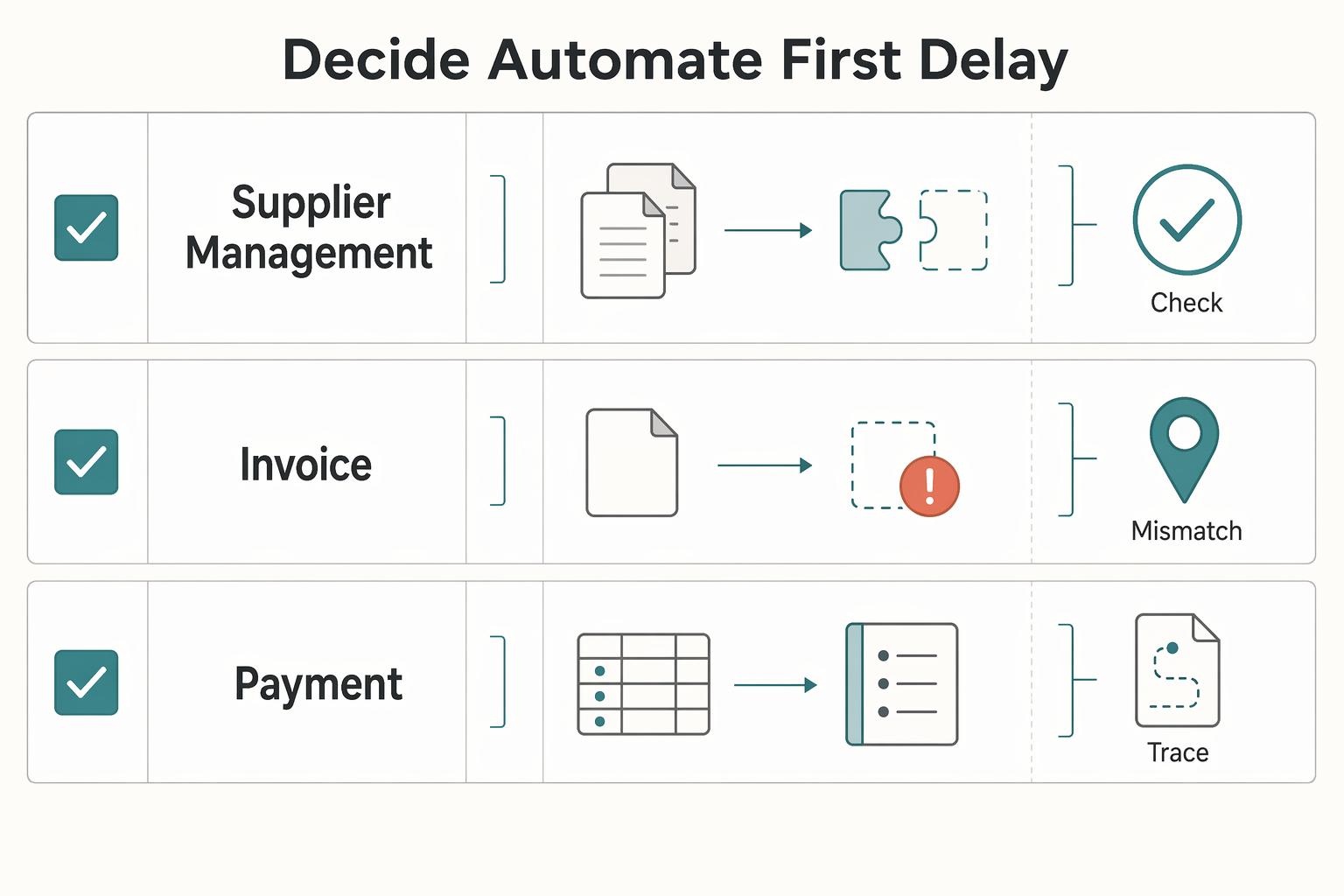
Automate the step that removes the most manual correction between PO verification, approvals, and ERP posting, and delay advanced payment logic until those basics run cleanly. AP spans purchase orders through payment and reconciliation, but your first scope should target the manual work that creates invoice delays, compliance risk, and vendor friction.
Do not let a demo decide the order. Use the process map you built and pick the first change that improves control in core AP steps: 3-way matching, approvals, and general ledger integration.
A practical checkpoint is to review recent invoices and confirm you can quickly show the source invoice, PO verification where required, approval history, and final ERP entry. If that evidence is hard to produce, keep scope on invoice and approval flow before adding custom payout branches.
| Process area | Common operational pain | Automation effort | Key dependency | Go or no-go checkpoint |
|---|---|---|---|---|
| Supplier management | Data silos and fragmented records that slow AP work | Medium | Clear ownership of supplier records | Team can retrieve supplier and invoice records without manual chasing |
| PO | Missing or inconsistent PO verification | Medium | PO creation and verification discipline | Invoice details are checked against the original PO where required |
| Invoice | Manual entry and invoice exceptions | Low to medium | Stable intake and validation rules | Invoices move from intake to approved record with limited manual correction |
| Payment | Reconciliation pressure when upstream data is inconsistent | Medium to high | Clean approved invoice and ERP-ready data | Payment and reconciliation records tie back to the approved invoice path |
Compare architecture options before you commit#
Choose your system-of-record boundary first, then pick architecture. A narrower AP-only scope is usually simpler to roll out, while broader end-to-end control usually adds implementation and change-management load.
Set the boundary before you score features#
Use one rule: be explicit about where truth lives for the approved invoice, payment status, and final ERP posting. If that boundary is fuzzy, you are likely accepting reconciliation and ownership risk.
The BAS example is useful for this boundary discipline. In that program, BAS is the system of record for contracts and includes records management; Unison PRISM is the contracts tool; asset management is handled in Sunflower. The point is not to copy that stack, but to define your own domain boundaries before you commit.
Run a live trace test before selection: one invoice, four artifacts, no gaps: source invoice, approval log, payment status history, and ERP entry.
Compare the three paths on operating burden, not brochure scope#
| Option | Approval model | ACH / wire transfer / digital wallet support | Audit evidence quality | Multi-entity operability |
|---|---|---|---|---|
| AP point solution | Define whether approvals end in the AP tool or hand off elsewhere | Verify exactly which rails are native vs external | Confirm evidence quality for invoice-to-approval and what is lost after payment handoff | Confirm entity separation, permissions, and reporting boundaries |
| AP plus payment orchestration | Define how approval and payment-release ownership are coordinated | Verify rail coverage by market and exception path | Confirm payment statuses flow back to AP and ERP records | Confirm shared operations model vs entity-level controls |
| Integrated finance infrastructure with payouts and ledger traceability | Define one chain from approval to payout to posting | Verify actual rail support, not category assumptions | Confirm common identifiers across invoice, payout, and ledger events | Confirm operating model for centralized visibility with entity-level governance |
Use vendor guides as inputs, then force a live proof#
Treat materials from Tipalti or John Wiley & Sons-branded guides as inputs to your question list, not as architecture decisions. Score every option against your own constraints: ERP boundaries, entity model, compliance evidence needs, and exception ownership after go-live.
Implementation discipline matters as much as tool choice. BAS planning used functional workshops in June, July, and August 2020, including a noted 6/26/2020 workshop, and a timeline split into three implementation phases. Use that as a process signal: run structured cross-team workshops and phase rollout decisions.
For a step-by-step walkthrough, see Choosing Creator Platform Monetization Models for Real-World Operations.
Build controls before go-live so automation does not amplify errors#
Automation can speed approvals and improve visibility, but without controls it can move errors faster instead of reducing them.
Set approval and access rules before launch#
Define the approval rules you will enforce, then confirm the tool actually enforces them in real workflows. Run pre-go-live tests with real roles and sample invoices so you can verify who can approve, who can release, and what appears in the audit trail for exception paths.
Access rights are part of the same control surface. If role setup is too broad, one user can move too much of the flow alone. Test permissions directly rather than relying on role names.
Make required supplier records a release gate#
Decide what supplier information must be complete before invoices can move to payment, then treat missing or stale records as a stop or review condition. This keeps supplier-record quality from becoming a cleanup task after money moves.
Treat failures and replays as control tests#
Before go-live, define ownership for payment exceptions and confirm there is one visible queue for unresolved items. Then test failure scenarios so an approved invoice, payment status, and accounting status stay traceable end to end instead of drifting across teams.
Integrate ERP and payment rails without creating reconciliation debt#
Set one accounting source of truth, then make AP and payment statuses resolve to it consistently. AP automation can speed approvals and reduce manual, error-prone work, but reconciliation still breaks if your AP tool, payment provider, and ERP can each represent the same invoice differently.
Touchless invoicing, including 2-way and 3-way matching with built-in approval workflows, reduces front-end effort. It does not remove the need to define what each downstream status means for accounting and close.
Pick one status model and apply it consistently#
Write down how your team interprets each key state in the ERP, then use that same logic across AP, payment operations, and finance review. A practical model is:
- Invoice approved
- Payment instruction created
- Payment outcome confirmed
- ERP posting finalized
- Exception case opened when records do not align
The exact sequence can vary by stack. What matters is that everyone uses one model so reconciliation and accrual review are based on the same status meanings.
Define reconciliation rules by payment method#
Do not run reconciliation on a vague, one-size-fits-all rule. For each payment method you support, define:
- which status is considered ready for ERP posting
- when an unresolved status should move to exception handling
- which records are required to support review (for example, status history, payment reference, and supplier payout record)
Real-time cash visibility helps, but it is not enough if teams still rely on ad hoc spreadsheet checks at close.
Test the failure path, not just the happy path#
Before go-live, confirm failed or returned payments become visible exceptions tied to the invoice, supplier record, and latest ERP status. If a reviewer cannot trace that chain quickly, the process is still dependent on manual investigation.
Execute a phased 90-day rollout with hard checkpoints#
Run this as a phased rollout with hard checkpoints, not a full-scope launch. If you are using a 90-day pilot window, treat it as a decision window: each phase should prove the process works end to end before you expand.
That discipline matters even more once you add cross-border complexity. Cross-border programs are often designed in staged roadmaps, and the operational goal is usually the same: faster, lower-cost, broad coverage, and secure settlement. In practice, you will make tradeoffs, so expand scope only after each earlier phase is stable.
Sequence the rollout#
Use three phases so each one proves one thing clearly.
| Phase | Goal |
|---|---|
| Phase 1 | Prove the core flow in one bounded scope, with clear traceability from intake through final accounting outcome and exception handling |
| Phase 2 | Extend to added entities or cross-border scenarios only after Phase 1 is repeatable without manual workarounds |
| Phase 3 | Scale volume after your controls, evidence, and ownership model hold under real operating load |
Use a real go or no-go gate#
Do not widen scope until failures are predictable, routed to clear owners, and resolved from system evidence rather than memory. Stable does not mean zero exceptions; it means repeatable handling and reliable close behavior.
Conclusion#
The ending here is intentionally unglamorous: do not try to automate everything at once. Manual AP is widely described as slow and error-prone, and automation can speed approvals and cut costs, but those gains usually come from good sequencing, not from the broadest feature list. One practical path is invoice capture first, then approval routing, then ERP software sync once the first two steps are reliable.
That order matters because each stage removes a different kind of risk. Invoice capture cuts manual data entry. Approval routing makes sign-off more visible and consistent. ERP sync matters once you trust what is being captured and approved. If a vendor promises "touchless" processing, treat that as a claim to verify, not a reason to skip controls. A useful checkpoint is simple: can you pull up one invoice record quickly, see its approval path, and audit what happened without digging through email and side files?
Keep exceptions and control checks in scope from day one, even if you delay more ambitious coverage. The common mistake is assuming automation will clean up weak inputs by itself. It will not. If supplier records are incomplete, invoices arrive with mismatches, or approvals are routed inconsistently, software just moves those problems faster. The operator move is to test your messy cases early, including the invoices that do not match cleanly, not just the happy path a demo prefers to show.
This is also where vendor feature language needs a reality check. Claims around built-in approvals, digitized records, or 2-way and 3-way matching may be useful. Digitized AP data in one place does make search and audit easier. But none of that removes the need for proof in your environment. Before you expand, confirm that records remain searchable, exceptions are visible, and reconciliation does not depend on manual patching.
A phased rollout is the safer pattern. The source material behind this article points to three implementation phases, and that is a sensible way to think about scope. Start with one entity or team, score the pilot against your own checkpoints, and only then widen coverage gradually. If any critical step still relies on inbox archaeology, spreadsheet fixes, or unclear ownership, pause expansion and fix that layer first. That is the path that gives platform operators fewer surprises and a much better chance of getting real value from AP automation.
Frequently Asked Questions
What AP processes should a scaling platform automate first?
Choose a starting point from your own baseline data and validate it in a limited pilot before expanding.
How do we build a business case for AP automation without overcommitting budget or headcount?
The approved sources do not provide ROI percentages or headcount benchmarks. Build the case with your internal measures and staged commitments so decisions are based on observed results.
What usually breaks when AP automation launches without strong approval controls?
Treat approval controls as a risk area and require evidence on how approvals, exceptions, and audit history are captured in practice.
How is AP automation different for multi-country, multi-entity platform operations?
Cross-entity design choices should be confirmed against your own legal, finance, and system constraints.
Do we need full PO automation before invoice automation can work?
Do not assume a universal PO-before-invoice rule applies. Test invoice automation against your current PO reality and define how unmatched invoices are handled before broader rollout.
When should we choose `ACH` vs `wire transfer` vs `digital wallet` for AP payouts?
Choose based on your provider capabilities and your own reconciliation and exception-handling requirements.
How do we validate vendor claims from guides like _Accounts Payable Automation For Dummies_ before committing?
Treat guides, blogs, and branded education as inputs, not proof. For example, Coupa publishes AP automation advantages content, and Botkeeper describes a human-plus-AI model and states clients receive 24/7 accounting and support. Use those claims as a checklist, then verify them in a product walkthrough with evidence from your own workflows before committing.
Try a related tool
Researched and edited by the Gruv editorial team. Gruv builds cross-border billing, payouts, and finance-operations software for global businesses.
Sources
Includes 3 external sources outside the trusted-domain allowlist.
- congress.gov/bill/108th-congress/house-bill/3550/texttrusted
- ecb.europa.eu/pub/pdf/scpwps/ecb.wp2693~8d4e580438.en.pdftrusted
- iuv.edu.vn/cms/plugin_upload/preview/news/1463/1132/acc...trusted
- nnmc.edu/_document_repository/registrar_docs/previous...trusted
- waketech.edu/programs-courses/non-credit/workforce-traini...trusted
- coupa.com/products/ap-automationexternal
- coupa.com/blog/what-ap-automation-and-what-are-its-adv...external
- docs.oracle.com/cd/A60725_05/pdf/apug.pdfexternal
Educational content only. Not legal, tax, or financial advice.
Related Posts
How Platform Teams Scale AP Volume Without Adding Headcount
Use this as a decision list for operators scaling Accounts Payable, not a generic AP automation explainer. In these case-study examples, invoice volume can grow faster than AP headcount when the platform fit is right, but vendor claims still need hard validation.
What Is AP Automation? A Platform Operator's Guide to Eliminating Manual Payables
AP stops feeling like a back-office admin task once your platform is processing more supplier and vendor payables. At that point, **ap automation for platform operators** is about controlling operational risk as much as efficiency. Manual AP is slower, more error-prone, and more expensive, and those weaknesses surface fast as volume rises.
How Staffing Platforms Automate Healthcare AP for Clinical Contractors
A key distinction matters: this article focuses on healthcare AP workflows, not contractor-payout orchestration. If your expansion bet depends on reliable contractor payments, generic healthcare AP language is useful context, but it is not enough on its own.