
Quick Answer
Start by selecting a recordkeeping method, then pick software that can reliably support it. A defensible setup captures trip date, miles, destination, and business purpose close to the time of travel, with clear business/personal classification for mixed-use vehicles. Use automation when missed trips and delayed categorization are recurring, and require a monthly export check to confirm each deduction line can be reconstructed if questioned.
Mileage tracking for freelancers is not an app choice first, it is a compliance system choice#
Start with compliance design, not app rankings. If you are building products for freelancers and independent contractors, the core question is whether your system can produce defensible mileage records when data is incomplete, delayed, or disputed. We recommend answering that before your team compares feature lists.
- Start with IRS recordkeeping requirements, not vendor positioning.
Publication 463 is the anchor because it explains deductible expenses, reporting, and the records needed to support them. IRS guidance also allows any recordkeeping system that clearly shows income and expenses. The practical test is record reliability, not whether a vendor markets itself as "audit-ready."
- Treat this as a method choice before a tooling choice.
IRS guidance recognizes both the standard mileage rate method and the actual expense method. The 2026 business standard mileage rate is 72.5 cents per mile, effective Jan. 1, 2026, and using that rate is optional because taxpayers may calculate actual vehicle costs instead.
- Evaluate tools by evidence output, not feature claims.
The relevant IRS language here focuses on substantiating time, place, and business purpose, and Form 2106 instructions point to trip date, mileage, and business purpose. Some non-IRS guides go further on log fields, but that added detail is not established as primary IRS text.
- Build for mixed-use reality.
IRS rules for mixed-use vehicles allow deducting only business-use costs. In practice, your product choice should prioritize clean business-versus-personal separation and consistent trip documentation over app-store rank or interface polish.
- Use app rankings as inputs, not proof.
Comparison pages can help with discovery, and some explain their methodology. They do not, by themselves, prove audit outcomes, feature durability, or whether a given workflow produces records strong enough for IRS substantiation.
If you want a deeper dive, read A Guide to Vehicle Expense Deductions for Freelancers.
Who this list is for and how each option is scored#
This list is for teams deciding whether mileage tracking should live inside a wallet, payout, or accounting surface. Compare options by how well they support substantiation under IRS standards if records are questioned later. If your team owns payout or wallet tooling, you need the setup that still works when a reviewer asks for the trip history.
| Check | What is assessed |
|---|---|
| Coverage of IRS record needs | Whether the method can reliably capture trip details such as amount, date, and place instead of relying on later reconstruction. |
| Defensibility when records are challenged | Whether records are clear and usable or depend on approximations or unsupported testimony. |
| Implementation complexity | Whether the workflow is as simple as a calendar or a platform build that adds trip capture, classification, approvals, and retention. |
| Ongoing ops burden | Recurring manual review, user behavior risk, and the export and record-quality checks needed to keep records defensible over time. |
If you only want a personal app recommendation, this is probably not the right lens. Consumer roundups are useful for discovery, but here the priority is evidence quality over convenience and pricing. For context, one editorial comparison used a 31-point rubric across five factors, while another comparison was explicitly a press release. We score each option against four checks so you can see whether your workflow is built for substantiation or just convenience.
- Coverage of IRS record needs
We anchor to Publication 463 and the adequate-records standard. The key question is whether the method can reliably capture trip details such as amount, date, and place instead of relying on later reconstruction. We would rather see your team capture those details once than rebuild them after the fact.
- Defensibility when records are challenged
The burden of proof is on the taxpayer. Options score higher when records are clear and usable, and lower when they depend on approximations or unsupported testimony.
- Implementation complexity
Recordkeeping can be as simple as a calendar. We treat lightweight workflows differently from platform builds that add trip capture, classification, approvals, and retention.
- Ongoing ops burden
We assess recurring manual review, user behavior risk, and the export and record-quality checks needed to keep records defensible over time.
For each item, the same lens applies: best for, concrete pros and cons, and one practical use case. If an option cannot produce records that map cleanly to the substantiation needs described in Publication 463, it does not score well regardless of how it is marketed.
You might also find this useful: How to Use OKRs for Freelance Goal Setting and Performance Tracking.
What IRS compliant means in practice before you compare tools#
Here, IRS compliance is about substantiation quality, not a vendor label. The real test is whether your records stay clear and usable if they are questioned later.
- Minimum trip record
The safest baseline is a trip-level log with date, miles, trip destination, and business purpose. IRS materials for vehicle substantiation explicitly call out date, mileage, and business purpose, and an IRS fact sheet describes a daily log with miles, destination, and business purpose. Publication 463 is the core reference for deductible car-expense records, so your tool should reliably output those fields.
Prioritize capture at the time of the trip, not report formatting after the fact. A simple proof check is to export one month and confirm that every trip line includes all four fields.
- Adequate records standard
The legal bar is the adequate records standard under section 274(d): maintain a real log or equivalent records, not unsupported estimates. The IRS allows flexible recordkeeping formats, but that flexibility does not lower the evidence standard.
In practice, your records should be consistent, readable, and traceable at the trip level. If totals cannot be tied back to specific trips and classifications, they may read like later reconstruction rather than maintained records.
- Where teams usually fail
A common failure point is evidence and classification gaps, not just arithmetic. Business mileage has to be separated from commuting and total vehicle use, so tracking only "work trips" without personal or commute separation leaves a gap.
Odometer readings can help with business-versus-total-use reconciliation, but be precise. Secondary guidance often recommends capturing year-start and year-end odometer readings, while the primary IRS sources here do not say per-trip start and end odometer readings are mandatory. Late backfills are another risk. Reconstructed logs are not automatically invalid, but contemporaneous logs are usually more credible than records rebuilt later from memory.
For a step-by-step walkthrough, see IRS Streamlined Filing Decisions for Freelancers With Foreign Accounts.
Comparison table of IRS compliant methods and app categories#
What matters here is evidence quality, not whether a tool calls itself "IRS compliant." Under the IRS burden-of-proof and adequate-records standards, the strongest method is the one that consistently produces complete, trip-level records with business and personal use clearly separated.
That same substantiation baseline applies across every category: a usable trip-level mileage record with business-use separation for mixed-use vehicles. It matters under both the standard mileage rate method and the actual expense method. Beginning Jan. 1, 2026, the business standard mileage rate is 72.5 cents per mile, so record quality still affects deduction accuracy.
| Method category | Data completeness | Edit controls | Export quality | Exception handling | IRS-compliant reporting evidence |
|---|---|---|---|---|---|
| Manual logs and spreadsheets | Depends on user discipline; can be compliant if every trip is fully recorded. Contemporaneous capture can be harder to maintain. | Usually limited unless version history is preserved; late backfills and silent edits can be hard to substantiate. | Flexible because Pub. 463 allows multiple written record formats such as a log, diary, notebook, or other written record. Often needs cleanup before review. | Can be weaker because missed trips, duplicates, and classification errors may be found late. | Acceptable when records are complete and consistent, but reliability comes from process discipline, not product controls. |
| Standalone auto-track apps | Can improve capture when detection runs in the background; it still depends on correct business or personal classification. | Mixed; edits are common, but public detail on audit-trail quality is often limited. | Often marketed as "IRS-compliant reports," which is a vendor claim, not an IRS certification. Sample exports still need verification. | Can reduce omissions versus manual logs, but uncategorized trips can still accumulate. | Often stronger than manual when trip-level details and classifications are retained, but public evidence is mostly feature-led. |
| Accounting-led trackers | Can be strong when mileage data is reviewed in accounting workflows. QuickBooks, for example, documents automatic trip tracking. | QuickBooks documents editable location and distance fields; control strength still depends on review discipline. | Can simplify handoff into accounting review, but exported fields should be verified directly. | QuickBooks documents an explicit Business or Personal classification flow; regular review is still needed. | More defensible when exported fields map cleanly to substantiation needs. |
| Platform-integrated tracking | Can be strong when capture and classification are built into the platform workflow; implementation quality varies. | Can be strong if edit history is retained; maturity varies by vendor. | Can be strong when required fields are controlled in the schema. | Can be strong when classification and review steps are built in. | High potential, but public proof is thin; integration availability can be limited, for example one MileIQ Teams API page cited beta access for 10% of customers. |
A practical checkpoint is simple: export one recent month and verify that each trip line includes trip-level detail plus business or personal classification for mixed-use vehicles. If the report shows only totals and not reconstructable trips, the evidence is weak even if the vendor markets "IRS-compliant" reporting.
When each method is the right call#
- Manual is acceptable when trip volume is low and logs are reviewed consistently enough to prevent backfill-heavy reconstruction.
- Automation is usually warranted when trip volume is high, classification is delayed, or missed-mileage disputes are already common.
- Product integration helps when mileage affects reimbursements or accounting workflows and you need consistent classification and export controls.
Unknowns you should treat as real unknowns#
Treat public roundups as discovery help, not legal validation. Forbes discloses partner-link commissions and uses a proprietary weighted rubric. FreshBooks-style pages are also oriented around features, pros and cons, and pricing.
Two unknowns still matter. First, verified app-by-app IRS audit outcomes are not established, so ranking position is not proof of substantiation reliability. Second, pricing and integration maturity can change quickly, and API availability may be beta or only partially rolled out. Use this operating rule: pick the method that can produce a defensible trip-level log on demand, not the one with the strongest marketing claim.
This pairs well with our guide on A Guide to Form 1099-K for Freelancers Using Payment Apps.
Manual mileage log templates and spreadsheets#
Manual tracking is a valid starting method, but it is only defensible when your trip records stay complete and reviewable. The IRS does not require a specific app, and Publication 463 allows a log, diary, notebook, or other written record. The tradeoff is straightforward: low direct cost and flexible format, but weaker support if entries are late, incomplete, or rebuilt from memory.
1. A workable starter option#
A spreadsheet or paper mileage log can work while you validate your process. Free PDF, Excel, and Sheets templates are widely available, so software cost can be close to zero. The important variable is not the template brand. It is whether each trip is captured clearly and consistently.
2. The checkpoint that matters#
Before you rely on a template, test one real month against Publication 463 Chapter 5 and Table 5-1 documented-elements guidance. A usable log should preserve trip-level entries, not just monthly totals. Each line should support reconstruction of details commonly summarized as date, mileage, destination, and business purpose.
A practical control is to close each month with a dated copy instead of silently overwriting prior entries. That does not make a manual log perfect, but it can make later review easier.
3. Where manual logs fail first#
Format is only part of the issue. Once trips are missed during the month and reconstructed later, the record gets harder to defend. Another failure point is unclear business-versus-personal separation. Without that separation, even a clean spreadsheet can fail substantiation.
Manual logging can be a temporary method, but if backfilling and retroactive edits become routine, consider moving to a process that captures trips at or near the time they happen.
Auto tracking apps focused on trip capture reliability#
If missed trips are your main compliance risk, auto-tracking apps can be a better operational fit than manual logs. Their value is not special legal status. It is potentially more consistent trip capture while driving is happening, before details are lost.
The IRS does not require a special record format, and electronic records are acceptable when they meet the same recordkeeping standards as paper. So this is a reliability decision, not a legal shortcut. You are choosing a format that can produce a cleaner trip-level record when driving volume is high.
For high-frequency drivers, that difference shows up quickly. With the 2025 business-use rate at $0.70 per mile, repeated missed trips can still add up.
Why this category works#
This category can work because the usual failures are operational: missed short trips, delayed logging, and unresolved business-versus-personal classification. Auto capture is designed to reduce omission risk. It can improve contemporaneous records, but only if users still complete classification and review.
What to verify before you trust one#
Treat "IRS-ready" as a product claim, not a legal conclusion. Before you roll one out, run a one-month proof check:
| Proof check | What to confirm | Why it matters |
|---|---|---|
| Trip-level lines | Exports show trip-level lines, not only monthly totals. | If exports cannot help you reconstruct the record later, auto detection alone is not enough. |
| Business vs personal status | Each trip shows clear business vs personal status. | Users still need to complete classification and review. |
| Business purpose field | There is a place to confirm or add business purpose before export. | Keep business-purpose notes together so the record is usable if it is reviewed later. |
| Edit history | Visible edit and correction history is available. | Monthly exception review is still part of a defensible process. |
| Odometer support | Odometer-entry support exists if your process uses it as a control. | It is only useful when it is part of your process control design. |
If exports cannot help you reconstruct the record later, auto detection alone is not enough.
Where users get burned#
A common failure mode is overconfidence. Many tools still depend on human classification, sometimes through a simple swipe, so backlog risk remains if users defer that step. Trip detection can also miss edge cases such as short drives or weak GPS conditions. That means monthly exception review is still part of a defensible process.
Best use case and recommendation#
Best fit: high-frequency driving where missed trips are the dominant failure mode, especially for freelancers and contractors. The tradeoffs are recurring cost, for example one app advertises a $4.99/month premium tier, plus policy tuning and user training.
Recommendation: move to auto capture when backfilling is already routine, but require monthly classification and export review. Keep exports, correction history, and business-purpose notes together so the record is usable if it is reviewed later. We covered this in detail in The Best Expense Tracking Apps for Freelancers.
CPA and accounting stack tracking setups#
Choose a CPA or accounting-stack setup when your main problem is filing readiness and reconciliation, not basic trip capture. The advantage is workflow alignment: mileage sits closer to bookkeeping, categorization, and return prep instead of living in a disconnected app.
This is often a fit for teams already built around bookkeeping and tax prep, including teams serving 1099 contractor audiences similar to The 1099 CPA. It is not a special IRS-status decision. It is an operating-model decision.
Why this setup works#
This setup works when mileage is tied to the same system used for tax prep. In QuickBooks Self-Employed, categorized transactions can map to Schedule C lines, which can reduce handoff friction at filing time.
It also helps with the part that usually creates cleanup work: personal vs. business mileage. The IRS requires separating business use from personal use, and QuickBooks' mileage flow prompts users to mark each trip as Business or Personal and add a purpose. That trip-level prompt gives reviewers clearer month-end context than reconstructing intent later.
What to verify before you trust it#
Do not treat "accounting-integrated" as proof that your records are defensible. Before rollout, verify the operational details that matter:
- Trip records include Business vs Personal classification and a trip purpose field
- The export path is usable by ops, in QuickBooks: All apps, then Expenses & Bills, then Mileage
- Role permissions fit your process, because in QuickBooks Online only admin users can track mileage
- Plan limits will not block adoption, since QuickBooks notes mileage limits on QuickBooks Online Free and QuickBooks Online Lite
- Your retained evidence packet includes exports, purpose notes, and the review and reconciliation notes your preparer uses
IRS Publication 463 still governs what records are needed to substantiate deductible car expenses. The software is only the container, not the compliance guarantee.
Where teams get burned#
A common failure mode is assuming that a cleaner filing handoff means the underlying log is clean. If classification is skipped, purposes are missing, or uncategorized trips accumulate, weak data just moves into a tax tool.
Access design can also break the process. If permissions or plan tiers prevent the right people from entering and reviewing mileage, teams may end up rebuilding records outside the tool. Editorial rankings can help you build a shortlist, but they are not evidence of IRS-compliant reporting or audit outcomes.
Recommendation#
Use this setup when you already close books with an advisor and want mileage to flow directly into that process with less manual rework. It is strongest where contractor operations already run through accounting and tax-prep workflows.
Before rollout, require one proof check. Confirm that you can export a usable monthly business mileage log, show business-purpose support, and clearly separate personal use before return prep starts. If you cannot, the integration is convenient but not yet reliable.
Platform integrated mileage tracking inside payout and wallet products#
Use this setup when mileage is an input to money movement, not just a tax note. If trip logs affect wallet balances, withdrawal timing, or payout eligibility, treat them like payment data with substantiation requirements attached.
| Control area | What to retain | Grounded note |
|---|---|---|
| Trip evidence object | time or date, business mileage amount, business purpose, and clear business-versus-personal classification | A trip_completed event with only distance and GPS may not be enough for substantiation. |
| Policy check and approval trail | policy outcome, who or what made it, when it was approved or overridden, and which policy version applied | A monthly evidence packet should reproduce one payout period end to end. |
| Retry controls and reconciliation checkpoints | idempotent writes that can change eligibility, balances, or evidence state, plus a checkpoint that compares approved business mileage totals with the payout period | Adyen documents a 64-character key limit, and Stripe notes keys can be removed after at least 24 hours. |
| Tax-adjacent separation | a separate record lane with separate rules and retention for mileage versus KYC, AML, FBAR, and Form 8938 | FBAR, FinCEN Form 114, is filed with FinCEN, not the IRS, and Form 8938 does not replace FBAR obligations. |
The upside is tighter lineage across trips, approvals, and payouts. The tradeoff is operational ownership of evidence design, retry behavior, reconciliation, and retention.
- Trip evidence object
Start with the minimum fields needed for substantiation, then layer product logic on top. Under 26 CFR §1.274-5, records must substantiate the amount of each business use (i.e., the business mileage), or the time and business purpose of each use. For mixed-use vehicles, IRS Topic 510 is the practical boundary: only business use is deductible.
In product terms, preserve time or date, business mileage amount, business purpose, and clear business-versus-personal classification. A trip_completed event with only distance and GPS may not be enough for substantiation.
- Policy check and approval trail
If mileage can change payouts, store the policy outcome, who or what made it, when it was approved or overridden, and which policy version applied. If ops clears exceptions manually, keep that log attached to the trip or payout batch.
A useful control is a monthly evidence packet that can reproduce one payout period end to end. It should include the trip record, business purpose, policy result, approval or override, and exportable business mileage totals. If that chain cannot be reproduced on demand, the integration is convenient but weak.
- Retry controls and reconciliation checkpoints
Retries matter because capture and wallet operations can fail in real conditions. Stripe and Adyen both describe idempotency as safe retry behavior that avoids duplicate operations, including timeout retries with the same idempotency header.
The practical rule is simple: any write that can change eligibility, balances, or evidence state should be idempotent. Design constraints are real. Adyen documents a 64-character key limit, and Stripe notes keys can be removed after at least 24 hours.
Idempotency is not enough on its own. It prevents duplicates, but it does not fix missing business purpose, bad classification, or fabricated backfills. Add a reconciliation checkpoint that compares approved business mileage totals with the payout period before release or finalization.
- Tax-adjacent separation from KYC, AML, FBAR, and Form 8938
Mileage can coexist with KYC, AML, and foreign-account workflows in one product surface, but keep it in a separate record lane with separate rules and retention. BSA/AML controls are governance controls. They are not mileage substantiation.
Keep FBAR and Form 8938 separate as well. FBAR, FinCEN Form 114, is filed with FinCEN, not the IRS. The IRS also states that Form 8938 does not replace FBAR obligations, and some taxpayers may need to evaluate filing Form 8938, FBAR, or both. If aggregate foreign account value exceeded $10,000 at any point in the year, FBAR filing may be required.
Make one go or no-go call early: can your team produce a defensible trip-level evidence packet tied to a payout period without manual stitching? If yes, platform integration can be worth it. If not, keep capture external and ingest reviewed exports until controls are mature.
Related: The Best Way to Track Vehicle Mileage for Your S-Corp.
Do you actually need an app to stay IRS compliant#
No. The IRS does not require a mileage app. It requires records that can support your expense claim, and auto expenses carry a higher substantiation burden than general business expenses.
A manual log can still meet that standard. Record quality and timing matter, not format. Entries should be complete and recorded at the time of travel.
- No app is legally required
IRS recordkeeping rules are format-neutral: paper and electronic systems can both work if they clearly support income and expense records. Notice 2026-10 also reinforces that taxpayers are not locked into a single substantiation method when they maintain adequate records or other sufficient evidence. Compliance depends on evidence quality, not software choice.
- Manual logs are acceptable when discipline is real
Manual logs can pass if they are contemporaneous and complete. Advisor guidance takes the same basic view: a manual log can be legally sufficient when it captures the trip date, destination, and business purpose. Manual works only when the process is actually consistent.
- Apps mainly reduce operational risk
If your failure mode is missed trips, weak classification, or month-end backfilling, automation can be the safer operational choice. CPA guidance reflects that tradeoff by treating GPS-based capture as more reliable for audit defense while still acknowledging that manual logs can be legally sufficient when maintained properly. Apps solve consistency problems more than legal ambiguity.
Use a quick stress test on your current method. Sample recent trips and confirm that each one can stand on its own with date, destination, business purpose, and enough detail to support the deduction. If records require reconstruction from memory, the process is already fragile.
Treat odometer-only control models carefully. Secondary sources conflict on whether odometer readings are always required in the same way, so the safer posture is consistent, trip-level records with enough support to explain the deduction.
How to decide build versus buy without hidden cost surprises#
Start with this rule: buy if you mainly need capture plus exportable records. Evaluate build when you need tighter internal controls, audit lineage, and embedded product behavior.
- Buy when export is the main job
If your requirement is mostly trip capture, classification, and downloadable reporting, buying can be the faster path. IRS rules are method-flexible, but records still must clearly support expenses, and electronic records are held to the same standards as paper records. If your team can work with a vendor's flow and output format without heavy customization, buy may be enough.
- Build when control and traceability are core requirements
Build can be more defensible when mileage data must follow your internal controls, not just produce a clean report. That can include policy enforcement, review steps, and clear change history for records that may face higher substantiation expectations for auto expenses. If you need records tied to internal events and reliable business-versus-personal separation in your own process, building may reduce downstream risk.
- Model operating cost, not just license cost
A low monthly plan price, for example $4.99 on one vendor page, is only part of the cost. Include support load, exception handling, retention, retrieval, and legal review of any "IRS-compliant" messaging. You also need to account for method coverage (standard mileage rate versus actual expense), annual updates such as 70 cents per mile for 2025, and retention windows that can extend beyond 3 years in some cases.
- Require a pilot that proves defensible output on demand
Before committing, make each option produce a defensible business mileage log packet for a sample user without manual cleanup. Test whether it can show records that support expenses, business-versus-personal use, and audit-usable history when requested. Treat "IRS-ready" claims cautiously if a vendor cannot show concrete record coverage for your chosen calculation method.
Before committing to build, run a pilot checklist against your required fields, retention/retrieval flow, and export flow, then map any gaps to the Gruv docs.
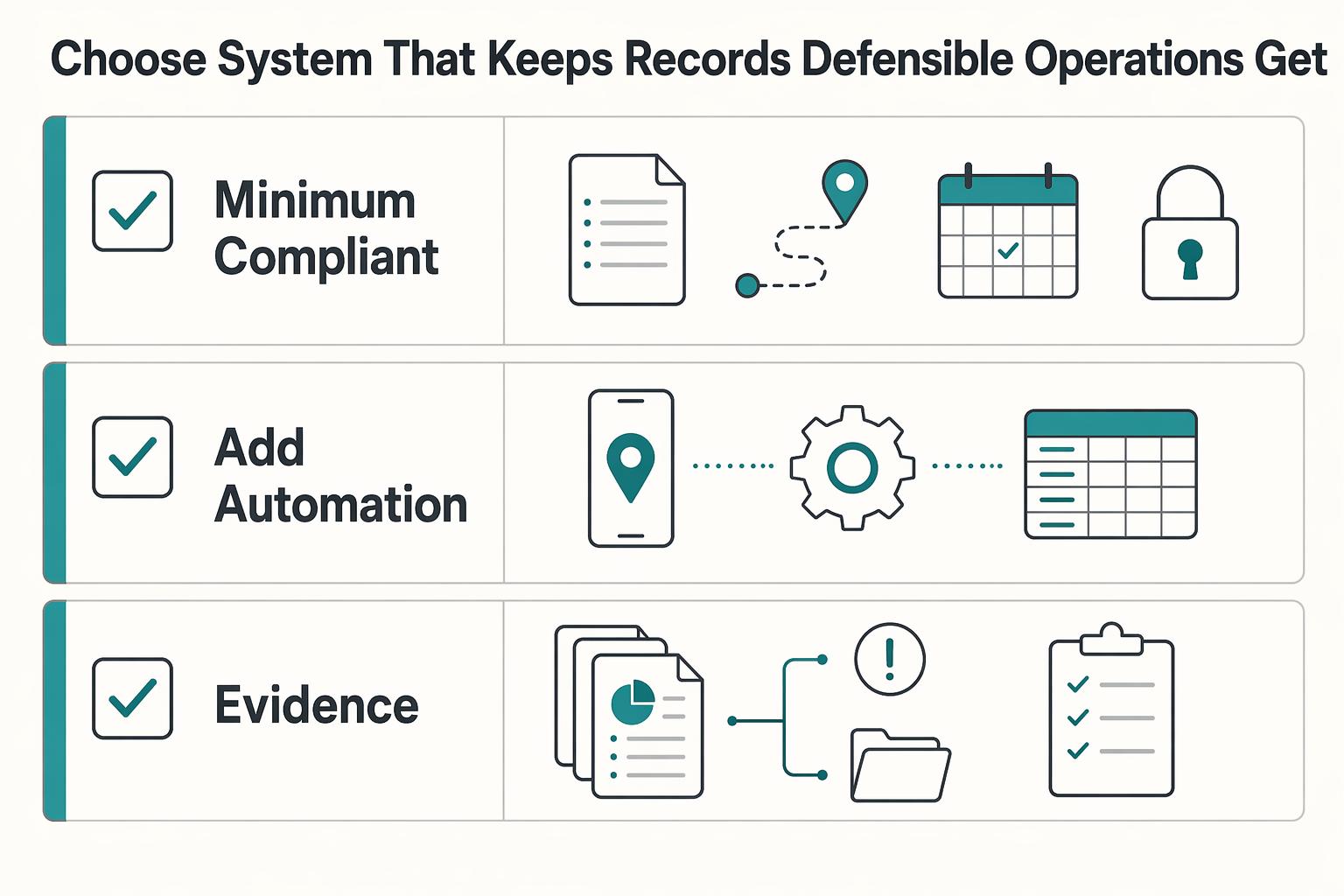
Choose the system that keeps records defensible when operations get messy#
Choose the method that can substantiate the deduction under IRS rules, then optimize features. The burden of proof sits on your records, your classifications, and your ability to reproduce them when asked. If your records break under review, the app did not solve the real problem.
Use this filter for every mileage decision: pick the setup that consistently produces records detailed enough to support the expense and clear business-versus-personal separation. Publication 463 is the practical reference point because it focuses on what records prove the expense, not which app ranks highest.
- Minimum compliant method first
Start with the smallest system that reliably meets the adequate-records standard. For low trip volume, that can be a disciplined spreadsheet or manual log. For higher volume, automation may be necessary, but only because omission risk is higher, not because a vendor says "IRS-proof" or "audit-ready." We recommend adding automation only when it makes your records more complete, not when it just adds marketing language.
- Add automation where failures actually happen
If trips are missed, add capture automation. If trips are captured but misclassified, improve review controls and prompts for business versus personal use. Passive tracking alone is not enough if business-purpose detail or personal-use allocation is incomplete. If your team cannot explain why a trip was business use, you still have a record-quality problem.
- Integrate deeply only when scale threatens evidence quality
Invest in deeper integration when multiple teams touch the same mileage records and you need a durable evidence chain. Prioritize edit history, consistent export fields, and reproducibility of what was known when entries were made. App roundups can help shortlist tools, but outcomes still depend on methodology. For example, one major comparison used 10 apps, a 31-point rubric, five factors, and then converted scores to a 5-star system.
Run one internal audit simulation on recent trips as your next step. Pull a sample and check whether a reviewer can understand, without extra explanation, why each trip was business and how personal use was excluded. If that fails, fix record quality before you add more features. We recommend using that test before your team widens any integration work.
If your team is moving from app comparisons to an integrated payout or wallet workflow, use a short scoping call to confirm policy gates, market coverage, and rollout constraints via contact.
Frequently Asked Questions
What makes a mileage log IRS compliant for freelancers?
The core test is not the app or template. It is whether your records meet the IRS adequate-records standard and burden of proof for auto expenses. A defensible daily log should capture miles traveled, destination, and business purpose for each business trip. Keep documentation that identifies the vehicle and supports ownership or lease status.
Do freelancers need a mileage app to meet IRS requirements?
No. IRS materials allow method flexibility, and IRS-hosted guidance says you may choose your recording method. A manual log or spreadsheet can work if it consistently captures trip details and supporting evidence. Whatever method you choose, consistency and supporting evidence are what matter.
What should “IRS-compliant reporting” include before I trust a vendor claim?
Ask for an export that stands on its own without manual cleanup. It should include trip-level miles, destination, business purpose, and enough vehicle detail to tie records to a specific car, plus clear business-versus-personal separation for mixed use. Treat claims such as "IRS-compliant" or "audit-ready" as marketing until you verify the actual fields against your deduction method and IRS requirements.
Are odometer readings required in every setup?
Current support does not justify saying that per-trip odometer readings are always required. Non-IRS guidance conflicts: one source stresses annual odometer readings, while another focuses on date, destination, miles, and business purpose. In mixed-use situations, odometer evidence may still help support total-mileage and business-use calculations.
How should personal and business mileage be separated to reduce audit risk?
The IRS rule is direct: if a car is used for both business and personal driving, only business use is deductible. Keep business and personal use separated in your records from the start. This separation is essential under the actual-expense method and still necessary under the standard mileage method. For 2025, the business rate is 70 cents per mile.
What is still unknown from current app comparison pages?
A lot remains unproven. Even transparent rankings, such as Forbes reviewing 10 apps with a 31-point rubric and showing an "Audited & Verified" timestamp, do not by themselves prove real IRS audit outcomes or consistent evidence coverage across vendors. Vendor economics also matter: partner-link commissions and short-term promotions, such as 95% off for 6 months, are signals that pricing and positioning may change.
Try a related tool
Researched and edited by the Gruv editorial team. Gruv builds cross-border billing, payouts, and finance-operations software for global businesses.
Sources
Educational content only. Not legal, tax, or financial advice.
Related Posts
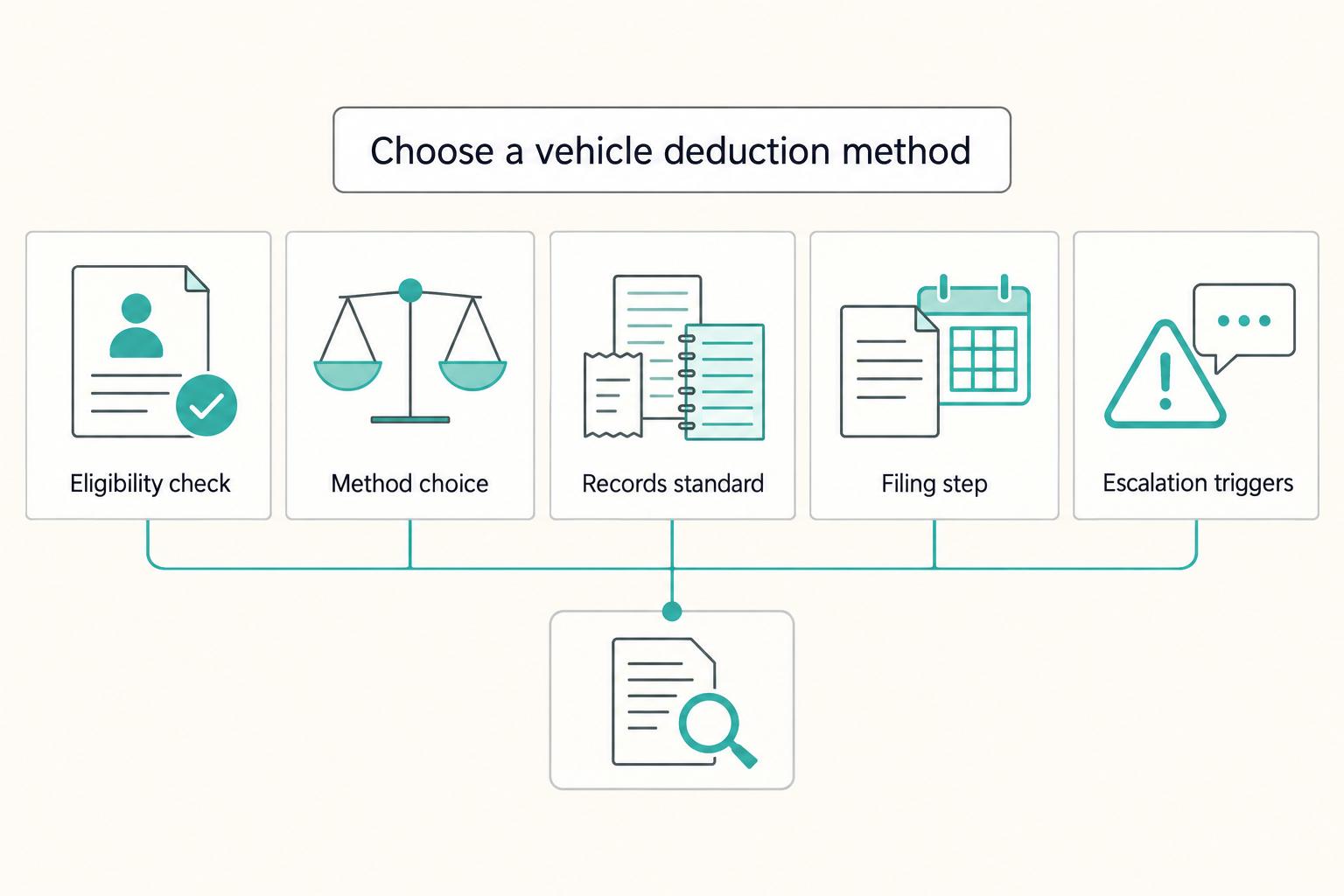
Freelancer Vehicle Expense Deductions: Standard Mileage vs. Actual Expenses
**Handle your vehicle deduction like an operator. Choose one IRS method, document business driving as you go, and escalate before ambiguity turns into risk.**
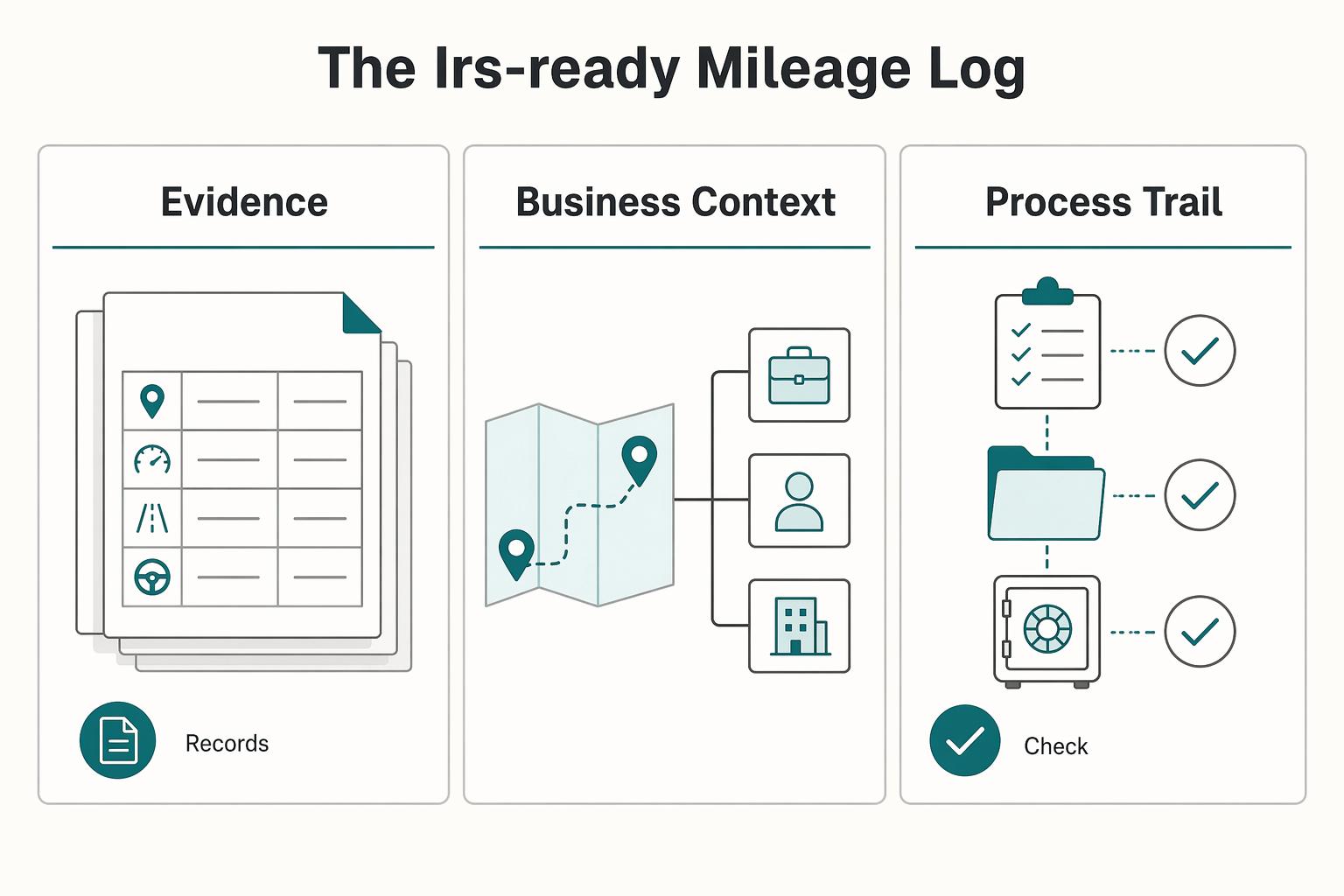
How to Track Vehicle Mileage for Your S-Corp Without Payroll Surprises
Start with ownership and deduction method together. These choices affect what you can realistically document and how much recordkeeping you will take on. In practice, most setups fall into one of two lanes: mileage-centered records, where you track business miles, or expense-centered records, where you track costs and apply a business-use percentage.

Use OKRs to Run Your Freelance Business Week to Week
A busy week can produce useful work without improving the business outcome you chose. Objectives and Key Results give you a small set of priorities and measures for a defined cycle. Keep routine tasks and operating checks alongside them, rather than turning every invoice or document into a new goal.