

Quick Answer
Yes. A freelancer can issue an invoice without a registered company, but only after local checks confirm the required identifiers and tax position. In Australia, for example, ABN and GST status can change whether a tax invoice is acceptable, and GST registration timing matters once required. Keep drafts blocked until legal name, tax ID status, payment terms, and due date are validated for that jurisdiction.
Start Here With the Legal Reality and Scope#
Start with the practical answer: an individual may be able to invoice without a registered company, but that answer does not travel cleanly across borders. A freelancer, independent contractor, or sole proprietor may be able to bill clients in a personal legal capacity. The real answer depends on local law, tax rules, and whether the document must also function as a tax invoice.
Step 1 Treat individual invoicing as possible, not presumed#
If you are evaluating whether a freelancer can invoice without a company, start with local registration and tax rules, not with an invoice template. The baseline is straightforward: in some markets, a sole trader or similar individual business form can operate and bill clients personally, but the required identifiers and tax registrations still vary by country.
Australia is a useful example of why local validation comes first. The Australian Business Register states that individuals carrying on an enterprise are entitled to an Australian business number, or ABN, as sole traders. The Australian Taxation Office also states that you need an ABN before you register for GST. At the same time, not every business or enterprise must be registered for GST. But once GST registration is required, it must be completed within 21 days. For non-resident businesses connected with Australia, the ATO's standard GST registration path explicitly includes businesses that want to issue tax invoices.
Verification point: for each market you support, confirm whether the person can invoice as an individual, which identifier must appear, and whether tax registration is optional, required now, or likely to be triggered soon.
Step 2 Define the control scope before you pick a template#
This guide is about control, not design. The job for compliance, legal, finance, and risk owners is to decide when individual invoicing is acceptable, when it is acceptable with conditions, and when it must stop until entity or tax questions are resolved.
At minimum, your operating method should produce three outputs:
- a minimum-validity rule for invoices by country or market
- an escalation rule for unknown tax or registration requirements
- an evidence pack that can support cross-border invoicing reviews later
That evidence pack matters from the start, not after something breaks. A workable starter pack includes the worker's legal name, address, country, payer country, service type, any known tax ID status, and the local rule note or advisor confirmation you relied on.
Step 3 Set a hard local-validation limit#
Do not try to set one universal threshold for when a sole trader must become a limited company. Those thresholds differ across countries, so do not assume a single global rule. If your team cannot confirm the local requirement, the right move is escalation, not a guess.
The common failure mode is a document that looks fine operationally but does not hold up in payer onboarding, tax treatment, or audit review. Your first hard gate should be simple: if the local rules, required identifiers, or GST or VAT position are unknown, do not issue the invoice yet. That matters most for cross-border invoicing, where a valid invoice and a compliant tax position are related, but not the same thing.
For the UK version of that entity tradeoff, use Sole Trader vs. Limited Company: A Guide for UK Freelancers.
Gather Inputs Before You Let Anyone Invoice#
Treat intake as a hard gate: if the required inputs are incomplete, do not draft or send an invoice, especially for cross-border cases.
| Area | Required details | If unresolved |
|---|---|---|
| Country-pair intake | Jurisdiction, service type, payer country, payee country, and whether international payments are expected | Return the request before drafting |
| Identity and tax data | Legal name, address, contact details, and personal tax ID status where local tax regulations require it | Use a status such as provided, not required yet, or unknown pending local confirmation instead of guessing |
| Review owners | Finance reviewer, legal reviewer, and an external tax advisor contact for ambiguous cases | Record the escalation trigger and contact path in the intake record |
| Tooling boundaries | Which systems are allowed, including when Google Docs, Canva, or platform tooling are acceptable | Route new country pairs, unknown tax status, or cross-border ambiguity to review instead of allowing ad hoc templates |
Build a structured country-pair intake sheet with Jurisdiction, service type, payer country, payee country, and whether International payments are expected. Keep fields standardized rather than free text so reviewers can quickly spot cases that need escalation. If the payer/payee country pair or service scope is unclear, return the request before drafting.
Collect identity and tax basics up front: Legal name, address, contact details, and Personal tax ID status where local tax regulations require it. Keep name data exactly aligned with onboarding and payment records. For tax ID, use a clear status field such as provided, not required yet, or unknown pending local confirmation instead of guessing.
Assign owners before processing starts: a finance reviewer, a legal reviewer, and an external tax advisor contact for ambiguous cases. Record the escalation trigger and contact path in the intake record so unresolved tax or document questions are not handled informally.
Set tooling boundaries early. Define which systems are allowed, including when Google Docs, Canva, or platform tooling are acceptable, and when manual invoices are blocked. For new country pairs, unknown tax status, or cross-border ambiguity, route to review instead of allowing ad hoc templates.
Related: Sole Trader vs. Company: A Guide for Australian Freelancers.
Decide When Individual Invoicing Is Acceptable#
Make the go or no-go decision before anyone drafts an invoice. Use only three outcomes: proceed as individual, proceed with conditions, or stop and escalate for registered company/limited company review.
| Outcome | When to use it | What must be true before issue | Risk note for ops |
|---|---|---|---|
| Proceed as individual | Domestic case in a known market, with the worker invoicing as a freelancer, independent contractor, or sole proprietor | Legal name and locally required identifiers are confirmed under country-specific legal and tax regulations | Invalid invoice if a required field was missed |
| Proceed with conditions | Case may be allowed, but one or more checks must be completed first; default starting point for most cross-border invoicing | Conditions are written before send, including identifier confirmation and required tax/document checks | Misapplied VAT/GST, invoice rejection, or delayed payer onboarding |
| Stop and escalate for entity setup review | Local position is unclear, or individual invoicing may not be the right route | Escalation is opened with finance/legal and routed to a local tax advisor for confirmation | Ongoing legal/tax exposure and repeated rework |
Use one hard rule without exceptions: if required identifiers are unknown under local legal or tax rules, do not issue the invoice until confirmed by a local tax advisor.
Keep domestic and cross-border paths separate. Domestic cases can move once requirements are confirmed; cross-border cases should get higher scrutiny by default because VAT/GST and payer documentation expectations vary by jurisdiction.
For Germany-specific identifier checks, see How to Get a German Tax ID as a Freelancer Without Mix-Ups.
Standardize the Invoice Fields That Must Never Be Missing#
Treat invoice fields as a release gate, not a formatting preference. Use one minimum required set on every draft, then add market-specific fields only when the local review confirms they apply.
Step 1 Set one minimum field standard for every invoice#
Define one baseline your team never waives: Legal name, client details, Invoice number, issue date, Due date, Line items, totals, and Payment terms. This keeps the invoice clear on what was delivered, the price, any taxes or fees shown, and when payment is due.
Use one approved template or locked field map across markets. Reuse stored buyer details instead of retyping them to reduce errors in addresses and legal names.
| Field group | What to require | Why it matters |
|---|---|---|
| Minimum on every invoice | Legal name, client details, Invoice number, issue date, Due date, Line items, totals, Payment terms | Supports billing clarity, approvals, and later reconciliation |
| Conditional by market | Personal tax ID, VAT or GST treatment fields, other local identifiers required for invoice validity | Add only when local review confirms they are required |
| Formatting controls | Unique Invoice number logic, clear Line items descriptions, explicit currency, explicit payment method terms | Reduces ambiguity, duplicate records, and avoidable payer questions |
Expected outcome: every draft starts from the same structure, so review can focus on correctness rather than ad hoc field decisions.
Step 2 Add conditional tax and identifier fields from the jurisdiction record#
Apply conditional fields only from the confirmed local record. If the case file says Personal tax ID, VAT, GST, or another identifier is required, your template should force that field on. If the requirement is not confirmed, do not let the preparer guess.
In this workflow, complete-looking drafts can still fail payer checks when required local fields are missing. Keep the rule strict: if the requirement is not confirmed, do not send. Return the draft to review or escalate to a tax advisor.
Attach or link the support used for those conditional fields in the invoice file: market reviewed, domestic or cross-border status, identifiers confirmed, and who confirmed them. Written confirmation is easier to audit later than verbal confirmation.
Step 3 Enforce formatting controls and reject incomplete drafts before send#
Formatting controls are part of invoice validation. Invoice number logic must produce a unique reference every time, because consistent invoice IDs make reconciliation and tax filing easier. If numbering duplicates or breaks, quarantine the draft and fix it before release.
Apply the same standard to Line items. "Services rendered" is usually too vague for approval and audit trails; line items should clearly describe what was delivered, with references your process already uses. Clear references support validation and audit-ready evidence.
Make currency and payment method terms explicit in the template. Missing currency or unclear payment method terms create avoidable follow-up and delay.
Verification checkpoint: if any mandatory field is missing, reject and return the draft to the preparer. Do not allow "fix later."
For invoice workflow and collection controls, see How to Invoice as a Freelancer Without Chasing Late Payments.
Run the Issuance Sequence in a Fixed Order#
Run issuance in one fixed chain: intake complete -> legal/tax field validation -> draft invoice -> reviewer approval -> send -> payment confirmation -> archive evidence. A draft can look complete and still create delays if it moves out of order.
| Stage | Required action | Hard gate |
|---|---|---|
| Intake complete | Confirm payer/payee details, jurisdiction context, and required tax or identifier fields | Open draft status only after the case record confirms these inputs |
| Legal/tax field validation | Validate required tax or identifier fields before drafting | Missing required fields can delay accounts-payable processing |
| Draft invoice | Use an approved template and check contract alignment | If Payment terms or Due date conflicts with the contract, stop release until corrected |
| Reviewer approval | Require reviewer approval before send | For first invoices in a new Jurisdiction, require both operations and compliance sign-off |
| Send | Send only after approval | Keep Invoice number generation controlled so each invoice stays uniquely traceable |
| Payment confirmation | Confirm payment against the invoice record | Match payment to the invoice record before archiving |
| Archive evidence | Archive the final invoice with intake and approval evidence | Preserves an auditable chain and reduces rework later |
Step 1 Complete intake and validation before drafting. Only open draft status after the case record confirms payer/payee details, jurisdiction context, and required tax or identifier fields. Missing required fields can delay accounts-payable processing.
Step 2 Draft from a controlled template and check contract alignment. Use only approved templates, not ad hoc copies from Moon Invoice, Remotify, or InvoiceOnline. Templates help reduce omissions, but they do not make an invoice compliant on their own. Hard block: if Payment terms or Due date conflicts with the contract, stop release until corrected. Keep Invoice number generation controlled so each invoice stays uniquely traceable.
Step 3 Require approval before send; add dual validation for a new jurisdiction. No invoice should be sent without reviewer approval. For first invoices in a new Jurisdiction, require both operations and compliance sign-off before scaling.
Step 4 Send, confirm payment, and archive the evidence pack. After send, confirm payment against the invoice record. Then archive the final invoice with intake and approval evidence. This preserves an auditable chain and reduces rework later.
For a UK-to-US example with a company already in place, see How a UK Creative Director Can Invoice a US Client Through a UK LTD Company.
Control Cross-Border Tax and Payment Risk Without Overbuilding#
Treat this as two separate decisions: invoice validity and payout capability are not the same, and a valid invoice can still fail International payments checks.
Step 1 Confirm settlement capability before issue. Before sending, confirm the intended payment corridor is actually usable for this payer-payee setup. Do not treat one successful cross-border payment as proof that the next invoice will clear unchanged, because invoice practice can vary by Jurisdiction, business type, transaction nature, and payment cycle. Verification point: record a clear yes/no for settlement-path confirmation, plus who confirmed it and when.
Step 2 Gate tax handling before release. Make one explicit VAT/GST decision before send: whether tax applies, who is responsible, and what evidence supports that call. Cross-border treatment is not uniform, so do not leave tax handling implied. If VAT treatment applies, include required VAT details such as the charged rate and total tax due, and include the VAT number where local rules require it. Verification point: keep a written tax decision with the service context and supporting records in the case file.
Step 3 Start manual in low-volume corridors, then automate after stable clean cycles. Use stricter manual checks for new corridors, and automate only after repeated clean runs with stable requirements and no recurring rejection pattern.
Escalate when any of these appear:
- inconsistent VAT/GST treatment for similar cases
- unclear or disputed Jurisdiction rules
- repeated payer rejections or post-issue requests for new information
If a trigger fires, pause that corridor and route the next invoice to compliance and tax review before release.
Keep an Audit Trail That Survives Reviews and Disputes#
After tax and payout checks clear, lock the record so a single invoice file can prove decision, issuance, and settlement end to end.
Step 1 Store a complete evidence pack per invoice#
For each invoice, keep:
- approved template version
- final issued invoice
- reviewer sign-off (who approved and when)
- rule reference used for each tax or legal judgment
If you cite agency material, save the citation and the exact source version used. Under 5 U.S.C. § 552, agencies publish items such as rules of procedure and form descriptions, and source context matters. eCFR also states it is authoritative but unofficial, so if it was used in review, capture the page, access date, and version context.
Step 2 Link the invoice record to payment and reconciliation proof#
Your case file should connect the Invoice number to payment events, bank movement, and any exception or manual adjustment. If that link is missing, you can show issuance but not reliable settlement history.
Verification point: open one invoice and confirm the final invoice, approval history, matched payment reference, and reconciliation note are all in the same record.
Step 3 Restrict sensitive fields and assign retention ownership#
Treat Personal tax ID and similar fields as controlled data. The cited eCFR form warning is a useful baseline: do not provide confidential information or personal data.
Use least-privilege access, define where sensitive records live, and assign an owner for retention and deletion decisions. In a dispute over individual invoicing, weak access controls and fragmented records often create bigger review risk than the invoice draft itself.
Fix the Most Common Failure Modes Fast#
When these failures appear, pause issuance, correct the record, and document the fix before sending the next invoice.
| Failure mode | Immediate action | Control focus |
|---|---|---|
| Missing mandatory identifier | Withdraw the draft and issue a replacement through the controlled workflow | Keep the withdrawn version, replacement version, approval, and client notice in the same case file |
| Duplicate or broken Invoice number | Put both records on hold, reconcile client-send status and ledger impact, then restore numbering integrity before the next send | Release only after the exception log explains the duplicate, gap, or replacement path |
| Wrong VAT/GST treatment in a new jurisdiction | Escalate to your Tax advisor, publish the corrected rule, and restart only after the rule owner signs off | Pause related invoices until the corrected rule is published and signed off |
| Template or tool defect | Treat it as a control issue, use approved templates, lock required fields, and run pre-send checks | Check identifiers, totals, payment terms with due date, and numbering before send |
-
Cancel and reissue invoices missing a mandatory identifier. If a draft is missing a required field such as Legal name, Personal tax ID, or another required identifier in your process, withdraw it and issue a replacement through the controlled workflow. Log it as a preventable control failure, and keep the withdrawn version, replacement version, approval, and client notice in the same case file.
-
Quarantine duplicate or broken
Invoice numberrecords immediately. Put both records on hold, reconcile client-send status and ledger impact, then restore numbering integrity before the next send. Release only after the exception log clearly explains the duplicate, gap, or replacement path. -
Pause related invoices when VAT/GST treatment is wrong in a new jurisdiction. Escalate to your Tax advisor, publish the corrected rule, and restart only after the rule owner signs off. Do not reuse country-specific setups across markets; for example, Israel-specific arrangements such as NETO's stated 0% VAT (Section 30) context should not be copied into another jurisdiction.
-
Treat template/tool defects as control issues, not design issues. Google Docs, Canva, and vendor tools can produce usable invoices, but generic templates break down at scale when field controls are weak. Prioritize information quality over appearance: use approved templates, lock required fields, and run pre-send checks for identifiers, totals, payment terms with due date, and numbering.
For a step-by-step walkthrough, see Automated Invoice Reminders: How to Recover Late Payments Without Damaging Client Relationships.
Close With a Copy-Paste Operating Checklist#
For UK cases, close with an HMRC-based checklist before you send, not just a clean-looking invoice.
- Confirm role and entity path.
Record whether the person is invoicing as a freelancer or independent contractor and, in the UK branch, whether they are a sole trader or invoicing through a limited company. A sole trader is simple to set up but the individual is personally responsible for business debts, while a limited company is legally separate from its owners. If that status is unclear, escalate before billing.
- Validate invoice basics and identity match.
Check legal name, client details, invoice number, line items, totals, due date, and payment terms. Make sure the legal name matches your collected identity record. If a UK tax identifier is required by your rule note or payer request, verify it from the evidence you hold.
- Run a UK decision gate: proceed, proceed with conditions, or escalate.
Escalate if the person has earned more than £1,000 in a tax year and there is no evidence they have registered through Self Assessment. Escalate if HMRC should have been notified by 5 October for the previous year and that has not happened, since penalties can apply. Use "proceed with conditions" only when the open item is documented and non-blocking, for example, registration in progress while waiting for a UTR.
- Run cross-border checks separately from invoice validity.
If the invoice is cross-border, confirm VAT/GST treatment, payer documentation requirements, and whether the payment path is operational under your policy. Do not treat a valid UK invoice format as proof that cross-border tax and payment handling are complete.
- Archive evidence so the invoice is defensible end-to-end.
Store the final invoice, approval record, UK rule note used, Self Assessment evidence (if relevant), and UTR status (if relevant). Link the invoice number to payment confirmation and reconciliation records, including supporting records such as bank statements or receipts. Keep that trail usable for later filing on or after 6 April following the tax year end and payment by 31 January, and tie it into your payment matching process.
Frequently Asked Questions
Is an invoice legal if a freelancer has no registered company?
Often yes, but only if the individual is allowed to invoice in that market and the invoice meets local legal and tax rules. A freelancer, independent contractor, or sole proprietor can issue an invoice without a registered company, but there is no one rule that works across all countries. If the country and tax position are not confirmed, treat the invoice as not ready to send.
Can a freelancer use a personal legal name instead of a business name?
Usually yes, especially where the person is invoicing as an individual rather than through a company. In some places, the exact requirement may be the person’s legal name, and some markets may also require a personal tax ID or another identifier for tax validity. Your checkpoint is simple: the name on the invoice should match the identity records you collected, not a nickname or marketing label.
What tax details are commonly required on an invoice across jurisdictions?
There is no single global checklist, but a few fields show up repeatedly: a unique invoice number, the invoice date, and the payment deadline. Depending on the country, you may also need the legal name, local tax information, a personal tax ID, or other tax-treatment details. Exact requirements are jurisdiction-specific.
When should we escalate to a tax advisor before sending an invoice?
Escalate before sending when required identifiers or tax treatment are still unclear for the relevant jurisdiction. This is especially important in new or cross-border markets, where rules can differ by location.
How should we handle VAT or GST when issuing cross-border invoices?
There is no universal VAT/GST rule that applies everywhere. For cross-border invoices, confirm the jurisdiction-specific tax treatment and required invoice fields before sending. The invoice without a company freelancer question is separate from the tax question: invoice eligibility and tax treatment are related, but not identical.
Can we issue invoices first and validate compliance later?
No. If compliance is still unknown, the invoice should stay in draft until the legal and tax checks are complete.
What is still unknown until jurisdiction-specific rules are confirmed?
Usually the open items are whether a personal tax ID must appear, whether local tax information is required, and which tax-treatment details belong on the invoice. In the US, this is especially important because there is no federal sales tax and invoice tax handling depends on state and local context, not one national rule. Until those points are confirmed, you do not yet know whether the invoice is fully compliant for that market.
Try a related tool
Researched and edited by the Gruv editorial team. Gruv builds cross-border billing, payouts, and finance-operations software for global businesses.
Sources
- ato.gov.au/businesses-and-organisations/gst-excise-and-...trusted
- ato.gov.au/businesses-and-organisations/international-t...trusted
- cs.brandeis.edu/~clp/conll16st/data/brown-rcv1.clean.tokeniz...trusted
- dol.gov/sites/dolgov/files/WHD/flsa/IC_NPRM_092220.pdftrusted
- ecfr.gov/current/title-13/chapter-I/part-102trusted
- irs.gov/publications/p525trusted
- law.cornell.edu/uscode/text/5/552trusted
- my.chatham.edu/documents/getfile.cfmtrusted
Educational content only. Not legal, tax, or financial advice.
Related Posts
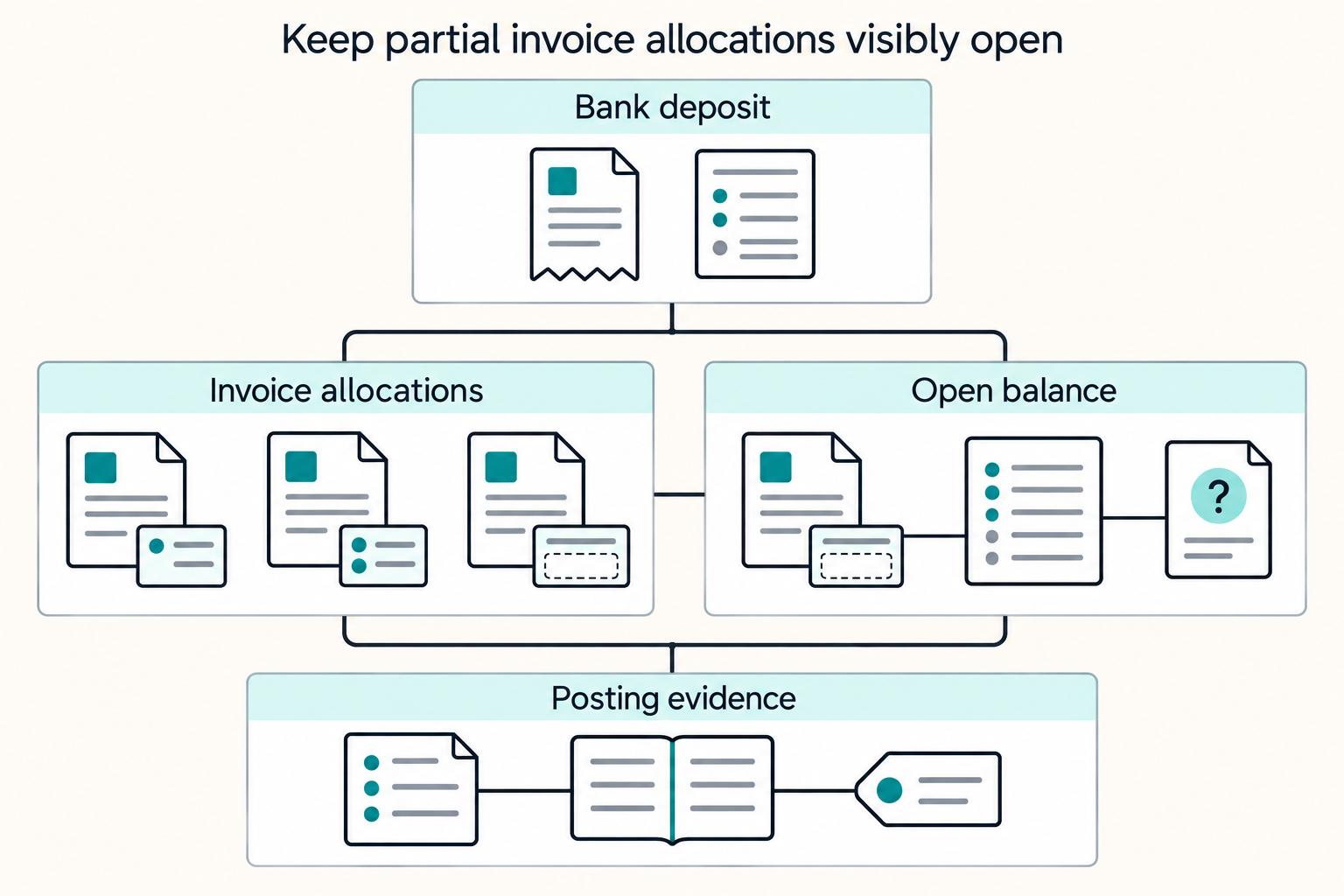
Payment Reconciliation for Freelancers: How to Match Invoices to Bank Deposits
Payment reconciliation on freelancer platforms breaks down when a bank deposit cannot be tied, with confidence, to the right internal transaction. Your operating goal is simple: route each deposit into the right path, auto-match, manual review, or exception handling, and keep a record that can be traced from bank transfer through GL posting.

Sole Trader vs Limited Company UK for Freelancers
If you need a practical starting rule, choose sole trader for a faster start and lighter admin. Choose a limited company when legal separation and company-level compliance are worth the extra work.

Sole Trader vs. Company: A Guide for Australian Freelancers
**In a sole trader vs company decision in Australia, you are choosing a system, not just a label. Your structure affects contracts, tax, personal asset protection, and investment readiness.**