

Quick Answer
Yes - freelancers can issue invoices in Germany, but the reliable approach is control-first execution. For invoice freelancer germany operations, confirm status and tax identifiers first, then enforce mandatory fields under Section 14 UStG and Sections 31-34 UStDV before send. Lock one VAT route, require a stated VAT reason, and stop issuance when data conflicts. Keep evidence from issuance through payment so exceptions are reviewed, not patched after money moves.
Treat German invoicing as a control problem#
Before you start#
Step 1. Treat German freelancer invoicing as a control problem, not a document-format problem. If you need a repeatable way to handle German freelancer invoices across platforms, the real job is deciding what must be true before an invoice is issued, stored, paid, and relied on later.
An invoice is not just a payment request. It is a formal seller-to-buyer document that can be used to enforce payment, resolve disputes, and provide evidence of income for tax purposes.
That matters in day-to-day operations because your counterparties rely on these records too. Clients use invoices for accounting, payment operations, and tax reporting, so a weak setup creates downstream breakage on both sides.
A practical starting checkpoint is simple: if your team cannot explain who approved the tax treatment, which source record supplied the issuer details, and why VAT was or was not applied, you do not yet have an invoicing process you can trust.
Step 2. Define the audience and decision points up front. This guide is written for compliance, finance, legal, and risk owners who need a consistent path for German freelancer invoices at scale. It is not a tutorial for one freelancer creating one invoice by hand. The focus is repeatability: what data you collect first, which fields you validate before issuance, and when a case should stop for review instead of moving through automation.
The first major branch is usually tax treatment. You will need a clear path for cases where VAT is not applied versus invoices that include VAT, plus a way to capture the reason for that treatment in your records. You also need a practical view of the invoice information your process requires, but the point is not to memorize legal text in the abstract. It is to build an approval and evidence trail that still holds up when tax data is incomplete, contradictory, or changes after onboarding.
Step 3. Set your scope and escalation boundary before you build controls. In Germany, freelance professionals and traders are treated differently, and VAT is central to invoicing. Those labels and tax choices affect how you should configure invoice logic, but edge cases get technical quickly. If the underlying status, registration data, or VAT position is uncertain, do not let the platform guess.
Use this article as an operational outline for execution and controls. The through-line is straightforward: confirm status, lock the tax path, validate the invoice fields, and keep enough evidence to defend what you issued later.
Set one non-negotiable rule at the outset. Where facts are ambiguous, or where legal and tax consequences turn on classification details, route the case to qualified tax or legal review before invoice issuance instead of trying to correct it after payment.
Related: How to Get a Residence Permit in Germany as a Freelancer.
Confirm freelancer status before you automate invoice logic#
Treat onboarding classification as a hard gate: do not enable templates, tax rules, or payout logic until status is clear.
Step 1. Separate Freelance Professionals from Traders at onboarding. Do not rely on a self-described title alone. Collect a short activity description, the service-agreement context, and the current registration or tax setup so a reviewer can explain why the case is treated as Freelance Professional or Trader from evidence, not defaults.
Step 2. Anchor the decision in policy notes tied to the Income Tax Act (EStG), with Section 18 EStG as the freelancer reference point. Keep legal criteria out of product copy, but document the review basis internally. Record the evidence used for the decision, including stated activity, contract type, and tax registration status; if no Tax Number exists yet, note whether the "Questionnaire for tax registration" has been filed before invoices are sent.
Step 3. Map each classification outcome to a specific invoicing path, and stop automation when status is unclear. Only enable invoice templates once classification and registration data are consistent. If evidence is incomplete, conflicting, or pending review, hold the case before first payout or payment collection instead of correcting tax treatment after invoices are already issued.
You might also find this useful: How to Invoice as a Freelancer Without Chasing Late Payments.
Gather prerequisites and evidence before issuing invoice one#
Once freelancer status is confirmed, do not send the first invoice until identifiers, party details, and supporting records are complete and auditable. Invoices are formal legal and tax records, so weak inputs create avoidable disputes and rework.
| Role | Owns |
|---|---|
| Finance | Tax identifiers and tax-field accuracy |
| Ops | Sequence controls and send readiness |
| Legal/compliance | Policy exceptions and nonstandard cases |
Step 1. Collect and validate core party identifiers. Capture the issuer's full legal name, the recipient's full legal name, both addresses, and the issuer's Tax Number or VAT ID (as applicable). Do not rely on display names or shorthand labels. A reviewer should be able to trace each invoice field back to the customer record and tax setup without guesswork.
If you support self-billing, require a written agreement and current tax details before issuance. If VAT numbers change in that arrangement, refresh the agreement before additional invoices are issued.
Step 2. Assign ownership of canonical invoice fields. Set field ownership before automation scales:
- Finance owns tax identifiers and tax-field accuracy
- Ops owns sequence controls and send readiness
- Legal/compliance owns policy exceptions and nonstandard cases
Document which system is authoritative for each field and who can approve exceptions.
Step 3. Build a minimum evidence pack before the first invoice. Keep a compact, reviewable pack for each issuer-customer pair:
- customer record with legal recipient details
- service agreement context (or equivalent commercial basis)
- invoice template version used for Germany
- policy acknowledgment for this invoicing path
Good records support payment enforcement, dispute handling, and tax-income evidence when questions arise later.
Step 4. Enforce a hard no-send checkpoint. No invoice is sent until required tax identifiers and recipient details are complete and auditable. If Tax Number or VAT ID status is unresolved, or recipient details cannot be tied to the customer record, stop and route for completion before issuance.
For a step-by-step walkthrough, see A Freelancer's Guide to the US-Germany Tax Treaty.
Enforce the mandatory invoice elements without exception#
Treat this as a hard send gate: no invoice should be issued with missing core fields, unreconciled totals, or unclear VAT treatment.
Build a hard validation checklist from the legal core, then mark policy-only fields clearly#
Germany's VAT framework is centered on the UStG, with related UStDV ordinances, so your invoicing policy should anchor controls there. Based on the material here, enforce these core fields on every invoice: issuer full name, issuer business address, recipient full name, recipient address, tax number or VAT ID, Invoice Date, and unique Invoice Number.
Keep this as a system gate, not a reviewer reminder. Each field should match the validated onboarding or customer record, and the invoice should be identifiable without interpretation.
You can still require Service Date, service description, and payment details operationally. If you have not fully mapped those items to the statutory text in your internal controls, label them as policy-required rather than statutory-complete.
| Required field | Why it matters | Validation check | Escalation trigger |
|---|---|---|---|
| Issuer full legal name and business address | Identifies who issued the invoice | Must match the freelancer or business record exactly | Nickname, brand label, or outdated address |
| Recipient full legal name and address | Identifies the billed party | Must match the customer legal record | Recipient entered as a team, department, or contact alias |
| Tax number or VAT ID | Supports tax identity on the invoice | Required identifier for the invoicing path is present | Identifier missing or tax path unresolved |
| Invoice Number | Creates a unique invoice reference | Present and unique | Duplicate, reused, or manually overwritten number |
| Invoice Date | Records when the invoice was created | Present before send | Missing date |
| Service Date and service description (policy-required) | Supports operations and dispute handling | Present per policy and specific enough to review | Vague description or missing timing |
| Payment details (policy-required) | Tells the recipient how to pay | Required payment fields are present for the chosen method | Missing payment instructions |
Reconcile amounts at line level and header level before anything leaves the system#
Require exact reconciliation between Net Amount, VAT Amount, and Gross Amount before send. This is an internal control that prevents avoidable billing and reconciliation errors.
At minimum, check that line net values roll up to header net, line VAT rolls up to header VAT, and gross equals net plus VAT under your rounding rule. If amounts change after approval, force recalculation and re-review.
Add a required VAT reason field and treat blanks as a stop condition#
Require a dedicated VAT reason on every invoice, whether VAT is charged or not charged. In Germany's VAT system (locally Umsatzsteuer, also MwSt), that reason should make the treatment explicit for reviewers and auditors.
A blank VAT reason should block issuance. If VAT is charged, the reason should align with the selected rate and invoicing path; if VAT is not charged, the basis should be stated in line with your tax setup. Since common rates include 19% (standard) and 7% (reduced for qualifying items), do not allow casual rate selection without a clear rationale.
If you want a deeper dive, read How to Invoice a German 'GmbH' Compliantly.
Choose the VAT path with explicit rules for Kleinunternehmer and Umsatzsteuer#
Use only two invoice behaviors, and block everything else: a Kleinunternehmer route with no VAT amount shown, or an Umsatzsteuer route with VAT shown and reviewed. If available registration or tax data does not clearly support one route, hold the invoice and escalate before issue.
Lock one VAT route from verified tax evidence#
Do not let VAT treatment be chosen ad hoc at invoice time. Set the route from the freelancer's validated tax record, then enforce it in the template and send gate.
German VAT law is primarily in the UStG with related UStDV materials, so your controls should follow that structure. For charged VAT, require an explicit rate and reason before send. Germany's standard VAT rate is 19% for most goods and services, and a 7% reduced rate applies to qualifying items, so rate selection should never be free text.
Standardize wording and tax-line behavior by route#
Treat wording as a control, not an afterthought. Keep separate approved text for each route and lock it in the template.
Operationally, the tradeoff is straightforward: Kleinunternehmer invoices are simpler because they avoid VAT calculation lines, while Umsatzsteuer invoices need tighter validation for rate, VAT totals, and consistency with the selected route. If template behavior and tax record conflict, stop and review.
Route unclear cases to named owners before dispatch#
When VAT is charged, verify identifier and rate inputs before issue. If a VAT ID is used, the supported format here is USt-IdNr as country code plus 9 digits (for example, DE123456789). Missing or conflicting tax data is a tax-classification issue, not a clerical fix.
| Scenario | VAT treatment | Required invoice wording | Owner | Escalation point |
|---|---|---|---|---|
| Record supports Kleinunternehmer route in your policy controls | No VAT amount shown | Use approved no-VAT wording from policy | Finance defines rule, ops executes | Escalate if VAT appears or supporting record is missing |
| Record supports charged VAT with valid tax inputs | VAT charged at approved rate | Use approved charged-VAT wording matching the selected rate | Finance/tax ops | Escalate if rate basis is unclear, VAT does not reconcile, or wording mismatches behavior |
| VAT ID present in DE123456789 format and route is charged VAT | Can proceed if other checks pass | Use approved charged-VAT wording | Finance/tax ops | Escalate if ID format is invalid or does not match onboarding record |
| Tax data is incomplete, contradictory, or changed after onboarding | Hold invoice | Do not issue invoice yet | Compliance or specialist tax review | Escalate before dispatch |
If you want one hard rule, use this: if the tax record and invoice behavior do not match, the invoice does not go out.
We covered this in detail in Choosing Between GKV and PKV as a Freelancer in Germany.
Set invoice numbering governance and approval ownership#
Set ownership before issuing any numbered invoice: define who can issue invoice numbers, who can approve exceptions, and what evidence must be retained for review.
Control invoice number issuance and edits#
Treat invoice numbering as a controlled system action, not a free-text field. A legal no-gap or consecutive-sequence rule is not established, so keep any sequence requirement as your internal policy choice. Also lock post-issue edits: if anything changes, the record should show what changed, who approved it, and why.
Route approvals only when data conflicts#
Use auto-checks for complete invoices that match the onboarding tax record, and route conflicts to a named reviewer. For identifier checks in Germany, keep this distinction explicit: the personal Steueridentifikationsnummer (St-IDNr.) (11 digits) does not belong on freelance invoices; invoices should use Steuernummer (shown as 10 digits, for example 12/345/67890) or USt-IDNr. instead. If the identifier type is wrong, hold the invoice for finance or tax review rather than treating it as a formatting fix.
Keep override evidence ready for VAT review#
For each issued invoice, retain version history, approver identity, and the reason for any override. Where VAT applies, the invoice should also include the legal statement explaining VAT calculation.
| Control | Control owner | Evidence artifact | Audit use |
|---|---|---|---|
| Invoice number issuance permissions | Ops or billing engineering | Issuance log with actor ID and timestamp | Shows who created the issued invoice |
| Exception approval for identifier or tax-data conflicts | Finance or tax ops | Approval record with reason | Shows conflicts were reviewed before dispatch |
| Identifier-type validation (St-IDNr. vs Steuernummer/USt-IDNr.) | Finance | Stored identifier on invoice plus onboarding record | Shows invoice used an allowed identifier type |
| Post-issue change governance | Ops with finance oversight | Linked change history and approver record | Preserves traceability for corrected invoices |
This pairs well with How to Write a Legally Compliant Invoice in Germany.
Reconcile invoice payment status and accounting evidence#
Your reconciliation control should prove one thing clearly: each Germany invoice can be traced from issue to payment to accounting entry, with evidence at every step.
| Status | Definition | Backed by |
|---|---|---|
| issued | Locked, final numbered invoice | Invoice number and issue timestamp |
| paid | Status backed by a linked payment event | Bank line, processor event, or settlement reference |
| exported | Posted or included in accounting export | Accounting export |
- Tie status changes to recorded payment events
Use a strict lifecycle: issued, paid, exported. Treat issued as the locked, final numbered invoice; paid as a status backed by a linked payment event (bank line, processor event, or settlement reference); and exported as posted or included in accounting export.
For any sampled invoice, you should be able to show the invoice number, issue timestamp, payment reference, payment date, and the user or service that changed status. Do not batch-mark invoices as paid from a payout summary unless cash is allocated back to each invoice.
- Match invoice amounts to settlement records and ledger postings
Reconcile Gross Amount and VAT Amount to both settlement records and ledger postings. If an invoice includes Umsatzsteuer, the VAT on the invoice and the VAT in the related accounting entry should align; if they do not, open an exception instead of treating it as a minor variance.
Where rails group payouts or fees reduce net cash, keep the invoice value intact and document the bridge from gross invoice amount to net received cash. Do not edit invoice totals to mirror payout net amounts.
- Define system-of-record boundaries before month-end
If you use Stripe Invoicing or platform rails, document what is authoritative and what is reference-only. A practical split is the final invoice record for issued content, processor or bank record for payment evidence, and general ledger for booked revenue and VAT.
Stripe's accounting guidance supports recording transactions systematically and recording and remitting VAT, but that does not make any single tool automatically the legal system of record for German invoices.
At month-end, your sampled evidence pack should be complete and repeatable: final invoice, payment event or bank line, settlement reference, ledger posting, and mismatch notes (for grouped payouts, fees, or timing differences). If any part is missing, the invoice is not fully reconciled.
Handle failure modes early and escalate the right cases#
Handle failures before customer-facing delivery: correct controllable format issues, and escalate tax-position uncertainty immediately.
-
Triage obvious invoice failures the same day. Route missing Invoice Date, missing Service Date, broken Invoice Number sequence, wrong VAT display, and incomplete recipient details into a reviewed exception queue. For every blocked invoice, record which rule failed, when it failed, and who owns resolution. If a sequence gap cannot be explained as voided, deleted, or never issued, treat it as a control failure.
-
Reissue only for correctable field or formatting errors. If the service, amount, and tax treatment are unchanged, issue a corrected version with traceable versioning and keep both records. Retain the original or voided version, corrected copy, reason code, timestamp, and approver identity. Do not overwrite the only sent version.
-
Escalate tax-status conflicts immediately. If onboarding shows Kleinunternehmer but the invoice charges Umsatzsteuer, or the invoicing path assumes a VAT ID position your file cannot support, stop and escalate for specialist review. Use a compact evidence pack: onboarding tax record, current invoice version, customer profile, and any VAT ID or tax-number documents. Payment conflicts can still happen even with a clear written agreement, so keep tax uncertainty out of customer-facing issuance.
For marketplace teams managing US tax form changes alongside freelancer invoicing, see How Freelancer Marketplaces Handle W-8/W-9 Migration Decisions.
What to implement this week#
Focus this week on controls that block a non-compliant invoice before it is issued: identifier checks, required-field validation, VAT-treatment consistency, and numbering discipline.
| Control | This week |
|---|---|
| Onboarding status | Store freelancer status explicitly in the record with the policy reference, decision owner, and timestamp |
| Tax identifier validation | Require a Steuernummer or, where applicable, a USt-IDNr.; block use of the St-IDNr. on client invoices; add format checks |
| Legal invoice fields | Turn issuer details, client details, Invoice Number, invoice date, and service/product details into hard validation rules; require the VAT-calculation statement field |
| VAT-treatment consistency | Do not issue when VAT treatment is unclear or conflicts with the onboarding tax status on file; route exceptions through one named tax/finance owner |
| Invoice numbering | Generate invoice numbers centrally, prevent silent renumbering after issue, and log exceptions with a reason |
| Post-issue consistency check | Check key invoice details against payment and accounting records, even if it starts as a manual sample |
- Record onboarding status before invoice logic runs.
If your policy distinguishes Freelance Professionals and Traders, store that status explicitly in the freelancer record with the policy reference, decision owner, and timestamp. Do not infer classification from invoice behavior after issue.
- Validate the tax identifier and block the wrong one.
Require a Steuernummer or, where applicable, a USt-IDNr. before issuance. Block use of the St-IDNr. on client invoices; the source material states it does not belong there. Add format checks so obvious identifier mix-ups are caught early.
- Enforce legal invoice fields in the template layer.
Turn required fields under § 14 UStG and §§ 31-34 UStDV into hard validation rules: issuer details, client details, Invoice Number, invoice date, and service/product details. Also require the VAT-calculation statement field rather than relying on free text.
- Add a VAT-treatment consistency gate.
Do not issue when VAT treatment is unclear or conflicts with the onboarding tax status on file. Route exceptions through one named tax/finance owner using your existing review path.
- Control invoice numbering centrally.
Generate invoice numbers centrally, prevent silent renumbering after issue, and log exceptions (for example cancellations/reissues) with a reason. Review gaps and duplicates as explicit exceptions, not informal fixes.
- Run a post-issue consistency check.
Add a lightweight reconciliation step so key invoice details are checked against payment and accounting records, even if this starts as a manual sample. For deeper operations, see Payment Reconciliation for Freelancers: How to Match Invoices to Bank Deposits.
Related reading: How Global Inflation Changes Freelancer Rates and Real Earnings.
Frequently Asked Questions
Can freelancers legally issue invoices in Germany?
Yes. The source material treats issuing invoices as a legal requirement for businesses, including freelancers, and an invoice is the formal document used to request payment for delivered work or services. It matters beyond collection too, because the invoice becomes part of your evidence if a dispute or tax question comes up later.
What fields must appear on a compliant German freelancer invoice?
The core items explicitly supported here are the issuer’s name, the recipient’s name, an Invoice Number, the issuer’s Tax Number or VAT ID, and the invoice date. The legal references named for invoice requirements are § 14 UStG and §§ 31-34 UStDV. In practice, confirm those fields are present and readable each time.
What is the practical difference between Kleinunternehmer invoicing and charging Umsatzsteuer?
Keep invoice tax treatment consistent with the freelancer's recorded tax status and identifiers. For exact handling rules on Kleinunternehmer treatment versus charging Umsatzsteuer, rely on your current tax policy and legal guidance.
Do invoice numbers have to be consecutive and chronological?
Treat numbering as a controlled sequence, especially for recurring monthly or quarterly invoicing. Do not overstate a separate rule for chronological ordering, and treat that requirement as unconfirmed until you check it. As an operating control, you should still expect no unexplained gaps and no silent changes after issue.
Which dates are mandatory on a German invoice?
From the evidence here, the invoice date is expressly listed as an essential detail. This section does not support claiming that a separate service date is always mandatory, so do not rely on this FAQ alone for that point. If your template includes more than one date field, make sure each date has a clear meaning and is validated consistently.
What should a platform do when VAT treatment is unclear at invoice time?
Keep invoice details and tax identifiers accurate and consistent. Use your internal tax/compliance process for case handling when VAT treatment is unclear at invoice time.
Try a related tool
Researched and edited by the Gruv editorial team. Gruv builds cross-border billing, payouts, and finance-operations software for global businesses.
Sources
- ec.europa.eu/docsroom/documents/2277/attachments/1/transl...trusted
- ecb.europa.eu/ecb/jobsproc/proc/pdf/pro-008792-call_for_co...trusted
- oecd.org/content/dam/oecd/en/publications/reports/201...trusted
- scholarworks.utep.edu/cgi/viewcontent.cgitrusted
- sec.gov/Archives/edgar/data/837465/00011931252507800...trusted
- snap.berkeley.edu/project/12493579trusted
- som.yale.edu/media/5046/downloadtrusted
- stripe.com/resources/more/invoicing-as-freelacer-germanytrusted
Educational content only. Not legal, tax, or financial advice.
Related Posts

How to Invoice a German GmbH Compliantly
If you want a Rechnung that gets paid without back-and-forth, treat first-pass accuracy as a cash flow task, not admin cleanup. Two failures are common and expensive: sending a duplicate or conflicting invoice, and invoicing while scope or acceptance is still disputed.
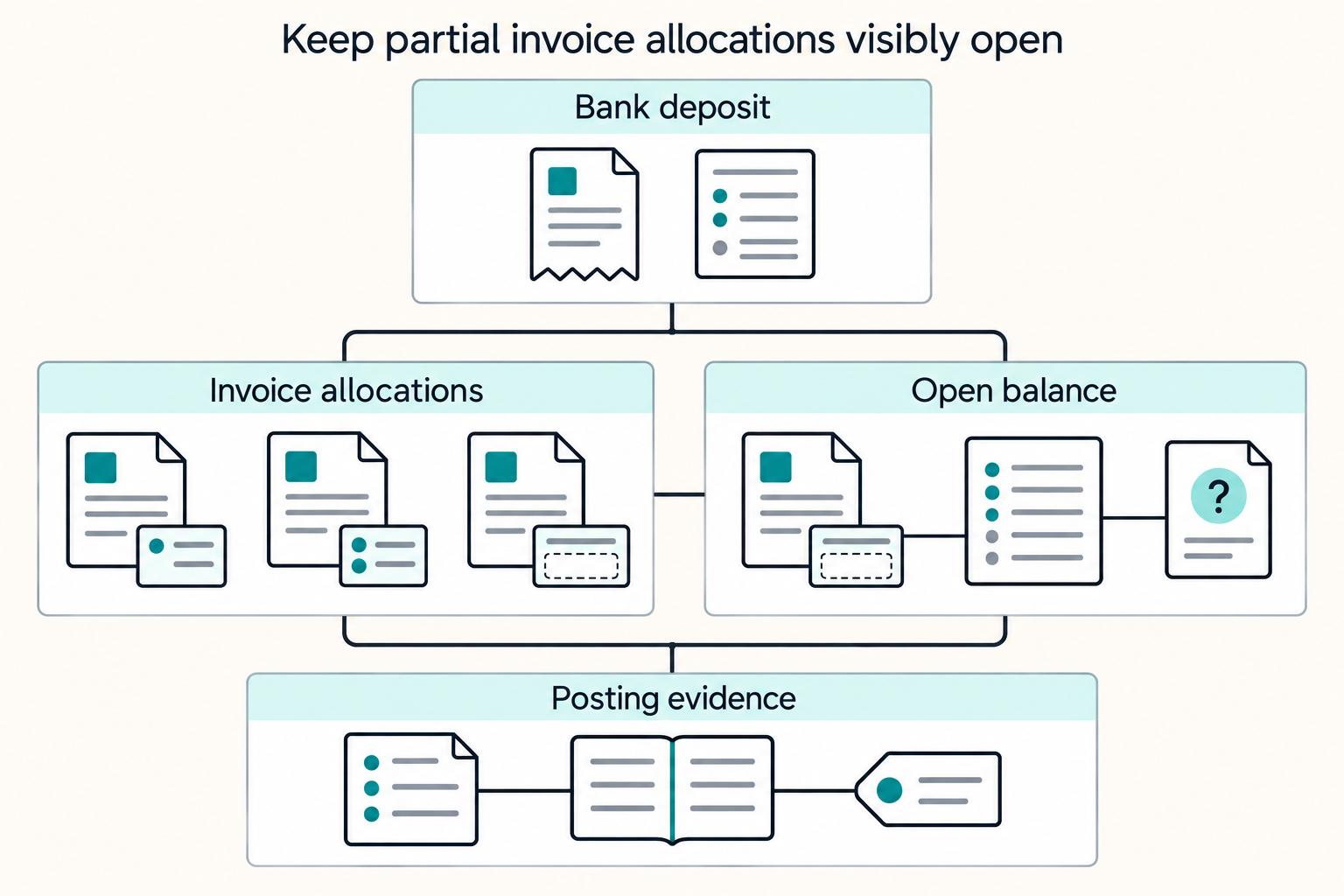
Payment Reconciliation for Freelancers: How to Match Invoices to Bank Deposits
Payment reconciliation on freelancer platforms breaks down when a bank deposit cannot be tied, with confidence, to the right internal transaction. Your operating goal is simple: route each deposit into the right path, auto-match, manual review, or exception handling, and keep a record that can be traced from bank transfer through GL posting.

How to Get a Residence Permit in Germany as a Freelancer
**Treat your German freelance residence permit like an operations project, and you will cut avoidable delays before they start.** The hardest part is often not the forms but the uncertainty around procedure, especially if you are working from Berlin-based experience while local office workflows shift as you prepare paperwork. Confusion costs time, money, and momentum.