
Quick Answer
Yes, a free invoice generator can work for platforms if you use it only for creation and PDF output, then control everything else yourself. Pick a tool your team can test for stable invoice number handling and clear payment terms, and verify the same reference survives creation, sharing, and archive copies. If that chain breaks, the tool is not ready for scale.
Free invoice generator options for platforms and contractors in 2026#
If you own Ledger, Reconciliation, or Settlement, treat a free invoice generator as a front-end convenience, not full invoicing control. Here, the available evidence is strongest for tool discovery and category framing, not end-to-end finance operations.
- Front-end tool only
Invoice creators are useful, but they are not the same as broader invoicing software. That distinction is explicitly called out in the source material. For teams that need payment and posting traceability, generating a PDF is only one part of the workflow. Keep the test simple: verify one invoice from creation through payment and internal recording before you standardize on any tool.
- Use shortlist signals carefully
There are plenty of options. Flowlu framed the market with a roundup titled "10 Best Free Invoice Makers for 2026", published on November 25, 2024, and Paymo described its own list as an "Honest review of these seven free online invoice generators." Paymo's list explicitly includes Invoice Generator and Canva, while Adobe Express presents its invoice creator as a free online tool. These are useful discovery signals, not independent performance validation. A tool appearing in a roundup does not, by itself, confirm operational fit for your internal controls.
- Keep scope narrow, then add controls yourself
This guide stays focused on Invoice Generator, Wise Invoice Generator, Canva, and Adobe Express to keep the comparison practical. One important boundary: this section does not have evidence to confirm Wise Invoice Generator features, pricing, or availability, and it does not establish Ledger, Reconciliation, Settlement, or audit-trail capabilities for any of these tools. Start with controls you own: a unique invoice reference format, required fields, PDF retention, and an evidence pack that lets you trace each invoice to payment and payout. For a step-by-step walkthrough, see Free Service Agreement Generator for Freelancers With Risk Controls.
How to choose a free invoice generator for platform operations#
If you run contractor payouts, Payout batch release, Ledger, or Reconciliation, choose for evidence continuity first and design second. If you only need a one-off PDF and no downstream controls, this section is probably more process than you need.
- Start with required fields, not layout
A usable tool makes key inputs explicit at creation time. Ramp calls out adding a unique invoice number plus sent-date and due-date fields, and Billdu surfaces Due Date: and Tax/VAT ID: in the form. Before you standardize, create one test invoice and confirm the fields your team requires are actually present in the live form, including Line item, Payment terms, and Purchase order when those are part of your close process.
- Validate output and sharing paths with one controlled test
Treat export and delivery as an ops check, not a marketing check. Refrens says invoices can be downloaded in PDF format, Zoho says invoices can be downloaded or printed, and Ramp says invoices can be emailed directly to you. Run one end-to-end test: generate the invoice, download the PDF, send it by email if available, and confirm the same invoice reference appears across every copy you retain.
- Treat save/edit behavior as a control boundary
Retrieval features can help, but they are not the same as control. Zoho shows a "Save online" option, which may help with later access, but this does not by itself establish immutability, version history, or an Audit trail. If post-send edits are possible, require a small evidence pack per invoice: retained PDF, sent-email copy when used, and the logged reference used for close matching.
- Keep integration assumptions explicit until verified
Do not assume status-tracking handoff from generator pages alone. Webhook readiness, payout integration, or built-in audit mapping for these tools are not established. Use a simple rule: if your team cannot map invoice creation, send, and payment-related events to retained evidence, the tool is too lightweight for your current operating risk.
Compare the top free invoice generator options before you commit#
Choose one tool per contractor segment, not per internal team, and treat anything beyond basic invoice creation as unproven until you test it.
| Tool | Best for | PDF output and sharing | Multi-currency support signal | Account dependency | Operations fit (Invoice number, Payment terms, Ledger/Reconciliation) | Known unknowns before rollout |
|---|---|---|---|---|---|---|
Invoice Generator | Fast, basic invoice creation | Invoice-Generator.com is cited as a simple option for users creating invoices only; export/send/retention behavior still needs live testing | Confirm with the relevant authority | Confirm with the relevant authority | Use only if your test confirms the same invoice reference and Payment terms from entry to final PDF; no downstream accounting path is established here | Free storage, edit history, version control, and sharing limits are not established |
Wise Invoice Generator | Teams assessing a Wise-linked option for cross-border invoicing workflows | Confirm with the relevant authority | Confirm with the relevant authority | Possible Wise Business tie-ins remain an open verification item | Do not assume references or customer details pass cleanly into finance records without a documented test | Free-tier limits, account state requirements, and controls are open questions |
Canva | Template-led invoice creation when the main need is invoice creation only | A third-party comparison updated August 29, 2025 cites Canva as a simple option for invoice-only needs; exact export/share behavior still needs verification | Confirm with the relevant authority | Confirm with the relevant authority | Works only if invoice references, dates, totals, and Payment terms stay consistent across every exported copy | Free export constraints, storage behavior, and edit controls are not established |
Adobe Express | Teams comparing another invoice-creation option in the shortlist | Confirm with the relevant authority | Confirm with the relevant authority | Confirm with the relevant authority | Treat as unverified for close controls until field persistence is tested end to end | Free-tier limits, account prompts, storage, and audit controls are not established |
The grounded signal is strongest for simple invoice creation, not downstream control. That aligns with the broader warning that many tools cover basic invoicing but not the admin workflows around it.
Run one identical test invoice in each shortlisted tool and compare three checkpoints side by side: exact invoice reference, visible Payment terms, and unchanged client or purchase references across browser view, downloaded PDF, and shared copy.
One cited study says 61% of late US invoice payments are tied to manual invoicing errors. Even if that figure is not universal, the control point is clear: fragmented tool choice increases numbering drift, missing terms, and mismatched references. That is how Audit trail records fragment.
Best for instant invoice output with minimal setup#
Invoice Generator#
If you mainly need a fast PDF invoice with minimal setup, InvoiceQuick is a strong starting point. The clearest signal comes from InvoiceQuick's claim that you can create and send an invoice in under a minute, with no login, plus free PDF download or email sending.
For ops, use it as a document-creation front end, not a full control system. Its practical value is speed plus a clear invoice reference (Invoice number) that you can carry into your internal records. That reference discipline matters because the same source warns that skipping invoice numbering creates confusion, duplication, and accounting headaches.
Use it with simple guardrails: enforce one numbering format, save the exported PDF, and log the same reference before sending. Then run one test invoice and confirm the exact reference stays unchanged in the editor, downloaded file, and sent copy.
Deeper reconciliation controls, durable audit history, or firm boundaries on account or payment behavior are not established. Do not assume universal availability either, because one invoice-generator source explicitly flags region restrictions. If you need payment-state tracking or close-ready evidence, keep Settlement status in your own ledger workflow.
For accounting handoff and reporting, see How to Export Invoice Data to Excel for Accounting and Reporting.
Best for cross-border contractor collections tied to payment rails#
For cross-border contractor collections, Wise Invoice Generator is a practical candidate when invoice creation needs to stay close to payment-rail operations. Before you standardize, confirm where generator capability ends and Wise Business dependency begins.
Cross-border workflows are hard because the issue is usually not the PDF itself, but the mix of countries, currencies, payout destinations, and compliance expectations. The sources also warn that manual invoice processing and disconnected systems increase errors and reduce real-time visibility, which is why structured, workflow-friendly invoicing matters here.
Wise Invoice Generator plus Wise Business#
Treat this as a candidate operating path, not a guaranteed all-in-one setup.
- Best fit: teams invoicing contractors across currencies that need cleaner handoffs into payment operations.
- Practical upside: capturing fields like Purchase order, Payment terms, and company/client details at creation can reduce avoidable exceptions later.
- Key unknown: the exact free-generator boundary vs. what may rely on Wise Business is not confirmed.
- Main risk: assuming invoice references auto-map into
Settlement, accounting, orPayout batchrecords; that mapping is not confirmed by the sources.
In the same source set, cross-border payments are described as costly and slower on legacy rails (quoted examples: 6.51% average cross-border fee in Q4 2020, 11% for bank transfers in that comparison, and 2-3 days average clearing). These figures are not Wise-specific pricing, but they do support stricter invoice-data discipline upstream.
Before you roll this out, run one checkpoint: issue a test invoice with a unique reference, PO value, and explicit payment terms, then confirm the same values survive in the invoice output and your internal posting record without retyping. If cross-border volume is rising, require a documented mapping from invoice reference to ledger event and Settlement or Payout batch tracking before you scale usage. Related reading: How to Set Up Invoice Approval Workflows for Agencies and Teams.
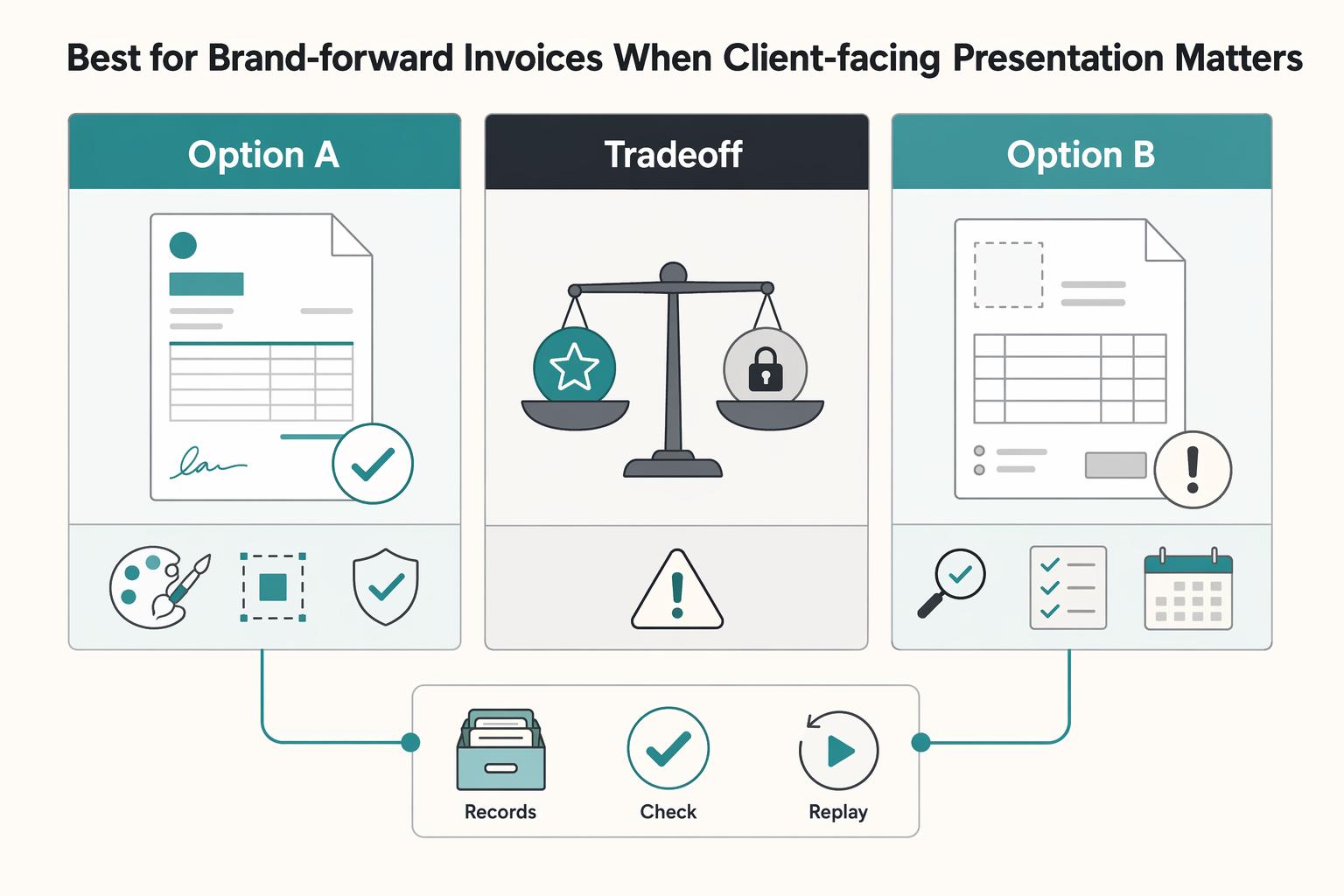
Best for brand-forward invoices when client-facing presentation matters#
Choose this lane when presentation quality matters most and finance controls sit elsewhere. Based on the available evidence, Canva is the grounded fit for basic invoice creation with branding, while Adobe Express should stay a verify-first option until your team confirms invoice behavior directly.
Canva is cited as a simpler tool for teams that want to create invoices and little else. That supports a fast path to polished, brand-consistent PDF invoices when client trust and visual consistency matter. Free invoice tools can also support custom branding, which helps keep invoice presentation aligned with your business identity.
The tradeoff is control depth. Treat free-tier export or storage limits, Webhook-style status surfaces, and built-in Audit trail behavior as unconfirmed for Canva or Adobe Express. Many free tools also stop at basic invoice creation, and one cited source attributes 61% of late US invoice payments to manual invoicing errors.
If you choose this route, separate ownership clearly: design owns presentation, finance owns record integrity. Run a checkpoint with one test invoice that includes a unique reference, invoice number, date of issue, and due date, then confirm those fields match your internal close or accounting record after PDF export. If version confusion appears, keep Canva in the presentation layer and maintain a separate audit log before you scale.
Add the controls free tools do not provide by default#
Use the invoice generator as the front end, then run your real controls outside it. These tools can help you create, download, and send invoices, but close reliability comes from the control stack around that output.
| Control area | Requirement | Examples |
|---|---|---|
| Control stack | Keep one stable invoice reference and an immutable state history outside the generator | Log draft, sent, revised, paid, and voided as an append-only record |
| Retry protection | Enforce an Idempotency key anywhere retries can occur | Send actions, payment-link creation, and sync jobs |
| Evidence pack for close and payout | Require a minimum reconciliation pack for each paid or payout-bound invoice | Invoice reference, payment reference, Ledger journal link, and Payout batch reference |
| Compliance and tax gate | Treat KYC, KYB, AML, and market-appropriate tax-document handling as separate release gates when invoicing is tied to money movement | W-8, W-9, VAT, 1099, and FBAR under FinCEN Form 114 where relevant |
- Control stack
Keep one stable invoice reference and an immutable state history outside the generator. Log each transition, for example draft, sent, revised, paid, or voided, as an append-only record so resends and edits do not erase prior states.
- Retry protection with
Idempotency keyenforcement
Enforce an Idempotency key anywhere retries can occur: send actions, payment-link creation, and sync jobs. The decision rule is simple: if the same request can produce a second invoice, charge, or receivable entry, stop and enforce idempotent behavior before you add more automation.
- Evidence pack for close and payout
Require a minimum reconciliation pack for each paid or payout-bound invoice: invoice reference, payment reference, Ledger journal link, and Payout batch reference. This is the minimum chain you need to trace one invoice through settlement and review.
- Compliance and tax gate
Treat KYC, KYB, AML, and market-appropriate tax-document handling as separate release gates when invoicing is tied to money movement. Keep records such as W-8, W-9, VAT, and 1099 where relevant. If FBAR applies, store it under FinCEN Form 114 and keep the supporting account-value workpaper. FinCEN guidance includes recording amounts in U.S. dollars rounded up to the next whole dollar ($15,265.25 becomes $15,266) and converting non-U.S. currency accounts using the Treasury year-end rate.
The practical rule does not change: if retries can create duplicate billings, enforce idempotency keys before you scale automation. For approval controls, see How Platforms Automate 2-Way and 3-Way Invoice Verification.
Check failure points before month-end close and payout execution#
Before month-end close, treat invoice-to-payout review as transaction testing with explicit internal controls, not a dashboard glance. A risk-based approach keeps release decisions tied to evidence instead of status labels alone.
Four pre-close checks#
| Pre-close check | What to verify | Action if not clean |
|---|---|---|
| Close checkpoint chain | Invoice issued, payment confirmed, Ledger posted, Reconciliation matched, Settlement status confirmed, and Payout batch released | Release only when one invoice reference connects cleanly across all six records |
| Document and math defects | Missing Purchase order values, Line item totals that do not match the invoice total, or revised invoice versions that no longer match the payment request | Recalculate from line items and confirm required commercial references are present |
| Status drift and broken reference links | Re-check source records when status looks stale after Webhook delays and confirm invoice, payment, and Payout batch references still map to each other | Hold release and resolve the mapping first if the chain is broken |
| Exception gates for compliance and jurisdiction | If payment is confirmed but ledger posting is missing, hold release; if AML/KYC review is pending, block payout and route to review | Use a separate jurisdiction-sensitive invoice checklist for segments you serve, including cases like French Micro-Entrepreneur or German GmbH |
- Close checkpoint chain
Run every payable invoice through the same sequence: invoice issued, payment confirmed, Ledger posted, Reconciliation matched, Settlement status confirmed, Payout batch released. Release only when one invoice reference connects cleanly across all six records.
- Document and math defects
Catch document issues before they become close exceptions: missing Purchase order values, Line item totals that do not match the invoice total, or revised invoice versions that no longer match the payment request. Recalculate from line items and confirm required commercial references are present.
- Status drift and broken reference links
Near close, re-check source records when status looks stale after Webhook delays. Confirm invoice, payment, and Payout batch references still map to each other. If the chain is broken, hold release and resolve the mapping first.
- Exception gates for compliance and jurisdiction
Set hard stops before payout: if payment is confirmed but ledger posting is missing, hold release; if AML or KYC review is pending, block payout and route to review. Use a separate jurisdiction-sensitive invoice checklist for segments you serve, including cases like French Micro-Entrepreneur or German GmbH, rather than relying on one generic template. Related: A French Micro-Entrepreneur's Guide to Invoicing a US Client.
Pick the tool you want, then standardize the controls#
Free invoice generators can work as your document front end, but reliability comes from control design, not template design.
If you take one action from this guide, do this: choose one primary invoicing tool per contractor or market segment, then apply one shared Audit trail and reconciliation checklist before you scale volume.
- Choose one front end per segment
Standardize by use case, not team preference. If a segment only needs a downloadable editable PDF, Xero's blank generator can fit. If a segment needs browser-based creation with PDF output, tools like Ademero or Everhour can fit. Keep the same required fields everywhere: unique invoice reference, invoice date, due date, and clear payment terms, for example payment due within 30 days. Use one numbering rule across segments, for example #INV-2026-001, and keep re-sends tied to the same invoice ID for the same commercial event.
- Keep audit evidence identical even when tools differ
Your archive standard should not change by tool. Retain the final PDF, invoice reference, invoice date, due date, payment terms, payer or payment reference, and the record used for close review. Ademero explicitly frames detailed invoices as useful for tax tracking and audit trails. Everhour explicitly notes settings are saved in your browser, not on its servers, so your team should own retention.
Keep document creation lightweight, then make controls consistent and easy to verify. That is what keeps invoice-tool choice from becoming month-end repair work. Want to confirm coverage for your country or program? Talk to Gruv.
Frequently Asked Questions
What must a free invoice generator include at minimum for platform use?
At minimum, it should let you produce a stable invoice reference, clear line items with description, rate, and quantity, and explicit payment terms such as Net 30, Net 15, or Due on Receipt. A custom or sequential numbering scheme is especially important because it is the reference you carry into payment confirmation and reconciliation. If the tool cannot preserve that reference cleanly, it is likely a poor fit for higher-volume workflows.
When is a free invoice tool enough, and when do we need integrated invoicing plus matching controls?
A lightweight tool is enough when invoicing is mostly document creation and your team can manually match invoice, payment, and payout records with limited exceptions. Move to integrated infrastructure when your close depends on tax validation, payment method and currency selection, cross-border remittance, or reconciliation. That is where a broader platform such as Tipalti can solve an operations problem, not just a document problem.
How do we prevent duplicate invoices when retries and re-sends happen?
Do not generate a new invoice reference for a resend of the same commercial event. Keep one canonical reference, log resend timestamps separately, and have ops check whether that reference already exists before issuing again. One failure mode is a retry that creates two valid-looking PDFs and leaves finance deciding which one ties to payment.
How should we handle a case where payment looks complete but accounting status is delayed?
Treat it as an exception and hold release. Verify the payment reference and timestamp from the payment source, then wait for posting or route it for accounting review before marking the item matched. If you close on payment status alone, you create a month-end cleanup job instead of a controlled payout decision.
What are the most common hidden constraints behind “free” invoice tools?
“Free” often means core use is free, not every feature around it. FIG 365 says basic use is 100% free, but also lists 115 premium templates at $4.99 each, and Zoho’s generator UI shows a logo upload limit of 1MB. Another constraint is record retention: Free Invoices says generation happens in your browser and the service does not store your data, so you need your own archive.
How should cross-border teams validate tax and compliance fields like `VAT`, `W-8`, and `W-9`?
Do not assume the invoice generator validates those fields unless you have separate proof that validation exists. Validate tax and compliance fields in onboarding or finance review, then retain supporting form or registration evidence outside the invoice tool. For market-specific invoicing rules, keep a local checklist.
What is the minimum audit evidence we should retain for each invoice-to-payout path?
Keep the invoice file, invoice reference, line-item math, payment terms, payment confirmation reference, and reconciliation outcome. Also retain timestamps for issue, payment, posting, and release, plus any resend or exception notes. If one invoice cannot be followed across that chain, it is not close-ready.
Try a related tool
Researched and edited by the Gruv editorial team. Gruv builds cross-border billing, payouts, and finance-operations software for global businesses.
Sources
- bsaaml.ffiec.gov/docs/manual/BSA_AML_Man_2014_v2_CDDBO.pdftrusted
- bsaefiling.fincen.gov/docs/XMLUserGuide_FinCENFBAR.pdftrusted
- charlottenc.gov/files/sharedassets/city/growth-and-developme...trusted
- faa.gov/regulations_policies/rulemaking/committees/d...trusted
- fincen.gov/reporting-maximum-account-valuetrusted
- fincen.gov/report-foreign-bank-and-financial-accountstrusted
- holbrookma.gov/FAQ.aspxtrusted
- irs.gov/irm/part4/irm_04-026-009trusted
Educational content only. Not legal, tax, or financial advice.
Related Posts

How to Invoice a US Client from Mexico as a Temporary Resident
If you want to invoice a US client from Mexico without payment friction, focus on three outcomes: the client's AP team accepts the invoice, your SAT record stays compliant, and your net receipt is predictable.
How a French Micro-Entrepreneur Can Invoice a US Client
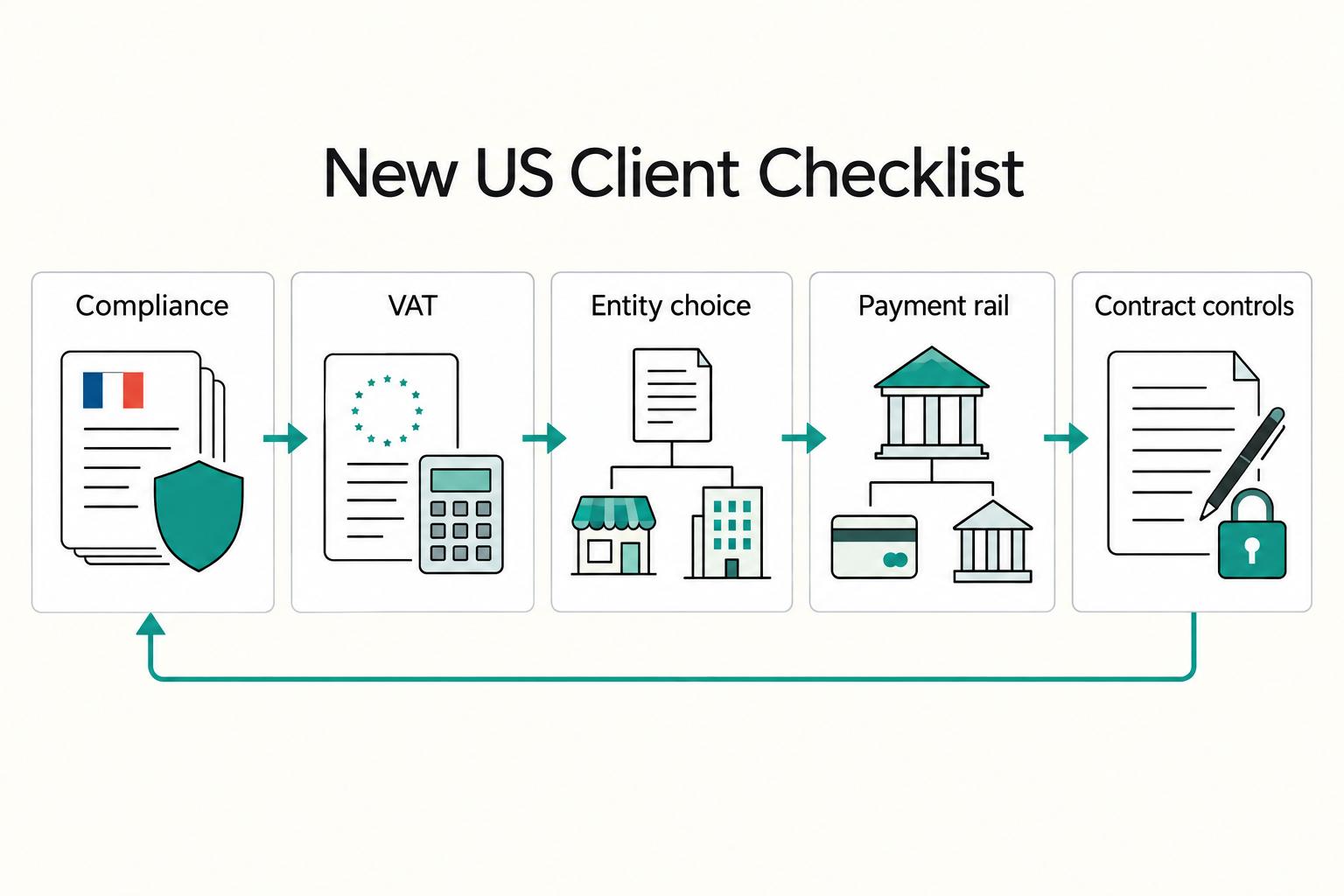
Start with compliance, then protect cashflow. If you work from France under the micro-entrepreneur regime and bill a US client for services, one reliable way to create delays is to optimize payment collection before your invoice and records are in order.

How to Invoice a German GmbH Compliantly
If you want a Rechnung that gets paid without back-and-forth, treat first-pass accuracy as a cash flow task, not admin cleanup. Two failures are common and expensive: sending a duplicate or conflicting invoice, and invoicing while scope or acceptance is still disputed.