
Quick Answer
Yes - bill from accepted outcomes, not logged effort. For project milestone tracking bill deliverables, set one rule: an invoice can be issued only after a client-inspectable deliverable passes acceptance criteria and the named approver records sign-off. Keep the Statement of Work reference, approval evidence, and invoice tied to the same record, then post the matching ledger journal entry so finance can reconcile without guessing.
Why Bill by Deliverable Instead of Hours#
Treat project milestone tracking for billable deliverables as a billing control, not just a prettier project plan. You are not trying to celebrate progress. You are deciding, with evidence, when a client-accepted outcome is mature enough to trigger an invoice and hold up through reconciliation, dispute review, and audit.
A project milestone is best understood as a checkpoint: a significant point or event that marks completion of a phase, deliverable, or critical decision. That matters because a milestone is useful only when it separates signal from noise.
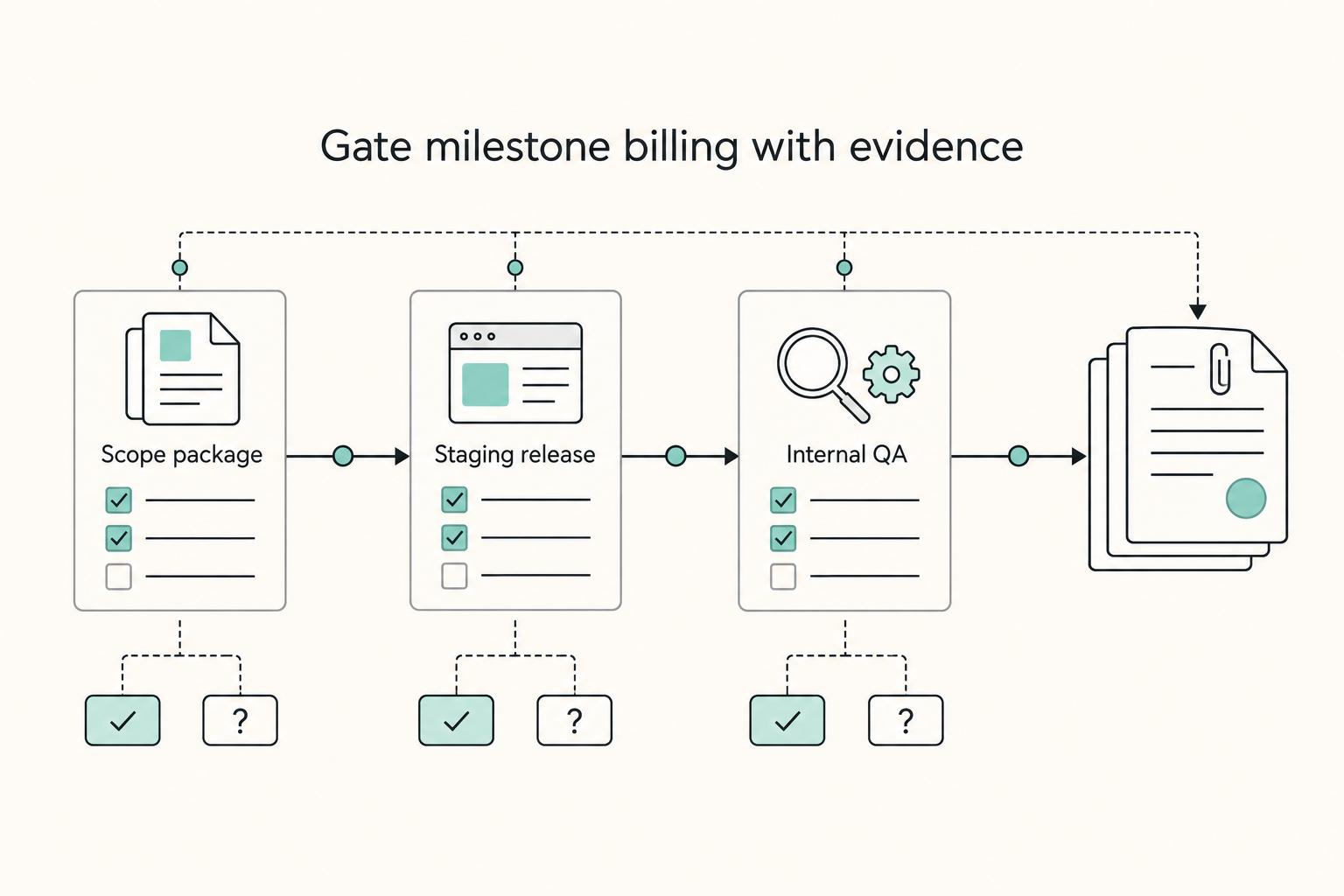
Some milestones reflect real billable progress, such as acceptance of a design package or approved launch asset. Others are only internal markers, like draft completion or QA, and typically should not unlock billing on their own unless acceptance terms explicitly say they do. For each billable checkpoint, you need three things tied together in writing: the deliverable itself, the milestone sign-off that confirms acceptance, and the invoice trigger that finance will act on. If one is missing, you get the mess this model is supposed to prevent: early invoices, delayed collections, or arguments over what was actually approved.
Start with one verification habit. Before you treat any milestone as billable, check that it points to something a client can inspect and accept, not just a task your team completed internally. The first red flag is a milestone name that sounds important but has no acceptance criteria, no named approver, or no obvious evidence file. When that happens, keep it as a progress marker, not a billing event.
You should also expect legal language, invoicing rules, and tax treatment to vary by contract type and jurisdiction. If you work inside a regulated framework, use the exact terms and definitions that apply there rather than borrowing language from a private client services contract. For example, FAR Part 2 is expressly a definitions section for frequently used FAR terms, while the displayed eCFR content for Title 2 is labeled authoritative but unofficial, up to date as of 3/27/2026. Those references can help you interpret a framework, but they do not create one universal rule for every engagement.
Keep that boundary clear from the start. Define what counts as a deliverable, decide what acceptance looks like, record client sign-off, and let finance invoice only when the evidence says "accepted." That is how milestone billing becomes controllable instead of subjective.
Set the Billing Boundary Between Milestones, Deliverables, and Tasks#
Set one hard boundary: a milestone is a checkpoint, a deliverable is the billable output, and a task is internal execution work. In milestone billing, invoices should be triggered by accepted results, not activity.
Define milestones, deliverables, and tasks#
Define each item by function. A project milestone marks completion of a significant phase or deliverable. A project deliverable is what the client can inspect and accept or reject. A project task is the work your team does to produce that output.
| Item | Definition | Example |
|---|---|---|
| Project milestone | Marks completion of a significant phase or deliverable | Wireframes reviewed |
| Project deliverable | What the client can inspect and accept or reject | Final approved wireframe set |
| Project task | The work your team does to produce that output | Revise screen 4 copy |
This distinction keeps billing clean because tasks are actions, not results. "Wireframes reviewed" can be a milestone. "Final approved wireframe set" is the deliverable. "Revise screen 4 copy" is a task. If an item cannot point to a concrete output, keep it out of the billing lane.
Make acceptance the invoice trigger#
Write the rule explicitly: only an accepted deliverable can create an invoice trigger. Milestone billing is event-driven, so "work progressed" or "phase started" is not enough.
Use this check before marking anything billable:
- Is there a named deliverable?
- Can the client inspect it?
- Has acceptance actually occurred?
If any answer is no, treat it as non-billable. A common failure is billing from conceptual milestones like "design complete" or "QA finished" before a client-visible output is accepted.
Require acceptance criteria and a named approver#
Require explicit acceptance criteria and a named approver before client sign-off can release billing. Without those controls, sign-off becomes subjective and finance lacks a clean basis to invoice.
Your milestone record should show the deliverable, the acceptance test, and the approver role or name. Red flag: no criteria, no approver, or no written sign-off trail. If that happens, pause the invoice trigger until the boundary is corrected.
Your statement of work should define each milestone, acceptance criteria, approver, and change process. A Guide to the Statement of Work (SOW) for a SaaS Development Project shows how to document that clearly.
Prepare the Prerequisites Before You Turn On Milestone Billing#
Turn on milestone billing only after each deliverable has three things in place: a clear evidence pack, written commercial terms, and a finance-ready handoff path.
| Prerequisite | Key items | Control check |
|---|---|---|
| Evidence pack | exact Statement of Work reference; acceptance criteria; required client-review artifacts; client sign-off owner (role or name) | A reviewer can pull the SOW reference, acceptance test, and sign-off owner without chasing chat threads or inbox history |
| Commercial terms | payment schedule; how partial acceptance is handled; how disputes are handled; how change requests affect project fees | Keep scope changes and fee changes explicit so billing decisions stay reviewable |
| Finance-ready handoff | chart mapping for ledger entries; journal posting steps; reconciliation ownership for each close period | Run one dry test with a sample deliverable |
Build a minimum evidence pack#
For every billable deliverable, keep a minimum evidence pack that a finance reviewer can verify quickly:
- exact Statement of Work reference
- acceptance criteria
- required client-review artifacts
- client sign-off owner (role or name)
Treat the Statement of Work as a controlled exhibit, not as informal project text. Contract practice supports this structure: scope exhibits can be formally replaced by amendment, so your SOW should be identifiable and versioned the same way.
Verification point: before marking a milestone billable, confirm a reviewer can pull the SOW reference, acceptance test, and sign-off owner without chasing chat threads or inbox history.
Separate scope from commercial terms#
Set commercial controls before delivery starts, and keep them separate from scope terms. Define the payment schedule, document how partial acceptance is handled, state how disputes are handled, and clarify how change requests affect project fees.
This mirrors common contract structure where SOW and payment terms sit in separate exhibits and are updated through amendment. Keep scope changes and fee changes explicit so billing decisions stay reviewable.
For change requests, require a written decision on whether the work remains in scope or needs a fee update. Do not rely on informal agreements and sort it out later.
Make finance ready before the first trigger#
Before the first invoice trigger, document how accepted deliverables move into finance records: chart mapping for ledger entries, journal posting steps, and reconciliation ownership for each close period.
Run one dry test with a sample deliverable:
- deliverable approved
- sign-off captured
- invoice created
- journal entry posted
- reconciliation trace completed
If any handoff is unclear, pause rollout and fix the control point first.
Milestone billing protects revenue timing, but you still need to track margin against delivery cost. How to Manage Project Profitability for Your Agency covers the profitability side.
Design Billable Milestones and Invoice Triggers That Survive Audit#
Bill only from acceptance events you can prove in writing. If a deliverable cannot be verified, keep it as a project task or a non-billable checkpoint until the acceptance test, approver, and invoice trigger are explicit.
Build one milestone table everyone can read#
Use one shared milestone table across finance, delivery, and account teams. In milestone billing, the invoice trigger should follow predefined deliverable completion plus acceptance, or deemed acceptance when your agreement defines an acceptance window.
| Deliverable name | Acceptance test | Approver | Billable / non-billable | Invoice trigger | Fallback if rejected |
|---|---|---|---|---|---|
| Scope baseline package | Required deliverables submitted and written approval recorded | Client approver role | Billable | Invoice after recorded acceptance | No invoice; log gaps and resubmit |
| Staging release milestone | Acceptance criteria met in staging and sign-off recorded | Client product owner | Billable | Invoice after sign-off, or deemed acceptance per contract terms | Keep pending; remediate and re-review |
| Internal QA gate | Internal review completed | Delivery lead | Non-billable | None | Block downstream milestone until resolved |
Keep these six fields at minimum: deliverable name, acceptance test, approver, billable/non-billable status, invoice trigger, and fallback if rejected. Also track acceptance window, invoice amount, and payment terms in the same row or linked schedule so the billing event is reviewable.
Size milestones by commercial risk#
Set milestone size by scope risk and fee model. For low-variance fixed project fees, fewer larger billable milestones can simplify administration; when scope risk is high, more granular milestones help isolate change, rejection, and rework earlier.
Use this qualification check for each billable milestone: measurable, time-bound, tied to a predefined invoice value or percentage, and validated by internal or external signatories. If a step cannot pass that test, keep it non-billable.
Separate acceptance, invoicing, and payment dates#
Track three separate dates for each billable milestone: accepted date, invoice date, and payment schedule due date. A simple control rule works well: acceptance creates invoice eligibility, invoice issuance starts the payment clock, and due date controls collection timing.
Include non-billable control milestones such as QA, compliance, or security review so progress is visible without triggering premature invoices. Also tie the milestone schedule to total contract value and apply an overbilling cap so cumulative invoicing cannot exceed agreed value.
If you bill some work by milestone and some by time, How to Invoice for 'Billable Hours' vs. 'Project Fees' in QuickBooks shows how to handle both cleanly.
Implement Event-to-Ledger Flow for Traceable Billing#
Once invoice triggers are defined, make the billing path explicit and traceable: move from approval to sign-off to invoicing to payment confirmation to ledger posting, and treat the ledger as the financial record of truth.
Lock the order of operations#
Use one enforced sequence and avoid shortcuts between states:
- Milestone approved against the agreed acceptance test
- Client sign-off captured with the deliverable record
- Invoice issued from that accepted record
- Payment confirmation recorded
- Ledger journal posted for the financial event
Keep stable references across every step. The sign-off, invoice, payment record, and journal entry should all point to the same milestone or deliverable record so finance can trace one invoice back to one acceptance event quickly.
Treat webhooks as signals, not authority#
If you use webhooks, use them to signal status changes, then validate source records before any financial action. Design replay-safe processing so a retried or repeated event key does not create an additional invoice or journal entry. When an incoming status cannot be matched to the expected invoice and record chain, route it to review instead of creating missing financial records automatically.
Post reporting from the ledger#
Build reporting and operational dashboards from posted ledger entries, not the other way around. Dashboards are useful for visibility, but reconciliation and close should rely on ledger-backed records.
If your platform also pays contributors, add a release gate between recorded cash movement and payout execution. Keep settlement review and payout batch release tied to the same invoice and ledger references so payment operations remain traceable end to end.
For a step-by-step walkthrough, see How to Write a Scope of Work for an AI Development Project.
Run Reconciliation and Settlement Checks Every Cycle#
Run reconciliation as a release gate each cycle: if the money trail is incomplete, the item is not ready for close or payout.
Match each billed deliverable to its full money trail#
Start from each billed deliverable and confirm the linked records agree: accepted deliverable or milestone record, invoice, posted ledger journal, and bank or provider confirmation. If any link is missing, keep the item unresolved even if an ops status shows "paid."
Use one deliverable ID as your trace key so finance can quickly reach the invoice reference, journal reference, payment confirmation reference, and acceptance timestamp without side-channel lookups.
Reconcile by milestone cohort, not just by customer balance#
Reconcile the cycle by expected milestone or deliverable cohort so you can see where breakdowns happen, not just whether totals moved.
| Cohort field | What to verify | Red flag |
|---|---|---|
| Expected invoices | Accepted items expected to bill this cycle have invoice references | Accepted work with no invoice |
| Collected amounts | Cash or provider confirmations align to issued invoices | Paid status with no funds reference |
| Exceptions | Disputes, reversals, duplicate events, missing journals are clearly classified | Items stuck in generic "review" status |
| Pending settlement | Cash is recorded, but settlement or downstream release is still incomplete | Trace ends before settlement review |
Gate payout readiness on completed traceability#
Only include an item in a payout batch after the invoice-to-ledger-to-funds trace is complete. Expected payment, processing status, or manual settled flags are not substitutes for confirmed funds tied to the same invoice and journal references.
If settlement is pending or the funds reference is missing, exclude the item from the batch until evidence is complete.
Escalate mismatches with an exception log and owner#
When records do not match, log the exception in one place with deliverable ID, invoice number, journal reference (if present), payment reference (if present), exception type, date opened, owner, and next review date.
Make unresolved-by-cutoff handling explicit: keep the item out of payout and visible until the named owner clears it with record-backed evidence.
Handle Failure Modes Without Breaking Client Trust#
When a failure appears, isolate it to that deliverable and pause billing or payout for that item until the record is clear. If acceptance, event order, or funds proof is uncertain, keep the evidence, document the next step in writing, and avoid broad account-level workarounds.
| Failure mode | Immediate action | Billing state |
|---|---|---|
| Partial acceptance | Split the deliverable into accepted and remaining components | Invoice only the accepted portion |
| Rejected deliverable | Pause the invoice trigger and log defects against acceptance criteria | Non-billable until re-review |
| Duplicate or late webhook events | Hold conflicting updates for review, then reprocess through controlled idempotent retry | No new invoice or payout action during conflict |
| Approved milestone, funds not settled | Keep status as approved-not-settled and exclude from payout batch | Invoice may stand; payout stays blocked |
| Ambiguous client sign-off | Request written clarification from the named approver | Non-billable until documented |
Split partial acceptance into a new billable unit#
Use partial acceptance as a split decision, not an all-or-nothing call. Invoice only accepted components, then re-baseline the remaining milestone with a new review date, owner, and open acceptance criteria.
Treat documentation as the control point: accepted components need their own evidence, acceptance timestamp, and sign-off record aligned to the invoice line. Clear milestone definitions help prevent disputes, so the split should map back to the original statement of work.
Pause billing when a deliverable is rejected#
If a deliverable is rejected, stop the invoice trigger immediately. Keep it non-billable until defect evidence is tied to acceptance criteria and a written re-review date is set.
Make the defect record specific: what failed, which criterion failed, what version was reviewed, and who rejected it. If your process uses approval routing by value or risk, escalate higher-risk rejections through that route instead of settling them informally.
Quarantine conflicting webhook updates#
Conflicting webhook updates should not change billing state until resolved. Hold late or duplicate events in exception status and reprocess only through controlled idempotent retry.
Your check is consistency: the event log, milestone status, and ledger-facing action should tell the same story. If you use priority levels, duplicate financial events belong in the urgent range because they can create false billing pressure fast.
Separate approval from settlement when money timing lags#
Approval and settlement are different states and should stay separate. If a milestone is accepted but funds are still pending, keep it approved-not-settled and out of payout batches.
This preserves trust on both sides: accepted work is acknowledged, but downstream payouts wait for funds confirmation.
Treat missing written sign-off as non-billable#
No documented sign-off means non-billable until clarified in writing. Verbal confirmation alone is not enough to trigger invoicing.
Request short written approval from the named approver, tied to the deliverable and acceptance criteria. Once that exists, billing can proceed with a clean audit trail.
Related: How to Automate Pass-Through Expense Tracking from Clients in QuickBooks.
Choose Your Operating Model Across QuickBooks and API-Led Flows#
Choose based on control risk: use a QuickBooks-first model when exceptions are low and the main gap is billing discipline; move to an API-led model when exceptions, duplicate entry, or event-order issues are frequent.
| Model | Use when | Key check |
|---|---|---|
| QuickBooks first | the bottleneck is process consistency, not event volume | One record should show the deliverable, acceptance date, and due date without digging through chat threads |
| API-led flow | manual reconciliation is creating avoidable billing risk | If a replay can still create a second invoice or journal entry, controls are still weak |
| Merchant of Record support | managed commercial routing is the actual blocker | Confirm program and market coverage in writing |
Use QuickBooks first when the problem is billing discipline#
Use QuickBooks first when your bottleneck is process consistency, not event volume. Payment terms should be explicit because they set payment expectations between you and the client, and each invoice line should map to an accepted deliverable with clear sign-off records.
Your operating check is simple: one record should show the deliverable, acceptance date, and due date without digging through chat threads. If milestone labels hide unverified work inside a billable line, tighten the milestone definition before adding more automation.
Move to an API-led flow when manual reconciliation creates risk#
Move to an API-led flow when manual reconciliation is creating avoidable billing risk. Prioritize billing integration that syncs QuickBooks with adjacent systems to reduce double entry, while your event logic controls invoice triggers, webhook status handling, and journal posting order.
Test it with duplicate and late events. If a replay can still create a second invoice or journal entry, or if status can be changed outside the event trail, controls are still weak.
Evaluate Merchant of Record support only if routing is the blocker#
Evaluate Merchant of Record support only when managed commercial routing is the actual blocker. Do not assume availability; confirm program and market coverage in writing, and define ownership for invoicing, payment terms, and dispute handling if support is unavailable.
For fixed-fee work, require a fee structure schedule that includes all cost elements, and mark no-charge items as N/C. This keeps pricing gaps visible early instead of surfacing during collections. Related reading: How to Create a Project Timeline in Notion.
Conclusion and Copy/Paste Implementation Checklist#
If you want milestone-based billing for deliverables to hold up in finance, keep the rule simple: use one consistent documentation and invoicing process for every billing cycle. Start with controls your team can follow every time, then automate once the manual path is stable.
- Define the documentation boundary.
Write down three separate labels and do not blur them later: a project milestone is a checkpoint, a project deliverable is the client-facing output, and a project task is internal work. If finance cannot quickly identify the output and the related project document, pause and clarify before billing.
- Assemble the proof pack before you issue anything.
For each billable deliverable, keep the statement of work or proposal reference, the deliverable artifact, and the invoice record in one place. If context lives partly in email, partly in chat, and partly in someone's memory, tighten documentation before issuing the invoice.
- Map the financial trace in your own stack.
Before you scale, document what should happen after an invoice is created in your tooling. The exact mechanics depend on your finance setup, but the verification rule stays the same: your team should be able to follow a billed deliverable through your records without gaps.
- Add recovery controls for the cases that break trust fastest.
Decide in writing how you will handle disputes, rejected work, late responses, and duplicate invoice drafts. Keep the process explicit so exceptions do not turn into ad hoc billing decisions.
- Start simple, then automate with intent.
If you are a QuickBooks-first team, begin with stronger documentation and invoice discipline there before adding more integration complexity. QuickBooks invoice automation is built around invoice creation, delivery, follow-up, and recording, and it is commonly framed in two lanes: AR for customer invoices and collections, and AP for vendor bill intake, coding, approval, and payment. Validate the manual controls first, then expand automation where it reduces repetitive work and admin load.
Even when clients are billed by deliverable, internal time data still helps with scoping and margin review. Choosing Time Tracking Software for Billable Hours in 2026 is useful if you need that layer.
Frequently Asked Questions
What is the difference between a project milestone and a project deliverable?
A project milestone is a checkpoint that marks completion of a significant phase or deliverable. A deliverable is the output tied to that checkpoint. Keep tasks separate from both: tasks are execution work items, while milestones mark completion points that can be used to bill completed work.
Can you bill by deliverables instead of billable hours?
Yes, if your agreement clearly defines the deliverables and invoice trigger in writing. Milestone billing is event-driven, so payment is tied to agreed objectives being met rather than time intervals.
Which milestones should be billable versus non-billable?
Bill the milestones that tie to visible progress or a clearly agreed objective being met. Keep internal tracking checkpoints non-billable unless your agreement explicitly makes them billable.
What evidence is required before releasing a milestone invoice?
Before issuing a milestone invoice, keep clear proof that the agreed objective or milestone was completed and when it was accepted. In milestone billing, the trigger is completion of the agreed checkpoint, not elapsed time.
What should happen when a deliverable is partially accepted?
Treat partial acceptance as a contract-specific case and confirm in writing what was accepted before invoicing.
How do webhooks and idempotent retries affect milestone billing accuracy?
Keep the core rule: invoices should be triggered by completed, agreed milestones.
Try a related tool
Researched and edited by the Gruv editorial team. Gruv builds cross-border billing, payouts, and finance-operations software for global businesses.
Sources
- acquisition.gov/far/part-2trusted
- courts.ca.gov/system/files/2024-12/lpa-journal-technologie...trusted
- courts.ca.gov/system/filestrusted
- deq.mt.gov/files/Water/WQPB/Nonpoint/319-2025/AppendixG...trusted
- dhcs.ca.gov/Documents/EVV-Phase-II-RFP-Part-2.pdftrusted
- docs.cpuc.ca.gov/PublishedDocs/SupDoc/A2410014/8142/566246464...trusted
- downstate.edu/about/our-administration/information-service...trusted
- ecfr.gov/current/title-2/subtitle-A/chapter-II/part-2...trusted
Educational content only. Not legal, tax, or financial advice.
Related Posts
Manage Agency Project Profitability With Cashflow Checkpoints
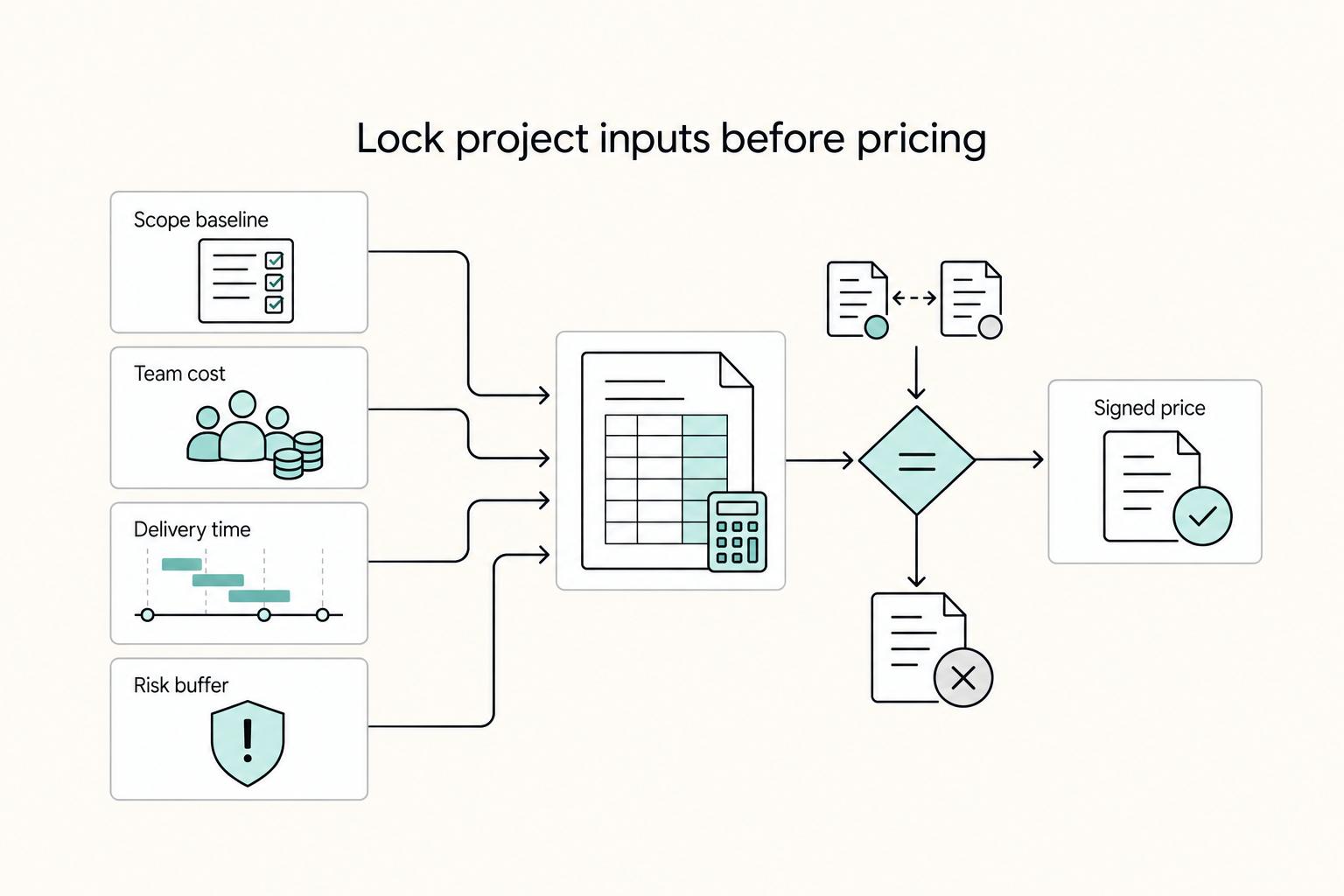
Invoiced revenue can look healthy while cash is still unavailable. That gap is where a project that looks profitable can start to pressure routine operating costs such as payroll, rent, utilities, and equipment.
How to Automate Pass-Through Expense Tracking from Clients in QuickBooks
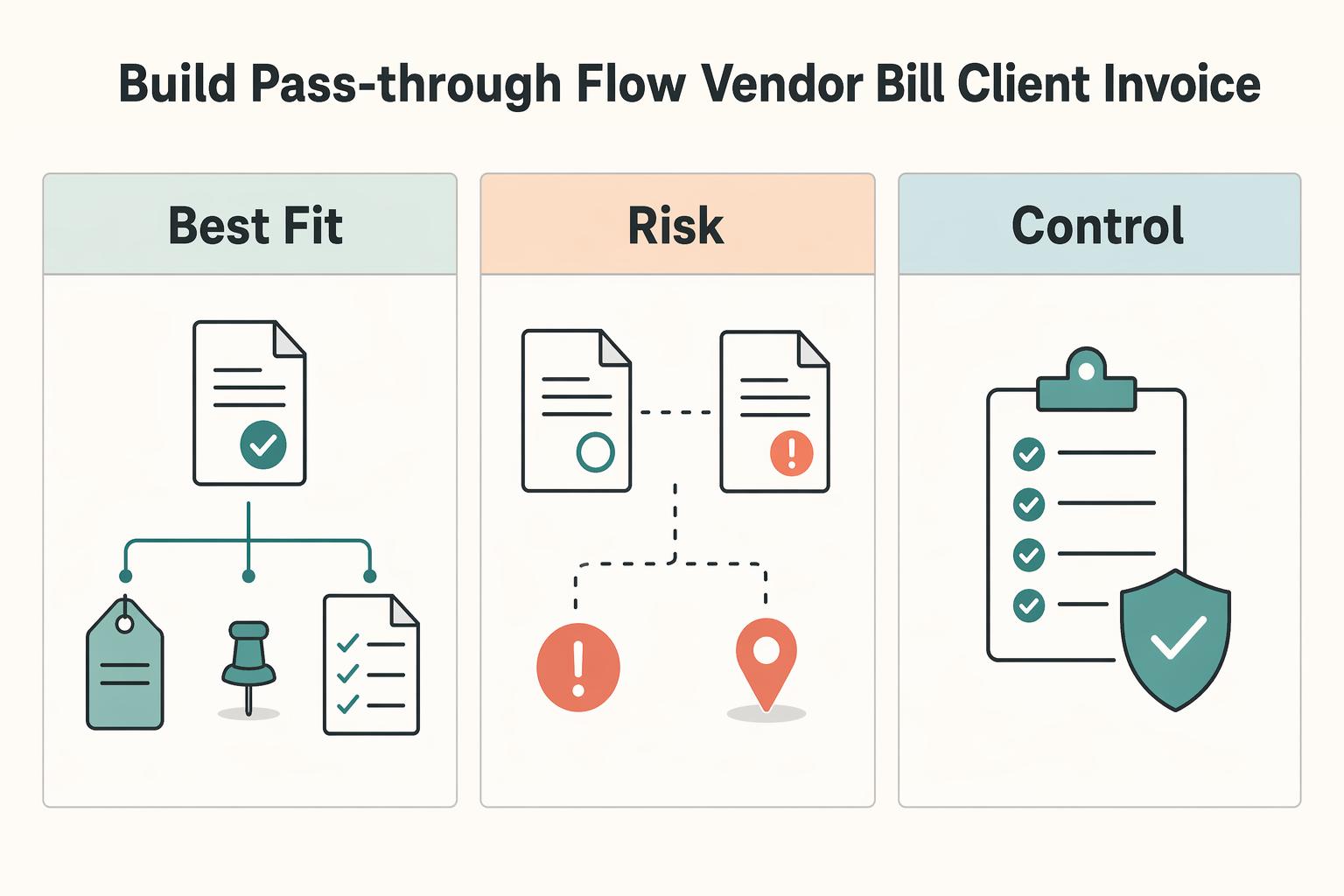
If you want better control of client-related costs in QuickBooks, focus on one outcome: costs are tracked clearly, reviewed, and billed intentionally so margin does not leak. This is not generic bookkeeping. It is a reimbursement control process with manual checkpoints before anything reaches an invoice.
How to Invoice for Billable Hours vs Project Fees in QuickBooks
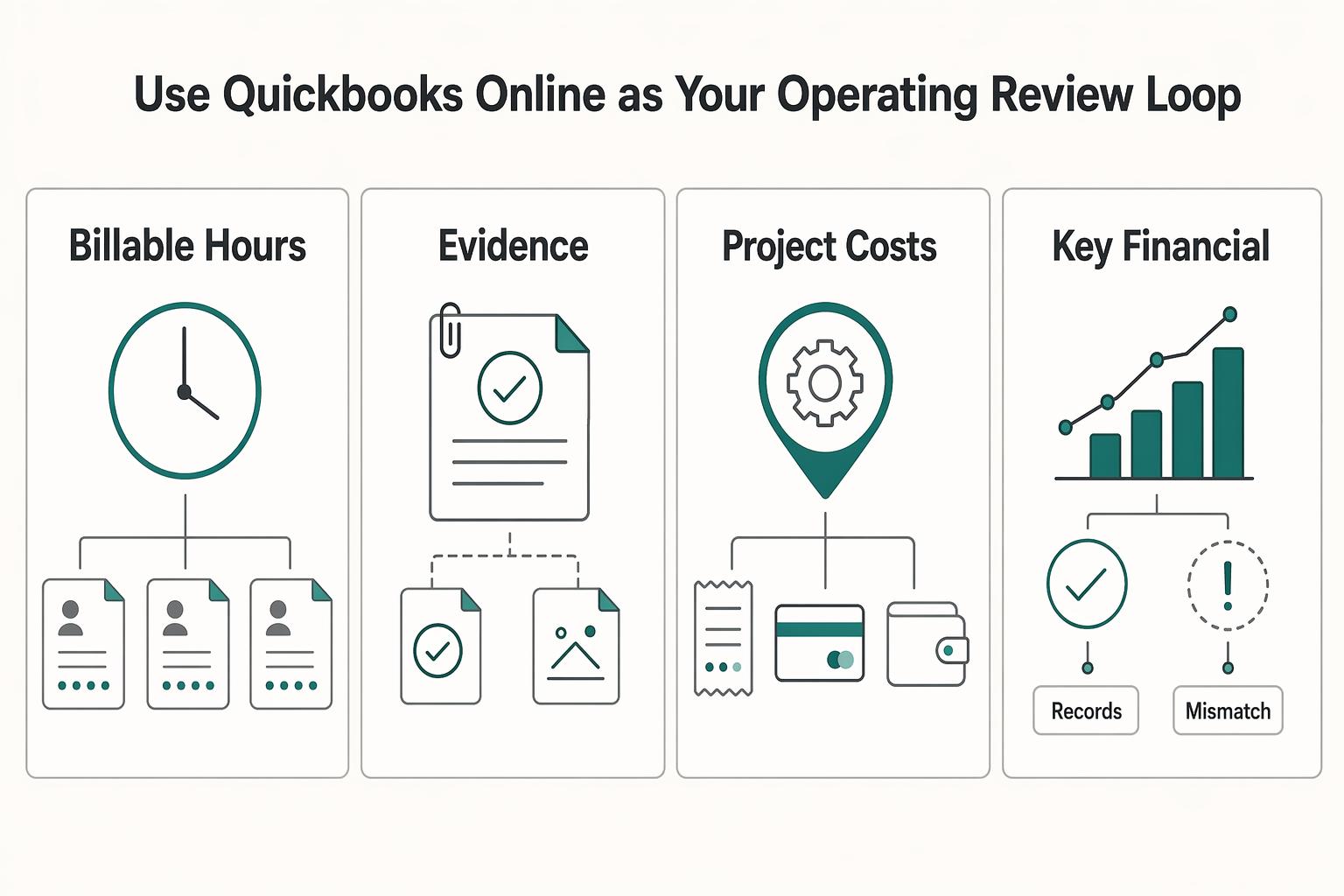
If scope is still fuzzy, do not force a project fee. Here, hourly billing is your risk-control model. It makes the work visible, catches scope drift early, and reduces the chance that effort slips into unpaid goodwill.