
Quick Answer
Map one recent foreign-currency invoice from issue through payout, then choose lock or hold based on whether amount and timing are already fixed. Record the quote ID, expiry state, provider reference, and separate journals for receipt, conversion, fees, and payout so another teammate can reconstruct the decision without memory gaps. If rollout depends on legal wording, verify FederalRegister.gov language against the corresponding official Federal Register edition before enabling live changes.
Set Your Currency and Rate Rules Up Front#
Treat FX as an operating decision#
FX breakdowns often start as operating problems before they show up in reporting. If you cannot take one invoice and show when the rate decision was made, whether funds were converted or held, and how that action reached the ledger, you have a control gap.
That matters because FX volatility can raise costs, reduce the value of sales, and disrupt cash flow. In multicurrency accounting, timing across currencies also creates two distinct risk types: transaction risk and translation risk. Many teams have a policy on paper, but the failure point is usually execution across invoicing, collection, conversion, and payout.
Define what "good" looks like#
A good process does not depend on predicting currency markets. It gives you a clean, audit-ready chain from invoice creation to settlement while preserving what happened in the transaction currency and reporting it correctly in your primary currency.
For an independent operator or small team, each foreign-currency transaction should be traceable at the event level. You should be able to verify:
- the invoice amount and invoice currency
- the currency actually received
- whether funds were converted or held
- the exchange rate used when conversion or reporting translation happened
- the amount posted in your primary reporting currency
If you cannot pull that chain quickly for a live transaction, you have an execution problem. That is how reactive FX handling turns into end-of-period surprises and hard-to-explain variance.
A common failure mode is default behavior. Whether funds are converted or left in the original currency, the decision should be explicit and traceable.
Check your current process before you change it#
Before you change anything, run a quick self-audit. Pick one recent non-primary-currency invoice. Then ask: can you show the original invoice, the currency received, the action taken on the funds, and the amount reported in your home ledger without filling gaps from memory? If yes, you probably have a workable starting point. If no, fix that chain before you try to optimize rates.
This guide focuses on a repeatable execution path. Map exposure from invoice to settlement, add hard checkpoints between payment events and ledger entries, and set approval rules a small team can follow. If you also need to tighten your accounting stack, see best multi-currency accounting software for platform operators in 2026.
Related reading: Multi-Currency Payment Processing for Platforms: How to Accept and Disburse in 50+ Currencies.
What to prepare before you change your FX process#
Do not change conversion, payout, or rate-locking behavior until these four gates are closed. Before launch, each FX decision should have a named owner, one source of truth, a verified eligibility path, and an evidence bundle you can audit without rebuilding the story from memory.
| Prep gate | What must be true before launch | Exact artifact to verify |
|---|---|---|
| Owners | Your internal decision points have a documented approver, executor, and escalation path | Owner record showing internal owners for invoice currency, convert vs hold, payout release, and exceptions |
| Systems of record | Each event from invoice to settlement has one authoritative system | Source-of-truth map listing invoice system, provider event log, ledger/accounting system, and the shared reference ID used across all three |
| Eligibility and policy checks | Product or corridor eligibility is verified from official and provider sources before rollout | Eligibility confirmation file with provider capability proof, corridor check, and a policy note stating that current legal requirements are pending official verification where confirmation is incomplete |
| Evidence pack | One test transaction can be reconstructed end to end | Test-case bundle with invoice, payment-page screenshots, quote or rate record if used, payout status history, approval record, journal references, and reconciliation export |
Name the owner for each decision#
Start with handoffs, not settings. Document who owns rate-risk policy, who executes payment actions, and who controls product behavior at the payment experience and event-capture level.
Then run one corridor through four decisions in order: invoice currency, payment currency, convert or hold, and payout release. If ownership is unclear at any point, pause the rollout.
Lock down the system of record#
Use one system of record for each event, and tie those systems together with one shared reference ID. If you cannot trace a single invoice through receipt, conversion or hold action, and final ledger posting from that chain, fix this before launch.
For teams tightening accounting workflows at the same time, see How to Use QuickBooks Online to Manage Multiple Currencies as a Freelancer.
Verify eligibility and policy before touching live settings#
Do not assume a feature is available across every corridor or product setup. Confirm capability from official and provider sources first, including whether customers can choose currency and see a local-currency total before payment completion.
If legal or policy language is still incomplete, mark the requirement as pending legal or policy verification and stop there until it is confirmed. Also verify whether your processor applies an exchange-rate markup over the market rate, and keep that evidence in your launch file.
Build the evidence pack from one test case#
Run one full test transaction and build the proof bundle before go-live. Include the invoice, payment-page screenshots for currency selection and local-currency total, quote or rate record if you lock rates, payout status history, approval log, journal references, and reconciliation export.
The test passes when another teammate can review the bundle and explain exactly what happened without cross-team guesswork.
Map your real FX exposure from invoice creation to settlement#
Map exposure across the full invoice-to-settlement lifecycle before you make any locking or holding decision. Transaction risk can appear between agreement and settlement, so your map should cover invoice issue, payment receipt, conversion, and payout settlement.
Tag each lifecycle stage before analyzing rates#
Use the same category names throughout your process, and keep transaction risk explicit from invoice or agreement through settlement.
| Lifecycle stage | Primary exposure to tag | What to record |
|---|---|---|
| Invoice issued | Transaction risk | Invoice currency, home-currency value at issue, expected settlement date |
| Payment received | Transaction risk | Receipt date, amount received, variance from your baseline value, often invoice-date value |
| Conversion executed | Transaction risk | Spot vs locked or pre-committed rate if used, conversion timestamp, value impact |
| Payout settled | Settlement-timing exposure | Payout currency, settlement timing, notes on delays or process constraints |
Verification point: run one recent cross-border invoice through every row using system records. If you cannot complete all fields with system evidence, the map is not ready.
Mark where you use spot rates versus pre-committed rates#
Pull quote IDs, conversion timestamps, and provider references for each conversion event, then tag each line accordingly.
Keep the question simple: where does the home-currency expectation change after invoice issuance? For some teams, drift happens before receipt. For others, it shows up later when conversion happens after receipt.
Add scenario tags to stress test the process#
Use plain tags such as quote-time lock, invoice-time lock, pay-time lock, on-time settlement, and delayed settlement. The goal is to stress test the process, not just the rate.
Run at least two paths for the same invoice: on-time settlement and delayed settlement. If the delayed path moves the conversion point, that is a clear sign to review your lock timing.
Track timing-driven variance separately from rate-driven variance#
Even when operations are stable, timing shifts can change outcomes by extending the exposure window.
For each payout flow, keep destination, payout method, and exception notes for delayed or changed settlement. If a variance is labeled only as "FX moved" without showing whether the change came from rate movement or timing, your exposure map is still incomplete.
We covered this in detail in When to Invoice in USD vs Local Currency for Cleaner Reconciliation.
Decide when to lock rates and when to hold currency#
Use a practical default rule: consider locking for known obligations, and keep flexibility for uncertain ones. Apply it at invoice, receipt, and pre-payout so you manage the exposure window between agreement and settlement instead of reacting at the end. Without a structured approach, even small FX moves can erode margins and planning, and larger moves can turn a profitable transaction into a loss.
Run the decision at invoice, receipt, and pre-payout#
At invoice, check whether amount, currency, and settlement timing are clear. If they are, evaluate whether to lock. If they are not, avoid committing too early and keep flexibility until the obligation is clearer.
At receipt, check certainty again, because amount, timing, or payout route may have changed. At pre-payout, make the final call based on what is fixed and the margin risk you can accept.
Verification point: every lock should tie to a named obligation, expected settlement date, and approver. If you cannot trace those three fields, treat the lock as premature. If a decision depends on FederalRegister.gov legal text, verify it against the corresponding official Federal Register edition.
Choose tools by fit#
| Option | Where it fits | Best-use condition | Practical failure mode |
|---|---|---|---|
| Forward contracts | Lock path | When your internal finance policy supports locking a defined obligation | Locking before amount or settlement details are final |
| Multi-currency account | Hold path | When your internal finance policy supports holding the received currency | Exposure stays open longer than intended |
| Spot transactions | Conversion path | When your internal finance policy supports conversion at execution | Using spot by habit instead of explicit decision |
Use qualitative triggers and escalate borderline cases#
Assess four signals: obligation certainty, timing stability, margin sensitivity, and corridor volatility. Where policy needs numeric cutoffs, mark the current threshold as pending finance policy or source-record verification until your finance policy confirms the values.
If signals are mixed, do not decide ad hoc. Route the case to approval, then log the decision with your exposure records. For deeper exposure scoring before execution, see FX Exposure Management for Platform CFOs: How to Measure and Report Currency Risk.
Build the invoice-to-ledger sequence with hard checkpoints#
Make the invoice-to-ledger path explicit so FX decisions happen before payout funding, not during reconciliation.
| Checkpoint | Record or action | Control note |
|---|---|---|
| Invoice issued | Record the invoice currency, expected payout currency, and when the rate will be set: quote time, invoice time, or payment time | If a rate-lock decision is part of the flow, document that choice with the invoice |
| After payment | Confirm the planned rate-lock point before you convert | If the transaction no longer fits the planned timing decision, route it to a named exception owner; if you are intentionally holding funds, mark an explicit hold state |
| Economic change | Post accounting records for each economic change | Track activity in operating currencies and translate foreign cash flows into a primary currency for reporting and comparison |
| Pricing to payment window | Review margin and cash-flow impact before funding payout and finalizing primary-currency reporting | Treat the period between pricing and payment as a control point |
Set the currency path when you issue the invoice#
Record the invoice currency, expected payout currency, and when the rate will be set: quote time, invoice time, or payment time. If a rate-lock decision is part of the flow, document that choice with the invoice. That gives ops a visible decision path before payment arrives.
Confirm the planned rate-lock point after payment#
After payment, confirm the planned rate-lock point before you convert. If the transaction no longer fits the planned timing decision, route it to a named exception owner instead of forcing a conversion. If you are intentionally holding funds, mark that as an explicit hold state so it is not confused with an incomplete process.
Post accounting records for each economic change#
Post accounting records for each economic change instead of relying on manual balance edits. In multicurrency accounting, track activity in operating currencies and translate foreign cash flows into a primary currency for reporting and comparison.
Treat the period between pricing and payment as a control point#
That exposure window can span days, weeks, or months. FX moves during that period can increase costs, lower the value of sales, and disrupt cash flow. Review margin and cash-flow impact before funding payout and finalizing primary-currency reporting.
Related: The Pros and Cons of Accepting Cryptocurrency Payments. This also pairs well with How Platforms Build Multi-Currency Sub-Wallets for Contractors.
To operationalize these checkpoints in a real payout flow, review Gruv Payouts and map each status change to your ledger controls.
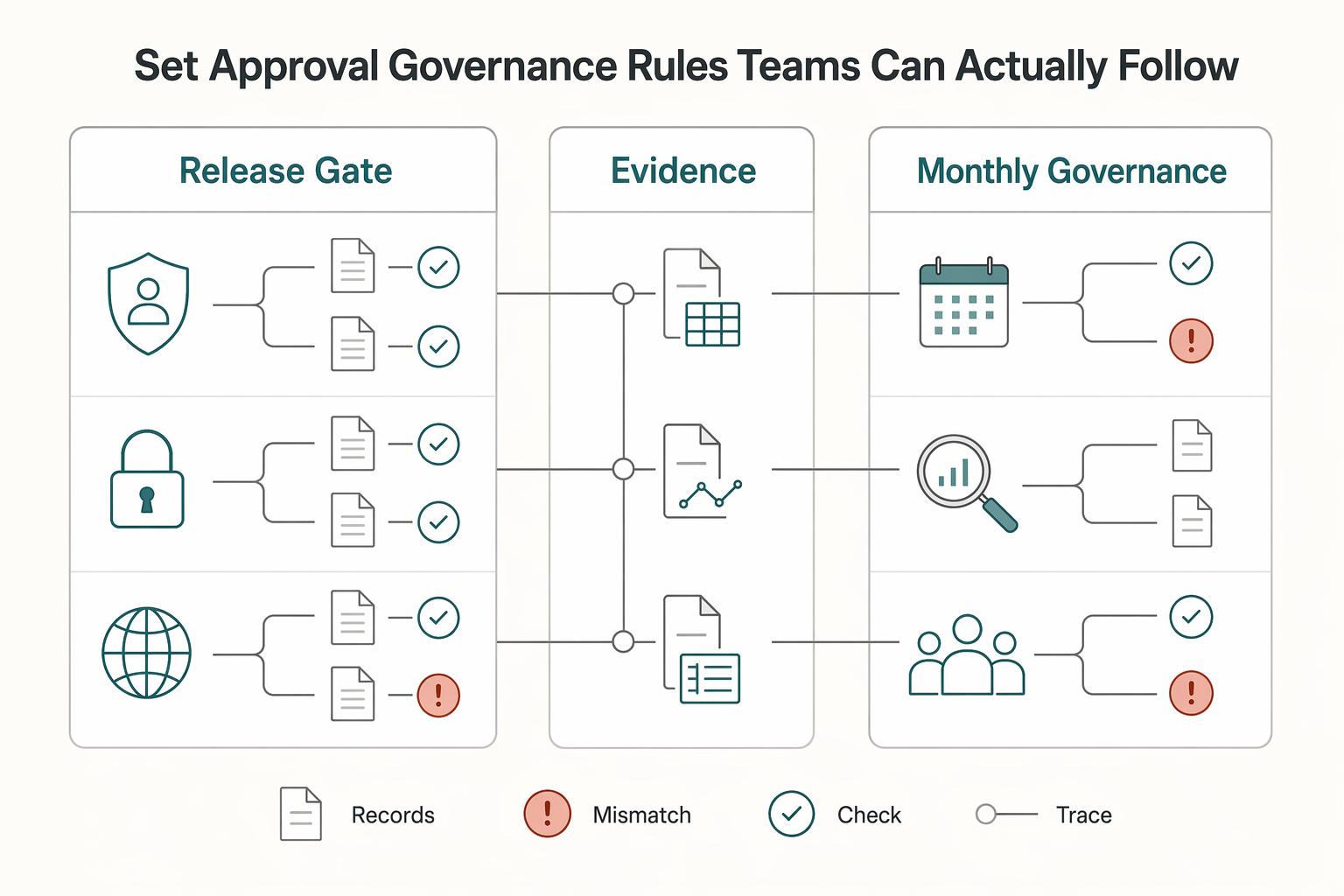
Set approval and governance rules teams can actually follow#
Once the transaction path is controlled, human override can still create failure points. Your policy should make compliant FX decisions easy and unsupported exceptions hard to push through.
| Governance area | Requirement | Review point |
|---|---|---|
| Approval rights | Define who can set lock inputs, including ledger, company code, and currency scope, and who approves exceptions such as manual rate entries or non-standard translation-date choices | Sample one processed item and one held item, and confirm initiator, approver, and exception owner are visible in the record |
| Non-routine FX evidence | For each lock, hold, or override, record the decision context and tag transaction risk vs translation risk | Keep transaction-risk and translation-risk paths distinct |
| Pre-posting validation gates | Run simulation before posting, and use package-size checks when you need volume visibility without postings | Confirm checks produce application-log output and no postings when enabled |
| Monthly governance pack | Include unresolved exception aging, default-rate or default-date usage, and audit-trail completeness for approvals and reconciliation records | Use one trace test each month from approval through settlement from the source record alone |
Step 1. Define approval rights for processing inputs and exceptions. Set clear ownership for lock setup choices, including ledger and company-code scope, currencies to process, and exception handling when defaults are overridden.
Test whether this is real in operations. Sample one processed item and one held item. Confirm the initiator, approver, and exception owner are visible in the record without rebuilding the trail from chat or email.
Step 2. Require a minimum evidence pack for non-routine FX decisions. For each lock, hold, or override, store a consistent evidence set and tag whether the decision addresses transaction risk on a specific payment or translation risk in reporting so those paths stay distinct.
If you use SAP S/4HANA, the Lock P&L Accounts transaction lets you lock equivalent functional-currency values for FX transactions.
Step 3. Validate before posting and make default behaviors explicit. In SAP, simulation mode lets you test P&L close before posting. Package-size checks write counts to the application log instead of posting entries. For test runs, you can run sequentially rather than in parallel. Also define who must sign off when translation date is left blank, posting date is used, or exchange rate is left blank, the Customizing rate is used.
Step 4. Publish a monthly governance pack that shows policy impact. Keep the pack short and operational. At minimum, include unresolved exception aging, how often default translation-date or exchange-rate behavior was used, and audit-trail completeness for approvals and reconciliation records.
Use one trace test each month. Follow a sample item from approval through settlement from the source record alone. If that trace fails, your governance over foreign exchange risk is still incomplete.
For a step-by-step walkthrough, see How to Handle Currency Gain and Loss Reporting for a Multi-Currency Platform.
For a broader pricing view, read How to Handle Multi-Currency Pricing for Your SaaS Product.
Choose platform capabilities that reduce operational risk#
Procurement should pass only if the controls are verifiable in records, not just promised in feature language. A platform can demo well and still leave open questions about conversion mode, exception handling, or written confirmation that your entity can use the product in your actual corridor.
| Capability lane | Verification gate | Evidence artifact you should require | Red flag |
|---|---|---|---|
| Quote and conversion controls | Trace one FX decision from quote to payout outcome | Sample record with quote reference or equivalent, and, where available, quote expiry, accept or reject state, conversion reference, actor, fees, and payout outcome | You only see invoice totals or final converted amounts |
| Currency holding and product eligibility | Confirm whether you can hold currency or only convert at spot | Written eligibility by entity and corridor for Multi-currency account, Forward contracts, Currency swaps, and Spot transactions | "Available on request" or "where supported" with no contract language |
| Accounting integration | Prove close-ready data quality, not just connector presence | Export or API chain for one completed flow from receipt to payout or return with traceable references | Only balances, invoice headers, or daily summaries are synced |
| Coverage and records | Validate corridor coverage and exception-document retention | Contract coverage terms, payout-status definitions, tracking or proof-of-payment output where available, and retained support docs tied to the transaction | Broad coverage claims with no written corridor confirmation |
Distinguish invoice rate settings from actual FX risk controls#
Invoice-level rate settings help with quoting and customer communication, but they are not the same as FX risk control. They do not prove how funds are received, held, converted, and paid out later.
Ask for a completed-transaction walkthrough, not a product tour. You should be able to see the decision record, expiry behavior, who triggered the action, and the payout result where those fields are available. If accepted and rejected states are missing, variance analysis is often manual.
Require written eligibility confirmation for each product type#
Do not assume published capability pages apply to your entity or corridor. A Multi-currency account lets you hold, manage, and transact in multiple currencies from one account. That is different from setups where funds are converted at spot on receipt.
Use this checklist and require written responses:
- Legal entity: Confirm the contracting entity from the contract or source records
- Corridor: Confirm the origin and destination countries and currencies with the provider in writing
- Product requested: Confirm which of multi-currency account, forward contracts, currency swaps, or spot transactions applies with the provider in writing
- Eligibility status: Confirm eligibility with the provider in writing
- Restrictions or policy validation required: Confirm any restrictions or validation requirements with the provider in writing
- Effective date and document owner: Confirm the effective date and document owner with the provider in writing
Even when providers cite broad network coverage, treat that as directional until your entity-and-corridor eligibility is confirmed in writing.
Test accounting integration for close-ready data quality#
A connector badge is not enough. Month-end close usually requires event-level traceability. Require one full export or API payload chain that shows, where available, receipt, currency and amount, conversion event and rate, fees, provider reference, status history, payout outcome, and return or hold state.
If tracking or proof-of-payment reporting exists, include it in the same evidence pack. For implementation follow-through, use How to Reconcile Multi-Currency Payouts Across Multiple PSPs in One Ledger. Also see How to Use QuickBooks Online to Manage Multiple Currencies as a Freelancer and FX Exposure Management for Platform CFOs: How to Measure and Report Currency Risk.
Validate coverage, approvals, and retained records before signing#
Use provider capability descriptions as verification categories, not guarantees. Confirm in writing the approval model, corridor handling, payout states, support for holds and returns, and how supporting documents are retained against each transaction record.
If the answer is "where supported," treat it as unavailable until written confirmation says otherwise. That one rule helps you avoid expensive redesign later.
Related: Foreign Exchange Risk for Platform Operators and the Decisions That Cut FX Exposure.
Fix the mistakes that create hidden FX leakage#
Hidden FX leakage usually starts in operational defaults in the payment flow. Fix the decision points first: who can convert, when conversion is allowed, and which record is authoritative.
Step 1. Do not auto-convert at receipt by default. Route each receipt through rule-based outcomes: hold, convert, or escalate, based on your lock trigger and current settlement horizon.
Verification point: sample completed receipts and confirm each has a planned payout currency, quote or rate reference, and decision reason. If conversion happens more than once in a flow, spreads and conversion costs can stack.
Step 2. Assign a real owner to conversion exceptions. Treat stale or expired conversion requests as owned exceptions, not passive status changes. Define one queue, one accountable team, and an escalation path for unresolved requests.
Your evidence should show quote or rate reference, timestamp, assignee, and final resolution reference. If that trail is missing, it becomes hard to separate market movement from process drift, and unmanaged foreign exchange risk can erode margins, delay settlement, and make reconciliation harder.
Step 3. Reconcile events, not balances. Use ledger events and provider references as the source of truth, then derive wallet views from those records. That makes conversion, fee, and payout states auditable from receipt through settlement.
Check one closed flow end to end and confirm you can match source amount, converted amount, FX rate, fees, provider reference, and payout status history. Balance-only reconciliation can hide leakage until late in the cycle.
Step 4. Add controls at checkout and settlement. Set policy at checkout for currency selection, then verify settlement terms before funds are deposited. Settlement timing and terms can vary by provider and geography, so review pre-agreed rates and any added fees in the final settlement record.
Use batching where efficiency and FX control matter, and use real-time transfers when speed is the priority. Repeating individual conversions and fees across many transfers can increase leakage.
This pairs well with our guide on How to Reconcile Multi-Currency Payouts Across Multiple PSPs in One Ledger.
For a step-by-step walkthrough, see The Best Accounting Software That Handles Multi-Currency Invoicing.
Copy-paste implementation checklist#
Use this as an execution checklist: one conversion decision owner, one documented currency route, and one traceable audit trail per invoice path. If a step fails on a sample transaction, pause the rollout.
-
Step 1. Assign ownership. Name who owns invoice currency setup, held-currency decisions, payout-currency release, and exception handling across Finance, Payments Ops, and product or engineering. Check: on one live example, the team can identify who approves the conversion decision and who handles unsupported currency paths.
-
Step 2. Map the transaction path. Document the exact flow from invoice creation to payment receipt, hold-or-convert decision, payout, and ledger posting, and label invoice currency, held currency, and payout currency at each point. Check: no currency change happens without a named owner and confirmed provider capability.
-
Step 3. Require the evidence pack. For each conversion-related event, capture source amount, original currency, provider reference, rate or quote reference if used, timestamp, fee detail, payout status, and ledger reference. Check: if a payout is challenged, one person can trace the outcome back to the source amount and original currency without relying on balance snapshots.
-
Step 4. Lock the accounting treatment. When revenue or expense is recognized in functional currency, freeze that functional-currency amount at recognition and keep later valuation effects separate from operating profit and loss. Check: valuation does not change the recorded functional-currency amount on profit-and-loss accounts. If transaction-currency balances that should clear do not return to
0, stop and investigate before posting more volume. If your bookkeeping setup needs work first, start with this guide on using QuickBooks Online for multiple currencies. -
Step 5. Roll out one corridor at a time. Start with a narrow invoice cohort and test the normal flow plus exceptions such as missing provider references, unsupported payout currency, and breached internal currency limits. Check: receipt, conversion, fees, payout, and ledger entries reconcile cleanly before widening scope. If corridor support, provider capability validation, or exception handling is still unclear, escalate to Gruv and align controls with your broader FX exposure management process before full rollout.
If you want a sanity check on corridor coverage, conversion handling, and compliance gates before rollout, talk to Gruv.
Frequently Asked Questions
What is the difference between locking an exchange rate and using spot conversion?
Locking an exchange rate means agreeing to a known rate for a future conversion, often through a forward contract. Spot conversion uses the rate available when you convert, so it keeps timing flexibility but leaves you exposed to market moves until that point. If amount and timing are already fixed, locking can be the clearer choice.
When should you lock rates for invoices instead of waiting?
Lock sooner when you have quoted or invoiced in a foreign currency and a rate move could materially change margin, because exposure can start at the quote stage. Waiting increases the chance that market swings reduce profit, especially when settlement takes longer. A practical rule is simple: if the obligation is fixed, consider locking; if amount or timing is still moving, holding currency can preserve flexibility.
How do multi-currency accounts reduce foreign exchange risk in practice?
A multi-currency account lets you hold, manage, and transact in multiple currencies from one account, which reduces forced conversions. Risk falls further when receivables and payables are matched in the same currency. If you use QuickBooks, this guide on using QuickBooks Online for multiple currencies is a practical reference.
Which risk matters most for invoicing operations: transaction, translation, or economic risk?
For this invoicing workflow, it is usually most practical to prioritize the exposure you can directly control between quote, invoice, receipt, conversion, and payout. Keep broader risk views separate so execution decisions stay clear at the transaction level. If you need a wider measurement framework, use our guide to FX exposure management.
Can natural hedging replace forward contracts for most teams?
Not always on its own. Natural hedging helps by matching revenue and expenses in the same currency, but it does not lock a future rate. When you owe or expect a fixed amount at a known future date, a forward contract can address that remaining exposure directly.
What controls prevent foreign exchange losses in high-volume payout operations?
Focus on controls tied to known FX exposure points: quote or invoice timing, conversion timing, and settlement timing. Reduce unnecessary conversions by using multi-currency balances where possible, and match receivables and payables in the same currency when you can. For longer settlement windows, review exposure earlier so market moves have less time to erode margin.
Which provider details should you confirm before relying on rate-locking or multi-currency features?
Confirm what your provider actually supports for your setup: hold and pay currencies, rate-locking versus spot-only conversion, and settlement timing. Published currency support varies by provider, so verify your real operating lanes instead of relying on generic capability lists. Before rollout, run a small controlled flow and confirm your team can track receipt, conversion, fees, and payout clearly.
Try a related tool
Researched and edited by the Gruv editorial team. Gruv builds cross-border billing, payouts, and finance-operations software for global businesses.
Sources
- elibrary.imf.org/downloadpdf/display/book/9781589067585/97815...trusted
- faculty.sbs.arizona.edu/hammond/archive/lsasummer03/newdic.txttrusted
- federalregister.gov/documents/2026/03/02/2026-04089/implementing...trusted
- mccb.edu/about/publications/ucnstrusted
- mstc.edu/sites/default/files/2019-01/studentcatalog14...trusted
- occ.gov/news-issuances/federal-register/2026/91fr149...trusted
- sec.gov/Archives/edgar/data/1404655/0001193125150790...trusted
- utah.gov/pmn/files/1249177.pdftrusted
Educational content only. Not legal, tax, or financial advice.
Related Posts
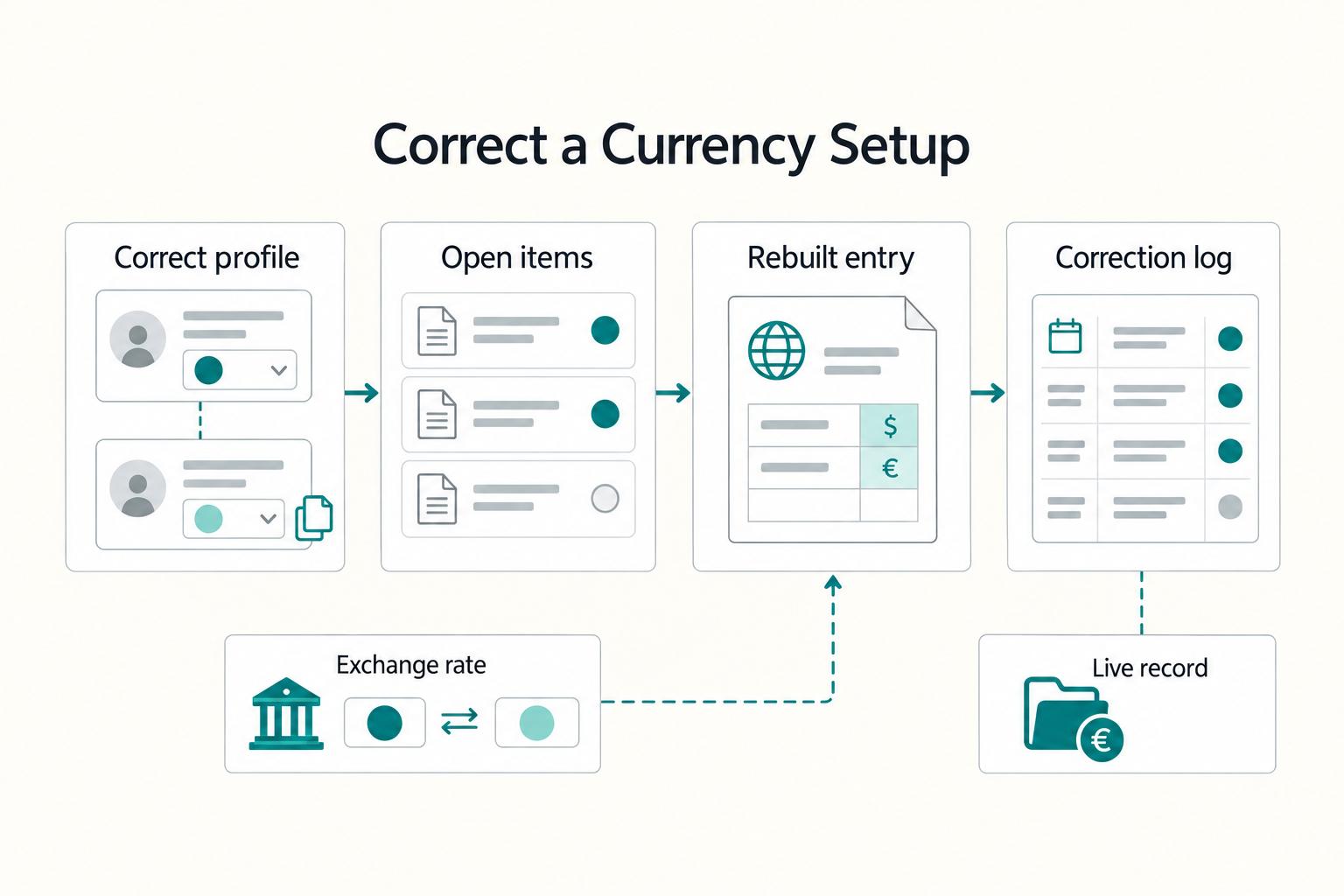
How to Use QuickBooks Online to Manage Multiple Currencies as a Freelancer
Treat **quickbooks online multi-currency** as an operations decision, not a settings exercise. The real benefit is cleaner client invoices, fewer manual conversions, and less month-end repair work when exchange rates move or a payment settles differently than expected.
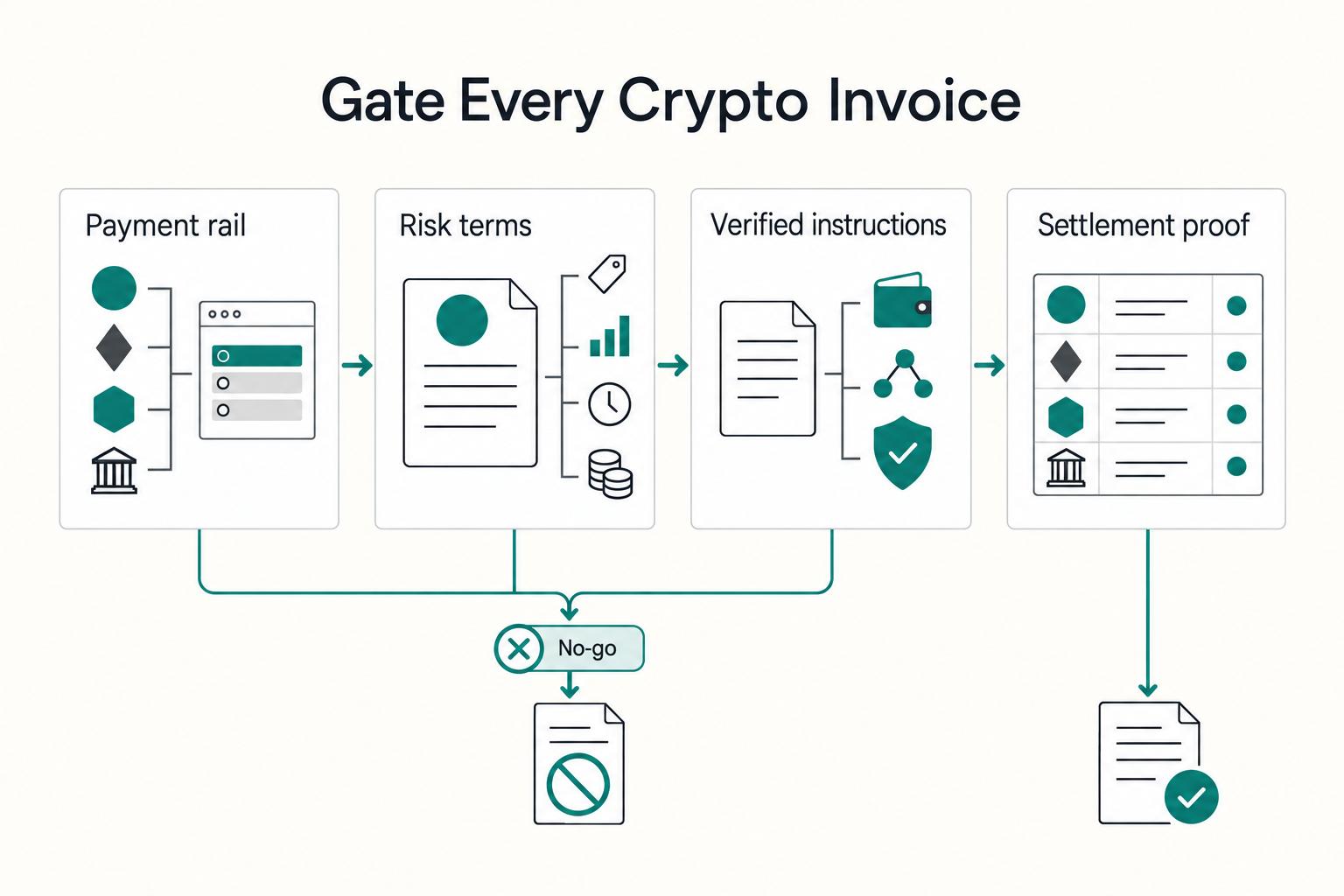
The Pros and Cons of Accepting Cryptocurrency Payments
**Accepting crypto payments works when you set the terms before you send the invoice: how payment is received, which asset is sent, and your settlement policy.** If those terms are vague, you are taking on avoidable cash-flow and tax risk.
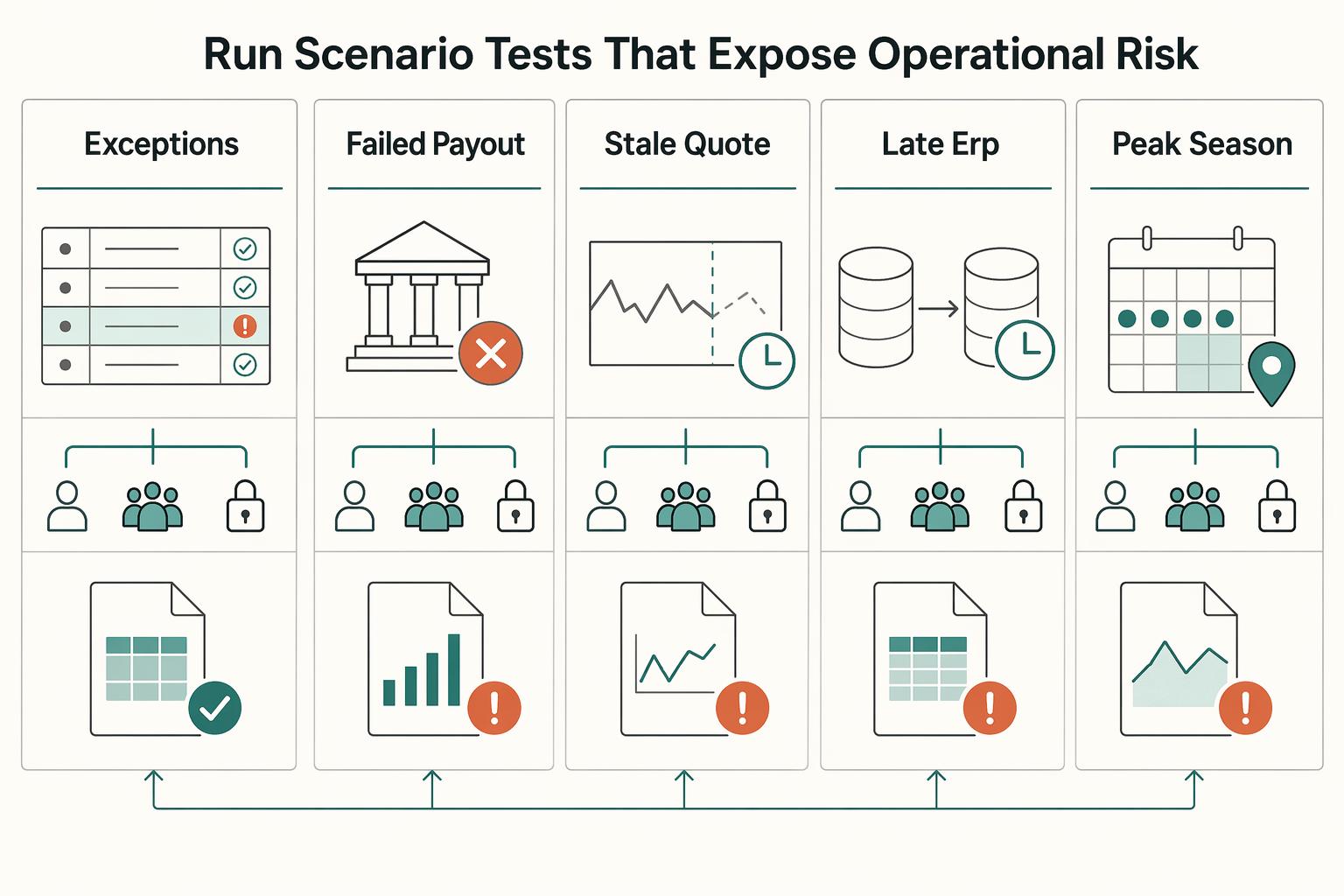
FX Exposure Management for Platform CFOs: Measure Currency Risk
Platform CFOs do not need another generic FX explainer. You need a decision-ready way to see where currency exposure starts, how it moves through finance and operations, and when you should convert, hedge, escalate, or deliberately wait.