

Quick Answer
Start with Xero or QuickBooks Online for most freelancer and small-team cases, then validate with a live proof pack before committing. The best accounting software multi-currency choice is the one you can trace cleanly from client invoice to settlement to functional-currency reports. If your operation is already dealing with payout approvals or multi-entity complexity, shortlist Tipalti or NetSuite instead of forcing a lightweight tool to do enterprise work.
What this list solves for freelancers and small teams#
If you run a lean business, the right choice is usually the one that gets one foreign-currency invoice all the way to cash and into your books cleanly. That matters more than a long feature page, and it is the lens for this shortlist.
- For people who invoice internationally but do not want enterprise overhead
This guide is for freelancers, creators, and small teams that need dependable multi-currency invoicing and accounting in day-to-day work. The real differentiator is practical fit: can you bill in the client's currency, see what you actually received, and reconcile it without turning month-end into detective work?
This is a buyer's guide to small-business multi-currency accounting options, not a tour of every finance feature on the market. If you send a handful of overseas invoices each month, clarity and consistency matter more than a platform your operation cannot realistically support.
- For choosing by payment reliability, not by feature volume
The promise here is simple: rank tools by how reliably they help you get paid, match payments back to invoices, and protect cashflow. A product can look strong in a demo and still fail where it counts if currency conversion is visible on the invoice but hard to trace once the payment lands in your books.
So use an operational checkpoint, not a cosmetic one. Test one invoice end to end. You should be able to create it, collect payment, post it to reports under your functional currency, and explain any reconciliation difference without guessing. A common failure mode is software that handles the front-end currency display but makes exchange-rate effects, settlement timing, or reconciliation gaps hard to explain later.
- For a practical shortlist, with a clear line around what this is not
You will get decision rules and tradeoffs across this shortlist. QuickBooks, for example, is usually framed around tracking core bookkeeping categories like income, expenses, and tax categories. NetSuite ERP Accounting sits in a different class, described as a unified platform that consolidates financial, sales, and HR data into one system.
That distinction matters because this article is not a deep implementation guide for full ERP rollouts or heavy AP automation in large multi-entity finance teams. AP automation tools are built to automate payable processes and connect with other systems, which matters when approvals, payouts, and entity complexity start to pile up. If that is your world, use this list to scope the decision, not to make the final architecture call.
The next step is to narrow your non-negotiables before you compare brands.
How to choose multi-currency software when cashflow risk matters most#
Choose the option that lets you explain each FX movement clearly from invoice to reporting. If you cannot trace one foreign-currency invoice from send to cash to reporting under your functional currency, treat that as a hard warning sign.
| Item | Keep |
|---|---|
| Invoice | Foreign-currency invoice |
| Payment | Payment confirmation |
| Settlement | Settlement amount received |
| Exchange rate | Exchange rate used |
| FX entry | Booked gain/loss entry, if any |
| Export | Export used for close |
- Set the minimum feature line first
Start with four non-negotiables: client-facing multi-currency invoicing, visible exchange rate tracking, clean handling of foreign currency gains or losses, and exports you can trust at close. Multi-currency work gets harder where currency conversions, fluctuating exchange rates, and varying accounting standards meet, so a polished invoice screen is not enough on its own.
- Test in the order your money actually moves
Define your real client currencies, run one invoice end to end, verify reporting under your functional currency, then test month-end reconciliation. This keeps your selection tied to the three practical filters that matter most: currency count, transaction volume, and required integrations.
- Pick for your operating shape, not aspiration
If you invoice a smaller set of international clients, evaluate Xero or QuickBooks Online first for speed and clarity. If the bigger pain is approvals, payouts, and payment automation, evaluate Tipalti and how it fits your ERP or accounting stack.
- Look for the failure mode early
Watch for software that can convert currency but cannot clearly explain effective FX cost, settlement timing, or reconciliation gaps. Reconciliation across different account structures is a known multi-currency challenge, so unresolved differences in a test run usually get worse at month-end.
- Use one hard verification checkpoint
Ask one direct question during testing: can you trace one payment from invoice creation to posted books and reporting in a way that stands up under international accounting standards? Keep proof in one place: invoice, payment confirmation, settlement amount, exchange rate used, any booked gain/loss entry, and the export used for close.
Quick comparison table for Xero QuickBooks Online Zoho Books Sage Tipalti and NetSuite#
Use this table as a validation checklist, not a final verdict. Pick the tool that keeps invoice-to-cash-to-reporting traceable with the least reconciliation friction for your current operating shape.
| Tool | Best for (working hypothesis) | Invoice currency control and exchange rate tracking | Reporting depth and multi-entity fit | Setup complexity | Key pros | Key cons and likely hidden effort | Realistic use case |
|---|---|---|---|---|---|---|---|
| Xero | Freelancers or small teams testing a focused invoicing + close workflow | Verify in demo/trial (currency choice, lock behavior, visible rate used) | Verify functional-currency reporting, FX gain/loss visibility, and exports | Likely lower than ERP-heavy paths, but true effort is unknown | Practical shortlist candidate for lean teams | Reconciliation friction if paid amount, timing, and FX entries are not easy to explain | One-entity studio invoicing in multiple client currencies |
| QuickBooks Online | Teams already running books in QuickBooks and adding international billing | Verify in your plan tier (currency handling across invoice and credits, rate visibility) | Verify report traceability from invoice to close | Change effort may be lower if already adopted; all-in cost still unknown | Can reduce process change if your team already works there | Familiarity can hide FX reporting gaps that appear at month-end | Freelancer adding foreign-currency invoices to an existing QuickBooks workflow |
| Zoho Books | Small teams that want tighter process around invoicing and approvals | Verify in demo/trial for currency rules and rate display | Verify export quality and reporting fit for your close process | Moderate-to-variable; integration effort is unknown | Candidate when you want more workflow structure | Hidden effort can appear in integration handoffs and reporting cleanup | Two-person team adding approval steps before sending global invoices |
| Sage Accounting | Teams already operating in a Sage-centered bookkeeping setup | Verify by exact Sage product/edition | Verify reporting and entity needs by product variant | Variable; migration burden can be material | Candidate if your books already live in Sage conventions | Product-version confusion and migration overhead are common risk points | Existing Sage user expanding into more client currencies |
| Tipalti | Operations where payment control and approvals are now a core risk area | Verify where currency or rate logic sits across invoicing, payables, and payouts | Often evaluated with adjacent ERP workflows; exact accounting ownership must be confirmed | Usually higher due to approvals, payouts, and integrations | Strong candidate when manual payment processes are causing delays and errors | Approval overhead and ERP dependency can increase close complexity | Growing team paying global contractors and needing tighter payout controls |
| NetSuite | Organizations with active multi-entity governance and ERP-level process needs | Verify invoice-to-cash FX traceability in your implementation design | Commonly considered for consolidation-heavy environments; actual reporting depends on build decisions | Typically high implementation and migration effort; true all-in cost unknown | Candidate when finance operations already require ERP depth | Migration burden and paying for unused complexity are core risks | Multi-entity business standardizing reporting and controls in one core system |
Treat every "verify" and "unknown" as a real risk flag. Run demos or trials and keep one proof pack: sent invoice, payment confirmation, settlement amount, displayed exchange rate, booked FX entry, if any, and the export you would use at close.
Also pressure-test cost beyond subscription price. Hidden costs and cleanup hours often decide whether a tool protects cashflow or creates more month-end work.
Xero is best when you need strong exchange rate tracking with simple daily ops#
Start with Xero when you want a simpler day-to-day bookkeeping workflow around international invoicing. The key caveat: the current evidence does not prove Xero is the strongest option for exchange-rate tracking itself.
Where Xero fits#
Xero and QuickBooks are both positioned as popular accounting platforms for small business owners and finance managers. In practice, Xero is the better product to test first when your priority is a clean invoice-to-books flow, not complex approvals, payouts, or multi-entity operations.
What to verify in a real trial#
Do not decide from feature grids alone. Run one live-style transaction and keep a proof pack:
- one sent invoice in a foreign currency
- the payment confirmation
- the actual settlement amount received
- the exchange rate shown in the product, if shown
- the booked FX entry, if any
- the report export you would use at close
One third-party listing also flags workload risk: manual invoice entry in Xero can take 10 to 30 minutes per invoice. The same listing warns that some Malaysian-bank cloud-accounting setups may require manual monthly transaction entry, creating 20 to 30 hours of labor. If your banking setup is region-specific, insist on a region-specific demo.
When to pass on Xero#
Pass if your main risk is deeper reporting or heavier finance operations across approvals and entities. If reporting is your deciding factor, test both QuickBooks Online and Xero side by side before you choose.
For a step-by-step walkthrough, see Best Accounting Software for Small Agencies That Protects Cashflow.
QuickBooks Online is best when you already run your books in QuickBooks#
If your team already closes the books in QuickBooks Online, the lowest-friction move is to add multicurrency there before considering a platform switch. The win is continuity: you keep one system of record while adding foreign-currency invoicing.
| Plan | Multicurrency | Notes |
|---|---|---|
| Simple Start | Not available | Confirm your tier first |
| Essentials | Available | Documented by QuickBooks |
| Plus | Available | Documented by QuickBooks |
| Advanced | Available | Includes Custom Report Builder |
Where QuickBooks Online fits#
Use this path when you already run domestic bookkeeping in QuickBooks and now need to bill some clients in their own currency. It keeps day-to-day workflows familiar for the people already handling invoices, matches, and close.
Check the plan gate early: QuickBooks documents multicurrency for Essentials, Plus, and Advanced, and says it is not available on Simple Start. Confirm your tier first so you do not redesign process steps around a feature your plan cannot use.
Caveats to verify before you turn it on#
Treat activation as a committed change. QuickBooks states that once multicurrency is enabled, it cannot be turned off.
Also confirm these operational limits up front:
- If QuickBooks Commerce is connected to QuickBooks Online, multicurrency will not work.
- Turning on multicurrency inactivates the QuickBooks Online cash flow planner.
What to test in one live run#
Run one real transaction end to end and review the output your close process depends on. Keep a small proof set: foreign-currency invoice, payment confirmation, settlement amount, rate shown in QuickBooks, if shown, and the export your accountant uses at close.
If reporting flexibility is the deciding factor, note that QuickBooks Online Advanced includes Custom Report Builder. Decision rule: if your current QuickBooks process is stable and your test is clear, optimize inside QuickBooks first; migrate only if the FX trail is still hard to explain at month-end.
Related reading: The Best Invoicing Software for Freelancers in 2026.
Zoho Books is best when you want tighter workflow control at lower complexity#
Choose Zoho Books when your priority is tighter invoicing control in a small-team setup, not enterprise-scale finance tooling. It is a practical fit when you want more consistent multi-currency invoicing and clearer review steps without moving to a heavier system.
The tradeoff is control versus network fit. Comparison guidance consistently says software fit comes from workflows and controls, not feature count alone, and points to permissions, audit trails, and period locks as more important than long feature lists. Zoho Books is also described as easy to use for small to mid-sized businesses. If your process depends on several adjacent tools, validate those handoffs before you commit.
Where it fits#
A clear use case is a two-person studio where one person drafts invoices and another reviews before send. In that workflow, multi-currency support is only part of the value. The bigger gain is fewer late sends, fewer avoidable disputes, and less month-end cleanup because the invoicing sequence is consistent.
This is why Zoho Books can beat a larger stack for some teams: accounting tools usually break down when your workflow outgrows the system's assumptions, not because a feature list looks shorter.
What to verify before you commit#
Run one live-style invoice from draft through payment and keep a small evidence pack:
- customer invoice in foreign currency
- approval or review record
- settlement amount received
- export used for your bookkeeping or tax handoff
Then confirm the outputs reconcile cleanly to your functional currency reporting. If your accountant cannot trace the transaction from invoice to posted books, treat that as a decision-level red flag.
Sage Accounting and Sage 50cloud are best for Sage-centered bookkeeping teams#
If your team already runs on Sage Accounting or Sage 50cloud, staying in Sage is usually the lower-risk choice. You keep the close routines, report habits, and advisor workflow you already trust while adding multi-currency billing.
Sage positions its tools across desktop and cloud options for different business sizes, including freelancers, and highlights invoicing automation with secure online payments. A third-party comparison also lists multi-currency support and notes 100+ standard reports, which matters if your month-end process relies on established report packs.
A practical fit is a small team with Sage-led bookkeeping that now needs to invoice some clients in foreign currencies without rebuilding its close process. The decision is less about feature checklists and more about whether you can add foreign-currency invoices while preserving your existing review and handoff flow.
Before you commit, run one live-style test and keep an evidence pack:
- invoice issued in client currency
- payment confirmation or settlement record
- report showing how the transaction appears in home-currency books
- month-end output your bookkeeper or accountant actually uses
Red flag: if your advisor must reconstruct currency effects outside Sage in separate spreadsheets, the process is fragile. Also, do not assume an easy move if your current system is built around Xero or QuickBooks fields, terms, and reporting habits.
Related: How to Manage Bookkeeping for Your Freelance Business.
Tipalti and NetSuite fit multi-entity operations more than solo invoicing#
Use Tipalti or NetSuite when control across entities and payouts is the bottleneck, not when you only need better foreign-currency invoicing.
| Option | When it fits | Signals |
|---|---|---|
| Xero or QuickBooks Online | Invoicing is still the main job | Trace a foreign-currency invoice from issue to payment to home-currency reporting without side spreadsheets |
| Tipalti | Payout control and AP automation are the issue | Pricing is quote-based; trial is N/A; users are limited by plan |
| NetSuite | Entity structure and consolidated reporting drive the decision | Relevant for entity-level reporting plus consolidated financial statements |
- Stay on Xero or QuickBooks Online if invoicing is still the main job.
A useful dividing line is complexity: QuickBooks and Xero are positioned for small businesses managing multiple ventures, while heavier multi-entity tools are aimed at more complex structures. If your core workflow is still invoice, collect, and close, adding an approval-heavy payout stack too early can increase process load without fixing a real risk.
Use one checkpoint: can you trace a foreign-currency invoice from issue to payment to home-currency reporting without side spreadsheets? If yes, you likely have not outgrown your current setup.
- Choose Tipalti when payout control and AP automation are the issue.
Tipalti is positioned for international transactions, and multi-entity guidance describes add-ons like Tipalti as extending AP automation and intercompany management. That is the fit: you need tighter approvals, payout records, and reconciliation across entities, not just another invoicing layer.
The buying signals are clear: pricing is quote-based, trial is N/A, and users are limited by plan. Treat this as an implementation decision, not a casual solo upgrade. Before you commit, run a live-style payout sample and keep:
- approved bill or payout request
- approval record
- disbursement confirmation
- accounting or ERP posting
- reconciliation view showing it landed in the correct place
Watch for false visibility: a payout can look complete in one tool but post to the wrong entity or account.
- Move to NetSuite when entity structure and consolidated reporting drive the decision.
NetSuite is positioned for mid-sized or global companies with more complex needs, and as a best fit for ERP integration. It becomes relevant when you need multi-entity accounting software to manage financials across legal entities, subsidiaries, or business units in one system and produce entity-level reporting plus consolidated financial statements.
A practical example is a growing studio with multiple entities and cross-border contractor payouts that now needs cleaner group reporting without spreadsheet-heavy consolidation.
If month-end pain is still mostly invoices, exchange-rate handling, and basic reconciliation, stay lighter. Move to Tipalti or NetSuite only when payout risk, entity complexity, and consolidation pressure clearly justify the added process load.
The winning move is to choose for payout reliability not feature volume#
Choose the product that gives you the clearest path from invoice to cash received to reconciled books in your functional currency. If you cannot trace that path on a single test transaction without guesswork, more features will not fix the core risk.
- Prioritize a clean money trail over a long feature list.
Test one real workflow end to end, then confirm you can follow the invoice currency, payment, and reporting impact without spreadsheet patchwork. This matters because manual conversion does not stay small: every international invoice, payment, and expense report needs conversion.
- Use fit rules so you do not overbuy complexity.
There is no universal winner, and failures are often about workflow mismatch, not missing features. Compare tools by operational controls first: who can edit records, what audit trail exists, and whether period locks are reliable. If those answers are unclear, the tool will be harder to trust in live operations.
- Upgrade only when operating risk or complexity actually changes.
Re-evaluate when your transaction patterns, currencies, or approval flows change materially. If your current setup can no longer produce clear, explainable outcomes, then a heavier finance stack may be justified, but treat migration as a high-stakes move. One source reports that about 55-75% of ERP implementations miss original objectives, so use that as caution rather than a universal rule.
Frequently Asked Questions
What is the best accounting software with multi-currency support for freelancers?
There is no single right choice for every freelancer. If you already run your books in QuickBooks Online, start by checking plan eligibility because multi-currency is available in Essentials and Plus, not Simple Start. If you are choosing from scratch, one 2026 reviewed-tools list labels Xero "best for small businesses," which makes it a strong shortlist option, not an automatic winner.
What features are non-negotiable for multi-currency invoicing?
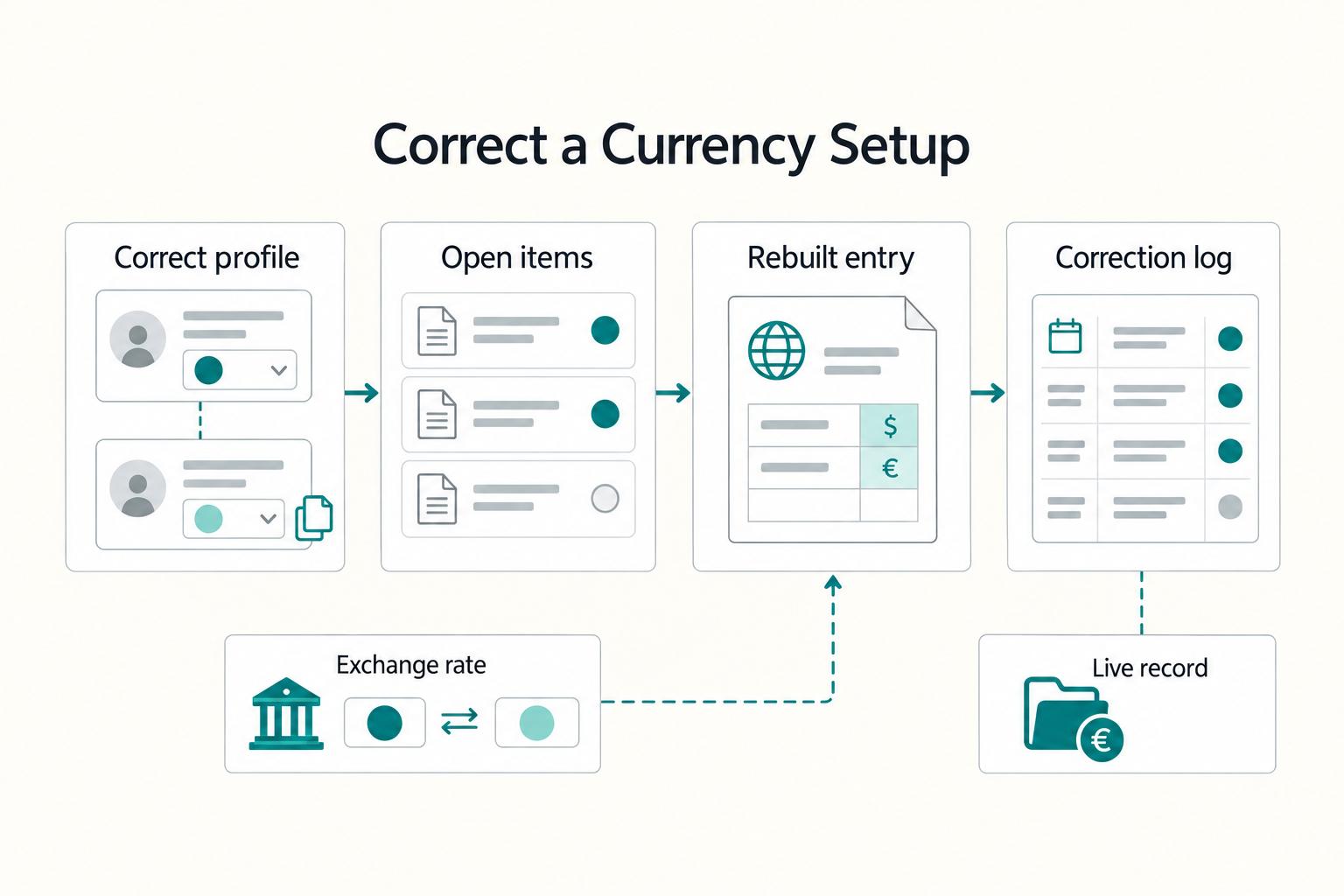
At minimum, look for the ability to bill in the client’s currency and keep a trail you can reconcile later. Also verify plan and setup rules before you commit, because access can be tier-limited and setup mistakes can stick. In QuickBooks Online, if you assign the wrong currency to a customer or supplier, the fix is not an edit. You have to create a new record.
How is multi-currency invoicing different from multi-currency reporting?
In practical terms, invoicing is the client-facing step (sending the bill in the currency the client pays in), while reporting is how those transactions appear in your books. Treat reporting specifics as something to validate in your chosen product before relying on it.
How does exchange rate tracking affect cashflow and margin visibility?
Check plan eligibility and setup constraints first. For practical decision-making, test a real workflow and confirm the rate handling is clear before you rely on margin conclusions.
When should a small team move from Xero or QuickBooks Online to Tipalti or NetSuite?
One reviewed list labels Tipalti "best for automating payments," so it is a relevant option when payment automation is the main requirement. Use that as a shortlist signal, not an automatic switch point.
What should I verify before trusting foreign currency gains or losses in my reports?
Verify two basics first: your plan supports multi-currency, and the customer or supplier currency was assigned correctly at setup. In QuickBooks Online, changing that assigned currency requires creating a new record. For a complete validation of foreign currency gains or losses, check your product's official documentation. If QuickBooks is acting oddly during activation, its FAQ recommends browser troubleshooting, including clearing cache and cookies.
Try a related tool
Researched and edited by the Gruv editorial team. Gruv builds cross-border billing, payouts, and finance-operations software for global businesses.
Sources
Includes 8 external sources outside the trusted-domain allowlist.
- alifbyteedu.com/sage-vs-quickbooks-which-software-is-betterexternal
- avantiico.com/best-multi-entity-accounting-platforms-2025external
- conseroglobal.com/resources/best-accounts-payable-softwareexternal
- finoptimal.com/resources/accounting-automation-multi-currencyexternal
- getapp.com/finance-accounting-software/accounting/f/mul...external
- gotofu.com/blog/best-multilingual-accounting-softwareexternal
- invoicera.com/blog/business-operations/top-12-accounting-a...external
- invoicera.com/blog/invoicing/13-best-accounts-receivable-a...external
Educational content only. Not legal, tax, or financial advice.
Related Posts

Value-Based Pricing for Freelancers Under Real Payment Risk
Value-based pricing works when you and the client can name the business result before kickoff and agree on how progress will be judged. If that link is weak, use a tighter model first. This is not about defending one pricing philosophy over another. It is about avoiding surprises by keeping pricing, scope, delivery, and payment aligned from day one.

Freelance Bookkeeping for Faster, Safer Client Payments
Control over cash starts with records you trust. When entries are current, categorized, and easy to trace, you spot risk earlier and make calmer decisions about follow-up, spending, and month close.
How to Use QuickBooks Online to Manage Multiple Currencies as a Freelancer
Treat **quickbooks online multi-currency** as an operations decision, not a settings exercise. The real benefit is cleaner client invoices, fewer manual conversions, and less month-end repair work when exchange rates move or a payment settles differently than expected.