
Quick Answer
Choose software that preserves original currencies, explains conversion rates and dates, and exports the records you need. PocketSmith supports consolidated multi-currency views; YNAB uses separate currency plans; Monarch does not convert mixed-currency accounts. Add travel-day or invoice tools where needed, and distinguish FBAR annual maximum/year-end conversion from everyday balance monitoring.
Evaluate currency handling and the records behind it#
The best multi-currency personal finance software depends on what you need to do with the numbers. A consolidated balance helps you plan spending, while a tax filing may require original-currency amounts and a particular exchange rate. If you also travel and invoice clients abroad, compare those workflows separately rather than assuming that currency support covers them all.
- Budgeting and cash flow: check native currencies, converted totals, supported accounts and transfer fees. These features can be useful even when tax reporting is handled elsewhere.
- Reporting and invoicing: identify the records, calculations and invoice fields you need, then check whether the finance app supplies them or works with a separate tool.
Use concrete questions: “What happens to my travel-day counts if I add a trip?” “Can I export each foreign account's annual maximum with its original currency?” “Can I issue an invoice with the correct VAT treatment and keep the supporting customer details?”
A useful system connects those records without hiding how a result was calculated. It may be one application or a combination of budgeting software, travel records and invoicing tools.
- Use three evaluation checks: travel-day records for the rules that apply to you, foreign-account records for FBAR if you are in scope, and invoice controls for your supplies. Add these checks to currency handling and usability rather than treating them as a reason to discard budgeting features.
Check 1: Track the travel days relevant to your situation#
A day log can help you plan trips and support a residence review. It needs the right country, dates and counting method. Compare the tool's calculations with the rule you are using, and retain the travel evidence behind the log.
Keep tax residence, FEIE and short-stay rules separate#
These rules answer different questions. Tax residence can depend on homes, work and personal ties as well as days. The Foreign Earned Income Exclusion has its own qualifying conditions, while a short-stay limit governs immigration permission.
Examples of the rules a travel log may need to support:
- Country-specific tax residence: 183 days is not a universal test. The UK statutory residence test, for example, includes automatic tests and sufficient ties; spending fewer than 183 days does not by itself establish non-residence.
- US FEIE physical presence: for a U.S. citizen or resident alien using this test, the IRS rule requires 330 full days in foreign countries during 12 consecutive months. To claim the exclusion, you must also have foreign earned income and a foreign tax home; the day count alone does not grant it.
- Schengen short stays: where the short-stay rule applies, count up to 90 days in any rolling 180-day period. Residence permits and long-stay visas have different treatment. The EU short-stay calculator addresses permitted stay, not tax residence or permission to work.
A calendar-year total, a 12-consecutive-month period and a rolling 180-day lookback need different calculations. A spreadsheet can support them if it implements the relevant rules; an app should make its assumptions equally visible.
| Rule Type | Calculation Logic | What It Means for You |
|---|---|---|
| Tax-year or calendar-year count | Counts days within the period specified by the country's rule. | Use the correct tax year and day definition; include other residence tests where relevant. |
| FEIE physical presence | 330 full foreign-country days in a chosen period of 12 consecutive months. | Do not substitute a fixed 365-day window; check travel days and the separate eligibility conditions. |
| Schengen short-stay lookback | On each day of stay, count relevant days in the preceding 180-day period including that day. | Keep entry and exit dates, and check whether short-stay limits apply to your permission. |
Check the day counter's inputs and rules#
Look for editable arrival and departure dates, separate country histories and an explanation of which days count. Check a travel day that crosses a border or midnight against the applicable rule. A location log is useful evidence, but incorrect dates or an unsuitable rule preset can still produce a misleading total.
Test a future trip before committing#
For a hypothetical planning test, ask: “What happens if I book a three-week trip to Portugal in May?” A useful tool should show how those dates change the applicable Schengen count and any FEIE full-day calculation. Keep a potential Spanish tax-residence assessment separate: a Portugal trip changes the itinerary, but Spanish residence is not determined by that trip or one day counter alone. Compare the projected dates with the final travel record after the trip.
Check 2: Preserve the account values needed for FBAR#
The FBAR is a disclosure report filed with FinCEN. It can apply to U.S. citizens, residents and other U.S. persons with a financial interest in, or signature or other authority over, covered foreign financial accounts. Penalties depend on the facts and circumstances, and civil maximums are adjusted annually for inflation. Evaluate the records the tool produces rather than relying on a penalty estimate as a product-selection test.
Identify which accounts are foreign and reportable#
The general filing threshold is an aggregate value exceeding USD10,000 at any time during the calendar year across covered foreign accounts; it is not a per-account threshold. Determine the account's location and your interest or authority, subject to the applicable exceptions. A Wise, Revolut or other provider brand alone does not establish that every balance is a foreign reportable account. The IRS reference guide explains that account location, rather than the institution's nationality, determines foreign status.
Separate the annual maximum from the exchange rate. First determine each account's greatest value during the year in its native currency. Then convert that maximum to USD using the Treasury rate for 31 December of that year. If no Treasury rate is available, use another verifiable rate and retain its source. A balance that peaked in July still uses the year-end conversion rate for this FBAR calculation.
Separate filing valuation from a current balance dashboard#
A combined USD dashboard can help you notice changes, but its current rates and balances are different from an annual FBAR valuation. Evaluate whether the tool preserves the inputs needed to reconstruct the filing calculation:
- Retain native-currency records: record the account, institution, currency and annual maximum rather than only a converted net-worth total.
- Record the filing exchange rate: retain the year-end Treasury rate and source, or the documented alternative where unavailable.
- Export the account-level values: combine the relevant converted maxima for the reporting review and keep all covered accounts in the file when a filing is required.
The IRS permits a reasonable approximation of an account's greatest value. Periodic statements issued at least quarterly may be used if they fairly reflect the maximum during the calendar year. Daily or hourly polling is not a prescribed filing requirement, but a feed that omits a material balance peak may need supporting statements or other records.
Use alerts as a monitoring aid#
For example, you might set an illustrative monitoring alert at USD8,500 to prompt a records review before balances grow further. That is a personal buffer, not the legal FBAR threshold or an assurance that no filing is needed below it. Check what the alert measures: current combined balances, annual maxima or converted values using a particular rate. A live-FX alert does not replace the annual maximum/year-end-rate calculation.
Check 3: Apply the correct invoice rules#
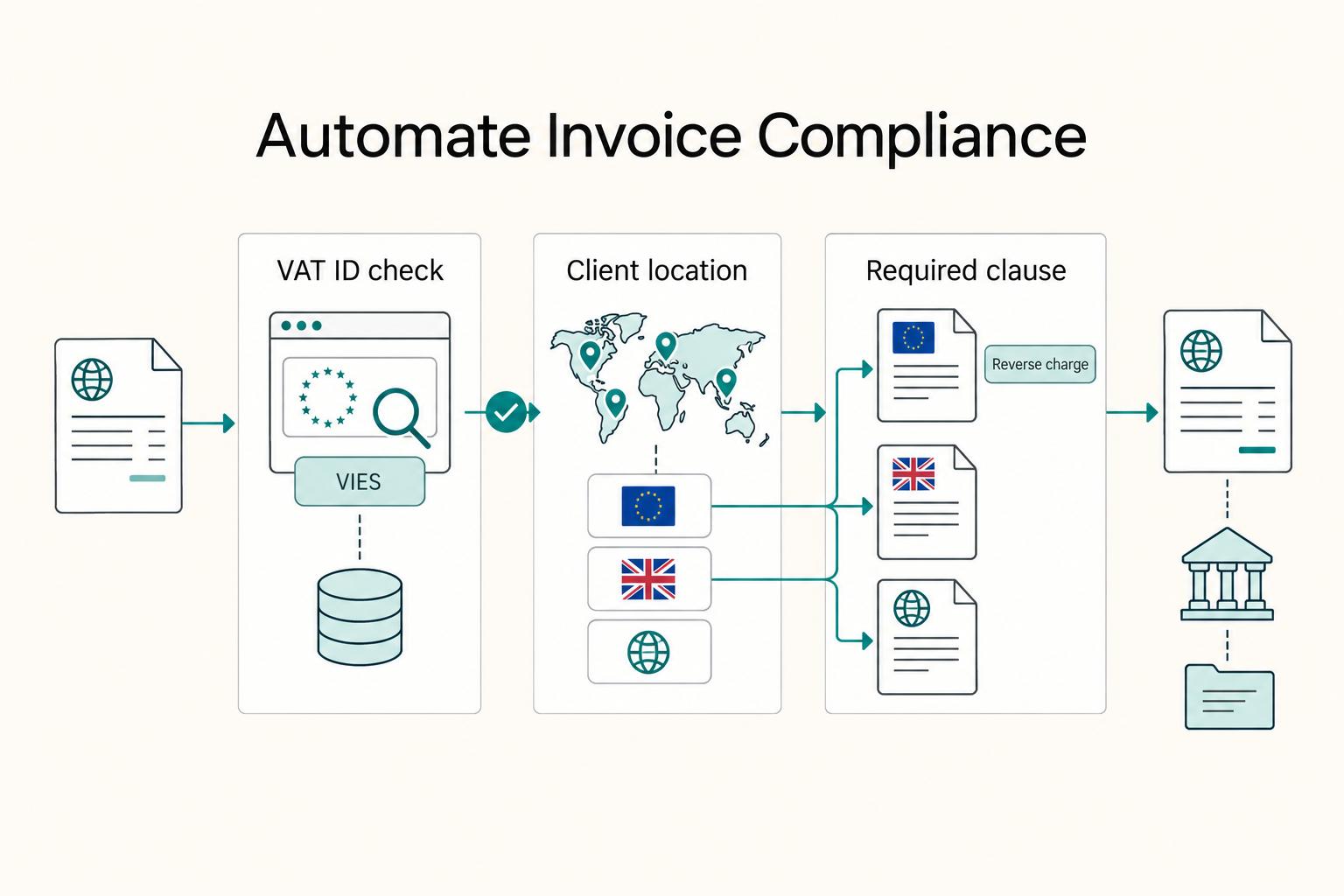
For cross-border invoicing, check the rules that apply to the supplier, customer and type of supply, as well as the client's accounts-payable requirements. A customer's country alone does not decide every invoice field or VAT treatment.
Check the invoice fields and the treatment decision#
Use a sample invoice to see whether the tool keeps supplier and customer details, invoice number, supply description, dates, tax amounts and any required wording. Test how corrections are made and retained. These controls help you fix an incomplete invoice without losing the original transaction record.
Use reverse charge when the customer is liable#
VAT reverse charge shifts the obligation to account for VAT to the customer when the applicable supply rules make the customer liable. It is not an automatic rule for every invoice to an EU business. Decide the treatment from the supplier and customer status, place of supply, type of supply and any relevant exceptions, then configure the invoice.
The European Commission's VAT invoicing guidance specifies these items where the customer is liable under reverse charge, alongside the other required invoice information:
- The customer's VAT identification number, where the customer is liable for tax on the transaction.
- The words “reverse charge” when the reverse-charge procedure applies.
A VAT-ID check can support your customer records, but it does not by itself decide whether reverse charge applies. Keep the treatment decision and the checked details with the invoice. If a client requests a correction, confirm the missing field rather than changing the tax treatment merely to match a template.
| Invoice check | What to retain or configure |
|---|---|
| Supplier and customer identity | Required names, addresses and tax identifiers for the applicable invoice rules |
| Supply details and tax treatment | Description, dates, amounts and applicable VAT treatment; reverse charge is distinct from zero-rating |
| Customer liable under reverse charge | Customer VAT ID and the words “reverse charge”, with the other required invoice fields |
| Payment instructions | Agreed currency and bank details, checked separately from VAT treatment |
Test automation with a specific supply#
Automation is useful when it applies the treatment you have established and preserves the result. Ask the vendor to show the workflow for one of your actual supply types, including how you override an unsuitable default and retain the reason:
- VAT-ID validation: if the tool uses VIES, check whether it records the result and date and how it handles an unavailable or invalid result. Validation supports customer identification; it is not a complete VAT decision.
- Conditional invoice wording: check that reverse-charge text appears when that treatment applies and does not turn every EU business invoice into a reverse-charge transaction.
- Export and correction history: retain the invoice, customer details and any amendment so the record can be reviewed outside the app.
For example, compare the invoice for a supply correctly treated as reverse charge with one where VAT is charged. The tax treatment and required wording should change, while the underlying customer and supply records remain traceable.
Compare the documented currency workflows#
Product scope matters as much as the feature name. Compare native-currency storage, consolidated totals and export behavior, then decide which travel, reporting or invoice tasks need a separate workflow.
PocketSmith documents native-currency account balances, converted base-currency views and assets and liabilities consolidated into a base-currency net worth. Those are useful budgeting capabilities. For day-to-day cash management, How to Manage Your Finances Across Multiple Currencies provides related guidance. For reporting, separately inspect whether the export contains the original amounts and rate information your calculation needs.
Use the same tests when comparing other tools:
- YNAB: its multi-currency guide uses a separate plan for each currency. This can suit separate currency budgets, but does not give you one converted multi-currency plan.
- Monarch: its currency documentation covers USD/CAD display without currency conversion or currency differentiation. Avoid mixing currencies when you need meaningful consolidated totals.
- BankTree: distinguish the Desktop and Online editions. Compare their currency, feed, export and storage options for the edition you intend to use.
Keep conversion purpose visible in the export. For FBAR, the annual account maximum is converted at the year-end rate. A budgeting dashboard may convert today's balance at a current rate instead. Store the original currency amount, rate, date and source so a reviewer can tell which calculation produced the USD figure.
These tests let you choose useful budgeting software without treating its display as certification of a tax or invoice result. A separate day log or invoice tool can be appropriate if the finance app does not document the workflow you need.
Choose the tool by the workflow you can verify#
Start with a short list of tasks: consolidate balances, plan spending, retain travel dates, prepare foreign-account records or issue invoices. You may need only the first two from a personal-finance app. Keep the reporting and invoice calculations connected to the original records when they are relevant.
Test a foreign-currency transfer, an account balance peak and a sample invoice before committing to a workflow. Check that fees, native amounts and conversion details survive export. For travel, add the three-week Portugal scenario and compare its projected counts with the rules you actually use.
Use the results to identify what the app handles and what you will keep in a separate record or tool:
| Task | Concrete evaluation question |
|---|---|
| Multi-currency budget | Are native currencies preserved and consolidated totals converted correctly? |
| Travel-day records | Can I inspect and export the dates, applicable rules and projected counts? |
| FBAR preparation where applicable | Can I retain annual native-currency maxima and the year-end filing conversion rate/source? |
| Cross-border invoices | Can I apply the correct tax treatment and required fields, then retain corrections? |
| Ongoing records | Can I reconcile exports to account statements and issued invoices? |
Choose the software whose documented currency handling fits your accounts and whose records you can review. Keep the selected product edition, conversion settings and sample exports with your setup notes, then revisit the checks when you add a currency, account or type of supply.
Frequently Asked Questions
What is the best software to track days for tax residency?
Choose a day tracker or spreadsheet that preserves editable travel dates, counting rules and supporting records. Test the hypothetical Portugal trip against the relevant Schengen and FEIE calculations, and handle the country's wider residence tests separately. Ask whether you can export the dates and calculations for review rather than relying only on a dashboard total.
How can I automatically track my FBAR filing threshold?
A current-balance alert can help you monitor accounts, but it is not the FBAR filing calculation. Preserve each covered account's annual maximum in its native currency, convert it at the year-end Treasury rate or a documented verifiable alternative, and review the applicable aggregate threshold. Check account scope and whether statements fairly capture peaks before relying on an export.
Does YNAB or Monarch Money support multiple currencies?
Their documented approaches differ. YNAB uses a separate plan for each currency. Monarch displays USD/CAD amounts with the dollar symbol and does not convert currencies or distinguish them behind the scenes. Monarch's own example shows a 1,000 JPY transaction appearing as “$1,000”; this is a currency-display limitation, not a conversion of yen to dollars. Mixing USD and CAD can also produce misleading totals.
Which personal finance app handles VAT Reverse-Charge for invoices?
Look for an invoicing workflow that supports the treatment applicable to your supply, then test a sample invoice. When the customer is liable under reverse charge, EU invoice rules require the customer VAT ID and the words “reverse charge”, alongside other required fields. A personal-finance feature label or successful VAT-ID check alone does not establish that the invoice uses the correct treatment.
What is the main difference between PocketSmith and BankTree?
PocketSmith is cloud-based and documents native/base-currency balances and consolidated net worth. BankTree offers separate Desktop and Online products; Desktop is sold as a software purchase, while Online uses a subscription, and bank-feed services may have separate costs. Compare the exact edition, export format, account support and storage workflow rather than treating all BankTree use as desktop-only.
Researched and edited by the Gruv editorial team. Gruv builds cross-border billing, payouts, and finance-operations software for global businesses.
Sources
Includes 1 external source outside the trusted-domain allowlist.
- bsaefiling.fincen.treas.gov/main.htmltrusted
- consumerfinance.gov/rules-policy/regulations/1005/subpart-btrusted
- fincen.gov/report-foreign-bank-and-financial-accountstrusted
- home-affairs.ec.europa.eu/policies/schengen/border-crossing/short-stay...trusted
- irs.gov/individuals/international-taxpayers/yearly-a...trusted
- irs.gov/forms-pubs/about-form-8938trusted
- taxation-customs.ec.europa.eu/taxation/vat/vat-businesses/invoicing_entrusted
- banktree.co.uk/support/frequently-asked-questions.htmlexternal
Educational content only. Not legal, tax, or financial advice.
Related Posts
Value-Based Pricing for Freelancers Under Real Payment Risk
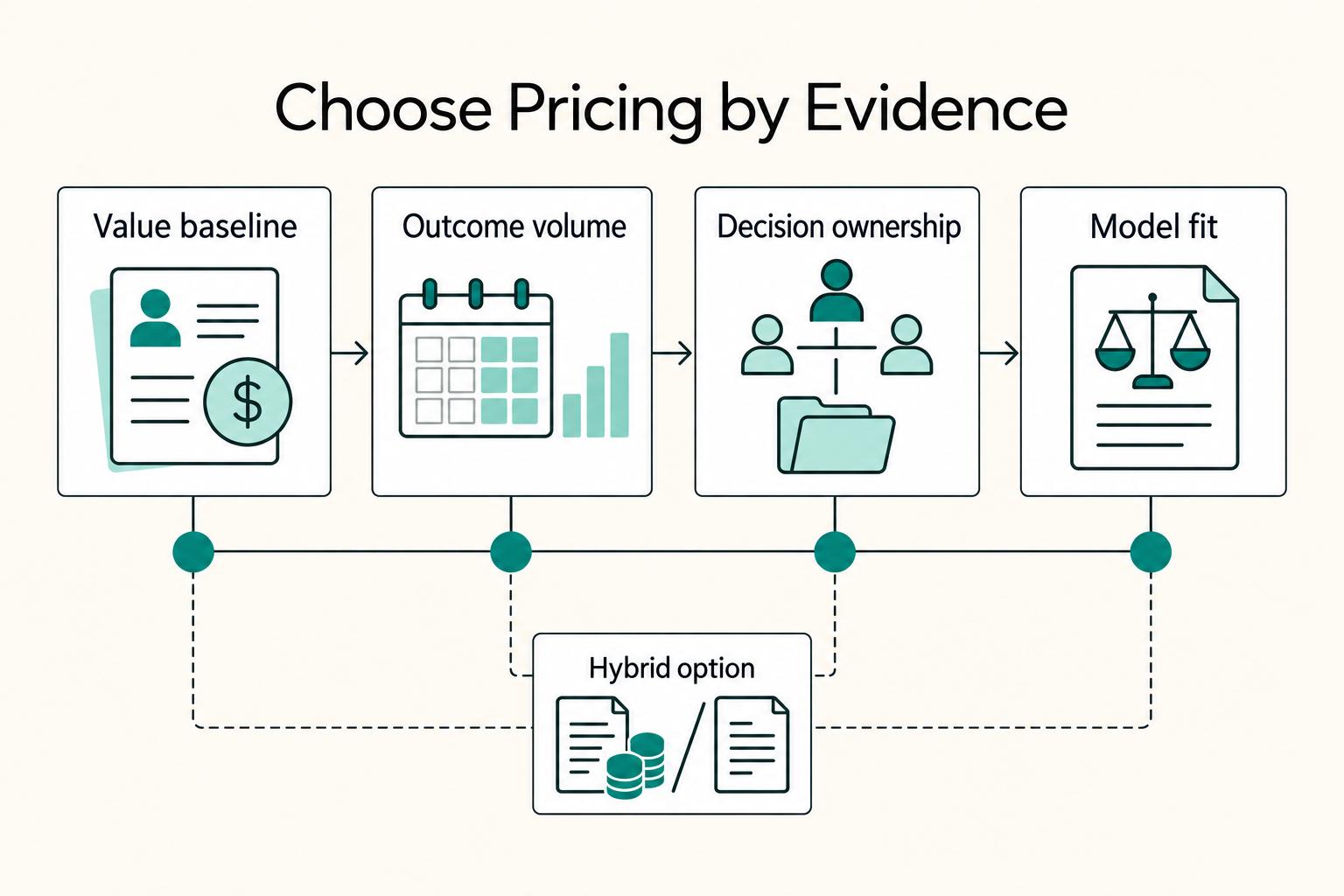
Value-based pricing starts with the client’s expected benefit and willingness to pay. It still needs a deliverable, scope and payment agreement you can perform. Use a discovery phase when the benefit or effort is too uncertain to support a defensible quote.

The Best Personal Finance Apps for Freelancers
If you are choosing among the best personal finance apps freelancers can use, start with payment risk, not popularity. The goal is simple: keep cash flow visible enough to act early when income slows or bills stay fixed.
How to Manage Your Finances Across Multiple Currencies
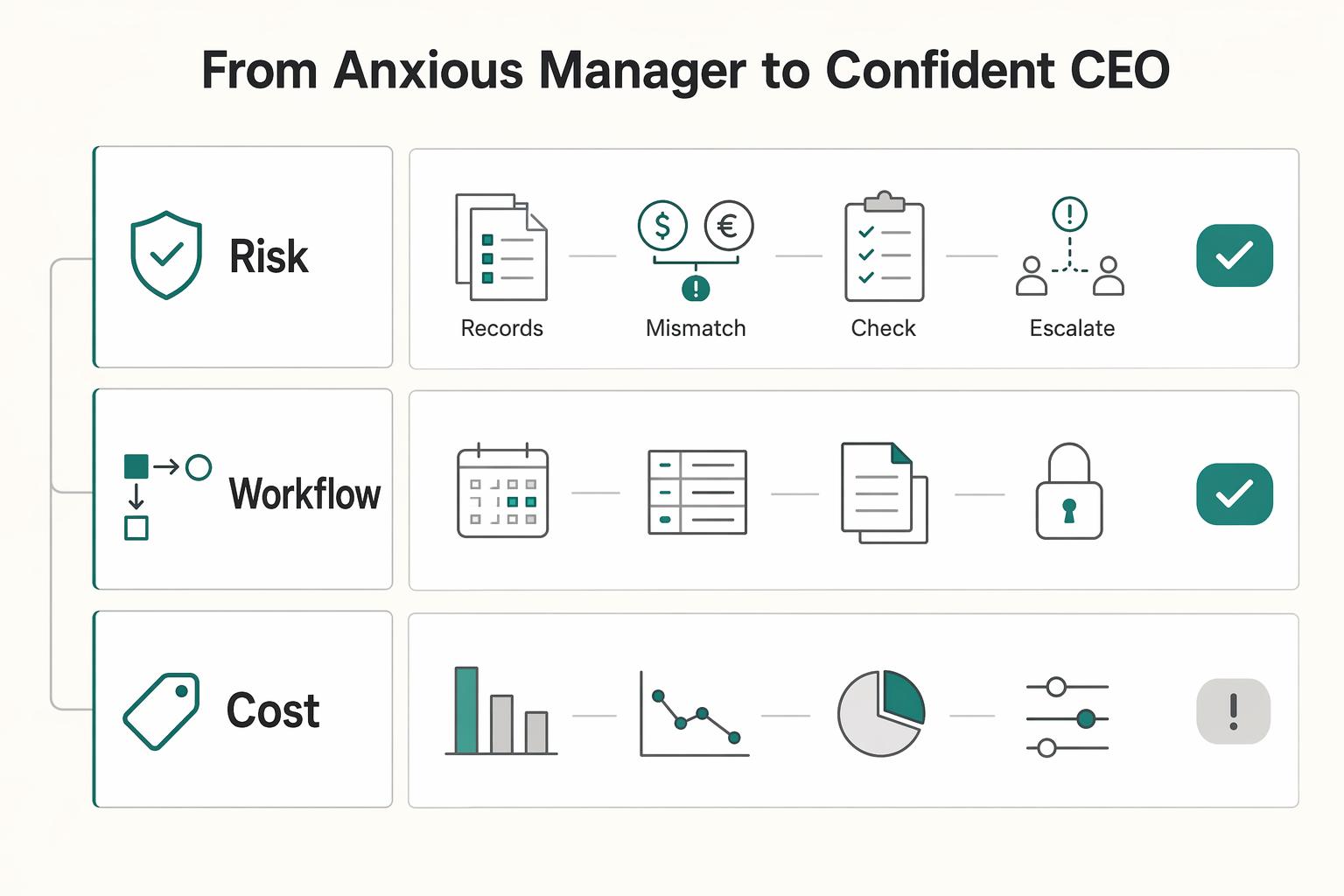
The hard part of managing money across currencies is not shaving a few basis points off a wire. There is endless advice about the cheapest way to move money, with fintech comparisons down to the decimal. That focus can distract from the real risk. You wake up at 3 AM wondering whether you missed a compliance rule you did not even know applied, and whether that mistake could put the business at risk.