
Quick Answer
Run one bounded escalation in QuickBooks Online Payroll, then decide from measured batch outcomes. Record the current direct-deposit limit in Payroll settings, submit one increase request, and retest a comparable cohort tied to the same payout timing window. If blocked sends, manual overrides, or cleanup in Bank transactions still recur after that cycle, stop treating it as ticket churn. Score stay, product upgrade, and dedicated payouts side by side before cutover.
Why this decision matters before your next payout cycle#
Treat recurring payout friction as architecture risk, not a one-off ops issue. A failed contractor payment can be recoverable. The bigger problem is the debt that builds across QuickBooks workflows, reconciliation, and exception management over repeated cycles.
For CTOs and engineering leads, the warning sign is repeat manual work: spreadsheet patching, handoffs, and process knowledge that lives with specific people. Teams describe the same pattern in different words: reporting gaps push work into Excel, errors rise, data gets stale, and disconnected tools get held together by manual process and institutional knowledge. Even when those examples do not map perfectly to your setup, they are still a useful signal that the issue may be structural, not temporary. Use a simple decision rule before your next cycle:
- If issues are isolated and rare, fix them inside your current process.
- If the same payout issues return each cycle with manual overrides or unclear status, treat it as a design problem.
This guide takes a conservative approach: exhaust in-product QuickBooks options first, then move only when the limits and workflow friction are clearly structural. Keep your evidence tight. In QuickBooks Online, a concrete checkpoint is Settings > Subscriptions and billing, where Intuit documents subscription administration such as billing profile, payment method updates, billing frequency, and invoices, not contractor payout-limit operations.
That page also lists valid subscription payment methods, including major credit cards, PayPal, direct debit, and ACH, and that only one card per payment is supported for subscription billing. Use that boundary so you do not mistake subscription-billing settings for proof of outbound contractor payout behavior.
This guide stays focused on architecture and execution sequence. It is not legal or tax advice. The goal is to help you decide whether you are dealing with a fixable QuickBooks constraint, a growing reconciliation burden, or a payout path that now needs a dedicated platform layer.
What to prepare before you change anything#
Start with a shared evidence baseline before you change settings. You want decisions anchored in traceable data, not memory or the loudest recent incident. A quick gap analysis is enough here: what works, what fails, and how often it fails.
| Prep step | What to review | What to record |
|---|---|---|
| Gather an incident baseline | Use a defined review window across multiple payout cycles | Date; contractor; amount; trigger; visible status; who intervened; resolution; one KPI such as failure count, manual touches per batch, or time to resolution |
| Pull one shared evidence set | System settings, transaction history, and payout or bank movement | Any break between QuickBooks records and bank-side movement; whether sync is transaction-level or summary-only; whether cost-code structures are aligned before enabling sync |
| Assign owners before fixes begin | Finance, engineering, and ops responsibilities before remediation starts | Policy decisions; integration behavior; reconciliation evidence |
1. Gather an incident baseline. Use a defined review window that covers multiple payout cycles so you capture recurring patterns. For each failed payment, manual override, or timing exception, log:
- Date
- Contractor
- Amount
- Trigger
- Visible status
- Who intervened
- Resolution
Add at least one KPI column, such as failure count, manual touches per batch, or time to resolution, so the shortfall is measurable.
2. Pull one shared evidence set. Pull the records your team already relies on across system settings, transaction history, and payout or bank movement so finance, ops, and engineering are reviewing the same trail.
Use one concrete checkpoint: pick a problematic payout and trace it end to end without rebuilding the story in a spreadsheet. If the trail breaks between QuickBooks records and bank-side movement, log that gap. Also confirm whether sync is transaction-level or summary-only, because summary-only sync can hide detail needed for reconciliation. Before enabling sync, confirm cost-code structures are aligned across systems.
3. Assign owners before fixes begin. Set clear ownership before remediation starts across finance, engineering, and ops for policy decisions, integration behavior, and reconciliation evidence.
Clear ownership reduces cross-functional blind spots. Sync issues can appear while entries are still being edited. Unmapped codes can create errors or uncategorized records. A sync can also look healthy for a while before opening a larger books gap. Clear ownership makes it easier to diagnose integration faults early.
If you are moving from QuickBooks into a platform model, How MoR Platforms Split Payments Between Platform and Contractor explains how the payment split is usually structured.
Map your current payment flow and failure surface#
With the incident log in hand, map one payout end to end before you change settings or open more support tickets. If you cannot trace the path from approved work to bank-side movement to booked result, your first problem is visibility.
1. Draw the real path, not the assumed one. Start with one recent contractor payout and record the sequence exactly as it happened in QuickBooks and your bank records. Use the labels people actually see in the product, not internal shorthand. For each handoff, capture:
- Who touched it
- What record changed
- Where the next reviewer checks status
Keep evidence attached to the transaction where possible, such as receipts on expense records. If your team tracks payouts by project, keep expenses linked to that project so traceability survives beyond the payment screen.
2. Mark where status goes dark. Highlight every point where someone has to leave QuickBooks to answer a basic status question. Common signals include blocked or held sends and repeated cleanup in bank transaction records when posted entries do not line up cleanly with bank-side movement.
If any part of the flow still depends on QuickBooks Desktop, treat that as a risk checkpoint. Desktop may continue running, but published timelines indicate support for certain Desktop products ends after May 31, 2026, including updates, security patches, and official assistance. That raises the risk of integration drift over time.
3. Classify failures before fixing anything. Use a simple taxonomy so the team does not call every issue a limit problem.
| Failure type | What it looks like | What to capture |
|---|---|---|
| Limit hit | A send is blocked, held, or repeatedly retried | Timestamp, affected payouts, visible message, retry outcome |
| Data mismatch | Contractor data does not align and manual correction repeats | Changed fields, document status, whether delayed W-9 collection, TIN mismatch, or fragmented payment data appeared |
| Duplicate payout risk | A resend happens because status is unclear | Original reference, who retried, bank-side evidence for both attempts |
| Reconciliation delay | Payment appears complete but still needs manual stitching | Posting date, bank movement date, related bank transaction entry, missing link |
Manual workflows often break down at scale because of delayed W-9 collection, TIN mismatches, spreadsheet errors, and fragmented payment data. When those patterns show up, treat upstream data quality as part of the root cause.
4. Run one end-to-end trace test. Pick one problematic payout and trace it without relying on spreadsheet reconstruction. Confirm four points from records your team already trusts:
- What approved the payout
- What changed its status
- What shows bank-side movement
- What ties it back to the books
If two reviewers cannot tell the same story from the same records, treat that as a structural failure surface, not a one-off exception.
Related reading: How to Write a Payments and Compliance Policy for Your Gig Platform.
Step 1 request a limit increase and define a stop rule#
Make one bounded escalation attempt in QuickBooks, then judge it by operational results. If disruption is still present after one review cycle and one controlled retry, treat that as a capacity-and-visibility trigger, not a support-loop problem.
| Phase | What to log | Grounded timing or rule |
|---|---|---|
| Limit check and request | Current direct deposit limit in Payroll settings; request date; requested amount; current-limit screenshot; incident IDs; bank statements if requested | QuickBooks measures the per-payroll limit across a 6-day period from paycheck date, including weekends; Intuit states requests are reviewed within 2 business days and results are sent by email |
| Bill Pay triage | Exact blocked action; confirm bank data in Bank transactions is connected | Bill Pay limits are set by account risk and payment history; limit information is not directly visible to users; Bill Pay uses a 30-calendar-day processing window and capacity resets 30 calendar days after the withdrawal date |
| Controlled retry and stop rule | Use one cohort; keep batch timing close to the original incidents; record what changed in QuickBooks, what moved bank-side, and what still required manual cleanup in Bank transactions | If limit incidents still disrupt payout batches after one escalation cycle plus one controlled retry, stop repeating the same ticket path |
Check the exact limit and submit one request. For QuickBooks Online Payroll, open Payroll settings, record the current direct deposit limit, and use it as your pre-change baseline. QuickBooks measures the per-payroll limit across a 6-day period from paycheck date, including weekends, so payout timing itself can be part of the failure pattern. Submit one increase request and log:
- Request date
- Requested amount
- Current-limit screenshot
- Incident IDs that triggered the request
Intuit states requests are reviewed within 2 business days and results are sent by email. Plan for either outcome. Approval is not guaranteed, and timing can vary. Prepare bank statements up front as well, since Intuit may request them to approve the increase.
If you are using Bill Pay, triage it differently. QuickBooks states Bill Pay limits are set by account risk and payment history, and that this limit information is not directly visible to users. A limit hit can block additional scheduling, so capture the exact blocked action and confirm that bank data in Bank transactions is connected. Bill Pay also uses a 30-calendar-day processing window, and capacity resets 30 calendar days after the withdrawal date.
Run a controlled retry after the decision email. Once the decision email arrives, run a controlled retry in normal operations and measure what changed. Keep the test stable so you can isolate whether the limit decision helped.
Use one cohort, keep the batch timing close to the original incidents, especially if they are tied to the 6-day payroll window, and record:
- What changed in QuickBooks
- What moved bank-side
- What still required manual cleanup in
Bank transactions
Success is not "request approved." Success is fewer blocked payments, retries, and manual cleanup in the next real batch cycle.
Define the stop rule before support churn starts. Set the stop rule before you open another escalation. If limit incidents still disrupt payout batches after one escalation cycle plus one controlled retry, stop repeating the same ticket path.
Use a clear trigger such as repeated blocked batches, recurring manual intervention, or ongoing uncertainty about payment-movement status. When those persist, the issue is predictable capacity and visibility, not just the current limit.
Step 2 score stay vs upgrade vs dedicated platform#
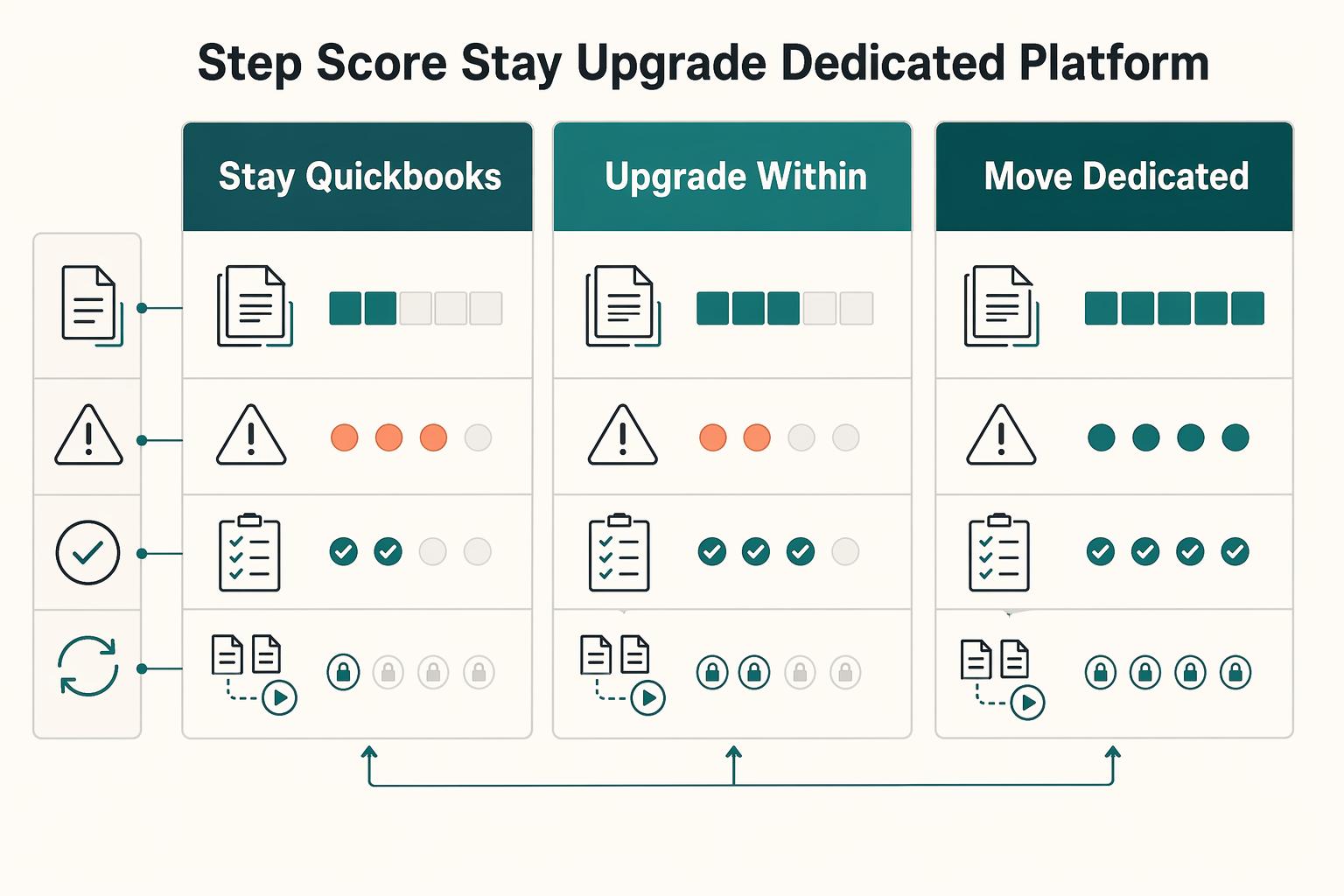
After one bounded escalation attempt, score the three paths side by side. If you need predictable operations and auditable status tracking, treat dedicated Payouts infrastructure as the benchmark and make the other options prove they can match it in your environment. The point is to reduce repeated exceptions over the next payout cycles without creating harder reconciliation debt later.
Score the three paths against the same criteria. Use the same evidence pack for every option from Step 1: limit baseline, incident IDs, decision email outcome, blocked batch examples, and the manual cleanup required in Bank transactions.
| Path | Implementation effort | Rollback risk | Reconciliation complexity | API plus Webhooks visibility | Explicit unknowns | When it fits |
|---|---|---|---|---|---|---|
Stay in QuickBooks | Lowest near-term change | Lowest technical change risk, highest risk of repeating incidents | Often stays moderate to high if manual stitching continues | Only score what you have verified in your environment | Hard threshold, approval SLA, and escalation success rate are unverified. | Controlled retry reduced disruption and cleanup remains manageable |
Upgrade within QuickBooks product lines | Medium effort, including product changes, retraining, and edge cases | Medium rollback risk | May reduce adjacent pain, but payout-state reconciliation can still remain manual | Re-test visibility. Do not assume the upgrade alone improves status traceability | Same unknowns if capacity and outcomes still depend on approval paths | You already need the upgrade for broader accounting or product reasons |
Move to dedicated Payouts infrastructure and keep QuickBooks for accounting | Highest initial effort, including integration, mapping, and migration controls | Higher migration risk up front, lower repeated-exception risk if the design is implemented well | Can decrease over time when payout state is centralized instead of spreadsheet-driven | Make status tracking an explicit design requirement, not an assumption | Vendor and build details vary; validate operating limits during selection | You need predictable operations, auditable status history, and less manual exception handling |
Mark unknowns as risk, not blank space. Carry these unknowns directly into your score:
- Hard threshold is unverified in the current evidence pack.
- Approval SLA is unverified in the current evidence pack.
- Escalation success rate is unverified in the current evidence pack.
If your plan depends on "maybe the next request gets approved," score that as uncertainty, not capacity.
Weight reconciliation and decision quality over convenience. Do not let low implementation effort dominate the decision. A grounded example shows how tidy reports can still hide bad assumptions: one case showed an apparent 18% margin that became 3% three months later.
Use that same standard here. Success is not just "batch submitted." Success is consistent agreement between reported status, bank movement, and final reconciliation one cycle later, without spreadsheet patching.
Choose the path with the fewest repeated exceptions. Use this rule: if a bounded escalation cycle plus a controlled retry did not restore predictable operations, score "stay in QuickBooks" as a temporary hold, not a durable path. Favor dedicated design when two or more of these are true:
- payout timing risk is rising because outcomes stay approval-dependent
- finance needs an auditable event trail, not screen checks
- engineering needs status handling driven by
APIandWebhooksrequirements - reconciliation work is growing faster than payout volume
By the end of this step, you should have one score table, one chosen path, and one explicit reason each rejected path failed.
For a step-by-step walkthrough, see QuickBooks Online + Payout Platform Integration: How to Automate Contractor Payment Reconciliation.
If your decision table points toward dedicated payout infrastructure, review how a compliance-gated, API-first payout layer is typically structured: Explore Gruv Payouts.
Separate product upgrades from architecture upgrades#
Treat accounting product upgrades and payout-architecture upgrades as separate decisions. Moving from QuickBooks Online to QuickBooks Desktop, QuickBooks Desktop Premier Plus, or QuickBooks Enterprise may ease some accounting constraints, but it does not modernize contractor payout operations on its own.
Classify the change you are actually making. Name the move plainly before you scope the work. QuickBooks Online and QuickBooks Desktop are different Intuit products, so this is a product change with capability tradeoffs, not a settings toggle. In one comparison, QuickBooks Online Advanced is capped at 25 users while QuickBooks Desktop Enterprise supports 40 users, and Desktop is described as more customizable.
Use that distinction to match the fix to the pain. If the issue is user limits, industry-specific accounting features, or desktop customization, a Desktop-tier move may fit. If the issue is payout-state visibility, repeated disbursement exceptions, or status handling across systems, that is still an architecture gap.
Checkpoint: write one sentence describing the pain and one sentence describing the expected fix. If the fix does not explain how payout events are tracked, reconciled, and retried, you are planning a product upgrade, not architecture modernization.
Test whether the upgrade trigger is genuine. Upgrade only when you hit genuine limitations that create operational friction. One advisory framework points to signals such as multi-entity consolidation requirements, advanced inventory management, complex revenue recognition, or international operations.
That helps you avoid a common failure mode: solving one bottleneck while leaving payout operations unchanged. Put that risk directly in the decision memo. An upgrade can reduce one pain while preserving, or introducing, operational constraints elsewhere.
Also treat cost and commitment as part of the risk. One advisory source frames broader enterprise moves as major commitments, with examples like $400K-$600K over five years and $80,000 implementation plus $30,000 annual licensing. Even if your numbers differ, the decision logic is the same: avoid expensive upgrades that do not resolve the core operating problem.
Treat QuickBooks Solopreneur to QuickBooks Online as migration risk. Do not treat QuickBooks Solopreneur to QuickBooks Online as a simple toggle. Exact one-way data effects for this path are not confirmed here, and exact Bank transactions behavior changes after migration are not confirmed here either.
Use a proof-before-cutover approach:
- Export a pre-move baseline of open items, contractor-related entries, and expected
Bank transactionsreconciliation points. - Run a test cohort post-move and compare categorization, matching behavior, and cleanup effort to the baseline.
- Record any new manual cleanup, even if accounting features improve in other areas.
For stakeholders, keep one risk statement explicit: some upgraded suite capabilities can require a one-time platform transition for existing IES customers. If access paths, reconciliation behavior, or transition workload changes, manage it as operational change with rollback criteria, not as a routine product refresh.
Design the target payout stack when QuickBooks stops fitting#
When QuickBooks stops fitting, design for payout control and traceability first. Keep QuickBooks where it is strong, and add payout-layer modules only for the gaps you actually need to close.
Choose modules by payment direction. Separate inbound collection from outbound contractor disbursement before you evaluate tools.
| Need | Module choice | Why |
|---|---|---|
| Route and attribute incoming funds | Dedicated inbound routing | Keeps inbound routing explicit when default flows are not enough |
| Send contractor funds with operational control | Dedicated payouts (single + batch, if supported) | Supports structured outbound releases and batch handling |
| Shift customer-facing payment responsibility | Merchant of Record | Commercial-model choice, not a default upgrade path |
QuickBooks can still be useful on inbound flows. QuickBooks Payments is positioned to accept cards, ACH, Apple Pay, PayPal, and Venmo inside QuickBooks, and QuickBooks says payments accepted through that flow are automatically matched to Bank transactions with real-time tracking and automatic updates. If inbound collection is working, replace the weak outbound leg first.
Without integration between systems, teams can end up with data silos and delayed information flow, so close the highest-risk integration gaps early.
Set integration requirements before vendor selection. Set the integration contract before you look at vendors: retry-safe request handling, clear status signaling, and a reconciliation-ready audit trail.
Define retry behavior around your internal approval record so retries cannot create duplicate sends. If your provider supports Webhooks, use them as the primary status channel, with polling only as backup. Then enforce identifier continuity from internal approval to provider payout object to ledger entry and matched bank movement.
Use one hard test: trace a single payout end to end without manual reconstruction. If that chain breaks, you have moved tooling, not reduced risk.
Place compliance gates before release. If your compliance model requires KYC, KYB, and AML checks, place those gates before fund release, not after payout initiation. Approval to pay and eligibility to pay are separate decisions, and they should be modeled as separate states in the flow.
That can reduce unwind work when recipients are blocked or pending review after funds are already queued. Keep enough decision evidence for audit support, including outcome, timestamp, and decision source.
Sequence for visibility first as payout complexity grows. If payout visibility is weak, prioritize payout orchestration and compliance gates before feature expansion. A practical sequence is:
- Stand up outbound payout orchestration, including batch handling if needed, with retry-safe requests and event handling.
- Tie payout outcomes to accounting entries and matched
Bank transactions. - Enforce pre-release compliance states where required.
- Expand only after those controls are stable.
This keeps QuickBooks as the accounting destination, and as the inbound surface where it still works, while the payout layer owns contractor disbursement, status tracking, retries, and release controls.
Related: International Payments with QuickBooks: How Platforms Reconcile Foreign Contractor Payments in QBO.
Plan migration and reconciliation without breaking month end#
Protect month end by keeping QuickBooks as the accounting record and limiting scope during close while you test a new payout path.
Fence the pilot cohort. Start with a cohort you can describe clearly, such as one contractor class, one entity, or one approval path. Keep one execution path per contractor during the close window so payment and approval tracking stays clear. This helps avoid the blind spots that appear when teams track activity across disconnected platforms.
Define cutover artifacts before live traffic. Reducing silos is supported here, though exact artifact names for payout cutovers are not prescribed here, so create a small set of internal artifacts before the first send:
- A shared reference record that ties approval, contractor, payout or batch ID, and
QuickBooksposting output - An exception queue for mismatches, such as rejected payouts, missing data, unmatched movements, and timing differences, with owner and next action
- A reconciliation view finance can review without rebuilding the trail in spreadsheets, including timestamps, amount, currency, status history, and posting output
These artifacts make siloed information visible and reduce reconciliation surprises.
Test retries and duplicate handling under failure. Test failure paths, not just happy paths. Manual entry can force decisions on stale data and can introduce a 1-4% error surface, so migration should reduce that risk rather than recreate it in a new system.
If your integration uses retryable API calls or event notifications, test replayed requests, resent events, and out-of-order delivery in your environment. Confirm the accounting outcome is clear and traceable before expanding the cohort.
Gate go-live on reconciled outputs. Set go-live in accounting terms. Move past pilot only when payout-related outputs and QuickBooks posting outputs reconcile for the close window, and any timing differences are documented with a clear resolution path. If that is not true yet, keep the cohort small until reconciliation is stable.
For larger contractor programs, Tail-End Spend Management: How Platforms Can Automate Long-Tail Contractor Payments goes deeper on automating long-tail payouts.
Build compliance and tax evidence into the payout path#
Once reconciliation is stable, harden the evidence path so tax and access-control records are captured inside the same payout workflow, not in side files.
| Control area | What to keep | Grounded note |
|---|---|---|
| Tax-document status before release | Form type on file; received date; review status; document storage reference | The section gives W-8 and W-9 as examples and says this is an implementation control, not a legal conclusion |
| Reporting ownership | Named owners for filing interpretation; required data and status fields; extract or audit-trail delivery | Ownership rules for Form 1099 or IRS Form 1042-S are not defined here |
| Foreign account touchpoints | Form 8938 and FBAR (FinCEN Form 114) steps as structured review data where relevant to your scope | Form 8938 is attached to the annual return and filed by that return's due date, including extensions; filing Form 8938 does not remove a separate FBAR filing obligation when FBAR is otherwise required |
| PII controls | Masked views; restricted access paths; auditable export logs; who exported, when, and why | The section says these IRS/FinCEN excerpts do not prescribe product-level masking or access-control standards |
Collect tax-document status before payout release states are final. If your payout flow uses onboarding tax forms, for example W-8 or W-9, treat that status as an implementation gate so a contractor cannot move to a releasable state without a visible tax-profile status. This is an implementation control, not a legal conclusion drawn here.
Keep a minimum evidence record: form type on file, received date, review status, and document storage reference. If teams can bypass that status from offline sheets, the control is not really in the payout path.
Assign reporting ownership before volume makes it political. Ownership rules for Form 1099 or IRS Form 1042-S are not defined here, but explicit internal ownership early helps keep exceptions from spreading across finance, product, and engineering without a single decision path. Keep the ownership practical: filing interpretation, required data and status fields, and extract or audit-trail delivery should each have a named owner.
The check is simple: one report extract design and one escalation route for exceptions. For deeper reporting detail, see IRS Form 1042-S for Platform Operators.
Track foreign account touchpoints as structured data. If your program touches foreign financial assets or foreign payout accounts, track Form 8938 and FBAR (FinCEN Form 114) steps as structured review data where relevant to your scope.
For supported timing, Form 8938 is attached to the annual return and filed by that return's due date, including extensions. Filing Form 8938 does not remove a separate FBAR filing obligation when FBAR is otherwise required.
Do not model this as a single country flag. Form 8938 includes structured inventory fields, including the number of deposit accounts. IRS materials reference $50,000 in aggregate for certain taxpayers, and instructions cite $50,000 at year end or $75,000 at any time for certain specified domestic entities. Higher thresholds can apply for joint filers or taxpayers living abroad. Use current instructions at implementation time.
Make PII controls explicit in the product, not implied in policy docs. These IRS/FinCEN excerpts do not prescribe product-level masking or access-control standards, so treat masked views, restricted access paths, and auditable export logs as internal controls you define explicitly.
Also verify that exports of tax or contractor-profile data record who exported, when, and why. If daily operations still depend on full identifiers, screenshots, or emailed files, you are accumulating compliance debt in the payout stack.
If you pay non-U.S. contractors, Non-Resident Withholding on Contractor Payments: Platform Guide to the 30% Rule and Treaty Reductions covers the withholding side of that move.
Common mistakes that create platform debt and how to recover#
Platform debt usually starts when teams treat recurring payout friction as isolated support work instead of a system signal. Recovery starts with clear architecture triggers, controlled upgrade testing, policy checks before release states, and system traces instead of spreadsheet narratives.
Set an architecture trigger for repeat failures. Repeated payout failures should trigger architecture review, not another support loop. If the same failure class keeps returning after repeated escalations, treat it as operational friction in the payment stack and review the design.
Use one shared view for incident count, affected contractor cohort, and reconciliation impact. If you cannot show that in one place, the decision is still anecdotal.
Validate product upgrades in a controlled cohort. Treat upgrades as product changes, not assumed fixes. Some reported upgrades can regress integrations or day-to-day usability, and larger ERP moves can add cost without proportional operational gain.
Run a sandbox or limited cohort before cutover, with rollback defined in advance. Compare capture, storage, and processing results for the same sample payouts before and after the change, then reconcile those results to accounting outputs.
Move policy checks before payout release. If your workflow uses pre-release policy checks, place those checks before payout release states. The goal is operational control: release decisions should follow visible review status.
When teams release first and patch later, manual holds and inconsistent exception handling often follow.
Replace spreadsheet evidence with system traces. Spreadsheets are useful for analysis, but weak as primary audit evidence. Require system-generated traces across payment events and status logs so each payment is traceable from initiation through reconciliation.
Test one end-to-end sample regularly. If ops still has to stitch CSVs together to explain status changes or retries, platform debt is already accumulating.
If you still want QuickBooks to handle incoming payments, How Platform Operators Accept Payments Through QuickBooks shows where it can still fit.
Make the move only when the evidence says it is time#
Make the move only when the evidence is repeatable. Validate the setup, validate the outcome, classify recurring failures, then decide whether to stay in QuickBooks, upgrade within QuickBooks, or move contractor disbursements to a dedicated payouts layer.
Eliminate setup gaps first. Before you call this an architecture issue, verify the QuickBooks contractor direct-deposit prerequisites: company payroll direct deposit, contractor profile, contractor bank account details, and a pay flow with a defined pay date and direct deposit selected.
Then trace one payment from setup through release and posting. If your team cannot show the setup state and resulting movement in QuickBooks records, fix that first. Keep 1099 tracking impact in scope while you test.
Validate with a controlled retry. Treat support responses as input, not proof. Rerun a controlled cohort and compare failure patterns and reconciliation effort against your baseline.
Watch for trust-gap incidents where expected fund availability and actual availability diverge. That signal can create downstream operational drag beyond the payment event itself. If the same failure class returns after one troubleshooting cycle, treat it as an architecture decision.
Force a clear path decision. Use a short decision table and assign each recurring failure to one lane:
- Stay in QuickBooks: failures were mostly setup gaps, missing contractor data, or process issues that improved after retest.
- Upgrade within QuickBooks: the constraint is plan or product fit, not payout-control design.
- Move to dedicated
Payouts: you still need stronger status visibility, cleaner reconciliation, and less manual splitting or spreadsheet stitching.
Use this launch checklist before any move.
- Confirm a current-state incident log from QuickBooks, with evidence of setup state and payment outcomes.
- Confirm the stay vs upgrade vs dedicated
Payoutsdecision table and rationale for each recurring failure. - Confirm integration requirements for status visibility, reconciliation, and, if moving,
API,Webhooks, and idempotent retries. - Confirm tax reporting impact, including 1099 tracking, before and after cutover.
- Confirm the cutover plan, dual-run window, ownership for exceptions, and post-launch variance checks.
Do not fully cut over until dual-run results show no unresolved variance across payout records and bank movement.
Before cutover, align engineering and finance on integration and reconciliation touchpoints in one place: Read the Gruv docs.
Frequently Asked Questions
Can QuickBooks increase contractor payment limits, and what should we document before requesting it?
Sometimes. First confirm whether the bottleneck is in QuickBooks Bill Pay or another payment workflow, because limit rules are not uniform. Before requesting an increase, document your current Bill Pay limit view, which payout batches were blocked or split, the dates and amounts, and the reconciliation impact. Do not assume a published threshold applies to your account or that any approval timeline is guaranteed, because limits can be adjusted through risk assessment.
What should we try in QuickBooks Online before moving to a dedicated payout platform?
Start with the lowest-risk sequence: verify the current limit, request an increase, and rerun a controlled cohort before changing your whole contractor flow. If you are splitting payments to stay under account caps, measure whether reconciliation overhead increases. If the same limit issue still disrupts payouts after one escalation cycle, consider it an architecture decision, not only a support queue issue.
What changes are effectively irreversible when moving from QuickBooks Solopreneur to other QuickBooks editions?
The Solopreneur upgrade path is one-way: you can upgrade from Solopreneur, but you cannot move back to it. Also, once multi-currency is enabled, it cannot be turned off. Before any plan change, confirm the change is being made by the primary user or company admin.
How do we decide between QuickBooks Enterprise and an external payouts stack?
Decide based on the bottleneck. If the constraints are mostly inside QuickBooks plan capacity, user access, or classification limits, an edition change may help. QuickBooks Online Advanced supports 25 users, and QuickBooks Online Plus caps at 40 combined classes and locations. If recurring payout-limit friction and reconciliation drag from split payments continue, an external payouts stack may be a cleaner fit. Do not assume QuickBooks Enterprise is equivalent to dedicated payout infrastructure.
When does repeated limit escalation become architecture debt instead of a temporary operations issue?
There is no official hard threshold, so set an internal rule. A practical trigger is when the same failure class returns after one escalation cycle and still affects payout timing or reconciliation. Another clear signal is persistent manual reconciliation work from split payments.
What is the minimum migration test set to avoid duplicate payouts and reconciliation drift?
There is no official Intuit minimum test set, so use a practical baseline. Run a small cohort through your normal workflow, then verify transaction-level sync detail, not just batch totals. Include an edit-in-flight case because real-time sync can cause issues while entries are still being edited. Add delayed monitoring too, because integrations can appear healthy for three weeks and then fail silently, leaving a two-month bookkeeping gap.
Which tax and compliance documents should be in place before scaling cross-border contractor payouts?
Do not use a generic checklist as policy. Get tax and legal guidance for your jurisdictions and contractor mix. Operationally, define who collects documents, who validates them, where evidence is stored, and whether payout release is blocked when required documentation is missing.
Try a related tool
Researched and edited by the Gruv editorial team. Gruv builds cross-border billing, payouts, and finance-operations software for global businesses.
Sources
Includes 4 external sources outside the trusted-domain allowlist.
- fincen.gov/report-foreign-bank-and-financial-accountstrusted
- irs.gov/businesses/corporations/do-i-need-to-file-fo...trusted
- irs.gov/forms-pubs/about-form-8938trusted
- sec.gov/Archives/edgar/data/2016561/0001493152240499...trusted
- cbiz.com/insights/article/5-ways-sage-intacct-beats-q...external
- cfoproanalytics.com/cfo-wiki/fractional-cfo/quickbooks-to-netsui...external
- citrincooperman.com/In-Focus-Resource-Center/Four-Critical-Steps...external
- essential-it.com/articles/quickbooks-enterprise-integration-s...external
Educational content only. Not legal, tax, or financial advice.
Related Posts
Choosing a Tail-End Spend Management Platform for Long-Tail Contractor Payments
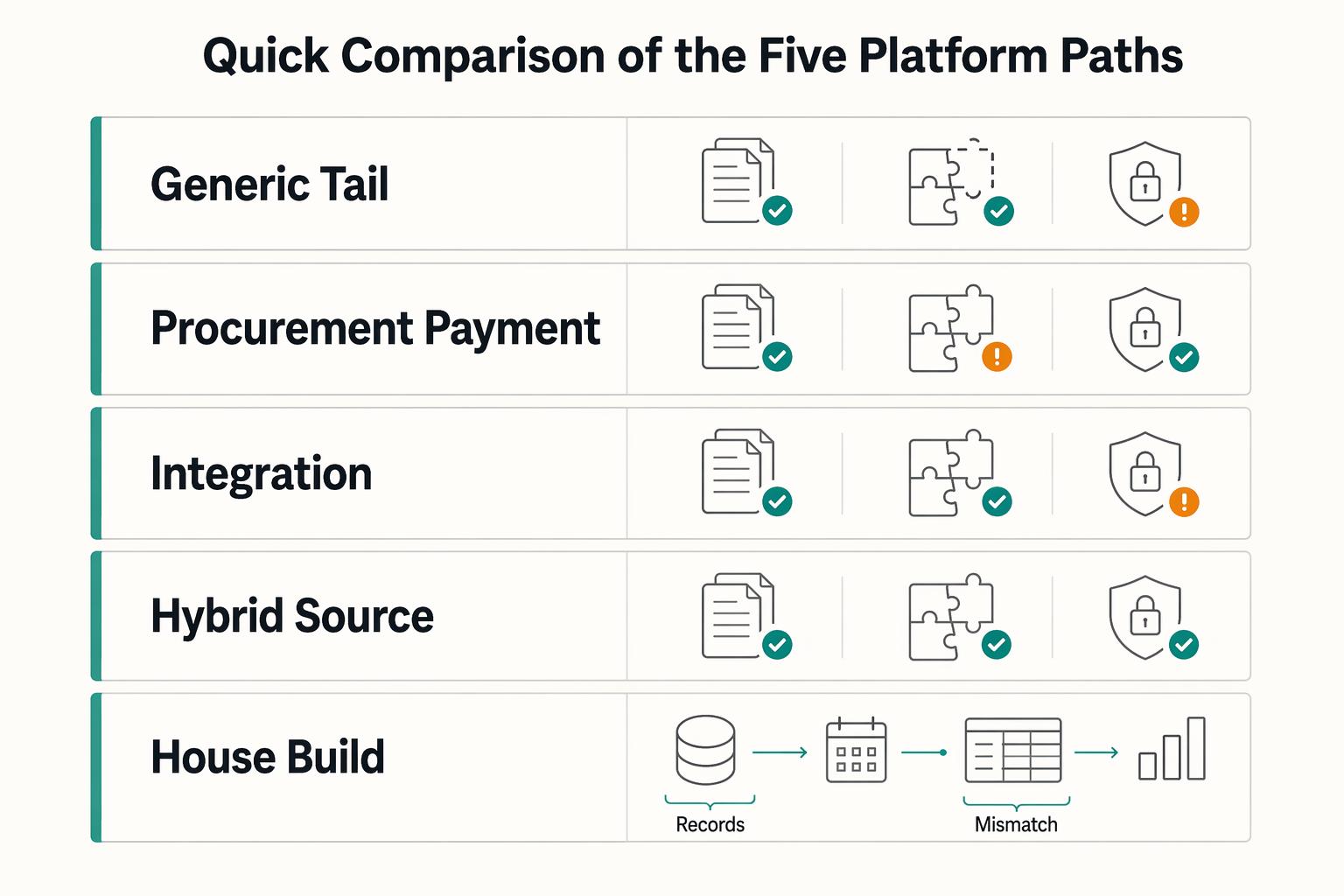
Tail-end spend management can start to break down when long-tail contractor payouts begin to scale. Tools built for low-value, low-visibility procurement can tighten approvals and policy. They are not automatically built for payout-state tracking, retry safety, payout failures, or reconciliation evidence. That gap is the real decision here.
How Platforms Reconcile Foreign Contractor Payments in QuickBooks Online
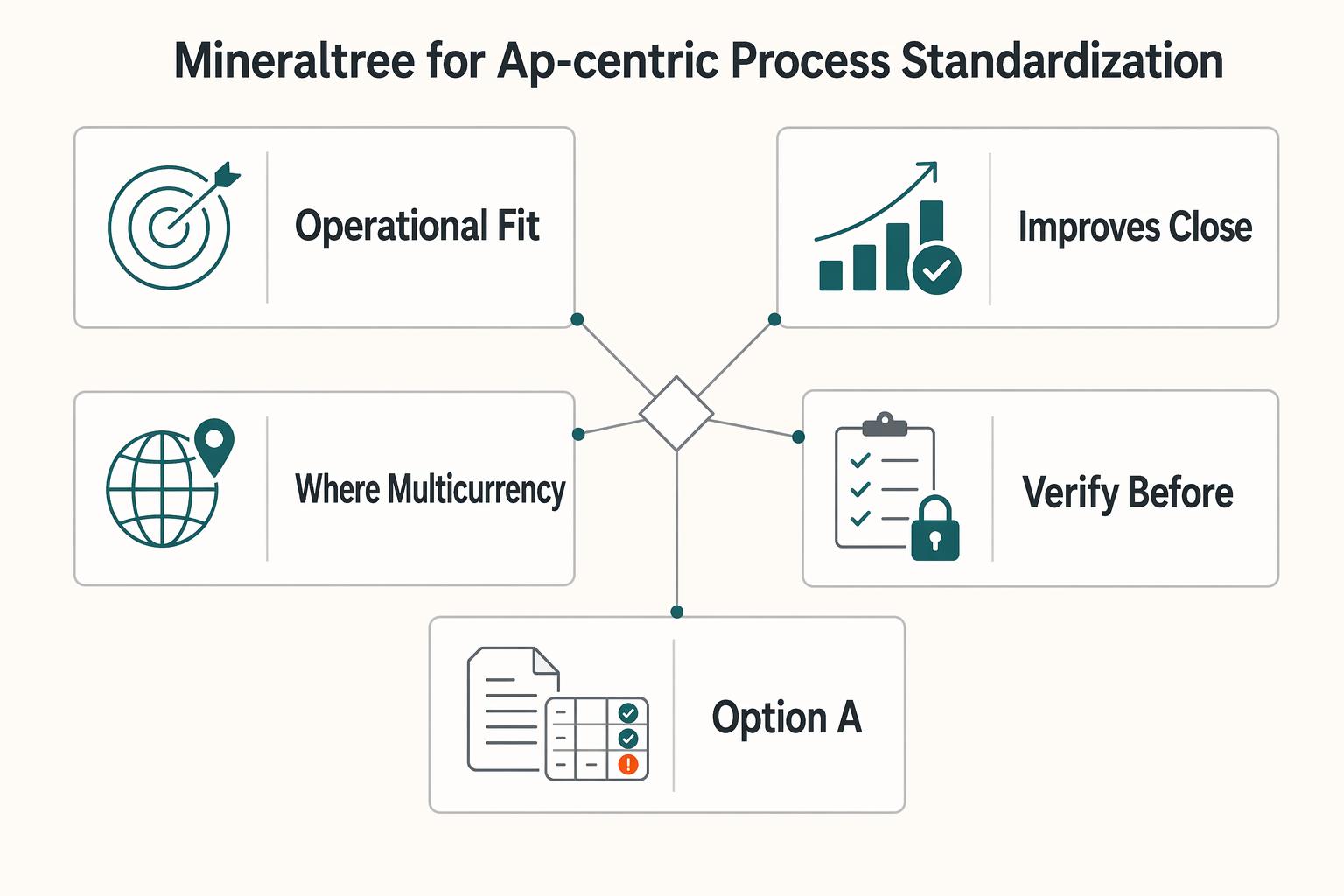
This guide is for CTOs, engineering leads, and finance ops owners who need foreign contractor payouts to reconcile cleanly in **QuickBooks Online** (`QBO`). The real question is not just whether you can send money. It is whether each payout maps back to the right vendor, bill, and payment record when Accounts Payable reviews the ledger.
IRS Form 1042-S for Platform Operators: How to Report and Withhold on Foreign Contractor Payments
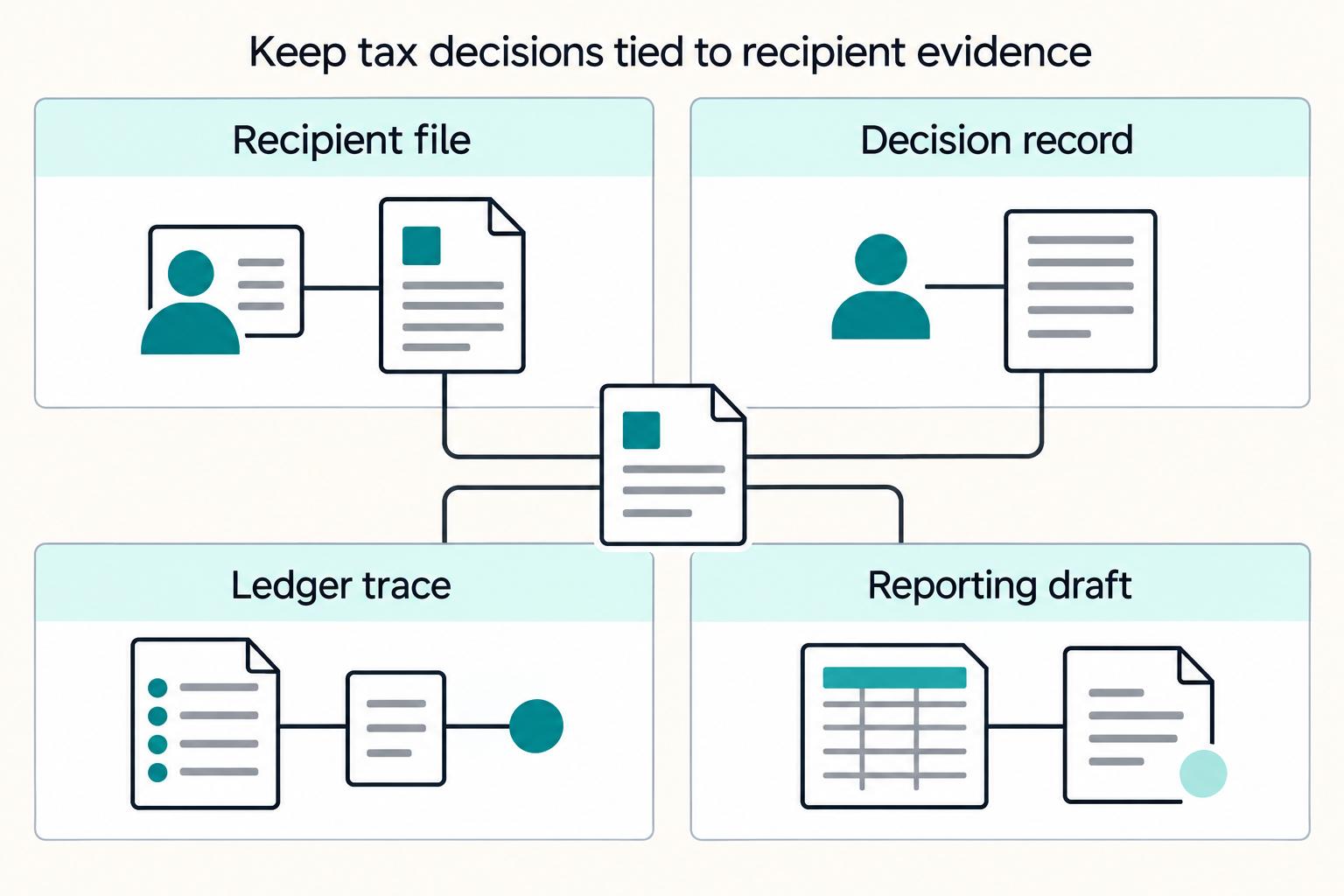
If you own compliance, legal, finance, or risk for a platform paying foreign contractors, sellers, or creators, you may need to make **Form 1042-S** operational. That means clear decisions, reliable checks, and escalation points your team can apply and defend.