
Quick Answer
Use a free NDA generator only after you define intake rules and record controls. For platform-contractor operations, the winning approach is to lock NDA type selection, standardize clause versions for Governing Law and Exclusions, and require retrievable executed files with signer evidence. Draft speed from tools like Lumin PDF, LEXR, LawDepot, or Jotform helps, but scale readiness depends on consistent approval order, controlled edits, and archive quality.
Free NDA Generator for Platform-Contractor Relationships Starts With Operations, Not Drafting#
A free NDA generator can speed up drafting, but in platform-contractor operations, the real risk is rarely the first draft. The risk is ending up with dozens or hundreds of contractor records that use different clauses, different signature paths, and different storage habits.
An NDA is a legal document between parties that creates a confidential relationship. In plain terms, it is meant to stop confidential information from being released to a third party or the general public. Many tools get you to a starting document quickly. Some position the NDA as a customizable template. Some stress editable terms. Some say the file can be emailed or saved locally. Some pair the draft with an Electronic Signature path such as Lumin Sign. That is useful, but it only solves the front end.
For finance and ops owners, the real work starts after the draft appears. You need the same agreement type chosen every time, the same approved clause set used every time, and the same evidence captured every time. If those controls are loose, you create avoidable cleanup work: unsigned files in onboarding folders, contractor profiles with no clear final version, or payout teams guessing whether confidentiality paperwork is actually complete.
A simple checkpoint helps separate a usable tool from a risky one. Before you make any generator your default, verify three things on a real test record:
- can you export or save the final document reliably
- can you prove who signed and which version was signed
- can your team store the executed file with the contractor record, not just in one person's inbox
That matters because generator output alone may not give you an audit-ready record. A draft NDA, even an editable one with core terms, is not the same as a controlled record. A practical evidence pack can include the final executed file, signer identity evidence from the signature step, the NDA type used, and the storage location tied to the contractor record. If your team cannot retrieve those items quickly, the process is not ready for scale.
This article stays on the operational layer. It is about document handling, consistency, approval points, and payout readiness, not legal advice on whether a clause will work in every jurisdiction. The goal is practical: use any generator path that fits your team, then apply decision checkpoints so each NDA is consistent, signable, and traceable.
By the end, you should be able to choose a generator path with clear tradeoffs. You should also be able to lock down clause standards for key confidentiality and related terms, and connect signed agreements to the compliance gates that determine whether a contractor can move forward.
For a step-by-step walkthrough, see Free Service Agreement Generator for Freelancers With Risk Controls.
What a Free NDA Generator Actually Gives You and What It Does Not#
A free NDA generator gives you a faster draft workflow, not a finished legal outcome on its own. In most cases, you get a template-style NDA draft that you can review and then copy, download, or receive as an editable Word file, with signing and storage handled in later steps.
| Aspect | What it covers | Ops implication |
|---|---|---|
| Draft workflow | Speeds up first-draft creation | It is not a finished legal outcome on its own |
| File access | You may be able to copy, download, or receive an editable Word file | Test one real record and confirm your required format is accessible |
| Legal inputs | Generators can capture Governing Law, confidentiality scope, and confidentiality period | Those are drafting inputs, not enforceability guarantees |
| Late-step flow details | Export, editability, or signature flow can be hidden until the end | Do not make that tool your default if those details stay hidden |
Treat that as an ops checkpoint: "free" may cover drafting, while retrieval and handoff can still depend on account setup, inbox delivery, or late-step prompts. Before rollout, test one real record and confirm your team can reliably access the file format your process requires.
Generators can capture important inputs like Governing Law, confidentiality scope, and confidentiality period. Some flows present duration options such as 1, 2, 3, or 5 years, and may also note common ranges like 2-5 years. Those are drafting inputs, not enforceability guarantees; remedies and jurisdiction fit still require explicit review.
Use a strict adoption rule: if export, editability, or signature flow is hidden until the end, do not make that tool your default. The common failure mode is operational: the draft exists, but the final file, signed version, or editable source is not retrievable when teams need it.
Pick the Right NDA Type Before You Generate Anything#
Choose the NDA type and core legal settings in your intake record before you generate a draft, because that one step drives consistency across review, signature, and storage.
Start with disclosure direction#
Make the first decision based on who is disclosing confidential information. A Mutual NDA protects both parties' confidential information, while Unilateral NDA protects only the disclosing party.
Use a required intake checkpoint before draft generation:
- Who is the disclosing party
- Whether both sides will share confidential information
- Selected NDA type
If that field is incomplete, stop the draft and resolve it first.
If you are using a template labeled for a different relationship structure, route it for review before sending.
Define scope and exclusions so reviews stay consistent#
Set Confidential Information in plain operational terms tied to what will actually be shared, so reviewers are not guessing case by case.
Handle Information Exclusions with the same discipline. Some tools let you add custom exclusions while handling standard exclusions separately, so treat exclusions as a review item, not a default assumption.
Lock Governing Law early in cross-border workflows#
Set Governing Law early, especially if your contractor mix spans jurisdictions, because generators explicitly require a jurisdiction/legal-framework choice. If exceptions are possible, assign an approver before drafts go out.
Also treat generated output as a template, not a finished legal position. For jurisdiction-specific use, get attorney review before relying on the NDA as binding. If your workflow includes remedy selection, confirm it explicitly before release, since some tools require at least one remedy to be selected.
This pairs well with our guide on Confidentiality vs. NDA: What's the Difference for Freelancers?.
Compare Tool Paths With an Ops Lens Before Standardizing One#
Standardize one primary NDA path and one fallback path before rollout. Mixed daily tool usage creates clause drift, naming drift, and extra audit work to prove what was actually signed.
Feature count is a weak first filter. Use governed decision-making as the filter: pick the path that gives outcomes your team can explain, measure, and audit.
Compare the path, not just the screen#
Treat Lumin PDF, LEXR, LawDepot, and Jotform as different operating models to test: AI drafting, guided legal template, or form-plus-signature flow with Jotform Sign. Then run the same operational checks on each path.
| Tool | Operating model to test | Output type check (PDF vs Word Document) | Editability check | Electronic Signature check | Sign-up friction check | Export checkpoint | Retrieval checkpoint |
|---|---|---|---|---|---|---|---|
| Lumin PDF | Test as a PDF-first drafting/editing path | Verify approved NDA output format(s) for archive | Verify clause edits stay controlled after review | Verify whether signature is in-path or separate | Record required user/admin setup steps | Can ops export the final executed file on demand? | Can reviewers retrieve signed artifacts without email chasing? |
| LawDepot | Test as a guided template path | Verify output format before rollout | Verify approved fallback language can be inserted cleanly | Verify signature completion and storage flow | Record minimum steps from intake to send | Can you export the exact signed file policy requires? | Can ops retrieve without requester intervention? |
| Jotform | Test as a form-plus-signature path with Jotform Sign | Verify final signed package format | Verify NDA text control before signature | Verify storage of executed agreement and signer artifacts | Record user, signer, and admin steps separately | Can you export reliably after all signatures? | Can ops retrieve agreement plus signer artifacts without manual chasing? |
Use consistency as the acceptance bar#
One current NDA generator listing describes an editable agreement built from structured inputs, including governing law and specific exclusions, and emphasizes consistent draft structure. Use that as your bar: if a path cannot reliably capture your intake fields, it should not be your default.
Template and form tools still need your approved clause standards and escalation rules. "Informational only, not legal advice" language is common, so your internal policy remains the control point.
Run a short pilot before standardizing#
Run one sample NDA through draft, review, signature, export, and retrieval for each path. If your team cannot pull the executed file and signed artifacts quickly without contacting the original sender, keep that path as fallback only.
Lock Clause Governance So Every NDA Looks the Same at Scale#
To keep NDAs consistent at scale, lock clause governance, not just the tool: use one approved clause library, controlled fallback variants, versioning, and a clear escalation rule.
Build the clause library around repeatable NDA structure#
NDA structure is usually repeatable, so treat drafting as controlled selection, not free-form editing. Build your library around the clauses most likely to drift in contractor workflows: Confidential Information, Exclusions, Remedies, and Governing Law.
For each clause, keep one default and any pre-approved fallback variants. If your workflow uses structured inputs and variables, map intake answers to clause selection so each generated draft resolves to an approved version. If someone needs custom pasted language in the body, treat it as a legal-review event, not routine ops editing.
Version every Confidentiality Agreement like an audited record#
Version control should replace filename guessing and inbox archaeology. Assign a version ID to each clause-library release, keep a short change log, and link every executed Confidentiality Agreement to the exact version used.
At minimum, record the version label, effective date, what changed, and who approved it. In audits or disputes, this lets you answer quickly which clause set applied at signing and whether the executed file matches that approved set.
Set the redline threshold before anyone requests signature#
Define one redline threshold table and publish it so ops, reviewers, and requesters follow the same rule path. Treat this as an internal control framework, then calibrate with counsel.
| Change request | Finance ops can approve | Requires legal review | Blocks Electronic Signature request |
|---|---|---|---|
| Typo fixes, party-name cleanup, metadata corrections with no clause meaning change | Yes | No | No |
| Swap to an approved fallback variant for Confidential Information, Exclusions, Remedies, or Governing Law | Yes, if text matches the approved variant exactly | If requested text is not already approved | Yes until matched or approved |
| New wording for Remedies or broader Exclusions than the library allows | No | Yes | Yes |
| Governing Law request outside approved options | No | Yes | Yes |
Use a hard decision rule: if a contractor asks for non-standard Remedies or broad Exclusions, route to legal before any Electronic Signature request. Before send, run a final diff check against the approved clause version in the record. After signing, store a minimal evidence pack: version ID, final file hash, signer identity evidence, and storage location.
Set the Approval and Signature Sequence With Clear Owners#
After you lock the clause library, make send order a hard control: no Electronic Signature request goes out until requester, reviewer, and approver steps are complete.
Use this sequence so ownership is explicit and repeatable:
- Requester submits intake with required metadata: contractor entity name, country, intended service scope, and NDA type (Mutual NDA or Unilateral NDA). If these fields are missing, the draft is not ready.
- Reviewer confirms clause selection matches the approved library and the selected NDA type matches the engagement facts. Use Mutual NDA only when both sides are sharing confidential information and both agree not to disclose the other party's information.
- Approver confirms jurisdiction choices and send readiness. This is where exceptions should escalate, especially because template providers note templates are informational, may contain errors, and are not legal advice.
- Then send for signature through the approved send path.
Require complete metadata before send#
Your strongest pre-send check is simple: do not send with missing fields. Capture the contractor legal entity name, engagement country, intended service scope, NDA type, and the confidential-information details to be exchanged. That aligns with template signing flows that collect confidential-information details before signature.
| Field | Why capture it | If missing or unsettled |
|---|---|---|
| Contractor legal entity name | Needed before send | Do not send with missing fields |
| Engagement country | Needed before send | Stop and resolve before send |
| Intended service scope | Needed before send | Do not send with missing fields |
| NDA type | Needed before send | Stop and resolve before send |
| Confidential-information details to be exchanged | Template signing flows collect these details before signature | Stop and resolve before send |
If country, NDA type, or exchange details are unsettled, stop and resolve them before send. Sending first and fixing later creates mismatches between the signed file and onboarding records.
Keep signer checks aligned with payout risk controls#
Use one identity-ownership standard across onboarding and contracts. For individuals, the signer and named party should align with the onboarding profile. For businesses, the NDA entity name should match the vendor record, and signer capacity should be captured for that entity.
If your process already has KYC, KYB, or AML ownership lines, keep contract approval ownership aligned to those same lines rather than creating a separate contract-only path.
Block onboarding on partial execution#
Do not allow unsigned or partially signed NDAs into onboarding as complete. Keep progression blocked until signature status and storage checks both pass.
Before marking an NDA complete, confirm the executed file is stored in the authoritative location and tied to the record with metadata, signer evidence, and clause version reference. If you only have a draft file, a one-sided signature, or an inbox copy, route it to exceptions instead of continuing contractor setup.
Connect Signed NDAs to Onboarding, Tax, and Payout Readiness#
A signed NDA should be a readiness signal, not the finish line. Treat it as one state in a broader onboarding path so agreement status, tax documentation status, and payout setup status stay separate and easy to audit.
Signature workflows are often framed as the trigger for what comes next, and that only helps when downstream states are explicit. Keep clear fields so ops and finance can tell whether someone is missing the agreement, missing required tax documentation, or simply has not completed payout routing.
A clean release order is straightforward:
- Executed NDA is stored in the authoritative record with the final file and signer evidence.
- Required onboarding checks are complete under your program policy.
- Then payout routing can open for payment details.
The key verification control is stored evidence, not a generic signed flag. If the signed file is not attached to the contractor record, or signer evidence is not retrievable, do not mark the contractor payout-ready.
Write the country and program caveat into the process#
State clearly in your process docs that onboarding and payout requirements can vary by country or program. Keep that branching logic in onboarding and payout controls, rather than assuming NDA completion means full release in every case.
Build evidence finance can reconcile later#
When a contractor is blocked or released in a pay cycle, the record should show why without extra investigation. At minimum, keep:
| Record item | What to keep | Why it matters |
|---|---|---|
| NDA execution timestamp and storage location | Keep both in the record | Shows execution timing and where the file is stored |
| Signer evidence availability | Record whether signer evidence is available | Helps explain later holds or releases without extra investigation |
| Tax-documentation status fields | Keep the status fields used by your process | Keeps tax documentation separate from NDA status |
| Onboarding/compliance status fields | Keep the status fields used by your process | Keeps onboarding and compliance status separate from NDA status |
| Payout routing opened timestamp | Keep the timestamp for when payout routing was opened | Shows when payout routing became available |
Avoid collapsing these into one generic approval flag. For a related control problem, see Free Trial Abuse Prevention for Platforms Blocking Serial Trial Exploiters.
Common Failure Modes in Contractor NDA Operations and How to Catch Them Early#
Most contractor NDA failures are operational, not dramatic: the wrong agreement type is selected, wording changes across drafts, or records are archived without enough context to verify what was signed.
Stop wrong template sends at intake#
When teams create NDAs at volume, mistakes become more likely. Add an intake check that confirms relationship type and NDA type before sending, since NDAs generally fall into two categories: unilateral and mutual.
If that choice is unclear, pause the send and review. Also spell out Non-Disclosure Agreement in forms and archive labels so "NDA" is not confused with unrelated uses of the same acronym.
Keep agreement text and execution records consistent#
If NDA text is edited in multiple places, it becomes harder to confirm which version was actually approved and sent. Use one controlled template source and make version tracking visible in your workflow.
Treat execution evidence as part of the same control. A signed file should be easy to trace back to the exact agreement version and signing record in your archive before the contractor moves forward in onboarding.
Test assumptions before standardizing on a "free" workflow#
A free workflow can be a useful starting point, but your process still needs clear checks for what gets stored, what can be exported, and what your team can verify later during operations. Validate those conditions early so you do not discover process gaps only after usage grows.
Related: How to Handle a Client Who is Micromanaging Your Project.
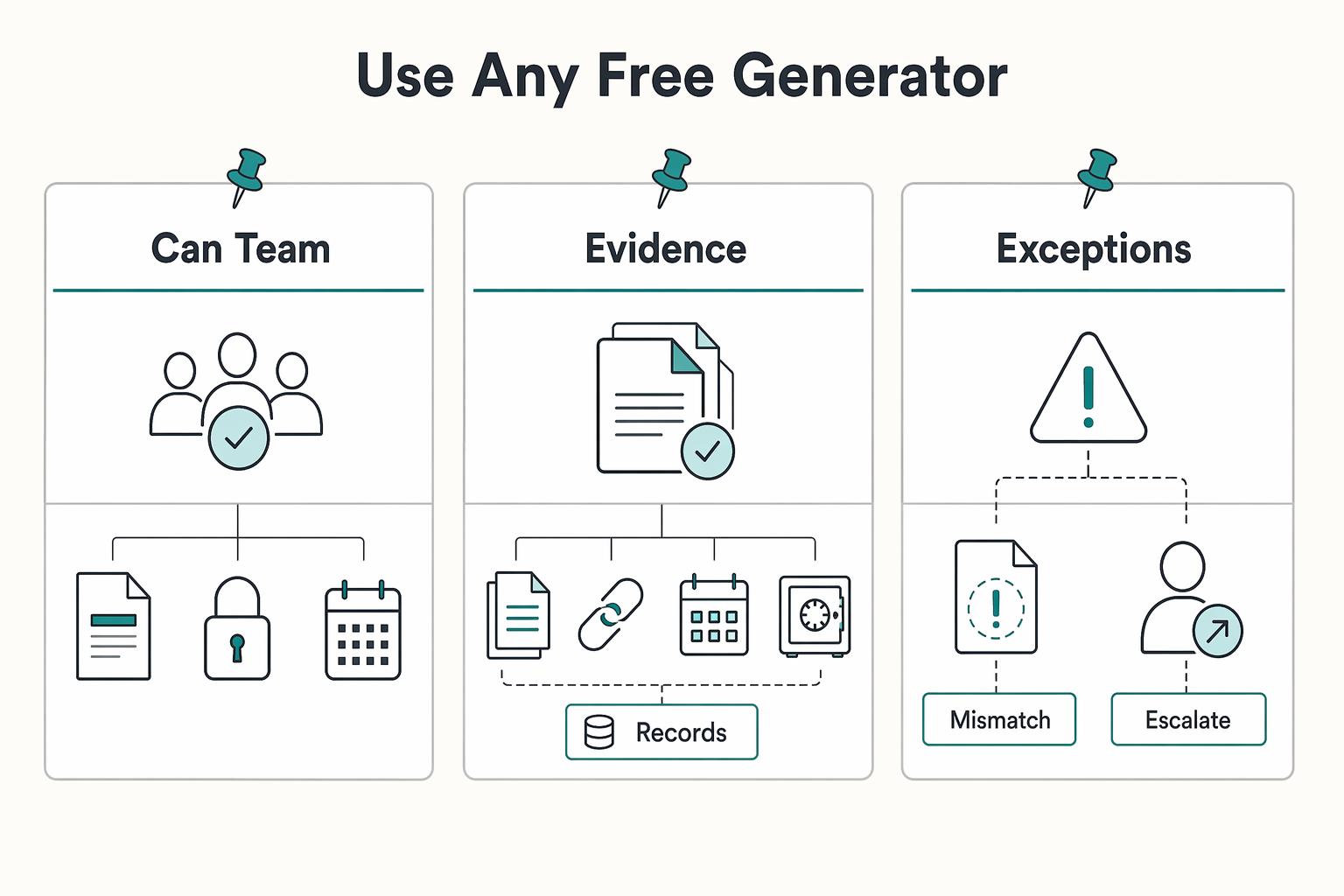
Use Any Free Generator, but Operate It Like a Controlled Financial Process#
Tool choice is secondary; control is the real decision. Use any free NDA generator only if you can keep one clause source, one approval path, and one complete evidence trail for every NDA.
Lumin positions its tool as free, AI-assisted drafting with mutual, employee, and unilateral paths. LEXR describes a guided flow that can deliver an editable Word file, including inbox delivery. Those differences help with drafting speed, but you still need consistent internal controls around what gets sent, approved, signed, and stored.
Run a 2-week pilot on a tight scope: one NDA type, one clause library, one signature path, and one clear owner for edge cases.
Use explicit checkpoints during the pilot:
- Can your team produce the same NDA structure each time without ad hoc clause edits?
- Can you reliably export and retrieve the final document package?
- Can you show who approved the send, who signed, and where the executed record is stored?
- What is the escalation path when someone requests non-standard terms (for example, governing law, exclusions, or NDA type)?
Keep rollout narrow until those checkpoints are stable. If you operate across countries, confirm jurisdiction and internal policy requirements before scaling one template as a default, since coverage and compliance steps can vary by market and program.
The operating standard should stay simple: same intake data, same clause source, same approval rule, same storage result. Once that is stable, switching drafting tools carries less risk.
For a related operator-side issue, read Contractor vs Employee Classification Tool for Platform Operators.
Frequently Asked Questions
What is a free NDA generator, and what does it usually include?
A free NDA generator usually helps you produce a draft Non-Disclosure Agreement quickly by filling in core terms. Common inputs include whether the NDA is mutual or unilateral, the scope of confidential information, standard exclusions, duration, and governing law. Some tools show duration choices such as 1, 2, 3, or 5 years, and some also offer perpetual terms. Treat the output as a starting document, not proof that it fits your jurisdiction or is ready to sign unchanged.
How do I choose between a Mutual NDA and a Unilateral NDA for contractors?
Use a Mutual NDA when both sides will disclose sensitive information. Use a Unilateral NDA when only one side is disclosing confidential information. A simple operator rule helps here: if the requester cannot clearly explain what confidential information the contractor is also sharing, pause before selecting mutual.
Is a template from LEXR or similar tools enough for cross-border use?
Not by itself. A template can speed drafting, but it does not answer whether the governing law and scope fit the contractor's country and your risk posture. Even where a provider offers an editable Word document without signup, as LEXR says it does, you still need legal review before treating it as your default for cross-border use.
What should I verify before trusting “free” claims for NDA tools?
Check what is actually free. Draft creation, editable export, and access to the final file can differ by provider. Also check whether the tool presents the document as informational template content or markets it as legally binding, because those are very different positions. A practical checkpoint is to create a test NDA, export it, and confirm your team can retrieve and edit the final document without unexpected friction.
How should Electronic Signature records be stored for audit readiness?
There are no electronic-signature storage or audit-trail standards set out here. Treat this as a separate legal/compliance requirement and define the exact record package and retention approach with qualified counsel for your jurisdiction.
When should a non-standard NDA request be escalated instead of approved by ops?
Escalate when the counterparty asks to change governing law, confidentiality scope, exclusions, or core duration terms outside your approved text. The same goes for requests tied to jurisdiction mismatch or clauses that do not fit your normal contractor model. A common failure mode is approving a small redline that can materially change obligations or exceptions.
How do NDAs connect to payout gating steps like KYC, tax forms (W-8/W-9), and AML checks?
There are no payout-gating requirements for KYC, AML, or tax forms defined here. Treat NDA completion and those checks as separate controls under your own policy, and keep traceability clear so holds are attributable to the correct requirement.
Try a related tool
Researched and edited by the Gruv editorial team. Gruv builds cross-border billing, payouts, and finance-operations software for global businesses.
Sources
- accessdata.fda.gov/drugsatfda_docs/nda/2024/022335Orig1s000Mult...trusted
- acus.gov/sites/default/files/documents/D4%201988-10%2...trusted
- clarkson.edu/sites/default/files/2025-03/2024-2025%20Stud...trusted
- congress.gov/bill/118th-congress/senate-bill/4638/texttrusted
- faa.gov/documentLibrary/media/Advisory_Circular/150-...trusted
- federalregister.gov/documents/2023/01/19/2023-00414/non-compete-...trusted
- le.fbi.gov/file-repository/cjis_security_policy_v6-0_20...trusted
- mountunion.edu/Documents/Campus%20Life/Safety%20and%20Parki...trusted
Educational content only. Not legal, tax, or financial advice.
Related Posts
A Biotech Consultant's Guide to IP Protection in Contracts
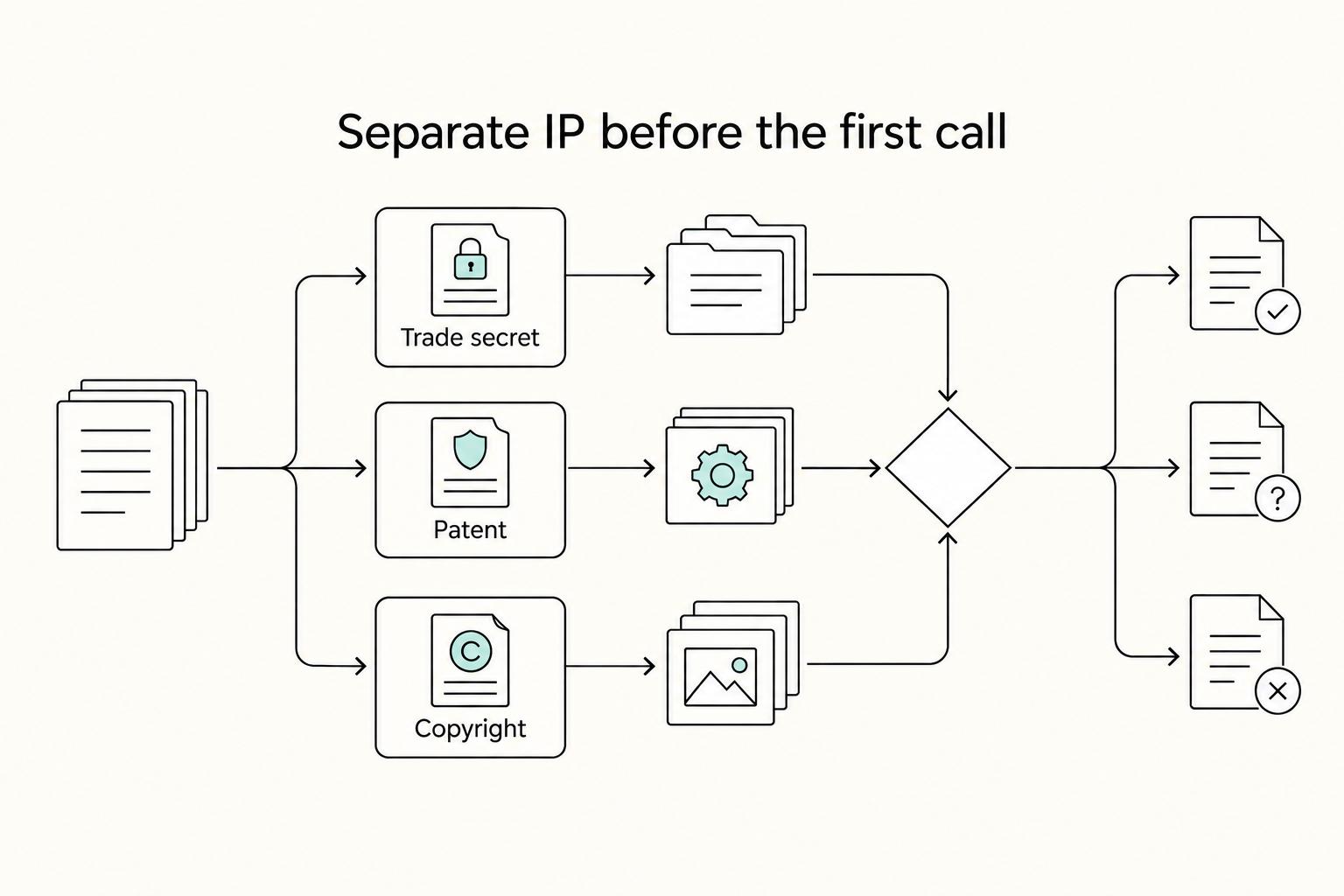
For biotech consultants, protection starts before any contract markup. The job is straightforward: document what you already own, control what you disclose, and separate reusable IP from client-paid outputs before the first call.
How to Handle a Client Who is Micromanaging Your Project
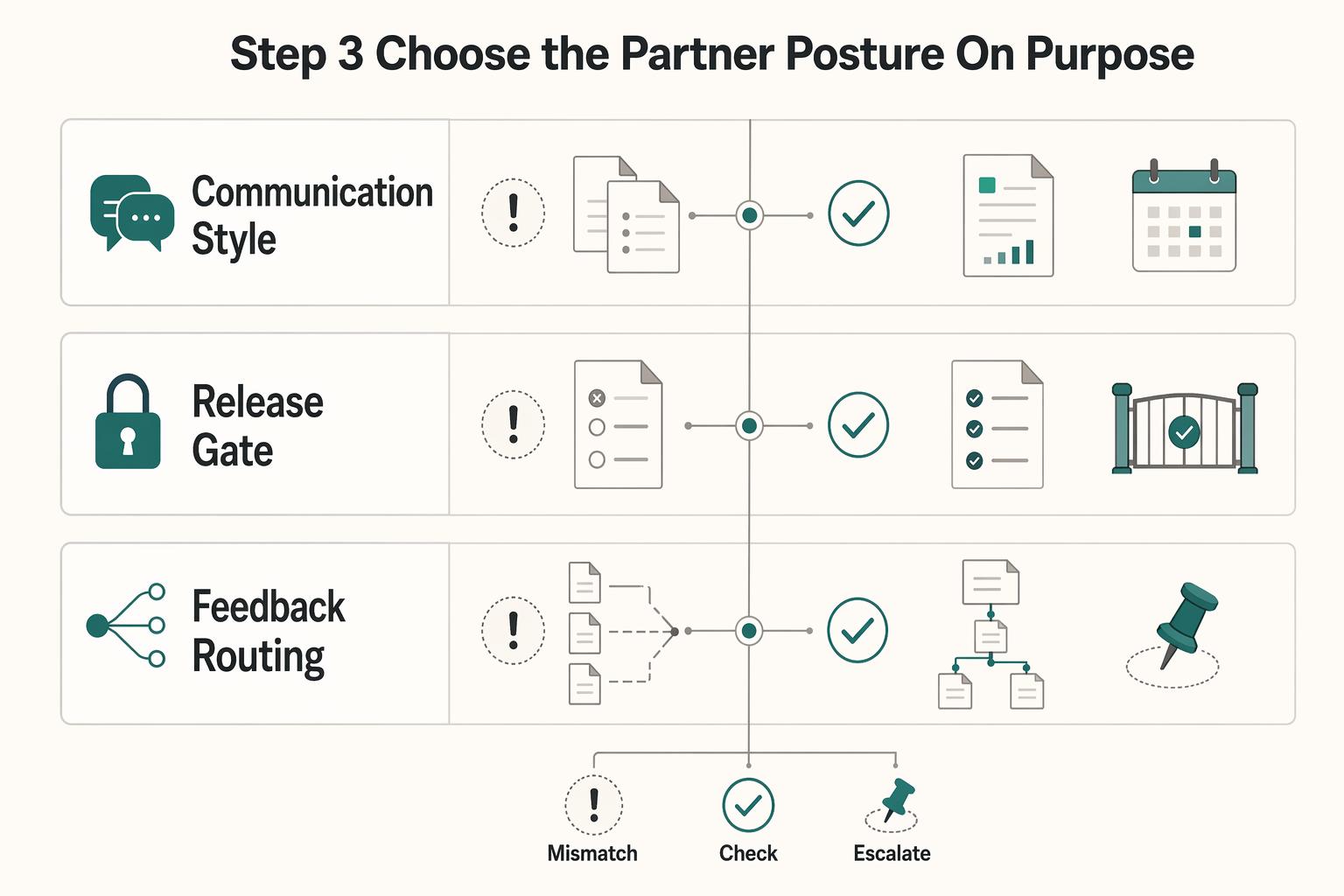
Treat a **client micromanaging project** as an operating risk first, not a personality problem. Before you debate tone or intent, measure what the interruptions are doing to delivery time, focus, and team capacity. If you do not track them, you can keep absorbing them as "just part of client service" even when they are quietly reducing the value of the engagement.

How to Set Boundaries with Clients as a Freelancer
If you want to set boundaries with clients without sounding rigid or reactive, stop deciding case by case in the moment. Decide once, in writing, then respond the same way every time a request hits a known trigger.