
Quick Answer
Approval lag, recoding and missing status reveal a manual invoice-processing bottleneck. Stabilize intake and ownership, then automate the measured repetitive work while preserving human exception review. Keep payment approval separate from accounting recognition, and validate the new workflow in shadow mode before changing the authoritative posting/payment path.
Manual invoice handling often looks harmless when volume is low#
Manual invoice handling often looks harmless when volume is low. A few inbox rules, a shared spreadsheet, and some approval chasing can keep Accounts Payable (AP) moving well enough that changing the process feels unnecessary. The trouble is that growth rarely breaks this setup all at once. It usually shows up first as approval drag, missing-invoice follow-ups, data inconsistencies, and extra time spent verifying data that should have been right the first time.
That is the scalability wall for manual invoice processing. It is the point where a process that used to be merely inconvenient becomes a real operational bottleneck. Teams feel it in longer approval delays, repeated follow-up, and growing difficulty meeting compliance requirements that get more technical as the business expands. Spreadsheet-driven and paper-driven methods can seem manageable until growth turns them from a workable stopgap into a bottleneck.
Scattered email, folders and checklists make ownership and evidence harder to reconstruct. Review screening, validation and applicable market-specific e-invoicing/reporting requirements. Automation can support those controls, but its absence alone does not establish a compliance violation.
Measure your own handling cost: intake, validation, approval chasing, recoding, exception review and reconciliation time per invoice. Rising rework can make volume growth expensive even before a team adds headcount. Compare those measured costs with a controlled automation pilot rather than importing an unexplained universal benchmark.
This article is for finance, operations, and product owners who share responsibility for invoice-to-pay, reporting, and payment readiness across programs and markets. The point is not to argue that every step must be automated. It is to help you spot the wall early, understand where manual handling breaks first, and redesign the process into something traceable and control-first. If your team is adding approvals, inboxes, and headcount just to stay even, that is usually a sign to fix intake, routing, and evidence before adding more labor.
If you want a simple rule going in, use this one: once manual effort is rising faster than invoice volume, treat the issue as a control design problem, not just a staffing problem. The sections that follow show what to watch, what to change first, and how to make those changes without putting live payment operations at risk.
For pre-payment invoice controls, see Proforma Invoice Controls for Contractor Platform Pre-Payment Workflows.
What the scalability wall means in real operations#
The wall is the point where manual invoice processing stops scaling as demand rises, and control starts to break before volume does. In this context, manual processing means human-driven intake, coding, approval, and posting, plus the follow-ups, missing-invoice chasing, and data verification that come with it. It can feel manageable for a while, then turn into a bottleneck during growth.
Treat this as a control issue, not just a speed issue. Approval delays and after-the-fact recoding do more than slow AP down. They make records harder to trace and consistency harder to maintain as complexity grows. A practical check is whether you can confirm receipt date, coding decision, approver, and posting status without piecing evidence together across scattered threads.
That is why OCR alone is not enough. OCR can read invoice text, but text capture by itself does not fix weak approval discipline or incomplete auditability. Some tools go further with context-aware automation and AI-driven auto-coding suggestions for GL and tax codes based on historical data.
Count automation as progress only when it reduces rework and makes invoice-to-pay decisions easier to verify. If exceptions still bounce between inboxes, you may have improved intake without improving control. Related: What Is Straight-Through Processing (STP)? How Automating Payment Matching Eliminates Manual Work.
Early warning signals your team is about to stall#
The earliest warning is rarely invoice volume itself. It is the widening gap between what your dashboard reports and what your team still has to resolve manually. Sales can rise while cash flow gaps, rising costs, and process inefficiencies stay hidden, so you need operating signals beyond a single "processed this week" count.
Keep the signal board small and practical. Focus on checks that show where work is slowing, where rework is rising, and whether your status data is complete enough to trust.
| Check | What to watch | Verification detail |
|---|---|---|
| Work-in-progress by stage | Pileups at intake, coding, approval, or posting | Compare stage counts week over week to see where flow stops |
| Rework after first pass | More invoices needing correction before final posting | Sample corrected invoices and note whether the issue was source data, unclear rules, or manual entry |
| Status-data completeness | More records missing key state changes or handoff details | Review a sample and confirm state history is visible, consistent, and traceable |
Quality drift matters as much as throughput. If more work needs correction and state history is fragmented, controls are weakening even if payments are still going out. That aligns with the broader pattern: incomplete, inconsistent, or siloed data reduces the reliability of operational insight.
Use a simple decision rule: if handoff delays and unresolved work rise together across multiple review cycles, redesign intake and routing before you add headcount. Extra capacity can clear queues briefly, but it does not fix weak process design or data silos.
Make ownership explicit for coding quality, queue flow, and status-event completeness so issues show up early and land with the right team.
Where manual invoice processing breaks first#
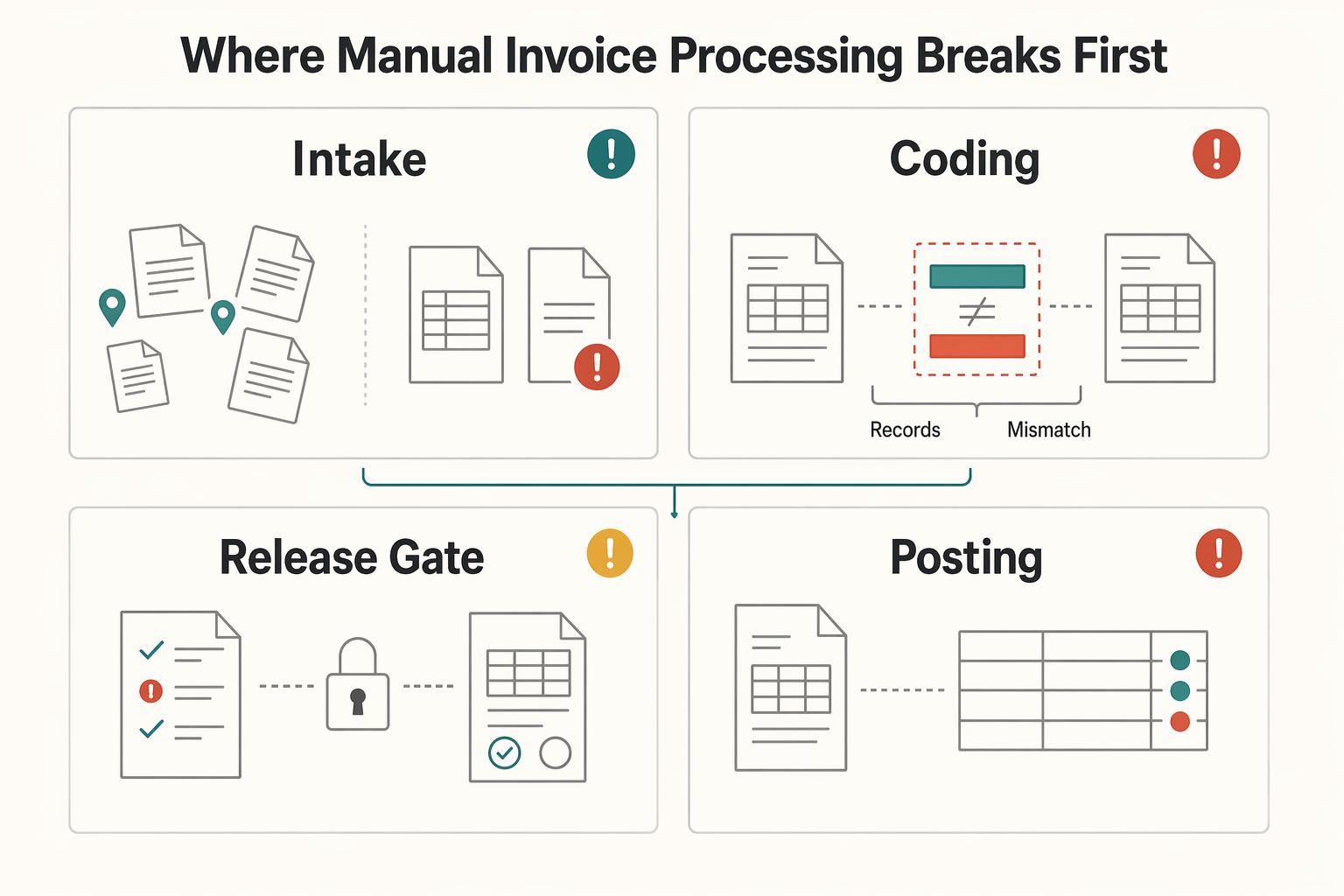
Manual invoice workflows usually break at intake first, then the damage spreads into coding, approvals, and posting because each later step depends on what happened earlier in invoice-to-pay.
| Stage | What breaks first | What you should verify | Common failure mode |
|---|---|---|---|
| Intake | Invoices arrive through scattered channels such as inboxes, spreadsheets, and paper records | Check whether every invoice gets a unique ID, receipt timestamp, owner, and source document at receipt | Teams chase missing invoices, process duplicates, or restart work because the current version is unclear |
| Coding | Manual entry creates inconsistent GL codes and tax codes | Sample recently corrected entries and compare first-pass coding to final coding | Reconciliation noise rises because coding decisions are inconsistent or hard to trace |
| Approval | Follow-ups happen through email or chat instead of the recorded approval path | Confirm the approval log shows who approved, in what order, and against which invoice version | Approval delays increase and the audit trail becomes incomplete |
| Posting | Final status is fragmented across tools and records | Match approved invoices to posted records and flag unclear or conflicting status | Teams cannot quickly prove what is actually posted versus still in exception handling |
Intake is usually the first break. When submissions are scattered and intake records are weak, AP spends time on manual follow-ups, chasing missing invoices, and verifying data instead of clearing work. If you cannot quickly answer "where did this invoice enter, who owns it now, and which document is current?" fix intake before tuning approvals or reporting.
Coding is the next weak point as volume rises. Manual GL and tax coding can look manageable in a small queue, but inconsistency compounds and shows up later as recoding and reconciliation friction. Track first-pass accuracy by sampling posted invoices and comparing initial coding to final coding, then tag the cause: source-data quality, unclear rules, or keying error.
Approvals usually fail through side channels. Once decisions move to email, chat, or verbal confirmation, the recorded path no longer matches reality. That is where approval delays and audit exposure tend to rise together.
Posting is where these earlier defects become visible. If intake, coding, and approvals are not consistently traceable, confidence in posted status drops and fragmented workflows keep finance teams in rework instead of higher-value analysis. Keep a compact exception pack for each disputed item: source invoice, coding rationale, approval record, and posting record.
For the automation tradeoff, use AP Automation vs. Manual AP Processing: A Cost-Benefit Analysis for Marketplace Operators.
Decide what to automate first and what to keep manual#
Automate the repetitive, rule-based steps first, and keep judgment-heavy decisions manual until your workflow is stable end to end. In practice, that means fixing intake and routing before you push deeper automation into coding and posting.
| Order | Step | Detail |
|---|---|---|
| 1 | Automate intake and routing | Invoices enter one tracked workflow |
| 2 | Add extraction and validation | Missing or unclear fields are caught early |
| 3 | Automate approval routing | On the recorded path before ledger-facing sync |
| 4 | Add coding support and posting/export controls | Only after upstream flow is reliable |
| 5 | Keep exceptions in a governed queue | Policy exceptions, disputed invoices, and high-risk approvals have clear owners |
Start by creating one controlled intake path, then layer automation so each step feeds the next instead of creating new handoffs or data gaps. OCR/IDP is useful for extracting and validating invoice data. AI-driven auto-coding is better treated as decision support until you see consistent first-pass reliability.
A simple rule helps: if a step is repetitive and rule-based, automate it; if it depends on policy interpretation or exception handling, keep a human in the loop. This avoids scaling chaos and prevents moving bad inputs downstream faster.
For approval-routing design, see Build an Invoice Approval Workflow Platform with Clear Escalation Rules.
Design a control-first target state that scales#
Make traceability, accounting status and payment readiness visible separately. Carry approved context into posting where relevant, while recognizing required accruals/liabilities and actual executed activity under accounting policy even when payment approval is pending.
| Area | Record requirement | Why it matters |
|---|---|---|
| Traceability | One continuous path from receipt or request through approval, posting, and export/handoff, with an owner, timestamp, and durable reference at each step | Someone outside the original team can reconstruct the path from the system record alone |
| Accounting and release alignment | Recognize required liabilities/accruals and executed effects; track payment authorization separately | Approval context supports reconciliation without suppressing legitimate accounting records |
| Readiness gates | Clear states show what is approved, posted, exported, and ready for the next financial action | Compliance checks at acceptance and again before export/reporting handoff catch missing requirements before rework spreads |
Make traceability non-negotiable#
Treat the audit trail as a product requirement. For each invoice, you should be able to trace one continuous path from receipt or request through approval, posting, and export/handoff, with an owner, timestamp, and durable reference at each step.
A simple stress test is whether someone outside the original team can reconstruct that path from the system record alone. If they still need inboxes, chat history, or memory to explain what happened, the process is not ready to scale.
Protect invoice identity early. If one invoice can appear under different IDs across intake, approval, and posting, duplicate risk and reopen loops follow.
Tie accounting and operations to the same approved record#
Approved context should travel with journal and reconciliation references. Payment approval governs release; it is not a reason to suppress valid unapproved accruals/liabilities or already executed cash effects required by accounting policy. Route missing evidence to an owned exception with visible accounting and release status.
Strong governance is explicit about purpose, ledger identifiers, references, and transaction details. Your structure does not need to mirror any single framework, but the discipline should be the same: the posted record should stand on its own.
This is what makes regular AP reconciliation review faster and more reliable. Clean inheritance from approval to posting reduces recoding, rematching, and exception churn.
Add explicit readiness gates for settlement, payout, and compliance#
Do not let downstream teams infer readiness from a vague approved state. Define clear states for what is approved, posted, exported, and ready for the next financial action.
In multi-entity operations, keep centralized visibility while preserving local compliance controls. Entities may run different tax, banking, vendor, and ERP structures, while headquarters still needs a unified, normalized reporting view before close.
If your programs operate under e-invoicing or digital tax-reporting obligations, place compliance checks at acceptance and again before export/reporting handoff so missing requirements are caught before rework spreads.
The practical end state is fewer manual touches on routine invoices, governed handling for exceptions, clearer ownership, and more trustworthy status across finance, operations, and product.
Implement in phases without disrupting payment operations#
A phased rollout is the safest way to scale AP without pushing fragile steps into production too early. Start by stabilizing intake and approvals, then harden coding and posting, and only then optimize exceptions and reporting.
| Phase | What changes first | What to verify before moving on |
|---|---|---|
| 1 | Intake, extraction, validation, approval routing | Invoices from paper, PDF, and email are handled in one controlled flow, and approval delays are trending down |
| 2 | Coding support, matching, posting rules, accounting export | Coding and posting are more consistent, and error rates are dropping instead of rising with volume |
| 3 | Exception handling, reporting views, close support | Exception volume is manageable, and reporting reflects the same records used in approval and posting |
That order matters because automation helps most when it can ingest, extract, validate, and route invoice data consistently. If approval discipline is weak, connecting accounting exports earlier only moves bad inputs faster.
Validate approval and accounting rules before live sync#
Test approval routing and accounting-recognition rules before connecting new live posting/export paths. Inconsistent data can propagate downstream, but pending payment approval does not excuse omitting required liabilities or accruals. Preserve the existing authoritative accounting path until the new route passes controlled validation.
Keep Phase 2 realistic about OCR and rules#
Basic OCR and fixed rules can help with capture, but they are not enough for all AP demands. Keep human review for ambiguous coding and edge cases until outcomes are consistently reliable.
Track scale pressure signals at each phase#
Use each phase to confirm approvals are not stalling, errors are not climbing, and manual effort is not expanding as volume rises. If those signals worsen, pause expansion and fix the earlier phase before moving forward.
For a step-by-step walkthrough, see Invoice API Integration for Programmatic Generation on Your Platform.
Verification checkpoints before you call migration successful#
Validate the replacement with shadow outputs and one authoritative posting/payment execution path. Stable invoice, payment-action and journal identities prevent the old and new systems from both creating money movement or accounting effects.
| Release check | What to confirm |
|---|---|
| Traceability | Clear audit trail samples from intake through approval, posting, and export |
| Accounting outcomes | Accounting outcomes are easier to support at close, with fewer unexplained corrections after export |
| Operational behavior | Approvals, exception handling, and payout execution are stabilizing in live conditions |
| Compliance | Checks are explicitly signed off where required for the market or program |
Compare old and new calculations, routing decisions and evidence side by side in a shadow environment. Keep one authoritative live writer for each payment and financial effect; reconcile differences before cutover rather than submitting both paths.
A practical release review should confirm:
- Traceability is complete across the flow, with clear audit trail samples from intake through approval, posting, and export.
- Accounting outcomes are easier to support at close, with fewer unexplained corrections after export.
- Operational behavior is stabilizing in live conditions, including approvals, exception handling, and payout execution.
- Compliance checks are explicitly signed off where required for your market or program.
Choose promote, hold or rollback from evidence and risk. Rollback stops or restores future routing; it cannot erase an executed payment or posted journal. Reconcile actual effects and use supported cancellations, refunds or linked accounting corrections where applicable.
For the full receipt-to-payment workflow, see Invoice Processing for Platforms: The Complete Workflow from Receipt to Payment.
Conclusion#
The cost of the scalability wall includes lost visibility across invoices, approvals and payment follow-through. Faster capture helps only when ownership, exceptions and accounting/release decisions remain traceable through close.
That is why invoice-to-pay needs to be managed as a traced lifecycle, not a set of disconnected tasks. In practice, solid invoice tracking means you can follow an invoice from receipt logging to accuracy verification, through approvals, and on to final payment confirmation. If any of those stages are informal, owned by nobody, or visible only through email, you still have a manual bottleneck even if part of the flow looks automated.
The execution order is usually simpler than teams expect. Detect the signals early, redesign the steps where work actually stalls first, then scale only after you can prove control with checkpoints and evidence. A common trap is trying to automate more volume before fixing intake or approval visibility. That only moves the problem around. An invoice can still sit in a shared inbox waiting for someone to key it into a system of record. An automated path can still fail on an edge case and send work back to manual handling.
A practical review should answer three questions:
- Where does each invoice stage live today: receipt, verification, approval, and payment confirmation?
- Who owns each stage when something is late, missing, or disputed?
- What evidence can you pull right now to prove status without relying on side conversations?
Your first checkpoint does not need to be elaborate, but it should be specific. Pick a small sample of recent invoices and test whether you can show the receipt record, the verification step, the approval history, and the payment outcome for each one. If you cannot do that cleanly, do not start by adding headcount or promising a broader automation rollout. Fix the highest-friction stage first, usually intake or approval routing, and make status visible enough that exceptions stop hiding.
That is the durable path past the wall. You are not aiming for a prettier version of manual invoice processing. You are building an invoice-to-pay operation that can grow without losing traceability, without normalizing ad hoc payment behavior, and without guessing whether finance and operations are working from the same truth. Map the stages, assign the owners, and run that first checkpoint review.
Frequently Asked Questions
What is the manual invoice processing scalability wall in one sentence, and how is it different from normal growth pain?
It is the point where a process that once felt manageable becomes a bottleneck as volume grows. Normal growth pain is mostly more work; the wall is where delays, error risk, and visibility problems start compounding.
What are the earliest warning signs that our AP process is about to fail at scale?
Watch for longer approval delays, growing backlogs, and more processing errors or rework at the same time. If volume rises and file or document handling starts feeling cumbersome, that is a strong sign the manual process is approaching its limit.
What usually breaks first in invoice-to-pay when transaction volume rises quickly?
For illustration, invoices may arrive by email, be saved to a shared folder, then be manually entered and routed. Without stable receipt, owner and version records, a finance team must chase status and reconstruct project costs. This is a workflow example, not a reported customer case.
How can we decide when to automate versus add more AP staff?
Automate when recurring backlogs, approval delays, and error-prone manual steps keep returning as volume rises. Adding staff can relieve short-term pressure, but labor-intensive manual workflows still get harder to scale as volume grows.
Which parts of AP automation should be implemented first for the fastest control gains?
Start with the measured bottleneck. Where receipt and routing are fragmented, stabilize those first; where intake already works, target repetitive validation or coding. Keep ambiguous GL/tax-code suggestions and disputed items under human review, and validate before increasing autonomous posting.
What does good look like after migration in terms of auditability and reconciliation quality?
Good means clearer traceability and status visibility with less dependence on ad hoc email follow-up. It also means fewer delay-driven surprises and easier reconciliation because there is less manual rework in the flow.
Which requirements vary by country or program, and how should teams confirm them safely?
The main variable area is compliance tied to e-invoicing mandates and digital tax reporting. Those can differ by market or program and may include technical requirements that manual teams do not handle reliably. The safe check is explicit signoff from the responsible owner for that country or program before rollout.
Try a related tool
Researched and edited by the Gruv editorial team. Gruv builds cross-border billing, payouts, and finance-operations software for global businesses.
Sources
Includes 4 external sources outside the trusted-domain allowlist.
Educational content only. Not legal, tax, or financial advice.
Related Posts
AP Automation vs Manual AP Processing for Marketplace Operators
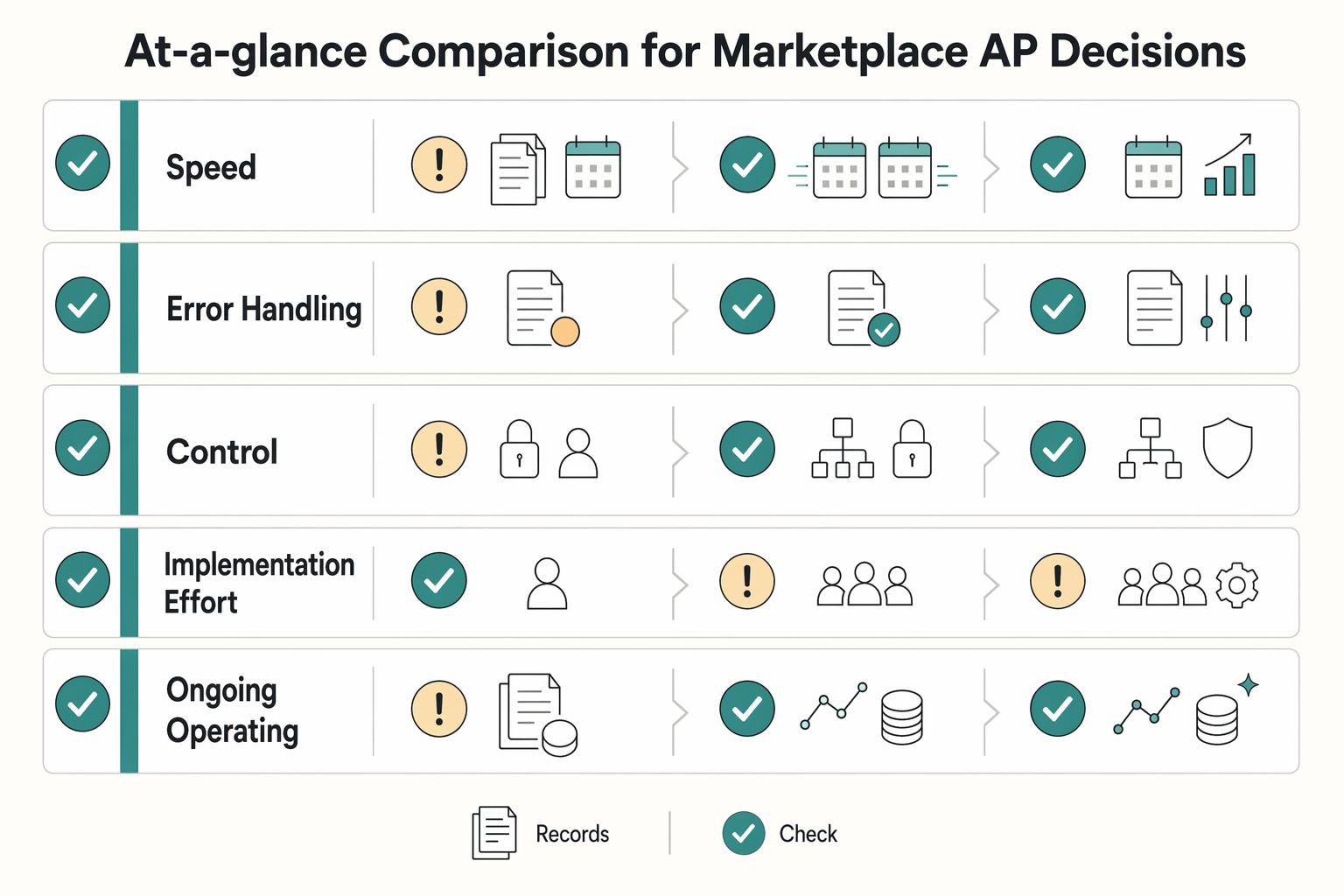
For marketplace operators, this is not a generic AP explainer. The real choice is whether you should stay with manual AP, move to rules-based automation, adopt AI-powered automation, or run a staged hybrid while volume, controls, and integrations catch up.

Straight-Through Processing for Platform Payments That Survives Reconciliation
Straight-through processing is strongest when you design it as an end-to-end operating model, not just a matching feature. The practical boundary is simple: STP covers the full transaction path, and automated payment matching is one critical part of that path.
Invoice Processing Platforms from Receipt to Payment
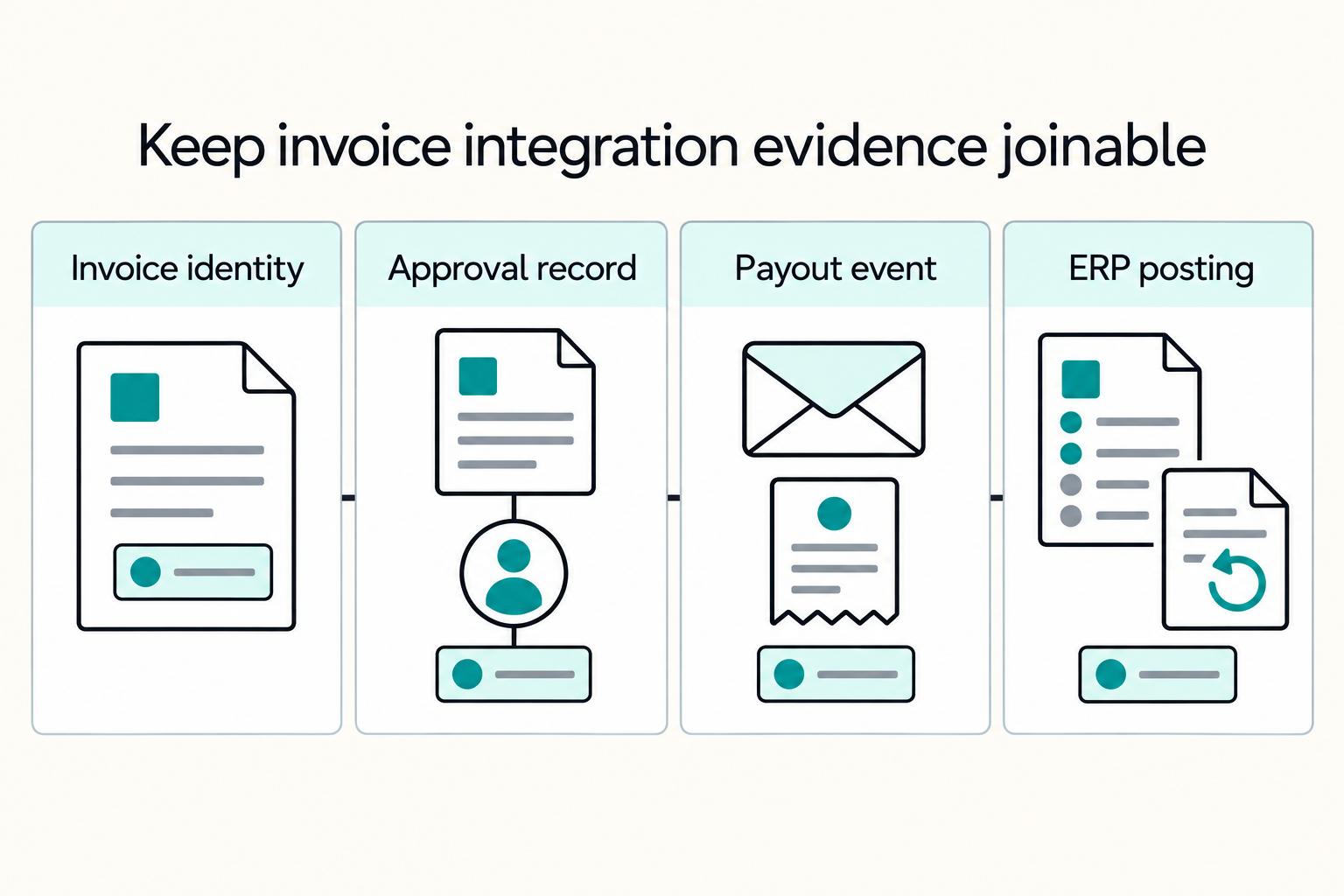
Treat invoice processing as an operating sequence, not a shopping list of OCR, approvals, and payout features. For platform teams, the core question is straightforward: can your setup carry an invoice from receipt through approval and payment while preserving control, traceability, and ownership across finance, engineering, and payments ops?