
Quick Answer
Use a freelance hourly rate calculator to set the minimum sustainable rate, then convert that number into role-region approval bands your team can govern. The article’s method starts with explicit assumptions, separates floor from decision rate, and applies three approval states before money moves. It then links approved rates to payout records, Ledger Journal evidence, and Reconciliation checks so quote decisions stay defensible later.
How to Use the Benchmark#
A freelance hourly rate calculator is useful when you need a floor. It answers the freelancer side of the question: what do I have to charge so the work covers bills, income goals, and the hidden costs of working independently? That is a real starting point, but it is not enough for teams making repeat pricing decisions across different contexts.
Most calculator outputs are built on minimum-rate logic. In plain terms, they combine cost factors and capacity assumptions, then return the minimum charge required to make the work sustainable. That matters because freelance pricing is not just headline pay. It also has to absorb costs employed workers may never price directly, such as self-employment taxes, healthcare, and non-billable time.
One input changes the result more than many teams expect: billable utilization rate. Someone who can bill only part of their week needs a higher hourly floor than someone with near-full billable capacity.
For teams, the gap is straightforward. A solo freelancer minimum tells you what one person may need, not what a repeatable pricing approach should default to. Your pricing method has to do more than produce a single number. It should separate floor rates from decision rates, account for context, and keep assumptions explicit enough to review later.
That is the point of this article. We are not trying to find one perfect formula. We are building a benchmark method you can document and defend: start with minimum-rate inputs, layer in context, and turn that into decision bands your team can use consistently. If you have ever had one team quote a rate, another team approve it, and a third team question it later, this is the problem we are solving.
A few scope limits matter up front:
- This is operational guidance for pricing and payout decision design, not legal or tax advice.
- Requirements vary by context, so treat compliance handling as a separate gate rather than assuming one calculator output covers everything.
- External calculators and market references are best used as baseline estimators, not as final policy.
The practical takeaway is simple. Use calculator outputs as the floor, not the finish line. If you want a rate-setting method that holds up under repeat use, you need explicit assumptions, a contextual benchmark, and a clear path from quote to final decision.
What the calculator number actually means#
A calculator output is your minimum acceptable rate floor, not the final rate you approve.
- Minimum rate (floor): the baseline you need before deciding what to charge.
- Benchmark rate (decision rate): the rate you set after checking market averages and applying your internal role, region, and risk judgment.
Why this split matters: a formula can be mathematically valid and still incomplete as a pricing decision. For example, $100,000 ÷ 2,080 gives about $50/hour (40 × 52 = 2,080), but that result is a starting point, not a policy decision on its own.
Tools like Upwork, Clockify, and "Advanced Freelance Rate Calculator" pages are useful baseline estimators. Use them to inform the floor and market check, not as automatic approval logic.
Decision rule: if a quoted rate is below your computed minimum, reject it or redesign scope before onboarding.
Related reading: Freelance Sales Qualifying That Protects Your Time and Pipeline.
Build an assumptions register before you benchmark#
Build the assumptions register first, then benchmark. If assumptions are not documented and versioned, your rate comparison is not reliable.
Set ownership up front so changes are traceable:
- Finance: expense classes and any tax inputs used in base-rate math.
- Ops: billable-capacity assumptions, including non-billable load.
- Product: role taxonomy and region mapping.
At minimum, track each assumption with:
- assumption name and current value
- owner
- rationale
- source artifact
- last review date
- downstream impact if it changes
Keep the math inputs explicit. A common model sets base rate as (Annual Income + Annual Expenses + Tax Liability) ÷ Billable Hours, then adjusts with experience, specialization, and platform factors. If any of those inputs change without a logged update, you are no longer comparing like with like.
Break out capacity assumptions instead of hiding them in one annual number. One reference model uses 40 hours/week for 48 weeks/year (1,920 billable hours) and includes 2 weeks vacation plus 2 weeks admin/non-billable time. Use that as a reference point for 2026 estimates, not a universal standard.
Include every assumption that can change settlement outcomes, then enforce one checkpoint: each assumption should map to evidence in your Ledger Journal and Reconciliation pack before approval. If the rate changed but no one can name the changed assumption and point to evidence for it, mark the benchmark unverified and send it back.
Build the role and region benchmark table your team can approve#
Turn approved assumptions into one decision table, and require every requested rate to map to a specific role family, region, approval band, and owner before payout activation.
The calculator gives you the floor; the table defines what your team will actually approve for that role and region.
Start with rows your teams already recognize#
Use the same role taxonomy and region mapping from your assumptions register so the same request is classified the same way every time.
| Role family | Region | Minimum rate | Target rate | Approval band | Exception owner |
|---|---|---|---|---|---|
| Marketing consultant | United States | From approved calculator floor | Internal target after external sense check | Tight for high payout volume | Finance lead |
| Content writer | LATAM | From approved calculator floor | Internal target after normalization of public references | Standard | Ops manager |
| Product designer | Western Europe | From approved calculator floor | Internal target after normalization of public references | Wide only when urgency or scarcity is approved | Product owner |
Keep three fields separate in each row: minimum sustainable rate, target rate, and approval band. Track version date, assumptions-register version, and evidence pack for each target-rate update.
Use public market inputs as context, not policy#
External references should be directional only, then normalized into your internal policy.
| Source | Note |
|---|---|
| Outsized | Describes its calculator as backed by data from thousands of projects on its platform; says time-based pricing is common and flexible when scope is evolving; distinguishes fixed-price and outcome-based models |
| Hubstaff / Bonsai | Hubstaff cites a Bonsai marketing-consultant range of $25 to $300 per hour, with $100 as an average; use that as a plausibility check, not an approval threshold |
| Upwork | Useful context, not policy |
| Reddit / r/freelancing | Useful context, not policy |
| All Freelance Writing | Useful context, not policy |
Use Outsized as directional context, but avoid mixing contract models in one benchmark row.
Use the Hubstaff / Bonsai figures as a plausibility check, not an approval threshold.
Apply the same treatment to Upwork, Reddit / r/freelancing, and All Freelance Writing: useful context, not policy.
Set band width based on control vs speed#
Choose band width by role criticality and payout volume: narrow bands for tighter control, wider bands for faster hiring when justified.
Use a strict escalation rule: if a request is outside the approved band, require documented justification and policy sign-off before payout activation. The exception record should include the requested rate, mapped role/region row, business reason, supporting evidence, effective date, and approver.
If you want a deeper dive, read The 'Freelancer's Dilemma': Hourly vs. Value-Based Pricing.
Set decision rules for quoting and approvals#
Turn the benchmark table into a control, not a reference sheet: auto-approve only when a quote clearly fits the approved row, manually review boundary cases, and hard-stop anything below the minimum unless scope or contract structure changes.
Use three states and keep them visible#
| State | Condition |
|---|---|
| Auto-approve | Requested rate is inside the approved band for the exact role family and region row, with complete documentation |
| Manual review | The quote is close to a threshold, so you need a deliberate check before approval |
| Hard-stop | The quote is below the minimum tied to your approved assumptions, unless you change scope, pricing model, or incorrect inputs |
Make those states visible in your workflow, not just in policy. Calculator outputs depend on assumptions like taxes, business expenses, fees, and billable capacity, so "meets the floor" and "safe to approve" are not always the same decision.
Tie approvals to the records that move money#
Do not leave approvals in chat or email. Record the approved rate in the contract record with the role-region row, benchmark version date, and exception reference when relevant. In Gruv workflows, that approved value should then carry through Payout Batches and reconcile to the Ledger Journal.
Before release, verify rate, currency, effective date, and approval state against the latest approved row or exception record. This prevents stale values from slipping into payout and turning reconciliation into a dispute.
Tighten review when region variance is high#
If a role is high-variance across regions, tighten review gates even when the calculated minimum is met. Use fewer auto-approvals and require a stronger manual check for market context.
Standardize exception evidence so decisions stay consistent across teams:
- quoted rate and currency
- role family and region row used
- benchmark-table version and assumptions-register version
- business reason for the exception
- supporting market references with URL and capture date
- requested effective date
- named approver
Consistency here matters because the same record is reused when the rate moves into payout and later reconciliation.
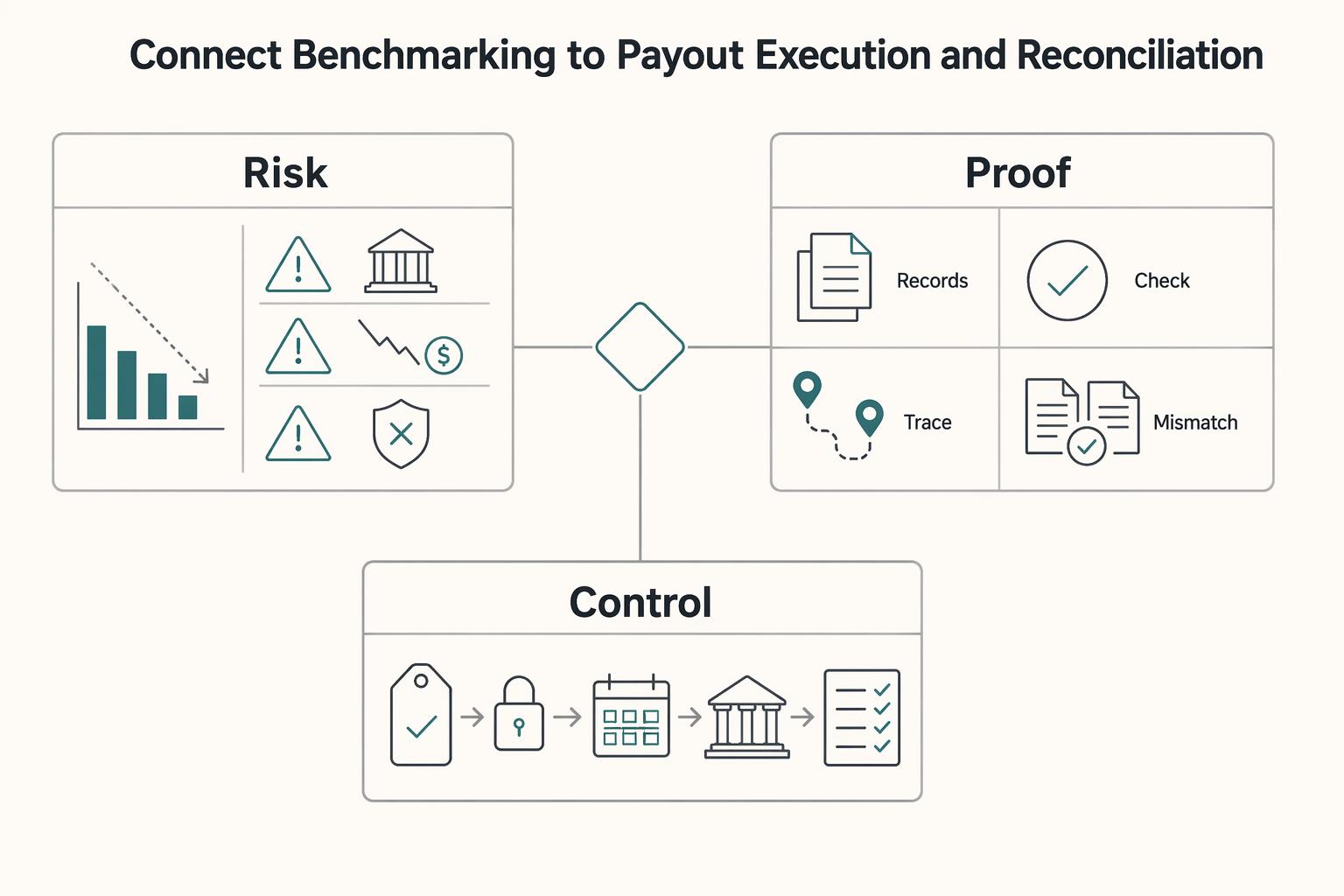
Connect benchmarking to payout execution and reconciliation#
After a rate is approved, the main risk shifts from pricing to execution drift. Keep payout and reconciliation as a controlled record flow. Finance-software errors are tied to tax penalties, cash-flow issues, and compliance failures, and bank reconciliation is a core control area in finance-tool evaluations.
Define one internal workflow from approved rate through payout handling to reconciliation close, and use it consistently across teams. The exact status names can differ by system, but the control goal stays the same: prove the approved amount is the amount instructed, processed, and reconciled.
Make traceability non-negotiable in each payable record:
- contract reference
- approved rate
- currency
- effective date
- benchmark version used for approval
Before release, confirm the payable amount still matches the latest approved contract value so stale quote data does not flow into payment records.
Retries need duplicate-payment controls. If your stack supports controls like an Idempotency Key and duplicate-event handling, apply them consistently for outbound payout creation and inbound event writes.
Name the failure modes before they happen#
Use named failure categories with clear owners and internal response targets:
- Missing event update: processing moved at the provider layer, but your internal status did not.
- Status mismatch: internal records and provider/settlement records disagree.
- Delayed settlement: payment processing advances, but final settlement closes later than expected.
Audit checkpoints finance can use#
| Checkpoint | What finance verifies | Typical evidence | Common break |
|---|---|---|---|
| Approval record | Rate, currency, effective date, approval state | Contract and approval log | Stale approved value |
| Payable record | Amount and payee align to approved contract | Payout instruction or batch record | Wrong version or payee |
| Processing status | Current internal status aligns with provider status | Provider response + internal log | Status drift |
| Settlement status | Settlement outcome is recorded and current | Settlement file/report | Delayed or inconsistent status |
| Reconciliation close | Ledger matches settled amount and is closed | Ledger Journal + reconciliation pack | Open variance without owner |
Account for compliance and tax gates before finalizing payable rates#
An approved rate is not yet a payable rate until compliance and tax readiness are complete and traceable. A calculator helps with pricing, but payout activation can still pause if required records are missing.
KYC, KYB, and AML can act as payout gates, depending on market and program. The practical control is to track payee readiness separately from rate approval and show that status to finance and ops before first payout. Before activation, confirm each required compliance item is marked complete with a review date and a retrievable reference.
Tax artifacts are gating records, not cleanup work#
Tax documents can also gate readiness. Depending on program and market, that may include W-8, W-9, Form 1099, FEIE, FBAR, and, where supported, VAT Validation. Do not force one universal checklist across every flow; enforce completion of the required artifacts for that specific program before activation.
| Artifact | Article note |
|---|---|
| W-8 | May be required for that specific program before activation, depending on program and market |
| W-9 | May be required for that specific program before activation, depending on program and market |
| Form 1099 | May be required for that specific program before activation, depending on program and market |
| FEIE | May be required for that specific program before activation; applies only to qualifying individuals with foreign earned income |
| FBAR | May be required for that specific program before activation, depending on program and market |
| VAT Validation | May be required for that specific program before activation, where supported |
FEIE is a common place where teams over-assume. The IRS states it applies only to qualifying individuals with foreign earned income, and that income is still reported on a U.S. return. Eligibility context includes having a tax home in a foreign country, and under the physical presence test, being physically present in foreign country or countries for 330 full days in a 12-month period. Those days do not have to be consecutive, but if the 330-day threshold is not met, the test is not met.
The activation rule#
Use one hard rule: no payout activation until required compliance and tax artifacts are complete and traceable. Each payee record should include the document or check name, status, effective or review date, linked payee and contract IDs, and a retrievable source file or provider reference. If any required item is missing, keep the payee in pending status even when the rate is fully approved.
Related: What to Pay Freelance Accountants and Bookkeepers: Hourly and Monthly Rates.
Common rollout failures and how to prevent them#
After compliance and tax are cleared, rollout failures usually come from governance gaps, not pricing math. The calculator is a starting point, so do not treat its output as a final quote without an internal approval step.
One common failure is skipped stakeholder alignment. AIHR flags "not getting stakeholder buy-in" as a recurring planning mistake, and the same risk applies here: if finance, ops, and the hiring owner are not approving the same assumptions, disputes surface later. Prevent that by requiring a named approver and a stored assumption version before moving a rate into contract or payout setup.
Another failure is rate-version drift across systems. If payout ops and finance reference different copies, reconciliation breaks. Prevent that by checking one agreed rate across your assumptions record, signed contract, and payout setup before launch; if your process uses a Ledger Journal, tie those references to one traceable record.
A third failure is duplicate actions from retries. Replayed API calls or repeated Webhook events can create duplicates if replay handling is weak. Treat idempotency and webhook replay handling as internal controls to test before go-live.
Before launch, confirm:
- assumptions are signed and versioned
- key controls are tested with sample records
- the exception path has been exercised once
- a reconciliation dry run is completed with saved evidence
For a step-by-step walkthrough, see How to Calculate a Freelance Rate You Can Actually Get Paid On.
Conclusion#
Use the freelance hourly rate calculator output as your floor, then stop treating it like a final quote. The number becomes decision-ready only after you compare it with role and region benchmarks, run it through your approval criteria, and confirm you can explain the result with the records your finance team will review later.
The main risk is false precision. A calculator can turn Desired Annual Salary, expenses, and billable capacity into a clean hourly number, but clean is not the same as usable. If your team falls into the previous salary trap, or relies only on cost-based pricing, the rate may look rational while still missing the reality of freelance work, including costs employers used to absorb. If platform fees apply, one guide warns they can reduce effective hourly earnings by 15 to 30%, which can break a thin margin.
Your best next step is small and testable: pilot one role family in one region. Choose a path where you already understand the work well, define the minimum rate, target rate, and approval band, then run a real sample from quote to approval to final billed amount. You are not trying to perfect every market at once. You are checking whether your pricing logic survives contact with real approvals, records, and exceptions.
Make the pilot evidence-heavy. For each approved rate, keep a compact pack that includes the assumptions snapshot, the role-region benchmark row used, who approved the exception if there was one, and the final billed amount. One useful checkpoint is simple: can someone outside the original approver explain why this rate was allowed without reconstructing the decision from inbox threads? If not, your controls are still too loose for wider rollout.
A common failure mode is expanding too early because the first few rates "look right." Rates can still drift if different teams use different benchmark versions. They can also drift if fees were not modeled, or if market references were copied in without normalization into internal policy. Start with market salary context and benchmark tools as directional inputs, not as automatic answers, then reconcile them to your own approval logic.
Before you take this into production with Gruv, confirm the practical constraints: which markets and programs are supported, which controls are mandatory, and what proof you need when a rate falls outside band. If the pilot holds up end to end, then expand by adding the next role family or region, not by loosening the standard.
Frequently Asked Questions
What does a freelance hourly rate calculator actually calculate?
At its core, a freelance hourly rate calculator estimates a floor or base rate, not a universal final quote. Some calculators combine an income target or profit goal, Annual Expenses, taxes, and billable capacity into one hourly number. Treat that result as an economic starting point.
Which inputs are mandatory for a credible minimum-rate result?
You need, at minimum, Annual Expenses, taxes, a target income or profit goal, and Billable Hours per Year. The biggest checkpoint is whether billable hours are realistic. One cited range is 1200 to 1500 hours a year, and another source notes that only 50 to 70% of working hours may actually be billable. If someone plugs in total working hours instead, the minimum rate can be understated.
What expenses should be included for finance-grade benchmarking?
Use the full operating picture, not just visible project costs. The grounded examples explicitly include software, equipment, insurance, and taxes. Including those categories gives a more credible benchmark than project costs alone.
How do holidays, sick days, and non-billable time change the result?
They reduce Billable Hours per Year, which pushes the minimum hourly rate up. Non-billable time includes admin, business development, learning, and downtime. One source explicitly notes that this time has to come out of the billable rate because freelancers only get paid for work that directly benefits clients. If teams ignore time off and internal work, they can understate the floor.
How should teams adjust a minimum rate by role and region?
Use the calculator output as a floor. Example numbers like $100/hr, a U.S. average of $62/hr, or a market range of $53 to $71/hr are directional examples from one calculator context only, not universal pricing rules for all roles or regions.
When should a rate be auto-approved versus manually reviewed?
Auto-approval and manual-review thresholds depend on your platform or agency policy — confirm the specific bands with your payments provider. Rate calculators generally support the underlying math and assumptions (expenses, taxes, billable hours, and non-billable time), but approval-band policy rules vary by operator.
How do compliance and tax checks affect payout timing and rate decisions?
Compliance, payout timing, and reconciliation process rules vary by platform and jurisdiction — confirm specifics with your payments provider or tax adviser. The narrower tax point is that taxes are one of the inputs some calculators include when estimating hourly rates.
Try a related tool
Researched and edited by the Gruv editorial team. Gruv builds cross-border billing, payouts, and finance-operations software for global businesses.
Sources
- bls.gov/opub/mlr/2026/article/exploring-the-complexi...trusted
- das.nebraska.gov/materiel/purchasing/124065%20O5/Incite%20AgP...trusted
- fincen.gov/report-foreign-bank-and-financial-accountstrusted
- irs.gov/individuals/international-taxpayers/figuring...trusted
- irs.gov/businesses/small-businesses-self-employed/ma...trusted
- khap.kdhe.ks.gov/kfmam/main.asptrusted
- lawsonstate.edu/learn_at_lawson/academic_catalog/Catalog2025...trusted
- macc.edu/wp-content/uploads/2025/03/2025-2026-MACC-Ca...trusted
Educational content only. Not legal, tax, or financial advice.
Related Posts
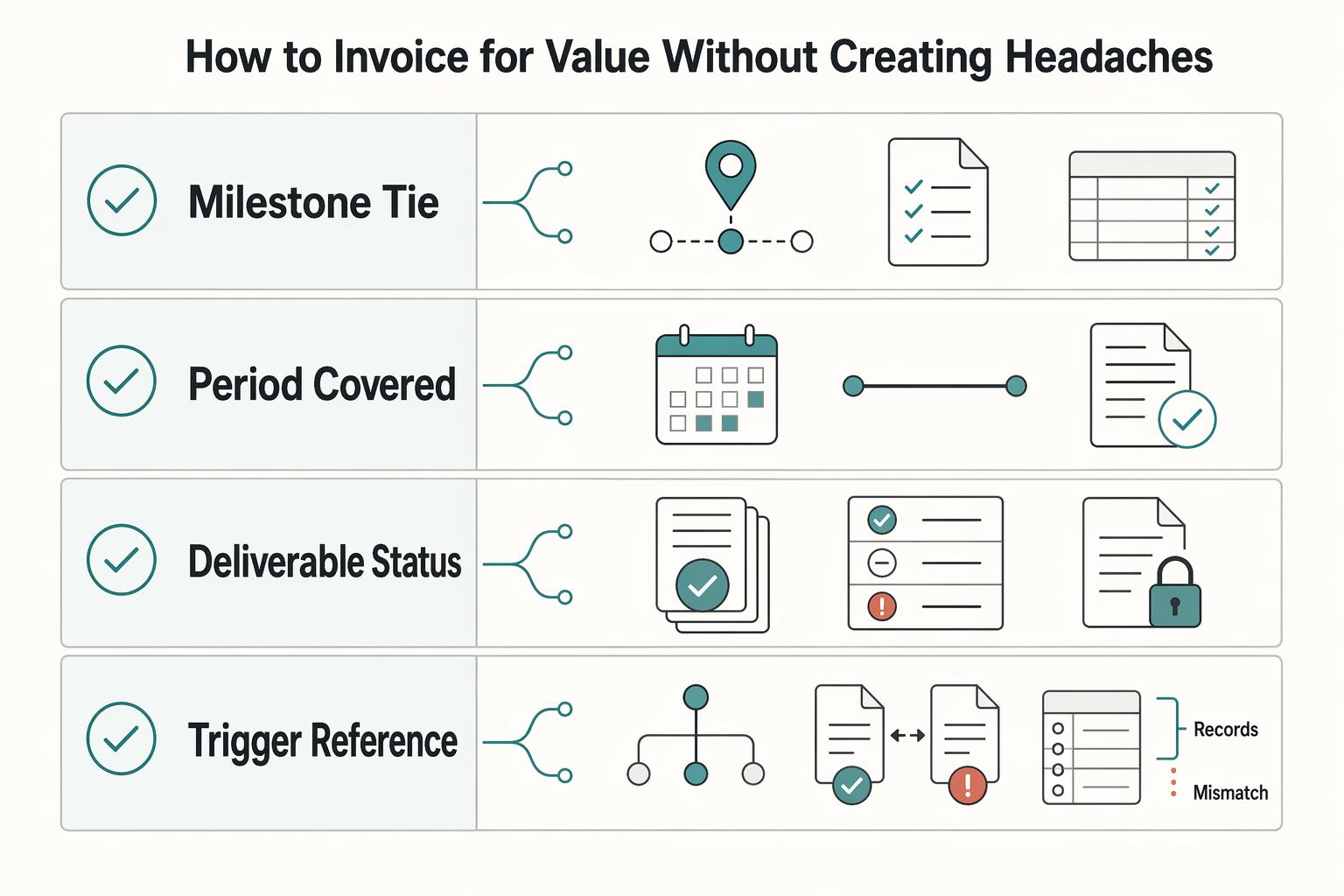
The 'Freelancer's Dilemma': Hourly vs. Value-Based Pricing
If you run a business of one, stop asking which pricing model is better in the abstract. Ask which [risk your business is taking on](https://njsba.com/wp-content/uploads/2023/07/WP-Time-vs-Value-Billing-Shifting-the-Risk2.pdf) for this project. The **hourly vs value-based pricing** debate becomes useful only when you frame it that way. Are you buying flexibility because the work is still uncertain, or trading that flexibility for a more predictable fee tied to a defined result?

What to Pay Freelance Accountants and Bookkeepers by Market
There is no single market number for **freelance accountant rates**, and treating one published figure as the answer is how teams end up with a weak rate card. Different public sources surface different signals because they draw from different source populations, use inconsistent role labels, and often blur hourly work with monthly packaging.
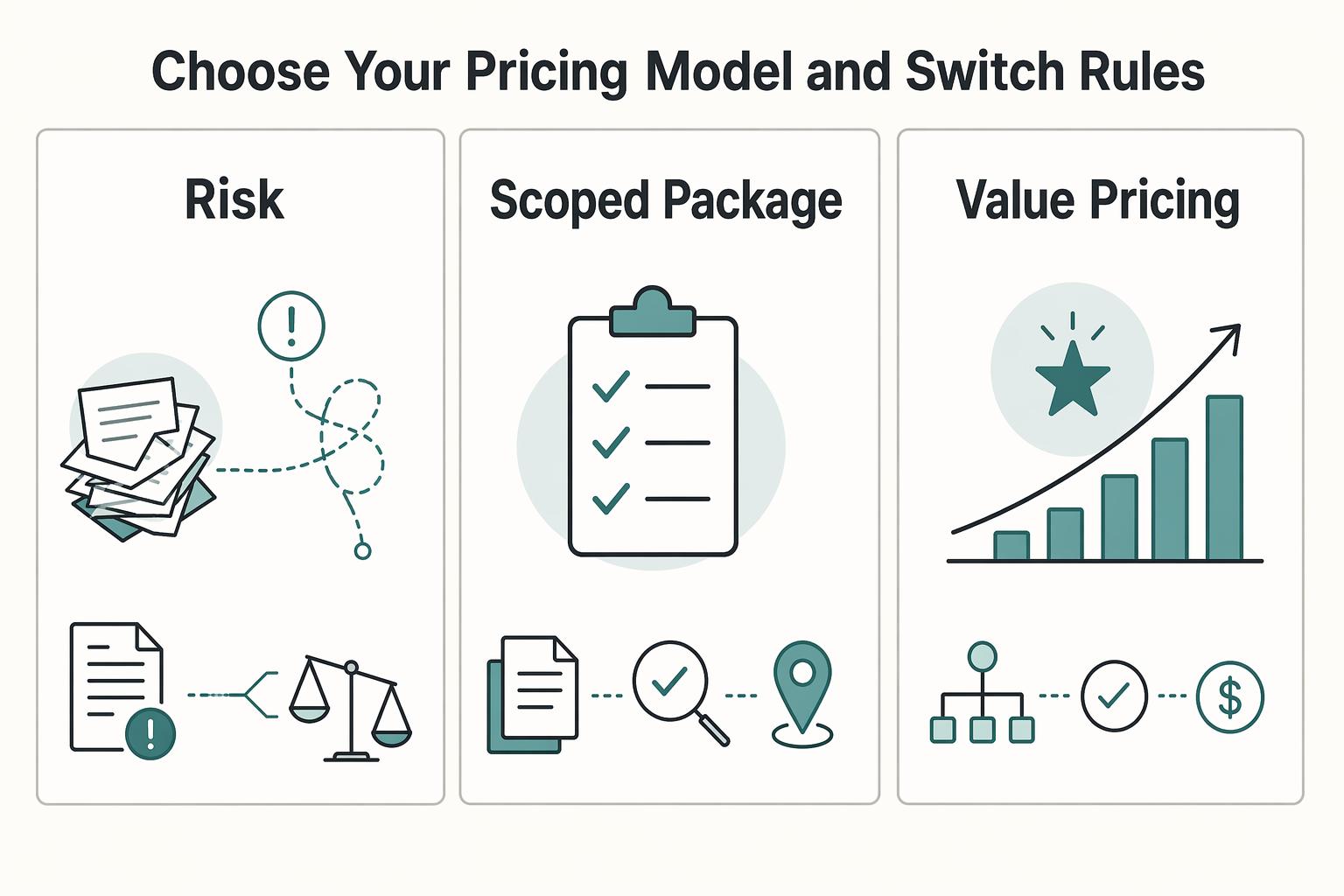
How to Price a Bookkeeping Service for Small Businesses
**Step 1. Reset what a bookkeeping price is supposed to do.** A usable price is not just a number that sounds competitive. It should reflect the work required and how the engagement will actually run. Market comparisons help with context, but they do not replace a pricing strategy built around the real workload.