
Quick Answer
Reconcile the year’s revenue, costs, invoices and bank cash on a stated accounting basis. Measure overdue days, fees and client concentration separately, then budget upcoming commitments and reserves. Use the findings to propose future terms and write dated actions without changing existing due dates unilaterally.
Review profit, cash and payment reliability together#
Start with the records: what you earned, what delivery cost, what remains owed and what cash is available. Then turn the findings into a budget, reserve plan and terms for future work. An annual review is useful even when the totals look healthy; profit and bank cash answer different questions.
Step 1: Do a yearly finance inventory (but make it cashflow-aware)#
Start with a yearly finance inventory. You are taking stock of what happened and deciding what must change. Create an end-of-the-year spreadsheet in Excel. If it helps, build it with two layers:
- Profit and loss layer: revenue, key expense categories, and what you actually kept.
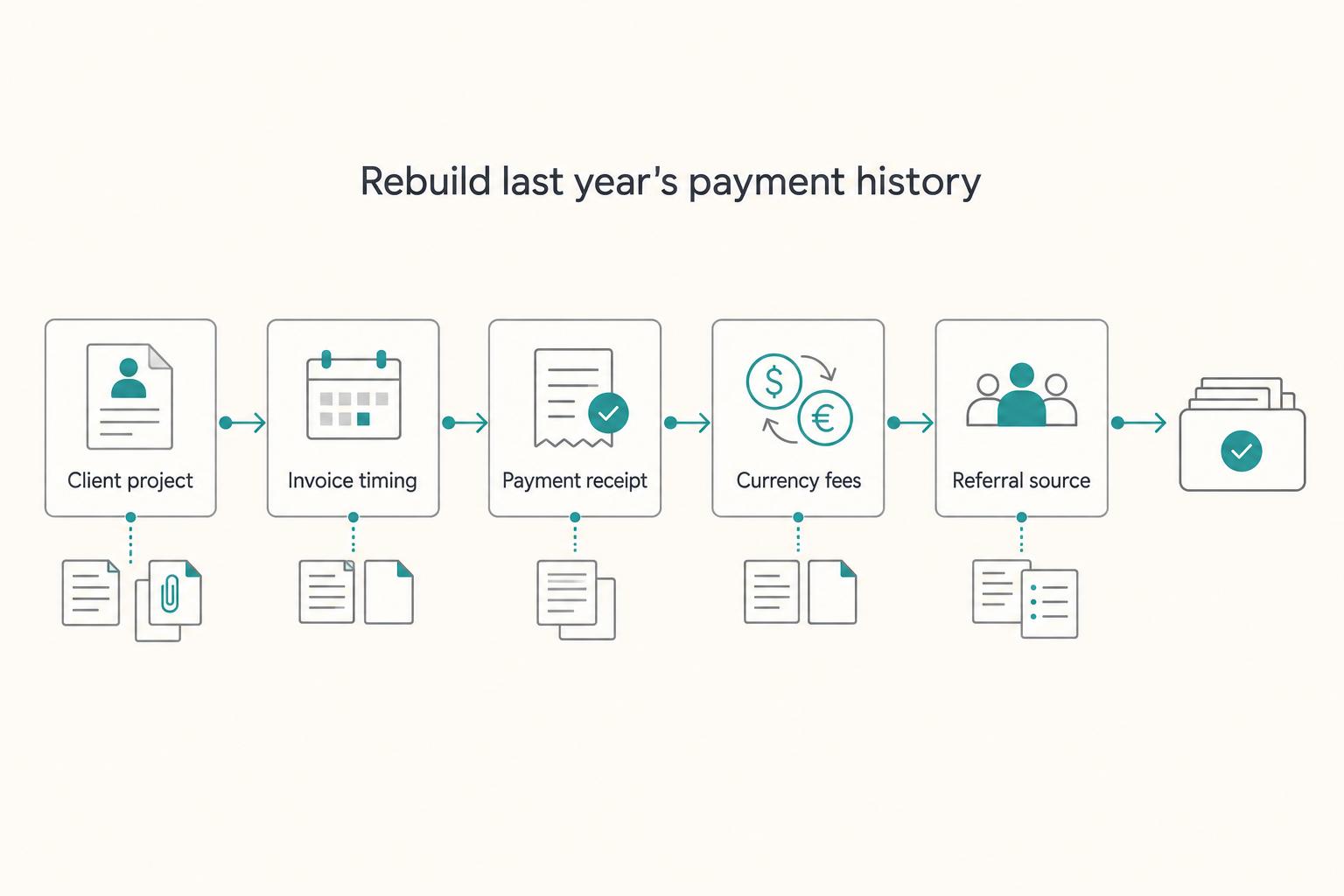
- Reliability layer: what affected when and how you got paid (invoice dates, due dates, paid dates, payment method, fees, and any reissued invoices).
Then set goals for next year, because goals force concrete choices. Example: "Standardize terms by client risk," not "earn more."
Step 2: Turn findings into next-year decisions#
Use consistent formulas as well as labels. Reconcile the numbers before ranking clients, and flag uncertain records so a missing receipt is not silently treated as zero revenue or a zero cost.
| Signal you review (from last year) | What it tells you | Control you set for next year |
|---|---|---|
| Paid late, often | Timing risk | Shorter payment terms, milestones, earlier invoicing cadence |
| Frequent invoice fixes (PO, entity name, address) | Process friction | Add an "invoice requirements" checklist before kickoff |
| High fees on payouts | Cost drag | Choose a cheaper payment path, document who pays fees |
| Scope disagreements or partial payment | Misalignment risk | Tighten acceptance criteria, change-order language, pause-work rule |
Translate every "surprise" into a written control: a term, buffer, escalation step, or reconciliation cadence.
Hypothetical: a long-term client needs repeated invoice reissues and slow approvals. Mark the process as Watch, fix the invoice checklist and propose an agreed milestone schedule for the next engagement. Friendly contact and eventual payment do not remove timing risk.
Automate reserve transfers only after checking available cash and upcoming bills. A transfer to your own reserve is not a business expense or a tax payment; retirement contributions have separate eligibility and limits. Keep a buffer so automation does not cause an overdraft.
Keep the chosen invoice schedule, payment routes, escalation and lawful suspension conditions on one page. Review those defaults periodically and agree new commercial terms with the client before applying them.
Prep: assemble records and choose the review period#
Assemble a single, traceable record set (contracts, invoices, statements, confirmations) so every number in your review ties back to a document you can pull fast. You are about to make decisions off this data, so the inputs need to be clean. This prep step prevents the usual failure mode: you spot a cashflow problem, then lose time hunting for the one PDF or email that proves what happened.
Before you start (one folder, one source of truth)#
Step 1: Create one review folder. Name it clearly (example: "Financial Review 2025") and drop in:
- Signed SOW PDFs (or your closest equivalent)
- Sent invoices (PDFs)
- Bank statements (PDFs or exports)
- Payout confirmations (processor receipts, transfer confirmations)
Your goal is traceability: you can point from a spreadsheet row to the document that supports it.
Step 2: Pick your source of truth tool (do not overbuild).
| Option | Use it when | What you gain | What you must enforce |
|---|---|---|---|
| Xero | You already run your books there | Faster exports and an easier reconciliation trail | Consistent client/project naming |
| Excel / Google Sheets | You need a fast baseline review | A flexible baseline table with manual reconciliation | Manual discipline and file hygiene |
Export the minimum data set (reliability, not just revenue)#
Step 3: Export one table with the columns you actually need. Minimum fields:
| Field(s) | Article note | Use in review |
|---|---|---|
| Invoice date / due date / paid date | Minimum fields | Analyze payment timing |
| Amount / currency | Minimum fields | Track invoice values and currency |
| Payment method / fees | Minimum fields | Analyze fee leakage |
| Client name + project | Minimum fields | Review by client and project |
| Referral source | Example: LinkedIn | Tag where work comes from |
| Service category | Minimum fields | Tag work by category |
That gives you what you need to analyze timing and fee leakage later, which is the whole point of this review.
For US self-employment, keep the figures needed for the applicable tax return and Schedule SE. That schedule calculates tax on net self-employment earnings; a payment-reliability spreadsheet is not a substitute for the return or required adjustments.
US self-employment tax covers Social Security and Medicare, while income tax and other obligations are separate. Use the instructions for the year you are reviewing, including current corrections; the IRS lists a February 20, 2026 correction to the 2025 Schedule SE instructions.
Pick five invoices as a quick traceability sample, then investigate exceptions. This is a spot check, not proof the whole ledger is correct.
- Owed: agreement, invoice, actual advance/time/acceptance trigger and relevant changes or credits.
- Paid: gross customer payment linked to bank/processor entries, deductions and availability.
If two sampled invoices lack payment evidence, mark their status unknown and trace them through the bank and processor. Save the supporting records; do not mark them paid merely because the client says a transfer was initiated.
If you do cross-border work and clients ask for residency documentation, park that task in this folder too and use Residency documentation guide as your reference point.
Step 1 - Rebuild last year's money story (revenue, timing, concentration)#
Rebuild last year in a simple spreadsheet so you can see how money actually arrived, not how you hoped it would. With your records assembled, you can turn invoices and payouts into a clean narrative. This baseline is what makes the rest of the review useful. You will spot timing friction and client dependency before you set next-year rules.
1) Build a 12-month revenue table (your baseline ledger)#
Use an invoice table with a stable invoice ID and a separate payments table linked to that ID. This handles installments, bundled payments, credits and refunds without counting the invoice again for every bank entry. Choose cash or accrual accounting explicitly and keep the collection view separate.
Use columns like these (adjust as needed). The main goal is traceability back to what actually happened:
| Field | Why it matters in a business health check | "Good enough" rule |
|---|---|---|
| Client + project | Lets you roll up totals and compare behavior | One name format all year |
| Invoice date + due date (if you set one) | Anchors timing analysis | Match the invoice or SOW |
| Gross payments, installments, paid dates and bank net | Separates revenue from cash received | Use linked payments; separate fees, holds and amounts still owed |
| Currency + fees | Exposes fee leakage and conversion drag | Record what you can verify |
| Referral source + service category (optional) | Helps you see patterns in where work comes from | Pick from a short dropdown list |
Verification point: pick 3 random rows and click straight through to the invoice PDF and the payment proof without searching.
2) Calculate timing and concentration (the reliability layer)#
Hypothetical accrual review: 60,000 earned fees, 2,000 refunds/credits, 10,000 subcontractor costs, 1,200 processor fees and 8,800 other operating costs leave 38,000 profit before owner income tax. Net earned fees are 58,000. With 3,000 opening receivables and 5,000 closing receivables, gross customer collections are 56,000; after 1,200 processor fees, bank receipts are 54,800. This assumes no bad debts or other receivable adjustments.
- Payment timing: add a simple way to track how long it typically took you to get paid. If you use due dates, also note whether payments tended to arrive before or after the due date.
- Concentration risk: calculate the share of total revenue from your top client and your top three clients. If one client dominates, treat it as operational risk, even if you like them.
- Tag source and category: use a tight list (LinkedIn, Medium, Reddit, referrals, agency partner; strategy, design, dev, writing, ops retainers). Tagging does not magically increase profit, but it can reduce decision-debt when you plan next year.
A top client contributing 24,000 of 60,000 gross earned fees has a 40% share; define whether your ranking uses gross or net revenue and use the same basis for every client. Separately compare how much was collected and the cost of servicing that client. A reliable higher-fee route may still be preferable to a cheap route with repeated delays.
Step 2 - What did last year really cost you in fees, delays, and disputes?#
Quantify fees, late-payment drag, and dispute exposure per client so your process reflects reliability, not just revenue. You have your baseline ledger. Now measure what quietly taxed it. This is where "getting paid" becomes something you can improve, not something you tolerate.
Build your "Reliability Metrics" sheet (fee leakage + delay debt)#
Add a second tab to your Google Sheets ledger called Reliability Metrics. Keep it client-level first, then drill down to invoice-level only when something looks off.
Track actual fees and FX costs supported by receipts. The difference between invoice value and bank cash may also include refunds, partial payments, withholding or held funds; do not label every difference a fee.
- FX conversion costs (log the conversion event and tool used)
- Wire fees, platform fees, card processing fees (if applicable)
- If you route payments through multiple tools, reconcile against Wise transfer receipts and your Xero bank feeds (or your Excel import). If you need the plumbing, use: How to Connect Wise to Xero
Use the actual route’s quote and receipt to record the currency, rate, explicit fee and bank amount. A provider’s “from” price is a minimum for a particular market, not the effective cost of every transfer. Avoid adding an FX spread twice when your net-receipt calculation already includes it.
Measure delay in days, then estimate funding cost separately
- For a paid installment, max(0, paid date − due date) in days; measure open balances to the review cutoff separately.
- Compare invoice-count and amount-weighted averages using consistent units; do not mix sums with averages.
- Estimate funding exposure as amount × late days; use a justified annual funding rate for an illustrative dollar cost.
For a hypothetical fully paid 1,000 invoice arriving 20 days after its due date, days overdue are 20. A second 4,000 invoice paid 10 days late gives an invoice-count average of 15 days; the amount-weighted average is (1,000 × 20 + 4,000 × 10) / 5,000 = 12 days. Neither result is a dollar expense.
Log disputes and process friction (tie it back to the clause that failed)#
Create a simple incident log, even if it contains only a few rows.
- Log chargebacks, partial nonpayment, scope disagreements and the amount/status involved.
- Investigate cause: scope clarity, performance, payment process, fraud or insolvency; not every incident comes from a missing clause.
Then score process friction that causes avoidable delays: missing PO number, unclear invoice requirements, mismatched legal entity name, wrong billing address. Practical check: if you re-issued invoices repeatedly, treat your invoicing workflow as a root cause and standardize your checklist.
Copy/paste "Reliability Metrics" template (Google Sheets):
| Client | Gross collected | Fees | Overdue amount-days | Weighted days late | Incidents | Notes |
|---|---|---|---|---|---|---|
| Example only | 5,000 | 100 | 60,000 amount-days | 12 days | 0 | 1,000 × 20 + 4,000 × 10; fee rate 2%; at a hypothetical 10% annual funding rate, 60,000 × 0.10 / 365 = 16.44 |
Step 3 - Which clients are quietly putting your cashflow at risk?#
Tier every client by observable payment behavior and your own contract and process notes so "I think they're fine" turns into controls you can actually run. With fees, delays, and disputes tracked, you can sort clients by downside. This is the point where your review stops being descriptive and starts being operational.
Build a blunt 3-tier client risk matrix (behavior first, then paperwork)#
Use this as a simple internal operating tool, not a label you email clients. Start with what you can prove from your ledger and incident log.
- Tier A (Reliable): pays on time, low fee leakage, clean scope and approvals
- Tier B (Watch): occasional late payments, recurring admin friction, unclear approver or acceptance path
- Tier C (High Risk): repeat late payment patterns, scope fights, dispute behavior, or chronic "we'll fix it next cycle" responses
Record holiday or seasonal payment bottlenecks from actual client history: procurement closures, billing cutoffs and reviewer leave. Put those dates in the forecast and confirm the current year’s arrangements with the billing owner.
Even a "good" client can drift into Tier B during quieter periods, so plan around it.
Use contract reality (and process drag) to set stricter gates#
You do not need to play lawyer, but you do need to treat missing or unclear terms as uncertainty you price and control.
If your SOW omits Governing Law and Jurisdiction, flag it as something to clarify in writing, especially cross-border. If a contract requires Arbitration, note it as a different dispute path and align your escalation steps accordingly: who you notify, what you document, and when you pause work.
Also log "paperwork drag" that can slow invoicing and approvals: vendor onboarding steps, security review, and requests for an NDA or DPA before you can get fully set up. Do not guess outcomes. Measure lead time from "client said yes" to "you could invoice."
Practical decision rule: if onboarding routinely drags for a specific client type, consider a deposit or retainer before kickoff so you do not bankroll their internal process.
| Client Risk Tier | What you allow | Required controls (safe defaults) |
|---|---|---|
| Tier A | Standard flow | Standard SOW + standard invoice |
| Tier B | Work with guardrails | Add milestones, acceptance criteria, named approver, clearer payment schedule in the SOW |
| Tier C | Only with protection | Deposit or retainer, tighter payment terms, stricter Termination and pause-for-nonpayment language before kickoff |
Hypothetical: a client pays after procurement cycles and repeated invoice fixes. Retain the relationship if the economics work, fix the billing requirements and negotiate future triggers. Written acceptance helps evidence delivery but cannot make a result legally unarguable or guarantee payment.
Step 4 - Apply the control set: terms, buffers, payout paths, and escalation rules#
Use client tiers to choose proposed terms, buffers and follow-up. Tiers are internal planning aids; changing a label does not change an existing contract or customer due date.
1) Set tier-based terms (then anchor them in the SOW)#
Pick defaults you will actually enforce. Treat them as internal policy, not as moral judgments about clients.
Use this control table as your starting point (examples only, adjust to your business):
| Risk Tier | Example payment term (your operating default) | Billing structure | What you must put in the SOW (so it's signed, not implied) |
|---|---|---|---|
| Tier A | Your standard term (for example, Net 14) | Standard invoice | Due date language, payment method options, late workflow reference |
| Tier B | A shorter term (for example, Net 7) | Milestone billing | Milestone definitions, acceptance criteria, approver name, "pause work" trigger |
| Tier C | Upfront deposit or monthly retainer paid in advance | Advance payment only | Deposit/retainer schedule, no-start-without-payment, suspension/Termination language |
Agree the payment and scope terms before the new work. A signed SOW is useful evidence, while authorized emails or conduct may also create obligations. Do not assume missing a formal signature makes an existing commitment disappear.
2) Protect scope and remove emotion from collections#
Install scope protection so late pay does not turn into "while you're in there" work.
| Stage | Action | What to cite |
|---|---|---|
| After the due date | Send a reminder with invoice, due date and verified payment instructions | Agreed due date |
| Before a suspension | Give any required formal notice and cure opportunity; request undisputed payment | Applicable suspension/notice terms and law |
| If the cure period expires | Use only the lawful suspension/termination right available; document affected duties and restart conditions | Contract, required notice and unresolved balance |
- For genuinely new scope, estimate the cost/time effect and start it after authorized agreement; owed correction stays separate.
- Review liability, indemnity and dispute clauses for the actual work and jurisdiction. Do not assume a previously reviewed clause fits every future service.
Follow required notice and cure periods before a lawful suspension; reminder, notice and suspension may occur in a different order than this example. Keep statutory claim and filing deadlines on their own calendar.
Hypothetical: a Tier B client misses a milestone and asks for another revision. Check whether the revision is owed correction or new scope, contact the billing owner and follow any notice/cure process before suspending work. Do not turn an owed correction into an automatic paid change.
Compare bank transfer, local rails and card routes by actual eligibility, total cost, speed and reversal/dispute risk. Bank transfers can also be returned or recalled; available cash is not an absolute guarantee against every later reversal. Record the chosen currency and fee responsibility before payment.
For a hypothetical 1,000 gross payment with a 20 processor fee, clear the client debt by 1,000 and record 980 bank cash plus 20 expense. If the client paid only 800 of the invoice and 20 was deducted, clear 800 and record 780 cash, 20 fee and 200 still due. Do not confuse a provider deduction with client underpayment.
If you want fewer reconciliation headaches, standardize your attachments and workflow (see How to Connect Wise to Xero).
Step 5 - What changes if you invoice cross-border (FX, withholding, and compliance reality)?#
Treat cross-border invoicing as a separate risk layer and run a tighter documentation workflow than you use domestically. Your terms and escalation rules still matter, but international work can add admin and recordkeeping complexity. The goal here is not to predict every outcome. It is to keep your records clean so you can resolve issues with documents, not memory.
1) Track amounts and conversions as operational variables (not "noise")#
When you invoice in one currency and receive funds in another, keep clean records so your review stays organized and your profit and loss reflects what actually happened.
Practical check: do this every time you quote in one currency and get paid in another.
- Log invoice currency amount, paid currency amount, and the conversion rate used in Google Sheets or Xero
- Attach the payout confirmation to the invoice record so you can trace "what we expected" vs "what hit the account" during your next business health check
Use the invoice, customer payment, any withholding certificate, conversion receipt and bank entry to explain a mismatch. If a tax was withheld, verify the basis and amount rather than automatically treating it as a fee or an additional client debt.
2) Build a cross-border documentation checklist (basic, not paranoid)#
Tax-residency proof and US foreign-asset reporting are separate tests. Not every freelancer with an international client is a US filer, and a foreign-currency account is not automatically an offshore account.
| Item | Article detail | What to keep or flag |
|---|---|---|
| Residency documentation | A client may ask for proof of tax residency | Keep the request and what you provided in the client folder |
| Form 8938 / FATCA | Covered filers and specified assets only; US-resident unmarried example: over 50,000 at year-end OR over 75,000 at any time; other statuses differ | Review with your tax pro and attach Form 8938 to your annual tax return if required |
| FBAR awareness | Covered US persons with financial interest/signature authority in reportable foreign accounts; aggregate exceeds 10,000 at any time, subject to exceptions | Flag non-U.S. accounts for your CPA before tax season |
| Contract terms | Consider putting Governing Law and Jurisdiction explicitly in the SOW | Have counsel review cross-border terms when the stakes justify it |
Keep Form 8938 and FBAR assessments separate. Confirm the filer, asset/account location, interest or authority, applicable threshold and year before adding either to your filing calendar.
- Assess whether you are a specified Form 8938 filer and which assets count.
- Use residence/status-specific thresholds; for a covered unmarried US-resident filer, over 50,000 at year-end or 75,000 at any time is an example, not a universal limit.
- Attach Form 8938 to the income-tax return when required; no required return means no Form 8938 for that year.
- FBAR remains a separate test and filing, even when Form 8938 is not required.
- Form 8938 can carry an initial 10,000 failure-to-file penalty and up to 50,000 additional continuation penalties after notice; exceptions and other penalties require the instructions.
Step 6 - Turn your review into next-year operating rules (so you don't redo this every month)#
Convert what you found into a one-page policy, buffer rules, and recurring reconciliation triggers so "getting paid" runs on defaults, not willpower. You have the data, the risk tiers, and the checklist. Now lock the system so you are not rebuilding the same decisions mid-project.
Write a one-page finance policy#
Store current defaults beside the scope and billing templates, with a review date and an exception process. Update terms for each new agreement; a policy alone does not override a client contract.
| Policy area | Current default (review periodically) | Verification point |
|---|---|---|
| Invoicing cadence | Invoice on a fixed weekly or monthly cadence, plus milestone invoices when the SOW defines them | You never "forget to invoice" because the calendar triggers it |
| Payment methods | Accept only the methods you can reconcile cleanly (list them) | Payments may cover multiple invoices; link each allocation by stable ID |
| Default terms | Define your baseline due date and your escalation ladder | Apply agreed due dates and the relevant lawful escalation process |
| Suspension | Contractual/legal basis, notice/cure and restart conditions | Internal policy is not authority to stop existing duties |
Hypothetical: a client requests a longer due date. Forecast the cash gap, compare the relationship economics and record any agreed amendment. Retain the earlier version and accrued obligations rather than silently rewriting an open invoice.
2) Set buffers, cadence, and triggers (so the policy stays real)#
Complete the cash reconciliation before sizing buffers. Alongside cash, list receivables, supplier bills, client advances/unearned balances, loan balances and assets at the review date. For a sole proprietor, an owner draw is not an operating expense; borrowing and loan principal payments also differ from revenue and expenses.
- Tax reserve: estimate all applicable income, self-employment and other taxes, deductions/credits and prior payments; keep an actual payment calendar. A reserve transfer does not pay the tax authority.
- Slow-pay buffer: model upcoming commitments and delayed receipts. At 1,500 weekly essential outflow, a four-week no-collection gap needs 6,000 before other obligations; do not size it solely from average overdue days.
Hypothetical continuation of the accrual example: opening bank cash is 10,000; customer bank receipts are 54,800; cash operating payments 18,800; tax payments 8,000; owner draws 20,000; loan principal payments 2,000; equipment cash purchase 3,000. Closing cash = 10,000 + 54,800 − 18,800 − 8,000 − 20,000 − 2,000 − 3,000 = 13,000. Equipment accounting/tax treatment is separate; this cash bridge does not make every outgoing amount a P&L expense.
- On a regular cadence (for example, monthly): reconcile invoices to payments in your accounting system, or a spreadsheet. Save a simple reconciliation artifact (export, screenshot, or sheet tab) in your review folder.
- Periodically review client tiers and propose future terms by agreement; an internal tier change does not amend an existing invoice.
Create triggers so this never becomes "only yearly":
- Any dispute
- Any payment that's past your agreed terms (or past your policy threshold)
- Any new cross-border client
If Wise feeds your accounting stack, see How to Connect Wise to Xero.
Common mistakes (and how to recover fast when things go wrong)#
Fix the failure mode, then install a default so it cannot recur in your next review cycle. Systems break in predictable ways. Use this section as your break-glass playbook: contain the issue, then change the workflow so it does not repeat.
The recovery loop (use this every time)#
Start with the exception that threatens a deadline or the largest unfunded commitment. Then correct the data and adjust future controls where the evidence supports it.
| Mistake pattern | Fast recovery action | "Done" verification point |
|---|---|---|
| You only review totals, not timing | Rebuild Paid Date vs Due Date for your top 10 invoices in Google Sheets. Then update your default SOW terms so next year's contracts reflect what your cashflow actually needs. | You can name your 3 slowest-paying clients and the clause you changed because of them. |
| You don't tie payment issues back to contract clauses | Review the actual cause and relevant scope, payment, dispute and lawful notice terms; adapt future templates without assuming each incident was a clause defect. | Relevant terms are clear and the action follows agreed notice/deadline requirements |
| Fee leakage stays invisible because payouts scatter | Standardize payout paths where possible. Attach Wise receipts (or bank confirmations) to the invoice record in Xero. Track fees as their own line item so your profit and loss reflects reality. | For any invoice, you can open the record and see proof of payment plus the fee line item. |
| Cross-border compliance gets handled "later" | Create a compliance parking lot list and hand it to a CPA before filing season. Include items that may apply to you, like FBAR (FinCEN Form 114), FATCA, and Form 8938. | You maintain one list with owners and next actions. Nothing lives in your head. |
| You keep renegotiating terms from scratch | Implement the risk-tier matrix (A/B/C). Only deviate from tier defaults with a written exception in the SOW. | You can point to a tier, then point to the matching term set. No improvising. |
Practical "recover fast" scripts and checklists#
Timing rebuild checklist (10 minutes):
- In Sheets: Client, Invoice Date, Due Date, Paid Date, Days Past Due
- Sort by Days Past Due. Circle the top 3
- Update your SOW default: tighten due dates, add milestones, add a pause-work trigger
A client can pay eventually while repeatedly arriving late. Compare overdue days, amount at risk and servicing cost, then propose shorter or staged future terms by agreement. For existing work, keep the current schedule unless a valid amendment changes it.
Keep cross-border reporting tasks on a dated action list
- Assess Form 8938 for covered filers, specified assets and applicable residence/status threshold.
- Assess FBAR separately for covered US persons, foreign accounts and financial interest/signature authority, subject to exceptions.
- Put actual filing deadlines and review owners on the action list; a parking lot is not an extension.
- Check current instructions for thresholds, penalties, relief and valuation rather than relying on a generic cross-border invoice rule.
If invoice preparation is the identified bottleneck, use the free invoice generator alongside the billing checklist.
Conclusion: run this once a year, then use it as your client-by-client "get paid" system#
Finish with a budget, a reconciled cash view and a short action list: each action needs an owner or responsible adviser, a deadline and the fact that will show it is complete.
Keep only controls that respond to an observed issue or known obligation. Review whether new billing terms, invoice checks and reserves improve outcomes, rather than adding a new rule for every isolated inconvenience.
After the review, you should know which assumptions changed: pricing, delivery costs, client concentration, collection timing and reserves. Use the policy as a starting point for the next agreement and keep exceptions visible.
One hypothetical example: a client asks for looser payment terms and wants to pay in a different currency. You do not improvise. You pull your tiering rules, verify the contract basics, and choose the control set that matches the risk you already saw last year.
Copy/paste yearly checklist (fast + deep pass)#
- State review period/accounting basis; reconcile P&L, delivery costs and overhead, balance-sheet items and cash bridge.
- Set a next-year budget, upcoming commitment forecast, tax payment calendar and available-cash reserve plan.
- Export invoices + payments (Paid Date, Due Date, fees) from your accounting/payment records or rebuild in a spreadsheet
- Compute: revenue by client, % concentration (top 1/top 3), average days past due
- Calculate fee leakage per client (FX + transfer + processing); attach bank/processor receipts to your records
- Log disputes and investigate their actual cause, amount and resolution deadline.
- Tier clients (A/B/C) using behavior + contract strength
- Propose suitable future terms by agreement; apply existing due dates and lawful notice rules.
- Cross-border check: note FBAR/FinCEN, FATCA, and Form 8938 considerations for your tax pro
- Write/refresh your one-page Finance Ops Policy + save updated templates (SOW, NDA, DPA)
- Set a reconciliation cadence + periodic risk-tier review cadence (calendar it now)
Cross-border compliance note (keep it on your CPA's radar)#
For covered US filers, Form 8938 reports specified foreign financial assets above the applicable threshold and accompanies the required income-tax return. Thresholds vary by residence and filing status; use the appropriate current instructions rather than a blanket 50,000 rule.
If you do not have to file an income tax return for the tax year, you do not have to file Form 8938, regardless of the value of your specified foreign financial assets.
Form 8938 does not replace FBAR. The latter has different covered persons, account/authority tests, threshold and filing route. Record the applicable deadline and seek advice promptly if a filing was missed; do not assume the annual review can wait until the next year.
For official checklists during your year-end review, keep the IRS Self-Employed Tax Center, Estimated Taxes guidance, and Recordkeeping guidance open while you validate your numbers and action list.
Frequently Asked Questions
How do I do a yearly financial review as a freelancer - step by step?
Choose a review period and accounting basis, reconcile revenue/expenses and bank cash, link invoices to installments/credits, then assess overdue amounts, fees and concentration. Turn the findings into a realistic next-year budget and dated actions; you can run the same review during the year.
What should I track in an annual freelance review (beyond revenue)?
Track delivery costs and overhead, receivables/payables, bank cash, owner draws and financing separately. Add payment dates, gross/fee/net receipts, refunds, withholding, disputes and client concentration. Estimate tax with the relevant return rules rather than treating one effective rate or Schedule SE as the whole tax bill.
How long should a freelance annual review take?
The time depends on record quality and the number of exceptions. Reserve an initial session for exports and reconciliation, then a second pass for decisions. A 30-minute prep or two-hour planning block is a scheduling example, not an evidence-based standard or assurance of an audit-ready review.
How do I protect cashflow next year based on what I find?
Forecast upcoming bills and late collections, size a buffer from the largest expected gap and propose suitable terms for future work. Agree any new deposit or schedule, preserve existing due dates, and apply suspension only with the required contractual/legal notice. Keep tax reserves and paid taxes separate.
What changes if I work with international clients and get paid in other currencies?
Record invoice currency, actual gross payment, fees, withholding, conversion and available bank amount. Check tax/residency documentation for the real route. US persons or specified filers should separately assess applicable FBAR/Form 8938 tests; overseas clients alone do not trigger those forms.
How do I decide which clients to keep, renegotiate, or drop after my review?
Start with revenue by client, then compare it against payment timing, fee leakage, disputes, and process drag. A client who pays eventually but costs you repeated re-issues, unclear approvals, or chronic late payment may belong in a stricter tier, even if the revenue looks good on paper. Use that to decide who stays on standard terms, who gets renegotiated, and who only works under stronger protection.
What documents should I keep so year-end review is easier?
Keep the documents that let you prove what was owed and what was paid. At minimum, that means signed SOWs, sent invoices, bank statements, payout confirmations, and clean records of income and deductions. If you do cross-border work, also keep any residency documentation requests and what you provided. The test is simple: can you move from a spreadsheet row to the supporting document without hunting through email?
Try a related tool
Researched and edited by the Gruv editorial team. Gruv builds cross-border billing, payouts, and finance-operations software for global businesses.
Sources
Educational content only. Not legal, tax, or financial advice.
Related Posts

Hiring a Subcontractor for the First Time Without Costly Surprises
Hiring your first subcontractor works best when you can describe the job, review the result and afford the coordination time. Agree on scope, authority and payment terms before handing over client work, then pay according to those terms.

How to Get a Certificate of Residence (Form 6166) from the IRS
Start with purpose, not paperwork. Before anyone opens Form 8802, get clear on why the foreign payer or tax authority wants a U.S. residency certificate. That answer drives almost everything that follows: whether you should file at all, how the request should be framed, what tax period matters, and how much lead time you really need. If the reason stays vague, the rest of the process gets expensive fast.

Connect Wise to Xero Without Reconciliation Surprises
**Short answer:** To connect Wise to Xero without reconciliation surprises, first confirm you mean **Wise** rather than **ConnectWise**, connect the correct **Wise Business** profile to the correct **Xero** organisation, document where each active currency should appear in Xero, and test one real transaction before you turn on more features.