
Quick Answer
Conduct a heuristic evaluation by auditing one core path on your site, such as homepage to service page to contact page, on desktop and mobile. Simulate a skeptical client, log page, task, friction, and evidence, then review the flow against Nielsen's 10 UI heuristics. Prioritize trust blockers and conversion drag first, then verify each fix on the same path and device.
Your Website Isn't a Portfolio - It's Your Most Critical Business Asset. Here's How to Audit It.#
Start with the right standard#
Treat your site like an operating asset, not a gallery of past work. A portfolio mindset asks, "Does this look good?" An asset mindset asks, "Does this communicate clearly, build trust, and move the right person to act?"
That shift matters because weak pages can do real damage. Vague positioning creates doubt. Thin proof lowers intent. A broken or awkward contact path can quietly stall inquiries.
| Mindset | Primary goal | Success signals | Audit priority |
|---|---|---|---|
| Portfolio mindset | Showcase work | Nice visuals, polished layout, personal taste | Brand consistency, presentation quality |
| Operating asset mindset | Earn trust and drive action | Qualified inquiries, clear next steps, fewer drop-offs | Messaging clarity, trust signals, contact flow |
Check the three places that create doubt#
Use "professionalism anxiety" as a diagnostic lens rather than a vague feeling. If you suspect your site undersells you, check three places first: messaging clarity, proof visibility, and contact flow reliability. Can a cold visitor tell what you do, who it is for, and what to do next without hunting? Can they find testimonials, case studies, or other proof where decisions happen, not buried three clicks deep? Can they submit a form and get clear confirmation that it worked?
| Area | Question | Risk |
|---|---|---|
| Messaging clarity | Can a cold visitor tell what you do, who it is for, and what to do next without hunting? | Vague positioning can create doubt |
| Proof visibility | Can they find testimonials, case studies, or other proof where decisions happen, not buried three clicks deep? | Thin proof can lower intent |
| Contact flow reliability | Can they submit a form and get clear confirmation that it worked? | A broken or awkward contact path can quietly stall inquiries |
That last point is worth verifying yourself. Fill out your own form on desktop and mobile, then confirm the thank-you state, email delivery, and any calendar or CRM handoff. In some cases, "quiet months" come from broken follow-up paths rather than low demand. If there is any delay, ambiguity, or missing handoff in that sequence, log it as a real operating issue instead of assuming leads are simply not interested.
Use heuristics to counter familiarity#
Be honest about the main failure mode: you are too familiar with your own site. A heuristic evaluation gives you a structured way to review clarity and friction. It still depends on the evaluator's judgment, and it is not a full substitute for real user testing. The goal here is simpler: use Nielsen's 10 UI heuristics to audit your core pages with less guesswork and less business risk.
Related: How to Price a UI/UX Audit for a SaaS Company. If you searched for "heuristic evaluation website" and
Capture real friction on key tasks, then decide what to act on#
Yes, you can run a useful heuristic self-audit if you treat it as a structured first pass, not a gut check. Your goal is simple: capture real friction on key tasks, then decide whether those findings are clear enough to act on or need outside review.
Before you start#
Keep scope tight. Audit one core path first, such as homepage -> service page -> contact page (or booking page), on both desktop and mobile.
Log findings in real time with four fields:
- Page
- Task
- Friction observed
- Evidence
For evidence, save the screenshot, URL, device, and the exact action that exposed the issue (scroll, click, submit). That detail makes later decisions clearer.
Step 1: Simulate a skeptical client#
Pick one high-intent task and do it like a cautious buyer. Go through the site without relying on your own background knowledge.
Record exact hesitation points:
- Where the message feels unclear
- Where proof appears too late
- Where the next step is ambiguous
- Where submission or confirmation feels uncertain
Use specific notes, not broad labels. Example: "Hero copy did not clarify audience; needed extra scrolling to confirm fit."
Step 2: Calibrate your judgment#
If useful, run the same task flow on a few relevant competitor sites using the same device and goal. Treat this as directional calibration, not proof.
Note where other sites answer core buyer questions more clearly and where your site is stronger. Keep this practical and observable, and avoid filler stats you have not verified.
Convert notes into a decision-ready log#
Before moving to a full checklist, consolidate raw notes into one friction log with:
- Issue
- Affected page
- Likely trust impact
- Evidence note
If helpful, pause and rerun the same task flow later with fresh eyes; recurring issues are usually higher priority.
You might also find this useful: How to Conduct a Technical SEO Audit for a Client Website.
Prioritize findings by business risk and record the evidence#
Use your friction log to prioritize risk, not design preference. For each check, capture what happened, what evidence the visitor saw, and what business risk remains if you do nothing.
Step 1. Tag each finding before you fix anything#
If you skip tagging, everything looks urgent. Use three working labels so you can sequence decisions:
| Label | Definition |
|---|---|
| Trust blocker | Likely to create doubt about your business or the next step |
| Conversion drag | Adds friction but does not fully block progress |
| Polish issue | Worth fixing, but unlikely to change a decision by itself |
Tag from observed behavior, not opinion. If someone cannot complete a key step, confirm what happened, and move forward with clarity, treat it as a blocker until you verify otherwise.
Step 2. Run 10 checks as practical risk questions#
Work through one path at a time on desktop and mobile, and write one plain-language finding per row.
| Check | Common trust failure | What to verify on-page | Risk to note if ignored |
|---|---|---|---|
| 1 | The site feels unresponsive after an action | Is there a visible state change after submit, click, upload, or booking? | Visitor assumes the action failed |
| 2 | The offer reads like insider language | Can a first-time visitor explain what you do without translating your copy? | Good-fit leads hesitate |
| 3 | Visitors feel stuck | Can users exit wrong turns, popups, or multi-step flows without confusion? | Abandonment rises |
| 4 | The site looks inconsistent | Are labels, buttons, and navigation patterns consistent across pages? | Professional confidence drops |
| 5 | The site allows avoidable mistakes | Do forms and key actions prevent obvious errors before submission? | Friction increases at inquiry moments |
| 6 | Visitors must remember too much | Are key facts visible where needed instead of buried elsewhere? | Extra effort slows progress |
| 7 | Ready buyers cannot move fast | Is the primary next step easy to reach from core pages? | High-intent leads stall |
| 8 | Pages are crowded or diluted | Does each key page focus on one primary job at a time? | Clarity and trust weaken |
| 9 | Errors become dead ends | When something fails, does the page explain what happened and next steps? | Users quit instead of recovering |
| 10 | Basic questions stay unanswered | Can cautious buyers find process, expectations, and contact details quickly? | Outreach is delayed |
Keep each note specific. Example: "Contact form submits with no visible confirmation on mobile." If the same issue appears across devices, raise its priority.
Step 3. Record only evidence you can defend#
Document each finding with: URL, device, task attempted, screenshot, friction moment, and expected vs. actual outcome.
| Evidence item | What to record |
|---|---|
| URL | The page where the issue occurred |
| Device | The device used |
| Task attempted | What you were trying to do |
| Screenshot | The state the visitor saw |
| Exact action | What exposed the issue: scroll, click, or submit |
| Expected vs. actual outcome | What should have happened versus what did |
Be just as strict with verification claims. If you reference a government source, verify the link directly. A .gov domain indicates an official U.S. government organization, and HTTPS indicates a secure connection. If you cannot verify a claim cleanly, leave it unresolved in your audit notes until the current source can be checked directly.
Prioritize fixes that reduce hesitation, doubt, or abandonment first. The next section turns these tagged findings into an execution order. If you want a deeper dive, read Thailand's Long-Term Resident (LTR) Visa for Professionals.
From Insights to Action: Turning Your Audit into Revenue#
An audit creates business value only when it turns into a clear execution order. Fix the issues most likely to reduce hesitation or abandonment, starting with the lowest-effort fixes when expected impact is similar. Then use those results to decide whether you need a larger rebuild.
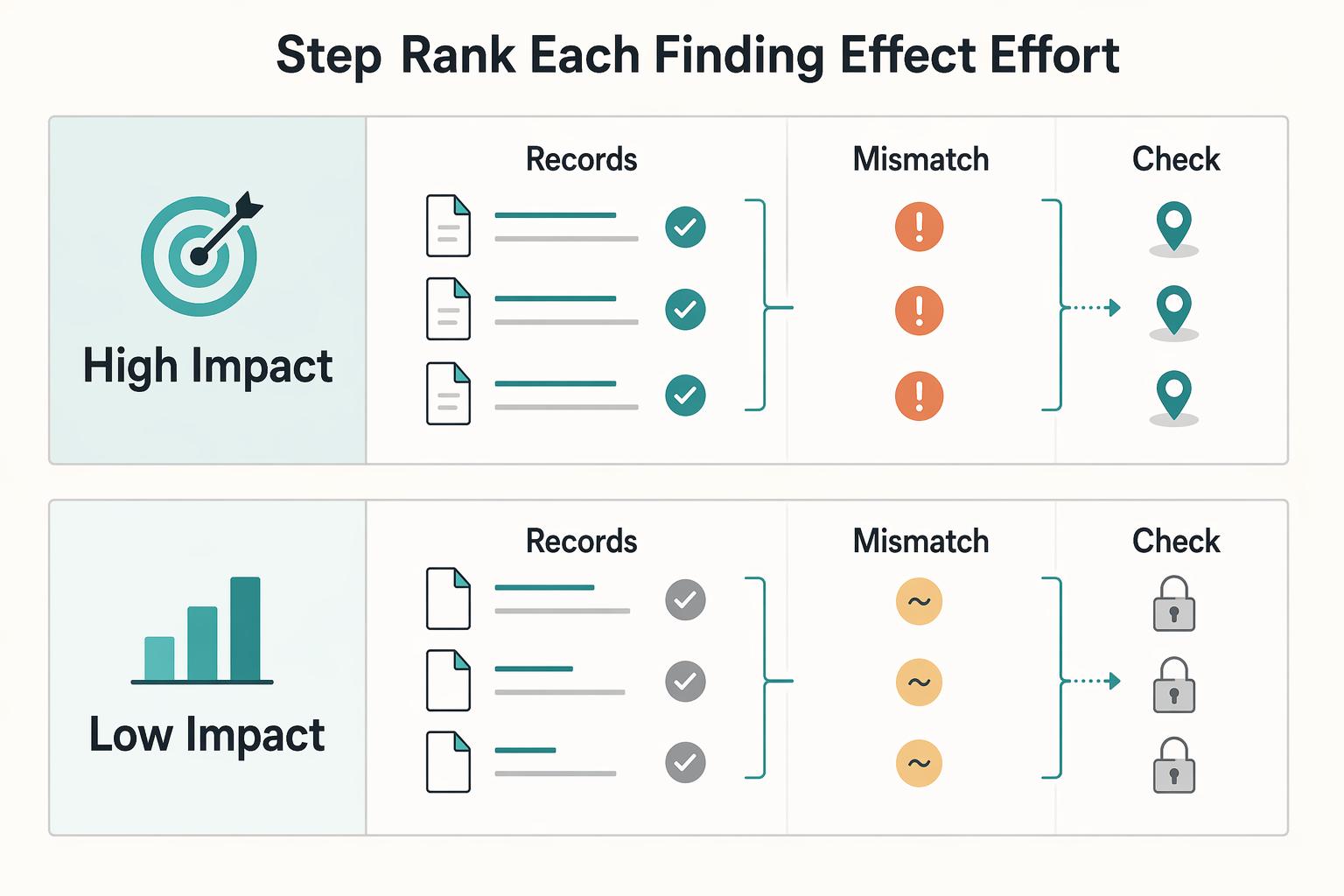
Step 1. Rank each finding by effect and effort#
Do not treat every issue as equally urgent. If two fixes should help by about the same amount, ship the lower-effort one first. That is the point of a heuristic approach: reach a satisfactory decision with less effort instead of forcing a heavy comparison process every time.
| Quadrant | Implementation order | Typical owner | Validation signal | Expected effect |
|---|---|---|---|---|
| High impact, low effort | Do now | You | The task completes cleanly on the same page, device, and path you audited | Stronger trust and faster progression to inquiry |
| High impact, high effort | Plan next | You plus design/development support if needed | Repeated confusion is removed across multiple pages or steps | Better path quality, slower to deliver |
| Low impact, low effort | Batch later | You | Small consistency improvement with no task breakage before or after | Mild polish, limited business effect |
| Low impact, high effort | Reconsider | No owner until new evidence appears | No clear change in task completion or reassurance | Usually not worth doing yet |
Anchor decisions to the friction you already logged. A missing submit confirmation from Check 1, unclear service language from Check 2, or buried contact details from Check 10 usually lands in the first row. Reworking navigation or cross-page structure from Checks 4, 6, or 8 often lands in the second row and may require information architecture updates, new layouts, or updated page templates.
Step 2. Move each issue through a simple capture-to-verify path#
Use one sequence for every item: capture evidence, log the issue, prioritize it, ship the fix, verify the outcome. Keep the log specific: page URL, device, task attempted, screenshot, expected outcome, actual outcome, owner, and target release.
Avoid over-bundling unrelated changes into one release when you still need to learn what worked. Batch similar fixes, ship in small releases, and tie each batch to one diagnosed friction pattern. That gives you cleaner proof of what changed and whether it reduced hesitation on the path you audited.
Step 3. Verify the fix before you expand the project#
Always verify on the same path used to diagnose the issue. After each release, rerun the exact task on the same device and check the signal you defined: visible form confirmation, clearer offer comprehension, or easier access to process and contact details.
If the issue affects multiple user types, one pass may not be enough. In a Georgia Digital Services case, the team ran two rounds of usability testing with three distinct user groups before broader implementation decisions. Use that as a checkpoint for higher-stakes changes: if quick wins remove friction, continue iterating; if confusion persists across sections, stop patching page by page and scope a structural project.
For a step-by-step walkthrough, see How to Conduct an SEO Audit of Your Freelance Website.
Judge whether the interface is fit for use#
Treat website anxiety as an operations signal: if people cannot complete key tasks with confidence, your site is not functioning as a reliable sales asset. A heuristic review helps because it gives you a structured way to judge whether the interface is fit for use, not just visually polished.
Step 1. Define the job your site must do. For a solo service business, the core path is practical: a visitor should understand your offer, find proof quickly, submit an inquiry confidently, and know what happens next. Review message clarity on arrival, proof findability, visible form feedback, and post-submit next-step clarity.
| Behavior | Heuristic-aligned check | Business impact protected |
|---|---|---|
| Anxiety-driven | Vague headline, unclear navigation | First-impression trust |
| Anxiety-driven | No easy way to find proof or relevant examples | Lead quality and self-qualification |
| Anxiety-driven | Form submits with weak or no confirmation | Inquiry completion and confidence |
| Sales-asset | Plain-language value proposition, consistent labels | Faster understanding |
| Sales-asset | Proof is easy to locate from service pages | Better-fit prospects keep going |
| Sales-asset | Clear confirmation, error recovery, next step shown | Fewer abandoned or duplicate inquiries |
Step 2. Review it like an asset you manage. Use Nielsen's 10 heuristics as broad guidelines, then interpret them for your site's mission. A high-value check here is user control and freedom: can someone correct errors, change decisions, and understand limits before committing?
Step 3. Verify with evidence, not vibes. Capture screenshots of the landing page, one proof path, the form error state, and the post-submit state. A common failure mode is weak confirmation after submit, which leaves people unsure whether their message was sent.
Step 4. Run one focused pass, then decide next action. Do one checklist pass on the main inquiry path and log page, issue, heuristic, and business risk. Then choose quick fixes now or follow-up usability testing for higher-stakes pages, since heuristic review complements testing rather than replacing it. If multiple notes point to one root cause, merge them and fix that cause first.
We covered this in detail in How to Build a Freelance Website on a Budget. Want to confirm what's supported for your situation? Talk to Gruv.
Frequently Asked Questions
What are the 10 usability heuristics?
These are ten foundational principles for interaction design by Jakob Nielsen, serving as guidelines to identify common usability problems. They include: Visibility of system status, Match between system and the real world, User control and freedom, Consistency and standards, Error prevention, Recognition rather than recall, Flexibility and efficiency of use, Aesthetic and minimalist design, Help users with errors, and Help and documentation.
How do you conduct a heuristic evaluation?
For a solo professional, the process involves five steps: 1. Adopt the mindset of a skeptical client. 2. Benchmark against competitors. 3. Take a 24-hour 'fresh eyes' break. 4. Execute a 10-point audit based on Nielsen's heuristics. 5. Prioritize fixes using an Impact/Effort matrix.
Can I do a heuristic evaluation by myself?
Yes. While traditional methods use multiple experts, a solo professional can achieve excellent results by using a structured framework that simulates different perspectives, such as the 'Skeptical Client Simulation' and 'Competitor Benchmark' methods.
What is a heuristic evaluation checklist for a website?
It is a set of questions based on established usability principles, like Nielsen's 10 Heuristics, used to systematically review a website for common user experience issues. The 'Audit Kit' in this article provides a practical, business-focused checklist.
What's the difference between heuristic evaluation and user testing?
Heuristic evaluation is an expert inspection where you evaluate a site against established principles. User testing involves watching real users attempt to complete tasks on your site. A heuristic evaluation is a fast, low-cost way to find common problems, making it a perfect starting point for a solo professional.
How often should I audit my website?
Conduct a full heuristic evaluation at least once a year or after any significant site changes. It's also good practice to conduct a 'mini-audit' of your most critical pages (homepage, services, contact) on a quarterly basis.
Researched and edited by the Gruv editorial team. Gruv builds cross-border billing, payouts, and finance-operations software for global businesses.
Sources
- digital.georgia.gov/case-studies/uncovering-need-improved-user-e...trusted
- hci.stanford.edu/courses/cs147/2022/wi/projects/TheVirtualLea...trusted
- ksp.kit.edu/books/276/files/4520be68-28fd-459b-b230-3b8f...trusted
- pages.ucsd.edu/~cmckenzie/Shah&Oppenheimer2008PsychBull.pdftrusted
- pmc.ncbi.nlm.nih.gov/articles/PMC12836306trusted
- pmc.ncbi.nlm.nih.gov/articles/PMC12528315trusted
- repository.rit.edu/context/theses/article/13324/viewcontent/EKu...trusted
- samford.edu/departments/files/Registrar/2008-09-Samford-...trusted
Educational content only. Not legal, tax, or financial advice.
Related Posts

Thailand's Long-Term Resident (LTR) Visa for Professionals
For a long stay in Thailand, the biggest avoidable risk is doing the right steps in the wrong order. Pick the LTR track first, build the evidence pack that matches it second, and verify live official checkpoints right before every submission or payment. That extra day of discipline usually saves far more time than it costs.

How to Price a UI/UX Audit for a SaaS Company
If you need to price UI/UX audit work for a SaaS client, the job is not finding a magic market number. It is turning uncertain scope into a quote you can defend, a Statement of Work (SOW) the client can approve, and payment terms that do not leave you carrying the risk.
Client Journey Mapping: From Inquiry to Payment and Handoff
If you work solo, a client [journey map](https://www.nngroup.com/articles/journey-mapping-101) should do more than describe how a client feels. It should help you control how work starts, moves, gets approved, and gets paid. In standard UX, a journey map shows the steps a person takes to reach a goal. In a service business, that same structure can become an operating tool for spotting where payment timing, scope clarity, handoff friction, and admin steps break down.