
Quick Answer
Create a user persona document as two linked profiles: one for user understanding and one for client qualification. Keep it lean, usually one page, and fill it with verifiable notes from discovery calls, emails, proposal threads, and research. Define company fit first, then map who approves spend, who manages delivery, and who signs off. Mark unknowns clearly, classify risks as proceed, pause, or decline, and use the same evidence to shape proposal wording and pricing assumptions.
Your User Persona Document is a Business Risk. Here's How to Fix It.#
If you sell services on your own, a traditional persona helps you understand users, but it may be incomplete. It may not tell you whether a prospect is a strong fit once money, approvals, and delivery risk enter the picture.
Step 1 Keep the classic persona for product and UX decisions#
Keep the classic persona for product and UX decisions. It still does important work by helping you understand what customers want, need, and respond to. The trouble starts when that same document becomes your only filter before a proposal. A user-focused profile is built for understanding, not for pre-engagement risk screening.
Use this quick checkpoint: if your persona gets created once and never shows up in real decisions, it is already losing value. Personas are supposed to reflect live data, not sit around as polished posters. Once they feel too finished to update, they usually go stale and stop helping.
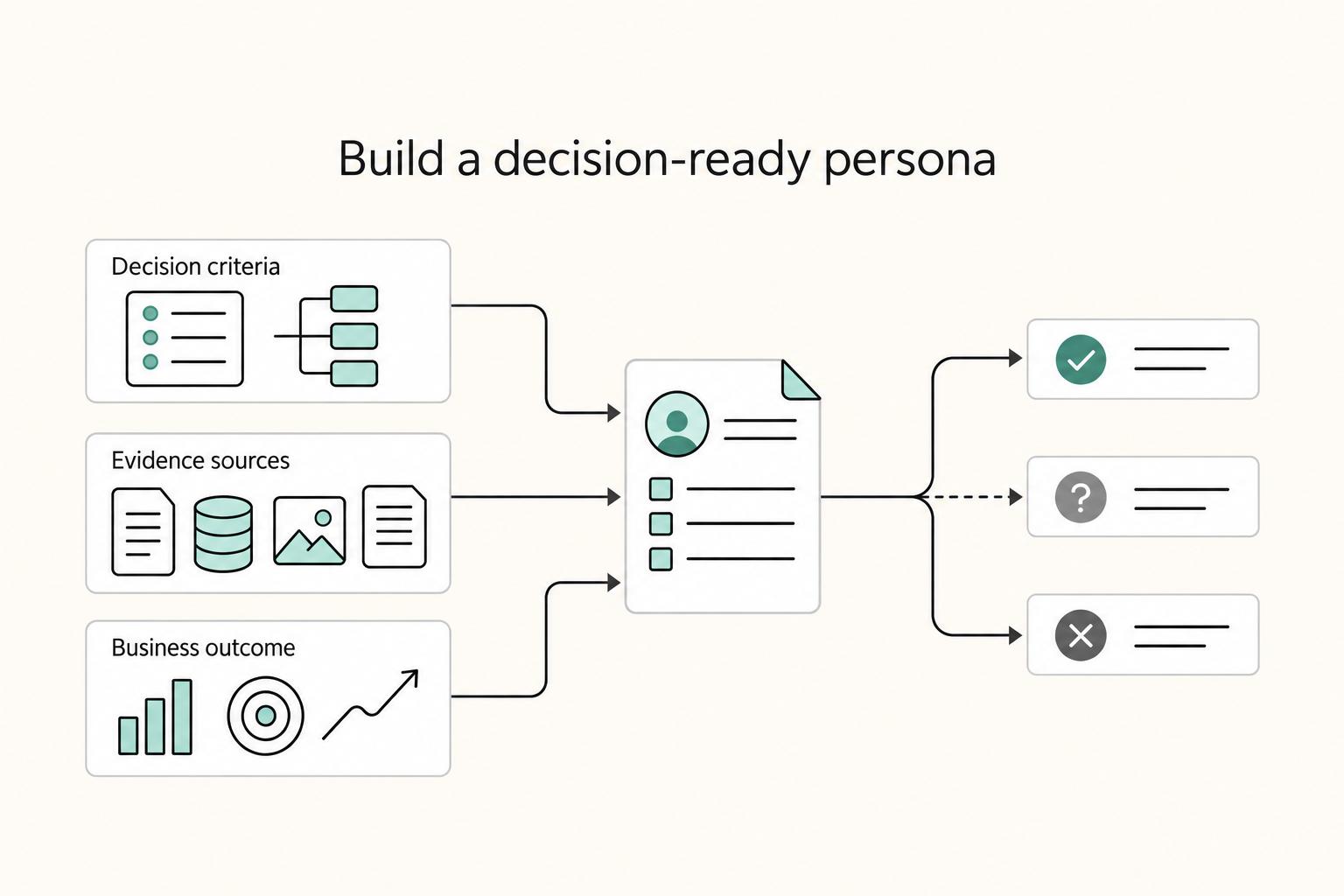
| Aspect | Traditional User Persona | Client Screening Profile |
|---|---|---|
| Decision criteria | User needs, goals, behaviors, motivations | Fit and risk signals before engagement |
| Evidence sources | Interviews, research notes, usage patterns | Current prospect context and anti-persona risk patterns |
| Business outcome | Better product understanding | Better pre-engagement screening and clearer go or no-go decisions |
Step 2 Add a second document for pre-engagement screening#
Add a second document for screening and call it a Client Qualification Persona if that label works for your team. This is a pre-engagement screening tool you use before a proposal or contract. It supports user research. It does not replace it.
Treat risk as a spectrum, not a pass or fail test. You are not trying to reject every imperfect prospect. You are trying to segment prospects by likely risk, because overcorrecting can push away good-fit clients too. The other common failure mode is simpler: if you never look at this profile before saying yes, it becomes decorative instead of protective.
That is the shift. Once you separate user understanding from client screening, it becomes much easier to see how a good-looking persona process can still miss important risk signals.
Related: Document Management for Accounting Firms: Secure Intake, Retrieval, Retention, and Automation.
Why Your Current Approach to Personas Attracts the Wrong Clients#
Your persona process starts attracting wrong-fit clients when it explains user needs but not buying context or decision structure. That mismatch can make early-fit signals look stronger than they are.
Step 1 Treat unclear decision context as a qualification risk#
Keep empathy, but do not use empathy alone as a client filter. A user persona document is still valuable for needs, goals, and behavior patterns, especially when grounded in real research, but persona assumptions can be hard to verify and are often built from limited samples.
Use an early checkpoint: if you still cannot clearly identify who is involved in decisions and how those decisions move, treat that as a qualification risk.
| Input area | Design-research persona focus | Client-screening check |
|---|---|---|
| Core signal | User goals, behaviors, frustrations | Clarity on who decides, who influences, and who will use the work |
| Confidence risk | Patterns can be useful but still incomplete | High risk when decision context stays vague |
| Pipeline effect | Better UX direction | Fewer false-positive "good fit" leads |
Step 2 Ask who uses, who signs off, and who blocks#
Do not let one polished persona stand in for your full buying audience. Many buyer-persona frameworks are too narrow because they assume a single decision-maker, while real B2B purchases often involve multiple stakeholders (commonly cited ranges include 6-10, with some benchmarks citing 13).
Ask direct questions early: who uses the work most, who signs off, and who can block the decision. If those answers stay unclear after early conversations, mark that as a real risk signal and qualify more carefully before scoping.
Lean Persona Research for a Solo Practice#
For a solo practice, a user persona document should be a lean working tool for qualification and proposals, not a polished design artifact. Keep only evidence you can use, and update it when new information changes your read on the client.
Step 1: Capture evidence#
Use a note format you will actually maintain: source, observation, implication. Record what you heard or saw, where it came from, and what it might mean for fit, friction, or proposal messaging. Practical inputs can come from discovery calls, inquiry emails, proposal threads, kickoff notes, and repeated research patterns.
Stay strict about certainty. If something is plausible but unverified, mark it Unknown instead of guessing. Each meaningful claim in the profile should trace back to a source, so one vivid comment does not become a rule too early.
Once you have raw notes, decide how each type of evidence will be used.
Step 2: Separate segments from profiles#
Segments and persona profiles serve different decisions. Segments guide targeting and positioning; persona evidence helps you assess a specific prospect with more context. A segment can be directionally right while a particular buyer is still a poor fit.
In practice, use segments for outreach, then use the profile to inform proceed, pause, or decline decisions alongside scope, budget, and process signals. If you want a cleaner synthesis workflow, Affinity Mapping for User Research That Leads to Better Decisions is a useful next step.
With that distinction clear, keep the profile as light as possible.
Step 3: Keep the profile lean and current#
A one-page profile is often enough when it stays evidence-based. Include role, goals, constraints, buying context, decision friction, and language you can reuse in proposals. If a visual template helps, this lean persona reference is a practical example.
Update the profile when new evidence changes fit, risk, or proposal messaging. That matters because static personas can become stale quickly, and demographics alone usually do not explain buyer behavior well enough for confident decisions.
For proposal-side application, see How to Price a UI/UX Audit for a SaaS Company.
How to Build Your Ideal Client Profile (The Client You Want to Clone)#
Build this as a qualification filter, not a character sketch. Your goal is a usable user persona document that supports a go, no-go, or not-yet decision, then guides a proposal that matches the real buying situation.
Before you start#
Start with records you can verify later, such as discovery notes, inquiry emails, call summaries, proposal threads, and relevant kickoff or feedback notes. If a detail matters but you cannot verify it, mark it Unknown instead of guessing.
Keep only fields that change qualification, messaging, scope, or approval risk. Otherwise, the profile becomes data overload instead of a decision tool. If you want a clean definition, an ideal customer profile is a description of the company or customer you want to target. For a solo service business, fit matters more than volume.
Step 1 Define company level fit first#
Company fit comes before personality fit. Without a clear target audience, positioning gets unclear, and that usually shows up in discovery calls and weak proposals.
Use company-level fields that answer risk, not curiosity:
| Weak profile field | Decision-ready field | Qualification risk it answers |
|---|---|---|
| Broad demographics | Company context, business model, and size | Can this client use the work you sell well? |
| "They seem interested" | Buying authority and whether budget appears real | Is this likely to move, or stay stuck in conversation? |
| Vague personal traits | Decision-maker title, responsibilities, and current business goal | What outcome are they accountable for, and will your proposal speak to it? |
| Generic aspirations | Decision path clarity before proposal | Are delays or surprise approvers likely later in the sale? |
Verification point: each row should tie back to something observable, even if the source is "discovery call on Tuesday" or "email from operations lead." One enthusiastic contact is not enough evidence of account fit when budget ownership, approval path, and business case are still unclear.
Step 2 Map the people inside the account#
Once company fit looks promising, map the people you will actually sell to and work with. In B2B service work, this needs to go beyond demographics.
| Role in the account | Question to ask | Why it matters |
|---|---|---|
| Budget owner | Who can approve spend for this project? | Confirms whether pricing will be reviewed by the right person |
| Day to day lead | Who will manage feedback, access, and decisions during delivery? | Sets communication cadence and reduces scope drift |
| Final approver | Who signs off on the work before release or completion? | Prevents last-minute objections from unseen stakeholders |
Use this role map as a proposal handoff before terms go out: message outcomes to the budget owner, define scope boundaries for the day-to-day lead, and show approval flow for the final approver. If pricing pressure is likely, align packaging and assumptions early. How to Price a UI/UX Audit for a SaaS Company is a useful companion.
Step 3 Keep the profile current and test whether it helps#
Use one primary profile and update it when new evidence changes fit, authority, or messaging. A profile should not be treated as static, and you should measure whether it is effective.
Run a simple checkpoint after several real opportunities: did this profile help you qualify faster, spot approval risk earlier, and write a tighter proposal? If not, the issue is usually not missing data. It is fields that do not change a decision.
Apply this now: if ownership or buying authority is still unclear, do not force certainty. Leave the field unresolved, pause proposal assumptions tied to approval, and add the note: Current approval threshold pending source-record verification.
The "Red Flag" Persona: Your Strategic Client Rejection Framework#
Use a red-flag persona as a practical do-not-serve list so you protect your time and money from leads that are unlikely to convert. The goal is simple: make go, pause, or decline decisions consistent before you burn hours on calls and proposals.
Step 1 Build a one-page red-flag scorecard#
Keep it evidence-based and specific. Log only signals you can point to in a call summary, email thread, or proposal exchange.
| Red-flag pattern | What it can look like in real conversations | Evidence to attach |
|---|---|---|
| Budget mismatch | They cannot afford your service level | Budget comments in calls or email |
| Information-only engagement | They download resources, ask questions, and keep engaging without a buying path | Repeated content requests with no purchase movement |
| Tire-kicker behavior | They keep asking for free advice but show no intent to sign | Long Q&A threads with no contracting step |
Step 2 Classify each signal before you react#
Not every concern means an automatic no. Classify each signal so you stay consistent:
| Signal status | Meaning | Default action |
|---|---|---|
| Proceed | No meaningful red flags yet | Keep discovery moving |
| Pause | Intent is unclear or evidence is incomplete | Request missing buying-context details |
| Decline | Pattern repeats and still shows no realistic path to contract | Exit politely and protect capacity |
By the end of discovery, your decision should be explicit and tied to notes, not gut feel.
Step 3 Escalate unclear cases instead of guessing#
- Request clarification: Ask directly what is missing (for example, buying intent or budget reality).
- Set a boundary: Limit further unpaid advisory time until qualification is clear.
- Decline cleanly: If the same red flags continue, send a brief no-fit note and move on.
How to Use Your Persona to Write Proposals That Win#
Use your persona as an evidence filter for proposal writing. Every key claim should trace back to verified research, stated goals, decision criteria, or known barriers so the proposal feels specific to this buyer, not reusable boilerplate.
Step 1 Map each proposal section to verified evidence#
Build each section as a clear chain: research note, proposal claim, delivery action, expected result. If a sentence cannot be tied to a note, cut it or rewrite it.
Start with your profile and discovery notes. Then map proposal language to what the buyer has already confirmed: goals, constraints, decision criteria, buying behavior, and barriers.
A practical checkpoint: if the wording could fit any company, it is still too vague.
| Generic proposal wording | Persona-led proposal wording | Evidence needed from your notes |
|---|---|---|
| "We will conduct stakeholder interviews and research." | "We will interview the teams identified in discovery to clarify the approval blockers affecting this project." | Named stakeholders, stated blocker, approval path |
| "We will design new wireframes and prototypes." | "We will redesign the flow your team flagged, then test whether the new path supports your stated success criteria." | Reported friction point, success criteria, affected journey |
| "We will provide final recommendations and handoff." | "You will receive prioritized recommendations tied to the constraints discussed, so the team can decide what to build first." | Stated constraints, decision criteria, implementation owner |
Step 2 Mirror the buyer's language and decision context#
Use the buyer's own language so your proposal matches how they define risk, urgency, and success.
| Checklist item | Article guidance |
|---|---|
| Buyer terms | Reuse terms they already use in calls, emails, and briefs |
| Success criteria | Reflect the success criteria they named; if they are missing, use "Success metric pending client-record verification." |
| Role pressure | Reference role pressure only when your notes support it |
| Confirmed barriers | Address confirmed barriers directly, such as procurement, stakeholder access, or timing constraints |
| Decision criteria | Restate decision criteria in your recommendation, not only in your internal notes |
Use this checklist before sending:
- Reuse terms they already use in calls, emails, and briefs.
- Reflect the success criteria they named. If they are missing, mark the success metric as pending client-record verification.
- Reference role pressure only when your notes support it.
- Address confirmed barriers directly, such as procurement, stakeholder access, or timing constraints.
- Restate decision criteria in your recommendation, not only in your internal notes.
The test: the buyer should recognize their situation in the proposal.
Step 3 Frame price around verified value, not abstract effort#
Frame pricing around verified context, not assumptions. Anchor scope and pricing to the decision criteria, constraints, and priorities documented in discovery.
You do not need complex ROI math. You do need a clear link between investment and what the buyer said matters most. For example:
- "This option targets the priority outcome you named while fitting the current implementation constraint discussed in discovery."
- "The recommended scope focuses first on the issue affecting the success metric you named."
- "This phased approach adds a decision checkpoint after the first evidence-gathering round to reduce approval risk."
If baseline metrics or budget logic are unclear, state the dependency and use a phased option instead of guessing.
Related: How to Price a UI/UX Audit for a SaaS Company.
Conclusion: Replace Assumptions With Verified Qualification Signals#
A user persona document earns its keep when it helps you replace assumptions with verified signals in qualification and proposal planning. The file is not the asset on its own. The asset is the habit of checking what is verified, what is still unknown, and what has changed since the last real client conversation.
| Habit | What it relies on | What you check | What reaches the proposal |
|---|---|---|---|
| Static persona file | Basic demographic profiles and old assumptions | Inconsistently, when a question comes up | Generic pain points and broad messaging |
| Active qualification process | Verified notes, updated patterns, and psychographic insights | Before major discovery and proposal decisions | Goals, objections, and selection criteria you actually heard |
| Plain-language profile refresh | Short answers about who you are targeting now | Whether recent conversations still match the profile | Clearer scope language and proof points tied to current evidence |
Step 1. Verify signals. Before you treat a pattern as real, make sure you can point to it in interview notes, inquiry emails, call summaries, or repeated objections. If you cannot trace a claim back to a source, mark it unknown. That is the checkpoint.
Step 2. Clarify unknowns before committing language. Do not lock in scope or messaging while key buying details are still fuzzy. If the prospect cannot explain goals, constraints, or how they will evaluate options, capture that gap and follow up before finalizing the profile.
Step 3. Update after live contact. Personas age fast. After each discovery call, proposal review, or project close, add one confirmed note and one open question so the profile stays usable as buyers move across multiple touchpoints and niche communities.
Use verified notes to keep the profile current, then carry that same evidence into proposal language. If pricing is your next sticking point, read How to Price a UI/UX Audit for a SaaS Company.
Frequently Asked Questions
How do you create a user persona document for a B2B client?
Start with one clear segment, not a vague market. Build the profile from verifiable facts from concrete research, then reduce it to a short persona profile, often one page. If you cannot trace a statement back to notes, mark it unknown instead of filling the gap with a guess.
Can you create a persona with no budget?
Yes, if you start with evidence you already have and add a small amount of direct research. Build from verifiable facts first, and leave gaps marked as unknown until you can validate them. If research access is the bottleneck, see How to Recruit for User Research Without Wasting Study Time.
What is the difference between a user persona and a buyer persona?
User personas are research-based profiles of a segment. If your project involves different decision and usage roles, document them separately and keep each claim tied to evidence.
What is an exclusionary persona?
If you use an exclusionary persona internally, treat it as a local screening tool and include only patterns you can document repeatedly with evidence.
How many personas does a solo professional need?
Usually fewer than you think. Start with one profile for the segment you most want to serve, then add another only when research shows a clearly different segment with different needs or goals. If you cannot keep a profile current, it is overhead, not an asset.
How often should you update your persona profile?
Update it whenever new evidence changes how you qualify leads or shape proposals. Good triggers include new research findings or repeated patterns that contradict your current assumptions. The checkpoint is simple: your intake questions, red flags, and proposal language should change when the evidence changes.
Try a related tool
Researched and edited by the Gruv editorial team. Gruv builds cross-border billing, payouts, and finance-operations software for global businesses.
Sources
Includes 6 external sources outside the trusted-domain allowlist.
- cmu.edu/sites/default/files/cmu-tepper-site-files/20...trusted
- mtc.ca.gov/sites/default/files/documents/2025-11/_11_07...trusted
- blog.logrocket.com/ux-design/using-anti-personasexternal
- business.adobe.com/blog/how-to/customer-profilingexternal
- cognism.com/blog/ideal-customer-profileexternal
- figma.com/resource-library/how-to-create-a-personaexternal
- foureyes.com/negative-buyer-personaexternal
- hubspot.com/make-my-persona/persona-examplesexternal
Educational content only. Not legal, tax, or financial advice.
Related Posts

Thailand's Long-Term Resident (LTR) Visa for Professionals
For a long stay in Thailand, the biggest avoidable risk is doing the right steps in the wrong order. Pick the LTR track first, build the evidence pack that matches it second, and verify live official checkpoints right before every submission or payment. That extra day of discipline usually saves far more time than it costs.

How to Price a UI/UX Audit for a SaaS Company
If you need to price UI/UX audit work for a SaaS client, the job is not finding a magic market number. It is turning uncertain scope into a quote you can defend, a Statement of Work (SOW) the client can approve, and payment terms that do not leave you carrying the risk.

The Freelance Payment Penalty: A Modeled Audit of Platform Fees, FX Spreads, and Payout Delays
The money rarely disappears through a single, easy-to-spot fee. The real loss is stacked. A marketplace takes its commission, a processor adds a charge for international cards, a bank or payment company converts the currency at a spread, a platform holds the funds before release, and a wire sheds a little to intermediaries on the way in. Each layer looks defensible on its own, but the worker feels the combined result as a smaller deposit and a later payday.