
Quick Answer
Define the agreed deliverables, acceptance criteria and included allowances. Assess each request as covered work, a correction or clarification, or a proposed addition. Price and approve genuine changes through the agreed channel, update affected dates and continue unaffected authorised work. Keep invoices tied to the actual payment terms.
Prevent scope creep with clear boundaries and timely decisions#
Prevent scope creep by agreeing what you will deliver, assessing requests against that baseline and recording decisions about additions. Continue the work already authorised while a genuine change is reviewed. The process should distinguish a new deliverable from clarification, included revisions or fixing your own missed requirement.
That framing matters because drift rarely shows up as one dramatic request. It usually arrives as small extras, more involvement than was agreed at contract signing, and well-meant improvements that go beyond the minimum requirements. That is how projects end up over budget and behind schedule, even when everyone thinks they are being helpful.
| Request type | How to classify | What action to take | What record must exist |
|---|---|---|---|
| In-scope request | Fits the agreed deliverables, acceptance criteria and included allowances; may include clarification or correction needed to fulfil the existing promise | Schedule and deliver it under the existing plan | Reference to the baseline document and a note in your project log |
| Approved change | Changes agreed deliverables or commercial terms and is approved through the agreed process | Issue the updated terms, then schedule the work | Identifiable approved scope, price and timing, recorded in the form the agreement requires |
| Unapproved add-on | The client asked for more, but no written decision exists yet | Pause the extra work and restate the options | Logged request, pending status, and the recap showing approval is still missing |
Step 1 Lock the baseline before work starts#
Describe deliverables, included review rounds and acceptance conditions in the SOW or equivalent agreed scope. Refer to supporting specifications where needed, and identify which document controls if terms conflict. A short engagement may need one clear agreement rather than a separate charter, SOW and master contract.
Be concrete. List deliverables, assumptions, exclusions, who provides inputs, and how acceptance will be judged. If you do not write down the non-goals, they tend to return later as "quick asks" that feel too small to challenge but still consume time.
Before kickoff, confirm the outputs, responsible people and acceptance conditions. If a request is not named word for word, assess whether it is reasonably part of the existing commitment before calling it an extra. Missing detail can require clarification rather than a fee change.
Step 2 Route every change through a clear decision point#
When a request changes the agreed work, do not argue about whether it is "small." Classify it. A simple change log is enough if you keep it disciplined. Record the date, who asked, which baseline item it touches, what changes, likely fee impact, likely timeline impact, and current status.
Name the client role authorised to approve changes and who on your side can commit to price and dates. For a solo project, that may simply be you and one client contact. Input from another stakeholder is a request until the agreed decision process confirms it.
Assess whether the request changes the agreed commitment or fits an existing allowance. Use the approval method agreed for changes: an identifiable email may be sufficient for a routine add-on where permitted, while a larger amendment may require signatures. Link the decision to the active scope and keep the current version clear.
Before starting an addition, retain the approved request, approver, price or no-charge decision and any timing effect. A separate document URL is useful when available but is not a reason to stop otherwise authorised work. Keep uncertain additions pending while continuing unaffected tasks.
Step 3 Keep communication tight when pressure rises#
Most scope problems get expensive in the gap between "we discussed it" and "we approved it." After calls, send a short written recap that maps each decision to one of three statuses: in scope, approved change, or pending approval. Then mirror the same status in your project log so your email, scope documents, and delivery plan all match.
Your own unplanned improvements can also expand the work. A small courtesy can be a deliberate business choice; record its limit and no-charge status rather than quietly making it the new baseline. Correcting an error against the agreed acceptance criteria is not the same as providing a courtesy or selling an extra.
The tradeoff is straightforward. Absorbing one unapproved add-on feels faster today than slowing the conversation down. The cost usually shows up later in rework, delivery slippage, and budget pressure. Once that control rule is in place, make sure your kickoff materials support it. For a deeper dive, read How to Write a Scope of Work for Clear Delivery and Payment.
What to prepare before kickoff so scope creep has nowhere to hide#
Before delivery starts, align the documents you actually use: scope, price, dates, acceptance criteria and approval authority. A master agreement may incorporate the SOW and govern changes; they do not need to repeat every clause. Identify the current version and precedence rule.
| Prep step | What to confirm | Check |
|---|---|---|
| Align the baseline packet | The SOW, project agreement, and any charter or customer specifications match on outcomes, exclusions, review points, and scope-approval role | Resolve unexplained material conflicts in active terms; a referenced master clause need not be repeated in every document |
| In-scope vs out-of-scope check | Each deliverable has an output format, acceptance owner, review method, and explicit non-goals | Confirm what is handed over, who accepts it, how it is reviewed, and what is excluded |
| Minimum Requirements done gate | Minimum Requirements are written clearly so completion comes from the baseline, not call notes or memory | Base completion decisions on written requirements, not informal discussion |
| Request evidence pack | Each request has the date, requester, short description, related baseline item or no match, status, decision owner, approval-record link, and affected contract document | Capture enough information to assess a request; obtain approval for genuine additions before starting them |
Align the baseline packet.#
Review the active SOW, agreement and any incorporated specifications together. Confirm outcomes, exclusions, review points and approval authority are coherent under the precedence rule. Resolve unexplained material conflicts; a term appearing only in an incorporated master agreement is not automatically a gap.
Run an in-scope vs out-of-scope check on every deliverable.#
For each deliverable, define the output format, acceptance owner, review method, and explicit non-goals. This keeps "included work" tied to written terms instead of interpretation. Check: for every item, you can answer: What is handed over? Who accepts it? How is it reviewed? What is excluded?
Use Minimum Requirements as your done gate.#
Write the acceptance criteria clearly so completion does not depend on memory. Assess whether a request is needed to fulfil the existing commitment or adds to it. An underestimated task still required by a fixed-price promise does not automatically become a chargeable change.
| Request status | What it means | Required action | Can you schedule it? |
|---|---|---|---|
| Documented in baseline | In the SOW or linked specs and fits agreed deliverables | Deliver under the original agreement | Yes |
| Mentioned informally | Raised in chat, email or calls; may be clarification, included work or a change | Assess against the baseline and record the decision | Yes if already authorised; additions need the agreed approval |
| Needs change request | Adds work or affects scope, timeline, fee, or dependencies | Issue a written change request/change order linked to affected documents | Not until approved |
Set up the request evidence pack before work starts.#
Capture request date, requester, description, affected scope item, status and decision owner. Add the price/timing assessment and approval reference where a change requires them. A request can enter the review queue before approval; genuine additions remain pending until the agreed approval is recorded.
A chat or call is an intake channel, not proof that the request is new work. Classify it against the agreement and confirm any required approval. For a larger example, see Managing Scope Creep in a Large-Scale Branding Project.
Lock the boundaries in your SOW and project agreement#
Use a simple first screen: already authorised, a proposed change, or unclear and needing clarification. Your agreement should define the outputs and included allowances well enough to make that screen quick.
Put a binary scope test in writing.#
Map the request to the agreed deliverable, acceptance criteria and allowances. Resolve ambiguous requirements with the client before assuming an extra fee. Once the classification is clear, continue included work or seek approval for an addition.
Define deliverables so they can be verified, not debated.#
Vague terms like "support," "optimization," or "refinements" invite extra unpaid work. For each deliverable, define: format, acceptance owner, review method, completion evidence, and explicit limits. These are operating controls, not magic legal words, but they make completion provable from the record instead of memory.
Pair every included item with a boundary.#
Scope control depends on what is included and what is not included. For each major in-scope item, add a matching out-of-scope edge so "I assumed that was included" does not become your billing problem.
| Topic | Included | Excluded | Needs Change Order |
|---|---|---|---|
| Copy deliverable | Final homepage copy in Google Docs | Copy for extra pages not listed in the SOW | Adding a pricing page after approval |
| Revisions | Two review rounds in the agreed review window | Additional revisions past the agreed amount | Third revision round requested after sign-off |
| Post-delivery help | Handover Q&A tied to the delivered file | Ongoing support beyond delivery | Monthly support, implementation services, or training sessions |
Align SOW and project agreement before signing.#
Check both documents side by side for matching deliverable names, defined terms, approval authority, payment references, and which document controls if wording conflicts. Then add a routing rule your contract supports, for example: requests that change effort, dependencies, timeline, or commercial terms are logged and approved before scheduling.
If messages conflict with the signed terms, clarify the affected commitment and use the agreed amendment process where needed. Continue unaffected work unless the contract or dependency requires otherwise. For feedback handling, read How to Handle Revisions and Feedback Without Losing Profit.
Build a change control system that keeps deals moving#
Use four steps for proposed additions: intake, impact assessment, approval and scheduling. For an in-scope clarification, record the answer and continue under the existing authority; it need not receive a second commercial approval.
| Step | What to record | Gate |
|---|---|---|
| Intake | Requester, business reason, affected baseline item, delivery impact, commercial impact, and whether it is net-new work | Map it to a baseline item or mark it no match for review |
| Impact assessment | Classify as existing commitment, correction/clarification or additive enhancement | If it is additive, route it as a formal change request with written impact on effort, dependencies, timeline, and fees |
| Approval | Named client approver and one escalation route if they are unavailable | Urgency can speed routing, but it should not bypass assessment or written approval |
| Scheduling | Change log, timeline, and any affected scope language | Schedule only after approval is recorded; otherwise pause and route it back through change control |
Step 1: Intake (log it before work starts).#
Capture the request in writing with the requester, business reason, affected baseline item (SOW/agreement), delivery impact, commercial impact, and whether it is net-new work. By the end of intake, you should be able to map it to an existing baseline item or mark it as "no match" for review.
Step 2: Impact assessment (classify before assignment).#
Separate requests into:
- Minimum requirement to deliver agreed scope (needed to meet the current commitment)
- Additive enhancement (extra beyond the current commitment)
If it is needed for agreed scope, confirm whether baseline documents need clarification before assignment. If it is additive, route it as a formal change request with written impact on effort, dependencies, timeline, and fees.
Step 3: Approval (one accountable path, including urgency).#
Name one accountable client approver at kickoff and one escalation route if they are unavailable. Urgency can speed routing, but it should not bypass assessment or written approval.
| Request type | Response path | Who can approve | What must be documented | When scheduling is permitted |
|---|---|---|---|---|
| Standard request | Normal review path | Named approver | Intake record, assessment, written decision | After assessment and approval are recorded |
| Urgent request | Escalated review path | Named approver, or agreed escalation route if unavailable | Intake record, urgency reason, assessment, written decision | After assessment and approval are recorded |
| Existing authorised allowance | Use the agreed allowance and record the use | Existing approval defines the permitted work | Task, allowance remaining and any material timing issue | Within the approved limit; obtain further approval before exceeding it |
Step 4: Scheduling (only after approval is recorded).#
After approval, update the change log and affected delivery or price terms. If an unapproved addition has started, stop that addition, disclose the work already done and agree what happens next. Continue unaffected commitments while the decision is resolved. Related: How to Write a Change Order for a Freelance Project.
A priced change and a no-charge correction#
Illustration: the agreement covers homepage copy for $3,000, two review rounds and delivery on October 8. A client asks for an additional pricing page. You estimate five hours at an agreed $80 rate: $400, with delivery moving to October 10. Offer three options: keep the original homepage plan, add the page for $400 and accept the later date, or agree a specific substitution. Record the authorised contact’s choice through the agreed approval channel before starting the addition.
If the homepage instead omits a section already promised in the SOW, restore that section under the existing fee. If you choose to provide a 15-minute courtesy tweak beyond scope, record it as a one-time no-charge addition. Neither case needs to become an undefined entitlement to further work.
Protect profitability with payment terms that enforce scope discipline#
Use payment terms as a scope-control rule, not a finance afterthought. If payment drifts away from documented scope, acceptance, and approved pricing, you absorb extra work and margin loss.
Step 1. Use the agreed billing trigger. Link invoice lines to the relevant deliverable, deposit, milestone, time allowance or approved change. Acceptance evidence matters where the contract makes acceptance the trigger; do not silently replace an agreed deposit or hourly payment rule with payment only after final sign-off.
Step 2. Match pricing to the uncertainty. Quote a fixed add-on for defined extra work. For discovery or uncertain revisions, agree an hourly rate and spending cap, or a paid assessment followed by a quote. Work within an approved cap can proceed without renegotiating each task; stop for approval before exceeding it.
| Work type | Billing basis | Required documentation | Execute or pause |
|---|---|---|---|
| In-scope work | Original contract or milestone fee | Contract reference and evidence required for the agreed billing trigger | Continue |
| Approved change work | Approved fixed add-on or capped time allowance | Change request, written pricing approval, updated scope record | Continue after approval |
| Unapproved extra | None yet | Request record only | Pause |
Step 3. Resolve the affected change’s billing terms. Record the approved price, cap or no-charge decision before beginning a new addition. Follow any contract requirement for signatures; a written decision can use the agreed channel. If a disputed amount or missing approval remains, address that change and use any suspension right only as the contract and applicable law permit. Continue unaffected authorised work where possible. Related: Setting Boundaries with Clients.
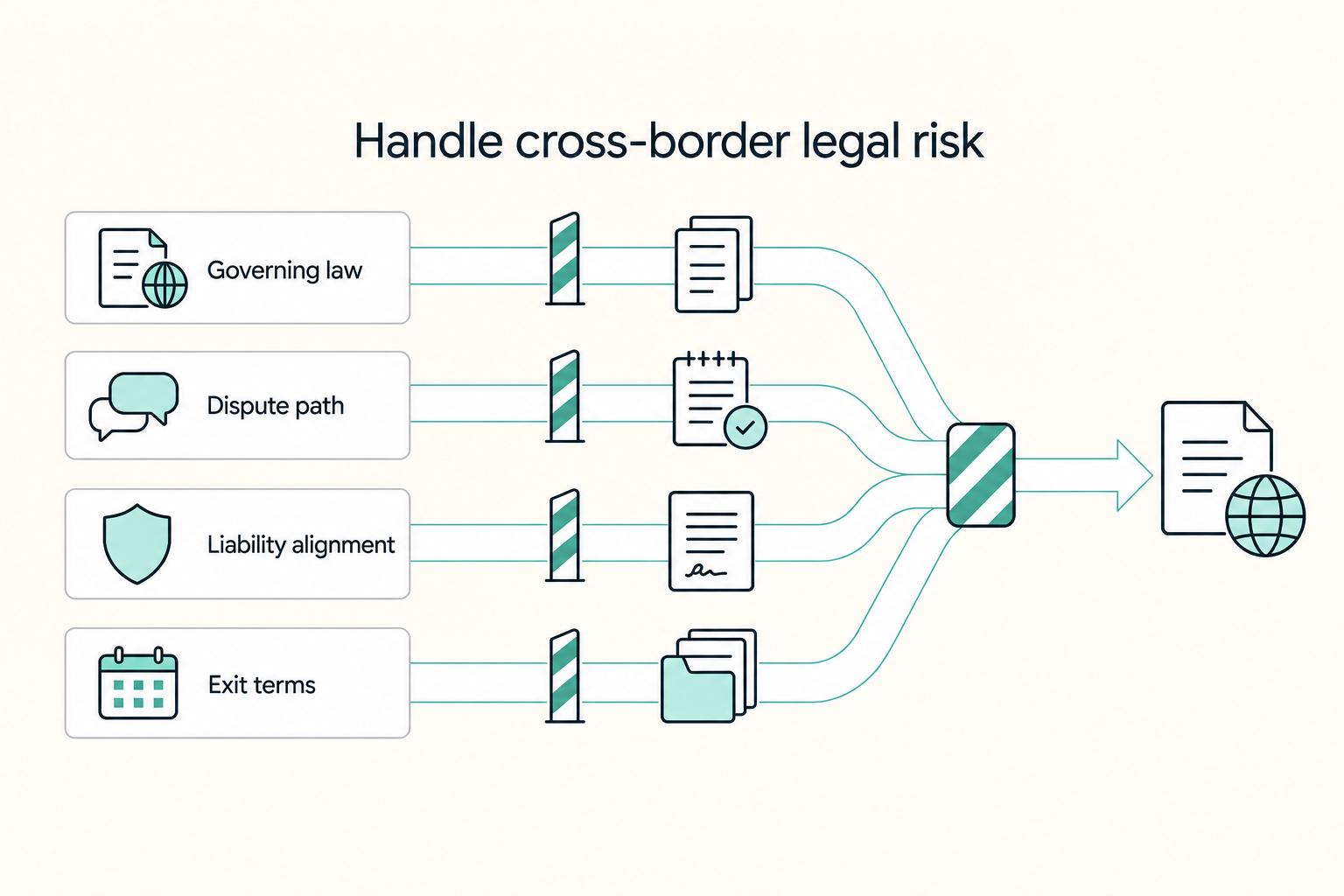
Handle cross-border legal risk before it becomes scope and payment risk#
For cross-border work, check that the scope, approvals, notices and payment arrangements fit the governing agreement. Different documents can serve different roles. Clarify material inconsistencies without treating a silent SOW as a conflict when it validly refers to master terms.
| Control point | What to align | Action if it breaks |
|---|---|---|
| Governing law, forum, and dispute path | Use the same governing law, dispute forum, and escalation path across the master agreement, SOW, and change-order template | Check incorporation and precedence first; resolve an actual material conflict in the affected terms |
| Approvers and evidence | Name who can approve legal terms and commercial changes on both sides and keep one deal record | Define the record required at each stage and keep it in one deal record instead of scattered inboxes and chat |
| Escalation and exit triggers | Tie triggers to overdue approved change work, repeated bypass of written approvals, and missed responses after formal notice | Verify and finalize placeholders like the number of days overdue or the number of business days to respond before signing |
| Liability and exit language | Keep legal language aligned with the live scope record when scope changes | Review whether the change affects liability, insurance or exit obligations; amend where necessary |
Step 1. Check governing law, forum and dispute process. Governing law concerns the rules applied; forum or an arbitration seat concerns where a dispute is handled. A SOW can refer to master terms rather than repeat them. Check incorporation, precedence and actual conflicts, and obtain relevant legal advice for a consequential cross-border arrangement.
Step 2. Assign approvers and define the evidence required at each escalation stage. Name who can approve legal terms and who can approve commercial changes on both sides before work starts. Then define what record is required at each stage and keep it in one deal record, not scattered across inboxes and chat. A practical minimum set is:
- Change intake record
- Written scope/price impact summary
- Written approval or rejection
- Formal notice record (when escalation starts)
- Escalation meeting recap
- Final pause/resume or termination notice
| Clause area | Weak clause pattern | Stronger clause pattern | Why it protects scope and payment control |
|---|---|---|---|
| Governing law and forum | Vague, missing, or inconsistent across documents | Same language carried through master agreement, SOW, and approved changes | Reduces disputes about where and how issues are handled |
| Dispute path | "We will discuss in good faith" only | Clear written escalation path with documented steps | Creates a usable record before a payment dispute hardens |
| Liability alignment | Broad wording disconnected from current scope | Language tied to defined services and approved changes | Limits drift between what was approved and what risk you carry |
| Exit terms | Generic termination language only | Exit tied to documented notice flow and repeated process breakdowns | Gives you a cleaner enforcement path when approvals or payment keep failing |
Step 3. Follow the agreed escalation and exit process. Tie the record to specific events, such as a payment past its contractual due date or a notice receiving no response. Use the required notice method and any cure period before invoking suspension or termination. Finalise material placeholders before signing; repeated process friction does not create an exit right that the agreement or law does not provide.
Step 4. Review whether the change alters risk. A routine extra page may remain within existing liability and exit provisions; a new service or data responsibility may need amendments. Check the effect rather than rewriting every clause automatically. Preserve the approval and any amended terms. For delayed inputs, see How to Handle a Client Who Constantly Delays Providing Feedback.
Run client communication checkpoints that reduce stakeholder drift#
Use meetings to clarify current delivery, proposed additions and decisions needed. The amount of documentation can match the project: a short recap may be enough for a small engagement, while a complex project benefits from a shared decision log.
Step 1. Before the meeting: set the same four-gate agenda every time. Send a fixed pre-read that covers: delivered work against the SOW, open change requests, pending approvals, and next decisions needed. This keeps decision boundaries visible in writing instead of living in assumptions.
For each item, include the exact deliverable or request, the matching SOW reference, any related change-log entry, and the required approver. If someone misses the call, they should still be able to see what is in scope, what is a proposed change, and what is blocked pending approval.
Step 2. During the meeting: run each item as a scope gate. Move item by item and force a clear outcome: yes, no, or not yet. For additions, ask the tradeoff question directly: does this change effort, timing, dependencies, or price?
When a new request appears, use this protocol:
- Acknowledge the request.
- Classify it as in scope or a proposed change.
- If it affects work, timing, or budget, route it into change control before execution.
- Assign a named reviewer/approver.
Use a short boundary script: "We can do that. I'll log it as a change request, then confirm timeline and fee impact before we start."
Step 3. Keep one approval channel for scope-impacting decisions. Collect input from many stakeholders, but use one named client approver for changes that affect scope, schedule, or budget. If stakeholders conflict, record both inputs, mark the item pending approval, and send it to that approver for a written decision.
If the conflict is not resolved in the meeting, mark it on hold and pause execution on that item.
Step 4. After the meeting: send a short decision log. Replace verbal alignment with a concise written record that maps each item to your live project documents.
| Item | Reference | Decision | Status | Owner |
|---|---|---|---|---|
| Deliverable or request | SOW line, project agreement term, or change-log entry | Agreed, deferred, or rejected action | approved, pending approval, on hold | Named person |
Keep it brief, but make it traceable. If a request changes delivery timing, note that in the log and link it to the corresponding change record.
Recover fast when scope creep is already happening#
When drift is already live, contain it first, then triage, then reset in writing, and escalate if approvals keep breaking.
Step 1 Flag and contain the drift#
Investigate informal asks, backlog growth and slipping dates. Classify the affected work as already authorised, proposed addition or unclear. Continue the agreed baseline; pause only an uncertain addition or work whose dependency genuinely prevents progress.
| Drift signal | Immediate containment action | Required written record |
|---|---|---|
| New request appears in chat or a call | Classify the request; hold only a genuine unapproved addition or affected dependency | Log request, requester, date, and status |
| Backlog keeps expanding with unscheduled asks | Stop scheduling unapproved items | Mark those items as held in the task list |
| Dates slip after added requests | Re-check effort, timing, and cost impact before accepting | Record the timeline impact in the project log |
| Conflicting stakeholder direction | Put the item on hold pending a decision | Send a note naming the pending decision and approver |
Step 2 Triage every open task before more work#
Assign open work to in-scope, approved change or pending clarification/approval. Give unclear additions a decision owner and next action. Missing clerical fields alone do not justify stopping authorised delivery; resolve the gap and continue unaffected tasks.
Step 3 Send a formal reset checkpoint#
Send a reset note with active deliverables, pending additions and any proposed date or price adjustments. Distinguish the existing payment obligations from the proposed change. An estimate can help a client choose, but it is not approval to bill beyond an agreed cap. Explain what the contingency covers under this project’s terms rather than assuming every contingency excludes enhancements.
Step 4 Escalate when approval channels keep failing#
If informal additions keep bypassing approval, restate the boundary and seek a decision from the authorised contact. Use the contract’s escalation procedure for an unresolved dispute; assess notice, cure, suspension and termination conditions before ending work. For prompt-related delivery boundaries, see Freelance Prompt Engineering Without Scope Creep.
Use this copy-paste checklist before every new client project#
Resolve material uncertainty about deliverables, price, acceptance and change authority before signing. The checklist is a working aid, not a requirement that every project have the same document bundle or formal approval machinery.
Collect the documents that define the engagement, such as the draft agreement, SOW, price and timeline. Include proposal or call notes where they remain relevant, and identify which terms control. A final superseded proposal need not match the contract word for word.
| What to confirm now | Red flag | Immediate fix before signing |
|---|---|---|
| Deliverable names, counts, dates, and approver path match across the agreement, SOW, and pricing note | Unexplained material conflict in active terms or unclear approval authority | Clarify the active commitment and precedence, resolve material conflicts and save the current documents; superseded proposals need not match |
| Included work, excluded work, and acceptance criteria are written in buyer-facing language | Terms like "support," "optimization," or "revisions as needed" appear without limits | Add explicit inclusions, explicit out-of-scope items, and a done test for each deliverable |
| Extra requests have a written route to approval, schedule update, and fee update | No clear classification or approval record for genuine additions | Open one change log and require written approval before any scope, date, or fee change starts |
| Invoices follow agreed deposit, milestone, time or change triggers and contract references do not conflict | Billing depends on goodwill, or contract references conflict across documents | Tie invoice lines to milestones or change entries, then resolve conflicting references before signing |
Step 1. Reconcile the active documents. Use consistent deliverable names and milestone references, and record precedence where a master agreement governs. The useful output is a coherent current commitment, not identical wording in every file.
Step 2. Define included and excluded work. Write outputs, limits and acceptance evidence in plain language. For performance work, agree the pages, measurement method, device/network conditions and window. Google’s Core Web Vitals guidance defines good LCP as 2.5 seconds or less and CLS as 0.1 or less, assessed at the 75th percentile of field page loads; a lab screenshot alone does not prove the same field result. These targets become a project obligation only if agreed.
Step 3. Open the change control lane before kickoff. State where requests are submitted, who approves them, and what gets updated when scope, date, or fee changes. Verification output: a live change log with request, impact note, approver, approval date, and updated timeline or fee entry.
Step 4. Link invoices to the agreed payment trigger. A deposit, time allowance, accepted milestone or approved change can be the trigger. Keep the contract reference and supporting evidence so a scope question does not turn into an improvised billing rule.
Step 5. Check cross-border consistency and keep one evidence trail. If your agreement includes governing law, jurisdiction, or dispute handling language, confirm your SOW, notice path, and approval records do not contradict it. Verification output: one folder with signed scope, approvals, recaps, change log, and acceptance artifacts traceable from request to invoice.
For a document comparison, read SOW vs Proposal. The SOW generator can help draft a starting scope; review it against the actual deal. Contact Gruv to confirm supported workflow features, and use a qualified adviser for consequential contract questions.
Frequently Asked Questions
What is the practical difference between scope change and scope creep?
A scope change is documented, assessed, approved, and reflected in your active plan. Scope creep is work that started without that chain. The proof is simple: you should be able to point to the SOW, the request record, the approval, and the updated timeline or fee note.
What are the most common causes of scope creep in freelance projects?
Most drift starts early, during planning and execution, when deliverables are not defined tightly enough and the project plan is too loose. It also grows when customer involvement goes beyond what was agreed at contract signing. If a request depends on memory, goodwill, or a call recap you never wrote down, your boundary is already weak.
How do small Change Requests become large budget overruns?
One small add is rarely the whole problem. The failure mode is repetition: each "minor" request adds functionality or dependency changes until the project is over budget and behind schedule. If repeated small asks have changed your sequence or delivery date, stop treating them as harmless.
When should I absorb a small request vs require a Change Order?
You can absorb a bounded extra as a deliberate courtesy if its cost and timing are acceptable. Record what is included, that it is no charge and whether it changes the date; avoid promising an unlimited allowance. Use the agreed change process for larger or recurring additions. Correcting work that fails your existing promise is usually part of delivery, not a new charge merely because it takes longer than estimated.
What should a Change Control System include at minimum?
Use an intake channel, impact assessment, authorised decision and updated plan for genuine changes. One log can hold the request, price or cap, date effect and approval. Scale the paperwork to the project, accept the written channel the agreement permits, and keep authorised work moving while additions are decided.
Which contract clauses matter most for cross-border scope disputes, including Governing Law and Jurisdiction?
For scope control, treat your SOW and change approval procedure as one connected system, because undocumented additions are where drift usually starts. For Governing Law, Jurisdiction, and dispute handling terms, verify country-specific requirements before relying on template language, or review The Ironclad International Freelance Contract: 10 Clauses You Cannot Ignore.
Try a related tool
Researched and edited by the Gruv editorial team. Gruv builds cross-border billing, payouts, and finance-operations software for global businesses.
Sources
Includes 3 external sources outside the trusted-domain allowlist.
Educational content only. Not legal, tax, or financial advice.
Related Posts

International Freelance Contract Clauses for Payment and Dispute Control
Send a written contract before any work starts. In cross-border freelance work, this is one of the simplest ways to reduce misunderstandings and protect the terms that matter most.

How to Write a Scope of Work for Clear Delivery and Payment
A useful SOW is a control document. It should let you deliver clearly, invoice against agreed triggers, and resolve disagreements with written terms instead of memory. Treat each line as a decision about delivery, approval, payment, or change.
Setting Boundaries With Clients as a Freelancer
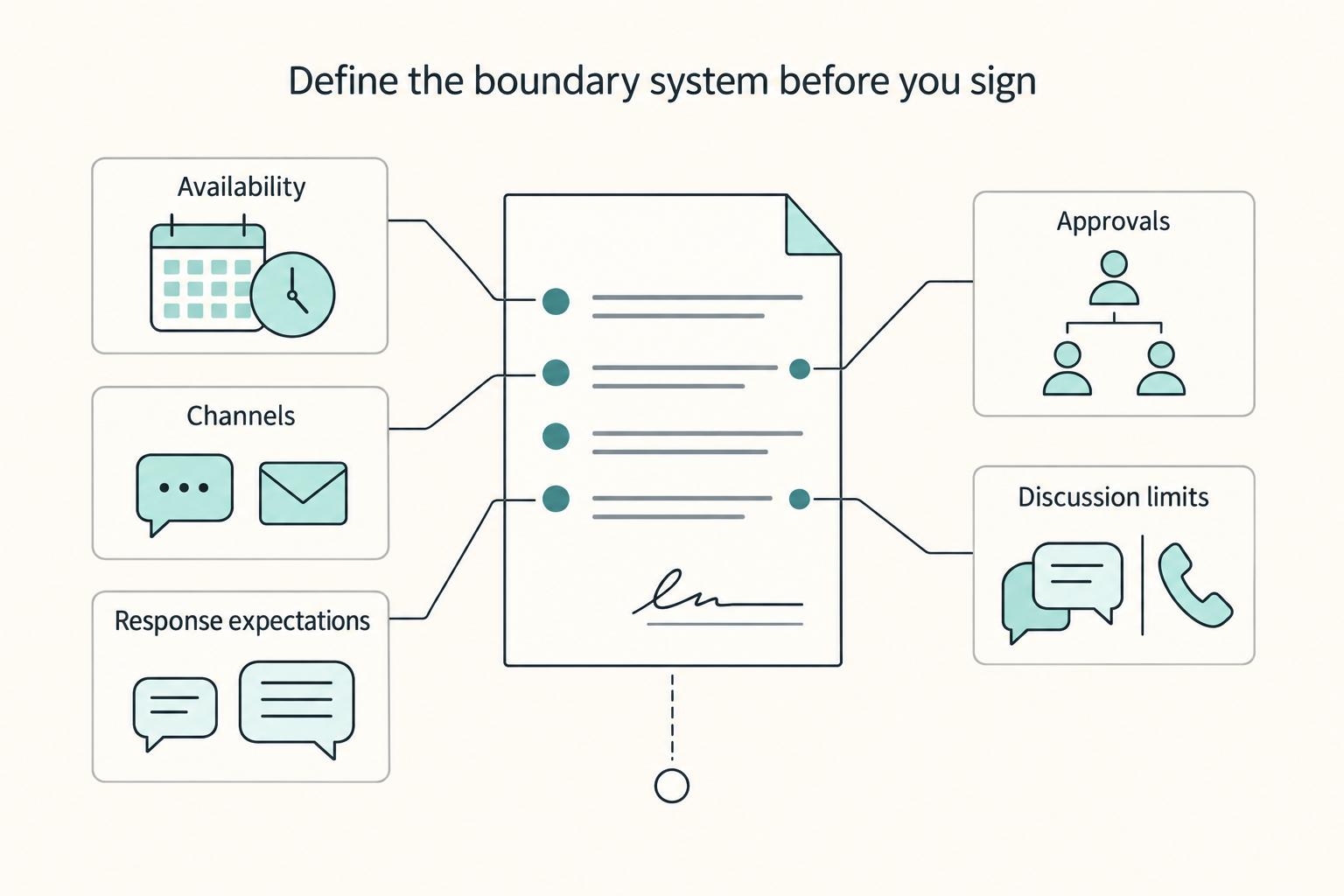
If you want stronger client relationships, treat boundaries as delivery rules, not personal preferences. Clear limits protect trust because they tell the client how work moves, where decisions happen, and what changes require a reset instead of a rushed yes.