

Quick Answer
Ask once results are real and the client can evaluate them, then choose the right channel. Use a concise testimonial request email template or a brief, consented video at a closing milestone. Prompt for the problem, what you did, and the result. Capture permission to record and permission to publish, and store the client’s approval before anything goes live.
Ask When It Counts#
If you want testimonials you can actually use, follow a practical workflow. Ask once the client can speak to a real outcome, use the channel they are most likely to answer, and keep outreach permission-based. How to ask for testimonials is less about collecting praise and more about getting clear proof without creating friction or risk.
No single request channel works for every business. The right choice depends on your model and how your customers already communicate.
Before you start#
Step 1. Check that the outcome is experienceable. Ask when the client has had enough time to evaluate the work, while the details are still fresh. Depending on the service, that could be right after delivery or a few days or weeks later.
The checkpoint is simple: if the client can describe what changed, you are in range. If they can only comment on your responsiveness or personality, you are probably too early.
Step 2. Pick the channel based on how this client already responds. Email works well when clients already reply there, especially if you can send them straight to a dedicated testimonial page. A form is useful when you want more structure and better detail. One practitioner reported that a strategic feedback form improved both the quality and length of testimonials compared with random asks.
Step 3. Choose speed or depth for the ask. Automated emails save time, especially if you ask regularly. A personal note can get a better testimonial from a client with a standout result. Use automation when volume matters, and switch to a tailored ask when quality matters most.
Step 4. Keep outreach permission-based. If you use email, send requests only to clients who gave permission to receive your messages, and include a way to unsubscribe. Unsolicited testimonial emails can create CAN-SPAM risk.
From here, the article moves through preparation, channel choice, timing, and approval.
If a short testimonial points to a fuller client story, turn it into a stronger proof asset with a case study.
What to Prepare Before You Ask#
Prepare the request before you reach out so clients can answer with specifics, not vague praise.
| Preparation item | What to confirm |
|---|---|
| Placement | Decide whether this is for a homepage quote, portfolio proof, or a longer story |
| Context pack | Include what you delivered and enough project context that they do not have to reconstruct everything from memory |
| Structured prompts | Ask what problem they were trying to solve, what you did together to address it, and what result or difference they have noticed |
| Timing window | Ask once they have had enough time to evaluate the work, but not so long that details are forgotten |
| Storage owner | Assign who will store the final approved testimonial and where it will live |
- Choose the placement first. Decide whether this is for a homepage quote, portfolio proof, or a longer story so you can ask for the right level of detail.
- Build a short context pack. Include what you delivered and enough project context that they do not have to reconstruct everything from memory.
- Use a structured prompt set. Keep the questions in client language:
What problem were you trying to solve?
What did we do together to address it?
What result or difference have you noticed?
- Pick the timing window intentionally. Ask once they have had enough time to evaluate the work, but not so long that details are forgotten. For service work, this is often shortly after a consult or when the project is completed.
- Prefer structure over random asks. A strategic feedback form can help you collect clearer input; one practitioner reported better quality and longer testimonials after switching to that approach.
- Set ownership before sending. Assign who will store the final approved testimonial and where it will live.
Quick go-or-pause check before you send:
Placement chosen
Context pack ready
Structured prompts loaded
Timing window confirmed
Storage owner assigned
If a short quote points to a bigger transformation, expand it into a case study instead of forcing it into a short testimonial slot.
You might also find this useful: Social Proof for Your Freelance Website That Lowers Buyer Risk.
Choose Your Channel the Smart Way#
Choose the channel your client already uses most comfortably, then move to a richer format only if their first response is specific and usable. Use this order: readiness first, channel fit second, placement third.
Step 1. Confirm readiness before channel choice. Ask when the project is at or near completion, or when ongoing work has produced visible results. If outcomes are still in motion, send the closeout package, archive project documents, and follow up after completion so the client can answer from lived results instead of assumptions.
Your checkpoint: can they clearly describe the problem, what changed, and the result they experienced? If not, wait or use a light follow-up email rather than a higher-pressure format.
Step 2. Match format to communication style and planned use. Pick the format that makes it easiest for this client to be concrete. If they respond well in writing, start with email or a short website/form flow. If they communicate better out loud, a direct ask can work, but only with clean capture and publish approvals plus final approval of what you share.
Placement still matters: testimonials may be reused on sales pages, landing pages, social channels, and email campaigns. If you need easy reuse and editing, written quotes are simpler. If you want a more human asset for a prominent spot, short video can work with tighter approval handling. If the response becomes a fuller transformation story, move it to a case study.
| Channel | Choose it when | Readiness signals | Required approvals | Fallback if declined |
|---|---|---|---|---|
| The client already responds by email and can answer clearly in writing | Work is complete or results are visible, and you know where the quote will be used | Approval to publish final wording and attribution details | Offer a short form or ask one question at a time by email | |
| Website form or feedback form | You want structured answers and cleaner intake during offboarding | Client is satisfied but busy; context is prefilled and fields are short | Approval to publish selected wording and attribution details | Switch to direct email if the form is ignored |
| Direct ask leading to video | The client speaks more naturally than they write, at a clean closing point | Client is comfortable discussing concrete results live | Permission to capture, permission to publish, and approval of final clip/transcript details | Fall back to a written quote with the same prompts |
Step 3. Use a hybrid sequence to protect quality. Start with email or form, then publish only after the client confirms final wording. Invite video only after you already have clear, client-impact language.
This keeps pressure low and avoids self-serving testimonials that praise you but skip outcomes. If the first response does not show the client's problem, what you changed, and the result, switching formats will not fix the substance.
Treat video as gated: no capture permission means no recording, and no publish permission means no usable proof.
If you want a deeper dive, read How to Fire a Client: The Professional Way to Terminate a Contract.
Timing Windows That Get Better Answers#
Timing is your quality filter: ask when the client can clearly describe a real outcome they have experienced, and wait when they cannot.
Step 1. Confirm outcome clarity before you send the request. Use a simple check:
Can the client describe what was true before, what changed, and a result they have actually seen? If that is still fuzzy, you will usually get vague praise instead of useful proof.
Keep each request tied to one concrete outcome, not a broad review of the entire project. A focused ask is easier to answer, easier to approve, and more likely to produce specific impact instead of generic language.
Step 2. Use timing windows as signals, not rigid rules. Good asks usually happen after the client has lived with the result long enough to describe it while details are still fresh. During an engagement, unsolicited positive comments are useful signals, but they are better treated as draft input for a later request, not final publish-ready copy.
If a client shares a strong comment early, save the wording and follow up when the outcome is more complete and easier for them to stand behind.
| Timing status | Ready signals | Avoid-now signals | Next action |
|---|---|---|---|
| Ask now | Client can describe one visible result in clear terms; details are fresh | Outcomes are still shifting; active fixes or uncertainty remain | Send a short request focused on one outcome |
| Capture now, ask later | Client volunteers a positive comment during delivery | Benefit is promising but not yet fully lived through | Save the language and revisit when results are clearer |
| Defer | Client is busy, unsure, or still waiting to see impact | You would need to suggest the benefit for them | Pause and re-enter when a concrete result is visible |
Step 3. Follow up briefly, then pause until a real trigger appears. If the first request gets no reply, send a concise follow-up with the same clear outcome angle and an easy response path.
If there is still no response, pause until you have a real re-entry signal, like a new visible result, a positive unsolicited comment, or a planned closeout touchpoint.
Step 4. Log timing status before the project fades from view.
Track each account as ready, deferred, or revisit, and note the outcome angle you plan to ask about next. If there is a natural next trigger in your workflow, log it.
This prevents testimonial collection from turning into a random pile of quotes. It also makes later organization easier if you build a testimonial library by use case, industry, and buyer stage.
For the legal side, see Legal Use of Client Testimonials for Cross-Border Freelancers.
Draft a Concise Testimonial Request Email#
Make the email easy to answer: one clear ask, three prompts, and a simple approval path before anything is published.
Step 1. Keep the request short and low-pressure. Email is a strong channel here because it is direct and scalable, but only when the message is concise. Open by naming the project or outcome, make the request voluntary, and set a low-effort expectation, for example, "a couple of lines."
Step 2. Use a challenge-action-result prompt block. Avoid open asks like "share your thoughts." They often produce generic praise instead of usable detail.
Use these prompts:
What problem were you dealing with before we worked together?
What did I do that helped most?
What changed after the work was delivered?
If the reply includes the starting point, your contribution, and the outcome, you usually have publishable material.
Step 3. Use one CTA and keep fallback simple. Your CTA should be one action: reply to this email with short answers to the three prompts. Do not ask them to choose between multiple formats in the same message.
| Response state | Format to send | Best use | Watch for |
|---|---|---|---|
| First ask | Short email with prompts inline | Fast inbox reply | Too much context or multiple asks |
| No reply yet | Brief follow-up with the same CTA | Gentle reminder | Changing the ask adds friction |
| Willing but busy | Link to a short form | Positive intent, low time | Extra clicks can reduce completion |
If you switch to a form, send them straight to it. If this runs as part of a broader email campaign, send only to contacts who gave permission and include an unsubscribe path.
Step 4. Ask for edit approval before publishing edited wording. If you shorten or clean up a long testimonial, send the edited version back for approval before publishing. This keeps wording accurate and avoids surprises.
Use a template like this:
Subject: Quick testimonial for [project]
Hi there,
Would you be open to sharing a short testimonial about [project or outcome]? Only if you're comfortable.
A quick reply to these would be perfect:
- What problem were you dealing with before we worked together? 2. What did I do that helped most? 3. What changed after the work was delivered?
If you're happy for me to use your response, I may lightly edit for length or clarity. If I do, I'll send the edited wording to you for approval before I post it.
Thank you. A couple of lines is plenty.
Need the full breakdown? Read How to Create a Unique Selling Proposition (USP) for Your Freelance Business.
Capture a Quick Video Testimonial With Consent#
Use video when the client can clearly describe a real win in plain language; if not, switch to written right away. Video can be strong for authenticity and impact, while written testimonials are still a solid fallback.
| Approval step | When it applies | What to keep |
|---|---|---|
| Recording permission | Before you record | A clear yes to record |
| Public-use permission | Before you publish | A clear yes to share publicly |
| Selected-version approval | If you trim for clarity and before public use | Explicit approval on the selected clip |
Step 1. Choose video only in the right window. Ask after a milestone, right after successful onboarding or implementation, or immediately after the client has expressed satisfaction by email or on a call.
If they can quickly explain the problem, what you changed, and the outcome, video is a good fit.
| Format | Best use | Better fallback when |
|---|---|---|
| Video testimonial | Specific result, clear story, human delivery adds trust | The client cannot explain the outcome clearly yet |
| Written testimonial | Fast collection, easy cleanup, straightforward approvals | You still want proof but need less production friction |
Step 2. Get explicit permission for recording and public use.
Before you record, ask for a clear yes to record.
Before you publish, ask for a clear yes to share publicly.
Keep that approval trail with the file or in your client notes so you can retrieve it later.
Step 3. Pre-send short prompts and keep capture simple.
Send three cues in advance: the problem they had, what you did that helped most, and what changed after.
Use a capture method that does not require them to download new software when possible. Keep the take focused on one outcome so the final clip stays usable.
Step 4. Confirm the selected version before you post. If you trim for clarity, send the selected clip and get explicit approval on that version before public use. If you want to expand the testimonial into a deeper proof asset next, How to Write Compelling Case Studies for Your Portfolio is the right follow-on.
This also pairs well with How to Create a Content Flywheel for Your Freelance Business.
Use a Strategic Feedback Form to Upgrade Quality#
Use a short feedback form with specific questions instead of asking for a "quick review." A vague ask usually gets vague praise; a structured form makes it easier for clients to share details you can actually use.
| Form element | What to include |
|---|---|
| Prompt 1 | What did you love most about working together? |
| Prompt 2 | What changes or results did you see after our work? |
| Optional prompt 3 | Ask for the starting challenge so the outcome has context |
| Purpose note | Say exactly what this form is for, and what it is not for |
| Privacy note | Tell clients not to include confidential information or personal data |
| Flow check | Keep it brief and test one submission on desktop and mobile |
Step 1. Ask focused questions that pull out specifics. Keep the form tight and use prompts that guide concrete answers.
What did you love most about working together?
What changes or results did you see after our work?
Optional third prompt: ask for the starting challenge so the outcome has context.
Step 2. Limit the form's purpose up front. Say exactly what this form is for, and what it is not for. Scope limits help you collect relevant responses instead of broad, unfocused feedback.
Step 3. Add a plain privacy note. Tell clients not to include confidential information or personal data. This keeps submissions safer to handle and easier to reuse.
Step 4. Keep it brief and test the flow once before sending. If the form is too long, response quality usually drops. Run one test submission on desktop and mobile so you can confirm where responses land and whether each answer is usable without follow-up.
If you plan to publish testimonials on your site, Building a Personal Website That Converts: A Freelancer's Guide can help you place them well. For a directory-focused lead channel, see How to Use Clutch.co to Generate Leads for Your Agency.
Approval, Edits, and Publish Without Surprises#
Publish only when you have explicit written approval for the exact version and placement, stored in one retrievable record. If approval is missing, unclear, or too broad for the intended use, hold the testimonial.
Step 1. Create one record per testimonial asset. For each quote, clip, screenshot, or voice note, keep one record in your Testimonials folder. Include the original submission, your edited version if any, the client's written approval, the agreed placement, and where the live asset is stored.
If the testimonial came from a DM, ask permission first. If they approve, capture the artifact, crop the name if they want limited attribution, for example, first name plus initial, and store it with that same record.
Step 2. Edit lightly and send the final publish version for sign-off.
Fix typos and trim for clarity, but do not change meaning or rewrite in your voice.
Send the exact wording, clip, or caption you plan to publish, and name the placement clearly: homepage, portfolio, case study, social post, or proposal deck.
For photos or named quotes, get written ok before publishing. Text confirmation can count as written permission, but do not treat one approval as blanket consent for future placements or formats.
| State | What you can publish | What you must hold | Next action |
|---|---|---|---|
| Approved | Only the final approved version in the approved placement | Any reuse outside approved scope | Run final check, then publish |
| Waiting on final yes | Nothing public | Drafts, edits, clips, screenshots | Send exact final version and request explicit approval |
| Scope mismatch | Nothing in the new placement | Any format/channel not covered | Request fresh approval or narrow use |
Step 3. Run one publish gate before anything goes live. Assign one owner, even if it is you, to verify three things:
Approval is recorded, placement matches consent scope, and the live copy matches the approved version.
This prevents the common failure mode of scattered records across inboxes, DMs, drives, and page drafts. Poor record handling makes valuable approvals and assets hard to prove or recover.
Step 4. Close the loop after publishing. Send the live link, thank the client, and invite corrections. Then attach that message thread to the same asset record so future updates stay traceable.
For a step-by-step walkthrough, see How to Build a Waitlist for a New Freelance Service.
Conclusion#
In practice, the workflow is simple. Ask when the client can clearly describe the outcome, choose the format that feels easiest for them, guide the response with specific prompts, and keep your closeout materials organized for handoff. If you keep that sequence tight, you get stronger proof and fewer awkward cleanups later.
- Confirm the moment.
Ask only after the work is complete and the client is satisfied, or after visible results show up in an ongoing engagement. Your checkpoint is practical: can they name what changed, not just say they liked working with you? If the outcome is still forming, do not force the ask. Set a follow-up date instead.
- Choose the easiest format for this client.
Pick a format they can complete comfortably, and avoid forcing one channel. Weak testimonials often happen when clients are unsure what to say, so give simple prompts that keep the focus on their problem, their experience, and the outcome.
- Package closeout artifacts for retrieval.
As part of offboarding, archive project documents and communications, then package them clearly so the client can retrieve what they need. This keeps the handoff clean and makes the testimonial request feel like a natural next step instead of a scramble.
- Use clear branch actions when the ask stalls.
If results are unclear, wait. If the current format feels uncomfortable, offer a simpler option. If there is no reply after follow-ups, pause until the next natural milestone instead of chasing.
Do that, and each testimonial becomes a reusable trust asset you can place on a testimonials page, inside a portfolio, or expand into a case study later.
Frequently Asked Questions
When is the best time to ask for a testimonial?
Ask once the client has experienced the outcome. For short projects, this may be soon after delivery once they’ve had time to evaluate. For longer work, wait until meaningful results land. If metrics are still settling, set a follow up date and ask later.
What should a client testimonial include to sound credible?
Use targeted prompts instead of a vague “quick review.” Aim for clear beats - for example: the challenge, what you did, and the result. Concrete nouns and before and after details turn praise into proof.
Can I request a testimonial by email without being awkward?
Yes. Keep the note short with one clear call to action and paste a few prompts inline so they can reply in place.
Is a quick video testimonial at a closing appointment okay?
Yes, if the client is comfortable and you have permission to record and to publish. Keep it brief, use simple prompts, and share the cut for approval before anything goes live. If they hesitate on camera, stop and switch to an email request.
How do I handle edits and get approval before publishing?
If you trim for clarity or length, send the edited version back and wait for a yes before posting. Store that approval with the final text or video. Do not change facts or tone without sign off.
What if a client does not respond to my testimonial request?
Send one concise nudge that repeats the prompts and keeps a single ask. If silence continues, switch channels by offering a short strategic feedback form or ask at the next natural milestone. Space follow ups to protect the relationship.
Where should I put testimonials?
Use a testimonials page for scannable quotes. Place quotes next to visuals on a portfolio page when context matters. Build a case study when the story and outcomes need depth. Strong quotes can later expand into case studies. See How to Write Compelling Case Studies for Your Portfolio.
Researched and edited by the Gruv editorial team. Gruv builds cross-border billing, payouts, and finance-operations software for global businesses.
Sources
- copyright.gov/reports/studies/dmca/sec-104-report-vol-3.pdftrusted
- docs.house.gov/meetings/BA/BA16/20260305/119026/HHRG-119-BA...trusted
- ecfr.gov/current/title-43/subtitle-A/part-4trusted
- ethics.senate.gov/downloads/pdffiles/manual.pdftrusted
- ftc.gov/business-guidance/resources/complying-coppa-...trusted
- ftc.gov/business-guidance/resources/consumer-reviews...trusted
- gao.gov/assets/720/710147.pdftrusted
- gao.gov/assets/a234916.htmltrusted
Educational content only. Not legal, tax, or financial advice.
Related Posts
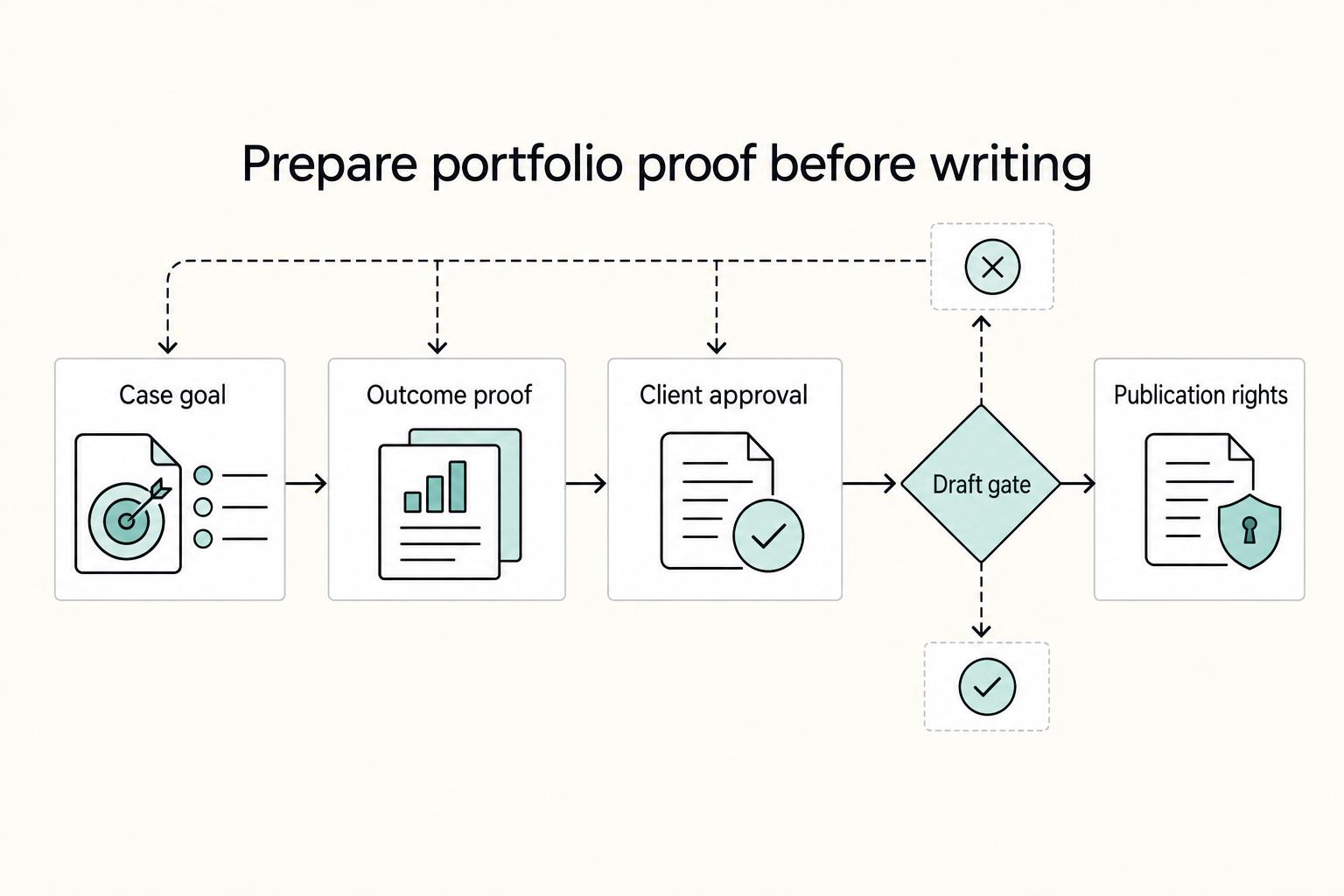
How to Write Compelling Case Studies for Your Portfolio
Treat your case study as buyer decision evidence, not as a polished recap of work you enjoyed doing. To build trust, give the reader enough real context and proof to answer one question: should they trust your judgment on a project like theirs?
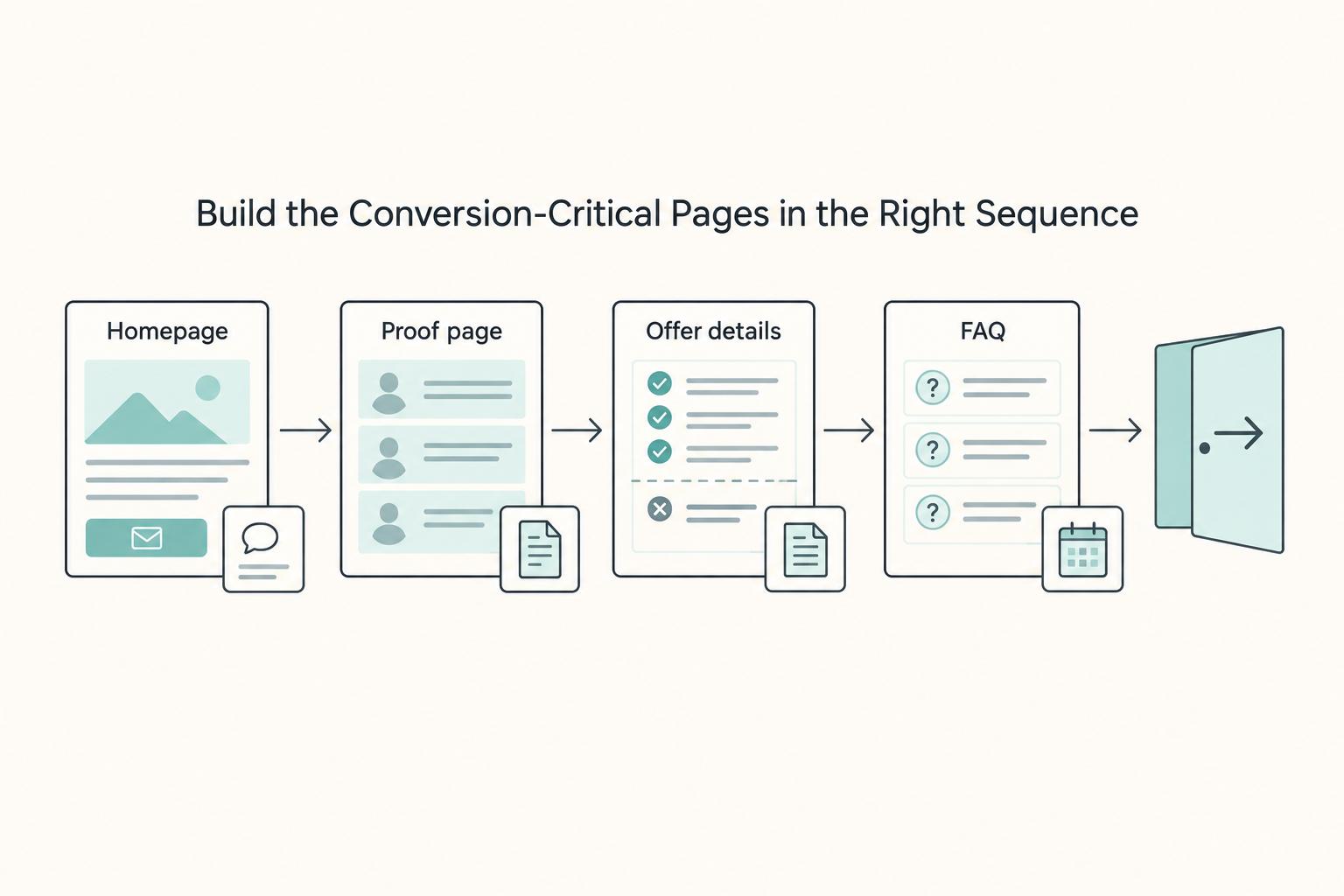
Building a Personal Website That Converts for Freelancers
Your website can help better-fit clients recognize themselves quickly and help poor-fit prospects opt out before you spend half a day untangling scope. When it does that well, you may get cleaner inquiries, fewer vague "can you also..." threads, and a shorter path from first visit to a real scoping conversation.

How to Fire a Freelance Client and End the Contract Professionally
**Ending a client relationship can be a sound business decision, not an overreaction.** Long-running client work can make that decision harder. Repeated, documented expectation failures are often a practical sign that risk now outweighs value. Your job is to decide clearly and execute professionally.