
Quick Answer
Xolo Go can fit an eligible solo professional whose B2B clients accept its contracting framework. Check the actual partnership and service terms, payout/account arrangement, fees and downloadable records before invoicing. Prefer your own suitable business setup when you need your own contracting entity or controls the managed model cannot support. The service does not automatically remove local registration, personal tax, social-insurance or foreign-reporting duties.
What a Service Like Xolo Go Actually Handles#
If a provider can get you started quickly, that is useful, but it is not the decision. The real test is whether you still trust the setup when an invoice is challenged, a payout is paused, procurement asks for contract detail, or your accountant needs records you can actually export. That is where the virtual company service pros and cons become real.
Compare the service fee and likely operating work together. Disputes, payment restrictions, procurement checks and reconciliation can create costs beyond the advertised price. Those costs depend on your workflow; there is no universal claim that exception work is always larger than the fee.
Before you compare offers, make sure you are comparing the right category:
| Model | What it actually does | What it does not solve |
|---|---|---|
| Managed partnership invoicing, such as Xolo Go | Provides its supported framework for eligible B2B services without forming your own company | Does not automatically remove local self-employment registration, personal tax or all contractual responsibility |
| Virtual office | Gives you an address, mail handling, or office presence | It is not an invoicing authority or payment structure |
| Staffing or temporary help firm | Acts as the legal employer of assigned workers | It is not the same as a freelancer partnership invoicing model |
Xolo’s relationship FAQ describes a contractual partnership with Xolo Go OÜ, an Estonian company. Xolo concludes customer agreements and invoices on the partnership’s behalf, with the professional’s name alongside Xolo’s on the invoice. The FAQ distinguishes this contractual partnership from an Estonian Commercial Code general or limited partnership. You are not simply opening your own incorporated company.
A fast way to evaluate a provider before you buy is to check four things:
- Ownership: Who signs the customer agreement, issues the invoice, and makes the next decision if money is flagged or disputed?
- Exportable records: Can you download a clean report, such as withdrawal reports, with enough detail for accounting and audit follow-up?
- Escalation accountability: If support says a case is nonstandard, who owns resolution and what is the response path in writing?
- Written commitments: Are liability limits, contract boundaries, and user responsibilities documented before you pay?
Check client procurement before work starts: show the proposed contracting party, invoice issuer, payment recipient and terms. If the client requires a different legal supplier or tax form, resolve that actual requirement before invoicing rather than assuming a general “virtual company” label will be accepted.
Compare the scope, benefits, costs and responsibilities below, then use the pre-sign checklist. For a separate pricing comparison, see Xolo pricing by product and scope.
What a virtual company service is and what it is not#
This is an operating model decision, not a branding label. If you treat it like a virtual office or a generic remote-work setup, you will compare the wrong things and miss the core question: who owns money flow, records, and exception handling when a transaction stops being routine?
Use this quick responsibility check before you compare pricing:
| Model | What it actually covers | Invoice operations | Payout status visibility | Dispute escalation | Record exportability |
|---|---|---|---|---|---|
| Virtual office | Business address and office-style support without a full leased office | Not the core function | Not a payment function | Not a billing authority | Usually office/admin artifacts, not transaction evidence |
| Virtual workforce | A remote team structure | Handled by your existing billing setup | Depends on your own tools | Depends on your own contracts and management | Depends on your own stack |
| Remote work | Where work happens | No built-in billing ownership | No built-in payment ownership | No built-in escalation path | No built-in records layer |
| Virtual company service | A managed billing/operations layer instead of building every process yourself | Key diligence area | Key diligence area | Key diligence area | Key diligence area |
A virtual office supplies business-presence services; remote work describes where people work. Neither inherently provides an invoicing or payment framework. The managed-service question is who contracts, holds funds and handles exceptions.
Similar packaging, different obligations#
Treat names like Xolo Go, "no registration," or "business-in-a-box" as prompts for due diligence, not proof of scope. Ask:
- Who issues the invoice, and who handles client pushback?
- Where do you see payment status changes, and can you export that history?
- If something is flagged, who owns the next step in writing?
- What standard terms or process limits are non-negotiable?
If those answers are vague, the operating boundary is usually vague too.
A fast pass-or-fail filter#
Before opening the pricing tab, run four checks:
| Check | Pass if | Fail if |
|---|---|---|
| Ownership is named | Invoicing, status questions, and exceptions have named owners | Responsibility is described with marketing language only |
| Status is verifiable | You can track payment state changes from issued to paid and see what happens when it stalls | Status exists mainly in support replies |
| Exports are usable | You can produce records your accountant can actually use | Evidence depends on screenshots, inbox threads, and manual notes |
| Nonstandard cases have a path | Disputes, document requests, and contract mismatches have a defined route | Everything is "case by case" with no clear boundary |
Use the table to identify a material mismatch, then compare actual benefits and costs.
For a step-by-step walkthrough, see The Pros and Cons of a C-Corp for a Freelance Business.
The real upside buyers can count on#
The upside is operational, not universal: you get faster billing and lower admin drag only when ownership and status are clear in day-to-day use.
| Area | Grounded upside | What to verify |
|---|---|---|
| Billing setup | Managed invoicing for supported B2B professional services | Confirm service/customer eligibility and client acceptance of the actual contracting framework |
| Day-to-day information | Dashboard and payment notifications can reduce routine status chasing | Check which events and fields are available and what can be downloaded |
| Routine administration | Invoicing and reports can reduce manual preparation | Review usable samples; do not infer guaranteed collections or release of restricted payments |
1) Onboarding speed: useful only if it leads to a clean payment path#
Xolo Go’s product page offers invoicing for supported B2B professional services without forming your own company. That can reduce setup work. Signup marketing is not an approval deadline, and advertised client-country coverage does not establish every professional’s eligibility.
Compare the actual payment path: client payment reaches the provider-managed account before the net payout to your personal account. Your local authority may still require self-employment registration or other steps; “without a company” does not settle that question.
2) Day-to-day visibility: valuable only if you can verify it yourself#
The dashboard and notifications can make routine payment tracking easier. Check the specific events your finance process needs rather than assuming every internal review step is visible.
Treat this as a validation step, not a trust step. Ask to see one full invoice lifecycle in-product, from invoice issued to client payment received to payout status, and confirm you can export that trail.
3) Handoff reduction: real in routine cases, conditional in exceptions#
Reminders may reduce routine follow-up, but do not assume the provider guarantees collection or takes every performance dispute off your hands. Read the responsibilities in the agreement.
Review both ordinary payments and expenses. The expense-fee FAQ states a 5.9% fee on outgoing payments, including reimbursements, collected from the reimbursement payment. Confirm current eligibility, fee treatment and records for your actual workflow.
- One complete invoice-to-payout sample with clear status points
- One export pack your accountant can use without heavy cleanup
- Written ownership for payout holds, disputes, and reimbursement reviews
If your records cannot later prove income or deductions, convenience at the dashboard layer will not be enough.
Choose managed when your process is simple and speed is the priority. If custom approvals, payout exceptions, or specialized finance controls drive outcomes, use a higher-control setup instead.
Downsides to check before exceptions occur#
Contract and payment restrictions can become more visible when an invoice is disputed or a payout needs review. Check them before onboarding; there is no established “month three” point when problems necessarily appear.
The risk is not that exceptions happen. The risk is unclear boundaries when they do. Once a nonstandard case appears, vague ownership can turn a simple issue into slow routing, repeated explanations, and avoidable rework.
A common failure-mode sequence looks like this:
- An exception appears (for example, a dispute, payout blocker, or documentation request).
- You ask who owns resolution and get bounced across teams.
- Missing context forces manual reconstruction from messages and files.
- Resolution slows, work is repeated, and client confidence drops.
Before you sign, pressure-test four points in writing:
- a clear escalation map for exception cases
- one export sample with usable status history
- A documented or redacted walkthrough of an exception handoff; do not create a false live dispute
- explicit out-of-scope responsibilities for your team
If your operation is low-exception, managed can still be a practical choice. If predictable exception handling is central to revenue or close, do not commit until accountability is explicit.
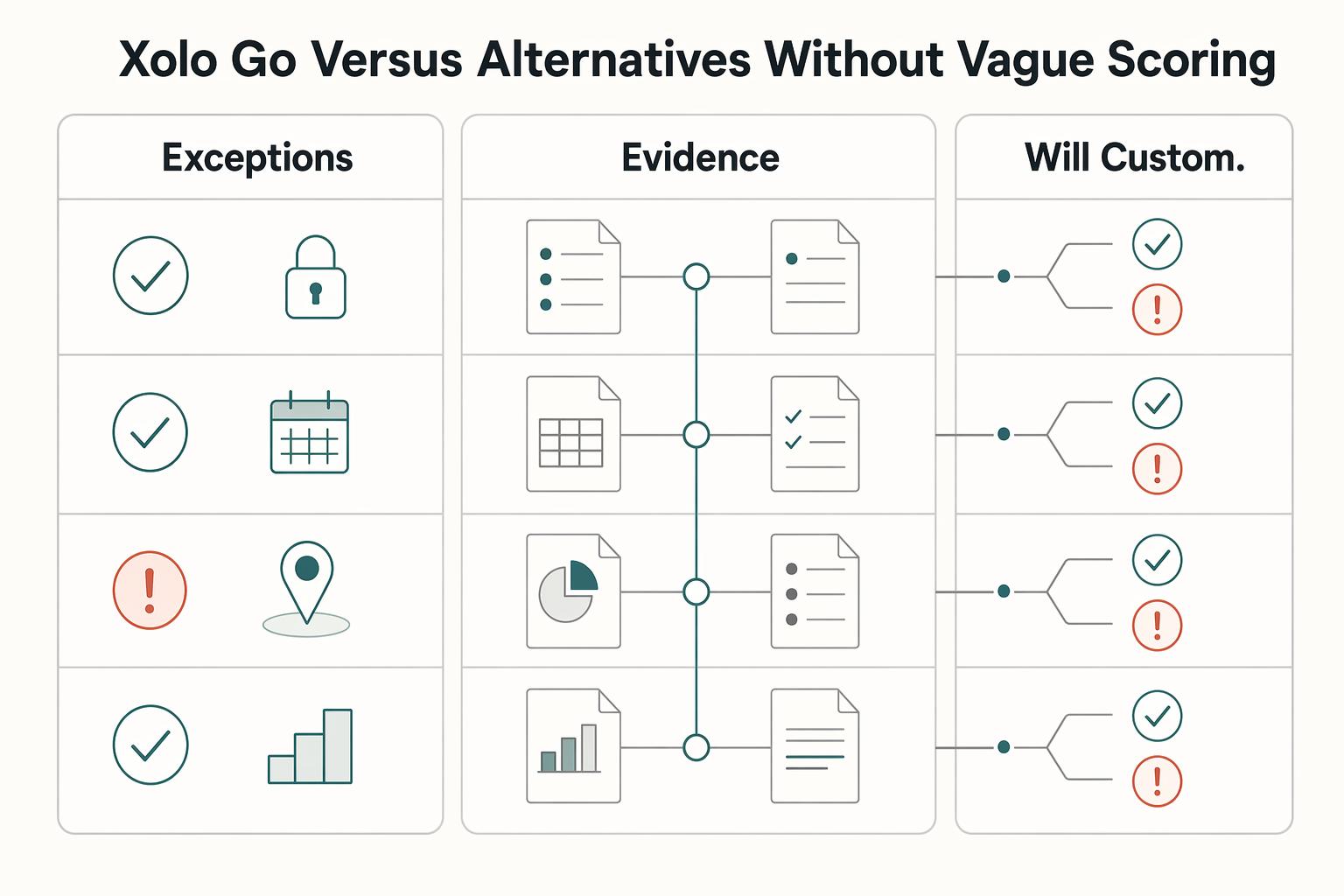
Xolo Go versus alternatives without vague scoring#
This is an operating-model decision, not a brand debate. Compare options by screening out hard mismatches first, then score what remains.
Start with non-negotiables before headline pricing:
- If your policy requires your own entity as the contracting and billing party, rule out a company-free model.
- If finance needs records that substantiate book entries, request a real withdrawal-report export plus one exception-case export, not a dashboard view.
- If clients require custom procurement or dispute workflows, get escalation ownership and contract boundaries in writing before you sign.
| Buyer question | Xolo Go style managed model | Self-managed entity + separate tooling |
|---|---|---|
| Do I control contracting and billing when exceptions appear? | Conditional pass. Xolo Go is positioned as invoicing without owning a company, so this works if you accept that boundary. Fail if you must contract and bill through your own entity. | Greater contracting control through your suitable legal/business setup, subject to law, client and payment-provider requirements. |
| Can finance export evidence for reconciliation and tax recordkeeping? | Conditional pass. Xolo advertises withdrawal reports for accountants. Verify status history and exception detail, not only final amounts. | Conditional pass. You control records, but you also own cleanup when systems drift (for example timing differences, duplicate entries, manual entries, or uncleared transfers/deposits). |
| Is escalation clear for payout blockers or disputes? | Check the actual support scope, response commitments and resolution owner. A response target is not a guaranteed payout or dispute decision. | Conditional pass. You can define ownership internally, but only if processor, bank, and bookkeeping responsibilities are explicit. |
| Will custom client contracts govern invoicing and payment flow? | Conditional: the partnership/service terms govern, and additional commitments need applicable Xolo approval. Personal NDAs/DPAs can bind the professional separately. | More control over negotiated service terms, while banks/processors still impose their own requirements. |
Use current pricing rather than unsupported card-fee ranges. Xolo’s fee example deducts €5.90 from a €100 customer payment excluding VAT, leaving €94.10. Confirm the current price list, payment method, bank/FX costs and any adjustments before applying that calculation to your own invoice.
Account control and personal commitments#
The public partnership template, sections 6.1–6.2, describes a provider-managed sub-account: the professional has no direct bank transaction access. It warns that funds can be held together and are not secured by Xolo or covered by its own funds-protection scheme. Review the actual accepted terms and underlying arrangement; do not assume a dedicated IBAN means a bank account you control or guaranteed protection.
For a separate NDA or DPA, the liability FAQ says the professional agrees the relevant liability personally and the documents are not attributed to Xolo/the partnership. Review that exposure separately from the service-contract limits. Your own company can offer more contracting control, but mandatory law and bank/processor rules still apply.
Example: percentage fee versus monthly administration cost#
Assume, for illustration, €3,000 of eligible customer payments excluding VAT, a 5.9% fee on those payments and no other charges. The fee is €177 and the remaining amount is €2,823 before your personal taxes. At €10,000 on the same assumptions, the fee is €590. Compare those amounts with your actual alternative’s recurring costs and administration time. Do not treat either remainder as guaranteed profit: bank/FX costs, expenses, liabilities and taxes may also apply.
Weight criteria by buyer profile:
- Solo operator: prioritize ownership clarity and whether standard terms are acceptable.
- Small distributed team: prioritize export readiness and escalation clarity to reduce cross-tool coordination risk.
- Finance-led buyer: prioritize custom-contract fit and record quality first, then confirm documentation can meet burden-of-proof needs.
If the decision is close, use one tie-break rule: choose the option that proves accountability and record quality in exception scenarios (payout holds, procurement document requests, disputes), not the one with the smoothest onboarding demo.
Who should choose this model and who should avoid it#
Do not let price decide this early. First screen for fit using the same two filters: client complexity and compliance exposure.
Choose this model if#
Choose a managed model when your workflow can stay inside clear boundaries, and you can verify those boundaries in writing before you sign.
For a solo freelancer, that means your clients can work with standard terms, and you have written confirmation of who the contracting party is before invoicing starts.
For a small team, check whether the specific product supports the intended people, projects and money flow. Do not assume a solo-professional partnership can act as a company payroll or staffing service.
For a finance-led operator, that means finance can review sample records and exception trails in advance, and ownership boundaries for disputes and payment issues are explicitly documented.
Avoid this model if#
Avoid this model when flexibility is a day-one requirement, not a nice-to-have.
If your client base regularly requires custom contract terms, deep procurement/security review, or frequent nonstandard exceptions, treat that as a mismatch unless the provider confirms handling boundaries in writing before signing.
Confirm contract hierarchy, records, payment access and retained responsibilities. Assess the local legal/tax questions that actually apply to the professional and arrangement; an unrelated bank regulation is not evidence the invoicing model fits.
The service-contract template says additional commitments bind Xolo/the contractor only where consistent with the service contract or reviewed and confirmed by Xolo in reproducible written form. Otherwise, they can bind the professional personally. Separate personal NDAs/DPAs do not make Xolo a party. Check the accepted version and any approval before promising custom terms.
| Decision screen | Managed model can fit when | Failure trigger | Pressure to move to higher control |
|---|---|---|---|
| Contract flexibility | Standard terms are acceptable for most client work | A key client requires custom contract control over billing | Workarounds become routine |
| Procurement/security demands | Client review requirements are light and predictable | Reviews require evidence or controls you cannot confirm in writing pre-sign | Deals slow because each case needs exceptions |
| Exception frequency | Nonstandard payment or document events are infrequent | Holds, disputes, or special requests are common | Team time shifts from delivery to exception handling |
| Records/export requirements | You have pre-reviewed the records needed for reconciliation | Record coverage is unclear before signing | Monthly close depends on manual rebuilds |
Use one hard rule if you need speed: choose this model only when boundaries are documented before signing. If they are not, treat that as a no-go.
Compliance and tax boundaries you must verify before committing#
Separate provider services from your own duties. Use the claim, evidence and owner workflow for relevant obligations, rather than requiring every freelancer to perform U.S. tax checks just because a client is American.
| Area | When to assess it | Useful evidence |
|---|---|---|
| Local registration, income tax and social insurance | Your residence, work location and legal/business status bring duties into scope | Accepted agreements, gross income, fees, payouts and local registration/tax assessment |
| U.S. Form 8938 | You are a specified individual/entity with a relevant interest in specified foreign financial assets | Asset type, ownership, values, filing status and applicable threshold; provider branding alone is insufficient |
| U.S. FBAR | A U.S. person has relevant foreign-account interest or signature/other authority, subject to exceptions | Actual account location and rights, aggregate peak values and filing record |
| U.S. Schedule SE | U.S. self-employment tax rules apply to your earnings | Net earnings and applicable exceptions/totalization treatment, not invoice gross alone |
Use a claim -> artifact -> owner workflow#
For each promise, ask:
- What exact artifact proves this?
- When is it available?
- Who fixes it if it is missing, late, or incomplete?
Apply that to tax forms, transaction records, and reporting scope, not just onboarding.
For applicable U.S. filers, Form 8938 instructions use different thresholds. Specified individuals living in the U.S. generally use more than $50,000 at year-end or $75,000 during the year when unmarried or filing separately; joint filers use $100,000/$150,000. Qualifying individuals abroad use $200,000/$300,000, or $400,000/$600,000 jointly. The abroad rules require the stated tax-home/presence conditions. Specified domestic entities have their own scope and $50,000/$75,000 threshold. No required income-tax return generally means no Form 8938 for that year; exceptions and valuation rules still matter.
Identify your actual asset or interest. Direct foreign real estate is not itself a specified foreign financial asset, while a foreign entity interest or qualifying account can be. A provider-managed account or partnership label does not alone answer whether your interest is reportable. Obtain the contract and account-rights information for that assessment.
Keep adjacent obligations separate. Form 8938 does not replace FBAR. FBAR is filed through FinCEN BSA E-Filing, not the income-tax return channel, so you must verify each form's requirements and thresholds independently.
FBAR generally applies to a U.S. person with a financial interest in or signature/other authority over foreign accounts whose aggregate value exceeds $10,000 at any time in the year, subject to exceptions. Ordinary timing is April 15 with automatic extension to October 15; special relief can differ. For Schedule SE, $400 of net self-employment earnings is a general checkpoint, with special rules and exemptions. Do not apply either test solely because your client is in the U.S.
Apply the workflow to the provider model#
Xolo’s income-reporting FAQ says non-Estonian tax residents remain responsible for determining and declaring their taxes, and provides downloadable payout reports. Estonian tax residents have separate instructions. Check that the report supports your actual filing and bookkeeping requirements; a payout summary alone may not explain gross invoices, fees and adjustments.
Before signing, request one sample export trail that covers: invoice issued, customer payment received, fees, payout to your personal bank account, any hold/reversal, and the final withdrawal report your accountant would use. If any critical step exists only in the dashboard and not in exportable records, treat that as a reconciliation risk.
The public partnership template gives Xolo management/payment control and permits restrictions in specified circumstances. Ask for your actionable support route, secure information-submission process and available records; do not expect disclosure of confidential AML monitoring reasons.
| Provider promise | Evidence you must obtain | Decision signal |
|---|---|---|
| Tax support | Which filings are included and which stay with the professional | Separate VAT handling from personal/local filings |
| Foreign-account reporting | Actual account rights and relevant records, only where reporting is in scope | Do not treat a generic promise as a filing assessment |
| Accountant-ready records | Sample gross invoices, fees, payouts and adjustment reports | Have the accountant identify any missing fields |
| Payout access | Account-management terms and documented restriction/escalation process | Assess liquidity exposure as well as ordinary timing |
| Support | Published/contractual scope, secure contact route and response expectations | Response commitments do not guarantee release or settlement outcomes |
Resolve material record or responsibility gaps before relying on the model. Use published terms, accepted agreements and useful samples; do not demand a bespoke guarantee of every tax outcome or compliance-review deadline.
Related: A Guide to Secure Messaging Apps for Client Communication.
The 30-minute pre-sign checklist#
Use 30 minutes for an initial screen, not a promise that legal, tax or procurement diligence is complete. Review the available evidence and a documented exception scenario, then assign remaining questions.
Request redacted or sample invoice, payout, fee and report records. Have the finance owner identify the fields needed for reconciliation and filings. Published terms and samples can establish scope without requiring someone else’s live customer files.
| Checklist gate | Proof you need | Red flag that means pause |
|---|---|---|
| Evidence artifacts | Sample invoice, payment, fee, payout, and final export files you can download now | Required accounting fields cannot be demonstrated or retrieved; redacted/sample files may be sufficient for evaluation |
| Failure-mode walkthrough | Written flow for an unmatched deposit, payout hold, or client dispute, including who takes each handoff | "Our team handles it" with no named owner or clear handoff |
| Client-facing legal fields | Sample invoice/contract output showing legal name, counterparty language, and dispute-facing text | Different wording by channel, or no exact client-facing sample |
| Support boundaries | Written scope of what support handles vs. what stays with you, plus where exceptions go | Scope is only verbal, scattered, or inconsistent across docs |
| Internal alignment | Founder, finance owner, and escalation owner review the same packet and agree on ownership | Each reviewer leaves with a different understanding |
Before deciding, verify that the documents are current and clearly owned. If version details or ownership are unclear, treat the packet as incomplete.
Use a hard rule: proceed only when accountability, exportability, and escalation paths are explicit in writing. If any of those stays unclear, pause.
Related reading: The Pros and Cons of Niche vs. Generalist Freelancing.
Conclusion#
Choose a managed virtual company model only when speed does not come at the cost of control. The deciding test is simple: trust exportable records and written ownership more than polished promises.
That matters because a virtual office and a broader operating model are not the same purchase. Address service, mail forwarding, and phone answering can help with presence, but on their own they do not prove how exceptions are handled. If a disputed invoice, a payment delay, or a missing transaction record would put real pressure on your business, you need proof of who handles the exception and what you can export without asking for favors.
Before you sign, make this a go or no-go check:
- Walk through a documented or redacted disputed-invoice and delayed-payment scenario; do not create a false live transaction.
- Ask for the actual artifacts your accountant or client would receive, such as invoice history, status trails, and any written escalation path.
- Get commitments in writing, including who owns exceptions and what records remain available if support is slow or the dashboard view is incomplete.
Keep records that reconcile gross invoices, applicable VAT, fees, payouts, adjustments and unresolved balances. Retain versions and dates so someone can reconstruct the transaction. Usable exports improve bookkeeping; they do not automatically establish tax deductibility or admissibility in every court.
So the final rule is firm: choose managed only when evidence quality and accountability still hold under stress. If they do not, take the higher-control route, even if setup is slower. If you want one more layer before deciding, read A Deep Dive into Xolo's Pricing and 'Business-in-a-Box' Model.
Frequently Asked Questions
What are the main pros and cons of a virtual company service?
The main benefit is simpler eligible B2B invoicing through a managed framework. The tradeoffs include percentage fees, provider control of payments, contractual limits and retained professional/tax duties. This is different from renting a virtual-office address.
Who should use a virtual company service and who should avoid it?
It can fit an eligible solo professional whose clients accept the partnership/service framework and whose record needs are met. Avoid or choose another suitable setup when you need your own contracting entity, unsupported services, payment control or terms the provider will not approve.
Is a virtual setup less credible to enterprise clients?
Credibility depends on procurement acceptance, not whether an address looks professional. Show the contracting party, invoice issuer, payment details and applicable terms to the client before work starts. Do not assume a virtual office supplies the legal supplier they require.
When do cost savings stop being real savings?
Savings shrink when percentage fees, bank/FX charges and exception work exceed the administration saved. Compare a realistic revenue level and time cost with the full cost of an eligible self-managed setup, including registration, accounting and payment tools.
What compliance risks matter most in practice?
Check eligibility, contracting/authority, account control and restrictions, applicable local registration and personal tax, and secure handling of client data. Assess U.S. foreign-asset/account reporting only where your status and actual rights make it relevant. A VAT number does not settle all of these duties.
How is a virtual company service different from a virtual office or a virtual workforce?
A managed invoicing service supplies its stated billing/legal framework. A virtual office supplies address or office-support services; a virtual workforce is a remote team arrangement. Xolo Go’s contractual partnership does not form your own company or make you an employee.
What should I verify first if I work with U.S. clients and cross-border payments?
First establish the actual supplier, contracting/invoice identity, payment path and client documentation needs. Your own status and work facts determine tax obligations; a U.S. client alone does not create Form 8938 or FBAR duties. Ask for the correct tax-document process for the actual payee.
How do I sanity-check legal or regulatory references a provider gives me?
Match the claim to the relevant current primary source and the accepted agreement. Check applicability, date, scope and exceptions. A citation about bank cheque availability, for example, does not establish duties under a managed freelance invoicing contract. Resolve the actual issue with the relevant provider or adviser.
Watch
Virtual Company Services: Pros, Cons, and Real Risk
Try a related tool
Researched and edited by the Gruv editorial team. Gruv builds cross-border billing, payouts, and finance-operations software for global businesses.
Sources
Includes 2 external sources outside the trusted-domain allowlist.
Educational content only. Not legal, tax, or financial advice.
Related Posts

SEP IRA vs Solo 401(k) for Freelancers With Uneven Cash Flow
Pick the plan you can keep funding in weak months, not the one that looks best in a strong quarter. That is the real decision.

How to Compare Xolo Pricing by Product Track, Region, and Scope
Choose the business structure first, then compare Xolo's charges. Go provides an invoicing framework without your own company, Leap manages an Estonian company, Spain plans serve local autónomos, and Teams manages contractor payments. The cheapest fee belongs to the wrong comparison if you need a different structure.
Secure Messaging Apps for Client Communication That Hold Up Under Pressure
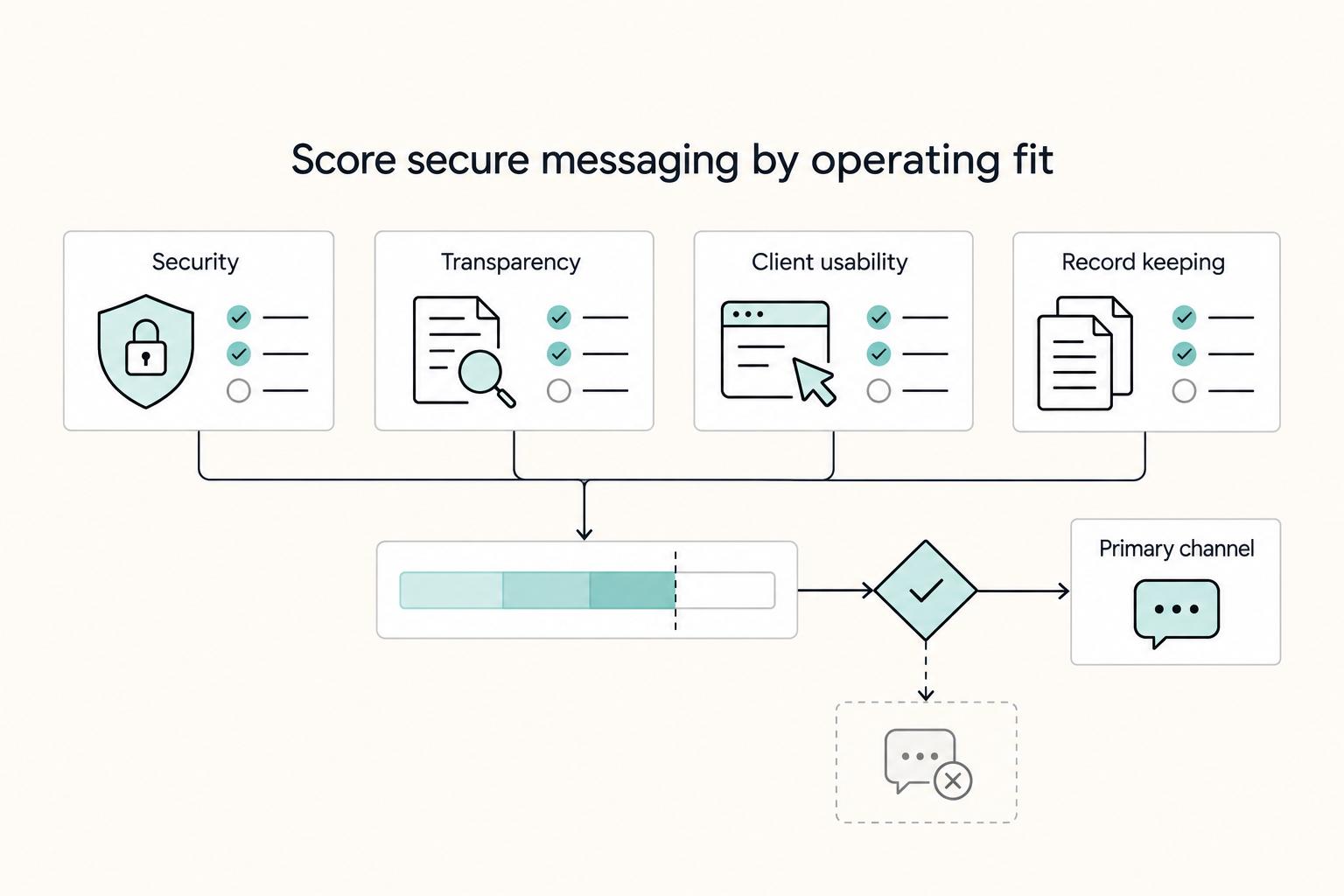
Client work goes more smoothly when you set messaging rules before pressure hits: one primary channel, one fallback, and a short written policy.