
Quick Answer
Use the scarcity principle for digital products only when your limit is real, documented, and enforced. The article’s core move is shifting from manufactured urgency to Authentic Capacity: define what you can deliver, communicate availability clearly, and build offers around actual constraints like onboarding load or support bandwidth. When claims match operations, you protect trust, attract better-fit buyers, and reduce avoidable payment friction.
Why Traditional Scarcity Tactics Can Destroy Your Professional Brand#
Used carelessly, the scarcity principle for digital products can do more harm than good. In an expertise-led business, manufactured urgency can push buyers to decide before they have fully evaluated fit, budget, scope, and terms.
That distinction matters because scarcity does work in some contexts. A December 2022 Journal of Retailing meta-analysis covering 416 effect sizes from 131 studies found that scarcity cues can increase purchase intentions, but not all scarcity effects work the same way. The practical takeaway is simple: context matters. The same review reports different patterns for demand-, supply-, and time-based scarcity, so a single default tactic is rarely the best choice. These findings come from product purchase-intention research, so apply them to service offers as a test, not a guarantee.
When the tactic and the offer do not match#
You see this mismatch all over service and creator sales pages. A countdown timer sits on an evergreen course page and resets the next day. A consultant says "2 spots left" every week for months. A bonus is "48 hours only" in the email sequence, but still appears at checkout after the deadline. These tactics are common because countdown timers, flash specials, and limited releases are familiar and easy to deploy. They are also easy to overuse.
The first problem is not morality. It is message fit. When your page uses urgency signals that do not match real availability, the tactic can backfire instead of improving performance.
A transparent availability signal lands differently. "Now booking projects for Q3." "Next onboarding window opens on 1 June." "I take four retainer clients at a time." Those statements do not force urgency. They explain capacity.
| Tactic used | Short-term conversion effect | Potential downside if the limit is not real | Trust-preserving alternative |
|---|---|---|---|
| Evergreen countdown timer that resets | Can push impulse action from deadline-sensitive visitors | Can backfire and hurt sales when visitors see the timer restart | Use a real enrollment close date and actually remove checkout access when it passes |
| "Only 2 spots left" with no visible capacity basis | May create fast inquiry spikes | Can reduce confidence that the limit is genuine | State your real capacity, such as current booking month or number of active client slots |
| Bonus "expires tonight" repeated in every launch cycle | Can increase last-minute clicks | Can backfire if buyers repeatedly see the same deadline pattern | Keep the bonus on a published schedule and explain why it is tied to a real start date or delivery window |
Consistency is the real ethics test#
A practical rule is simple: make scarcity claims you can verify everywhere they appear. If you say enrollment closes Friday, checkout should close Friday. If you tell leads you have one start date left this month, your booking page and follow-up emails should reflect that same limit.
| Touchpoint | Consistency check |
|---|---|
| Sales page | Make sure claims about seats, start dates, review capacity, or support hours match your current record of what is actually limited. |
| Checkout or booking page | If you say enrollment closes Friday, checkout should close Friday. |
| First two automated emails | If you say you have one start date left this month, those emails should reflect that same limit. |
This is where basic operator discipline matters. Keep one current record of what is actually limited: seats, start dates, review capacity, or support hours. Before a launch or outreach push, check the sales page, the checkout or booking page, and the first two automated emails for contradictions.
The buyer-intent filter you are creating#
Your messaging does more than drive clicks. It sets expectations. Pressure-heavy copy signals urgency-first positioning. Authority-led copy signals competence, clarity, and process.
Use scarcity when it is real and operationally true. If it is not true, do not publish it. For pricing mechanics that support this approach, see How to Price a Digital Product.
The Reframe: Stop Manufacturing Scarcity, Start Signaling Capacity#
If you want buyers choosing you for fit and process, signal real capacity instead of artificial urgency. The goal is not to force a fast yes. The goal is to show a limit you can actually honor.
Treat Authentic Capacity as your operating limit: the amount of client work, review attention, onboarding, and support quality you can deliver without slipping. That is a delivery standard, not a sales trick.
This matters in digital markets, where not every buyer is deciding from a fully stable position. OECD guidance notes that vulnerability can affect most consumers, not only a small subgroup. So when your message relies on pressure, you risk getting rushed decisions instead of clear qualification.
| Message style | What buyers hear | Likely buyer response |
|---|---|---|
| Manufactured scarcity signal | "Offer closes tonight" that later reopens | Rush, skepticism, or waiting for the next exception |
| Capacity signal | "Now booking projects for next month" | Planning, fit questions, and clearer timelines |
| Capacity signal with explicit limit | "I take a fixed number of retainer clients at one time" | Respect for boundaries and earlier, more deliberate decisions |
Apply the same capacity signal in three places: your offer page, your inquiry flow, and your sales conversations. Keep one current record of what is actually limited, and make sure those touchpoints match.
Used this way, capacity signaling pre-qualifies serious buyers and sets a professional buying process instead of an impulse purchase.
For a step-by-step walkthrough, see The Pre-Launch Checklist for a Digital Product.
Define capacity, communicate availability, then package delivery around verified limits#
Use this sequence to keep scarcity honest and execution-safe: define capacity, communicate availability, then package delivery around limits you can verify.
Step 1. Define capacity#
Start with an internal Capacity Scorecard, not public copy. Your goal is to mark which offers are open, near limit, or paused based on real delivery and cashflow risk.
Scarcity pressure can distort decisions, and research notes resource scarcity can impair long-term decision-making and reduce productivity. So set limits from verified workload data, not optimism.
A practical model is checkpoint tracking: status, path, and date fields. The TX-RAMP register uses fields like Certification Status, Certification Path, Certification Expiration Date, and Provisional Certification Expiration Date. Use the same discipline for offers: current status, delivery path, next review date, and threshold checked against business records before publishing.
| Offer type | Delivery path | Delivery load | Risk flags | Current status |
|---|---|---|---|---|
| Self-serve digital product | Self-serve with email support | Low build, variable support tail | Refund spikes, inbox surge after launch | Open / Near limit / Paused |
| Cohort or workshop | Group delivery with fixed session dates | Medium prep, high live delivery load | Attendance support, replay edits, payment chasing | Open / Near limit / Paused |
| Custom project sprint | Custom scope with reviews | High production and revision load | Scope creep, approval delays, late sign-off | Open / Near limit / Paused |
| Retainer | Ongoing service | Medium to high recurring attention | Monthly overages, channel sprawl, slow payers | Open / Near limit / Paused |
Verification rule: before you publish any limit claim, check delivery history, including support volume, revision rounds, payment lag, and missed approvals. If an offer keeps creating unexpected expense or recovery drag, flag it before increasing demand.
Step 2. Communicate availability#
Once limits are verified, state them clearly and consistently across your site, inquiry replies, and calls. The objective is planning clarity, not pressure.
| Channel | Example message |
|---|---|
| Website | Now booking projects starting [month/quarter]. Best fit: [scope]. |
| Inquiry reply | Thanks for reaching out. The next start window I can support without compressing delivery is the date noted in my availability. If that works, I'll send scope and payment terms. |
| Call script | For work at this level, I have availability from the date noted in my schedule. If you need earlier, we can discuss a smaller version. |
If these messages conflict across channels, fix that before you push traffic. Mixed signals invite exception requests and weaken your boundaries.
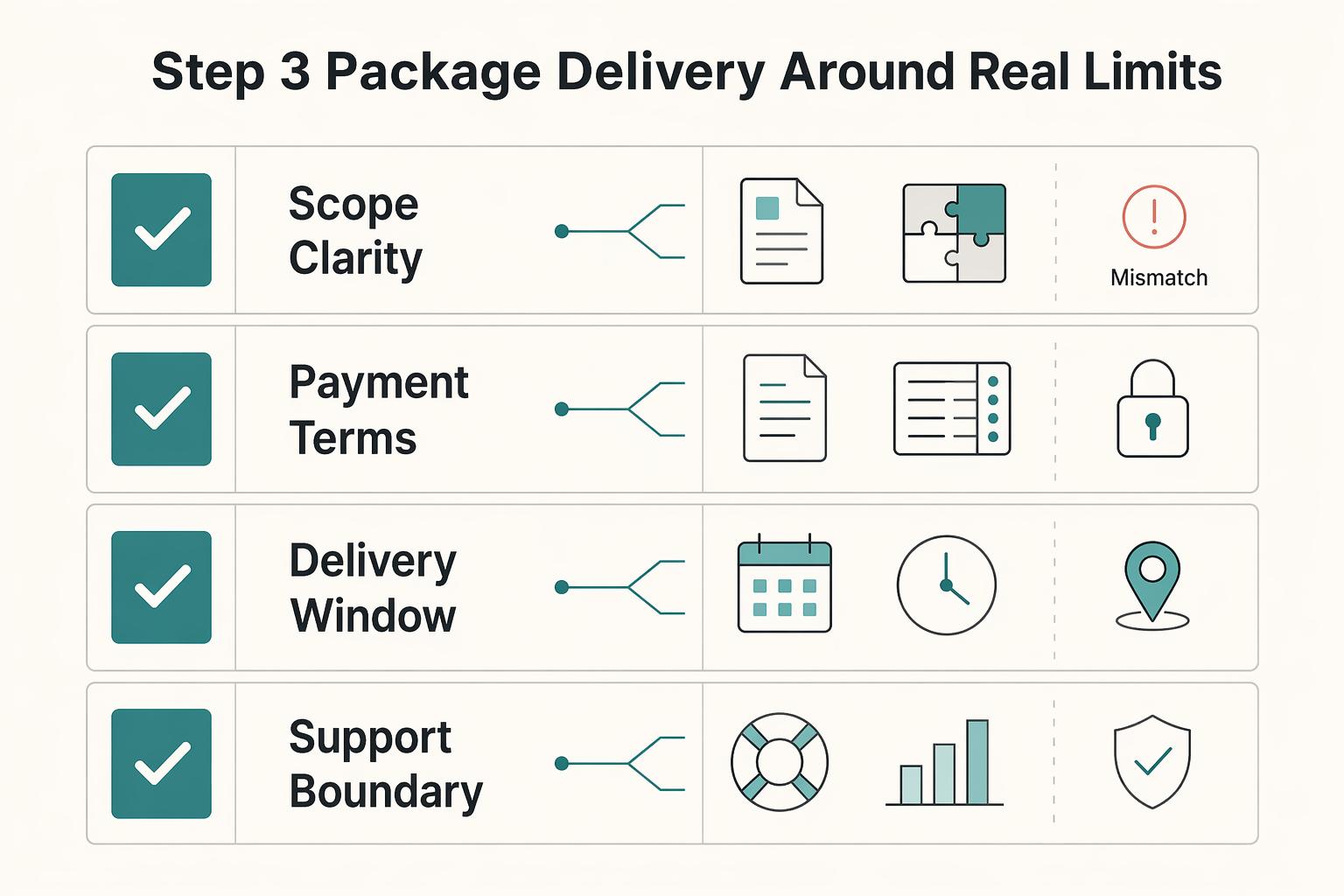
Step 3. Package delivery around real limits#
Turn capacity into offer design. Build around the true constraint: review time, onboarding attention, live delivery energy, or post-purchase support.
| Guardrail | What to define |
|---|---|
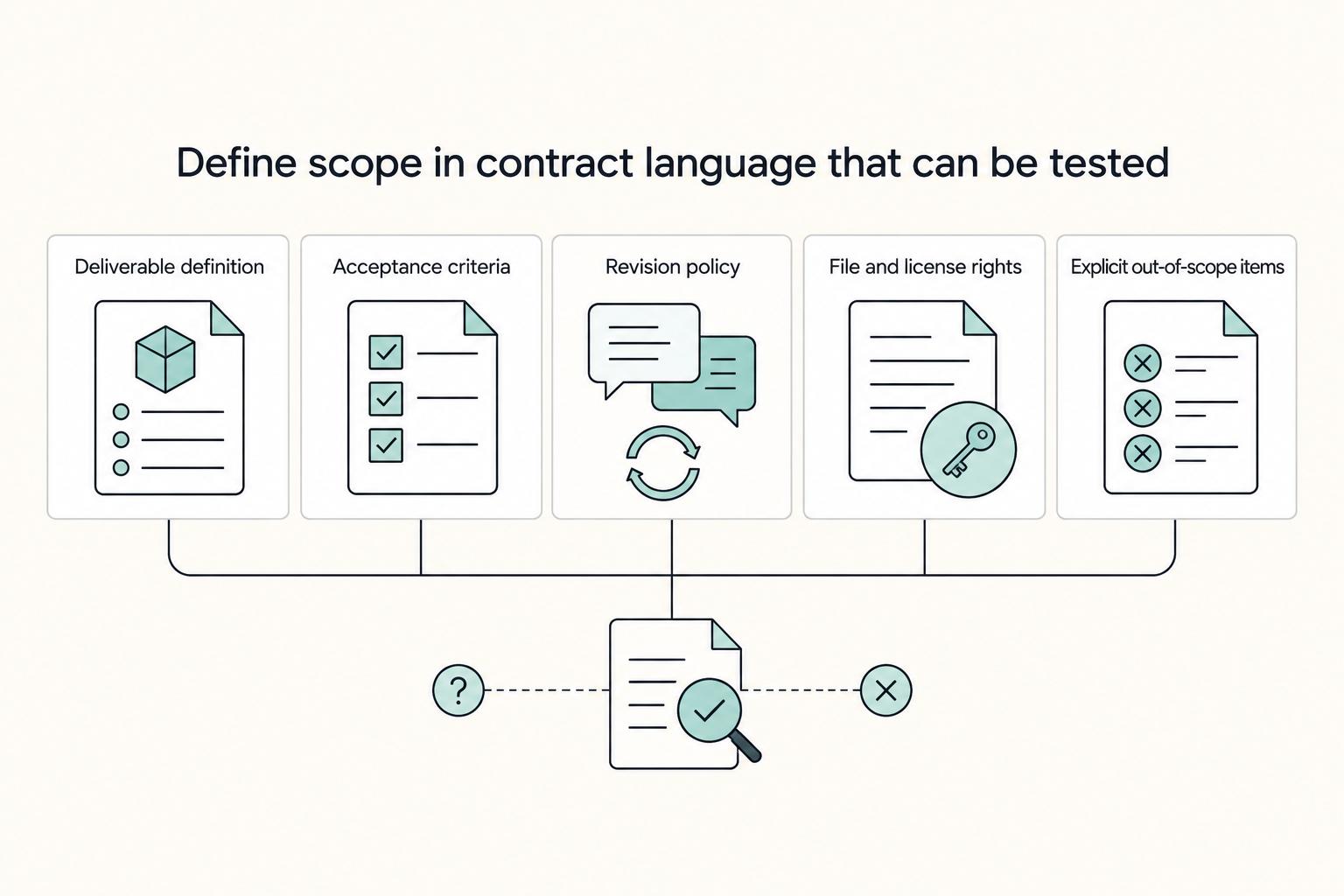
| Scope clarity | Define deliverables, revision limits, and what is out of scope. |
| Payment terms | Align collection timing with effort and approval risk. |
| Delivery window | Set start date, production window, and client dependencies. |
| Support boundary | Define support channel, response expectation, and end date. |
If work is modular, use digital tools to reduce manual load, consistent with the DRL idea of orchestration over ownership. But keep the boundary clear: what tools add is not unlimited human capacity.
Use this guardrail checklist before scaling promotion:
- Scope clarity: define deliverables, revision limits, and what is out of scope.
- Payment terms: align collection timing with effort and approval risk.
- Delivery window: set start date, production window, and client dependencies.
- Support boundary: define support channel, response expectation, and end date.
Decision rule: if scope is fuzzy or support is open-ended, lower the threshold. If scope is bounded and terms protect cashflow, you can usually carry more demand without damaging delivery.
If you want a deeper dive, read GDPR for Freelancers: A Step-by-Step Compliance Checklist for EU Clients. If you want a quick next step, try the free invoice generator.
How to Apply Authentic Capacity to High-Value Services#
For high-value services, authentic capacity works when you make the boundary visible before a client asks for exceptions. You are not selling vague access to you. You are selling a clearly defined delivery unit.
Match the offer to the real constraint#
If you're a consultant, lead with a defined audit, strategy session, or sprint instead of open-ended support. Set written scope, a decision owner, and a start window you have verified against your delivery calendar before publishing. This keeps the engagement bounded, gives the client a clear point to accept terms, and gives you a concrete invoicing milestone.
If you're a developer or technical specialist, package work as a prioritized build block or implementation batch, not unlimited availability. State what is included, what is deferred, and which client inputs are required before work starts. If recent projects show repeated revision loops, blocked approvals, or payment lag, tighten the boundary before you push demand.
If you're a creative, coach, or other access-heavy expert, make access level the key tier difference. Keep your highest-touch tier limited to a capacity number verified against your current delivery calendar and support load, and define review channel, response expectation, session format, and support end date. If access is not bounded, clients can read it as always-on help and your terms become harder to enforce.
| Service model | Delivery boundary | Payment-protection impact | Best-fit client profile |
|---|---|---|---|
| Diagnostic offer | One defined review, recommendation set, and handoff point | Clear deliverable supports clear booking or upfront payment terms | Client needs expert direction before committing to larger work |
| Sprint or project block | Fixed scope, client dependencies, revision limit, and start window | Defined stages support clearer milestone invoicing and approval points | Client has a specific outcome and can provide inputs on time |
| Retainer with cap | Named support channel, included tasks, response expectation, and overage rule | Written monthly boundaries support clearer recurring billing expectations | Client needs ongoing help and can follow a structured process |
Treat the waitlist like intake#
Use your waitlist as an intake workflow, not a suspense tactic. Add people only after you confirm service fit, readiness to start when a slot opens, and willingness to work under current terms.
Then apply a clear priority sequence:
- Qualified repeat clients
- Qualified new clients with complete scope information
- Leads that still need follow-up before scope or budget is clear
Set communication expectations in plain language, using the contact channel and response window verified in your intake records or current terms: "If a place opens, I will contact you through the agreed channel. Please confirm within the response window in our current terms, or I will offer it to the next qualified client." Scarcity can prompt faster action, but for services it holds up only when the limit is real, transparent, and documented.
You might also find this useful: The Best Platforms for Selling Digital Products.
Your Brand Is Your Scarcest Asset - Protect It#
Protect your brand by treating urgency as an operational claim, not a copy trick. If you cannot prove the limit behind the message, do not use scarcity language.
Use urgency language when the deadline changes real access, delivery, or support. Avoid it when the product is still available the same way after the timer ends, or when your checkout and intake flow do not enforce the stated limit.
| Approach | Trust impact | Buyer quality | Pricing leverage | Cashflow stability |
|---|---|---|---|---|
| Manufactured scarcity | Skepticism risk is higher when limits are not verifiable | Can pull in fast-action buyers before fit is clear | Can increase willingness to pay in the moment | Demand can be harder to forecast if it is mostly deadline-driven |
| Authentic capacity signaling | Usually clearer when limits are visible and enforced | More likely to attract buyers who accept your process | Supports pricing from real supply-and-demand constraints | Usually easier to plan when start windows and payment points are documented |
Use a simple decision lens in launch copy and sales messages: if the limit is real and enforced, state it clearly; if not, remove urgency language and focus on fit, scope, and outcomes.
Brand protection checklist:
- Launch copy: booking window matches your actual calendar right now
[verify current start window] - Offer page: capacity limit is enforceable in checkout, delivery settings, or manual intake
[verify platform rule] - Sales messages: qualification step happens before you hold a spot
[verify form or review step] - Terms: payment point, required client inputs, and start timing are explicitly defined
[verify current policy] - Booking records: keep an evidence pack (page version, intake answers, accepted terms, invoice, confirmation message)
We covered this in detail in A Guide to Creating a 'Digital Will' for Your Online Assets.
Frequently Asked Questions
How do you communicate limited capacity without sounding arrogant?
Keep the message focused on delivery quality and next steps, not on how busy you are. You can say, “I’m currently booking work for the next start window verified on my delivery calendar. If that timing works, I can review your scope and confirm fit under my current terms.” Before you publish that, check your calendar, active client load, and onboarding queue. The claim should still be true when a buyer asks.
Is the scarcity principle for digital products ethical?
Only when the limit is operationally real and enforceable. A genuine intake cap, cohort close, or feedback limit can be fair. A reset timer or vague “limited spots” message with no actual cap behind it can become a trust risk.
What can you use instead of countdown timers?
Use a limit that comes from delivery, intake, or support, not from a timer that restarts. Good substitutes include start windows, cohort closes, limited support add-ons, and waitlists with a clear response rule. | Tactic | When to use it | Buyer trust impact | Implementation risk | | --- | --- | --- | --- | | Start window | When your delivery calendar is the real constraint | Can be strong when it reflects real scheduling limits | Lower if you update it after each booking | | Cohort enrollment close | When onboarding, support, or live delivery happens in batches | Can be strong if the close ties to a real start and support plan | Higher if access does not actually close | | Limited support add-on | When the product is evergreen but feedback time is finite | Can be strong if the limit is visible and enforced | Higher if you sell more access than you can deliver | | Waitlist with response rule | When demand is higher than current intake | Can be strong if people know how offers are made and when they expire | Depends on consistent follow-up | Do not stack every cue at once. Scarcity can narrow attention, and in at least one study context, combining scarcity with another promotion reduced the other promotion’s effect.
Can this work for evergreen digital products?
Yes, but not by pretending the file itself is scarce. Digital goods are not naturally scarce, so the limit has to sit around something real such as live review, private feedback, onboarding help, or support access. If you cannot enforce that limit through checkout, delivery settings, or manual intake, do not advertise it.
What is the difference between scarcity and urgency?
Scarcity is limited availability. Urgency is the time window to act. A practical example is capping onboarding at the capacity limit verified in your current delivery plan, then giving each qualified lead the response window stated in your current terms to accept terms, sign, and pay before that opening goes to the next person.
Can capacity signaling help with payment protection?
Not directly based on this evidence. Scarcity cues can increase urgency and speed decisions, but they are not proof against payment delays, chargebacks, or disputes. If your start window, scope, client inputs, and payment point are documented before work begins, you may have fewer grey areas later. Keep a simple evidence pack: the offer page version shown at booking, intake answers, accepted terms, and the invoice tied to a defined delivery point.
Try a related tool
Researched and edited by the Gruv editorial team. Gruv builds cross-border billing, payouts, and finance-operations software for global businesses.
Sources
Includes 1 external source outside the trusted-domain allowlist.
- cmr.berkeley.edu/2023/10/scarcity-as-strategy-innovative-busi...trusted
- leg.colorado.gov/initiative_files/3308/downloadtrusted
- oecd.org/content/dam/oecd/en/publications/reports/202...trusted
- pmc.ncbi.nlm.nih.gov/articles/PMC9441551trusted
- pmc.ncbi.nlm.nih.gov/articles/PMC9749059trusted
- repository.law.umich.edu/cgi/viewcontent.cgitrusted
- sei.cmu.edu/documents/501/2012_019_001_495381.pdftrusted
- amazingarchitecture.com/articles/scarcity-principle-what-it-is-and-h...external
Educational content only. Not legal, tax, or financial advice.
Related Posts

GDPR Compliance Checklist for Freelancers Working With EU Clients
Start by separating the decisions you are actually making. For a workable **GDPR setup**, run three distinct tracks and record each one in writing before the first invoice goes out: VAT treatment, GDPR scope and role, and daily privacy operations.
How to Price a Digital Product
If you are figuring out **how to price a digital product**, do not start with a random number. Start with where your pricing method and implementation are most likely to break.

The Freelance Payment Penalty: A Modeled Audit of Platform Fees, FX Spreads, and Payout Delays
The money rarely disappears through a single, easy-to-spot fee. The real loss is stacked. A marketplace takes its commission, a processor adds a charge for international cards, a bank or payment company converts the currency at a spread, a platform holds the funds before release, and a wire sheds a little to intermediaries on the way in. Each layer looks defensible on its own, but the worker feels the combined result as a smaller deposit and a later payday.