
Quick Answer
Build a retrieval system you can trust. The forgetting curve and second brain approach works when you keep one record for client scope, approvals, decisions, and next actions, then review it on a schedule. Use practical structures like PARA buckets and a single place for contracts and project status, so you can find what governs the work under pressure. If you can retrieve the signed terms and latest approval quickly, you reduce rework, scope disputes, and delivery drift.
Forgetting a Password is an Inconvenience. Forgetting a Contract Clause is a Catastrophe.#
If you work independently, memory lapses are not just annoying. They can show up as missed requirements, duplicate work, scope disputes, and uneven delivery that may reduce client trust over time.
You do not need a dramatic statistic to feel this in practice. A forgotten password costs you a reset. A forgotten client promise can lead to rework, an awkward invoice conversation, or a project that drifts because nobody can prove what was agreed.
That is the practical value of treating memory as an operating risk. It is not theory for its own sake. It is a way to reduce avoidable business mistakes.
The thread through this article is simple. Treat memory as an operating risk. Rank the failures that hurt most. Then build a retrieval system that helps you stay consistent under pressure.
Treat memory as an operating risk#
The real problem is rarely "I forgot something" in the abstract. It is "I forgot the revision limit in the contract," "I cannot find the latest approval," or "I know I solved this before, but I cannot retrieve it when the client is waiting." For a solo operator, that gap can land directly on your time, margin, and credibility.
Be careful with neat internet claims about memory. Memory research is a real field, but online summaries often flatten it into catchy numbers that do not survive a source check. If you verify any source yourself, use the publisher or PDF links on the article record. Remember that even an NLM or PMC listing is access, not endorsement.
One visible checkpoint is the Cogn Behav Neurol record Consciousness as a Memory System from 2022 Oct 3, 35(4):263-297, DOI 10.1097/WNN.0000000000000319. The practical lesson is simpler than the theory: build your business process around retrieval and evidence, not vague confidence.
Map the failure to the business impact#
A useful way to think about this is to translate each memory failure into the business consequence it can create. That gives you a reason to document before the pressure hits.
| Memory failure | What it looks like in daily work | Possible business impact |
|---|---|---|
| You forget a contract clause | You rely on memory for revision rounds, delivery timing, or ownership terms | Scope disputes, extra unplanned work, slower collections |
| You lose a client decision | Approval lives in chat, email, or a call nobody summarized | Rework, finger-pointing, weaker change control |
| You cannot retrieve a past solution | You know you solved a similar issue before but cannot find the fix | Non-billable time, slower delivery, inconsistent quality |
| You forget your own proposal assumptions | The sold plan and the delivered plan drift apart | Margin pressure, awkward renegotiation, client distrust |
| You do work from scattered notes | Contract in one app, call notes in another, files in a third place | Version confusion, missed details, avoidable stress |
Use this checkpoint on one active client. Can you find the signed agreement, current scope, last approval, open risks, and next deadline quickly? If not, the problem is not memory alone. The business has no trusted place to retrieve what matters.
Build a retrieval system you can trust#
For this article, focus on a practical working layer for the business, not a warehouse for notes. Its job is to help you capture important inputs and retrieve them when delivery pressure is high.
At a high level, it should hold the items you repeatedly need under pressure. That includes contracts, statements of work, proposal assumptions, client-specific preferences, meeting decisions, approvals, delivery checklists, reusable solutions, and lessons learned after a project. What belongs inside is not everything interesting. It is the material most relevant to consistent delivery and decision-making.
The main failure mode is building a beautiful archive that nobody can trust. If your notes are full of unlabeled screenshots, duplicate files, and half-finished thoughts, retrieval fails at the exact moment you need it. Another red flag is stale information. If there are three versions of the scope and you cannot tell which one governs the work, you have created more risk, not less.
The next sections fix that in sequence. First, you will set up records that reduce disputes. Then you will turn repeated expertise into reusable assets you can price more clearly. Finally, you will make your service feel more professional because the right answer is available when the client asks for it.
Need the full breakdown? Read A Guide to the 'PARA' Method for Organizing Your Digital Life.
The Forgetting Curve: A Financial Risk Model for Your Business#
Treat memory decay as an operating risk, not a personal flaw. In a business of one, prioritize memory failures by likelihood and impact, then control the ones that can hurt client delivery, compliance tasks, and sales follow-through.
Score failures before you organize anything#
Use the forgetting curve as a practical warning: recall fades unless you reinforce it over time. The idea is often attributed to work from 1885, but the operational question is simpler: if you forget this next week, what breaks?
Score real workflow failures first, then build controls around them.
| Memory failure | Likelihood and impact | Second-brain control |
|---|---|---|
| You forget a contract clause or change approval | High likelihood, high impact | Capture the signed agreement, scope changes, and approval summary in the client record; store it in one active client location; review it before revisions, extra work, or invoicing |
| You miss a compliance or admin requirement | Medium likelihood, high impact | Capture the requirement, owner, due note, and evidence in an admin record; store supporting files with that record; review it at onboarding, renewal, or client-request checkpoints |
| You lose a sales-call detail | High likelihood, medium impact | Capture pain points, objections, follow-up promises, and next steps in the opportunity note; store it with proposal drafts; review it before the next call or proposal send |
Reduce capture friction and protect retrieval#
Controls only work if you actually use them. If capture takes more than three clicks, people often stop capturing. If retrieval depends on remembering the exact tag you used six months ago, useful notes become effectively lost.
Test your setup on one live client: can you retrieve the governing contract, latest approval, open admin task, and next sales or delivery action in under two minutes? If not, move to the next section for implementation details on framework and tools, not more theory.
For a step-by-step walkthrough, see The Pros and Cons of Second Citizenship for US Nationals.
The Architecture of Your Solution: Frameworks and Tools#
If you failed the two-minute retrieval test, fix your architecture before you add more notes. Use a retrieval-first setup: one structure, one capture path, and scheduled reviews that reinforce recall as memory drops fastest early and then slows.
Set up four working buckets#
Use PARA as your operating layout here, and keep placement obvious so you do not waste time deciding where things go.
| Bucket | Use | Includes |
|---|---|---|
| Projects | Active client work | current scope, signed terms, change approvals, meeting notes, next action, open invoice questions |
| Areas | Ongoing responsibilities | compliance workflows, renewal reminders, onboarding standards, recurring admin duties |
| Resources | Reusable assets | proposal blocks, case snippets, objection-handling notes, pricing language, reusable research |
| Archives | Completed engagement records | final deliverables, closed approvals, lessons learned, prior proposal versions |
Quick check: for one live client, you should be able to pull the current scope, latest approval, and next action without guessing.
Run one capture-to-retrieval workflow#
Do not optimize for storage volume; optimize for reliable reuse. Keep every new item on the same path: capture, tag, link, review, retrieve.
| Step | What to do | Checkpoint |
|---|---|---|
| Capture | Capture fast | If capture takes more than three clicks, people often stop doing it |
| Tag | Tag lightly | Do not make retrieval depend on one exact keyword six months later |
| Link | Link across buckets | Rigid hierarchies make cross-reference retrieval harder |
| Review | Review on a schedule | Planned review sessions reduce forgetting risk |
| Retrieve | Test the setup on one live client | Retrieve the governing contract, latest approval, open admin task, and next sales or delivery action in under two minutes |
- Capture fast. If capture takes more than three clicks, people often stop doing it.
- Tag lightly. Do not make retrieval depend on remembering one exact keyword six months later.
- Link across buckets. Rigid hierarchies make cross-reference retrieval harder.
- Review on a schedule. Planned review sessions reduce forgetting risk.
Choose tools with a live retrieval drill#
Pick the tool that passes your real workflow test, not the one with the strongest reputation. Build one live client record in each tool, then run the same checks.
| Tool | Structure flexibility | Retrieval speed | Offline/privacy posture | Collaboration handoff |
|---|---|---|---|---|
| Notion | Build one record with scope, approvals, compliance tasks, and reusable proposal assets | Time whether you can retrieve scope, latest approval, and next action inside two minutes | Verify offline access limits and privacy controls against your requirements before storing sensitive material | Test whether a VA or collaborator can follow the record without extra explanation |
| Obsidian | Build the same record with clear cross-links between client work and reusable assets | Run the same two-minute drill | Verify your offline/sync/privacy setup against your requirements | Test whether handoff is clear when another person needs to continue the work |
| Evernote | Build the same record with active client notes and reusable assets nearby | Run the same two-minute drill | Verify offline/privacy settings and handling choices against your requirements | Test whether someone else can follow the note trail and act |
Once this layer is stable, your next three pillars become executable: protect revenue, price your true value, and deliver with consistent confidence. For a deeper app breakdown, read The Best Note-Taking and Knowledge Management Apps for Freelancers.
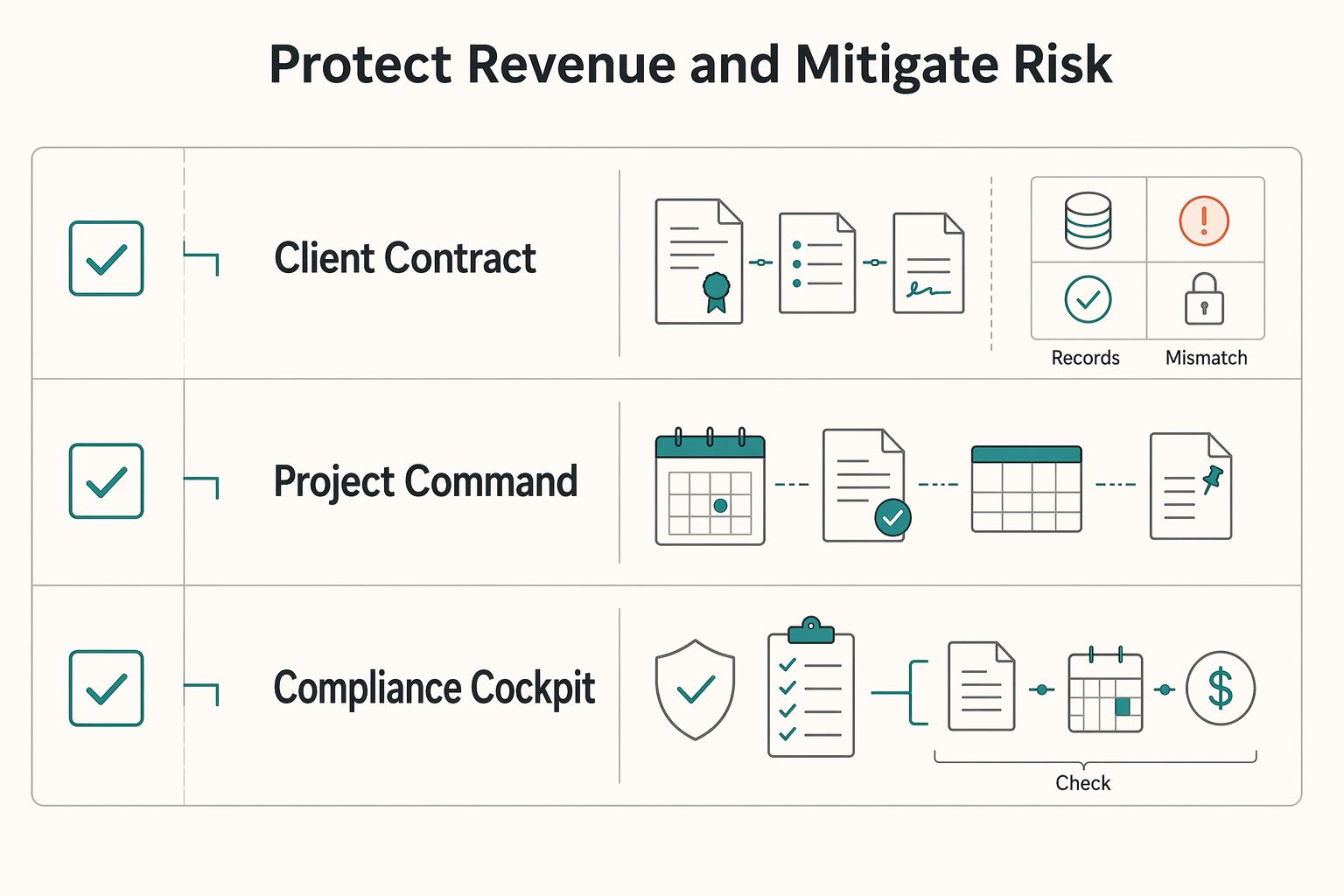
Pillar 1: Protect Revenue and Mitigate Risk#
After your system passes the retrieval test, use it to protect revenue by keeping evidence you can verify, not notes you hope to remember. Your goal is a dated, inspectable trail of what was agreed, what changed, and what you checked.
| System | Risk type | What you capture | Where it lives | When you review it | Failure mode if missing |
|---|---|---|---|---|---|
| Client Contract Vault | Scope and payment disputes | Signed agreement, scope boundaries, exclusions, payment schedule, scope change notes, approval log | One canonical record in the client's active Project folder, linked to supporting files | Kickoff, before accepting extra work, before invoicing | You rely on memory and miss billable changes |
| Project Command Center | Delivery drift and decision loss | Meeting notes, action items, client feedback snippets, decision records, version history | The active project record (not split across chat, docs, and inbox) | After every meeting, before revisions, weekly | Rework, wrong version sent, unclear ownership |
| Compliance Cockpit | Missed obligations and stale requirements | Checklists, official source links, verification date, next review date, relevant logs, and unresolved items marked as pending official verification | A dedicated compliance record in your Areas workspace | Monthly, before travel, before entering a new market, when process changes | False confidence from outdated or secondhand rules |
Client Contract Vault: Capture what you sold, what you excluded, how and when you get paid, and every approved post-signature change. Keep one canonical record that links the signed agreement, change notes, and approval log. At each review point, confirm you can retrieve current scope, latest approved change, and next billing condition quickly.
Project Command Center: Capture each meeting outcome, next action, client feedback snippet, decision record, and deliverable version history. Keep it in one active project record so current direction is always visible before revisions. This is your auditable trail in practice: scope change notes, approval logs, version history, and decision records.
Compliance Cockpit: Capture only requirements you have verified, with the official source link, date checked, and next recheck date. When something still needs confirmation, mark it as a current requirement pending official verification, and clear that status only after checking the source record. If you work with EU client data, pair this with GDPR for Freelancers: A Step-by-Step Compliance Checklist for EU Clients.
Keep the workflow disciplined: passive reading is not enough. Test the cockpit by running one checklist end to end and confirming you can show where each requirement came from.
Start this pillar in three moves:
- Set up templates for the Vault, Command Center, and Cockpit.
- Backfill active clients and current projects first.
- Start recurring reviews now: weekly for client and project records, monthly for compliance verification.
This pairs well with our guide on The 'Flow State' and how to achieve it as a creative professional.
Pillar 2: Systematize Expertise to Price Your True Value#
Once Pillar 1 is stable, stop selling from memory. You will price and scope better when your questions, methods, proof, and objection responses are stored as reusable assets you can revisit and apply.
This is the shift from defense to offense: you move from scattered pieces to an external knowledge base that supports reflection, accountability, quality standards, and steady improvement over time.
Codify your differentiators#
Start with one service line first. Choose the one with the most proposal volume or the highest margin pressure.
Use this input -> process -> output flow:
| Knowledge asset | Input | Process | Output for pricing and proposals | Output for delivery |
|---|---|---|---|---|
| Diagnostic questions | Discovery notes, recurring client questions, qualification patterns | Consolidate repeated questions and red flags into a short decision guide | Clearer problem framing and tighter scope logic | Better kickoff alignment and fewer bad-fit engagements |
| Delivery playbooks | Kickoff notes, execution checklists, revision patterns, quality standards | Turn repeatable steps into a written playbook you actually follow | Explains what the client is paying for beyond hours | More consistent execution and easier review |
| Proof artifacts | Strong examples, testimonials, before/after notes you can stand behind | Curate and tag by problem type and service | Stronger credibility in proposals and calls | Shared standard for what "good" looks like |
| Objection responses | Common pushback on price, timing, scope, risk | Draft short, reusable responses linked to method and boundaries | More consistent negotiation without default discounting | Reinforces scope boundaries when requests expand |
Checkpoint: each asset should have a last-reviewed date and at least one real example attached. If your method exists only as polished copy with no supporting notes, it is too thin. Fragmentation is the main failure mode: useful material stays split across inboxes, docs, and call notes, so it never becomes reusable.
Build proposal blocks from those assets#
Turn the assets into modular proposal blocks: problem summary, diagnostic findings, recommended scope, exclusions, proof, working method, objection handling, and next steps.
Use a second input -> process -> output flow:
- Input: your codified assets plus a few high-quality past proposals.
- Process: rewrite into reusable blocks with clear boundaries and decision criteria.
- Output: faster assembly, more consistent proposal quality, and pricing conversations anchored in method and evidence.
Do not over-template. Keep reusable blocks for method, proof, boundaries, and objection handling; customize diagnosis and scope for each deal. Verification point: major proposal claims should trace back to a discovery note, proof artifact, or delivery standard already in your system.
Track ROI with placeholders, then refine#
Use a simple framework with placeholders, and only replace them with numbers you have verified in your own business.
| Area | Measure | How to use it |
|---|---|---|
| Time recapture | hours saved from not rewriting proposals | Multiply by your current billable rate, confirmed from your own records, or your replacement-cost figure for non-billable time |
| Time recapture | hours saved from not searching for proof and prior examples | Multiply by your current billable rate, confirmed from your own records, or your replacement-cost figure for non-billable time |
| Time recapture | hours saved from faster scoping | Multiply by your current billable rate, confirmed from your own records, or your replacement-cost figure for non-billable time |
| Proposal impact | proposals sent, counted from your own records | Compare periods |
| Proposal impact | accepted proposals, counted from your own records | Compare periods |
| Proposal impact | average deal value, from your own records | Compare periods |
For time recapture:
- Track hours saved from not rewriting proposals.
- Track hours saved from not searching for proof and prior examples.
- Track hours saved from faster scoping.
- Multiply by your current billable rate, confirmed from your own records, or your replacement-cost figure for non-billable time.
For proposal impact:
- Record proposals sent, counted from your own records.
- Record accepted proposals, counted from your own records.
- Record average deal value, from your own records.
- Compare periods, then check whether proposal clarity changed acceptance patterns, deal size, or discount pressure.
Do not attribute every change to this system. Note other factors that can affect outcomes.
Maintenance is part of the model. Even after consolidation, this remains a work in progress. Review won and lost deals monthly, mark which assets helped or failed, and refine.
Implementation order:
- Document differentiators.
- Build proposal blocks.
- Review deal outcomes and refine the library.
For a related example, see How to Handle Sales Objections as a Freelancer.
Pillar 3: Run Meetings, Onboarding, and Follow-Up From Records#
To look professional consistently, run your service from a system, not recall. Pillar 1 gave you risk control, and Pillar 2 gave you reusable expertise; this pillar turns both into repeatable client operations so you are not relying on memory under pressure.
Client work is sequential and unpredictable: priorities switch, interruptions happen, and old details can reappear after long gaps. Sequential-learning research describes that same pattern and why one-shot recall is fragile. The practical move is to use stored records plus short, repeated review points.
| Area | Without system | With second-brain workflow |
|---|---|---|
| Client trust | Confidence depends on what you remember live | Confidence is supported by current notes, prior decisions, and visible follow-through |
| Response speed | You search inboxes, old files, and your head | You start from a meeting brief, onboarding record, or contact note |
| Handoff quality | Key context stays in scattered messages | Scope, decisions, owners, and risks are written in one place |
| Referral readiness | You remember contacts only when prompted | You have searchable notes on relationships, promises, and next follow-up triggers |
Play 1: Pre-meeting prep#
Before any sales call, kickoff, review, or scope-sensitive conversation, prepare a one-page meeting brief. Include: client name, meeting purpose, last commitments, open decisions, relevant Pillar 1 risks, relevant Pillar 2 proof/process notes, and 3 to 5 questions you need answered.
Trigger: meetings that affect scope, timeline, money, trust, or any account you have not reviewed recently. Output: a two-minute skim brief you can use live. Check: each key talking point maps to a prior note, proposal block, contract term, or email thread.
Play 2: Onboarding execution#
When a client says yes, start onboarding from a checklist template, not memory. Your template should include placeholders for: signed agreement received, scope summary, primary contacts, communication channel, access required, files requested, timeline milestones, dependencies, and applicable compliance/data-handling notes.
Trigger: verbal or written go-ahead. Output: one onboarding record with linked documents. Check: each required access item is received or pending, each owner is named, and scope is confirmed in writing.
Play 3: Relationship follow-up#
After each meaningful interaction, log a short contact note. Keep fields for: date, what changed, promises made, personal context to remember, value-add ideas, referral signals, and next follow-up date from the verified client record.
Trigger: delivery milestones, new initiative mentions, or your chosen admin-review day. Output: a searchable relationship trail and clear next action. Check: review notes on a spaced cadence so context stays current instead of relying on one-time recall.
This week, complete these checkpoints:
- Create one meeting-brief template and use it for your next high-stakes call.
- Convert your onboarding steps into one checklist with named fields.
- Add contact-note fields to client records and log your last three conversations.
- Pick one follow-up review trigger and place it on your calendar.
- Test the system by answering one client question using notes only, not memory.
We covered this in detail in How to Automate Client Onboarding with Notion and Zapier.
Your Second Brain Isn't a Notebook; It's Your Most Valuable Asset#
Your second brain should work as a retrieval system you trust under pressure, not a place where notes go to disappear. It will not make you "never forget," but it gives you a reliable way to verify decisions, reuse proven material, and apply what you already know when it matters most.
Build the records you need under pressure#
Start with four core records: a project history log, a decision trail, a case-study library, and reusable templates. Before a client call, check the history log for the latest promise, open issue, and next deadline. When you assemble a proposal, pull from your case-study library and templates so you are building from validated work, not a blank page.
| Behavior | Notebook behavior | Second-brain asset behavior |
|---|---|---|
| Retrieval speed | You rely on memory and rough location | You find records by client, project, or decision path |
| Error prevention | Commitments live across scattered notes | You verify commitments against a written decision trail |
| Scalability of service | Work is rebuilt from scratch too often | Templates and case studies make reuse part of delivery |
Use one checkpoint: can you find a current client decision in under a minute and trace it to a written source? A common failure mode is capture without retrieval, where notes exist but still do not support conversations, negotiations, or meetings.
Maintain the asset every week#
Treat this as part of your operating core. This week, set up one active client record with a history log and decision trail, add one case-study entry, and save one reusable proposal template. Then track three metrics for 30 days: minutes to find latest client decision, minutes to assemble a proposal draft, and number of reusable assets used this month. If those are not improving, simplify your structure or make records easier to find.
You might also find this useful: How to Build a Second Brain for Your Freelance Business.
Frequently Asked Questions
How does this actually prevent costly business mistakes?
It reduces mistakes when you stop treating memory as the record, because memory fades quickly without reinforcement. After a kickoff, scope call, or handoff, take 2 minutes for a no-notes brain dump, then compare it against your notes and contract so missing promises show up while they are still cheap to fix. Use a simple checkpoint: can you trace each key commitment to one written source such as a proposal, email, note, or signed agreement? A common failure mode is one-and-done capture, where you write the note once, never revisit it, and assume you will remember it a week later.
How should you think about ROI if you do not have hard benchmarks yet?
Skip fake certainty and use a three-line ROI sheet you can fill in with your own numbers each month: time saved, risk avoided, and reusable assets created. That can be as simple as hours saved x your actual billable or replacement rate, plus incidents avoided or reduced x your estimated rework/dispute cost, plus assets reused x time saved per reuse. Use examples from your last 30 days, not generic internet math. You can collect practical evidence like calendar time recovered, fewer inbox searches, one avoided scope dispute, and templates or proposal blocks reused more than once.
How should you structure it for client project management?
Use a practical sorting method, not a doctrine. For a business of one, the useful question is not “Where does this belong forever?” but “Where do I need to find this during active work?” If an item affects a live deliverable, meeting, deadline, or promise, keep it close to the active project. Verify the structure by finding one current client promise in under a minute. If you cannot, your buckets are too clever or your naming is too vague.
Can this help with tax residency and compliance tracking?
It can help if you treat compliance as an operating area inside your notes, not a stack of scattered PDFs. Build three core records: a residency log, a filing tracker, and an official-source link hub. For each rule or deadline, store the source link, the date you last checked it, and a plain-English note that the threshold for the relevant country is pending official-source verification. If you work with EU client data, pair that record with a focused checklist such as GDPR for Freelancers: A Step-by-Step Compliance Checklist for EU Clients.
Which apps should you choose for a second brain?
Pick by fit, not by reputation. Choose based on the workflow you need: structured records, collaboration, privacy/offline control, or fast capture and search. Make the decision on three questions: how you work, how much offline or privacy control you need, and whether other people must collaborate inside the same tool. Then test one live use case for two weeks: a meeting brief, an onboarding record, and one review cycle. If those three actions feel clumsy, the app is the problem or your setup is too complex.
Try a related tool
Researched and edited by the Gruv editorial team. Gruv builds cross-border billing, payouts, and finance-operations software for global businesses.
Sources
Includes 5 external sources outside the trusted-domain allowlist.
- digitalcommons.liberty.edu/cgi/viewcontent.cgitrusted
- pmc.ncbi.nlm.nih.gov/articles/PMC9708083trusted
- pmc.ncbi.nlm.nih.gov/articles/PMC4084861trusted
- arxiv.org/html/2506.12034v2external
- buildin.ai/blog/building-high-performance-second-brainexternal
- edutopia.org/article/helping-students-overcome-forgetting...external
- icml.cc/virtual/2025/poster/46299external
- johnhorgan.org/books/mind-body-problems/chapter-twoexternal
Educational content only. Not legal, tax, or financial advice.
Related Posts

GDPR Compliance Checklist for Freelancers Working With EU Clients
Start by separating the decisions you are actually making. For a workable **GDPR setup**, run three distinct tracks and record each one in writing before the first invoice goes out: VAT treatment, GDPR scope and role, and daily privacy operations.
The Best Note-Taking and Knowledge Management Apps for Freelancers
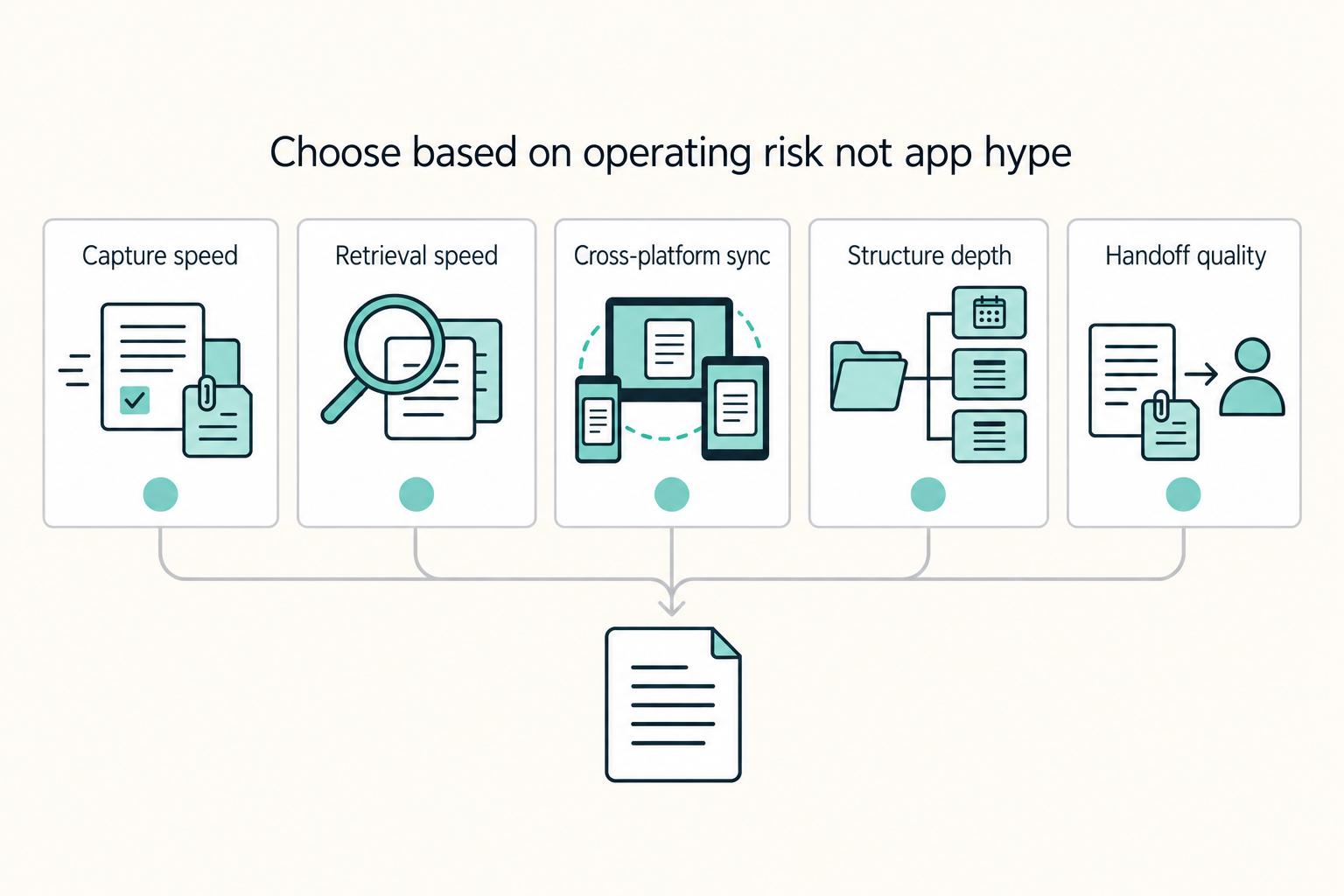
Make this decision in one sitting, then move on. One primary note app, used as the default place for client decisions, follow-ups, and reference notes, does more to cut missed details, messy handoffs, and tool churn than another week of comparing screenshots ever will.
How to Handle Sales Objections as a Freelancer
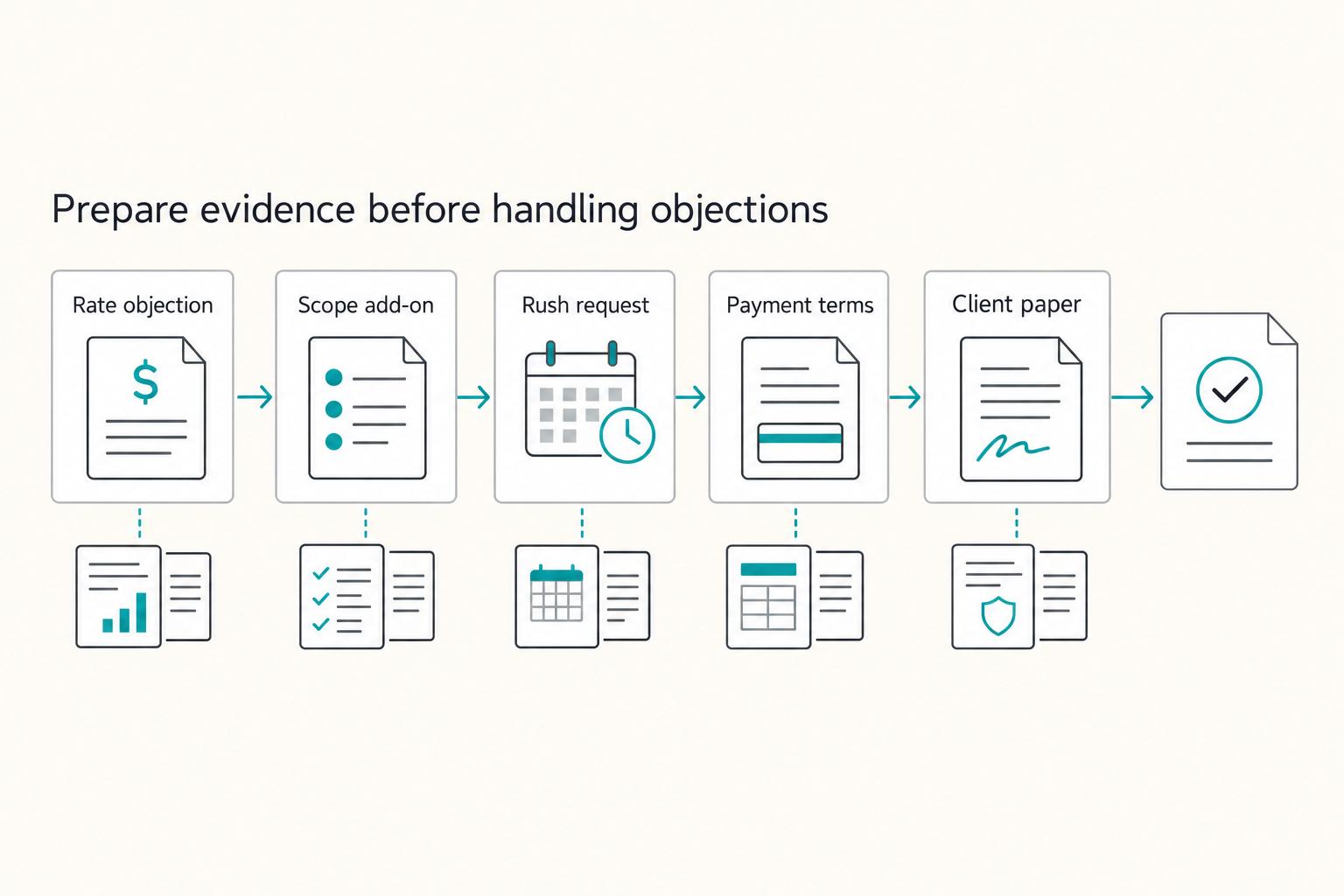
When you hear an objection in cold outreach, treat it as a risk signal, not an immediate "no." A simple loop can help: clarify the risk, choose one next step, write down what was agreed, and confirm timing.