
Quick Answer
A digital nomad cybersecurity blueprint is a three-part system for client-trusted remote work: secure your devices and accounts, isolate each client's data in a dedicated workspace, and document the rules, approvals, exceptions, and recovery steps that make your setup defensible. The article emphasizes repeatable checks, clear transfer paths, and records you can show without rebuilding the story from memory.
For a global independent professional, mobility works only if clients trust how you handle their data. Working from anywhere changes your risk profile, and clients know it.
They are not just hiring your expertise. They are trusting you with intellectual property, customer data, and internal plans outside their own environment. When you can show that your setup is controlled, documented, and recoverable, you are easier to hire and easier to keep.
A practical digital nomad cybersecurity blueprint has three parts: secure your own devices, separate and control client data, and document the rules that make your work defensible.
Pillar 1: The Personal Security Baseline#
Start with your digital gateway and account habits. If the first layer is weak, everything else turns into cleanup. Remote work widens exposure because every device and cloud service is another entry point. For many remote workers, home is the frontline instead of a protected corporate perimeter. Build a layered baseline before client work starts.
| Control area | Baseline | Client-trusted standard | When to choose which |
|---|---|---|---|
| Digital gateway (home Wi-Fi router) | Treat the router as your main portal to the internet and harden it first. | Keep gateway hardening as a standing control and review it as part of your security routine. | Baseline is the starting point for everyone; the stricter standard matters more when client work depends on your home setup. |
| Connected devices and cloud services | Track what is connected and remove access you no longer need. | Review connected devices and services regularly so entry points stay limited and visible. | Use the stricter review approach when one account or device can expose client systems or sensitive actions. |
| Connectivity and data handling | Use work habits that keep connectivity secure and keep client data isolated. | Document how you secure connectivity and isolate client data in day-to-day operations. | Use the documented approach when clients ask for clear, defensible security checkpoints. |
Remote-security choices are tradeoffs, not automatic choices. Ask four questions before you commit: Is your day-to-day connectivity secure? Have you reduced unnecessary entry points? Is client data isolated from personal workflows? Can you explain your controls clearly if a client asks?
Before you start client work, verify:
- your home gateway is hardened and part of your regular security checks
- connected devices and cloud services are current and only as broad as needed
- your working setup keeps connectivity secure
- client data is isolated from personal data and personal workflows
A layered setup is more credible when you can show repeatable checks, not just intentions. Keep concise security notes on what you verified and when so client conversations stay concrete.
If you are still choosing account-control tooling, The Best Password Managers for Freelancers and Teams is a useful next filter.
Once your personal baseline is in place, the next risk is client-data sprawl. If you want a deeper dive, read The Best Gear for a Portable Home Office.
Pillar 2: The Client Vault#
Use one client workspace per engagement and reject ad hoc handling. If files, credentials, and approvals spread across mixed inboxes, generic folders, or personal chat threads, your record breaks when you need it most.
This becomes urgent during access issues. An email lockout can stall approvals and file handoff before a deadline, so if email access is uncertain, pause payment changes, approval requests, and sensitive file transfers until access is verified.
Set up one workspace per client before intake#
Build the workspace before any client data enters it. At minimum, you should be able to show where active files live or sync, which account context handles them, who has access, and how access is removed at closeout.
| Control area | Minimum practice | Client-trusted practice |
|---|---|---|
| Storage isolation | Keep each client's active files in a dedicated encrypted location. | Keep that workspace explicitly listed in your device and file map so you can identify it within one minute during an incident. |
| Account separation | Use a separate profile or account context for daily work on that client. | Keep daily work in a standard context and use privileged access only for admin changes. |
| Permission design | Grant access only to named people who need it. | Record who approved access, why it was needed, and where that approval is stored. |
| Revocation discipline | Remove shared access and credentials when work ends. | Revoke at closeout and record return, deletion, or authorized retention in the project record. |
Before intake, confirm:
- encryption is active on the work device
- the client workspace is present in your device/file inventory
- sharing is limited to named people
- your continuity baseline document tells you what to lock or disconnect first and who to contact within one minute
Handle transfers with one default path and a clear exception rule#
Set one designated path for files, one for credentials, and one durable record for approvals. Do not switch channels case by case.
| Client request type | Default handling | If an exception happens |
|---|---|---|
| Files | Receive through your designated project file channel so files land directly in the client workspace. | Move emailed or chat-shared files into the workspace, log the event, and remove duplicates when contract and retention needs allow. |
| Credentials | Use your controlled credential-sharing path, not email or chat as the normal route. | Log what was shared, where it was stored, who used it, and remove temporary access after use. |
| Approvals | Store approvals where timestamp and access history are preserved. | If approval arrives in chat, copy the decision into the project record and log the reference before acting. |
Use this when a client asks for a weaker route: "To keep the project record complete, please use the designated transfer path for this engagement. If an exception is necessary, confirm what is being sent, why the exception is needed, and whether it is temporary so I can log and contain it."
If you suspect malware on the work device handling client data, disconnect it immediately from all network connections, including wired, wireless, and mobile.
Put contract duties and evidence retention in writing#
Before work starts, review NDA/MSA/SOW terms for the following:
| Contract area | What to review | Note |
|---|---|---|
| Role clarity | Role clarity for you and the client in handling data | Review before work starts |
| Incident notice path | Incident notice path and deadline | Current contract requirement pending official, client, source, or adviser verification |
| Transfer responsibility | Transfer responsibility and instruction path | Review before work starts |
| Tools and subcontractors | Tool and subcontractor authorization requirements | Review before work starts |
| End-of-engagement disposition | Return, deletion, or authorized retention | If return vs deletion is unclear, stop and get written direction |
If return vs deletion is unclear, stop and get written direction.
Keep one chain-of-custody log per project#
Keep the log complete and routine, not heroic. Each entry should include: client/project, asset or dataset, date/time, received from, handled by, transfer method, storage location, purpose, access granted/revoked, approval reference, and final status (returned, deleted, or retained).
Update the log at intake, every transfer, every access change, and closeout. Assign one owner for updates, even if multiple people touch the files, and keep evidence links such as approvals, screenshots, and closeout notes attached to the same record.
If you want a stronger continuity baseline document for pause-and-prove moments, A Guide to Cybersecurity for Freelancers is a useful companion. Related: The Best VPNs for Digital Nomads.
Pillar 3: The Compliance Shield#
Your goal here is to prove role clarity, lawful handling, and incident readiness before trust is tested. Here, defensibility beats broad security claims.
Use one standard for every engagement: could you show clear records today, without rebuilding the story from memory? If not, you are still exposed to operational complexity that can derail client work.
Build a compliance matrix you can actually maintain#
Keep one compact matrix and update it at kickoff for each client. Store it with the contract, policy set, and project record so responsibilities and open verification items are visible in one place.
| What to document | Where it lives | What to verify per engagement |
|---|---|---|
| Role assignment (as defined in the engagement) | Contract | Confirm assigned roles and who is accountable for instructions and client communications |
| Approved processing scope (data, purpose, duration, methods, tools) | Contract and project record | Confirm what you are authorized to handle, why, and whether approvals are required for tools or subcontractors |
| Instruction source and escalation path | Contract and policy | Confirm named contacts, approval route, and incident notification path before work starts |
| Reuse restrictions | Contract | Confirm what reuse is permitted; if permission is unclear, treat reuse as not approved |
| Cross-border handling requirement | Contract or policy | Current jurisdiction requirement pending official, client, source, or adviser verification; resolve before transfer or remote access |
| Retention, return, and deletion authority | Contract and project record | Confirm who can authorize each action and what closeout evidence must be retained |
Do not assume roles or permissions from a prior project. At kickoff, confirm role assignment, instruction source, approved scope, and reuse limits before the first transfer.
Tie incident response to evidence quality#
Use an incident checklist that preserves evidence quality, not just speed. Follow this order every time:
| Checklist step | What to document or verify |
|---|---|
| Detection notes | What was observed, by whom, when, and what workspace, device, account, or dataset may be affected |
| Containment actions | What you disconnected, paused, locked, or revoked |
| Notification path | Who was notified, when, and by what method |
| Preserved artifacts | Timestamps, logs, screenshots, approvals, and chain-of-custody references before cleanup |
| Recovery validation | What changed, what was restored, and whether access and data handling checks were completed |
| Post-incident updates | Update policy, process, and contract language where needed so the same gap is less likely |
A weak posture is "I handle data securely." A defensible posture is a short policy, contract-aligned rules, and project records that show approvals, exceptions, and outcomes without guesswork. In that policy, explicitly state escalation ownership, subcontractor-approval handling, tool-change approval handling, and who can authorize retention, return, and deletion.
You might also find this useful: Mauritius Digital Nomad Visa Decision Framework for Long-Stay Remote Work.
Treat Your Security Setup as Business Operations#
Treat this blueprint as business operations, not a private tech habit. The goal is simple: when trust is tested, you can show a current method, a clear exception path, and a usable record without rebuilding decisions from memory.
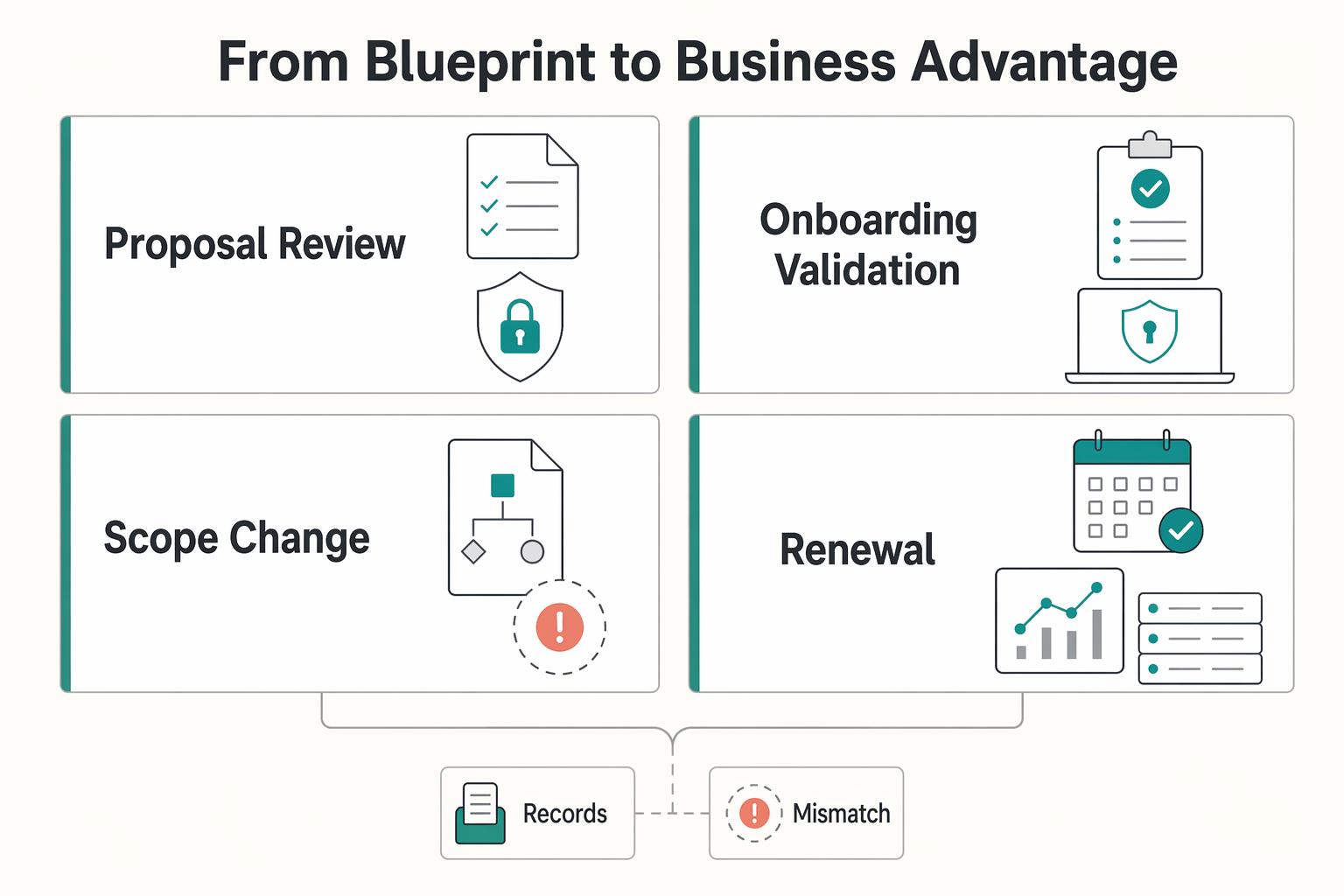
That is where client confidence is won or lost: proposal review, onboarding validation, scope changes, and renewal checks. Many remote-work guides focus on lifestyle, but your advantage comes from repeatable operating infrastructure across technology, legal/compliance, and day-to-day execution.
| Client moment | Reactive behavior | Prepared behavior | Business effect | Proof artifact |
|---|---|---|---|---|
| Proposal review | Gives broad reassurance and promises details later | Shares a short client-facing security note that matches current practice | Fewer clarification loops before kickoff | Security note with unresolved requirements marked as pending official, client, source, or adviser verification |
| Onboarding validation | Defines access and transfer rules after work begins | Confirms operating defaults before first exchange | Smoother start with fewer preventable stalls | Written defaults for access, file handling, and exception approval |
| Scope change | Expands data/tool use informally | Re-checks permissions, transfer path, and notice path before expansion | Lower risk of handling disputes and rework | Updated project record with approval reference |
| Renewal check | Relies on memory of prior phase | Reviews what changed, what was tested, and what remains open | More straightforward renewal conversations | Incident response rehearsal log plus closeout notes |
The common failure mode is drift, not one dramatic event: your documented process says one thing, but daily behavior says another.
What to do next#
- Create one client-facing security note that reflects how you actually work now.
- Document your operating defaults for access, file handling, exceptions, and incident contacts.
- Run one incident-response rehearsal and save the log with dates, contacts, and open gaps.
- For any unresolved client or country rule, mark the requirement as pending official, client, source, or adviser verification so assumptions do not become policy.
If you want a broader refresher on control basics, read A Guide to Cybersecurity for Freelancers.
For a step-by-step walkthrough, see The Digital Garden Blueprint for Turning Notes Into Revenue.
Frequently Asked Questions
Is a VPN enough to secure your work on public Wi-Fi?
No. A VPN is only one layer, and you should use the client-approved remote access path when that is how access is meant to happen. Keep a brief note of the connection path, any exception, and what you checked before signing in.
What matters most for account security?
Protect your identity layer first, but plan for recovery. Use the strongest authentication and recovery options available for email, file storage, finance, and admin accounts, and verify recovery before you travel. Keep an account inventory showing stronger authentication, recovery methods, and the date you last tested access.
How should you handle international clients and role responsibility?
Check contract terms for offshore restrictions, cleared-location requirements, or country limits before you start. Keep the role assignment, the approved country-of-work note, the named client contact for notices, and any exception notes in the project record.
How can you build a secure client vault without buying new hardware?
Use segregation you can maintain every day. Give each client a separate workspace with named permissions and separate local project directories, then check spillover locations like Downloads, screenshots, and synced desktop paths. Keep a screenshot or export of permissions, the storage location used for that client, and your closeout note showing what was returned, deleted, or retained by approval.
What if a client insists on an insecure transfer method?
Offer a practical alternative first and explain that you need a transfer path with access control and a clear record. If the client still asks for the weaker method, get written confirmation before sending anything and limit what you send. Keep the client's written exception, what was transferred, when it was sent, and why you accepted that exception.
What should you verify before telling a client your setup is secure?
Verify one control from each pillar and one piece of proof for each. Confirm that your remote access path follows approved tooling, client files are in the approved workspace with the right permissions, and your contract record shows role clarity, incident contacts, and exception handling. Keep the verification date, the evidence you reviewed, and any open gap you still need to resolve before onboarding.
What if a client pushes back on your controls?
Use a documented alternative instead of arguing in the moment. The goal is to keep the approved path, the exception, and the record aligned. Save the approval reference, permission list, channel used, and other project-record details that support the alternative you used.
What should you confirm before making broad security claims?
Confirm one control from each pillar and make sure you can show proof now, not rebuild it later from memory. Check that remote access follows the approved layered path, client files are in the approved workspace with the right permissions, and the contract record shows role assignment, notice path, approved tools, and exception history. That proof is what makes the blueprint defensible.
Try a related tool
Researched and edited by the Gruv editorial team. Gruv builds cross-border billing, payouts, and finance-operations software for global businesses.
Sources
Includes 5 external sources outside the trusted-domain allowlist.
- media.defense.gov/2023/Mar/13/2003178168/-1/-1/1/DOD-STRATEGIC...trusted
- pathwayscommission.bsg.ox.ac.uk/sites/default/files/2019-11/the_digital_road...trusted
- snap.berkeley.edu/project/10053261trusted
- arxiv.org/html/2603.25100v1external
- ctomagazine.com/digital-architectureexternal
- dco.org/wp-content/uploads/2024/11/DCO-Policy-Watch-...external
- digilife.antaranews.com/building-an-impenetrable-fortress-ultimate-r...external
- dmi-ida.org/download-pdf/pdf/23Dec_Kroeller_Brian.pdfexternal
Educational content only. Not legal, tax, or financial advice.
Related Posts

The Best Password Managers for Freelancers and Teams
A client asks for an urgent file, you open their portal, and the login fails. Ten minutes later your invoicing app wants a reset too. That is why your password setup is a business risk, not just a nuisance. Weak credential habits can turn one mistake into wider account access problems, then into delivery delays and cleanup work.

Cybersecurity for Freelancers Who Need Reliable Client Delivery
If you want reliable delivery, start with continuity, not tools. In practice, that means protecting the accounts, devices, files, and payment paths you need to deliver work, communicate with clients, and recover without making the disruption worse. Incidents often hit operations before they look like an IT problem.

The Best Gear for a Portable Home Office
Portable-office gear decisions are not directly tested in this guide, so use this as a practical framework rather than a proven standard.