
Quick Answer
Pick your primary job first, then choose from the website builders for notion that can prove that job in a live test. Use Notion’s Share -> Publish -> Publish to Web flow on one real page, then confirm what happens when you edit it, who can view it, and whether your key page details stay clear after updates. Before committing, verify one full path for consent, legal links, and checkout handoff so launch risk is controlled.
Choose a Notion Builder by Job, Publishing Behavior, and Constraints#
Most comparisons of website builders for notion start with feature lists. A better starting point is the job your site actually needs to do, then whether the publishing behavior fits how you work day to day.
| Decision step | What to check | Grounded note |
|---|---|---|
| Name the primary job first | Whether the site must build authority, capture inquiries, or deliver client-facing material | The right choice is the one that handles your first business job cleanly |
| Shortlist by publishing behavior | What happens when you publish and edit, including Share → Publish tab → Publish to Web | Fast publishing helps solo operators, but real-time updates require tighter change control |
| Verify the constraints before you commit | Content ownership and portability, integration fit, compliance readiness, and page visibility | If you cannot explain who can see your page, how changes go live, and whether content can be moved later, keep looking |
- Name the primary job first
Treat your site like an operating asset, not a portfolio archive. If its main job is to build authority, capture inquiries, or deliver client-facing material, let that priority shape your shortlist before you worry about visual extras. Notion makes the core appeal clear: you can publish a page without a developer, which matters if speed and self-serve editing are your priority. Key differentiator: the right choice is the one that handles your first business job cleanly, not the one with the longest feature page.
- Shortlist by publishing behavior, not homepage polish
The first operational check is simple: what happens when you publish and then edit? In Notion, the checkpoint is Share → Publish tab → Publish to Web. After that, edits to a published page can appear to visitors in real time. That is useful for fast updates, but it is also a real failure mode if you edit live client pages, pricing, or service details without a review step. Key differentiator: fast publishing helps solo operators, but real-time updates require tighter change control.
- Verify the constraints before you commit
Once you have a shortlist, pressure-test three things with each builder: content ownership and portability, integration fit with your stack, and compliance readiness. Do not assume these details are the same across tools. One red flag to verify early is visibility: a published Notion page can be viewed by anyone with the link, and Notion also says pages can be made findable via search engines. Key differentiator: if you cannot explain who can see your page, how changes go live, and whether content can be moved later, keep looking.
Use the rest of this guide in that order: pick the job, narrow the options, then verify the operational constraints. Related: A Guide to Notion for Freelance Business Management.
The Digital HQ Framework: The Three Core Jobs of a Professional Website#
When you compare website builders for notion, pick the one job your site must do first. Treat the other two jobs as constraints, not tie-breakers.
- Authority platform
Your outcome is trust on first read: visitors should quickly understand what you know and why it matters. The practical capability is reliable public publishing you can run yourself, including Notion's Share → Publish tab → Publish to Web flow and pages that can be findable via search engines. Success signal: prospects show up already familiar with your point of view.
- Lead generation engine
Your outcome is action: visitors should understand the next step and take it. The practical capability is a clear public page with one primary action, kept accurate as your offer changes; real-time updates help speed, but they can also create confusion if key details change while people are reading. Success signal: inquiries are more specific and better qualified.
- Value delivery portal
Your outcome is smoother delivery after someone becomes a client. The practical capability is structured, editable content organized into sub-pages, similar to a Help Center pattern, so people can self-serve common answers. Success signal: fewer repeat support and "can you resend that?" requests.
| Job | Must do before a builder is a fit | Notion behavior to verify | Success signal |
|---|---|---|---|
| Authority platform | Publish expertise pages quickly and keep them readable | Publish to Web; pages can be findable via search engines; edits can appear in real time | Prospects reference your thinking before they call |
| Lead generation engine | Keep offer pages current and make one next step obvious | Public page by URL; real-time updates can help or hurt clarity | More specific, better-qualified inquiries |
| Value delivery portal | Organize client-facing guidance into clear sub-pages | Help Center-style sub-pages; edit as needed; anyone with the link can see a published page | Fewer repeat support or delivery emails |
If your priority is unclear, use this prompt: what hurts most if your site underperforms right now, low trust, weak inquiry quality, or too much manual support? Choose one as the primary job, then make sure any builder also supports the other two without breaking them. You might also find this useful: The Best Website Builders for Freelancers.
Job #1: Forging Your Authority Platform#
If authority is your main job, choose based on credibility controls first, not visual extras. Among website builders for notion, super.so is strongest when technical SEO control is your priority, feather is the writing-first option when consistency is the real win, and potion should stay in consideration only after it passes your authority checks.
That focus is practical, not narrow for its own sake. A weak fit can hurt income and credibility when pages feel amateur, load poorly, or fail to support trust across search, mobile, and your broader content library.
| Builder | Best when | Metadata control | URL structure | Schema support | Content presentation | Publishing workflow fit |
|---|---|---|---|---|---|---|
| Super.so | Technical SEO control is your priority | Strong on granular SEO control; verify the exact page-level fields you need. | Confirm that your homepage, service pages, and article pages can use the slugs you want. | Do not assume schema support; verify your required structured-data approach before committing. | Strong candidate when search presentation and brand polish both matter. | Best if you will actively tune key pages, not just publish quickly. |
| Feather | A simpler writing workflow is your authority strategy | Not established; test title and description handling on real drafts. | Not established; inspect live URL patterns before migrating. | Not established; ask directly if rich-result eligibility matters to you. | Writing-first can be the right authority choice when readability and output cadence drive trust. | Better fit when a simpler editorial flow helps you publish consistently. |
| Potion | You are still evaluating and need proof on your own pages | Not established; verify page-level controls directly. | Not established; review slug behavior on homepage and nested pages. | Not established; get a concrete answer before you commit. | Judge with your real article and service pages on desktop and mobile. | Keep only if setup remains repeatable after launch. |
1. Super.so#
Use Super.so when your authority plan depends on tighter control of search presentation. That distinction matters: it is strong when granular SEO control is the deciding factor, not a universal best choice.
Run a practical test before deciding: publish a homepage, one service page, and one article. Then check snippet inputs, social previews, and final URLs for each. A common failure mode is polished on-page design with inconsistent titles, descriptions, or slugs.
2. Feather#
Choose Feather when your authority growth depends on publishing useful content consistently with less setup overhead. That is often the better strategy if deeper customization slows output enough to stall publishing.
Test your real editorial flow from draft to publish. Confirm that formatting stays clean, preview text is handled deliberately, and layouts stay consistent across posts.
3. Potion#
Keep Potion in scope only if it clears your authority checks on real pages. This section does not establish a feature verdict for metadata, URL control, or schema support, so treat those areas as unproven until validated.
Ask direct workflow questions before you migrate important content: can you shape search presentation for long-form pages, and can you keep clean public URLs for nested structures? If the answers stay vague, treat that uncertainty as a risk signal.
Performance is still important, but use it as a trust and conversion proxy, not a vanity metric. Test those same key pages on phone and laptop, then judge what a prospect actually experiences: fast appearance, stable loading, and easy reading on mobile.
Use this authority-fit checklist before moving to the next job:
- Content depth: Can you publish substantive thinking, proof, and case material, not just a thin profile?
- Discoverability: Can you intentionally shape titles, descriptions, URLs, and previews where it matters?
- Editorial consistency: Can you keep publishing without heavy manual cleanup each time?
- Brand professionalism: Do key pages feel credible in search, on-page, and on mobile?
If these four hold, your authority platform is likely strong enough to move into lead-generation execution. For a step-by-step walkthrough, see The best form builders that integrate with Airtable.
Job #2: Engineering Your Lead Generation Engine#
Your lead-gen system should move the right person from interest to inquiry, then feed results back into the next page iteration. Among website builders for notion, choose based on one practical standard: can you launch, capture, route, and learn without gaps.
1. Build one conversion path before you compare tools#
Before you compare design options, map one path on one page: offer -> proof -> one CTA -> one form or booking request -> one follow-up step. If that path is unclear, tool choice will not fix it.
| Page element | Guidance |
|---|---|
| Primary CTA | Use one primary CTA, not competing asks |
| Form fields | Keep form friction low with only fields you will use |
| Proof placement | Place proof near the CTA so reassurance is immediate |
| Mobile flow | Test the full mobile flow, not just desktop layout |
| Page goal | Run a single-page test with one action only: inquire or book |
Keep the page mechanics simple and intentional:
- Use one primary CTA, not competing asks.
- Keep form friction low with only fields you will use.
- Place proof near the CTA so reassurance is immediate.
- Test the full mobile flow, not just desktop layout.
Run a single-page test with one action only: inquire or book. If the same page also asks people to subscribe, download, and browse, you are adding exits at the decision point.
2. Run the same live lead test on each builder#
You do not need a full migration. You need one landing page, one form or scheduler, one thank-you step, and one tracking check.
| Builder | Embed reliability | Form flexibility | Booking flow fit | Tracking compatibility | Landing page iteration speed |
|---|---|---|---|---|---|
| Super.so | Verify on a live page with your real form, including mobile behavior | Verify current setup requirements for required fields, hidden fields, and thank-you behavior | Test your booking flow end to end, including confirmation | Verify current setup requirements for scripts and event capture | Keep in scope if you plan to tune important pages repeatedly |
| Potion | Treat as unproven until your live test passes | Verify current setup requirements before you assume field or routing behavior | Run one real booking journey from page view to confirmation | Confirm how tracking is implemented before you rely on campaign data | Keep in trial only if your test remains repeatable |
| simple.ink | Test with the exact assets you use for quick campaign launches | Verify whether your minimum form needs work cleanly without workaround friction | Use as a rapid-launch candidate for narrow offer pages | Verify current setup requirements before paid traffic | Put first in trial when fast page turnover is your immediate priority |
Use the same proof set for each: live URL, test submission, inbox receipt, CRM or sheet record, booking confirmation, and mobile recording.
If you need fast campaign turnover, test simple.ink first. If your process may require more page-level tuning over time, keep Super.so and Potion in the same test set and judge them under identical conditions.
3. Close the loop after submit#
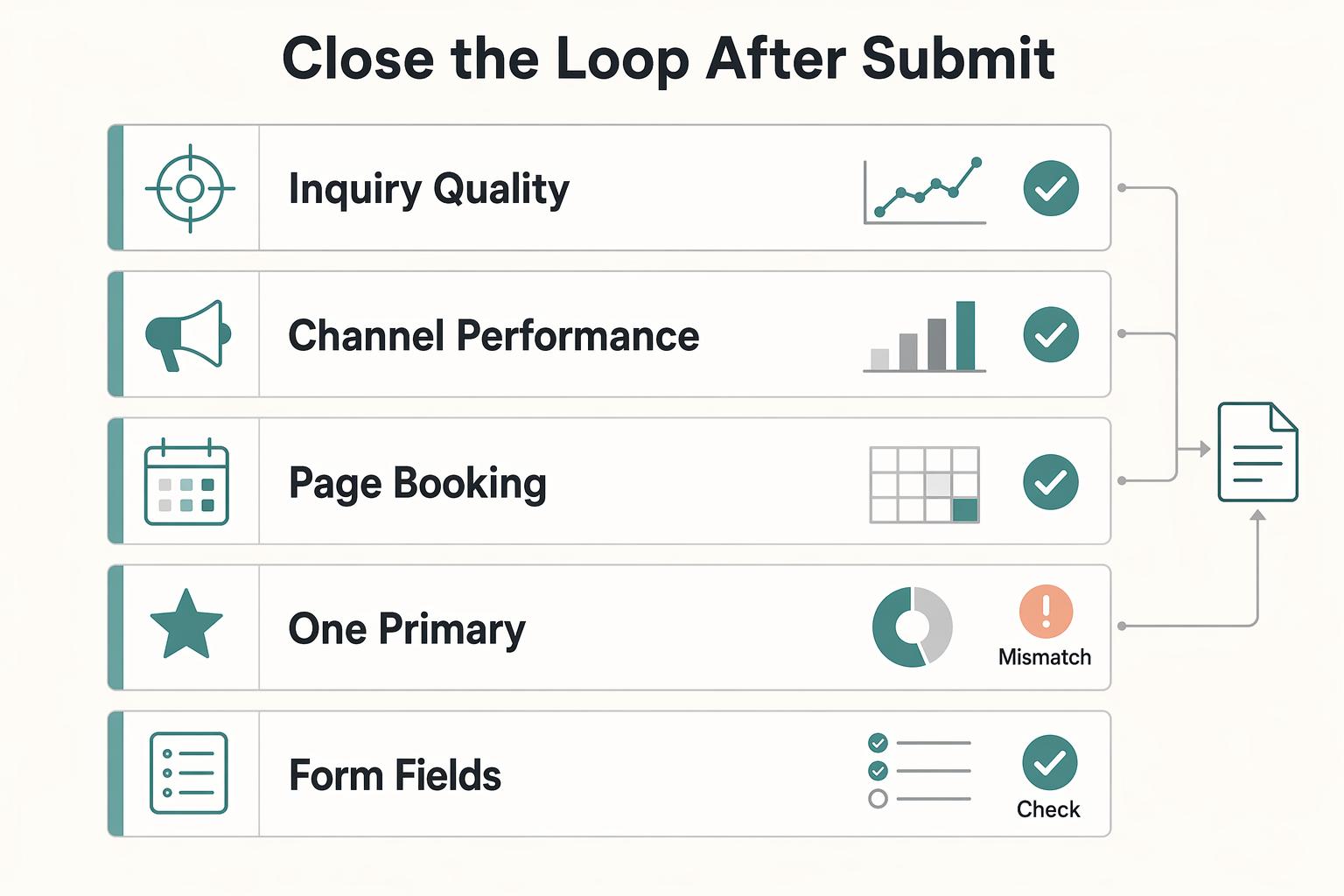
Avoid an open loop where pages go live and nothing informs the next version. Treat analytics as part of a closed loop so each cycle improves the next one.
Track outcomes that change decisions. Verify current setup requirements so you can see:
- Inquiry quality
- Channel performance
- Page-to-booking progression
Routing is part of lead quality, not just admin. Make sure each inquiry lands in the right place with enough context for follow-up. If your workflow relies on delayed feed-based ingestion, expect staleness risk; if direct API integration is available in your stack, that can be fresher. If you need custom routing, an automation layer such as n8n is one option, but verify current setup requirements before designing around it.
Before you choose, run this readiness check:
- One primary CTA and one clear next step on your main landing page.
- Form fields limited to what you actually use.
- Mobile form, booking embed, and thank-you flow tested end to end.
- Tracking plan shows inquiry quality, channel source, and page-to-booking progression.
- Submission routing is fast enough for real follow-up.
Need the full breakdown? Read The Best Analytics Tools for Your Freelance Website.
Job #3: Creating Your Value Delivery Portal#
Once a lead becomes a client, your website job shifts from attracting attention to delivering value. If you need a private workspace for active client work, test super.so first. If you are delivering repeatable training, a shared resource library, or a course-style experience, test Sotion first. Judge both on post-sale clarity: can people quickly find updates, deliverables, and the next step?
1. Pick the portal model before you pick the builder#
Decide the experience first: client hub or membership portal. A client hub supports named people inside a live engagement who need a project dashboard, current documents, and clear status visibility. A membership portal supports many users moving through the same content, lessons, or resources over time.
Notion can be configured as a client portal, but it stays useful only when someone owns the structure. Without that ownership, it can turn into disconnected pages and hard-to-find information. Before choosing a builder, answer four practical questions: who gets access, what they should see first, what they need to complete tasks, and who keeps content current.
| Portal factor | Super.so | Sotion |
|---|---|---|
| Access control model | Client-portal candidate for private access to selected content. Verify current setup requirements for page protection and client access flow. | Membership/course-style candidate for shared member access. Verify current setup requirements for signup, access, and paid-access behavior. |
| Client experience fit | Better fit for one-to-one service delivery, handoff pages, and ongoing client updates. | Better fit for one-to-many delivery such as memberships or courses. |
| Content maintenance workflow | Strong fit when your source of truth is live Notion pages and linked docs updated during delivery. | Strong fit when you maintain repeatable curriculum or a growing member resource base in Notion. |
| Monetization readiness | Do not assume monetization features from feature pages alone; verify current setup requirements before committing your offer design. | Positioned for membership or course-style delivery; keep it in the trial set if monetization is part of your model, and verify current setup requirements before launch. |
2. Keep the portal structure simple, then make it operational#
Keep implementation simple and repeatable. Start with four Notion artifacts: one home page, one resources database, one deliverables database, and one template page for each new client or cohort. Connect them with relations so people can find what they need without hunting.
| Portal component | Include |
|---|---|
| Project dashboard | Current status, next milestone, meeting notes, and decision log |
| Resource library | Worksheets, videos, SOPs, and FAQs filtered by service or cohort |
| Deliverable repository | Final files, version notes, approval date, and owner |
Use this baseline blueprint:
- Project dashboard: current status, next milestone, meeting notes, and decision log.
- Resource library: worksheets, videos, SOPs, and FAQs filtered by service or cohort.
- Deliverable repository: final files, version notes, approval date, and owner.
Then make it operational. Add a clear "Start here" page, define an update cadence, and set visible support boundaries so clients know what belongs in the portal versus email or your support channel. Run one real onboarding test and confirm: access works, first click is obvious, latest deliverable is easy to find, and outdated versions do not compete with current ones.
3. Use this portal-readiness checklist#
Before you choose your builder, confirm these four items:
- Permissions: who gets access, who loses access, and any sensitive requirement that still needs a verified threshold before launch.
- Onboarding flow: welcome message, first page, and the exact first action.
- Update cadence: who updates dashboards, resources, and deliverables at each milestone.
- Support boundaries: what belongs in the portal, what belongs in email, and where urgent requests go.
If these are not documented on one page, the blocker is service design, not tooling. For positioning and packaging context, read Value-Based Pricing: A Freelancer's Guide.
Fortifying Your Digital HQ: The Non-Negotiable Compliance Checklist#
Handle compliance before launch: your highest-risk misses are usually consent, legal-page visibility, and untested payment handoffs.
| Compliance check | super.so | potion | Similar builders |
|---|---|---|---|
| Site-wide script/header injection | Verify the current admin/docs location before adding consent scripts | Verify the current admin/docs location before adding consent scripts | Confirm site-wide script support before relying on consent tooling |
| Global legal-page visibility | Verify current nav/footer link options for policy pages | Verify current nav/footer link options for policy pages | Confirm whether policies can be shown in a global location |
| Access controls | Check current password/private-page options if you run a client portal | Check current private access options if relevant | Do not assume protected access exists |
| Payment path | Verify approved embed or outbound checkout placement | Verify approved embed or outbound checkout placement | Prefer processor-hosted checkout if embed support is unclear |
| Update workflow | Confirm whether policy updates publish from Notion, builder settings, or both | Confirm whether policy updates publish from Notion, builder settings, or both | Test one real update before launch |
-
Set up cookie consent first. Find the live site-wide script area in your builder, publish, and test on your real domain. If GDPR/ePrivacy or CCPA may apply, keep those checks open until the current requirements are verified. If optional scripts fire before consent, treat that as a release blocker.
-
Publish legal pages and make them easy to find. At minimum, publish Privacy Policy and Terms, then expose them in a global location, footer, nav, or the closest equivalent your builder supports. Assign one owner and one review date so these pages stay current.
-
Keep payments simple and secure. Use the official processor-hosted checkout or the builder's approved embed path, then test the full flow: handoff, confirmation/receipt, and return page. If you use password-protected pages for client delivery, treat that as access control, not a substitute for legal disclosures or payment checks.
-
Run one pre-launch compliance QA pass. Save four proof points: consent banner behavior, legal-page links, checkout handoff, and protected-page prompt, if used. Then do a basic gap check against current requirements and re-check when your builder changes, because controls can shift over time.
We covered related operational setup in The Best Notion Templates for Freelancers.
Making the Final Decision: From Features to Function#
After compliance checks, make this choice by function: pick the builder that solves your current business job first, not the one with the longest feature list.
In 2025 comparisons, that split is clear: tool lists, feature comparison, and separate implementation considerations. Use that as your filter. Your goal is not maximum options. Your goal is the smallest set of capabilities that clears your current bottleneck and holds up in live use.
| Primary job | Current bottleneck | First outcome to target | Capability to confirm now | Likely tradeoff | Not a fit when |
|---|---|---|---|---|---|
| Authority platform | Your site does not yet build trust or clarity | A credible, clean public presence | Publish one real page and verify branding, navigation, metadata fields, and overall presentation | Strong presentation may come with slower campaign iteration | You mainly need fast offer tests or intake volume right now |
| Lead generation engine | You need more qualified inquiries or faster offer testing | Faster page and form launch cycles | Verify form path, integrations, and free-plan scope before committing | Speed can limit deeper site structure later | You currently need protected client delivery more than marketing throughput |
| Value delivery portal | You need smoother client access and delivery | Reliable client-facing access and updates | Test the live access path, page structure, and Notion-to-site update flow | Portal-first setup can feel less marketing-first | Your immediate gap is still trust-building or top-of-funnel lead flow |
If two jobs feel equally urgent, choose the one closest to revenue continuity or client risk.
Use this decision sequence:
- Write your primary job in one sentence.
- Confirm only the required capabilities for that job.
- Run a small live test, even if you start by duplicating a template into your workspace.
- Save proof of the test, note tradeoffs, then commit.
This pairs well with The best tools for creating charts and graphs in Notion.
Frequently Asked Questions
Is Super.so worth it for a business website?
It is worth a live test if your content already lives in Notion and you want to keep editing there instead of rebuilding pages elsewhere. It is not a fit if your decision depends on an assumed feature win over Potion or another builder, because the current dashboard path for SEO, analytics, and access controls is not verified here. If you are choosing between super.so and potion, publish one real page first, confirm your domain and public-page behavior, and only then decide.
How do you add analytics and tracking to a Notion site?
Start with a short checklist: confirm where scripts or integrations are added, decide how you will handle consent before any tracking fires, and test on a draft page before you publish. Then verify the current setting path in the builder dashboard before launch, because those locations change over time. If you cannot explain your consent flow or data collection in plain language, pause tracking until you can.
Notion vs. Webflow for a professional services website?
The real choice is not “which tool is better” but “where do you want content to live, and who will maintain it.” Notion can publish a page from Share → Publish → Publish to Web with edits changing for visitors in real time, and a Webflow site can include live Notion content through an embed-focused tool if that is your setup. | Option | Best-fit scenario | Workflow tradeoff | Maintenance burden | Handoff complexity | | --- | --- | --- | --- | --- | | Notion native publish | You want fast publishing directly from Notion | Public pages are viewable by anyone with the link and may be findable via search engines | Varies by team; most content edits can stay in Notion | Varies by who owns ongoing edits | | Webflow with live Notion embeds | You already run a Webflow site and want selected live Notion content inside it | The embed tool is for integrating content, not turning your whole Notion workspace into a full site | Often split between Notion content and Webflow page management | Depends on how clearly content and site ownership are divided | | Full Webflow build | You want the whole site managed in Webflow | You give up Notion’s direct Publish to Web path for those pages | Changes center in Webflow; confirm who owns edits before launch | Depends on whether your team or client can edit in Webflow |
Which builder is best for SEO?
Do not pick a winner based on generic “best SEO” claims unless you have verified the exact controls you need in the live product. What is grounded here is simpler: public Notion pages can be findable via search engines, and edits update live. If SEO is revenue-critical, test one page, inspect the public result, and verify the current settings path for the SEO-related controls you need before launch.
Can you build a client portal with Notion?
You can organize help content, FAQs, or client resources as sub-pages and update them over time, but native public publishing is not private by default. Notion states that anyone with the link can see a published page, so do not place sensitive files, private client data, or payment steps there unless you have separately verified secure access and payment handling. A good rule is simple: share sensitive information only on secure websites, and treat any portal claim as unproven until you test the full access path yourself.
Try a related tool
Researched and edited by the Gruv editorial team. Gruv builds cross-border billing, payouts, and finance-operations software for global businesses.
Sources
Includes 4 external sources outside the trusted-domain allowlist.
- copyright.gov/ai/Copyright-and-Artificial-Intelligence-Par...trusted
- oecd.org/content/dam/oecd/en/publications/reports/202...trusted
- pmc.ncbi.nlm.nih.gov/articles/PMC8800549trusted
- pmc.ncbi.nlm.nih.gov/articles/PMC8654224trusted
- agents.sabrina.devexternal
- averi.ai/how-to/the-content-engine-playbook-how-start...external
- embednotionpages.com/blog-/notion-website-buildersexternal
- framer.comexternal
Educational content only. Not legal, tax, or financial advice.
Related Posts

Value-Based Pricing for Freelancers Under Real Payment Risk
Value-based pricing works when you and the client can name the business result before kickoff and agree on how progress will be judged. If that link is weak, use a tighter model first. This is not about defending one pricing philosophy over another. It is about avoiding surprises by keeping pricing, scope, delivery, and payment aligned from day one.

A Guide to Notion for Freelance Business Management
If your workspace feels busy but fragile, you do not need more pages. You need one connected system. Treat your freelance business like a business-of-one and use Notion as the control layer that connects client decisions, delivery, and billing in one place.
The Best Website Builders for Freelancers
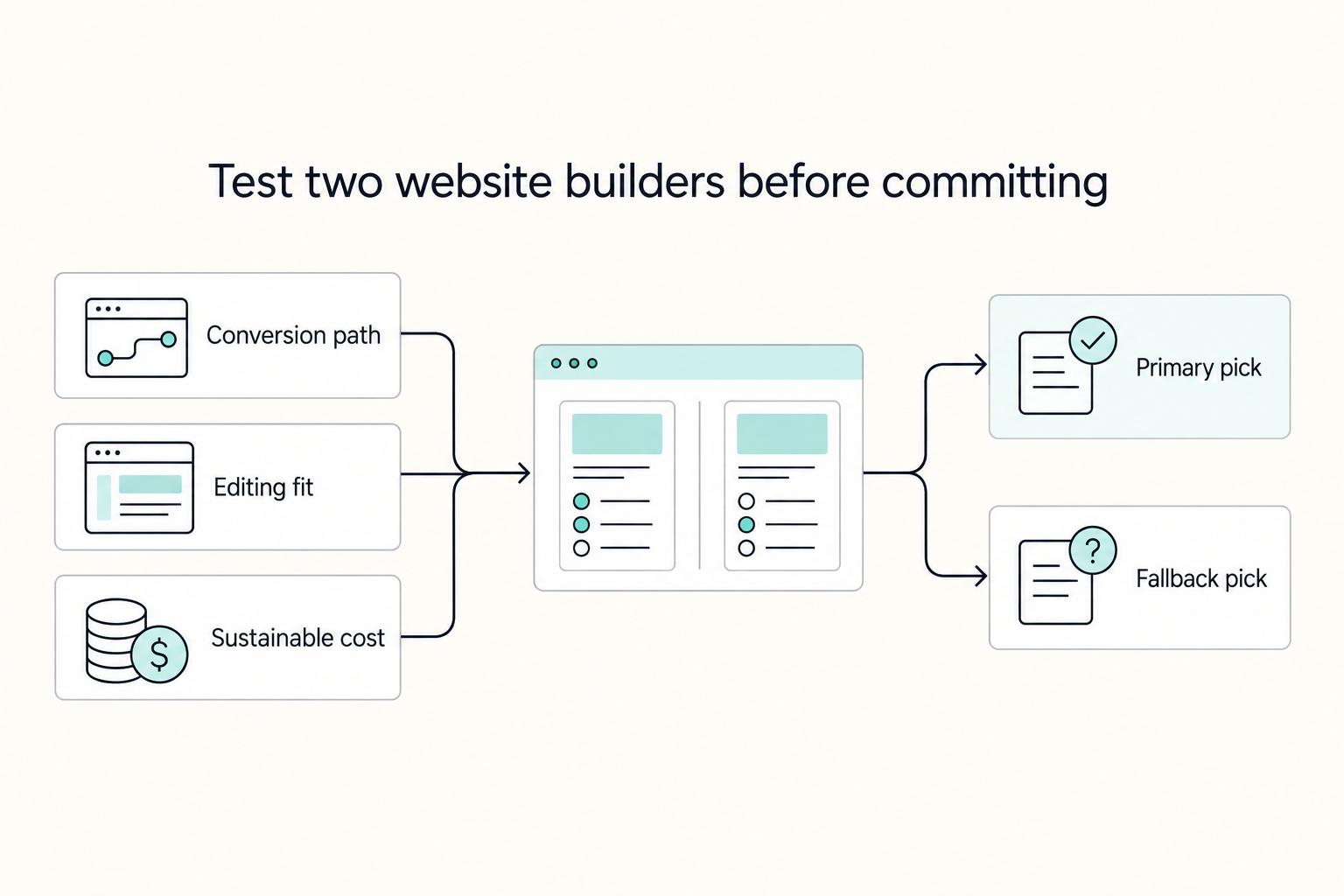
If you are trying to choose the **best website builder for freelancers**, stop looking for a universal winner. The right pick is the one that fits your conversion path, your editing habits during busy client weeks, and a budget you can actually sustain.