
Quick Answer
Choose Milanote for flexible curation and guided presentations, Canva for designed review pages and available approval controls, and Pinterest for early inspiration. Canva’s publishing gate depends on Required approval settings; a viewer link is not an immutable approval record. Keep a rights log, use deliberate permissions and retain a dated snapshot with one authorized client decision.
Choose a mood-board tool and clear the assets for its intended use#
Use Milanote for flexible curation and guided walkthroughs, Canva for designed review pages and available approval controls, and Pinterest for gathering inspiration. The tool should fit the decision you need from the client. Separately record what rights you have to each image, font, logo and reference; importing it into a board does not grant new rights.
| Field | What to capture |
|---|---|
| Asset reference | board thumbnail, filename, or URL |
| License evidence link | exact asset page, receipt, screenshot, or permission email |
| Usage scope | internal only, client review, final presentation, paid campaign, print, and any volume notes |
| Owner or approver | who cleared it or who must sign off |
| Status | pending, cleared, replace, or escalate |
A board can combine library elements, stock photos, portfolio references and AI-generated images. Check each source and its intended use. Canva’s licence distinguishes Free, Pro, Education and Branded Content; a mixed design follows its most restrictive category. Pro Content is licensed per Canva Design, and transfer to one client has written-agreement conditions. It does not permit handing over standalone library assets for unrelated reuse.
| Source type | Possible use | Evidence to check | Replace or resolve when |
|---|---|---|---|
| Platform library | Use within the applicable design licence | Asset source/category, permitted use, export and client-transfer terms | A commercial board uses personal-use content or requires standalone redistribution |
| Adobe Stock and other stock marketplaces | Licensed concept imagery within the purchased terms | Tier, receipt, client transfer and intended media; Adobe Standard has some 500,000 copy/viewer limits but unlimited website/social views | Use exceeds that tier or is Editorial Use Only in commercial branding |
| Portfolio or Pinterest reference | Link to the source for discussion; copied images need a basis for that use | Original creator and permission/licence or an applicable legal exception | Uploader rights or proposed client reuse are unclear |
| AI-generated visual | Concept material under provider terms; human contributions may be protectable | US Copyright Office: prompts alone do not establish authorship; check human-created expression, provenance and provider terms | Exclusive-rights promises exceed rights you can substantiate |
| Brand mark | Clearly labeled contextual reference where permitted | Purpose, relevant goods/services and confusion/endorsement risk | A competitor’s mark is being proposed as the client’s new identity |
Keep the clearance log beside the board. Use the fields above once per asset and include the version of the licence or permission you relied on. A source URL identifies an asset; it is not by itself proof that the intended use is allowed.
For a hypothetical record, label photo IMG-04, link its original asset page and receipt, record “client concept review only,” name the person who checked the licence, and mark final campaign use as not yet cleared. If the client later selects it for advertising, review that use before handing over production files. This avoids confusing approval of a visual direction with clearance for every later medium.
Before you share anything, run two separate checks so you do not mistake "easy to use" for "safe to use":
- Rights and permissions: record the intended use and its basis, keep unresolved copied assets out of the client board, and distinguish references from production assets. A US trademark confusion assessment considers both marks and related goods or services; a visual reference is not a clearance search.
- Usability and design quality: group the board around the decision, explain the choices and make the text and samples readable.
If your board includes realistic product previews, choose the presentation tool alongside the mockup tool. A preview can explain a direction without committing the client to a final production asset.
Strategic Curation: Matching the Tool to the Task#
Choose by phase. Milanote can hold exploration and a clean presentation of the same board; Canva can organize concept options into pages. You can keep one tool if you create a distinct, versioned review artifact instead of exposing an unfinished inspiration wall.
Exploration favors speed and loose grouping. Approval favors decision clarity, permission control, and a clean handoff. If both stages stay in one messy board, clients review your process instead of the decision.
Pick by phase, not preference#
- Set the board's current job — Write one line: discovery, internal alignment, or client decision. For discovery, use a tool built for open-ended brainstorming in an infinite space. For decision, switch to a view that removes editing clutter.
- Match the approval context — Canva approvals depend on the subscription and administrator settings. Required approval can block members from publishing or downloading covered designs; Optional approval does not block publication. Select whether the rule covers all designs or designated Brand Templates, and check the right team and brand. Settings changes are not retroactive: existing templates need republishing.
- Remove reviewer friction before invites — Milanote sharing offers an account-free read-only view, but commenting requires an account. The read-only link enables comments, reactions and drawing by default; turn those off for view-only delivery. Include sub-boards in your access review. In Canva, choose named reviewers and the appropriate view, comment or edit permission, then test the intended recipient’s access before the meeting.
- Plan handoff before finalizing layout — Plan the handoff format before laying out the board. Milanote exports include PDF, PNG, Word, Markdown and plain text; the Home board cannot be exported. Canva export types depend on the design: DOCX is for Canva Docs, while PPTX is available for presentation handoff. Office exports may change fonts or layout and do not preserve every animation/video behavior. Check the actual deliverable; do not assume any canvas exports to any format.
Compare the named tools#
| Tool | Fit by phase | Approval-readiness | Collaboration friction | Handoff risk |
|---|---|---|---|---|
| Milanote | Flexible collection and guided presentation | Clean view; obtain explicit written client approval | Account-free view; account needed to comment; avoid broad editor links | Export the approved board and keep the decision record separately |
| Canva | Designed pages, presentations and supported approval workflows | Required vs Optional settings change the gate; check plan and administrator configuration | Use view/comment/edit deliberately; view permission permits export and copying | Check export type and fidelity; approval workflow is not an immutable client-signature record |
| Early inspiration gathering | Capture client decisions elsewhere | Private boards limit visibility to invited people; group-board access is configurable | Pins can change or disappear; saving a Pin is not a reuse licence |
Gate the move from exploration to approval#
| Gate | What to confirm | Action or note |
|---|---|---|
| Gate 1: asset cleared | References map to your clearance log | If an asset is still pending or flagged for replacement, keep it out of the approval board |
| Gate 2: board performance validated | Test the board on the intended device and connection | If loading or readability fails, reduce source-image size or split sections; there is no universal image-count threshold |
| Gate 3: narrative reordered for decision | Rebuild for decision flow: audience, tone, palette, typography, imagery, then short rationale notes | Do not send the raw inspiration wall |
| Gate 4: reviewer view tested before share | Confirm permissions, comment behavior, and export results in a fresh browser | Save the exact URL, version label, and exported file used in review |
- Gate 1: asset cleared — Move only references that map to your clearance log. If an asset is still pending or flagged for replacement, keep it out of the approval board.
- Gate 2: board performance validated — Test navigation, loading, text size and download behavior with the intended reviewer. If a large canvas becomes slow, reduce unnecessarily large source images or split directions across boards/pages. Measure your own threshold; fifty images is not a verified performance limit across these products.
- Gate 3: narrative reordered for decision — Do not send the raw inspiration wall. Rebuild for decision flow: audience, tone, palette, typography, imagery, then short rationale notes.
- Gate 4: reviewer view tested before share — Test the recipient’s permission and the exact review artifact. Canva Can view allows export and copying, so it is not a no-download or secrecy control. Save the shared URL and a dated export; keep the working file separate from the frozen approval snapshot. If the link fails, send the authorized snapshot through the agreed channel rather than asking the client to use broad editor access.
Keep the board editor, client approver and production owner visible in the project record. Their responsibilities differ: preparing the board, choosing the direction and using the approved version.
Securing Buy-In: Presentation, Approval, and Scope Control#
Client review needs a defined decision. Explain the visual choices, name the person authorized to approve them and state the phase covered. A reaction or comment may be feedback rather than authorization to change the scope.
Present rationale, not visuals alone#
Present each major choice with the same four-part frame so feedback stays tied to business intent.
- Audience — For example, name “owners of small professional-service firms comparing providers” rather than “everyone.” That audience gives the client a concrete basis for judging readability and tone.
- Objective — For that audience, the objective might be to make a services page easier to scan and compare. Tie each sample to that task rather than presenting unrelated styles.
- Brand signal — A restrained palette and clear typography might communicate reliability, while warm photography adds approachability. Describe these as the chosen signal; they are not proof that a campaign will perform.
- Expected business outcome — State the expected practical effect, such as clearer page hierarchy or easier scanning. Treat conversion or revenue impact as a hypothesis to test after implementation, not a guarantee from mood-board approval.
Use this structure for palette, typography, imagery, and tone. Before the meeting, run one verification pass: every reference on the approval board should map to your cleared asset log, and every item should have a short rationale note. If you cannot explain a visual with this frame, keep it out of the approval round.
Choose the review mode that protects the decision#
| Delivery mode | Use when | Context retention | Decision clarity | Comment quality | Scope-drift risk |
|---|---|---|---|---|---|
| Live walkthrough in Milanote Presentation mode or guided call | First direction approval with multiple stakeholders | High when you explain rationale; Milanote can hide editing tools in Presentation mode | Clear when you end with an explicit decision and save it | Useful for resolving ambiguity in the meeting | Reduced by a named decision owner and versioned follow-up |
| Comment-only or read-only follow-up link | Logic is already presented; you need targeted feedback or confirmation | Medium | Medium. Clearer than open editing, but weaker than live facilitation | Use a named feedback channel; account and comment access differ by tool | Medium, unless you define exactly what is open for comment |
| Editable or broad collaborator access | Internal working sessions only | Low, because content can change during review | Low, because decision boundaries blur | Often noisy, since edits and feedback happen at once | High if broad editor links or group-board permissions let others change the review artifact |
Record approval and its scope#
| Step | What to include | Boundary or record |
|---|---|---|
| Define coverage in writing | Approval covers creative direction: palette, typography, imagery, tone, and intended signal | It does not silently change payment, timeline, IP, or other contract terms |
| Set one decision owner and one acceptance channel | Name one client approver and one written channel | Keep acceptance in the channel you authorized |
| Issue a same-cycle approval record | Add a clear version label and save the artifact set | Save the shared URL, exported file, meeting summary, and written approval message |
| Define change-request territory before sign-off | List what counts as new scope | Compare the request with the original brief and revision allowance; agree fees/timing for new scope and record its authorization |
- Define coverage in writing — State that this approval covers creative direction (for example, palette, typography, imagery, tone, and intended signal). It does not silently change payment, timeline, IP, or other contract terms.
- Set one decision owner and one acceptance channel — Name one client approver and one written channel (for example, a specific email thread). Keep acceptance in the channel you authorized.
- Issue a same-cycle approval record — Label the approved snapshot, for example MB-v03-2026-03-25, and retain its export, URL, rationale and written decision together. Canva version history is available to paid users and visible to the owner or editors, with up to 1,000 previous versions. A version history helps recovery; it does not prove which version a client approved.
- Define change-request territory before sign-off — Log later requests by date, requester, affected version and fee/timeline impact. A new target audience or return to a discarded direction may be new scope; fixing a board that fails the original brief is a correction. Apply the agreed revision allowance and change process. A client’s approval does not automatically make every later edit chargeable.
A board can record agreement on creative direction. It does not automatically replace or amend all payment, timeline and IP terms. Whether communications create or change contractual obligations depends on the agreement and applicable law; do not assume a signature is the only possible evidence. For pricing, see Value-Based Pricing for Freelancers Under Real Payment Risk.
Use the mood board as an operational control record#
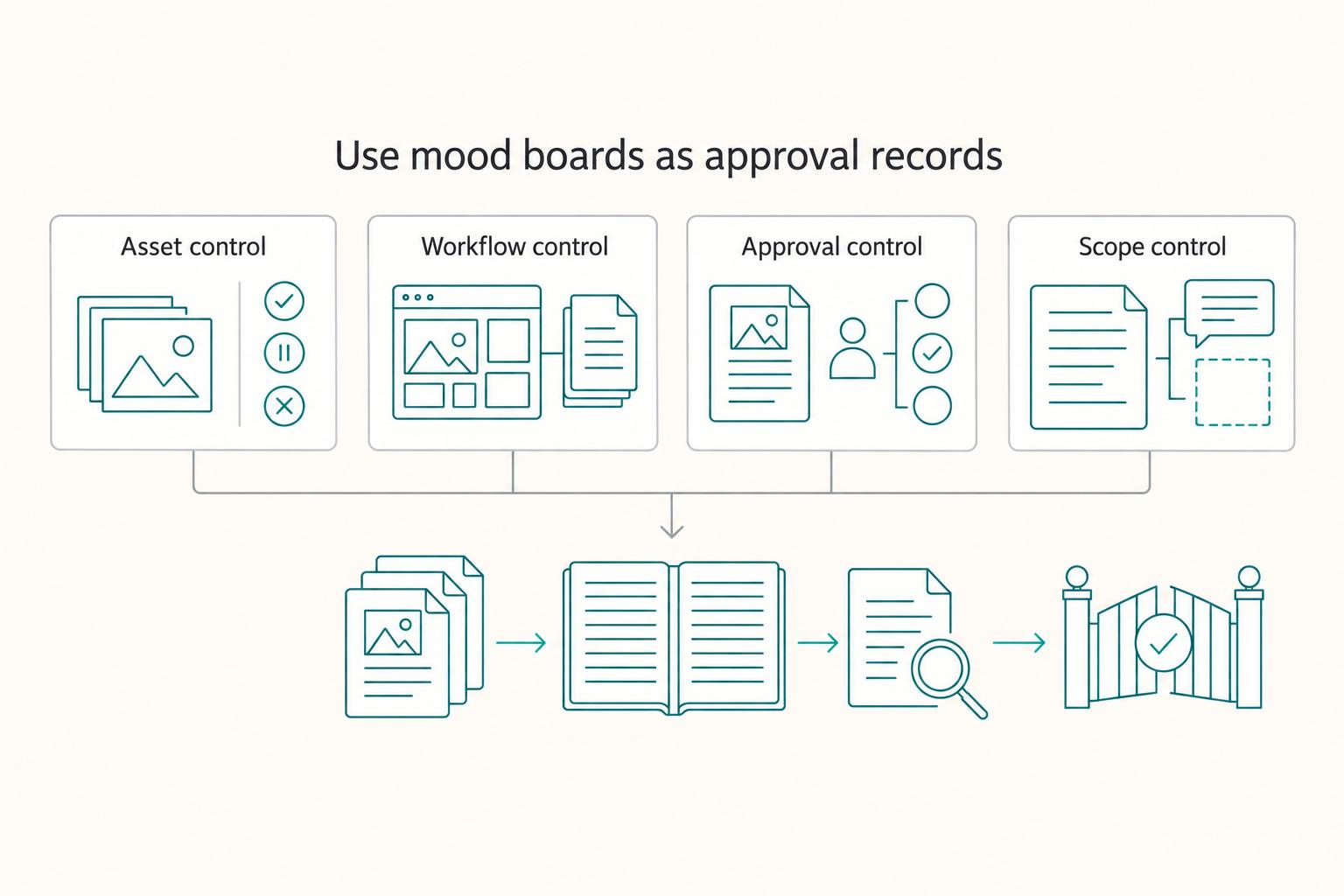
Keep the mood board, rights log and approval record linked. These records explain what was presented, accepted and changed. They support the project agreement; they do not create ownership of third-party assets or decide every contractual issue by themselves.
| Pillar | Owner | Artifact | Review state | Control to enforce |
|---|---|---|---|---|
| Asset control | You | Source log + current usage note for each image | Cleared / Hold / Remove | If the intended use has no clear basis, replace the asset or resolve rights before client sharing; a Pinterest save does not clear ownership or reuse |
| Workflow control | Board editor | One named board for one purpose + versioned record | Draft / In review / Locked | Keep the approved snapshot separately; editor access and version history are not an immutable lock |
| Approval control | One named decision-maker | Dated board version + written approval marker | Pending / Approved / Reopened | Record any change to the approved snapshot. Canva normally requires reapproval after edits, but approvers can edit without reapproval; obtain client confirmation for a changed direction regardless of tool status. In Milanote, use comment access for feedback without edit rights. |
| Scope control | Project lead | Rationale notes + change log | Clarification / Revision / Scope change | Classify the affected request under agreed revision/change terms; continue unaffected duties rather than pausing the whole project |
Ready-to-sign-off control list
- Approval marker (for example: "Approved creative direction for this phase").
- Versioned board record.
- Rationale notes for major choices.
- Trigger notes that define clarification vs revision vs scope change.
For an illustrative approval message, write: “I approve creative direction A in MB-v03-2026-03-25 for the website concept phase: the palette, typography and imagery style shown. This approves direction, not the final asset licences or new deliverables. The existing project agreement remains in effect; changes will follow its agreed process.” Adjust the phase and selected items to the actual decision. This is a record example, not a universal contract clause.
Next step: How to create a 'Mood Board' for a branding project.
Frequently Asked Questions
Can you use platform images in client boards without extra checks?
Check the asset category and licence for the intended client use. Platform access and a Pin do not themselves grant unrestricted rights. If a copied asset’s use is unresolved, replace it or establish the permission or applicable exception before sharing it. Recheck final production use separately.
Do usability and reuse rights mean the same thing when comparing tools?
No. A tool can be easy to arrange, annotate, and share while telling you nothing about whether an imported image is safe to reuse. Treat layout experience and usage rights as two separate decisions.
What format usually gets the clearest decision from clients?
Use a focused digital board to compare directions side by side and explain the rationale. Label physical samples with the same version and option IDs if texture or material matters. End with a specific decision rather than asking whether everyone generally likes the board.
Can a mood board protect you before a contract is signed?
It can document a proposal or creative agreement, but it is not a substitute for settling scope, price, timing and rights. Emails and approvals can have contractual significance depending on the circumstances; do not assume the absence of a signed document means no obligations exist.
What should a professional board include at minimum?
Include colors, images, fonts, and words. That combination helps communicate ideas that are hard to express verbally while keeping style consistent with the client's goals and expectations. If an item does not support the intended signal, cut it.
How do you choose from lists of the best mood board tools?
Choose by actual workflow: Milanote for free-form curation and walkthroughs, Canva for designed pages and configured approval controls, Pinterest for inspiration gathering. Test reviewer access and handoff format, and budget for the plan you actually need. The length of a tool roundup does not measure quality.
What do you do when stakeholders conflict after initial approval?
Send the approved snapshot and ask the authorized decision owner to consolidate the feedback. Classify it as clarification, in-scope correction or new scope, then follow the existing agreement. If authority is unclear, resolve the disputed new direction before implementing it while continuing unaffected work and honoring existing delivery and payment duties.
Try a related tool
Researched and edited by the Gruv editorial team. Gruv builds cross-border billing, payouts, and finance-operations software for global businesses.
Sources
Includes 4 external sources outside the trusted-domain allowlist.
- copyright.gov/newsnet/2025/1060.htmltrusted
- law.cornell.edu/wex/contracttrusted
- law.cornell.edu/wex/acceptancetrusted
- uspto.gov/trademarks/search/likelihood-confusiontrusted
- canva.com/policies/content-license-agreementexternal
- canva.com/help/design-approvalexternal
- help.milanote.com/en/articles/4324593-sharing-a-boardexternal
- help.milanote.com/en/articles/6815489-presentation-modeexternal
Educational content only. Not legal, tax, or financial advice.
Related Posts
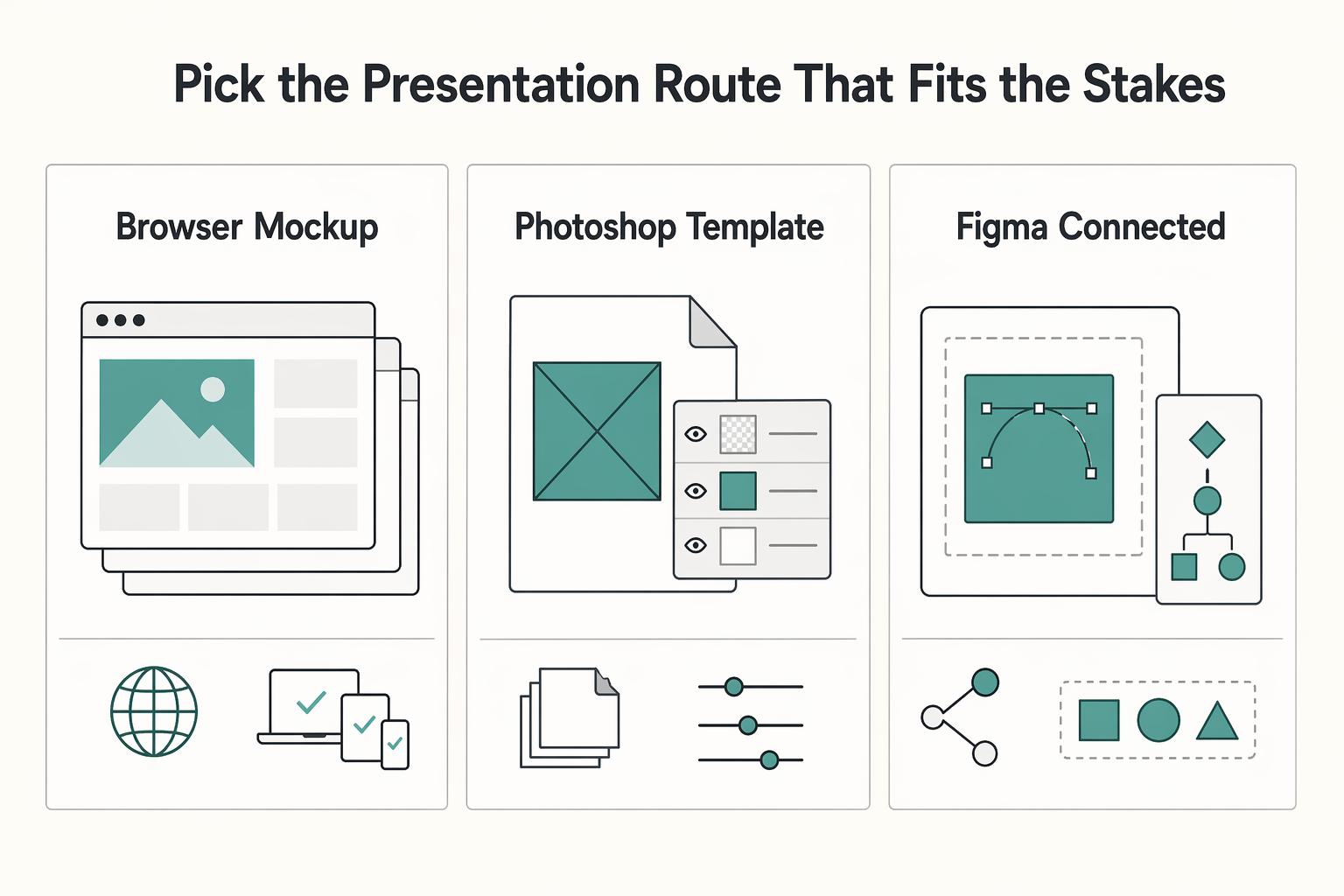
The Best Mockup Tools for Graphic Designers
If you are looking for the single **best mockup tools for designers**, you are using the wrong decision model. In client work, the better question is simpler: what job needs doing, how high are the stakes, and what does the next handoff require?
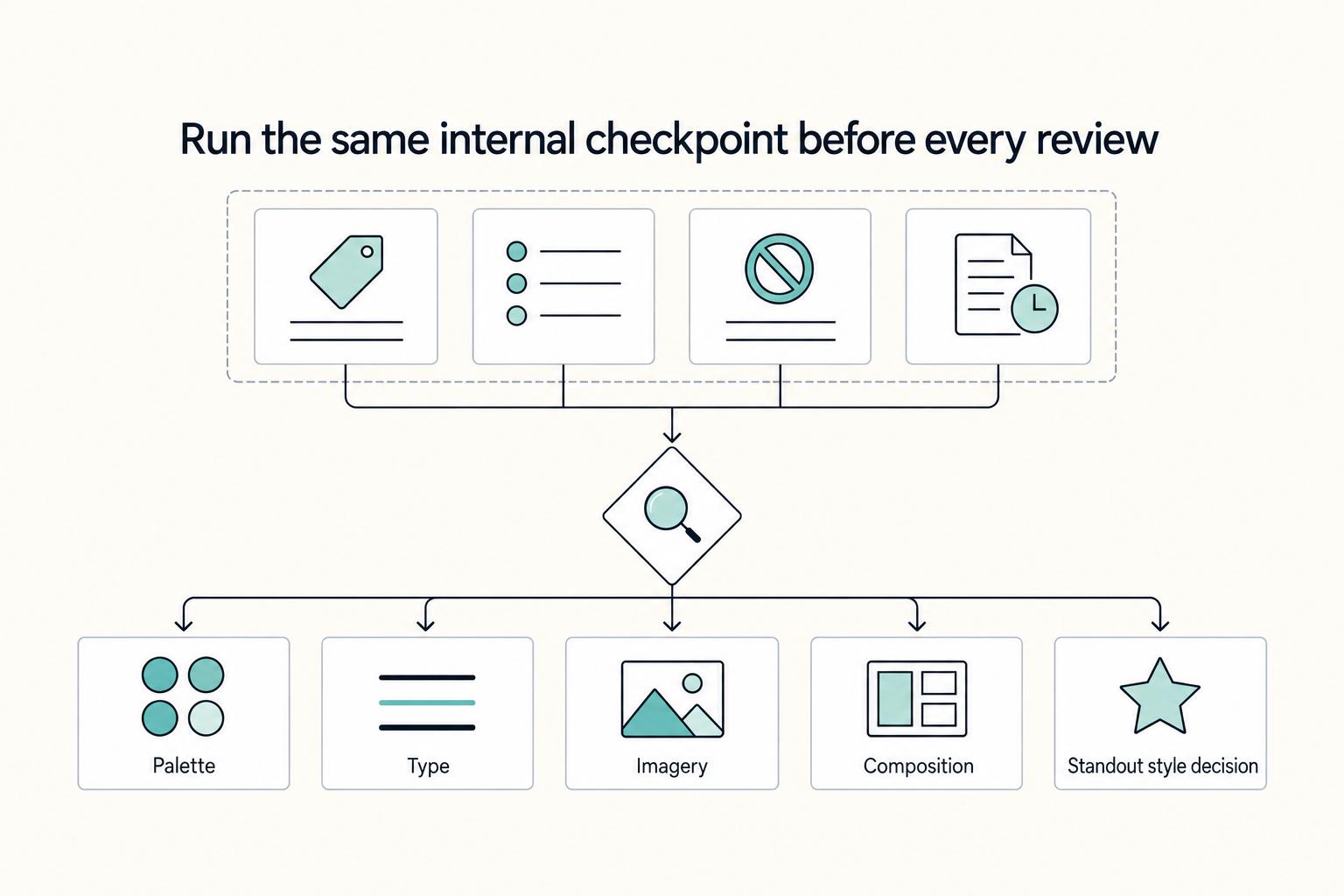
How to Build a Strategy-Led Mood Board for Branding Projects
**Step 1. Treat misalignment as a rework risk.** If you and the client are not aligned on what the brand should communicate, design execution turns into guesswork. Scope and feedback drift, and teams end up revisiting the same decisions. In many branding projects, the problem is not a lack of ideas. It is weak agreement on which ideas actually fit the brief.

Value-Based Pricing for Freelancers Under Real Payment Risk
Value-based pricing starts with the client’s expected benefit and willingness to pay. It still needs a deliverable, scope and payment agreement you can perform. Use a discovery phase when the benefit or effort is too uncertain to support a defensible quote.