
Quick Answer
Use a phase-based stack: Miro for live discovery, Lucidchart for the approved system-of-record diagram, and a locked PDF or diagrams.net file for handoff. This is the practical way to pick the best flowchart software in client engagements. Keep workshop boards separate from approval artifacts, then export a fixed review copy before sharing editable access. Check PDF settings before delivery, because some exports can carry embedded diagram data that reopens for editing.
The Visual Operations Stack: A Consultant's Guide to Mastering Client Engagements#
If you want less scope drift and cleaner handoffs, stop looking for one universal winner. In client work, the practical answer is usually a three-phase stack: use a whiteboard for discovery, a diagram tool for your system of record, and presentation-safe output for delivery.
A Visual Operations Stack is simply the set of visual tools you use across one engagement, in sequence. It fits work that starts with fuzzy stakeholder input, needs a clean process map people can rely on later, and ends with something safe to review in a client meeting.
That sequence solves a common solo-consultant problem: workshop notes stay loose, the real process never gets formalized, and clients leave with editable source files that blur ownership and invite accidental changes.
| Phase | Best tool fit | Primary outcome | Common failure mode |
|---|---|---|---|
| Discovery | Collaborative whiteboard | Fast capture of ideas, questions, and process fragments | Treating brainstorm output as final documentation |
| Blueprint | Diagram tool | Maintained system of record with precise structure | Skipping standards and ending with ambiguous maps |
| Delivery | Presentation mode or export | Client-safe review asset | Sharing native files when you meant to share a fixed version |
Use that lens for the rest of this article. If you run workshops, a whiteboard is usually faster. If you need precise diagrams and standards, use a diagram tool. If the process needs to hold up as a shared reference, the blueprint matters more than the board you started on. That is where tools like Lucidchart or diagrams.net earn their place.
One red flag is worth catching early. "PDF" does not always mean locked. In diagrams.net, PDF exports can include embedded diagram data that reopens for editing, so check your export settings before you send a client copy. And if you need formal process notation, BPMN is a standard graphical notation, not a label you sprinkle on a rough sketch.
Phase 1: The Discovery Zone - Taming Brainstorms with a Digital Whiteboard#
Use a collaborative whiteboard for discovery when the process is still unclear. In this phase, capture ambiguity first, then shape it enough to prepare a clean handoff. If you formalize too early, people defend diagram structure instead of clarifying what is actually happening.
- Set the session frame before the call starts. Add this at the top of the board:
- Objective - Decision scope - Board zones - Expected outputs
A practical zone layout is: Inputs, Questions, Draft Process, Parking Lot, and Decisions.
- Choose a template based on the job to be done.
| Use case | Template starting point | What it helps you do |
|---|---|---|
| Process intake | BPM or BPMN template | Track the process and spot bottlenecks |
| Journey mapping | Journey-style map | Expose handoffs, waits, and confusion points |
| Stakeholder alignment | Simple goals/constraints/questions frame | Separate what is known from what is unresolved |
Miro positions BPMN templates as a way to track and understand processes, with examples that span HR workflows (recruitment to offboarding) and IT workflows (incident management to service delivery).
- Run synchronous discovery, then asynchronous refinement.
Start live for alignment, then move async for review and detail cleanup. For workshops that touch user needs, business logic, and technical feasibility, bring those perspectives in early so you do not build on black-box assumptions that later reduce trust.
- Treat the Parking Lot as scope control, not overflow.
When an item is useful but out of scope, mark it as deferred, assign an owner, and route it to either backlog review or later-phase evaluation. Helpful routing labels: Backlog, Needs Estimate, Phase 2.
Before you close the workshop, convert board output into clear handoff actions for Phase 2:
| Artifact | Owner | Next step | Status |
|---|---|---|---|
| Sticky note cluster on current process | You | Consolidate into a draft flow for review | In progress |
| Open questions list | Client lead | Confirm missing facts or edge cases | Waiting on input |
| Parking Lot items | Named reviewer | Route to backlog or later phase decision | Deferred |
| Draft decisions from workshop | You + client sponsor | Approve what moves into the system of record | Ready for Phase 2 |
This keeps discovery flexible without making Phase 2 guess what mattered. We covered this in detail in The Best Software for Creating Case Studies.
Phase 2: Turn Workshop Output Into One Controlled Diagram#
Your Phase 1 action table is input, not the final artifact. In this phase, you turn workshop output into one controlled diagram that still makes sense weeks later without rewatching the meeting.
- Convert workshop notes into one accountable model.
Rebuild sticky-note clusters into named process steps with one clear start, one clear end, and explicit exception paths. Assign stable node IDs early (for example, ONB-01, ONB-02, ONB-EX1) so revisions do not break traceability when labels change.
If you are using Lucid linked data, keep reference keys in place so row-to-shape links survive structural edits.
- Choose the tool based on control requirements, not habit.
In this phase, prioritize notation depth, collaboration constraints, documentation linkage, and handoff format.
| Tool | Structure depth | Collaboration needs | Documentation links | Handoff format |
|---|---|---|---|---|
| Lucidchart | Strong for structured diagrams and data-linked shapes | Real-time multi-editor editing in the same document | Attach links directly to shapes | CSV of shape data, Visio file, JSON |
| Microsoft Visio | Basic Flowchart for simpler process views; BPMN template includes BPMN 2.0 graphical elements (Analytic conformance class) | Simultaneous work depends on OneDrive for Business or SharePoint Online; Windows desktop co-authoring requires Plan 2 desktop app access for all Windows authors | Shapes can hold one or more hyperlinks; shape data supports fields such as owner/status-style metadata | PDF, JPEG, PNG |
| diagrams.net | General diagramming with broad export options | Validate collaboration behavior in your environment before standardizing | Validate linking pattern before using as record copy | Images and multiple file types |
- Use flowchart notation for clarity, BPMN for precision.
Use a simple flowchart when the main goal is explaining sequence in a basic process. Move to BPMN when handoffs, roles, events, gateways, or implementation-sensitive logic could change scope or cost. BPMN is flowchart-like but standardized, so business and technical stakeholders can interpret the same model with less ambiguity.
- Run a lightweight revision and approval routine.
Use a simple naming pattern like Client_Process_v0.3_Draft_2026-03-24, then freeze v1.0_Approved after sign-off. After each review, log only: date, editor, changed node IDs, and reason.
For each critical node, maintain a small system-of-record set: requirement link, owner, status, source document, and verification state (for example, Verified 2026-03-24 or Pending client confirmation). Store these via shape data and hyperlinks (Visio) or shape links/data-link patterns (Lucidchart).
Once this blueprint is stable, stop editing and move to packaging: present the right view for the right audience. Related: The Best Tools for Virtual Whiteboarding and Brainstorming.
Phase 3: The Boardroom Zone - Delivering Polished, Client-Safe Assets#
In this phase, deliver a controlled artifact set that supports clear decisions without reopening workshop chaos.
| Review step | What to cover |
|---|---|
| Context | What process this covers, with clear start and end boundaries |
| Decision points | The branches or handoffs that change scope, cost, or risk |
| Implications | What changes operationally based on each decision path |
| Next action | Approve, revise, assign owner, or defer |
Use a fixed handoff sequence: start from the approved blueprint, create audience-specific views, run the review in a scripted order, share a locked reference first, then open live access only where active input is needed.
- Freeze the master, then branch delivery copies.
Work from the approved version (for example, v1.0_Approved) and keep that file as your record copy. Build presentation and review artifacts as separate copies so you do not blur approved scope with live edits. In client-facing views, keep only validated content visible and keep version/date status explicit.
- Run live reviews with a four-step storyboard.
If your platform has presentation mode, use it; if not, stage the same flow in slides or ordered pages. Lead the room in this sequence:
- Context: what process this covers, with clear start and end boundaries.
- Decision points: the branches or handoffs that change scope, cost, or risk.
- Implications: what changes operationally based on each decision path.
- Next action: approve, revise, assign owner, or defer.
- Match the artifact to the decision.
Use layered views where available; otherwise prepare separate copies per audience.
| Delivery scenario | Audience | Visible elements | Decision objective | Asset state |
|---|---|---|---|---|
| Review deck | Sponsor, executive stakeholders | High-level flow, major decision points, key exceptions | Align on direction and surface objections | Locked reference first |
| Approval record | Sponsor, project lead | Final dated diagram, version label, boundary notes, approval notes | Confirm exactly what was approved | Locked record |
| Implementation handoff | Delivery team, named counterpart | Full steps, IDs, owners, exception paths, supporting references | Convert approved logic into execution | Locked reference + live working copy for named contributors |
- Use a simple access model, then close temporary access.
Define roles in your plan: owner, editor, commenter, viewer (even if your tool uses different labels). Keep one accountable owner, limit editors, and time-box comment access for review windows. After review, remove temporary edit/comment access so old links do not stay active longer than needed.
Final delivery checklist
- Confirm the source is the approved master (for example,
v1.0_Approved). - Confirm client-facing views show only validated content.
- Confirm version/date are visible on each final artifact.
- Export and send a locked review/record copy first.
- Prepare and follow the live sequence: context, decision points, implications, next action.
- Assign
owner,editor,commenter, andviewerbefore sharing. - Remove temporary access after decisions are captured.
- Archive locked records separately from live working files.
For a step-by-step walkthrough, see The Best Proposal Software for Freelancers and Agencies.
Putting It All Together: Your Visual Operations Stack in Action#
You will usually get a safer, clearer result if you build your stack by phase: whiteboard for discovery, structured diagram tool for the approved record, then a locked export for review and handoff.
Before you standardize, check the two things that most often break delivery: export quality and sharing controls. Confirm your plan supports the artifact quality you promised, and test permissions in a private browser window before you send client links.
Do not assume export behavior is the same across tools. For example, Miro exports images, PDFs, and CSV files, but Free plan PDF exports are low-resolution and watermarked.
| Tool | Best-fit phase | Collaboration style | Governance control | Output type |
|---|---|---|---|---|
| Miro | Discovery first, with optional focused diagramming later | Infinite canvas for workshop capture and group ideation | SCIM is available; verify your admin setup before promising lifecycle control | Images, PDF, CSV |
| Lucidchart | Blueprint system of record | Real-time co-authoring, in-editor chat, shape-specific comments, collaborative cursors | Domain Control is Enterprise-only; SCIM is Enterprise-only (SCIM page updated March 23, 2026) | PDF, PNG, JPEG, SVG |
| diagrams.net | Low-cost blueprinting with controlled file ownership | Real-time collaboration when files are stored in Google Drive or OneDrive | Governance depends mostly on storage choice; bring-your-own-storage or local save is the core tradeoff | PDF and image exports, with editable data embeddable in PNG, SVG, and PDF |
| FigJam | Fast discovery, workshops, lightweight mapping | Real-time collaborative whiteboard with brainstorm, meeting, and diagramming templates | Figma Enterprise governance controls include public-link expiration and guest restrictions | PNG, JPG, PDF |
Two repeatable stack patterns#
| Phase | Software consultant | Marketing strategist |
|---|---|---|
| Discovery | Miro for user stories, constraints, and open questions; discovery board owner: you; location: project workspace | FigJam for rapid campaign and journey discovery with real-time session input; discovery board owner: strategist; location: FigJam |
| Blueprint | Lucidchart as the blueprint system of record, especially when you need BPMN diagramming and shape-level comments; approved blueprint owner: you or project lead; location: Lucid | diagrams.net for a clean file-based record and explicit storage control (Google Drive, OneDrive, or local); approved journey map owner: strategist; location: chosen diagrams.net storage |
| Delivery | Locked PDF for review, then a named live doc only for the owner and approved editors; final PDF owner: project lead; location: client handoff folder | PDF or PNG as the client artifact, with editable source only when someone is explicitly responsible for maintenance; final export owner: strategist or project lead; location: engagement archive |
- Software consultant stack
Use Miro as your discovery workspace for user stories, constraints, and open questions. Move approved logic into Lucidchart as your blueprint system of record, especially when you need BPMN diagramming and shape-level comments. Deliver a locked PDF for review, then use a named live doc only for the owner and approved editors. Phase outputs: discovery board (owner: you; location: project workspace), approved blueprint (owner: you or project lead; location: Lucid), final PDF (owner: project lead; location: client handoff folder).
- Marketing strategist stack
Start in FigJam for rapid campaign and journey discovery with real-time session input. Formalize the approved flow in diagrams.net when you need a clean file-based record and explicit storage control (Google Drive, OneDrive, or local). Deliver a PDF or PNG as the client artifact, and hand off editable source only when someone is explicitly responsible for maintenance. Phase outputs: discovery board (owner: strategist; location: FigJam), approved journey map (owner: strategist; location: chosen diagrams.net storage), final export (owner: strategist or project lead; location: engagement archive).
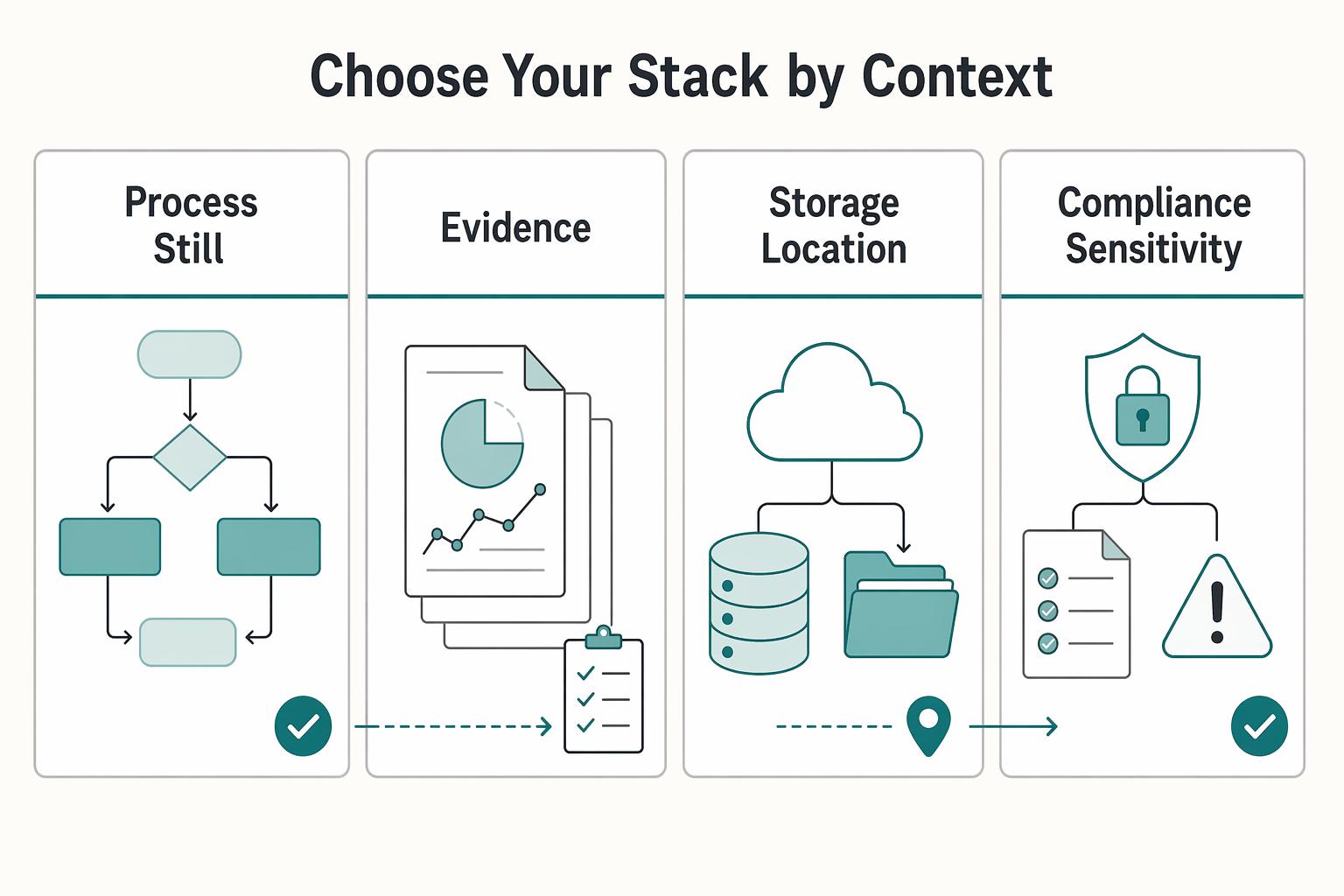
Choose your stack by context#
| Context | Move |
|---|---|
| Process is still messy and highly collaborative | Start with Miro or FigJam |
| Approved record needs formal process modeling, shape-linked comments, or enterprise admin controls | Move into Lucidchart |
| Storage location and file ownership matter more than in-app governance | Choose diagrams.net |
| Compliance sensitivity is high | Verify controls before kickoff |
| Discovery, approval record, and final delivery are being kept in one live board | Pick tools by phase, not brand loyalty |
- Start with Miro or FigJam when the process is still messy and highly collaborative.
- Move into Lucidchart when the approved record needs formal process modeling, shape-linked comments, or enterprise admin controls.
- Choose diagrams.net when storage location and file ownership matter more than in-app governance.
- If compliance sensitivity is high, verify controls before kickoff. Enterprise-only settings such as Lucid Domain Control or Figma public-link expiration can change what you can safely share.
- Pick tools by phase, not brand loyalty. Keeping discovery, approval record, and final delivery in one live board is how scope drift gets mistaken for progress.
You might also find this useful: Best Mind Mapping Software for Solo Client Projects.
Conclusion: You're Not Buying a Tool, You're Investing in Control#
Stop looking for one universally best flowchart software. The stronger move is to choose tools that give you control at each phase of client work. That can reduce rework, limit scope drift, and make approvals feel cleaner instead of negotiable.
- Narrative control
Use Miro for discovery when ideas are still loose and people need to react live or async across time zones. Its canvas is built for workshop-style sessions, and Miro cites 2,500+ templates for remote-team use. The practical outcome is simple: clients can feel heard in the session, but you do not mistake brainstorm material for approved logic. Before you promise a board export, check the board owner settings, because collaborator export can be disabled.
- Risk control
Move approved logic into Lucidchart once the work needs to become a single source of truth. This is where revision history and layers matter most: you can separate detail levels, track changes, and revert if a client review introduces confusion. One useful red flag is the Free plan limit of 3 editable documents and 60 shapes per document. If your sample diagram is already pushing that ceiling, do not build the client version there and hope it holds.
- Value perception
Deliver a guided review, not a raw file dump. Lucidchart has an in-editor presentation mode for walkthroughs, while diagrams.net is a strong delivery-side option when you want local-first storage, no registration, and a PDF that can include embedded diagram data for later re-editing. A practical workflow leads to cleaner approvals: send the locked PDF first, then share the editable source only when one named owner is responsible for updates.
For your next engagement, pick your stack by phase: Miro for discovery, Lucidchart for the blueprint, diagrams.net or PDF export for delivery. That is a better operating model than chasing a single tool, and it comes across as steady, professional execution your client can trust.
This pairs well with our guide on The best tools for 'Visual Collaboration' with remote teams. Want to confirm what is supported for your situation? Talk to Gruv.
Frequently Asked Questions
What is the best flowchart software for client workshops and delivery?
If you have to choose one approach, choose by phase, not by brand. Use Miro during the live workshop when you need whiteboard-first collaboration, then move approved logic into Lucidchart when you need integrations-focused documentation for review and handoff. That gives you a sequence you can actually follow: workshop capture, synthesis into a formal diagram, then export for delivery. | Need | Choose this | Why it fits | Watch for | |---|---|---|---| | Live workshop collaboration | Miro | Commonly positioned for collaborative whiteboard flowcharts | It can feel complex if you are working solo | | Formal documentation tied to other tools | Lucidchart | Commonly positioned as integrations-focused flowcharting, with cross-platform enterprise integrations cited as a strength | Its free plan is described as limiting shapes and exports | | File-based or offline-friendly handoff | draw.io (diagrams.net) | Supports online and offline use with export support | Collaboration is weaker, and the UI is often described as dated |
How do you know a tool will hold up on a real client diagram?
Do not test from a blank canvas. Build the same demanding sample in each app, including a decision tree with conditional logic, and compare how easy it is to edit, review, and export. That kind of side-by-side test exposes limits much faster than feature lists do.
Can you use a free tool for paid client work?
You can, especially when your work is mostly solo and your deliverable is a stable export rather than constant co-editing. draw.io (diagrams.net) is a practical option when online/offline use and export support matter most. The tradeoff is thinner collaboration, while Lucidchart’s free plan is described as limiting shapes and exports.
Should you keep discovery, approval, and delivery in one live board?
Consider splitting these phases so workshop exploration is less likely to be confused with approved diagrams. After discovery, move approved logic into a separate handoff artifact so version status stays clear.
What should you check before every client handoff?
Use the same short comparison checkpoint every time: Confirm whether this handoff needs live collaboration, integrations, or offline/export support.. Review best fit, free tier, key strengths, and limitations side by side for the tool you plan to use.. Re-run a demanding sample (including conditional decision logic) when your workflow or tool choice changes.
What is the difference between a flowchart and a process map?
For client delivery, align on the output your team needs first (live whiteboard collaboration, integrations-focused documentation, or offline/export handoff), then pick the format and tool accordingly. If you need deeper build guidance, see The Best Tools for Business Process Mapping.
Try a related tool
Researched and edited by the Gruv editorial team. Gruv builds cross-border billing, payouts, and finance-operations software for global businesses.
Sources
Includes 7 external sources outside the trusted-domain allowlist.
- catalog.cornell.edu/ecornell-catalog-coursestrusted
- app.diagrams.netexternal
- drawio.com/doc/faq/export-to-pdfexternal
- github.com/ManUtopiK/awesome-starsexternal
- help.lucid.co/hc/en-us/articles/15994195704596-Create-a-pr...external
- iso.org/standard/62652.htmlexternal
- lucidchart.com/pages/examples/business-process-mapping-soft...external
- miro.com/whiteboardexternal
Educational content only. Not legal, tax, or financial advice.
Related Posts

Value-Based Pricing for Freelancers Under Real Payment Risk
Value-based pricing works when you and the client can name the business result before kickoff and agree on how progress will be judged. If that link is weak, use a tighter model first. This is not about defending one pricing philosophy over another. It is about avoiding surprises by keeping pricing, scope, delivery, and payment aligned from day one.
The Best Tools for Virtual Whiteboarding and Brainstorming
If your client struggles to join the board, if the session stalls while you explain basic controls, or if nobody knows who owns the final output, they will not experience that as a software issue. They will experience it as your judgment call. Choosing among the best virtual whiteboarding tools is less about feature bragging rights and more about avoiding visible mistakes you could have screened out before the client ever saw the board.
The Best Tools for Business Process Mapping
If you run the business alone, your biggest exposure is usually not a messy task list. It is delivery and quality risk. When key steps live only in your head, the same problems show up fast: wasted time searching for information, rework, interruptions, inconsistent output, and preventable mistakes.