
Quick Answer
The best digital garden tool is the one that passes a small pilot on ownership, operating fit, and publish readiness. Test whether you can export your notes, retrieve ideas quickly, publish clearly, and document a real fallback if terms change. The article compares Obsidian, Notion, Roam Research, Logseq, Quartz, and Eleventy through those checks instead of treating tool choice like a feature contest.
Why Your Expertise is a Liability (Until You Systematize It)#
Your expertise becomes risky when delivery depends on memory. If the reasoning behind your recommendations, your best examples, or your client-specific judgment lives mostly in your head, more work does not just create more pressure. It changes the kind of failure you face. That is why people often choose the wrong fix and still feel overloaded.
| Risk | What it looks like | Why it matters |
|---|---|---|
| Single point of failure | Only you know how to scope, explain, or troubleshoot the work | You become the backup plan for every project |
| Inconsistent delivery | Every proposal, audit, or client answer becomes a fresh reconstruction job | Quality varies with time, stress, and how much context you can recall in the moment |
| Slow onboarding and delegation | Reasoning is trapped in inboxes, old docs, and half-remembered calls | A contractor or assistant cannot help much |
| Weak asset portability | Ideas are locked across too many places | Portability disappears |
- Single point of failure
When only you know how to scope, explain, or troubleshoot the work, you become the backup plan for every project. That can feel manageable at low volume, then fail the moment you are sick, traveling, or carrying too many active threads. The real issue is retrieval. If you cannot pull up the last useful explanation, example, or decision trail within seconds, that knowledge is not truly available to the business.
- Inconsistent delivery
Undocumented expertise turns every proposal, audit, or client answer into a fresh reconstruction job. You may still produce strong work, but the quality varies with time, stress, and how much context you can recall in the moment. One widely cited knowledge-management stat says workers spend 26 percent of the day searching for and consolidating information, and even then find what they need only 56 percent of the time. That may not map exactly to your week, but the pattern is familiar. Scattered notes create uneven output.
- Slow onboarding and delegation
The bottleneck is not only skill. It is missing context. A contractor or assistant cannot help much if your reasoning is trapped in inboxes, old docs, and half-remembered calls. What you need is closer to the original idea of a Second Brain: a repeatable, reliable way to generate ideas, organize them, and turn them into concrete output. If someone new cannot quickly find your current positioning, recent examples, and standard answers, you have not delegated anything important yet.
- Weak asset portability
Expertise that only exists in performance is hard to move, reuse, or package. Once you capture it, the same note can support client delivery, sales material, articles, workshops, and a public digital garden that helps prospects understand how you think. The red flag is tool sprawl. If your ideas are locked across too many places, portability disappears.
What systematizing looks like in practice#
In practice, systematizing your expertise comes down to four moves. Capture notes while the insight is fresh. Connect ideas so a meeting note links to the example, principle, and decision behind it. Retrieve what you need on demand instead of rethinking it from scratch. Reuse the material in client work, content, and documentation so your best thinking compounds instead of vanishing.
| Move | What it means | Question to ask |
|---|---|---|
| Capture | Capture notes while the insight is fresh | Can you capture notes with low friction, without spending too much time filing, tagging, and maintaining them? |
| Connect | Connect ideas so a meeting note links to the example, principle, and decision behind it | Can you connect related ideas so context survives after the project ends? |
| Retrieve | Retrieve what you need on demand instead of rethinking it from scratch | Can you find anything you learned, touched, or thought about within seconds? |
| Reuse | Reuse the material in client work, content, and documentation so your best thinking compounds instead of vanishing | Can you reuse and export your notes cleanly, and if you add AI, do you understand what it can access or act on through Resources, Prompts, and Tools? |
Before you compare digital garden tools, start with the basics:
- Can you capture notes with low friction, without spending too much time filing, tagging, and maintaining them?
- Can you connect related ideas so context survives after the project ends?
- Can you find anything you learned, touched, or thought about within seconds?
- Can you reuse and export your notes cleanly, and if you add AI, do you understand what it can access or act on through Resources, Prompts, and Tools?
You might also find this useful: A Guide to Using a 'Digital Garden' to Grow Your Freelance Business.
How to Evaluate a Tool: Ownership, Operating Fit, and Publish Readiness#
Once your notes become a business asset, your tool choice is no longer a feature contest. Use three screens in order: ownership, operating fit, and publish readiness. If a tool fails ownership, stop there.
| Screen | Questions or checks | Decision note |
|---|---|---|
| Ownership | Can you export your content in a format you can open outside the vendor? After export, are your notes still understandable enough to work with? Can you still access what you need if service terms change or access is disrupted? Do you have a documented exit path you have personally tested? | If a tool fails ownership, stop there. |
| Operating fit | How quickly can you capture an idea during live work? How quickly can you retrieve the last relevant note under pressure? How much setup is required before the tool is useful? How much ongoing maintenance does it add each week? Can you create, assign, and track key actions from desktop and smartphone? | If value arrives only after heavy setup, that overhead competes directly with billable work. |
| Publish readiness | Clarity for a first-time reader; searchability and navigation; consistent brand presentation; structure that is easy to quote or summarize in search and AI-answer contexts | Your public notes should be easy to find, parse, and trust. |
- Own your data before you admire the interface
Start with control risk. A polished app can still be a walled garden: a closed environment where convenience can reduce your control. Use these screening questions before you commit:
- Can you export your content in a format you can open outside the vendor?
- After export, are your notes still understandable enough to work with?
- Can you still access what you need if service terms change or access is disrupted?
- Do you have a documented exit path you have personally tested?
The core tradeoff is reach versus intelligence and control. Do not rely on product pages alone. Test a small export yourself and keep a short migration note so you know your real fallback.
- Pick the tool that fits your actual week, not your aspirational one
Assume your selection will be iterative, then evaluate for day-to-day execution. The Forbes council roundup (May 28, 2021) is opinion-based, but it still reflects a practical truth: professionals often test multiple tools before settling. Ask operational questions tied to your client workflow:
- How quickly can you capture an idea during live work?
- How quickly can you retrieve the last relevant note under pressure?
- How much setup is required before the tool is useful?
- How much ongoing maintenance does it add each week?
- Can you create, assign, and track key actions from desktop and smartphone?
If value arrives only after heavy setup, that overhead competes directly with billable work.
- Judge publish readiness, not just visual polish
If any part of your garden is public, treat it like client-facing infrastructure. Check for:
- Clarity for a first-time reader
- Searchability and navigation
- Consistent brand presentation
- Structure that is easy to quote or summarize in search and AI-answer contexts
A useful 2026 lens is simple: are you visible where customers are asking questions? You do not need every channel, but your public notes should be easy to find, parse, and trust.
Simple decision rubric#
Use this before you get pulled into demos.
- Must-have criteria
Verified export path, acceptable control outside the vendor, fast capture, fast retrieval, and clear public readability.
- Nice-to-have criteria
Stronger navigation, better brand controls, smoother cross-device use, and lower maintenance as your library grows.
- Deal-breakers
Opaque exports, no practical fallback if terms change, high setup burden before value, or public notes that are hard to handle and trust.
If you want a deeper dive, read Value-Based Pricing: A Freelancer's Guide.
The Arsenal (Part 1): No-Code Tools for Maximum Efficiency#
Pick one no-code tool and run a short pilot before you commit. Most workflow drag comes from tool sprawl, not from lacking one more app. The familiar pattern is 17 tabs, multiple assistants open, and a growing stack of subscriptions at 2:47 AM. Consolidation usually helps, but only if you also confirm your exit path.
Local-first setups can reduce vendor dependence, but they do not remove risk on their own. You still need to test export reality, publishing workflow, and collaboration handoffs. Closed ecosystems can raise costs and increase lock-in over time, so run the same test for every candidate.
Compare them with the same pilot#
| Tool | Ownership portability | Setup friction | Publishing quality | Collaboration fit | Lock-in risk |
|---|---|---|---|---|---|
| Obsidian | Export a sample and open it outside the app | Time first note, search, and update | Publish one note and review as a first-time visitor | Run one real handoff with a peer | Document what leaving would require |
| Notion | Export a sample and inspect links/files/structure | Track setup time before capture feels natural | Share one public page and check clarity | Co-edit one live page with a peer | Write down concrete exit steps |
| Roam Research | Export a sample and test what remains usable elsewhere | Test daily capture/retrieval for one week | Share one public note and check readability | Hand off a small research set | Record migration steps before scaling |
| Logseq | Export a sample and open it elsewhere | Measure capture/retrieval speed on real work | Publish one note (or mock publish) and inspect clarity | Test one review/handoff flow | Note every dependency tied to your workflow |
Keep the pilot deliberately small: 7-10 notes, one attachment, three internal links, one published note, and one collaborator touchpoint. Save screenshots, the export folder, and a one-page migration note.
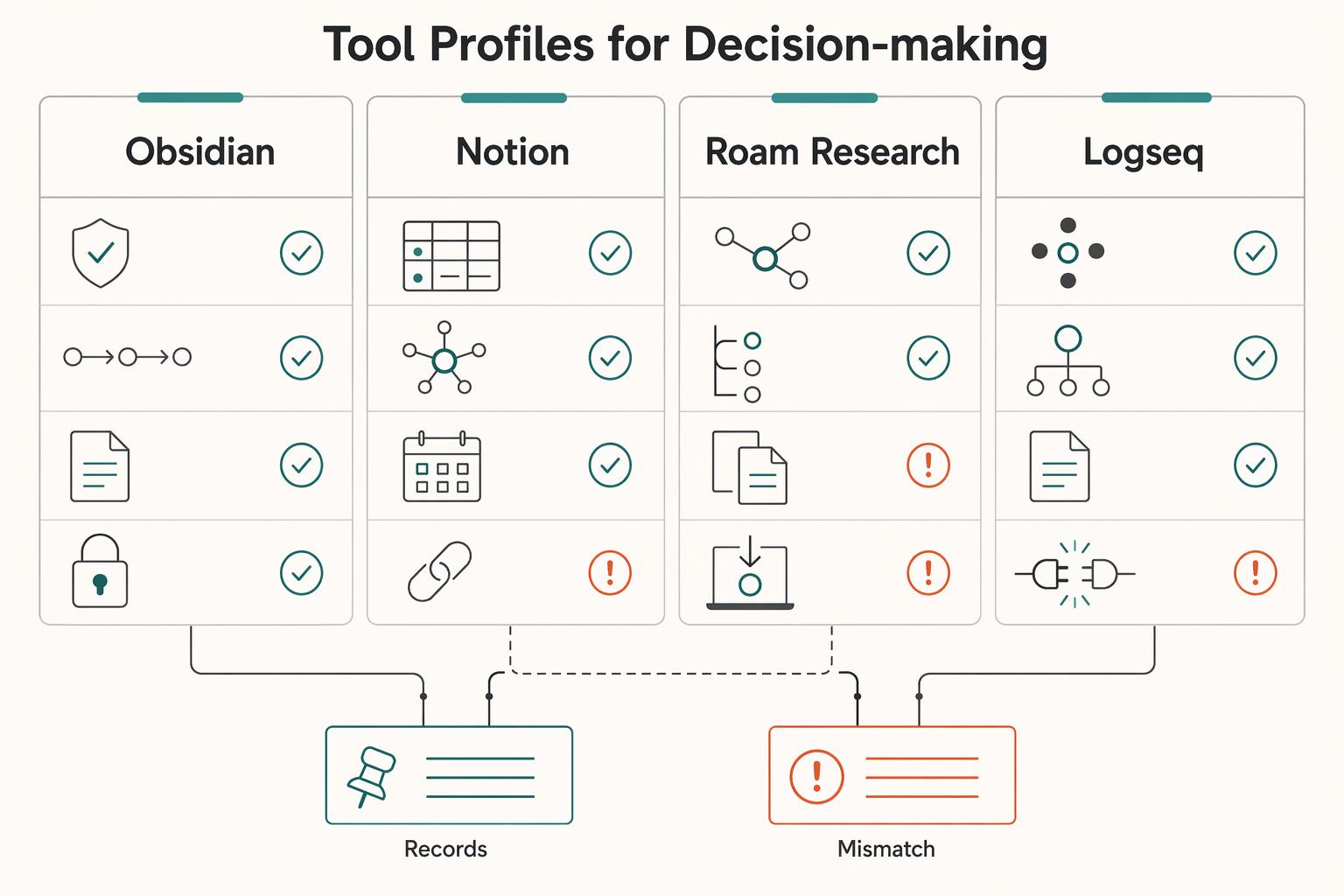
Tool profiles for decision-making#
- Obsidian
Choose this if your pilot confirms strong control over your content and you are comfortable documenting the extra steps from writing to publishing. It breaks for your use case if those steps stay unclear or too manual. The tradeoff is control and flexibility versus more process discipline on your side.
- Notion
Choose this if your pilot shows clear reduction in context switching and smoother day-to-day coordination. It breaks if fast page creation hides unresolved exit-path or portability concerns. The tradeoff is immediate convenience versus deeper dependence if most operations stay inside one platform.
- Roam Research
Choose this if one week of real work clearly improves capture and retrieval speed for your workflow. It breaks if the system feels good in-session but weak when you need to share, publish, or migrate. The tradeoff is in-the-moment thinking flow versus stricter validation of downstream use.
- Logseq
Choose this if it stays reliable in daily use and your pilot shows acceptable effort for publishing and handoffs. It breaks if your real workflow needs more moving parts than you can maintain. The tradeoff is a flexible note environment versus the operational overhead your process may require.
Choose this if...#
- Choose Obsidian if your pilot supports a control-first setup and you accept the publishing process you documented.
- Choose Notion if consolidation measurably improves execution and your tested exit path is acceptable.
- Choose Roam Research if real weekly use improves retrieval enough to justify the dependency.
- Choose Logseq if daily capture holds up, export checks pass, and publish/handoff friction stays manageable.
If no-code still leaves uncertainty around publishing durability, move to static site generators next. Related: The Best Note-Taking and Knowledge Management Apps for Freelancers.
The Arsenal (Part 2): Static Site Generators for Total Control#
Use a static site generator only if you want control and are willing to verify the operational details yourself. Do not assume Quartz or Eleventy is easier, faster, or better out of the box.
What you can verify is ownership visibility at the repo layer. In one public GitHub repo snapshot, the page showed 1,249 commits, a latest commit date of Mar 19, 2026, 1 Branch, and 0 Tags. Treat those as process checkpoints, not product proof: you should be able to see change history, understand branch structure, and confirm whether release tagging exists.
Time-to-value reality check (run this in your pilot)#
- Setup complexity: time first install, first build, first published note.
- Theme customization effort: effort to make one meaningful branding/layout change.
- Deployment workflow: exact steps from local edit to live update.
- Ongoing update friction: effort to update one existing page after launch.
- Recovery path: backup plus restore of your content and repo.
| Tool | Ownership portability | Setup friction | Publishing quality | Collaboration fit | Lock-in risk |
|---|---|---|---|---|---|
| Quartz | Not validated in the evidence here. Verify markdown portability, repo access, host control, and backup/restore yourself. | Not validated here. Measure install-to-first-publish time in your pilot. | Not validated here. Publish one note and inspect clarity on desktop and mobile. | Not validated here. Test one real handoff with a collaborator and document steps. | Depends on your repo, host, and backup discipline. Verify before scaling. |
| Eleventy | Not validated in the evidence here. Verify content structure portability, repo access, host control, and backup/restore yourself. | Not validated here. Measure setup time plus one theme/layout edit in your pilot. | Not validated here. Publish one note and inspect readability as a visitor. | Not validated here. Test one collaborator review/update flow and document it. | Depends on how tightly content is coupled to your build workflow. Verify before scaling. |
For your final choice between "publish quickly with structure" and "build a fully custom branded garden," let the pilot decide. Pick the path that gives you a reliable first publish, clear repo visibility, repeatable backup/restore, and low-friction post-launch edits.
For a step-by-step walkthrough, see The Best Platforms for Selling Digital Products.
Conclusion: Your Business Deserves More Than a To-Do List#
Treat this choice like an operations decision, not a shopping exercise. The right tool should make day-to-day work clearer and make it easier to reuse ideas across delivery and publishing.
If you came here looking for the right digital garden tool, do not let a roundup make the decision for you. Tool lists change because new apps are released regularly, and some publishers openly disclose affiliate relationships. Your own trial matters more than a polished recommendation page.
-
Pick your decision criteria first. Write down the checks that matter most for your workflow: ease of use at your skill level, support for your actual setup constraints, and whether your pilot leaves you with something concrete to review later. The differentiator is focus. If you do not rank criteria before testing, you will drift toward feature hype instead of fit.
-
Choose one tool and force a small proof. Use trial access if it is available, then build one small evidence pack: one linked note, one export or backup check, and one artifact you can review later. The differentiator is verification, not enthusiasm. If a basic test feels confusing, that is your red flag.
-
Start a lightweight gardening habit. Use a short recurring session, for example weekly, to add, connect, and clean notes that are useful enough to stand on their own. The differentiator is maintainability. A modest routine you keep will beat an ambitious setup you abandon.
Decision check: choose the option that matches your current complexity level, supports the constraints you actually need, and gives you a reliable checkpoint you can revisit. If any of those fail in a trial, keep looking.
A digital garden is a collection of evolving ideas, not a finished monument. Keep it simple enough to maintain, and it will become more useful with every pass. For a related workflow perspective, see The Best SEO Tools for Freelancers.
Frequently Asked Questions
How do I use a digital garden for my business?
Use it as a practical habit, not a full redesign of your knowledge base. Pick a tool, create a directory page as the entry point, and start with simple pages for people, tools, terms, and resources. Publish notes only when they are good enough for a client or peer to read without extra explanation, then improve them over time.
Which is better for a consultant, Obsidian or Notion?
Neither is better by default. Test your actual workflow instead of assuming tool-level guarantees. One reported Obsidian red flag was sync friction through Git plus iCloud-related crashes in one setup; do not assume Notion portability, collaboration quality, or publishing control are guaranteed. Choose the one that passes your pilot and stays simple enough to sustain.
Is a digital garden good for personal branding?
Yes, if it makes your thinking easier to inspect and reuse. It stops helping when it becomes a messy public dump, so the directory page and the rule to publish only when a note is good enough matter. If people cannot tell what your garden is about quickly, your structure needs more work than your writing.
What is the real ROI of building a digital garden?
The real ROI is operational, not abstract. Track how fast you can retrieve a past idea, how often notes get reused in delivery or proposals, and whether inquiries arrive already aligned with your approach. If the setup is too hard to maintain, the return usually collapses before the content compounds. Simplicity is part of the return.
Can I start a digital garden without coding skills?
Yes. Pick a tool you can use consistently, and if you work across devices, check whether it behaves similarly across systems. If you are considering Logseq, treat it as unverified here and run the same pilot instead of assuming a no-code publishing path. Keep the pilot simple: one directory page, one published note, one backup or export check, and one attempt to reuse a note in real client work.
Try a related tool
Researched and edited by the Gruv editorial team. Gruv builds cross-border billing, payouts, and finance-operations software for global businesses.
Sources
Includes 3 external sources outside the trusted-domain allowlist.
- aau.edu/sites/default/files/AAU-Files/Key-Issues/Hum...trusted
- broadbandusa.ntia.gov/sites/default/files/2025-07/Ch_7_Kansas_Cent...trusted
- law.nyu.edu/sites/default/files/2026-02/McKenna-Hartzog-...trusted
- people.eecs.berkeley.edu/~bjoern/dissertation/hartmann-diss.pdftrusted
- planning.maryland.gov/Documents/OurWork/PBP/compplans/24_CMP_Annap...trusted
- aidigital.com/blog/walled-gardens-the-hidden-cost-for-digi...external
- arxiv.org/html/2512.08290v2external
- courses.thoughtleader.school/mmc/digital-gardens/how-to-create-a-digital-...external
Educational content only. Not legal, tax, or financial advice.
Related Posts

Value-Based Pricing for Freelancers Under Real Payment Risk
Value-based pricing works when you and the client can name the business result before kickoff and agree on how progress will be judged. If that link is weak, use a tighter model first. This is not about defending one pricing philosophy over another. It is about avoiding surprises by keeping pricing, scope, delivery, and payment aligned from day one.
The Best Note-Taking and Knowledge Management Apps for Freelancers
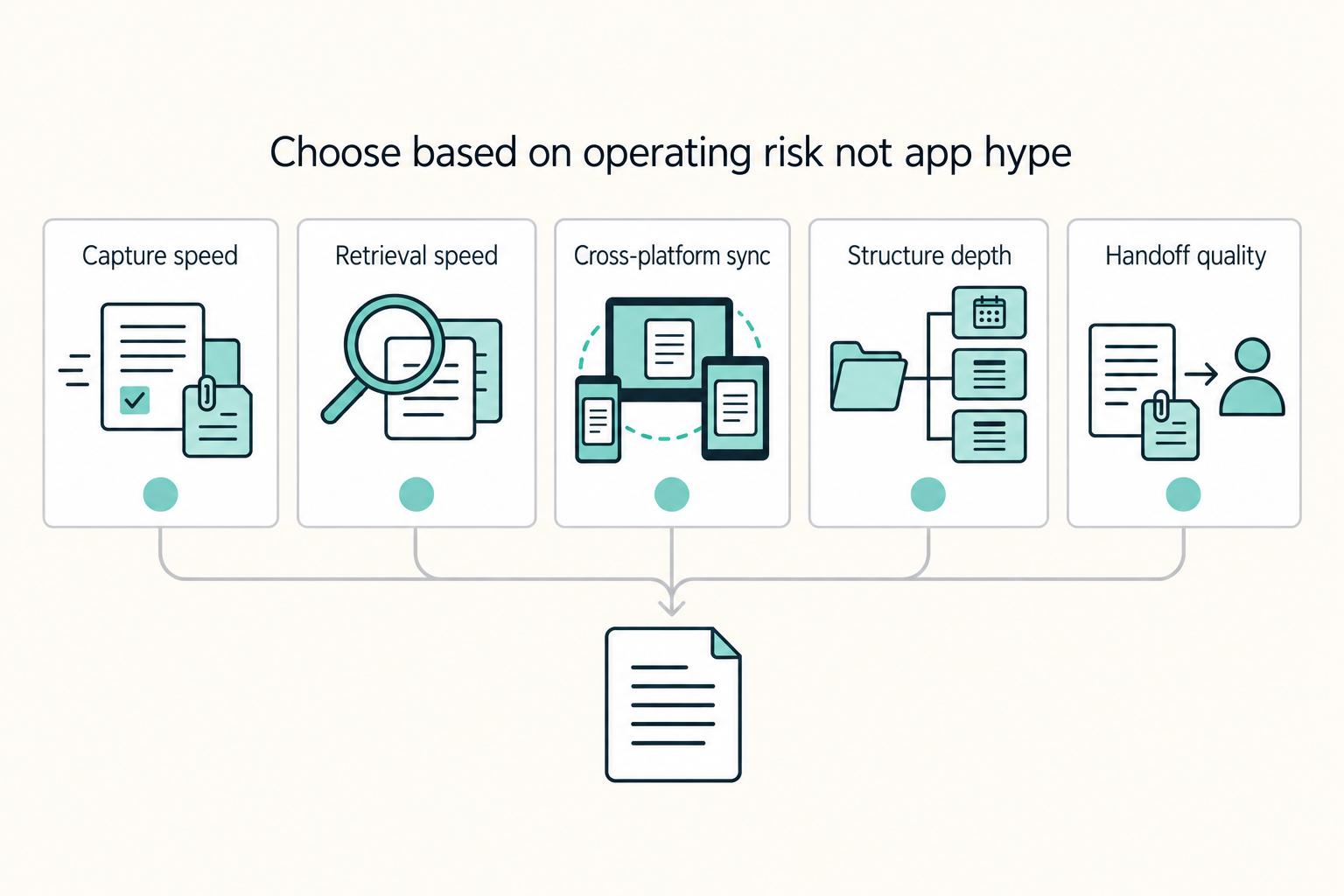
Make this decision in one sitting, then move on. One primary note app, used as the default place for client decisions, follow-ups, and reference notes, does more to cut missed details, messy handoffs, and tool churn than another week of comparing screenshots ever will.
Build a Digital Garden That Supports Better Freelance Client Fit
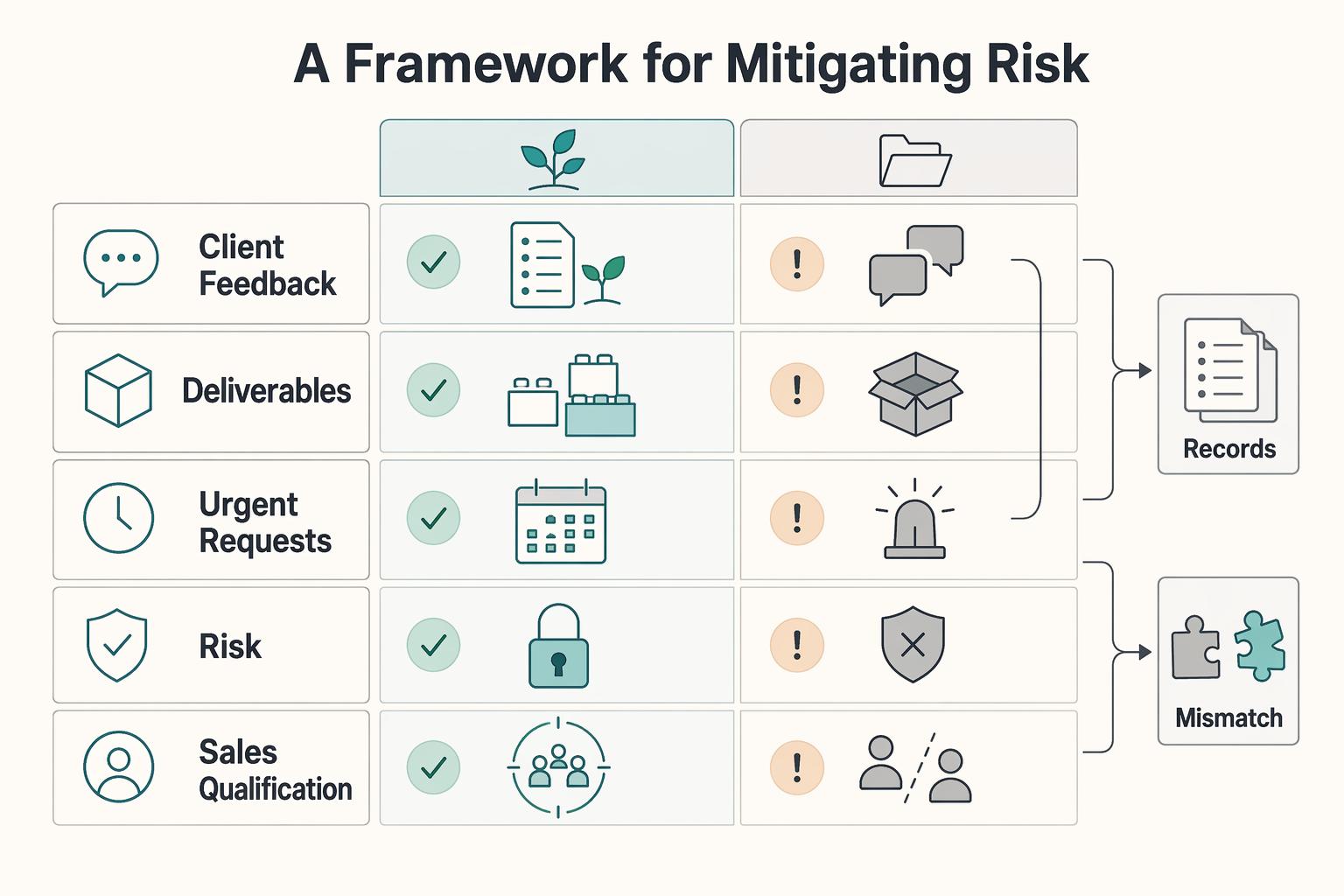
Treat this as an operating model you can test this week, not a promise that publishing alone will reduce disputes or raise your rates. The move is simpler: use a [public body of notes](https://timrodenbroeker.de/digital-garden) to make your terms, reasoning, and reusable knowledge easier for the right people to inspect before they hire you.