
Quick Answer
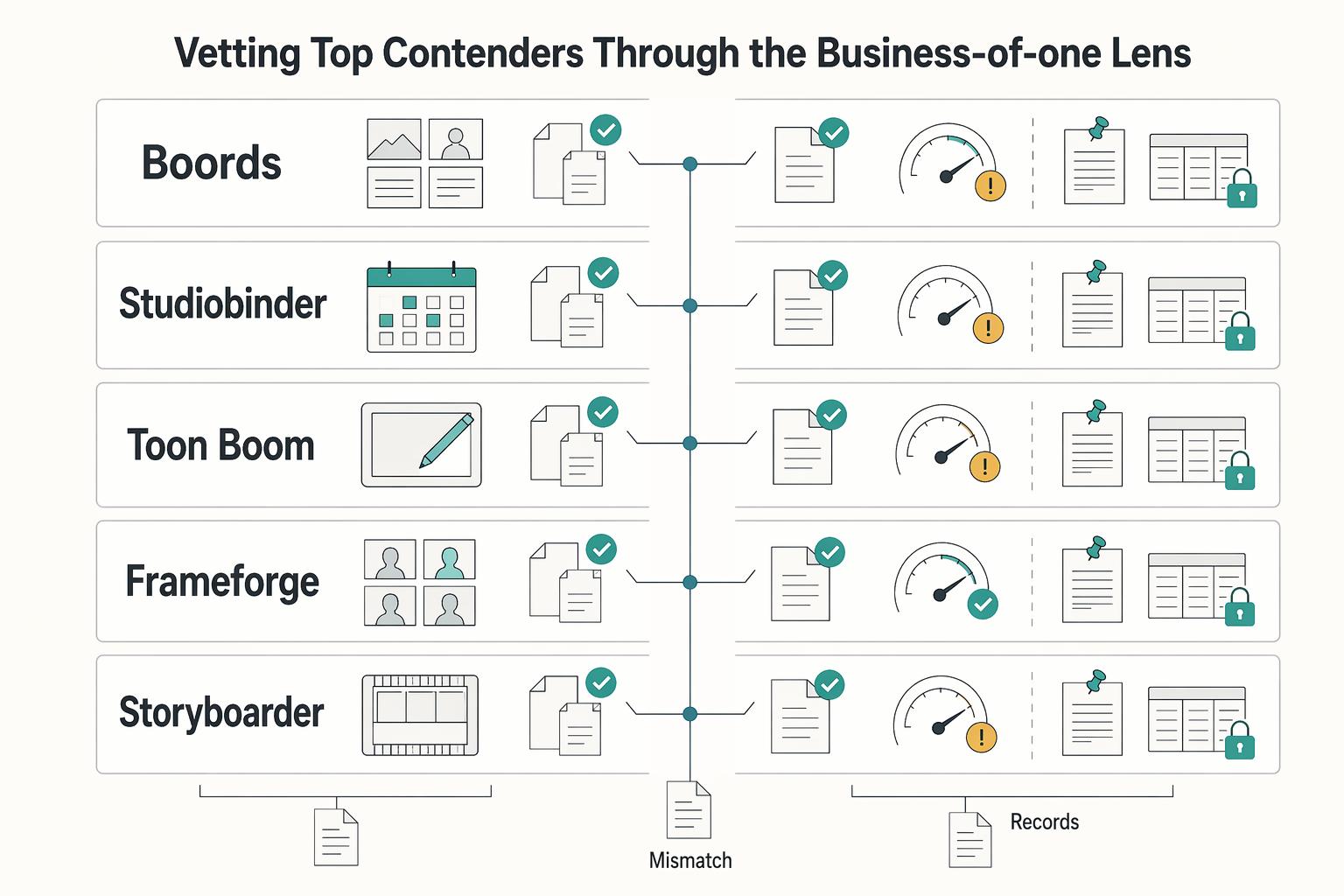
Choose the best storyboarding software by testing your actual workflow, not a demo list. Start with a short script, collect frame-specific feedback, revise once, and export into your editing or production path. Here, tools like Boords, Storyboarder, Toon Boom Storyboard Pro, and FrameForge are judged by three checkpoints: integration fit, collaboration flow, and risk control before production. Keep the one that reduces admin rework while preserving a clean approval record.
Judge Storyboarding Tools on Time, Risk, and Pipeline Fit#
Choose your storyboard tool by business outcome, not by feature count. For a solo operator, the useful test is simple: does this option give you tighter control of your time, lower project risk, and more consistent delivery from script intake through client review to handoff?
That matters because a storyboard is more than a creative artifact in pre-production. It is also the working record that keeps your client, your plan, and the next production step aligned. When that record is weak, you do not just lose polish. You lose hours to reformatting, chasing feedback, and redoing work that should have been settled earlier.
Use this matrix, not a popularity contest. Some 2026 roundups review long lists of tools, but a longer list does not answer the business question for your practice. The right choice is the one that fits how you actually sell, review, revise, and deliver work.
- Reduce non-billable work
Start with the admin around the board, not the drawing canvas. A strong option should shorten the path from script intake to first draft and cut busywork between versions, especially when you need to reformat scenes, update notes, or prepare a clean deliverable. Key differentiator: test whether it supports zero-friction workflow integration. In practice, that means you can bring in real script material and export cleanly toward your video editing suite or pre-production package. If a tool looks polished but makes you copy, rename, and reassemble everything by hand, it can cost you margin.
- Reduce project risk
Your tool should help you lock alignment before production starts, not just present ideas neatly. A key control here is a clear client feedback loop with frame-specific comments and a visible approval trail, so the board becomes a single source of truth instead of a chain of emails and messages. Key differentiator: verify how comments attach to individual frames and how approvals are captured. One common failure mode is vague feedback like "change the middle section" with no frame reference, which invites scope creep and unpaid rework later.
- Improve pipeline fit
The real test is whether the tool fits the way your business delivers projects. That includes script intake at the front, client feedback in the middle, and handoff to edit or broader pre-production at the end. Key differentiator: run one sample job end to end before you commit. Import a short script, share it for review, revise from comments, then export the board in the format you would actually hand off. If any checkpoint breaks, the software may still be good, but it is not a good fit for how you run your business.
That is the lens for the rest of this guide. Next, we turn those three outcomes into a tighter decision matrix so you can compare tools without getting distracted by extras you will never bill for. If you want a deeper dive, read Value-Based Pricing: A Freelancer's Guide.
The ROI Mindset: From Features to Financial Impact#
Choose based on business impact, not feature count. The fastest way to decide is to map every "nice feature" to one of three outcomes: time saved, revision risk reduced, or delivery quality improved.
Most tools look fine in a demo. The real test is your actual workflow: script intake, client review, revisions, and handoff into pre-production. If a feature does not improve one of those outcomes in real use, it is not helping your business.
1) Time saved: does it remove admin friction?#
Start here, because this is where non-billable work accumulates. You want zero-friction workflow integration: smooth script intake, easier scene updates, and clean export into your delivery process.
Run one real sample. Import a short script, revise a couple of scenes, and export the way you normally hand off. If that flow is manual or fiddly, you will pay for it on every project.
2) Revision risk reduced: does feedback stay traceable?#
You need one clear feedback record, not scattered notes. Frame-specific commenting is the practical checkpoint because it ties feedback to exactly what was reviewed.
That gives you a clearer approval trail and stronger change-order conversations when requests drift beyond approved work. It is not a legal guarantee, but it is far better risk control than email-only feedback.
3) Delivery quality improved: does it catch problems before production?#
A stronger tool helps you surface issues earlier in pre-production, when changes are easier to manage. Pre-visualization and clear board structure should help you spot sequencing or technical problems before they become production surprises.
If the board looks polished but does not improve planning decisions, the benefit is mostly cosmetic.
| Outcome you need | Typical friction | Business impact | What a stronger tool should change |
|---|---|---|---|
| Time saved | Manual script intake, scene reshuffling, export cleanup | More admin work and slower turnaround | Shorter path from script to usable board |
| Revision risk reduced | Feedback split across email/chat/calls | Ambiguous requests and unpaid rework risk | Comments tied to frames in one review record |
| Delivery quality improved | Issues found late in pre-production | Extra revision cycles and avoidable surprises | Problems surfaced earlier, before production |
Use this before you buy#
- Test one real project flow: import, review, revise, export.
- Confirm comments stay attached to specific frames.
- Check whether approval context remains clear after revisions.
- Pressure-test a change request: can you point to what was approved?
- If review and handoff still depend on manual work outside the tool, move on.
If a tool does not clearly improve at least one of the three outcomes, skip it.
You might also find this useful: A guide to 'Storyboarding' for a video project.
The 3-Point Matrix for Choosing Your Storyboarding Tool#
Use a tool only if it performs well in at least two of these three areas. If it fails on workflow handoff or approval control in a real trial, it will cost you later even if the boards look polished.
This matrix turns the ROI lens into a practical buying test. You are not picking the longest feature list; you are choosing the option that supports your real workflow with the least friction and the clearest record.
Will it fit your working pipeline?#
Choose a tool that connects script intake, review, and post-production handoff without turning manual cleanup into the default.
| Checkpoint | What to verify | Weak sign |
|---|---|---|
| Script import | Bring in script material without rebuilding structure by hand | You have to rebuild structure by hand |
| Export handoff | Export to your normal editing or delivery setup without manual cleanup becoming the default | Handoff feels like a reassembly task |
| External art updates | Update one external art asset and bring it back without breaking order or labels | Order or labels break on return |
| Fallback path | If native integration is missing, preserve frame order, scene labels, and sequence context | The editor or shared project folder stops being usable |
Test script import first: can you bring in script material without rebuilding structure by hand? Then test export: does handoff to your video editing suite feel close to a one-click step, or more like a reassembly task? Finally, test art-tool handoff: if you update frames outside the app, can you return those updates without breaking order or labels?
If native integration is missing, check the fallback path before you reject the tool. A workable fallback preserves frame order, scene labels, and sequence context so your editor or shared project folder stays usable.
What to verify during trial: import a short real script, revise two scenes, export to your normal editing or delivery setup, then update one external art asset and bring it back. If order, names, or notes break, that friction will repeat on every project.
Are approvals precise and easy to prove?#
Approval control should give you a single source of truth, not scattered feedback.
| Approval check | What to verify | If missing |
|---|---|---|
| Frame-specific comments | Comments stay tied to the exact frame that was reviewed | Revision boundaries get harder to defend |
| Single review record | Feedback stays in one clear review record instead of app comments, email, and chat | Rework risk rises |
| Revision traceability | After you create a revision, you can still trace what was reviewed earlier | It is harder to reference what frame and version were reviewed |
| Approval handoff record | You can archive an approval handoff record with the project files | Proof of approval is less clear |
The key checkpoint is frame-specific commenting tied to a clear review record. You should be able to reference exactly what frame and version were reviewed when scope shifts later. If feedback is split across app comments, email, and chat, revision boundaries get harder to defend and rework risk rises.
What to verify during trial: share one board, collect comments on specific frames, create a revision, and confirm you can still trace what was reviewed earlier. Before you buy, confirm you can archive an approval handoff record with the project files.
Does it make production feel safer before you commit time or money?#
Use this criterion to test production readiness, not visual polish.
| Readiness check | What to verify | Why it matters |
|---|---|---|
| Pre-visualization | It helps surface technical or sequencing issues before production | Fixes are cheaper before production |
| Shot-feasibility checks | The board supports shot-feasibility checks | You are testing production readiness, not presentation |
| Planning export | Exports are clear enough for scheduling and crew alignment | A producer, editor, or crew member can use the export to align next steps without extra interpretation |
A strong result means pre-visualization helps surface technical or sequencing issues before production, when fixes are cheaper. Your board should support shot-feasibility checks and produce exports clear enough for scheduling and crew alignment. If it only improves presentation, the business value is limited.
What to verify during trial: build one sequence with transitions or multiple stakeholders, then check whether a producer, editor, or crew member could use the export to align next steps without extra interpretation.
| Criterion | Strong fit | Partial fit | Weak fit | Tradeoff note |
|---|---|---|---|---|
| Workflow integration | Script intake is clean, export to your video editing suite is close to one-click, and external art updates return without disorder | One handoff is manual, but output stays structured and usable | Intake and handoff rely on repeated manual cleanup | Hidden admin friction reduces margin |
| Approval control | Frame-specific comments stay tied to the board, with a clear review trail you can reference later | Feedback is mostly centralized, but approval proof is partly manual | Notes are fragmented across tools and hard to trace | Scope changes become harder to contain |
| Production readiness | Pre-vis helps catch technical or sequencing issues before production, and exports support planning | Useful for creative review, but limited for feasibility planning | Looks polished but adds little planning confidence | Visual quality can mask execution risk |
Score each trial with this matrix before you build a shortlist. It is a faster filter than feature shopping and exposes where each option will help or hurt. Related: The Best Video Editing Software for Freelancers.
The Shortlist: Trial Each Option Against Your Three Checks#
Use this shortlist as a trial sequence, not a winner list. Your goal is to find the tool that best holds up under your three checks: workflow handoff, frame-level approval control, and production risk control before work gets expensive.
Run each trial on one real project, not a demo. Recreate or import a short script segment, collect comments from one reviewer, export into your normal delivery path, and keep an approval record (approved board, version labels, and comment trail where available).
| Tool | Best starting use case | Matrix criteria to pressure-test first | Workflow fit to verify in trial | Likely fit for you | Tradeoff to watch |
|---|---|---|---|---|---|
| Boords | Client-facing review where feedback speed is the main bottleneck | #1 workflow integration + #2 approval control | Can you move from board to delivery without manual cleanup? | You want one place for board feedback to reduce scattered comments | Smooth review can still hide handoff friction if exports are weak for your process |
| StudioBinder | Storyboard work that needs to sit close to broader project planning | #1 workflow integration + #2 approval control | Does storyboard output stay ordered and usable outside the platform? | You want storyboard review to live inside a wider delivery workflow | Do not assume handoff quality; verify it in your own path |
| Toon Boom Storyboard Pro | Planning-heavy pre-production where execution risk is the priority | #1 workflow integration + #3 production readiness | Does the board help you catch sequencing/execution issues early? | You need deeper pre-production support before production starts | You can overbuy depth if your approvals still happen elsewhere |
| FrameForge | Production-first planning where de-risking matters more than presentation polish | #1 workflow integration + #3 production readiness | Are outputs practical for collaborators who need to act on them? | You want boards that reduce downstream mistakes before filming | Planning strength is less useful if client review/signoff is unclear |
| Storyboarder | Lean solo creation where speed and clean handoff matter most | #1 workflow integration, then #3 production readiness | Are exports reliable, ordered, and easy to pass downstream? | You want a focused tool and can enforce feedback discipline around it | A simple board does not automatically create a strong approval record |
| Milanote | Early planning and idea organization before formal storyboarding | Planning first, then test #1 workflow integration | Can you transition cleanly into your storyboard or production workflow? | You need loose planning structure before committing to a storyboard tool | Treat it as planning-first here; verify approval control and production handoff carefully |
Choose this when your main constraint is clear:
- Choose a collaboration-first option when feedback chaos is the cost center; prioritize frame-specific commenting and a single source of truth.
- Choose a production-first option when execution mistakes are the cost center; prioritize whether the board surfaces issues before production starts.
- Choose a lean creator option when speed is the cost center; prioritize export reliability and whether you can still prove signoff cleanly.
After that choice, the next step is pipeline fit. For a workflow-focused companion read, see The best 'Mind Mapping' software.
Beyond the Storyboard: Integrating Your Tool into a Client Delivery Pipeline#
If a tool fails at input, feedback, or output, it is not ready for client delivery. Run each trial through your real workflow, and keep the option that handles requests, approvals, and revision history in one dependable place with minimal cleanup.
Make your single source of truth explicit: all change requests, frame comments, approval decisions, and revision history should live in the storyboard app or one linked review hub. Do not treat email and chat as approval channels. Once decisions split across channels, scope and handoff errors follow.
| Stage | Required capability | Common failure mode | Ready for client delivery looks like |
|---|---|---|---|
| Input | Script integration with usable scene parsing | Import succeeds, but scene order or board structure needs heavy manual repair | You import a real script section, scene order stays usable, and cleanup effort is low and predictable |
| Feedback | Centralized review hub with low-friction access | Reviewers avoid the tool, or notes scatter across uploads, email, and chat | Client notes stay tied to the active board version, and the current approved version is clear |
| Output | Export flexibility for editor and production handoff | Exports look good but fail in downstream workflow, or only produce review-friendly files | Frame sequence or timeline handoff opens cleanly, shot-list fields are complete, and labels or metadata stay consistent |
For input, verify three things in trial: script import keeps dialogue, scenes, and boards aligned; scene parsing is usable for your project; and post-import cleanup is manageable. If you repeatedly repair structure by hand, the tool is adding admin overhead.
For feedback, test behavior, not feature lists. If clients and collaborators will not use the review link, or if comments drift off-platform, you do not have a reliable approval trail.
For output, use a handoff checklist before production: frame order integrity, clean timeline or frame-sequence transfer into your editing path, complete shot-list fields, and consistent naming metadata across board, scenes, and exports. Watch for review-only workflows that force repeated uploads while still leaving storyboarding or pre-production gaps.
Your Storyboard Isn't Just a Creative Tool - It's a Business Asset#
Choose your storyboard tool as an operating decision, not just a drawing preference. Your final pick should pass three checks: integration fit, collaboration flow, and pre-production risk control.
Boords reports a 2025 survey of 272,000 US filmmakers where 52.4% ranked ease of use as the top factor. Use that as a starting filter, then pressure-test each option with a real review and handoff.
| Criterion | What to verify in the product | Business risk it reduces |
|---|---|---|
| Integration fit | Export one real board or animatic into your actual editing or animation path. If animation is core to your work, verify the documented Toon Boom Harmony connection. If you want one workspace for scriptwriting, shot lists, and boards, verify that workflow directly. | Manual rework, duplicate entry, and handoff errors |
| Collaboration flow | Send a password-protected link, collect frame-by-frame feedback, and confirm in-browser animatic export. For remote review, confirm cloud version control behavior. | Split feedback, lost revisions, and slow approvals |
| Risk control in pre-production | Build a short scene and test whether the board helps you remove shots that are not feasible before production. | Discovering execution problems during the shoot |
Pick by role, not brand. If your projects are review-heavy, prioritize protected sharing and frame-level comments. If your pipeline is animation-heavy, test pipeline fit first. If you want all-in-one planning, validate the script-plus-shot-list-plus-storyboard flow. If budget is your main constraint, remember that lower-cost tools can add admin overhead when they are not purpose-built for production workflows.
This week, shortlist two options, run the same scene through both, and keep the exports, comments, and revision trail. Choose the one that gives you the cleanest review path and fewer surprises before production starts.
Frequently Asked Questions
What is the difference between storyboarding and pre-vis?
If your workflow needs sign-off on sequence, shots, and screen direction, prioritize tools with strong storyboard logic. Verify frame composition quality, meaning the boards respect shot types, framing, and screen direction. That helps you avoid choosing a concepting-first tool that produces attractive images but weak shot logic.
Is Toon Boom Storyboard Pro worth it for a freelancer?
If your paid work is detailed animation or VFX planning, it can make sense because it is described as costly but powerful. Verify timeline timing control, frame-rate handling, and whether you can edit boards externally with your preferred editor. That keeps you from paying for depth you will not use on simpler live-action client jobs.
How do I choose software for client collaboration?
If clients, producers, or teammates review remotely, start with a cloud-based collaboration tool. Check version control first, and if you have multiple reviewers, look for live collaboration functions. Sources specifically point to tools such as Boords, Miro, Celtx, and StudioBinder as the kinds of products to examine. This helps you avoid feedback getting scattered across too many channels, and sketch-style boards can also reduce client confusion about what is final.
What should I check if my editing path is Adobe-based?
If your cut will end up in Adobe tools, do not rely on broad integration claims alone. Verify export behavior with a real project: timing control in a timeline, frame-rate options, and whether boards can be edited externally with your preferred editor are the practical checkpoints. Storyboarder is one tool whose FAQ explicitly surfaces those checks, but you should confirm current export and integration status before you commit.
Can I just use Photoshop or Procreate for storyboarding?
If you work solo and only need rough internal boards, a drawing app can be viable. Verify whether you also need script breakdown, animatic timing, version history, or cleaner review links, because those needs often push teams toward dedicated storyboard tools. The tradeoff is usually more manual coordination as the project gets busier.
Is a free option viable for professional work?
Yes, if free still fits your project type, budget, and collaboration needs. Check the same delivery points you would check in a paid tool, especially timing controls, frame-rate handling, external editing, and whether any promised feature is actually live now. That helps you avoid adopting a free option that looks fine in testing but does not hold up for client review or handoff.
Try a related tool
Researched and edited by the Gruv editorial team. Gruv builds cross-border billing, payouts, and finance-operations software for global businesses.
Sources
Includes 5 external sources outside the trusted-domain allowlist.
- coastalcarolina.edu/wp-content/uploads/2021/06/Catalog-2021-22-W...trusted
- lakeforest.edu/Public/Catalog/college_catalog_24-25.pdftrusted
- tiffin.edu/wp-content/uploads/AI-Tools-with-Description...trusted
- adobe.com/creativecloud/video/discover/storyboarding.htmlexternal
- arxiv.org/html/2603.18398v1external
- automateed.com/storyboarding-toolsexternal
- boords.com/best-storyboard-softwareexternal
- clapboard.com/blog/about-clapboard/film-theory/what-is-cla...external
Educational content only. Not legal, tax, or financial advice.
Related Posts

Value-Based Pricing for Freelancers Under Real Payment Risk
Value-based pricing works when you and the client can name the business result before kickoff and agree on how progress will be judged. If that link is weak, use a tighter model first. This is not about defending one pricing philosophy over another. It is about avoiding surprises by keeping pricing, scope, delivery, and payment aligned from day one.

The Best Video Editing Software for Freelancers
**Choose the best video editing software based on the workflow you can repeat under pressure, not the tool that looks most impressive on YouTube.** You are the CEO of a business-of-one, and your editor is part of your delivery infrastructure. When a client changes scope, sends a new batch of footage, or asks for "one more revision," your editor stops being a creative playground and becomes a system you either trust or fight.
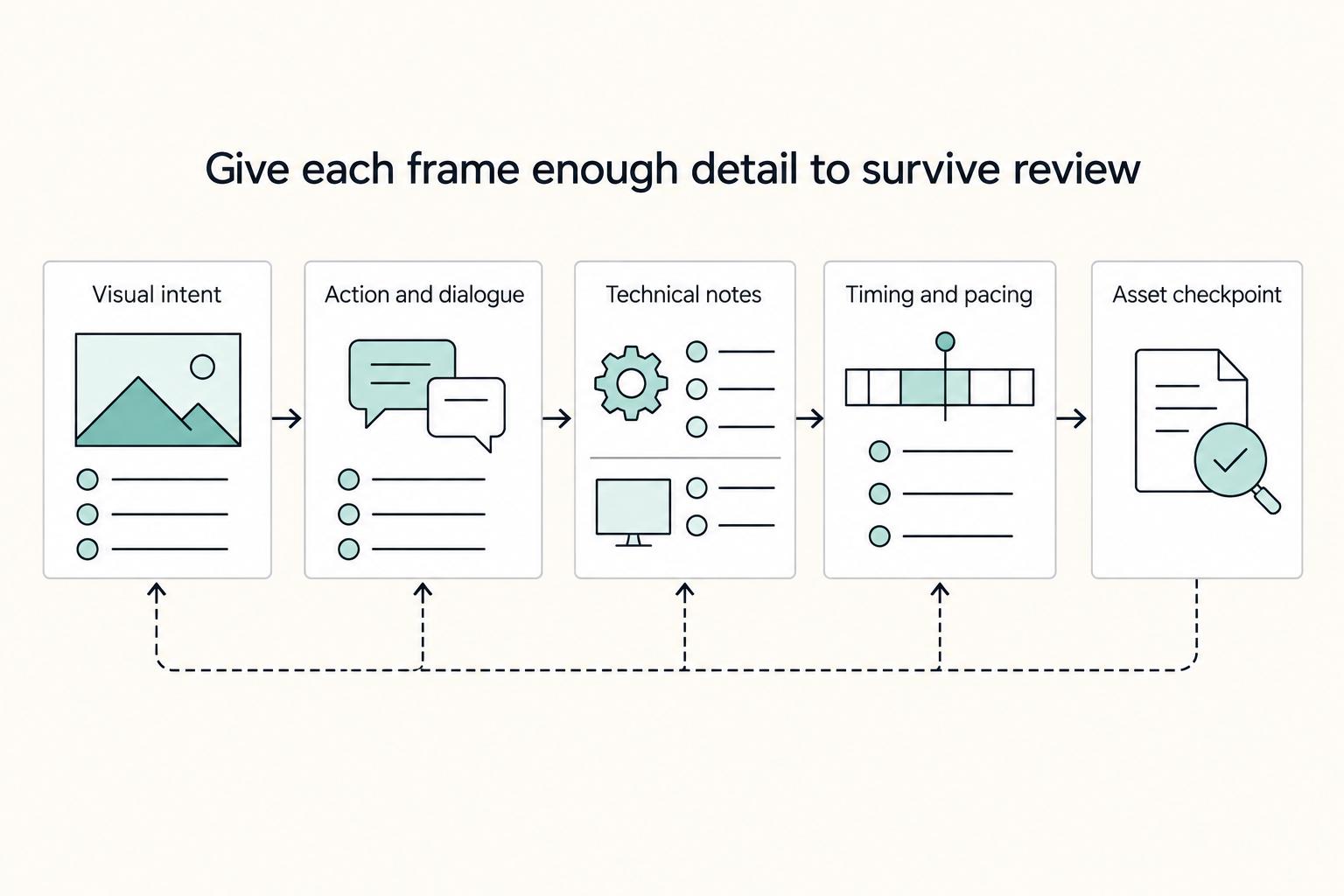
Storyboarding for Video as an Approval Gate Before Production
**Storyboarding for video works best when you treat the storyboard as an approval document, not just a sketch.** In professional client work, it is the visual record of what the project is supposed to become before production starts. Used this way, it helps you manage the three pressures that usually undermine client work: compliance, risk, and control.