
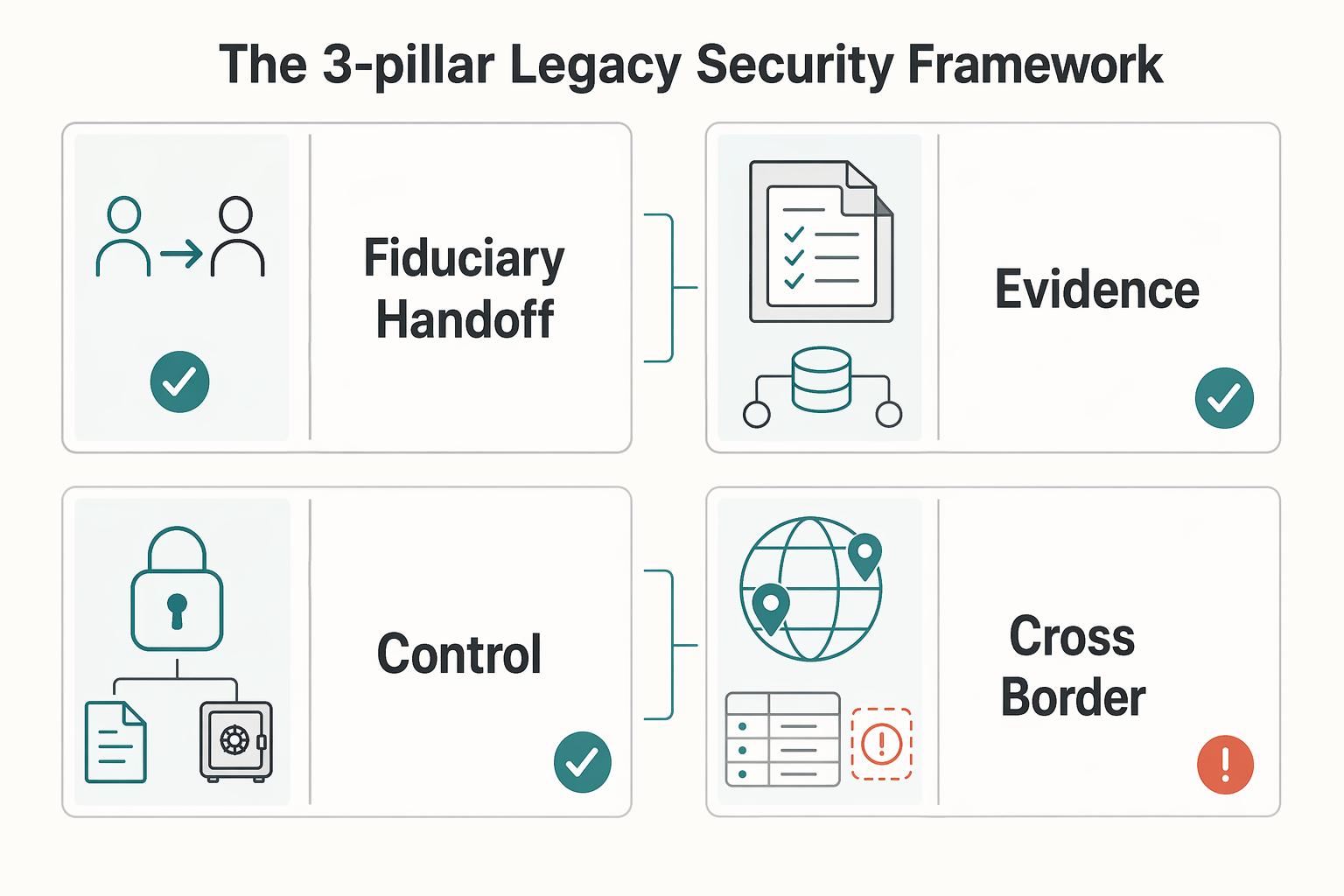
Quick Answer
Choose the best trust and estate administration software by testing one outcome first: whether your executor or trustee can locate assets, show authority, and complete transfers without guesswork. Prioritize platforms that support a current asset map, clear handoff instructions, and controlled permissions rather than practice billing features. Build in consent and transfer documentation so fiduciaries can act when provider rules and legal records both matter.
Test Estate Software on Finding Assets, Proving Authority, and Completing Transfers#
If you are evaluating trust and estate administration software, start with one test: can your executor or trustee find assets, prove authority, and complete transfers without guesswork? Much of this market is built for legal practices and emphasizes billing and practice workflows. For a business-of-one, the bigger risk is handoff failure.
| Access path | What the article says | Key requirement or limit |
|---|---|---|
| Apple Legacy Contact | Access can depend on Legacy Contact setup, a unique access key, and a death certificate | Apple lists iOS 15.2, iPadOS 15.2, or macOS 12.1 or later for on-device setup |
| Google Inactive Account Manager | Also a pre-planning path | Google states it does not provide passwords or other login details |
| RUFADAA | Governs fiduciary access to online accounts | Can restrict access to private electronic communications unless the user consented |
1. Prioritize fiduciary execution over law-firm workflow. Choose software that helps your fiduciary act under real-world constraints, not software that mainly optimizes a law office.
| Law-firm-first emphasis | Individual fiduciary need | Why it matters |
|---|---|---|
| Practice workflow tracking | Master inventory of accounts, assets, and ownership | Your fiduciary cannot administer what they cannot identify |
| Time tracking and billing | Ready document pack (death certificate plus court-issued authority) | Financial institutions may require formal probate documents before they act |
| Practice performance optimization | State-specific probate task guidance | Executor steps vary by jurisdiction |
| General firm workflow records | Account-level access instructions and consent records | Providers may refuse password handoff and may limit account content access |
2. Digital assets often fail at access, not valuation. They can break on provider rules and missing consent, even when values are clear.
Apple access can depend on Legacy Contact setup, a unique access key, and a death certificate. Apple lists iOS 15.2, iPadOS 15.2, or macOS 12.1 or later for on-device setup. Google's Inactive Account Manager is also a pre-planning path, and Google states it does not provide passwords or other login details.
RUFADAA operates at that same access layer. It governs fiduciary access to online accounts and can restrict access to private electronic communications unless the user consented. If your operations run through email, cloud files, or platform accounts, your system should capture those consent and access settings before anyone needs them.
3. Transfer evidence is a core selection criterion. Even when access is available, transfer formalities still decide the outcome. Cross-border estates can trigger filings such as Form 706-NA, and copyright transfers generally require a signed writing. If your estate plan assumes "someone can open my laptop," the handoff is incomplete.
Keep that test in mind: access readiness, authority documentation, and transfer evidence. Then prepare your fiduciary around those three pillars. If you want a deeper dive, read Value-Based Pricing: A Freelancer's Guide.
Your Estate Software Checklist: Current Map, Clear Actions, Controlled Access#
Use these three pillars as your operating checklist when you choose and configure estate software. If a tool cannot give your fiduciary a current asset map, reduce execution error, and separate legal documentation from sensitive access details, it may be the wrong fit.
Many products still favor law-firm process over individual handoff risk. Keep the test practical: can another person identify what exists, understand what to do next, and act without exposing everything at once?
| Decision point | Simple spreadsheet | Master Asset Inventory |
|---|---|---|
| Fiduciary handoff readiness | Static list of account or asset names | Living command center with location, value, and management or liquidation instructions |
| Record quality over time | Easy to go stale and hard to interpret later | Built to stay current as accounts, platforms, and ownership details change |
| Access control design | Sensitive details often mixed into one file | Inventory can stay separate while sensitive material lives in a secure digital vault |
| Cross-border and digital-asset coverage | Nontraditional assets are often missed | Better suited to documenting crypto, multi-currency accounts, and intellectual property with transfer context |
Pillar 1. Organize for handoff readiness. Build a Master Asset Inventory, not a one-time spreadsheet. At minimum, each entry should include location, value, and specific instructions for management or liquidation.
Then pair that inventory with a secure digital vault, but keep the functions separate. The inventory is the map. The vault holds sensitive material and supporting documents that should not sit in general files. A 2024 NordPass figure says the average person manages 168 personal-account passwords. That is a practical reason to keep a fiduciary-facing index separate from the underlying secrets.
Add a short fiduciary "start here" note in the vault. Cover where original legal documents are, who to contact first, how to open the inventory, and which assets may require proof of authority before access.
Pillar 2. Automate for reliability. Turn your intentions into repeatable in-software instructions so the handoff does not depend on memory. In practice, that means clear sequence, clear responsibility, and clear instructions for execution.
This is where plans often fail. The inventory lists a crypto wallet, but no liquidation sequence exists. A trust document changes, but related asset instructions are never updated. Digital account handoff is not automatic, and it does not get easier for families dealing with grief and stress.
Use one complex asset as a test case and run it end to end. If the software does not make sequence, responsibility, and required documents clear, execution risk is still high.
Pillar 3. Secure with legal and technical controls. Software can support execution, but legal authority still depends on your estate documents. Your estate documents and your access setup need to stay aligned so the authorized fiduciary can use what you leave behind.
Treat this as a living estate plan. If the legal documents say one thing but account access, instructions, or ownership details are outdated, handoff can still fail.
On the technical side, stay practical. Treat provider assurance as a screening signal rather than a guarantee. SOC 2 is one useful signal. If a provider cannot explain its access safeguards, data protection approach, and assurance standard, keep looking.
The three-pillar test is simple: a current map, clear actions, and controlled access. For another software-evaluation example, see The Best Software for Calculating and Remitting Sales Tax.
Selecting the Right Technology to Execute Your Protocol#
Once you know the three-pillar test, decide on category fit before you compare features. The right system depends on who is doing the work and when: drafting legal documents before death, or executing trust and estate administration after death.
| Evidence request | What to ask for | What to verify |
|---|---|---|
| Current SOC documentation | Management's assertion, system description, and auditor report | It is current and applies to the product you are buying |
| Written answers on data handling | Where data is stored, who can access it, backup frequency, and protection measures | The answers match what the product actually does in demo |
| Live walkthrough | Permissions, reassignment, and activity reporting | The vendor can show operational controls |
Drafting and administration are different jobs. Drafting tools are for creating and managing wills, trusts, and related documents. Administration platforms are for post-death execution, where a fiduciary such as an executor or trustee needs task control, reporting, and can require fiduciary accounting. In many workflows, an attorney works in drafting software while a fiduciary works in administration software. Your handoff materials should support both.
| Capability | Why it matters to you | Minimum acceptable standard | Red-flag signs during demos |
|---|---|---|---|
| Category fit and user fit | Prevents buying the wrong system for the stage of work | Vendor can clearly map attorney drafting vs fiduciary administration use | "One tool does everything equally well" with no clear role boundaries |
| Role-based permissions (RBAC) | Limits access to what each role should see and do | Permissions are tied to roles, with clear separation across core fiduciary roles (for example, trustee and executor) and support-team views | Portal access is treated as sufficient while role separation is unclear |
| Activity history and accountability | Lets you reconstruct who did what and when | Chronological logs with assignee, completer, timestamps, state, and due dates | Only "last updated" visibility or no completed-by detail |
| Handoff and continuity controls | Keeps work moving if a fiduciary changes | Reassignment and case-team updates can be done quickly without losing history | Reassignment is manual one-by-one or requires vendor intervention |
| Security and procurement evidence | Separates marketing claims from verifiable controls | Vendor provides current assurance documentation and clear answers on storage, access, backups, and protections | SOC language in marketing, but no current documentation or incomplete operating answers |
1. Match the tool to the user. Do not choose a drafting suite just because it looks polished. The real question is whether it fits the person who will actually use it. On your side of the handoff, prioritize operational readiness: can your future fiduciary act with limited access, clear task ownership, and an auditable record?
2. Test handoff workflow, not just access screens. A permissions screen alone is not enough. Ask for a live demo of role-based access, then ask the team to reassign active work and show that history stays intact. If a fiduciary is replaced, the platform should preserve task state, due dates, and prior activity without breaking continuity.
3. Request evidence, then verify it. For any system handling confidential estate data, request the underlying proof, not just marketing language:
- Current SOC documentation with management's assertion, system description, and auditor report
- Written answers on where data is stored, who can access it, backup frequency, and protection measures
- A live walkthrough of permissions, reassignment, and activity reporting
Then verify what you receive. Confirm that the documentation is current, applies to the product you are buying, and matches what the product actually does in the demo. If the vendor cannot show both current assurance documentation and operational controls, keep looking.
You might also find A Guide to Trust Accounting useful. If you also need invoicing, payouts, and records to stay traceable in one place, see Gruv for freelancers.
From Client to Architect#
The common thread here is execution. Software helps only if you run a clear system. To reduce handoff risk, keep three things current: your master asset inventory, fiduciary playbooks, and access rights that match your legal documents and online account settings.
| Execution area | What to keep current | Grounded details |
|---|---|---|
| Organize | Master asset inventory and index to core documents | List each asset, where it is held, and how it is accessed; include your will, durable power of attorney for finances, and living trust, if used |
| Automate | Fiduciary playbooks | For each high-risk task, specify who acts, what document authorizes the action, where records are stored, and what changes require updates |
| Secure | Role-based access controls and legal authorization alignment | Give each role only the access it needs, and align consent and authority records under RUFADAA with online account settings |
Organize. Maintain one master asset inventory that lists each asset, where it is held, and how it is accessed. Include the accounts and digital assets your fiduciary would otherwise have to find under pressure.
Completeness matters. Assets you leave out can still be part of your estate and may be handled under probate default rules. Keep a single index to your core documents too, including your will, durable power of attorney for finances, and living trust, if used.
Automate. Turn your handoff into fiduciary playbooks your fiduciary can follow step by step. Executor work is checklist-based, and it commonly includes asset inventory and recurring accountings.
For each high-risk task, specify who acts, what document authorizes the action, where records are stored, and what changes require updates. If instructions stay generic, errors and delays become more likely.
Secure. Use role-based access controls so permissions follow fiduciary roles, not one-off sharing. Executors, trustees, conservators, and agents under power of attorney should get only the access each role needs.
Then verify legal authorization alignment. Under RUFADAA, fiduciary access to online accounts depends on consent and authority records, and access to message content is restricted unless you consented. In D.C.'s 2020 Act, an online-tool direction can override a conflicting instruction in a will, trust, power of attorney, or other record.
Move from planning to execution. Finalize the inventory, write playbooks for your highest-risk assets, and review legal documents and account settings together so your fiduciary can act with fewer avoidable handoff errors. Related: A Guide to Setting Up a Trust for Asset Protection.
If you are ready to confirm workflow fit, controls, and market coverage for your setup, contact Gruv.
Frequently Asked Questions
What is the best software for managing my own trust as an individual?
For many individuals, the key is separating personal-use tools from professional fiduciary administration platforms, because they serve different jobs. Prioritize tools that help you organize essential documents and instructions clearly. If a product is built mainly for court workflows or fiduciary accounting, it may be the wrong fit for personal use.
How do online will makers compare with lawyer software?
Online will makers are consumer drafting tools and can be used to create a legally binding will, with reported starting costs around $50 to $150. Treat them as one drafting option, not as a replacement for attorney drafting workflows or post-death administration software. Also verify whether attorney access is included, since it is often sold as an extra.
What is the difference between estate planning tools for lawyers and tools for personal use?
Law-firm drafting tools are built to produce clean, signature-ready plans from intake data with strong logic control. Personal-use tools are generally organizational tools, not law-firm drafting automation. If a vendor cannot clearly separate those use cases, treat that as a warning sign.
What should I ask if my attorney is choosing the drafting platform?
Ask whether they are choosing an estate-planning-specific drafting suite for speed or a general document automation platform for deeper template and process control. Then ask them to test difficult matters before committing, such as blended families, minors, or special-needs flags. One attorney-focused review covered 10 tools, but the practical test is still whether outputs stay clean when facts change.
Why does regeneration matter so much?
Regeneration matters because plans change over time. When inputs change, the platform should regenerate linked documents cleanly, without broken numbering, spacing issues, or stale definitions. For very complex conditional logic, some teams use HotDocs, but it works best with disciplined template operations.
What software helps with cross-border or multi-jurisdiction estates?
Use software that can model across jurisdictions and flag jurisdiction-specific restrictions, rather than just storing files. If your estate spans multiple jurisdictions, verify that capability directly in demos. One source uses "$5 million or more" as a high-net-worth complexity marker in this context, but that is source-specific, not a legal threshold. | Scenario | Required features | Common red flags | |---|---|---| | Individual using consumer estate tools | Clear product scope for consumer drafting and organization | Product is centered on professional court or fiduciary accounting workflows | | Cross-border or multi-jurisdiction estate | Jurisdiction modeling and restriction flagging | Generic "one form covers everything" messaging | | Attorney-led drafting for complex matters | Strong logic control, clean outputs from intake, reliable regeneration | Numbering/definition errors after updates, or no testing on difficult matters |
Should I trust ranking pages when comparing products?
Use ranking pages as a starting list, not a final decision. Some pages disclose that commissions can affect placement, so order alone is not a reliable signal. Shortlist first, then validate fit with demos, output quality checks, and failure testing.
Should I give my executor my passwords directly?
Use a controlled approach and confirm the legal and practical setup with your attorney for your jurisdiction.
Where should legal documents stop and the vault begin?
Keep each tool in its intended role, rather than assuming one product should handle drafting, administration, and operational records equally well. The exact boundary between legal documents and private operational records should be set with counsel.
How often should I update my digital estate plan?
Do not rely on a fixed interval until you verify what is appropriate for your situation and jurisdiction. Revisit your plan when material facts change, and confirm your review cadence with counsel.
Try a related tool
Researched and edited by the Gruv editorial team. Gruv builds cross-border billing, payouts, and finance-operations software for global businesses.
Sources
- app.leg.wa.gov/RCW/default.aspxtrusted
- code.dccouncil.gov/us/dc/council/laws/23-189trusted
- csrc.nist.gov/glossary/term/role_based_access_controltrusted
- csrc.nist.gov/glossary/term/audit_logtrusted
- irs.gov/businesses/small-businesses-self-employed/in...trusted
- irs.gov/taxtopics/tc356trusted
- nia.nih.gov/health/advance-care-planning/getting-your-af...trusted
- nyc.gov/assets/omb/downloads/pdf/exec25/mm5-25.pdftrusted
Educational content only. Not legal, tax, or financial advice.
Related Posts

Value-Based Pricing for Freelancers Under Real Payment Risk
Value-based pricing works when you and the client can name the business result before kickoff and agree on how progress will be judged. If that link is weak, use a tighter model first. This is not about defending one pricing philosophy over another. It is about avoiding surprises by keeping pricing, scope, delivery, and payment aligned from day one.
When a Trust for Asset Protection Makes Sense for Your Business
Use a trust only after your core liability setup is solid. A trust for asset protection is an escalation layer, not a substitute for entity separation, insurance, or clean operations.
Trust Accounting for Freelancers Who Use Retainers
Before you ask for a retainer, decide one thing clearly: are you holding client money, or have you already earned business revenue? That distinction is the core issue. Get it right early and you can avoid common failures: spending refundable money, arguing over what was earned, and finding out too late that your books cannot explain either one.