
Quick Answer
Choose the best social media scheduling tools by testing workflow fit, not feature volume. For freelancers, the right option supports your review path, keeps UTM tracking intact from post to intake, and leaves space for manual comments and DMs. Use labels like Buffer, Later, and Hootsuite as a shortlist starting point, then validate with one weekly publishing cycle and a draft-to-approval handoff.
Decide How Your Social Operation Works Before You Compare Tools#
If you are comparing social media scheduling tools, start one step earlier. First, decide how your social operation should work. That means who owns the calendar, what gets reviewed before publishing, how results are tracked, and who has permission to post on your behalf.
This system helps you publish consistently and avoid preventable mistakes. Use that lens for the rest of the article.
| Decision area | Tool-first approach | Operations-system approach |
|---|---|---|
| Starting point | Pick an app based on features | Define workflow ownership, approval path, attribution, and access controls first |
| Publishing model | Assume everything can auto-publish | Check where auto-publish works and where reminder publishing still requires manual posting |
| Measurement | Look at dashboards after posting | Build an evaluation loop so reporting changes what you publish next |
1. Brand quality#
Name: Professional presence Brief description: Your first job is to make quality repeatable, not occasional. A practical checkpoint is a five-step flow: planning, batching, QA, scheduling, then engagement. Key differentiator: The real operator question is, "Who owns the final review before anything goes live?" If the answer is vague, your quality will be too.
2. Pipeline reliability#
Name: Client pipeline Brief description: Scheduling should create time for live replies, DMs, and follow-up, not replace them. Your analytics model also needs an evaluation loop, so reporting changes what you publish next instead of stopping at dashboard totals. Key differentiator: Ask, "How will I know this post format produced business value?" A reporting view without an evaluation step is not enough.
3. Governance and safety#
Name: Brand protection Brief description: This is where approval workflows, permission levels, and publishing mode matter most. Some posts still run in reminder mode, which means manual posting remains part of the workflow and can break consistency if the step is missed. Key differentiator: Ask, "Who can publish, who can approve, and what access should they actually have?" Answer that before you compare software.
Read in that order: define your operating requirements first, then choose scheduling software that matches them. For adjacent reading, see A Guide to Corporate Debit Cards for Global Spending.
Pillar 1: Project an Unshakeable Professional Presence#
Your first job is to make quality repeatable. Clients trust you when your posts stay on-message, reflect your expertise, and avoid careless publishing.
| Practice | Brief description | Key differentiator |
|---|---|---|
| Theme-locked content pillars | Define a small set of core themes tied to the work you want to be hired for, then assign each scheduled post to one theme before publishing. | Before scheduling, confirm each post has a clear theme, a clear audience, and a clear reason it belongs on your feed. |
| Channel-aware consistency | Apply consistency by channel: visual planning matters more where the grid or feed presentation shapes first impressions, while message consistency matters more where people evaluate your thinking and expertise. | If clients buy based on your judgment, optimize for clear message continuity. If they buy based on visual output, prioritize visual sequencing and presentation checks. |
| Batch originals, filter curated links | Batch your original insights, schedule distribution from that approved set, and keep curated links in a separate queue with a short relevance note. | Automate distribution, not judgment. Keep daily engagement in comments and messages manual. |
- Name: Theme-locked content pillars
Brief description: Define a small set of core themes tied to the work you want to be hired for, then assign each scheduled post to one theme before publishing. This turns your calendar into a quality-control step, not just a storage space for ideas. If a post does not fit a theme, treat it as off-scope until you can place it clearly. Key differentiator: Before scheduling, confirm each post has a clear theme, a clear audience, and a clear reason it belongs on your feed. That quick review helps prevent the kind of publishing mistake that can damage long-built credibility.
A practical way to choose a scheduler is to start with your priority channel and presence goal. In one 2025 review of 17 tools, Buffer was labeled for simplicity, Later for Instagram posting, and Hootsuite for community interaction. Use those labels as a starting point, not final proof.
| Tool | Reviewed label | Where it may fit this pillar | What to verify yourself |
|---|---|---|---|
| Buffer | Best for simplicity | Useful when your main issue is publishing consistently with less operational friction | Whether your workflow keeps theme checks and review steps visible before posts go live |
| Later | Best for Instagram | Useful when visual sequencing is central to how your work is judged | Whether planning and review fit your actual channel mix, not only Instagram |
| Hootsuite | Good for community interaction | Useful when your presence depends on ongoing interaction around posts | Whether your process makes approvals and publishing handoffs clear |
- Name: Channel-aware consistency
Brief description: Apply consistency by channel. Visual planning matters more where the grid or feed presentation shapes first impressions, while message consistency matters more where people evaluate your thinking and expertise. For professional channels, prioritize useful, repeatable value over decorative polish. Key differentiator: If clients buy based on your judgment, optimize for clear message continuity. If they buy based on visual output, prioritize visual sequencing and presentation checks.
- Name: Batch originals, filter curated links
Brief description: Batch your original insights, then schedule distribution from that approved set. Keep curated links in a separate queue, and add a short relevance note before scheduling so each share has context for your audience. Key differentiator: Automate distribution, not judgment. Keep daily engagement in comments and messages manual; that human layer is part of trust-building. Generic sharing without context usually wastes effort and misses opportunity. We covered this in detail in The Best Calendar and Scheduling Apps for Freelancers.
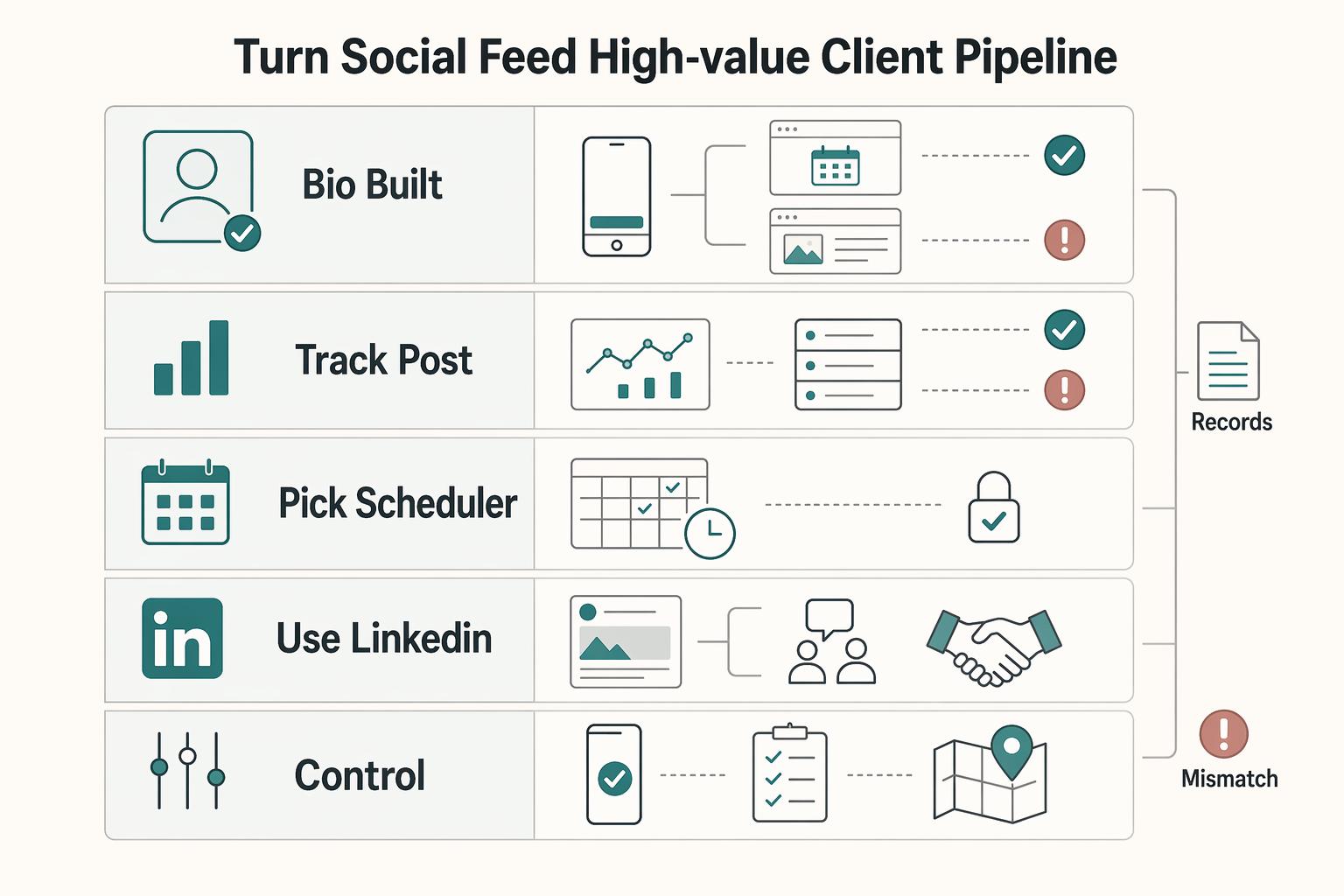
Pillar 2: Turn Your Social Feed into a High-Value Client Pipeline#
Your goal in this pillar is simple: connect social activity to signed work. If you cannot trace attention to an inquiry, a conversation, and revenue, treat it as visibility, not pipeline.
| Practice | Brief description | Key differentiator |
|---|---|---|
| Bio built for buying intent | Build your profile around one audience promise, one primary action, one fallback action, and destinations that match intent. | Keep choice architecture tight and test every bio destination on mobile before you load a reviewed 30-day calendar into your scheduler. |
| Track from post to inquiry to signed work | Run one attribution loop end to end: tagged links on posts and profile links, intake source capture, and a deal log that records whether inquiries became signed work. | Use attribution models for different questions, not as a single truth, and add a notes field for the content or conversation that moved the deal. |
| Pick a scheduler that preserves the trail | Choose for pipeline control, not convenience alone. You need publishing plus routing and enough visibility to connect posts to inbound response. | Run one live path test before committing and verify campaign tags and source data survive to your analytics and intake records. |
| Use LinkedIn as a handoff channel, not a finishing line | Treat LinkedIn as a playbook with three jobs: thought-leadership posts, proof posts, and conversion posts. | Schedule the post, then handle comments, profile visits, and DMs manually while the topic is still warm. |
- Name: Bio built for buying intent
Brief description: Build your profile around one audience promise, one primary action, one fallback action, and destinations that match intent. Send ready buyers to an inquiry or booking page. Send earlier-stage readers to proof-focused pages such as a case-study hub, service explainer, or newsletter signup. Key differentiator: Keep choice architecture tight. Before you load a reviewed 30-day calendar into your scheduler, test every bio destination on mobile and confirm the headline, form, and CTA match the promise in your profile.
- Name: Track from post to inquiry to signed work
Brief description: Run one attribution loop end to end: tagged links on posts and profile links, intake source capture, and a deal log that records whether inquiries became signed work. Use scheduler analytics (engagement, reach, follower growth) as context, not as the outcome. Key differentiator: Use attribution models for different questions, not as a single truth. First-touch shows what introduced the prospect; last-touch shows what happened right before conversion; both can miss middle influence. Add a notes field for the content or conversation that moved the deal, then review those notes alongside source and inquiry data each week.
- Name: Pick a scheduler that preserves the trail
Brief description: Choose for pipeline control, not convenience alone. You need publishing, routing, and enough visibility to connect posts to inbound response. Key differentiator: Run one live path test before committing: publish, click through, submit a test inquiry, and verify campaign tags and source data survive to your analytics and intake records.
| Capability to verify | Why it matters for pipeline | What to check yourself |
|---|---|---|
| Link routing and destination control | Routes ready buyers and earlier-stage readers to different next steps | Whether each post/profile link can point to the right page without manual rework |
| Campaign tagging support | Enables post-level and channel-level attribution | Whether UTM tags (or equivalent) remain intact after publish and click |
| First-comment workflow | Lets you keep the post clean while adding links/context where needed | Whether first-comment publishing is reliable on your active channels |
| Inbound tracking visibility | Connects scheduled distribution to response patterns | Whether performance signals can be reviewed alongside inquiry records |
Fragmentation is the main failure mode here. If signals are split across your scheduler, analytics, inbox, and spreadsheet/CRM, you react late and can miss buying momentum.
- Name: Use LinkedIn as a handoff channel, not a finishing line
Brief description: Treat LinkedIn as a playbook with three jobs: thought-leadership posts (point of view), proof posts (evidence of judgment and outcomes), and conversion posts (clear next step via reply, DM, or click). Key differentiator: The handoff is the work. Schedule the post, then handle comments, profile visits, and DMs manually while the topic is still warm. Keep each post's destination aligned to that specific next step, not a generic homepage.
Use this checklist to confirm Pillar 2 is operational. For related pricing workflow decisions, see Value-Based Pricing: A Freelancer's Guide.
- Profile setup complete: one audience promise, one primary action, one fallback action, and intent-matched destinations.
- Tracking loop active: tagged links, intake source capture, and signed-work logging.
- Content-to-conversation cadence defined: scheduled publishing plus protected manual follow-up on comments and DMs.
- Weekly pipeline review routine in place: review post signals, click paths, inquiry quality, and attribution gaps before changing content mix.
Pillar 3: Protect Your Reputation and Operations Before You Scale#
Protect your reputation and operations before you scale posting volume. In this pillar, treat access control, approval discipline, and audit visibility as core buying criteria, not optional features.
| Practice | Brief description | Key differentiator |
|---|---|---|
| Run the Virtual Assistant Test before you delegate | Confirm someone else can draft and queue content without ever using your native social passwords. | Do one live test with a secondary user on a low-risk channel and confirm they can do only role-allowed actions. |
| Use a pre-purchase verification workflow, not just a feature demo | Prioritize the areas that can damage trust or disrupt operations first: account access, approval flow, client data exposure, and third-party connections. | Run the workflow in order: read privacy terms, enable 2FA, connect a test account, publish a low-risk test post, revoke access, and confirm expected behavior. |
| Use a solo approval routine before every publish batch | Even as a one-person team, split drafting from approval and review in this order: timing, wording risk, client confidentiality, and platform fit. | If a post names a client, confirm permission or remove the identifier. If timing is off, hold the post. |
| Build a brand-voice failsafe for sensitive interactions | Keep documented values and voice plus a reusable response library for common situations. | Escalate to owner immediately for legal risk, billing conflict, account access issues, or confidential client details. |
- Run the Virtual Assistant Test before you delegate.
Can someone else draft and queue content without ever using your native social passwords? If not, delegation is not safe yet.
Access-control checklist:
- Role-based permissions: separate draft, schedule, approve, and publish rights.
- Approval gate: nothing goes live until your review.
- No password sharing: delegation happens through assigned access only.
- Final owner: one clearly named person controls publish authority and account connections.
Key differentiator: Do one live test with a secondary user on a low-risk channel. Confirm they can do only role-allowed actions and cannot reconnect, disconnect, or publish outside your approval step.
| Capability to verify | Why it matters | What to check yourself |
|---|---|---|
| Permissions granularity | Limits what a contractor can change | Whether you can separate draft, schedule, approve, and publish rights |
| Two-factor authentication (2FA) | Adds protection at login | Whether 2FA is available and can be enabled now |
| Audit visibility | Lets you trace edits and publishing actions | Whether you can see who changed, approved, or published a post |
| Post-approval workflow | Keeps final control with the owner | Whether posts stay pending until your review |
| Account connection controls | Reduces unauthorized reconnects | Whether only the owner can add, remove, or refresh social account connections |
- Use a pre-purchase verification workflow, not just a feature demo.
A risk-based review works better than a generic checklist. Prioritize the areas that can damage trust or disrupt operations first: account access, approval flow, client data exposure, and third-party connections.
Use this verification sheet to track unresolved vendor checks:
- Privacy policy review date: not yet verified
- Account access revocation test frequency: not yet verified
- Connection review cadence: not yet verified
- Approval workflow live test result: not yet verified
- Audit visibility live test result: not yet verified
Run the workflow in order: read privacy terms, enable 2FA, connect a test account, publish a low-risk test post, revoke access, and confirm expected behavior.
- Use a solo approval routine before every publish batch.
Even as a one-person team, split drafting from approval. Review in this order: timing, wording risk, client confidentiality, and platform fit.
Key differentiator: If a post names a client, confirm permission or remove the identifier. If timing is off, hold the post. If a link is tagged, click through and verify the UTM and intake attribution still work.
- Build a brand-voice failsafe for sensitive interactions.
Documented values and voice make messaging more consistent under pressure. Keep a reusable response library for common situations: what you do, how you decline unsolicited pitches, how you handle scope or refund complaints, and how you acknowledge criticism without arguing publicly.
Escalation and handoff standard:
- Escalate to owner immediately for legal risk, billing conflict, account access issues, or confidential client details.
- If support is delegated later, require a handoff note with post URL, screenshot, issue summary, proposed reply, and required response time.
For a step-by-step walkthrough, see The Best Keyword Research Tools for SEO Freelancers.
Conclusion: You've Installed Your System. Now Execute with Confidence.#
Your next move is not more feature comparison. Run one real weekly cycle in the tool you chose and confirm that it fits your actual work: your channels, your review step, your reporting, and the way you may delegate later. If it cannot connect your priority accounts, pull historical posts and metrics, and schedule future posts cleanly, it is not the right fit for you.
-
Presence. Publish consistently every week, not in bursts. Plan the next week's posts in one sitting, queue them in your content calendar, and do a final self-review before anything goes live. Key differentiator: steady execution matters more than a bigger feature set.
-
Pipeline. Treat social as a source of inquiries, not just reach. Add UTM-tagged links to your CTA posts and bio, then compare click trends with your site traffic and the "How did you hear about us?" field on your intake form. Key differentiator: reporting only matters if you can connect platform activity to business outcomes you already track.
-
Protection. Keep human oversight in the loop, especially if you use AI help or bring in a VA. If your tool supports secondary users, test a draft/review handoff before publishing, and keep a simple handoff note for sensitive items with the post URL, screenshot, issue summary, and proposed next step. Key differentiator: delegation readiness is proven by review steps you tested yourself.
-
Next-cycle checklist. Set one weekly planning block, queue that week's posts, reserve a recurring engagement block for comments and DMs, and end the week with a short review of posts, clicks, and inquiries. Key differentiator: the tool should fit your process, but the work still needs hands-on review.
Open your current scheduler now, queue next week's first post, add one tracked link, and test one review step before you log off. If you still need to refine the stack around it, read The Best Tools for Managing Your Freelance Social Media Presence.
You might also find this useful: Best Freelance Portfolio Tools for a Website You Can Keep Updating.
Frequently Asked Questions
How do you measure ROI from social as a freelancer?
Treat ROI as pipeline evidence, not likes. Track clicks from your social links and compare those trends with inquiries in your intake process. If a tool cannot give you clean click trends, or your tracking is unreliable, it is weak on Pillar 2.
What security feature matters most if you may delegate later?
Start with approval workflow and permissions, because that is what protects you when another person touches the account. Add a second user on a low-risk channel, have them draft and queue a post, and confirm they cannot publish without your review. If role boundaries are unclear, treat that as a red flag for Pillar 3.
How do you automate without sounding fake?
Automate distribution, not conversation. Scheduling should free time for content creation and real-time engagement, while replies, sensitive comments, and anything ambiguous stay with human review. If you add automation to messages or moderation, set rules and escalation paths first. Then run a short pilot and track response time, accuracy, and escalation rate before expanding it.
Is LinkedIn different enough to justify a separate decision?
Yes, if LinkedIn is your main source of authority and inbound work. Do not buy on broad “all platforms supported” claims alone. Test the exact post formats, draft flow, and approval step you use there. If the tool fits every other channel but makes LinkedIn clumsy, pick the one that protects Pillar 2 on your primary channel.
What is the difference between scheduling and recycling?
Scheduling means publishing a post once at a chosen time. Recycling means reusing evergreen posts on a repeat basis, if the tool supports it. Use recycling only for content that still reflects your current offer, links, and point of view.
Is a free plan enough, or should you pay?
A free plan can be enough while you are building consistency under Pillar 1. Move to paid when a missing feature blocks tracking or risk control, usually analytics visibility, a unified inbox, approval flow, or permission controls. If you want a hard upgrade rule in your own checklist, use your own verified trigger rather than copying a generic follower-count rule.
Can a VA help with scheduling without creating risk?
Yes, but only if you keep role separation intact. Give your assistant draft access, keep final approval with you, and use approval steps for sensitive items. If the tool cannot clearly separate drafting from publishing permissions, it fails Pillar 3.
Try a related tool
Researched and edited by the Gruv editorial team. Gruv builds cross-border billing, payouts, and finance-operations software for global businesses.
Sources
Includes 7 external sources outside the trusted-domain allowlist.
- govinfo.gov/content/pkg/CRECB-2001-pt9/html/CRECB-2001-p...trusted
- blabla.ai/blog/social-manager-toolsexternal
- buffer.com/resources/social-media-scheduling-toolsexternal
- demandbase.com/blog/best-ai-gtm-orchestration-toolsexternal
- diggrowth.com/blogs/marketing-attribution/future-trends-in...external
- enji.co/small-business-marketing-questions/best-soci...external
- fame.so/post/best-b2b-marketing-channelsexternal
- gruv.ai/blog/the-best-social-media-scheduling-tools-...external
Educational content only. Not legal, tax, or financial advice.
Related Posts

Value-Based Pricing for Freelancers Under Real Payment Risk
Value-based pricing works when you and the client can name the business result before kickoff and agree on how progress will be judged. If that link is weak, use a tighter model first. This is not about defending one pricing philosophy over another. It is about avoiding surprises by keeping pricing, scope, delivery, and payment aligned from day one.
The Best Tools for Managing Your Freelance Social Media Presence
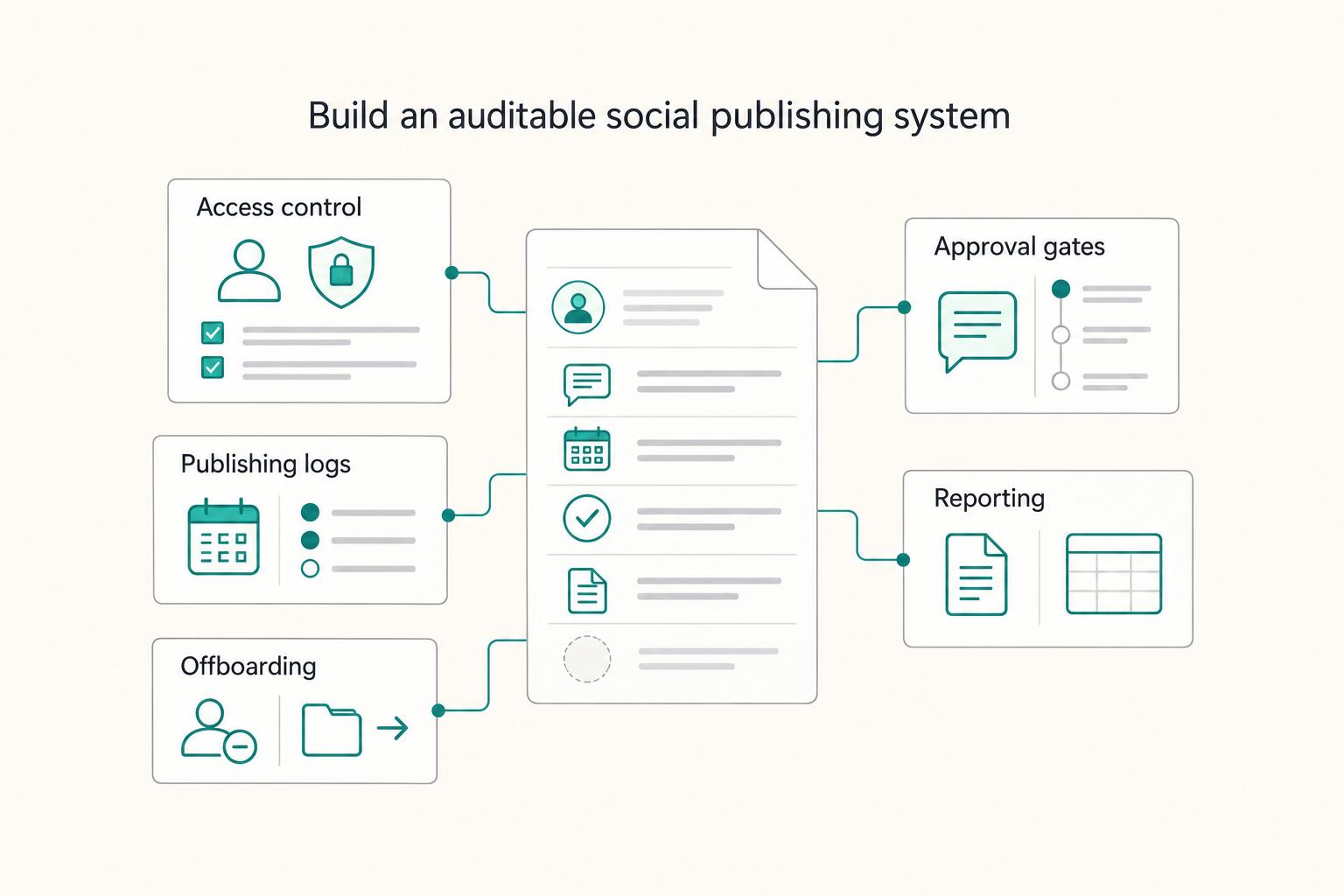
**If you freelance in social, you need a system that protects access, clarifies approvals, and leaves clean records-not just a tool that "schedules posts."** You're the CEO of a business of one, and your delivery has to hold up under client scrutiny. Treat social media management like delivery operations. Build repeatable steps, document decisions, and keep exportable proof you can hand to a client-or keep for your own files.

Best Corporate Debit Cards for Global Spending in Small Teams
Pick the card setup you can still operate on a bad cashflow week, not the one with the best marketing page. If you can fund it, monitor it, and close the books cleanly when client payments are late, you have the right starting point.