
Quick Answer
Build a primary-plus-backup system, then add fault controls before departure. For satellite internet for sailors, use maritime broadband for daily client work and a lower-bandwidth satcom path for continuity if the main link drops. Confirm your exact plan family, hardware fit, and route permissions in writing, especially offshore rules tied to Ocean Mode. Treat the setup as business continuity infrastructure, not a convenience upgrade.
The Three Layers of an Offshore Connectivity Setup#
If your income depends on being reachable, treat connectivity as an operating decision, not a comfort upgrade. The practical setup offshore has three layers: a primary link for productivity, a backup for continuity, and a resilience layer that keeps one failure from taking everything down.
| Service or class | Intended role | Stated detail |
|---|---|---|
| Starlink Global Priority | Primary maritime broadband for productivity | Starlink says it is "best for maritime and global connectivity"; global land and ocean coverage; in-motion use where available; support up to 100 mph (160 km/h) in authorized locations; tier labels shown: 50GB, 500GB, 1TB, 2TB |
| Iridium Certus 100 | Backup continuity tool | Listed at up to 88 Kbps and supports two high-quality voice lines |
| Inmarsat FleetBroadband | Backup continuity tool | Described as a cost-efficient backup to higher-speed services, with global availability except the extreme polar regions |
- Primary link for productivity
Your primary link should carry a normal paid workday: calls, cloud apps, file delivery, and routine collaboration. In 2026, that usually means comparing maritime broadband options. Do not expect a backup satcom class to do office duty. Starlink says Global Priority is "best for maritime and global connectivity," with global land and ocean coverage and in-motion use where available, including support up to 100 mph (160 km/h) in authorized locations. Current tier labels shown on Starlink maritime pages include Global Priority 50GB, 500GB, 1TB, and 2TB.
What matters most is not the headline figure. It's the exact plan name, tier, hardware variant, and coverage note shown in your account. Keep throughput expectations, included data, hardware assumptions, and coverage map notes marked as pending until you confirm them on the live product page. One failure mode is buying the smallest tier because it looks affordable, then finding out your "normal day" includes video calls and uploads that burn through it.
When this fails, what still works: Your business should still be able to send messages, receive instructions, pull small weather updates, and deliver a short client status note over the backup link. Video, large sync jobs, and nonessential uploads should stop immediately.
- Backup link for continuity
Your backup does not need to feel fast. It needs to keep the business alive when the main path drops, the primary account is misconfigured, or the coverage and plan rules no longer match where you are. This is where backup satcom classes fit. Iridium Certus 100 and Inmarsat FleetBroadband are continuity tools, not substitutes for maritime broadband.
The published numbers make that separation clear. Iridium Certus 100 is listed at up to 88 Kbps and supports two high-quality voice lines. Inmarsat describes FleetBroadband as a cost-efficient layer that acts as the backup to its higher-speed services, with global availability except the extreme polar regions. Iridium also states its L-band network is more weather-resilient than the frequencies used by most GEO approaches. That makes these services credible for essential email, small attachments, voice, and weather, but not for heavy video or large cloud transfers.
When this fails, what still works: If the backup is down too, your communications plan has to fall back to prewritten contact methods, stored documents, and safety equipment. Keep business communications separate from distress expectations. If your vessel has GMDSS equipment, Inmarsat says that should be the priority method for calling for help.
- Resilience layer for fault containment
This layer keeps one bad event from taking down everything at once. You are containing faults: power dips, a frozen router, a bad reboot order, or background sync that quietly eats your backup allowance. Keep the satcom terminal, router, and essential onboard networking on protected power, and keep a one-page connectivity record with account names, login path, hardware labels, SIM or terminal identifiers, and the restart sequence.
There is also a plan-rule trap to watch for. If you are tempted to treat Roam Unlimited as an offshore primary, note the rule set. Starlink says Roam Unlimited users can opt in and pay for Ocean Mode beyond 12 nautical miles from land. It also references a 5 consecutive days / 60 days a year cap without that extension. Do not assume plan families are interchangeable offshore.
| Task type | Preferred link | Failover behavior | What to pause |
|---|---|---|---|
| Client calls | Primary maritime broadband | Drop to audio or message-only on backup | Video, screen share |
| Email and team chat | Primary maritime broadband | Keep text and essential attachments moving | Large attachments, background sync |
| File delivery | Primary maritime broadband | Send only critical small files on backup | Media uploads, cloud backup |
| Weather and routing data | Either, depending on size | Keep small pulls available on backup | General browsing, updates |
Before you leave the dock, make these four actions explicit:
- Verify the exact plan terms, especially Global Priority tiers or Ocean Mode rules that apply to your route.
- Log hardware and account details in a one-page connectivity record.
- Test switchover from primary to backup while underway, not just at anchor.
- Brief crew on the restart sequence so they know what to reboot, in what order, and what services should return first.
Related: How to Find Reliable Wi-Fi Anywhere in the World.
The Offshore Investment: Calculating TCO and ROI#
Treat this as a business continuity investment, not a hardware shopping list. Your budget should cover full lifecycle cost (TCO), then test whether that spend is justified by avoided downtime risk.
| Step | Main focus | Grounded detail |
|---|---|---|
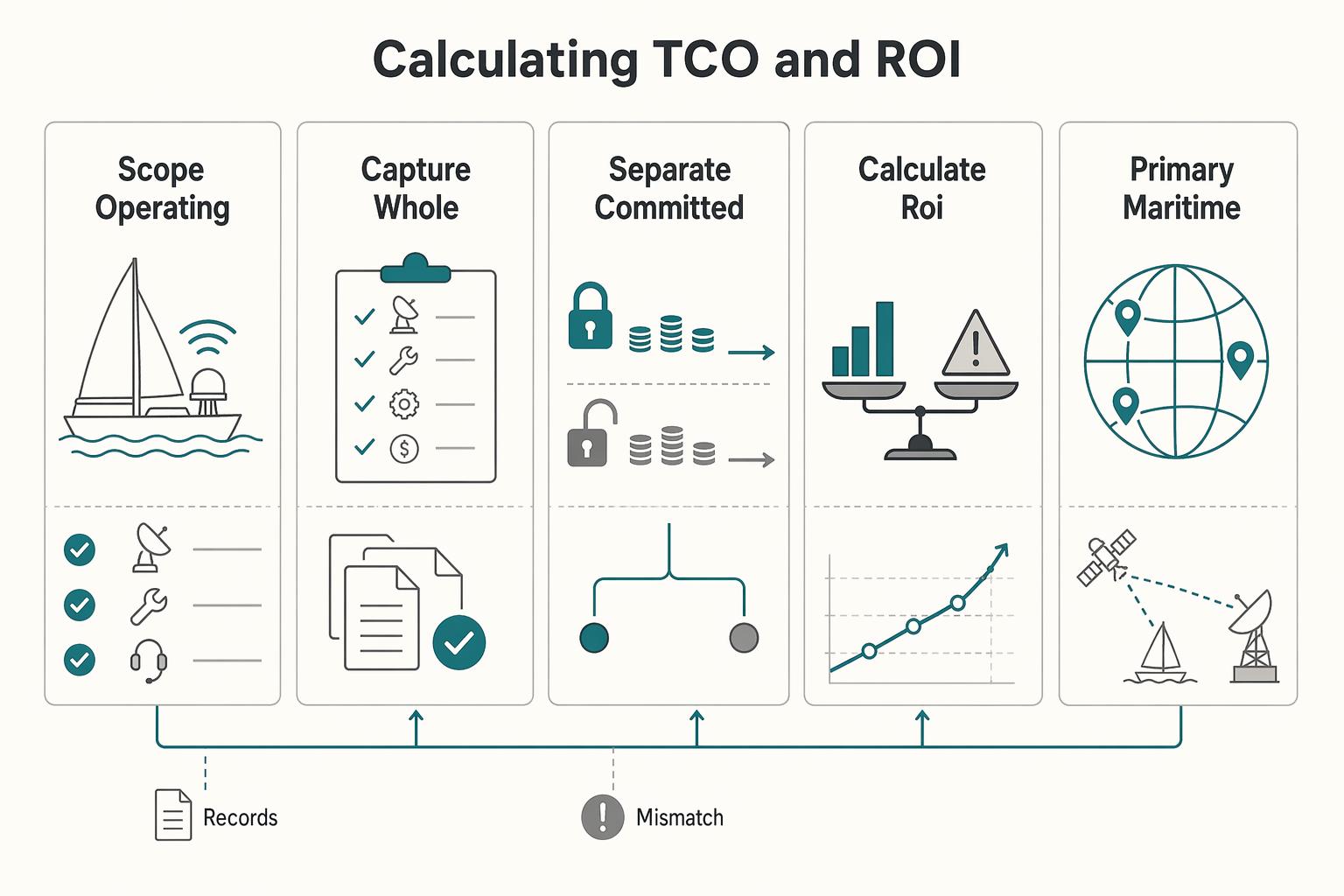
| Scope your operating profile | Match route and usage first | Define route, time offshore, call load, and transfer habits; Roam is described for coastal/inland waters, while frequent or extended ocean travel is directed to Maritime and Ocean Mode |
| Capture the whole stack | Budget beyond airtime | Include primary, backup, onboard network/security, installation, maintenance, and spares |
| Separate committed costs from assumptions | Treat fixed commitments as fixed | A 12-month service commitment can constrain plan-change flexibility, and a mid-commitment change can trigger a $325 fee |
| Calculate ROI from avoided downtime | Use your own interruption values | Fill in 1 lost day revenue, 3 lost days revenue, missed-delivery or churn impact, and annual connectivity stack cost |
| Cost bucket | Upfront cost | Recurring cost | Failure impact | Verification status |
|---|---|---|---|---|
| Primary maritime broadband | Starlink Maritime hardware starts at $1,999 | Published tiers include $250 /mo, $650 /mo, $1,150 /mo, $2,150 /mo | Core workday is disrupted; after Priority Data allotment is exhausted, stated speeds drop to up to 1 Mbps down / 0.5 Mbps up | Current plan price pending provider/account verification; confirm live availability and offers for your account and route |
| Backup satcom | Device, installation, and activation costs pending provider/account verification | Standby or low-use plan price pending provider/account verification | Essential email/voice/small weather pulls may continue; heavy workflows stop | Confirm provider coverage, support path, and role as continuity backup |
| Onboard network and security | Router, protected power, cabling, VPN, and spares costs pending inventory/vendor verification | Renewal and subscription costs pending vendor/account verification | Failover can fail even when satellite service is available | Verify hardware inventory, power path, and restart order |
| Install, maintenance, and replacement | Labor, mount, inspection, and spare-part costs pending installer/provider verification | Planned maintenance costs pending installer/provider verification | Outages can extend if parts or technicians are not available on route | Verify replacement path in your cruising region before approval |
Use this sequence before you approve spend:
- Scope your operating profile
Define your route, time offshore, call load, and transfer habits. Route fit comes first: Roam is described for coastal/inland waters, while frequent or extended ocean travel is directed to Maritime and Ocean Mode.
- Capture the whole stack
Budget for primary, backup, onboard network/security, installation, maintenance, and spares. Airtime is only one part of interruption risk.
- Separate committed costs from assumptions
If you select a 12-month service commitment, treat it as fixed. Plan-change flexibility can be constrained, and a mid-commitment change can trigger a $325 fee.
- Calculate ROI from avoided downtime
Use your own numbers, not generic averages: 1 lost day revenue = $___ 3 lost days revenue = $___ Missed-delivery or churn impact = $___ Annual connectivity stack cost = $___ If a single policy/account interruption, equipment failure, or connectivity outage could cost more than your annual stack, choose the more supportable option over the cheapest one.
Before purchase, run a final operational check: route fit, supportability, replacement path, contract flexibility, and documentation hygiene (saved plan page, legal terms, support contact path, quote date).
You might also find this useful: A Guide to Sailing Around the World as a Digital Nomad.
The Compliance Question: Is Using 'Starlink Roam' Offshore a Risk to Your Business?#
Yes, it can be a business risk. If your route and use case are not explicitly supported in writing, treat the setup as non-compliant until you verify it.
The issue is not that Roam can never work offshore. The problem is that offshore use is conditional, location-dependent, and subject to change. Starlink support states Ocean Mode is required beyond 12 nautical miles from land, use outside an authorized territory may be suspended, and some Roam conditions include limits like 5 consecutive days / 60 days per year in certain waters.
| Option | Eligibility lens | Support path and contract certainty | Evidence to keep |
|---|---|---|---|
| Roam without verified ocean add-on | Do not assume offshore fit; route, territory, and local rules must match current terms. | Lowest certainty for business-critical use. | Current plan page, support reply, account screenshots, verification date |
| Roam with Ocean Mode | Required beyond 12 nautical miles; still verify authorized territory and market-specific limits. | Better than assumptions, but still term-sensitive and distinct from Global Priority. | Ocean Mode confirmation, route notes, and current plan term pending account/provider verification |
| Starlink Maritime on Global Priority | Starlink defines ocean maritime use under Global Priority plans. | Higher contract certainty; published SLA language is tied to Local Priority or Global Priority plans. | Quote, plan terms, service commitment details, and current plan term pending provider/account verification |
A workable compliance flow#
| Compliance check | What to verify | What to keep |
|---|---|---|
| Service terms | Your exact route, offshore distance, and travel pattern are allowed under your plan | Provider reply, exact plan page, verification date |
| Hardware and warranty | Your hardware is supported for your use case, including in-motion/offshore use where relevant | Serial numbers, purchase records, mount photos, installer notes |
| Insurer acceptance | Your vessel details, installed equipment, and intended route are accepted in writing | Written acceptance |
| Fallback channels | Your outage playbook is documented by channel and purpose; mobile app tooling does not replace marine VHF, and 406 MHz EPIRBs are independent of internet connectivity | Documented outage playbook |
- Verify service terms in writing
Ask whether your exact route, offshore distance, and travel pattern are allowed under your plan. Save the provider reply, exact plan page, and verification date in one folder. Terms can change, and some terms include a 12-month commitment and a cited $325 change fee.
- Verify hardware and warranty fit
Confirm your hardware is supported for your use case, including in-motion/offshore use where relevant. Starlink notes some units contain motors and are not designed for in-motion use, and in-motion damage may void warranty. Keep serial numbers, purchase records, mount photos, and installer notes.
- Verify insurer acceptance in writing
Send your vessel details, installed equipment, and intended route, then request written acceptance. Insurance wording can treat incomplete or incorrect risk statements as grounds to withdraw coverage. If confirmation is verbal only, treat it as unresolved.
- Define non-internet fallback channels
Document your outage playbook by channel and purpose. U.S. Coast Guard guidance says mobile app tooling does not replace marine VHF, and 406 MHz EPIRBs are distress channels independent of internet connectivity.
Pre-departure checklist#
- Provider confirmation saved (PDF or email thread) with route and offshore use stated
- Current plan terms saved offline, including Ocean Mode/Priority, commitment, and fee language
- Hardware file complete: serials, install photos, mount details, warranty notes
- Insurer acceptance saved in writing and matched to vessel, route, and equipment
- Fallback comms playbook assigned to an onboard owner, with each channel's purpose defined
Start with written proof, then move to hardware, insurance, and fallback channels. If you want a deeper dive, read Value-Based Pricing: A Freelancer's Guide.
From Connected Sailor to Sovereign Professional#
Before departure, use this as an operator standard: you are ready only when all three layers pass. Your primary link fits your route and power reality, your backup is independent and tested, and your outage response is documented so no one has to improvise.
- Foundation
Your primary link should match your actual route and workload, then pass a power-budget check on your vessel. Verify current plan terms for your route, including any condition tied to 12 nautical miles and Ocean Mode for international waters, and confirm your kit's current power profile before final installation. Some kits are listed around Average 75 to 100W; Idle 20W, while others are Average 110 to 150W; Idle 45W.
- Redundancy
A backup counts only if it is independent and proven in a real failover drill. If your primary drops, you should still complete minimum continuity tasks (messaging, weather, and client updates) on a separate path. A portable option such as Iridium GO! exec can fill that role, but test it underway, not only at anchor.
- Resilience
Do not design for perfect uptime; design for controlled outages. Provider terms state uninterrupted use is not guaranteed, so keep offline copies of current plan terms and maintain a written outage checklist that can be executed onboard. Also, do not treat cellular or app calling as a replacement for marine VHF distress capability.
| Layer | Readiness signal | Failure consequence | What to verify now |
|---|---|---|---|
| Foundation | Primary link supports your route and workload within vessel power limits | Work stops because coverage or power was assumed | Current plan terms, route fit, sky view, and power requirements pending provider/hardware verification |
| Redundancy | Backup path is independent and you have completed a real failover test | A single link failure becomes a business outage | Backup device, battery state, failover test notes, and minimum continuity tasks |
| Resilience | Outage response is documented and someone owns recurring checks | Confusion, delayed client updates, and avoidable downtime | Offline document pack, outage communication playbook, and assigned review owner |
Before you cast off, complete this handoff: documented plan terms, a tested failover routine, an outage communication playbook, and one named owner for ongoing checks.
For a step-by-step walkthrough, see How to Get Reliable Internet for Van Life.
Frequently Asked Questions
What setup is right for your work on a boat?
Start with the job, not the brand. If you need daily calls, uploads, and cloud work, use a higher-bandwidth primary link and keep a separate backup for messaging, weather, and continuity. If your work is mostly email and updates, coverage and reliability matter more than headline speed. Write down your heaviest weekly task, your normal route, and your backup channel before comparing plans.
Can you rely on a consumer or roaming plan offshore?
Not by assumption. If your business depends on it, get written confirmation that your route, offshore distance, and use while underway are currently supported, especially if the provider applies different conditions offshore. Save the current plan page, support reply, and account screenshots offline with the date checked.
Should you choose a higher-bandwidth service, or a basic satcom option?
Choose by data-usage profile. Some services are built for heavy use, while others are better for weather updates and messaging. Those are not interchangeable jobs. Decide whether your primary need is video and file transfer or continuity and safety updates, then match the category to that need.
What performance should you expect?
Expect variation, not guarantees. Speeds and latency vary by provider, and distance from shore is a core technical constraint. Even reported figures like 400 Mbps or more are ideal-condition ceilings, not promises. Test a real video call, a file upload, and a weather download at anchor and underway before you trust the link for client work.
Is a portable device enough?
Usually only for lighter work or backup. Portable gear can be easier to fit onboard in some setups, but it still needs an unobstructed sky view, and a blocked antenna position can cause connection drops. Verify the mounting spot, power source, and whether the provider supports your actual operating pattern before calling it your primary link.
What should you verify before installation?
Verify five things in writing or with onboard testing: route coverage, plan eligibility, hardware supportability, sky-view placement, and failover communications. The document pack matters almost as much as the hardware. Keep the plan terms, provider reply, serial numbers, mount photos, and a one-page outage procedure in one folder.
Researched and edited by the Gruv editorial team. Gruv builds cross-border billing, payouts, and finance-operations software for global businesses.
Sources
Includes 3 external sources outside the trusted-domain allowlist.
Educational content only. Not legal, tax, or financial advice.
Related Posts

Value-Based Pricing for Freelancers Under Real Payment Risk
Value-based pricing works when you and the client can name the business result before kickoff and agree on how progress will be judged. If that link is weak, use a tighter model first. This is not about defending one pricing philosophy over another. It is about avoiding surprises by keeping pricing, scope, delivery, and payment aligned from day one.

How to Find Reliable Wi-Fi Anywhere in the World
Reliable internet for work is an operating decision, not a speed-test hobby. You do not need the biggest headline plan. You need a connection that keeps a video call stable, finishes a cloud upload without stalling, and lets your collaboration app stay connected when the day gets busy.
Sailing Around the World as a Digital Nomad Without Breaking Your Workflow
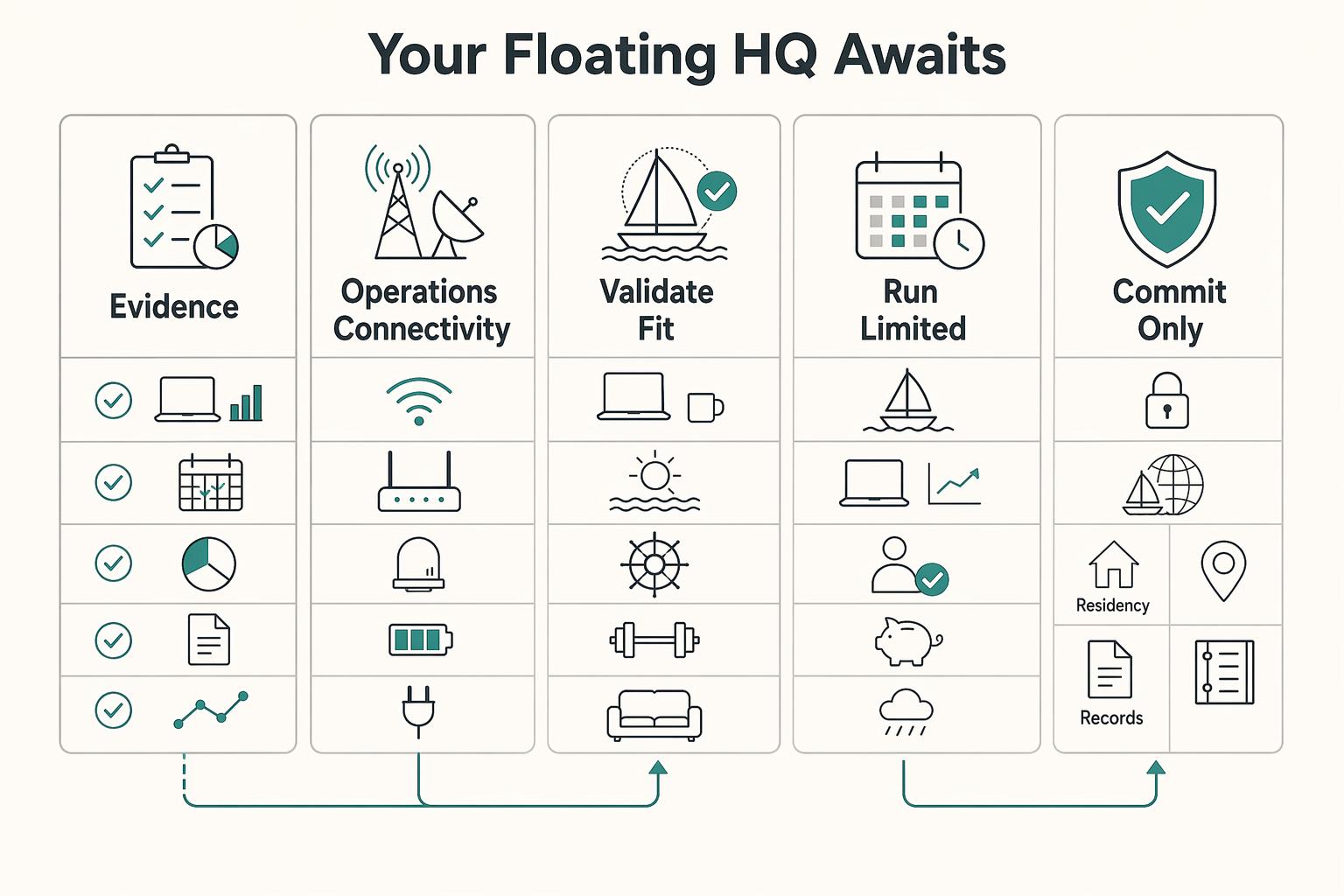
A floating HQ may make sense only if you treat it as an operating change, not a reward for wanting more freedom. You are not just changing where you work. You are taking on more of the continuity burden yourself, with more autonomy on one side and more logistics and disruption exposure on the other.