
Quick Answer
Choose the best render farm services by running one live-like scene and scoring providers against efficiency, control, or security. Compare true operating cost, not headline pricing, by including admin tax from setup, reruns, and troubleshooting. Then pick the model that fits your ownership needs: managed SaaS for lower technical overhead or IaaS for tighter environment control. Before signing off, verify queue behavior, license responsibility, and support response quality in writing so your decision reflects actual delivery performance.
Compare Render Farm Services on Time, Control, and Client Risk#
If you are comparing render farm services, do not treat this like a routine software purchase. For a solo operator, the right choice protects your time, preserves control where it matters, and lowers the odds of a client-facing failure. Three filters matter most:
- Time efficiency
Start with hours saved, not sticker price. This is not a new idea: by February 28, 2011, high-end film rendering was already being discussed in cloud terms. Treat that as a historical signal, not proof of current-market performance. What matters is practical speed to delivery, including setup, retries, and how much of your day disappears into babysitting renders.
- Workflow control
Some jobs are simple handoffs. Others get harder if you cannot shape the environment around them. A useful historical anchor is Tractor 1.0, described as a new distributed processing solution and released in April 2010. The real question is not raw power alone. It is how much control you need before a farm is worth the admin overhead.
- Client-risk protection
Generic recommendations can break down on unusual projects. Research identified a documented failure mode, the cold start problem. The thesis page shows April 2023 metadata, while the excerpted front matter also shows April 2017, so the exact timing is unclear from this evidence alone. If your project, client, or delivery terms are atypical, you need stronger validation than a ranking list can give you.
Your business-of-one reality is straightforward:
- You handle ops when a render stalls.
- You answer the client when delivery slips.
- You absorb the cost of missed deadlines.
- You own incident response and re-delivery.
So use a three-step filter before any trial: define the project type, identify the failure cost, then choose the service model to test. Before you spend real money, run a proof of concept on an actual scene and save the evidence pack: input files, settings, output frames, logs, and timestamps. If the cheapest option demands extra troubleshooting, it may still be the lower-return choice. From there, the decision gets more concrete: price the real cost, choose the service model, then pressure-test the risk. If you want a deeper dive, read Value-Based Pricing: A Freelancer's Guide.
Beyond the Price Tag: Calculating Your Render Farm's True Cost#
Start by comparing total operating cost, not list price. For each vendor, score four layers first: cash cost, time cost, risk cost, and delivery impact.
| Pricing model | Article detail | Normalization step |
|---|---|---|
| GHz-hour | 1 GHz-hour is one gigahertz running for one hour; 44 cores at 2.20 GHz is about 96.8 GHz/hour | Convert each quote into the cost to render the same test scene |
| Node-hour | Prices may be shown as node-hour | Convert each quote into the cost to render the same test scene |
| Per-frame | Prices may be shown as per-frame | Convert each quote into the cost to render the same test scene |
| Renderer-specific units | Prices may be shown as renderer-specific units | Convert each quote into the cost to render the same test scene |
- Cash cost
Normalize billing units before you compare quotes. The source material describes 4 pricing models in use, and prices may be shown as GHz-hour, node-hour, per-frame, or renderer-specific units, so direct price-page comparisons are misleading. Convert each quote into the cost to render the same test scene. For CPU context, 1 GHz-hour is one gigahertz running for one hour, and 44 cores at 2.20 GHz is about 96.8 GHz/hour.
- Time cost
Turn admin work into a project cost. Set your billable hourly value, then log non-billable tasks during a real test: scene prep, upload, version checks, failed renders, re-uploads, support messages, downloads, and reruns. Admin tax = non-billable farm hours x your hourly value This is where low headline pricing can break down, especially when version mismatches trigger missing textures, broken shaders, or failed frames.
- Risk cost
Verify risk controls directly instead of assuming them. Check current security posture, support responsiveness, incident handling, and client-facing compliance signals using provider documentation or direct confirmation. If anything is unclear, mark it verification required and treat that uncertainty as part of cost.
- Delivery impact
Measure throughput across the full workflow: upload, scene checking, rendering, and final delivery. Queue delays, reruns, and slow support can extend revision cycles and push your next project start window. Ask yourself: if this job slips, what work misses its start date?
Use this worksheet for each vendor trial:
| Cost layer | What you record or verify | Vendor A | Vendor B | Vendor C |
|---|---|---|---|---|
| Cash cost | Billing model, test-scene cost, trial credit, normalized price unit | [fill in] | [fill in] | [fill in] |
| Time cost | Non-billable hours x hourly value (admin tax) | [fill in] | [fill in] | [fill in] |
| Risk cost | Security posture, support channels, incident process, compliance signals (current/verified) | [fill in] | [fill in] | [fill in] |
| Delivery impact | Queue delay, reruns, revision turnaround, next-project start risk | [fill in] | [fill in] | [fill in] |
If a vendor offers trial credit, use it on a live-like scene, not a toy file. One provider example in the material is $50 trial credits. Use that test to validate software and renderer support, plugin/version alignment, and how support responds when something fails. You might also find this useful: How to Price a 3D Animation Project.
The Core Strategic Choice: SaaS vs. IaaS#
Pick your default path by ownership, then verify details before you commit. Treat SaaS and IaaS as vendor labels, not proof of capability, and confirm exactly what each provider includes today.
Start with ownership, not marketing terms#
Use this quick rule:
| Signal | Start with | Note |
|---|---|---|
| Pipeline is simple and you want less operational work | The model that appears to offload more setup and maintenance | Verify details before you commit |
| Delivery depends on exact installs or custom steps | The model that appears to give more environment control | Verify details before you commit |
| You cannot verify the boundary in writing | Mark it as verification required | Treat that gap as risk |
- Start with the model that appears to offload more setup and maintenance if your pipeline is simple and you want less operational work.
- Start with the model that appears to give more environment control if your delivery depends on exact installs or custom steps.
- If you cannot verify the boundary in writing, mark it as
verification requiredand treat that gap as risk.
Verify the operating details that affect delivery#
| Factor to verify | Questions to ask before a trial | What to record |
|---|---|---|
| Pipeline complexity fit | Which parts of your current pipeline are handled by the provider vs. by you? | Clear split of responsibilities |
| Plugin/version dependency | What exact versions are supported now, and what is the verification date? | Version list + date + proof |
| Internal technical capacity | What tasks require your direct technical ownership during setup and reruns? | Required skills + estimated time |
| Setup/maintenance overhead tolerance | What recurring setup, checks, and rework should you expect per project? | Step list + admin time estimate |
| License handling model | Which licenses are included, and which must you provide or manage? | Written license boundary |
| Support scope | What help is included when jobs fail, and where does support stop? | Support boundary in writing |
| Performance predictability | What pre-submit signals can you check for capacity or queue conditions? | What was visible during your test |
| Failure recovery ownership | After a failed batch, who acts first and what recovery actions exist? | Recovery sequence + owner |
Quick self-diagnosis flow#
- Default to one model first, based on whether you want less ownership or more control.
- Pressure-test that default with one live-like scene and log setup time, first failure, fix time, and who intervened.
- Switch models only when your test shows a repeatable mismatch between your workflow and the verified operating boundary.
Keep the link between model choice and risk explicit in your notes.
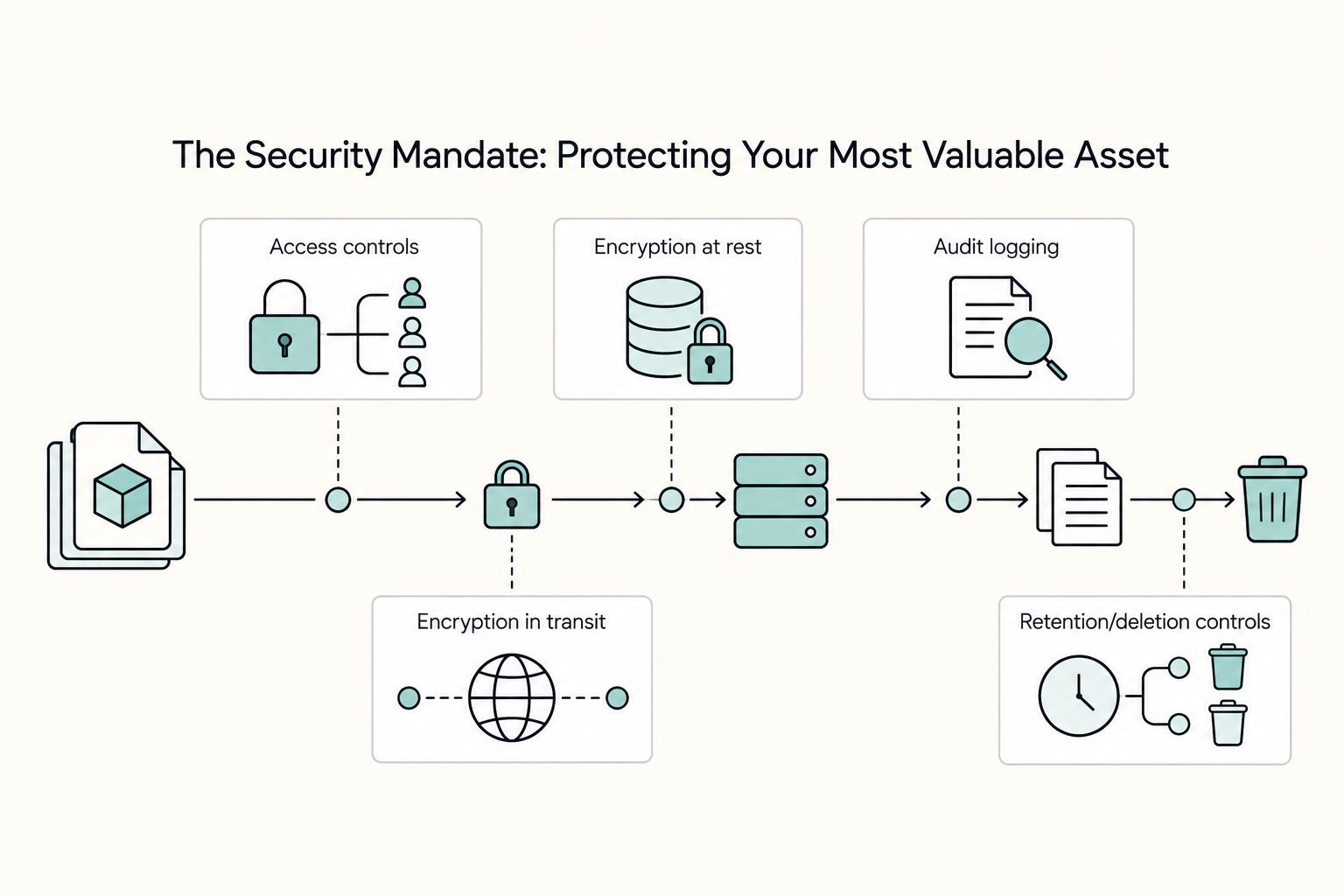
The Security Mandate: Protecting Your Most Valuable Asset#
Security is a delivery requirement, not a bonus, because trust, continuity, and reputation are all on the line when you upload client assets.
| Check | What to confirm | Evidence to keep |
|---|---|---|
| Access controls | How access to jobs and outputs is controlled | Dated answers, screenshots, or policy links |
| Encryption at rest | Written answer plus evidence you can review | Policy text or product screenshots |
| Encryption in transit | Written answer plus evidence you can review | Policy text or product screenshots |
| Audit logging | Written answer plus evidence you can review | Policy text or admin-view details |
| Retention/deletion controls | Written answer plus evidence you can review | Policy text or admin-view details |
| Incident-response ownership | Who owns incident response and how incident-related updates are communicated | Dated answers and notes from your live test |
| Data location | Where workloads run, where backups live, and how region choice is enforced | Dated answers or policy links |
| Related data movement | Whether logs, cache files, temp files, and exports can move outside [country/region to confirm] | Dated answers or policy links |
- Treat security as part of project delivery
If your work includes unreleased or confidential files, ask security questions before the first upload, not after a problem. You need plain-language answers on how access to jobs and outputs is controlled.
- Use TPN as a lead, not proof
If a provider references TPN, treat it as a signal to investigate, not a decision shortcut. Confirm current status from current documentation or written confirmation, record what you verified, and note the date checked.
- Request a written control checklist
Get direct answers for: access controls, encryption at rest, encryption in transit, audit logging, retention/deletion controls, and incident-response ownership. Ask for evidence you can review, for example policy text, product screenshots, or admin-view details, not only verbal assurances.
- Clarify data location and region handling up front
If your contract or policy limits processing to [country/region to confirm], ask these buyer questions: where workloads run, where backups live, and how region choice is enforced. Also ask whether logs, cache files, temp files, and exports can move outside [country/region to confirm].
- Evaluate support as part of risk control
During failures, support quality affects deadline risk. Ask for the escalation path, who owns first response, and how incident-related updates are communicated so you know whether you will be coordinating under pressure.
When comparing providers, keep a simple evidence file per vendor: dated answers, screenshots, policy links, and notes from your live test. That record is more useful than a feature page when the project is sensitive and the timeline is tight. Related: A Motion Designer's Guide to Licensing Music and Sound Effects.
The Decision Matrix: Find Your Professional Archetype#
Do not start by ranking vendors. Start by naming the failure you most need to avoid as a business of one: wasted time, lost control, or avoidable client risk. Once that is clear, the service model usually follows.
| Archetype | Primary priority | Non-negotiables | Tradeoffs | Best-fit service model |
|---|---|---|---|---|
| Efficiency Operator | Time saved and lower admin tax | Simple job submission, reliable plugin integration, responsive human support | Less freedom for unusual app versions, custom scripts, or niche setups | Managed SaaS render farm |
| Control Architect | Pipeline flexibility and technical ownership | Full environment access, custom installs, version control on your side | More setup work, more troubleshooting, more responsibility when jobs fail | IaaS dedicated remote server |
| Security Specialist | Risk reduction for sensitive client work | Written security answers, verified status, clear data handling and incident ownership | Narrower shortlist, more verification before first upload | Security-focused managed provider with current status confirmed in writing |
The Efficiency Operator#
Choose this path if your main goal is to reduce friction, not chase the lowest compute rate. A managed SaaS model is usually the best starting point when you want to maximize creative time and minimize technical overhead.
You are likely this archetype if:
- You mostly work with common software and plugin combinations.
- You care more about predictable delivery than custom infrastructure control.
- You do not want to spend project hours on render-side troubleshooting.
Why this works: lowering admin tax improves total cost of ownership, even when sticker price is not the lowest. Validate fit with a real-project trial credit run and check workflow, plugin behavior, and human support responsiveness under deadline pressure.
Example match after verification: a managed SaaS farm that demonstrates clean DCC submission, stable plugin handling, and responsive support during a live test.
The Control Architect#
Choose this path when your pipeline is part of your deliverable. If you depend on custom scripts, specific builds, or uncommon plugin stacks, control comes before convenience.
You are likely this archetype if:
- Your scenes are sensitive to version drift.
- You need admin-level environment access.
- You prefer configuring infrastructure yourself instead of using a fixed setup.
Why this works: IaaS gives you direct control over custom software pipelines, which preserves flexibility, but it also makes you responsible for setup and failure recovery. Test fit by reproducing your full local stack on a trial machine before committing. iRender is one optional example to verify because it markets Blender support for Cycles, Eevee, Luxcore, Redshift, and Octane, and lists 2/4/6/8 x RTX 4090 packages; treat this as a vendor claim until your exact version/plugin/install needs are confirmed.
The Security Specialist#
Choose this path when confidentiality is part of delivery. If exposure risk would damage client trust, risk reduction is your first filter.
You are likely this archetype if:
- Clients expect formal security review.
- Your agreements limit where project data can be processed or stored.
- A single leak would cost more than any render invoice.
Why this works: security-focused providers can reduce IP-risk exposure and better align with security-conscious client work, but only if you verify claims in writing. Use the five-point control checklist (access controls, encryption at rest, encryption in transit, audit logging, retention/deletion), confirm where workloads and related data live, and verify current status details before upload if TPN is part of your screen.
Example match after verification: a managed provider that can document current security status and answer the five-point checklist clearly.
Conclusion: Choose a Strategic Partner, Not Just a Tool#
Your final choice should come from evidence, not a pricing page. Use the same lens from the rest of this guide, then keep only the provider that proved itself in your trial on Efficiency, Control, or Security.
- Efficiency
Choose the farm that fit your real job from upload through scene checking to final frame delivery, not the one with the loudest speed claim. In practice, reliability is often the bigger cost driver: failed renders, re-uploads, queue delays, and manual fixes eat time fast. The differentiator is dependable first-pass completion, even if the listed rate is slightly higher.
- Control
If your work depends on exact software, renderer, and plugin versions, only keep providers that matched your setup without forcing changes. This is where small mismatches become expensive, because even slight version differences can cause missing textures, broken shaders, or failed frames. The differentiator is clear written ownership for installs, updates, and plugin handling in your workflow, plus explicit confirmation of licensing terms before you commit.
- Security
Pick the option whose file handling and access model is clearly documented and verifiable during your trial. You do not need grand claims here. You need a service that fits the sensitivity of the work you actually deliver and the expectations your clients will ask you to meet. The differentiator is security fit you can verify during onboarding and project handling, not vague reassurance.
Now take the practical next step. Shortlist two or three providers, run one real project on each, and compare the results in your matrix: workflow fit, support quality, and the licensing/security requirements you asked each provider to confirm. If support is slow or generic when something breaks, treat that as real risk. Fast, knowledgeable help can save a deadline. Then commit to one primary provider and one backup. That is how you choose with operational confidence, not hope.
Frequently Asked Questions
Are CPU or GPU render farms better?
Start with your project requirements and software compatibility, not the hardware menu. Verify that the farm supports your software and version, then look at disclosed hardware such as NVIDIA RTX 5090 with 32GB VRAM or a Dual Intel Xeon E5-2699 V4 node. Jobs may start immediately if nodes are free or enter a queue state if they are not, and speed claims will vary with hardware, task complexity, and software.
Can I use my own software licenses on a render farm?
Treat this as a SaaS versus IaaS control question first, and a licensing question second. In IaaS-style rented cloud access, you are given direct control of the remote server. Across both models, confirm in writing what software support is included, how much user access control you get, and who handles installs, plugins, updates, and license compliance for your setup.
Do render farms offer free trials?
If a trial is available, the value is in the test method, not the word "free." Run one real scene. Check five things: whether submission goes straight to render or sits in queue state, whether project packaging catches all assets, whether texture paths need rematching, whether finished frames arrive in the expected cloud shared folder, and whether support gives you a useful answer when something does not work well on the farm. If that test fails on a small job, do not assume the provider will behave better on your deadline job.
Try a related tool
Researched and edited by the Gruv editorial team. Gruv builds cross-border billing, payouts, and finance-operations software for global businesses.
Sources
- acus.gov/sites/default/files/documents/1985-02%20Pt.2...trusted
- agr.illinois.gov/content/dam/soi/en/web/agr/events/event-docu...trusted
- capitol.tn.gov/Archives/Joint/committees/fiscal-review/cont...trusted
- comptroller.texas.gov/taxes/property-tax/docs/96-1717.pdftrusted
- cs.jhu.edu/~kevinduh/a/multitarget-tedtalks/t/en-de/tok...trusted
- energy.ca.gov/sites/default/files/2019-12/Water_CCCA4-CNRA...trusted
- gao.gov/assets/ced-80-97.pdftrusted
- law.stanford.edu/wp-content/uploads/sites/default/files/publi...trusted
Educational content only. Not legal, tax, or financial advice.
Related Posts

Value-Based Pricing for Freelancers Under Real Payment Risk
Value-based pricing works when you and the client can name the business result before kickoff and agree on how progress will be judged. If that link is weak, use a tighter model first. This is not about defending one pricing philosophy over another. It is about avoiding surprises by keeping pricing, scope, delivery, and payment aligned from day one.
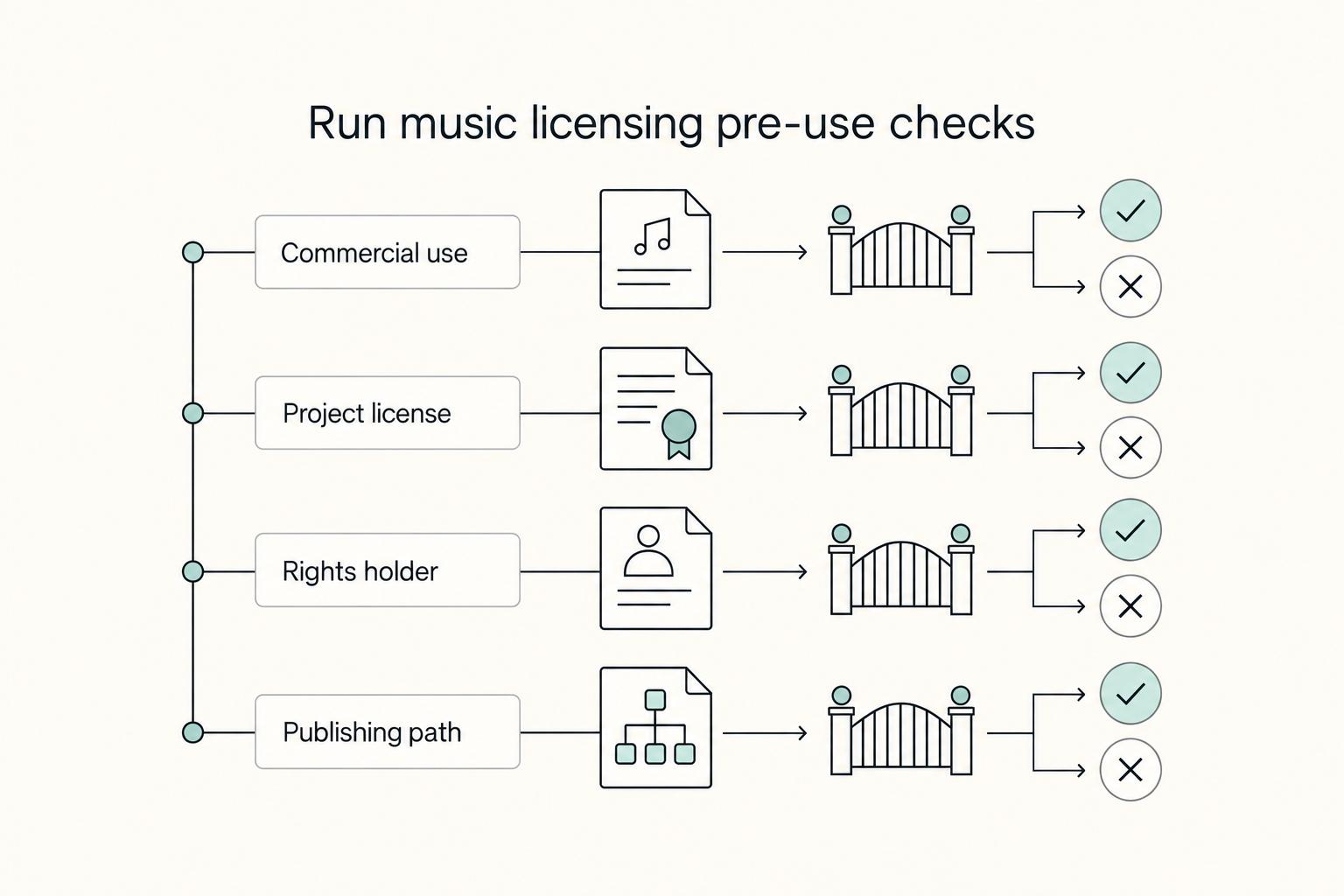
A Motion Designer's Guide to Licensing Music and Sound Effects
When you pick music or SFX for client work, you are making a rights and delivery decision as much as a creative one. In motion design, a strong track is unusable if you cannot show permission for that exact asset in that exact project.
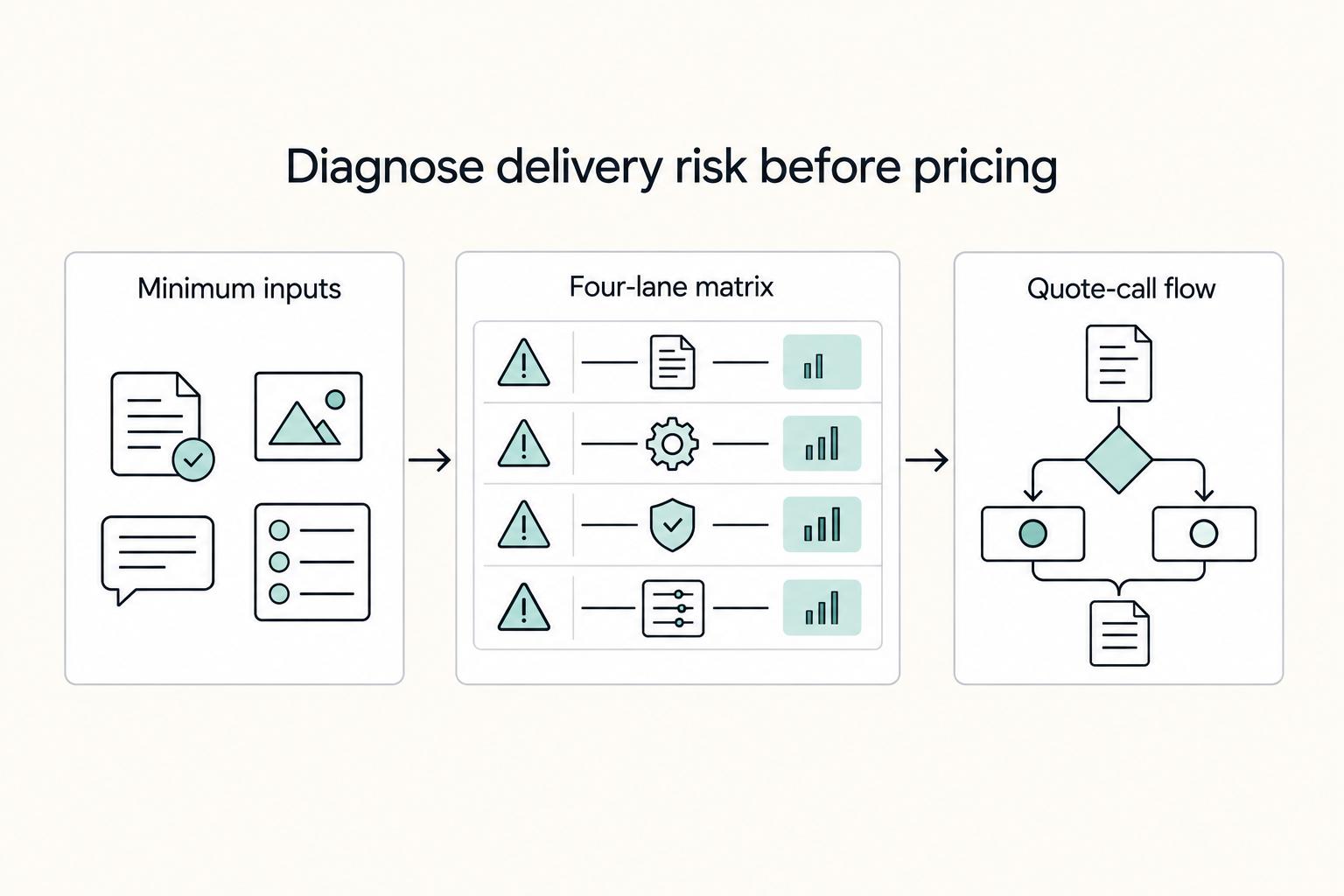
How to Price a 3D Animation Project
If you want to price 3D animation work without hurting your cashflow, stop treating duration as your main unit of value. A per-second rate can help as a rough reference, but it often underprices the parts that actually create risk: complex deliverables, broad usage rights, heavy revision exposure, and weak payment terms.