

Quick Answer
Start with receipt capture in your existing accounting workflow. For standalone capture, Expensify offers free unlimited personal SmartScan without a workspace; Zoho's US Free plan includes 20 Autoscans per user per month. Wave receipt scanning is paid, and Dext's UK document plan has a separate line-item allowance. Test your real receipts and an export package before choosing.
What a receipt scanner needs to preserve#
For a freelancer, a receipt scanner is useful when it turns a photo or emailed receipt into an expense you can check, match to your books, and retrieve later. The six options below serve different setups: existing accounting software, free personal capture, low-volume expense tracking, and paid document processing. Choose on those needs rather than an unsupported accuracy ranking.
| Requirement | What it needs | Article example |
|---|---|---|
| Substantiation | Keep records that show who was paid, how much, when, and what the expense was for, with proof of payment where needed | For travel, gift, and car expenses covered by IRS Publication 463, documentary evidence is generally needed; the under-$75 exception excludes lodging, and a separate exception covers transportation when a receipt is not readily available. |
| Tax and currency context | A clean total on its own can be incomplete | OCR can extract merchant, date, tax, and total, but reporting may still require the receipt image and fields that preserve VAT details and original currency |
| Retrievable storage | Reproduce legible records and retrieve them through an index | UK self-employed income records generally need at least five years after the relevant 31 January submission deadline; Canadian records generally need six years from the end of the last tax year they relate to. Exceptions can extend these periods. |
A receipt becomes useful evidence when the image is legible and the core transaction details are present. You also need tax and currency context, plus a file you can retrieve later through indexed storage. One image is not always enough. Some expenses need a combination of supporting documents to substantiate every element.
In practice, that breaks down into three parts:
- Substantiation: Keep the merchant, date, amount, business purpose, and payment support. IRS Publication 463 addresses travel, gift, and car expenses: lodging generally needs documentary evidence even below $75; other covered expenses below $75 and transportation with unavailable receipts have exceptions. This is not a universal rule allowing every expense below $75 to go undocumented.
- Tax and currency context: A clean total on its own can be incomplete. OCR can extract merchant, date, tax, and total, but reporting may still require the receipt image and fields that preserve VAT details and original currency.
- Retrievable storage: Keep records for your applicable retention period and be able to reproduce them. UK self-employed income records generally need at least five years after the relevant 31 January submission deadline. Canadian records generally need six years from the end of the last tax year they relate to, with longer periods for some records and circumstances.
Keep that standard in view: capture the evidence accurately, store it so it remains usable, and make retrieval practical when records are reviewed. From there, you can judge receipt scanners by what actually matters: evidence quality, storage defensibility, and how well the tool fits the way you work.
A clear image alone does not establish that an expense is deductible. Keep the business-purpose note and any invoice, payment evidence, or other supporting document the transaction needs.
Three Layers to Verify Before You Compare Products#
Test capture, retrieval, and posting separately. A scanner that needs occasional manual correction can still work well; one that loses source images or cannot support your required records needs a different storage process or a different product.
| Layer | What to verify | Risk if weak |
|---|---|---|
| Layer 1 capture you can trust | Core fields land in editable fields, the original image is preserved, repeated uploads are visible, unclear reads are easy to review, and logging is fast enough to create a timestamped record immediately | Every downstream step inherits bad data |
| Layer 2 storage you can defend | Data protection language is explicit, permissions are clear, retention and deletion controls are usable, exports are complete enough to reproduce records later, and portability language is clear | A tool that traps data or exports partial records creates risk later |
| Layer 3 operational fit without losing control | Integrations reduce re-entry, categorization stays consistent, uncertain items can be held for review, a review step is available, and exception handling is practical | Mistakes become harder to spot and errors can disappear into the books |
Layer 1 capture you can trust#
This is the first real filter. If capture quality is unreliable or corrections are painful, every downstream step inherits bad data. Run a short trial with the receipts you actually create, then verify field by field:
- Core fields land in editable fields, not buried in notes: merchant, date, total, and any tax details you need.
- The original image is preserved even after you correct extracted fields.
- You can spot repeated uploads before repeated claims slip through.
- Unclear reads are visible and easy to review before posting.
- Logging is fast enough that you can create a timestamped record immediately, then refine categories later.
Use an illustrative 20-receipt trial: include a faded receipt, a foreign-currency receipt, a PDF invoice, an emailed receipt, a multi-line purchase, and one duplicate upload. Record how many fields need correction and the minutes spent reviewing them. That gives you a comparison based on your own documents rather than vendor claims about accuracy.
Layer 2 storage you can defend#
Check documentation and settings, then perform an export. Verify who can access the records, where they are stored, what happens after cancellation, and whether you can retrieve them without an active subscription:
- Data protection language is explicit, not vague marketing copy.
- Permissions are clear about who can view, edit, or delete records.
- Retention and deletion controls are usable for your process.
- Exports are complete enough to reproduce records later: image, extracted fields, and timestamps, with your edits or notes where available.
- Portability language is clear about moving your data out when needed.
A CSV may contain amounts and categories without the receipt images. Export or download those separately if necessary, retaining a stable receipt identifier or file reference that links each image to the expense row. Open the package outside the app and locate a sample receipt before treating it as a backup.
Layer 3 operational fit without losing control#
Automation should remove repetitive steps, not your checkpoints. If a tool makes posting faster but makes mistakes harder to spot, it is not helping. Use this checklist to test the operating fit:
- Integrations reduce re-entry instead of creating a second manual pass.
- Categorization stays consistent for repeat merchants.
- Uncertain items can be held for review instead of auto-posted blindly.
- You can run an approval or review step, even if that is just a solo weekly check.
- Exception handling is practical: missing fields, unreadable merchants, suspected duplicates, or amount mismatches are easy to isolate and fix.
For example, uploading a receipt should not create a second expense if the purchase is already in an imported bank feed. Match the receipt to that transaction where the software supports it, then confirm that both the amount and source document are attached to the same expense.
Minimum viable standard#
Before you compare products in detail, use a simple pass or fail screen:
- Require legible original images and a way to correct important extracted fields; an occasional OCR error is a review task, not automatic disqualification.
- Confirm access, storage, retention, and cancellation terms for your account and region.
- Require a workable export package that links images to expense data, even if it takes more than one export.
- Keep uncertain amounts, suspected duplicates, and tax-code exceptions out of automatic posting until reviewed.
If a product lacks part of this process, calculate the manual work or separate archive it would require. Choose it only if that workaround is practical and meets your recordkeeping needs.
Related: The Best Expense Tracking Apps for Freelancers.
Six receipt scanner apps and where each fits#
These are plan details checked on 5 October 2026, not a hands-on ranking. Prices below deliberately identify their currency and market; taxes, billing terms, and regional availability can change. Check the linked vendor page before subscribing.
| App | Useful starting point | Published cost or limit | Check before choosing |
|---|---|---|---|
| QuickBooks Online | Receipt capture inside existing QuickBooks books | Requires your applicable QuickBooks subscription; do not buy a separate scanner before testing the included workflow | Review extracted data, assign the account, and match an existing transaction to avoid duplicate expenses |
| Hubdoc | Document capture and storage linked to Xero or QuickBooks | Standalone US pricing: USD12/month after a 30-day trial; verify whether your regional Xero plan already includes it | Confirm accounting connection, source-document retrieval, and exports |
| Expensify | Free personal receipt capture without a workspace | Unlimited personal SmartScan and web CSV export are free; a workspace changes the plan and feature rules | Paid features include workspace categories, tags, reimbursements, and accounting integrations; CSV is not an image archive |
| Zoho Expense | Low-volume capture with an expense workflow | US Free plan: up to three users and 20 Autoscans per user/month | Free scanning quota may be too small; line-item Autoscan is a paid-plan feature |
| Dext | Paid document processing alongside accounting software | UK base offer: GBP290 billed annually, equivalent to GBP24.17/month excluding VAT; 250 documents/month and five users | The displayed included line-item allowance is five documents, not all 250; additional extraction can cost extra |
| Wave | Receipt capture for a freelancer already using Wave | US Receipts: USD8/month or USD72/year per business; included in Pro | Scanning is paid, even though other Wave functions may be free; test review and record retrieval |
QuickBooks Online and Hubdoc: start with your existing books#
If you already use QuickBooks Online, try its receipt workflow before paying for another app. Intuit's receipt instructions describe extraction followed by review, correction, account assignment, or matching to an existing transaction. That matching step matters when the bank feed already contains the purchase.
Test a receipt with a separate tax amount and one purchase already in your books. Check that the workflow preserves the original image and produces one correctly coded expense. A convenient accounting connection is valuable only if you can still find and correct an extraction mistake.
Hubdoc's standalone US plan costs USD12 a month after its 30-day trial and supports capture from mobile, desktop, and email, with Xero and QuickBooks synchronization. If you use Xero, first check whether Hubdoc is included in your particular regional plan. Confirm what is published to accounting and how you will retrieve the source document later.
Choose an accounting-linked workflow when it reduces duplicate entry and gives you a usable review queue. Do not assume that being integrated makes its OCR more accurate than another product.
Expensify and Dext: different reasons to use a separate app#
Expensify is worth testing for personal capture without a paid workspace. Dext is a paid document-processing choice for a business that needs its accounting connection and document allowance. They belong on a shortlist for different reasons; neither has been established here as the most accurate scanner.
Expensify's free features include unlimited personal SmartScan without a workspace, receipt forwarding, and CSV export from the web app. Workspace categories, tags, reimbursements, and accounting integrations are paid features. Do not assume the free personal account includes those workflows.
For a new Collect workspace, Expensify's current pricing rules list USD5 per unique member per month on pay-per-use; older workspaces can have legacy rules. Compare the cost of the workflow you need, not just the availability of free scanning. Test the separate image archive alongside the CSV export.
Dext's UK pricing shows 250 documents per month and five users for GBP290 billed annually, excluding VAT. The displayed included allowance for line-item extraction is five documents; additional line-item processing is an add-on or pay-as-you-go charge. If you need item-level coding on most receipts, include that cost in your comparison instead of assuming every document has it.
Zoho Expense and Wave: check the free and paid boundaries#
Zoho Expense's US Free plan supports up to three users with 20 Autoscans per user per month. Its plan comparison lists 38+ scan languages and places line-item Autoscan in paid plans. A freelancer with 15 receipts a month may fit the free scanning allowance; one with 60 needs another plan or more manual entry.
Wave's US Receipts plan costs USD8 monthly or USD72 annually per business, with scanning also included in Pro. Canadian prices differ. Use it as a candidate if your books already live in Wave, but include the receipt subscription in your budget rather than describing scanning as free.
Neither a scan quota nor a paid subscription establishes recordkeeping compliance. In Canada, CRA imaging guidance requires imaging that meets the applicable standard; if the images do not meet it, retain the paper originals. Do not shred receipts merely because an app has uploaded them. Canada's record-location rules also need attention if you rely solely on foreign-hosted cloud storage.
How to shortlist fast#
Shortlist by your current setup: QuickBooks capture or Hubdoc if your accountant already uses that workflow; Expensify for free personal scanning; Zoho for low-volume expenses within its free quota; Wave for paid capture inside Wave; or Dext when its document processing and accounting handoff justify the cost. Run the same trial receipts through two candidates. Compare corrections, review time, full export retrieval, and annual cost including extraction add-ons.
For a currency test, suppose a receipt shows EUR100 before tax, EUR20 VAT, and EUR120 total. At an illustrative USD1.10 per EUR rate, those become USD110, USD22, and USD132. Preserve the original EUR figures, rate, rate date, and source alongside the converted entry. Correct arithmetic does not establish that the EUR20 VAT is recoverable; registration, invoice, use, and jurisdiction rules are separate.
Using receipts to support a travel timeline#
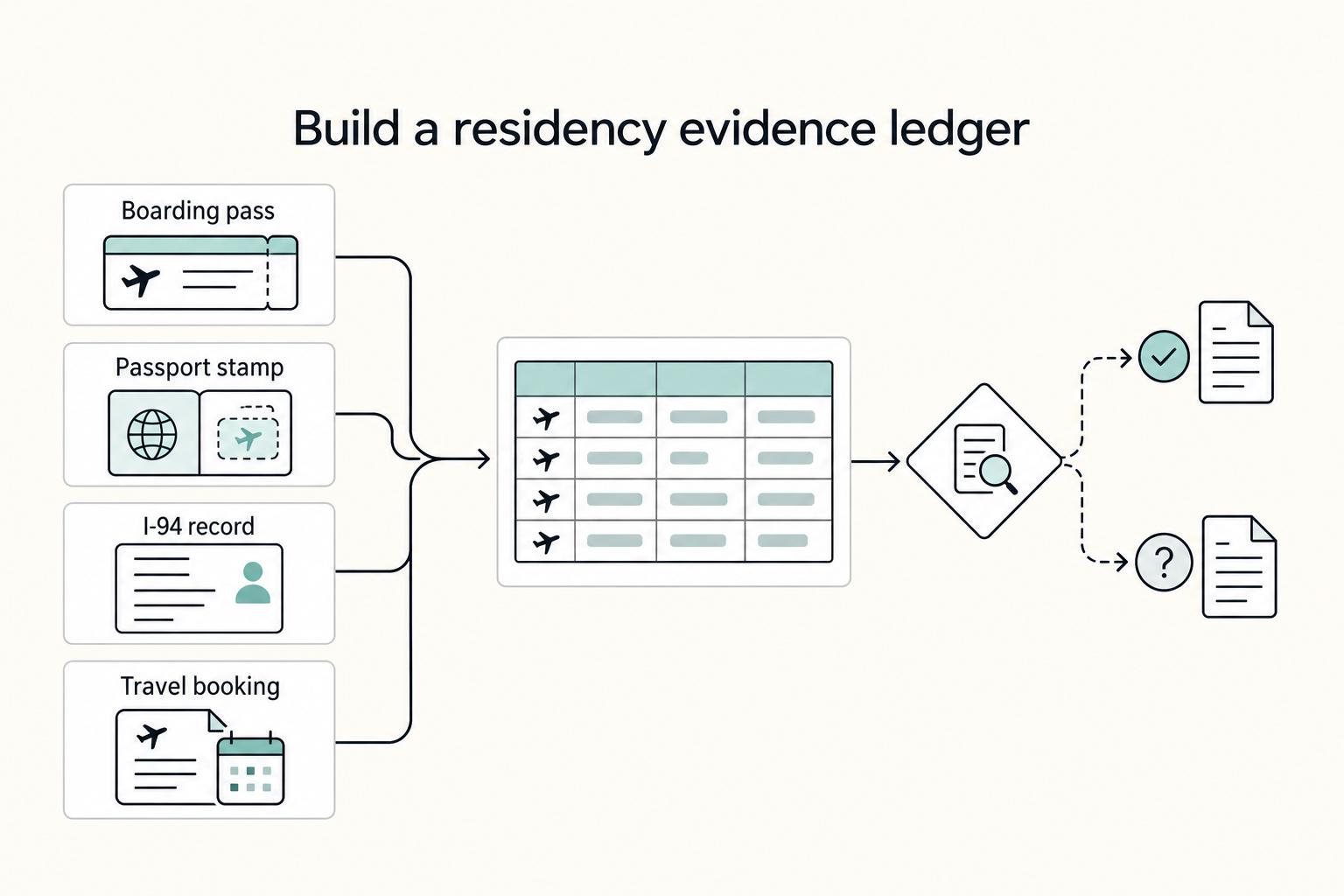
A receipt can corroborate a travel record, but a merchant's address or transaction timestamp does not by itself establish your physical presence or tax residency. An online purchase, delayed posting, or purchase by someone else can make that inference wrong. Keep travel dates and primary supporting records separately.
| Practice | What to do | Why it helps |
|---|---|---|
| Timeline support | Focus on records with clear dates and transaction details, then check them for consistency over time | Consistency matters more than sheer volume |
| Contemporaneous capture | Capture receipts immediately as digital images, then confirm that key details are legible and complete | This reduces loss, fading, and manual-entry errors |
| Tagging method | Use a consistent tag such as Travel Evidence for receipts that can corroborate a known journey; if tags require a paid plan, use your own index. | Keep categories consistent so exports stay easy to review, and store records in searchable cloud storage so files are easier to find later |
| Evidence-quality guardrails | Review tagged records on a recurring schedule for image clarity, complete information, and category consistency | Avoid treating a purchase location as proof of presence; resolve discrepancies against travel records. |
For example, a hotel receipt may help corroborate a stay recorded in your travel log. A purchase from a foreign online store may say nothing about where you were. Note what each record actually supports rather than counting every transaction as a day in that country.
Capture timing matters. A contemporaneous record is created at the time, or very close to it, rather than rebuilt later from memory. Capture receipts immediately as digital images, then confirm that key details are legible and complete. That reduces loss, fading, and manual-entry errors before they become record-quality problems.
Use a simple label such as Travel Evidence, or maintain a receipt index if your plan does not include tagging. Link only relevant records to the corresponding trip and keep the dates, source images, and your explanation together.
Review tagged records for legibility and conflicting dates. Residency rules differ by jurisdiction and may consider factors beyond day counts; this scanning process supplies supporting records, not a residency determination.
Keep the travel log separate from expense categories so that a useful timeline record is not mistaken for a deductible business expense.
The tax residency tracker can help organize your timeline alongside the receipt index. Its output and the receipt tags still need to be assessed under the applicable residency rules.
Choose a scanner you can use and retrieve records from#
Choose one tool after a real receipt trial and export test. Capture promptly, review before posting, and keep a separate usable archive. A free scanner with a sound manual review process may suit you better than a paid plan whose extra automation you rarely use.
The 3-Layer Framework is a practical checklist when kept simple:
- Layer 1: Capture discipline - This keeps intake consistent across your channels, whether that is
photo,email, orupload. Focus on repeatable input, not feature count. If you keep correcting the same fields by hand, tighten this layer first. - Layer 2: Evidence retention - This is about traceability: keep the original image, the transaction link, and a reliable export outside the app. Search helps, but traceability is what keeps records usable later.
- Layer 3: Operational control - This keeps review points in place before transactions flow into the books. Rules and automation are helpful only when exceptions stay visible and easy to fix.
Keep the routine proportionate: prompt capture, a weekly exception review, and periodic export checks. Add travel tags only when they help maintain a real timeline, and keep the primary travel records separately.
Do three things now: choose your tool, define your capture rules, and set a recurring review checkpoint. In each review, sample a few records and confirm that the image, core fields, transaction link, and export still hold up. You might also find this useful: What is a 'Digital Shoebox' and How to Organize It for Tax Time.
Receipt scanning addresses expenses. For the invoicing and payment side of your freelance work, review Gruv for freelancers.
Frequently Asked Questions
Which tool should you choose?
Try your existing QuickBooks or Xero document workflow first if it meets your needs. For standalone personal scanning, Expensify's free account is a useful starting point; Zoho's US Free plan fits up to 20 Autoscans per user a month. Wave scanning is paid, while Dext suits a paid document-processing workflow. Compare two candidates using the same receipts and an export test before committing.
How should you handle multi-currency receipts?
Do not assume every app handles multi-currency equally. Treat multi-currency as a field-structure test, not just an image-capture test. Verify that the app captures currency, vendor, amount, date, and tax as fields, then make sure your process uses one consistent conversion method. For cleaner audit trails, keep the original image tied to the converted entry and document where your exchange rate came from.
Are these apps secure enough for sensitive business data?
Do not assume security from branding alone. Verify the controls in your account and in the vendor documentation. Check access permissions, confirm who can view or edit receipts, and test that you can export your records if you change tools. In your own process, keep a simple periodic access-review note so permission changes are documented.
Should you use the scanner built into your accounting software, or a dedicated tool?
Start with the built-in scanner when it handles your real process cleanly, and move to a dedicated tool when recurring errors or manual steps start piling up. Built-in scanning is common in broader expense, AP, and accounting platforms, so the right choice depends on where your current process breaks.
What is the difference between OCR and data extraction?
OCR gives you readable text. Structured extraction gives you usable accounting fields. For a compliance-focused process, you need reliable field extraction for vendor, amount, date, tax, and currency, including receipts from email bodies and PDF attachments. Validate field-level accuracy with test receipts, not just whether the text is searchable.
How long should you keep digital copies of receipts?
For US income-tax records, the IRS generally uses three years after filing, with longer exceptions including certain underreported income and property records. UK self-employed income records generally need at least five years after the relevant 31 January submission deadline. Canada generally requires six years from the end of the last relevant tax year, with exceptions. These are different clocks, not a universal deletion date. Preserve the source image, transaction link, and usable exports for the period applicable to each record. See the IRS retention guidance for US exceptions.
Can an app really handle VAT or GST from different countries?
Some apps extract a separate tax amount, but extraction does not determine whether VAT or GST is recoverable. Test the tax and currency fields on your receipts, retain the invoice and original figures, and review the relevant jurisdiction's invoice, registration, and business-use conditions before claiming a credit. Document manual corrections.
Try a related tool
Researched and edited by the Gruv editorial team. Gruv builds cross-border billing, payouts, and finance-operations software for global businesses.
Sources
Includes 6 external sources outside the trusted-domain allowlist.
- irs.gov/publications/p463trusted
- irs.gov/businesses/small-businesses-self-employed/ho...trusted
- canada.ca/en/revenue-agency/services/tax/businesses/to...external
- canada.ca/en/revenue-agency/services/tax/businesses/to...external
- dext.com/uk/business/pricingexternal
- gov.uk/self-employed-records/how-long-to-keep-your-...external
- help.expensify.com/articles/new-expensify/getting-started/Free-...external
- help.expensify.com/articles/new-expensify/billing-and-subscript...external
Educational content only. Not legal, tax, or financial advice.
Related Posts

The Best Expense Tracking Apps for Freelancers
Admin drag usually starts small, then eats margin at month-end. Use this as a decision guide, not a popularity roundup: pick one tool quickly, then stick to a weekly routine that keeps records clean.
How to Organize a Digital Shoebox for Tax Time
The goal is simple: one Master Timeline you can trust at a glance. Keep one row per trip, and link each row to proof you can actually retrieve. For each trip, log departure and return dates, jurisdiction or locality, where you were at day-end or midnight when that matters, the trip purpose, and links to the source files. If you cannot answer "Where were you on this date?" quickly from one place, the system is not ready.

The Freelance Payment Penalty: A Modeled Audit of Platform Fees, FX Spreads, and Payout Delays
The money rarely disappears through a single, easy-to-spot fee. The real loss is stacked. A marketplace takes its commission, a processor adds a charge for international cards, a bank or payment company converts the currency at a spread, a platform holds the funds before release, and a wire sheds a little to intermediaries on the way in. Each layer looks defensible on its own, but the worker feels the combined result as a smaller deposit and a later payday.