
Quick Answer
Choose the best portable keyboards by checking three things first: reliability in transit, speed across your device mix, and comfort over long sessions. Start with one-piece construction, USB-C charging, and battery behavior you can verify from current product details. Then test wake, reconnect, and switching in your actual workflow. Finish with a real typing block in low light and small-table conditions so your final pick supports consistent client delivery.
Your Keyboard is Your Lifeline: A Strategic Framework for the Mobile Professional#
If you need a portable keyboard for real travel work, treat it like a business tool, not a nice extra. When a keyboard drops its connection, runs flat, or gets damaged in transit, work slows down or stops. A sleeve or stand is helpful, but your keyboard can still be a single point of failure. This guide uses a simple three-part filter so you can narrow the field before you buy or pack.
| Pillar | What to check | Why it matters |
|---|---|---|
| Uptime & Reliability | Sturdy one-piece design, USB-C charging, battery built for multi-day use | A keyboard that drops its connection, runs flat, or gets damaged in transit can slow or stop work |
| Workflow Velocity | Practical switching between laptop, tablet, and phone | Lets you move between devices without broken momentum |
| Ergonomic Endurance | Key spacing, key feel, long-session comfort, backlighting | Comfort needs to hold up during real work sessions |
- Uptime & Reliability
Start with the basics. Is it a sturdy one-piece design, does it charge over USB-C, and is the battery built for multi-day use? A keyboard that lives in a carry-on deals with pressure, torsion, and impact all the time, so build quality is not cosmetic. The real question is failure risk. Foldable designs add hinge and cable weak points, which matters if you rely on one board every day.
- Workflow Velocity
Check whether it handles practical switching between your laptop, tablet, and phone. The point is not the feature list. It is whether you can move between devices without breaking momentum.
- Ergonomic Endurance
Judge comfort in plain terms: key spacing, key feel, and whether you can type through a long session without strain. Backlighting matters because it supports productivity in different environments. What matters is comfort that still holds up during real work sessions.
That is the lens for the rest of this article. We will go pillar by pillar, then use the same filter on the shortlist so you can make a clean decision.
Pillar 1: Uptime & Reliability#
If you want consistent client delivery while traveling, treat your keyboard as a continuity tool first and a convenience item second. In practice, this is a single-point-of-failure check: if the keyboard fails, can you still complete priority work on your laptop, tablet, or phone the same day?
Use this pre-purchase checklist:
- Price against interruption, not sticker cost.
A lower price is not a win if disconnects or battery issues interrupt real client tasks.
- Test recovery, not just initial pairing.
Before your return window closes, test wake-from-sleep, Bluetooth off/on recovery, and switching across the devices you actually carry. You are checking whether reconnecting feels quick enough to resume work without friction.
- Verify durability signals you can inspect fast.
Check for light chassis twist, corner/deck creak, and key wobble consistency across the board. Travel means repeated pressure, torsion, and impact, so visible rigidity matters more than branding language. If spill or ingress protection is mentioned, confirm the exact wording in the manual or product details. A cover or rigid case also helps protect against bag compression.
- Prioritize charging interoperability and travel readiness.
USB-C is the practical default because it simplifies charging in transit. Confirm you can keep working while plugged in, and verify battery-status visibility in the documentation or support pages. If charging speed matters for short top-ups, verify that before you rely on it.
- Choose foldable vs single-piece by risk tolerance.
Foldables can work for some travelers, but hinges and flexible internal cables add mechanical exposure. A single-piece build is usually the lower-risk default when this is your primary daily work keyboard.
| Factor | Single-piece keyboard | Foldable keyboard | Decision rule |
|---|---|---|---|
| Reliability exposure | Fewer moving parts | More moving/flex points | If this is your primary work board, default to single-piece |
| Repairability confidence | Limited pre-purchase certainty | Limited pre-purchase certainty, plus hinge/cable uncertainty | If parts/service details are unclear, assume replacement risk |
| Typing consistency | Usually more stable feel/layout | May involve layout or feel compromises | If you type for long sessions, favor the rigid option |
| Packability | Compact for most bags | Better for very tight packing constraints | Choose foldable only when size savings materially changes your setup |
Final filter: if a listing is vague about charging port type, battery behavior, and build details, skip it. Reliable choices are usually the ones with clear, verifiable product information.
You might also find this useful: The Best Portable Power Banks for Digital Nomads.
Pillar 2: Workflow Velocity#
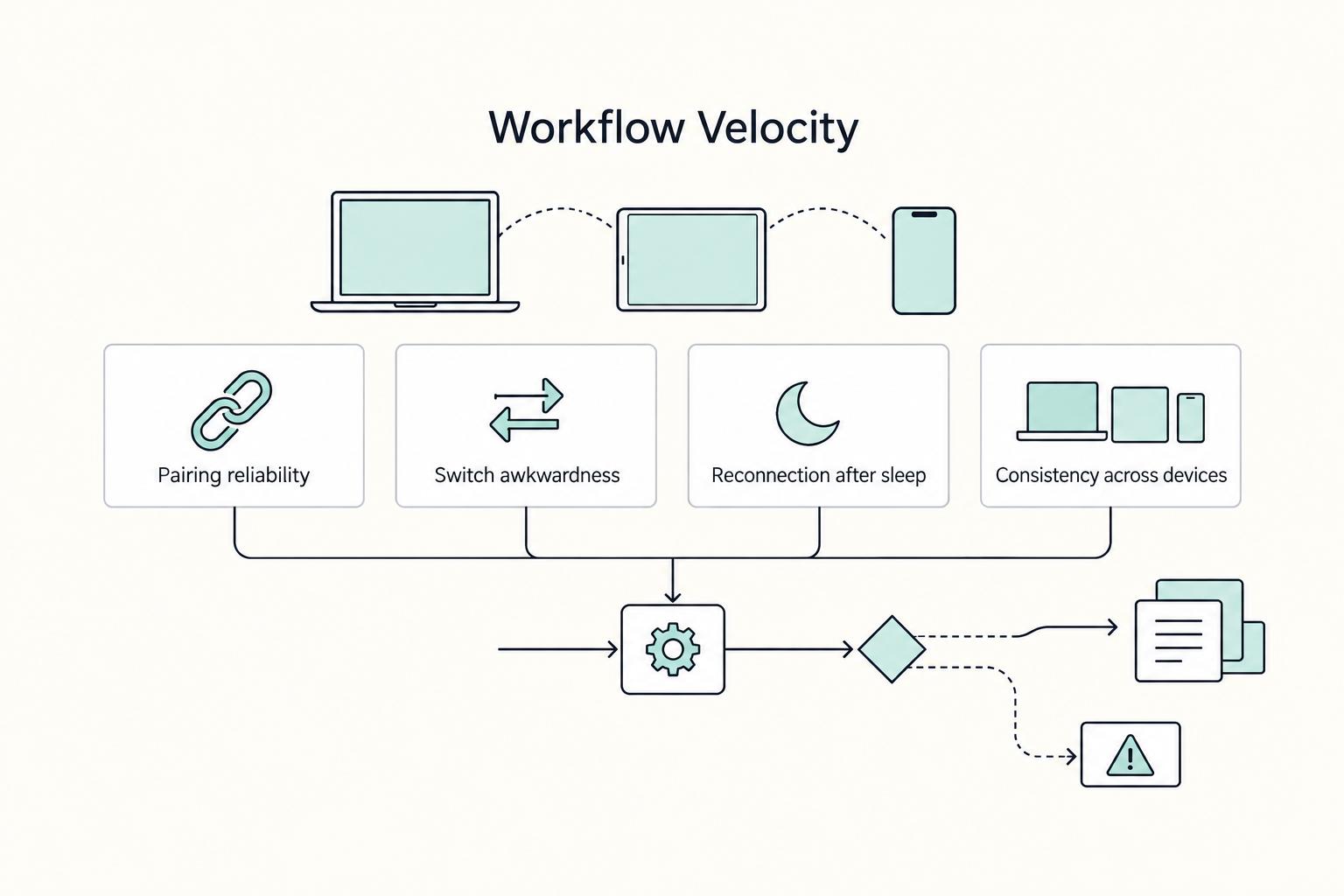
After reliability, your biggest speed gain comes from removing switching friction between devices. In practice, the better keyboard is usually the one that lets you move cleanly between your laptop, tablet, and phone with minimal setup drag.
| Test point | What to look for | Friction sign |
|---|---|---|
| Pairing reliability | Your real sequence works: laptop -> tablet -> phone -> laptop | Re-pairing before a client reply |
| Switch awkwardness | Switching feels routine enough that you stop noticing it | Extra button presses or setup drag |
| Reconnection after sleep | Input resumes cleanly after devices sleep | Missed early keystrokes after reconnect |
| Consistency across devices | Behavior stays stable on laptop, tablet, and phone | Input does not follow to your tablet or resumes inconsistently |
- Make multi-device switching your default decision anchor.
Your admin tax shows up in small delays: re-pairing before a client reply, tapping on-screen because input did not follow to your tablet, or breaking writing flow to answer on your phone. Multi-device switching matters because it turns those devices into one workable system. Judge it by feel: if switching is routine enough that you stop noticing it, it is doing its job.
Before your return window closes, run your real sequence: laptop -> tablet -> phone -> laptop. Check four observable points: pairing reliability, switch awkwardness, reconnection after sleep, and consistency across all three device types. If any step repeatedly stalls, that is daily friction, regardless of the spec sheet.
- Test repeat behavior, not just first-day setup.
Velocity losses usually come from repeated half-failures, not full disconnects. You see it when a device reconnects but misses early keystrokes, needs extra button presses, or resumes inconsistently.
Verify details in the product page, manual, or support docs: device switching behavior, USB-C charging, backlighting, and battery behavior. If "multi-device" is listed without clear switching instructions or sleep-reconnect behavior, treat it as unverified. Also confirm charge-while-typing and clear battery status so low power does not interrupt active work.
- Match features to your setup profile.
| Setup profile | Velocity-critical traits | Features that can reduce steps | What to verify |
|---|---|---|---|
| Single-OS, laptop-first | Consistent layout, reliable wake behavior, multi-day battery life | Backlighting for changing work environments | Charge-while-typing, USB-C, and charging details if fast top-ups matter |
| Mixed-OS kit (laptop + tablet + phone) | Predictable switching across devices, stable key behavior across platforms | Shortcut support that stays usable across your devices | How switching is triggered, reconnection behavior after sleep, consistency across all devices |
| Tablet-heavy workflow | Fast switching, compact footprint for tight spaces | Integrated trackpad or trackball if it replaces a separate mouse | Whether pointer control works in your real apps and reduces setup time |
- Consolidate only when a feature removes a real step.
Integrated pointer control is useful when it lets you stop carrying a separate mouse. Programmable keys or app-level shortcuts are useful when they replace actions you already repeat every session.
Use this quick checklist:
- Keep it if it removes one device from your bag or one repeated setup step. - Be cautious if it depends on extra software, works well on only one device, or adds layers you must remember. - Test whether those controls stay usable on your laptop, tablet, and phone before you treat them as speed features.
If you want a step-by-step walkthrough, see The Best Portable Monitors for Digital Nomads.
Pillar 3: Ergonomic Endurance#
Your best travel keyboard is the one you can use for long sessions with steady output and low fatigue, and that usually comes down to fit, size class, and lighting control.
| Check | What to test | Warning sign |
|---|---|---|
| Key spacing comfort | Type at normal speed on the smallest surface you actually use | Frequent key collisions |
| Layout familiarity | Check Backspace, Enter, arrows, and Fn combos where your hands expect them | Backspace, Enter, arrows, or Fn combos are not where your hands expect them |
| Wrist posture on small surfaces | Use it on café or tray tables and see whether the position is sustainable | The board sits in a position you cannot sustain |
| Prolonged typing tolerance | Do 20 to 30 minutes of real work | Missed keys, finger tension, or early fatigue |
- Match key feel to your real workload.
Scissor and mechanical keyboards differ in feel, height, and sound, but neither is automatically better. For client-facing days, test in shared or quiet spaces and choose what stays unobtrusive. For writing-heavy days, choose the option that keeps your pace steady with fewer corrections. For coding-heavy work, prioritize layout familiarity, arrow access, and comfortable modifier use over switch category.
- Run a travel-fit check before your return window closes.
Test on the smallest surface you actually use, not just your home desk.
- Key spacing comfort: Can you type at normal speed without frequent key collisions? - Layout familiarity: Are Backspace, Enter, arrows, and Fn combos where your hands expect them? - Wrist posture on small surfaces: On café or tray tables, does the board sit in a position you can sustain? - Prolonged typing tolerance: Do 20 to 30 minutes of real work and watch for missed keys, finger tension, or early fatigue.
- Pick a size class by work pattern, not minimalism.
Compact keyboards are smaller and lighter than full-size models, easier to carry, and can free desk space for a mouse or accessories. But smaller layouts can add friction in longer sessions if key access depends too much on layers.
| Size class | When it usually fits | What to verify |
|---|---|---|
| 60% | Tight packing limits, frequent transit, shorter work bursts | Whether missing dedicated arrows/function keys slows long sessions |
| 65% | Mixed travel with regular writing | Whether the right-side cluster feels cramped over time |
| 75% | Longer drafts and heavier document work with compact carry | Whether footprint still works on your smallest surfaces |
| TKL | Longer stays and more desk-based work | Whether extra width is worth daily carry |
A practical caution: foldable keyboards can introduce added hinge and internal cable risk compared with single-piece designs.
- Treat backlighting as an endurance control, not decoration.
Backlighting can support productivity across changing environments, but usability is what matters: can you set brightness low enough to limit glare and high enough to read legends clearly at your normal angle? Check the product page, manual, or support docs for brightness behavior, timeout behavior, USB-C charging, and battery notes with lighting enabled. If details are vague, treat battery impact as unverified and verify charging behavior before you rely on it.
For more on this part of the setup, we covered it in detail in The Best Portable Mice for Travelers.
The 2024 Shortlist: Evaluating Keyboards as Business Assets#
Use this shortlist to self-select by workflow, not rank by hype. The title is still year-stamped to 2024, so treat every current model revision as verification-required before you buy.
Before choosing, confirm only the details that affect business continuity: one-piece construction, real multi-device switching across your laptop/tablet/phone workflow, charging method, and in-bag protection. If the product page or support docs are vague, treat that feature as unverified.
| Model | Uptime & Reliability | Workflow Velocity | Ergonomic Endurance | Best for | Watch-outs |
|---|---|---|---|---|---|
| Logitech MX Keys Mini | Check build rigidity and travel durability in the latest revision. Verify charging and wireless details. | Most useful if you actively switch between three devices in one work block. Verify the switching behavior before you buy. | Works best if the low-profile feel keeps your error rate stable over a real 20 to 30 minute session. | You move between laptop, tablet, and phone throughout the day. | Verify software/app dependencies and current feature support before committing. |
| Logitech Keys-To-Go 2 | Prioritize this if bag protection and quick pack/unpack are your biggest risk points. Verify the protection details before you buy. | Test reconnect behavior in your real setup instead of assuming fast handoff. | Thin form factors can feel efficient in short sessions but may fatigue you in longer typing blocks. | You work in tight spaces and repack constantly. | Verify backlight and protection claims; thin feel is not universally comfortable. |
| Lofree Flow / Keychron K series | One-piece designs avoid foldable hinge/cable risk, but verify the exact variant you are buying. | Fit depends on whether the model supports your mapping and shortcut habits. Verify the details before you buy. | Often a fit for long writing or coding if layout and feel stay consistent across full sessions. | You do long drafting or shortcut-heavy work. | Extra bulk, possible shared-space noise, and large model-to-model variation. |
| Apple Magic Keyboard | Evaluate this as a focused option when your setup is centered on compatible iPad workflows. Verify exact compatibility before purchase. | Smooth for iPad-centered work blocks; confirm how it fits your multi-device routine. | Can be comfortable for seated work if the angle and footprint match your normal surfaces. | You are primarily iPad-first during travel. | Confirm workflow fit and limits if you also depend on other primary devices. |
Here is the practical read on each option after the table narrows your list.
Logitech MX Keys Mini: Choose this path if your real day is constant device switching. Run one live test block: swap between laptop, tablet, and phone while doing actual work, then check whether switching and typing rhythm stay stable. Limitation: if that flow breaks in practice, the convenience case weakens fast.
Logitech Keys-To-Go 2: Put this on your list when transit friction is the main problem you need to solve. It suits high-mobility days where packability matters every hour. Limitation: the same slim profile that helps portability may be less forgiving in longer writing sessions.
Lofree Flow / Keychron K series: Consider these when typing feel directly affects your output quality over long blocks. A realistic scenario is a writing or coding-heavy day where key consistency matters more than absolute compactness. Limitation: portability and shared-space comfort can drop if your chosen model is heavier, louder, or layout-specific.
Apple Magic Keyboard: This is the clearest fit when your iPad is truly your main machine on the road. It works best in a single, consistent device workflow rather than frequent cross-device jumping. Limitation: if iPad is secondary in your setup, it can become a narrower tool than you need.
Conclusion: Your Next Keyboard is a Strategic Investment#
Your next keyboard should earn its place by lowering failure risk, reducing cross-device friction, and staying comfortable through real work. Price still matters, but if this board is the final chokepoint for your output, ask a better question: what happens when it fails on a deadline?
- Uptime & Reliability
Check the boring things first: single-piece construction, multi-day battery life, USB-C charging, backlighting, and how the board actually travels in your bag. Verify the current product page and product photos, not just review copy. If it is a foldable design, treat the hinge and flexible internal cable path as real failure risks, especially if this is your daily income tool. Key differentiator: a board you trust when work cannot stop.
- Workflow Velocity
Match the keyboard to your real device pattern. If you move between laptop, tablet, and phone, confirm smooth multi-device switching on the live spec sheet and make sure switching is simple enough that you will actually use it. If you keep re-pairing Bluetooth, carrying separate boards, or avoiding your tablet because input is awkward, your setup is slowing you down. Key differentiator: less friction between devices, faster starts, fewer broken work sessions.
- Ergonomic Endurance
Do not judge comfort from a quick test. Type a real draft or coding session, then notice noise, key feel, and whether your hands stay accurate when you get tired. Quieter boards can make shared-space work easier, but comfort still has to hold up through a full session. Key differentiator: cleaner output late in the day, not just a nice first impression.
Go back to the shortlist and comparison table, pick two or three finalists, and apply these checks. One final self-audit helps: does your current keyboard create failure risk, device-switching friction, or hand fatigue? If yes, replace it. If no, keep it and spend your budget elsewhere. This pairs well with our guide on The Best Portable Wi-Fi Hotspots for Travelers.
Frequently Asked Questions
Are foldable keyboards reliable enough for business travel?
They can work for very tight packing setups, but reliability varies by design. Before you buy, verify how it connects to your devices and decide whether you want a wired option as a fallback for reliability. If stability is critical for daily work, compare foldable and non-foldable options when possible.
What should you compare for a MacBook and iPad setup?
Start with your actual device pattern. If you switch between laptop and tablet throughout the day, prioritize keyboards that support multi-device workflows, then verify current connectivity and switching details on the live product page. If your iPad is mostly a secondary screen, skip accessories that narrow your setup.
What makes a portable keyboard durable enough for frequent travel?
Look for things you can verify before buying: how it rides in a bag, and whether it has built-in protection or needs a sleeve. Many travel keyboards do not come with a protective case, so if a listing shows a cover, confirm whether it is integrated, removable, or sold separately. If the product photos never show how it closes or packs, treat protection as unverified.
Can a portable mechanical keyboard replace your desktop board for coding or long writing?
It can for some people, depending on typing feel and work setup. Compare a mechanical option against a low-profile scissor board with a long-session test, then verify the exact model’s current connection options (Bluetooth, USB receiver, or wired, if available). If you work in shared spaces a lot, factor in noise and bulk before deciding.
How important is backlighting on a travel board?
It matters when you regularly work in dim hotel rooms, flights, or low-light coworking spaces. Not every portable keyboard includes backlit keys, so check the current spec sheet rather than assuming it is standard. If you mostly work in daylight, you may value lower weight or simpler charging more.
Should you carry a protective case for your keyboard?
Often yes, especially if your bag is packed tightly with chargers, stands, and hard-edged gear. A case or integrated cover can add protection in transit, but there is a tradeoff. Some protected designs feel bulkier or less comfortable, so check both the carrying profile and the typing angle before you buy.
What should you do next?
Build a shortlist of two or three boards, then compare them against the main table using your real workload, device mix, and packing style. If you are assembling the whole kit, pair this article with The Best Gear for a Portable Home Office so your keyboard choice fits the rest of your setup.
Try a related tool
Researched and edited by the Gruv editorial team. Gruv builds cross-border billing, payouts, and finance-operations software for global businesses.
Sources
Includes 3 external sources outside the trusted-domain allowlist.
- cbd.edu/wp-content/uploads/2025/09/CBD-Catalog-Septe...trusted
- clinicalimmersion.uic.edu/2016-2/studentstrusted
- nasa.gov/wp-content/uploads/2015/01/298870main_sp-200...trusted
- nmhu.edu/catalog/undergraduate-catalog-2021-2022trusted
- sandhills.edu/catalog/23-24/catalog.pdftrusted
- alibaba.com/product-insights/foldable-keyboard-vs-full-s...external
- bastardkb.com/the-complete-guide-to-split-ergonomic-keyboardsexternal
- forbes.com/sites/forbes-personal-shopper/article/most-q...external
Educational content only. Not legal, tax, or financial advice.
Related Posts

Value-Based Pricing for Freelancers Under Real Payment Risk
Value-based pricing works when you and the client can name the business result before kickoff and agree on how progress will be judged. If that link is weak, use a tighter model first. This is not about defending one pricing philosophy over another. It is about avoiding surprises by keeping pricing, scope, delivery, and payment aligned from day one.

The Best Gear for a Portable Home Office
Portable-office gear decisions are not directly tested in this guide, so use this as a practical framework rather than a proven standard.

The Best Calendly Alternatives for Freelancers
If you're shopping for Calendly alternatives, the real risk isn't just picking the wrong interface. It's choosing a tool that books time cleanly but still leaves you chasing missed meetings, sending manual follow-ups, and stitching the next step together by hand.