
Quick Answer
Google Fonts provides open-source families for commercial work; retain the family license. Adobe Fonts supports commercial design but has editing, file-sharing and hosting limits. MyFonts and foundries sell licenses by use and scope. Decide what the client receives and who needs font access before choosing the grant.
Choose a font source and match its license to the deliverable#
For client work, start with a source that identifies the font and its license. Google Fonts is useful for open-source families, Adobe Fonts for subscription-based design workflows, and foundries or authorized marketplaces for paid licenses matched to a particular use.
The three tiers below are a review workflow, not a ranking of design quality or a guarantee of legal safety. A small foundry can have excellent terms; a familiar platform can still require a license your project does not include.
A roundup helps you discover a style. It does not establish permission to install the font, embed it in a product or send its files to a client. Follow the link to a legitimate source and read the terms for the copy you will use.
| Review tier | Useful sources | What to confirm |
|---|---|---|
| 1: published library model | Google Fonts or Adobe Fonts | Actual family license; output, editing and deployment rights |
| 2: specific paid grant | MyFonts or an independent foundry | Owner, EULA, license type, quantities and term |
| 3: origin or permission unclear | Unattributed reposts or downloads without usable terms | Establish authority and permission or choose another source |
Separate font software from the artwork it produces. A finished logo image, an editable design, a live website and an app that contains font files can involve different rights. Choose the source after identifying those deliverables.
Trace the family to its publisher or an authorized distributor. Keep the source and license together. An old license can still be the valid license for the copy you obtained; a newer page date is not itself proof that an earlier grant has disappeared.
Read the applicable license for the planned use. Resolve missing or contradictory permission before relying on the font in a final deliverable. Do not promise to transfer font files merely because you can install them.
Keep the license supplied with the font, source URL, file or version identification and any receipt. For a subscription or paid product, note the license owner and scope. A dated copy of the terms helps explain the decision, but does not expand the rights granted.
Tier 1: Google Fonts and Adobe Fonts for familiar workflows#
These libraries offer published licensing information. Their models differ, so choose according to the files and deployment the client needs.
Read the license for the actual copy and use. Check new requirements when the project adds a website, editable template, app or another party who needs font access.
A file offered only for personal, non-commercial use is not cleared for an ordinary paid client project. Find the commercial terms or choose another font.
Google Fonts: open-source families for commercial work#
Google Fonts says its fonts are released under open-source licenses and can be used in commercial projects. Keep the family’s license file rather than assuming every family uses identical terms. Its library metadata recognizes OFL, Apache 2 and Ubuntu Font License variants.
| Planned use | Google Fonts | Adobe Fonts |
|---|---|---|
| Commercial design | Open-source commercial use; keep the family license | Commercial artwork under licensed subscription access |
| Client font files | Follow the family license’s redistribution conditions | Do not package font files; client needs its own access for editing |
| Web deployment | Use under the family license; choose appropriate hosting | Client subscription and supplied embed code; self-hosting needs another license |
For a font under the SIL Open Font License, commercial use and embedding are permitted, subject to its conditions. When redistributing the font software, retain its copyright notice and license. Modified fonts must respect any Reserved Font Names, and font software cannot be sold by itself. The license does not require your resulting document or artwork to adopt the OFL.
Adobe Fonts: design access with specific handoff limits#
Adobe’s licensing FAQ allows commercial design work. A client receiving rasterized artwork or properly embedded documents does not need its own font license for that output. A client needing direct font access to edit the design needs its own licensed access. App embedding is outside the standard Adobe Fonts license.
| Delivery | Explain to the client |
|---|---|
| Static artwork or PDF | What the finished output contains |
| Editable design | Which family is required and how the client obtains licensed access |
| Website | Who maintains hosting or subscription access |
| Font files | Whether redistribution is permitted and which notices must accompany it |
Do not package Adobe font files with the client’s editable design. Adobe’s packaging guidance requires collaborators who need the fonts to have their own access. State this in the delivery note rather than sending a font folder as a convenience.
Plan a client website’s ongoing font access#
If ongoing editable use will outlast a subscription, choose licensed perpetual access or an appropriate open-source alternative. Adobe says existing outlined, rasterized or properly embedded output continues to display after cancellation; live editable text may lose access to the font.
For Adobe web fonts, use the supplied embed code. A client website must load the fonts through the client’s own Creative Cloud subscription. Self-hosting requires a separate appropriate license from the foundry or authorized reseller. Agree who maintains that access before handoff.
Tier 2: MyFonts and independent foundries for specific licenses#
A paid purchase can give you the exact family and deployment rights you need, but the license type and owner matter. Read the family’s EULA and purchase scope before paying; a receipt for a desktop product does not automatically cover every embedded use.
| Step | What to do | Key rule |
|---|---|---|
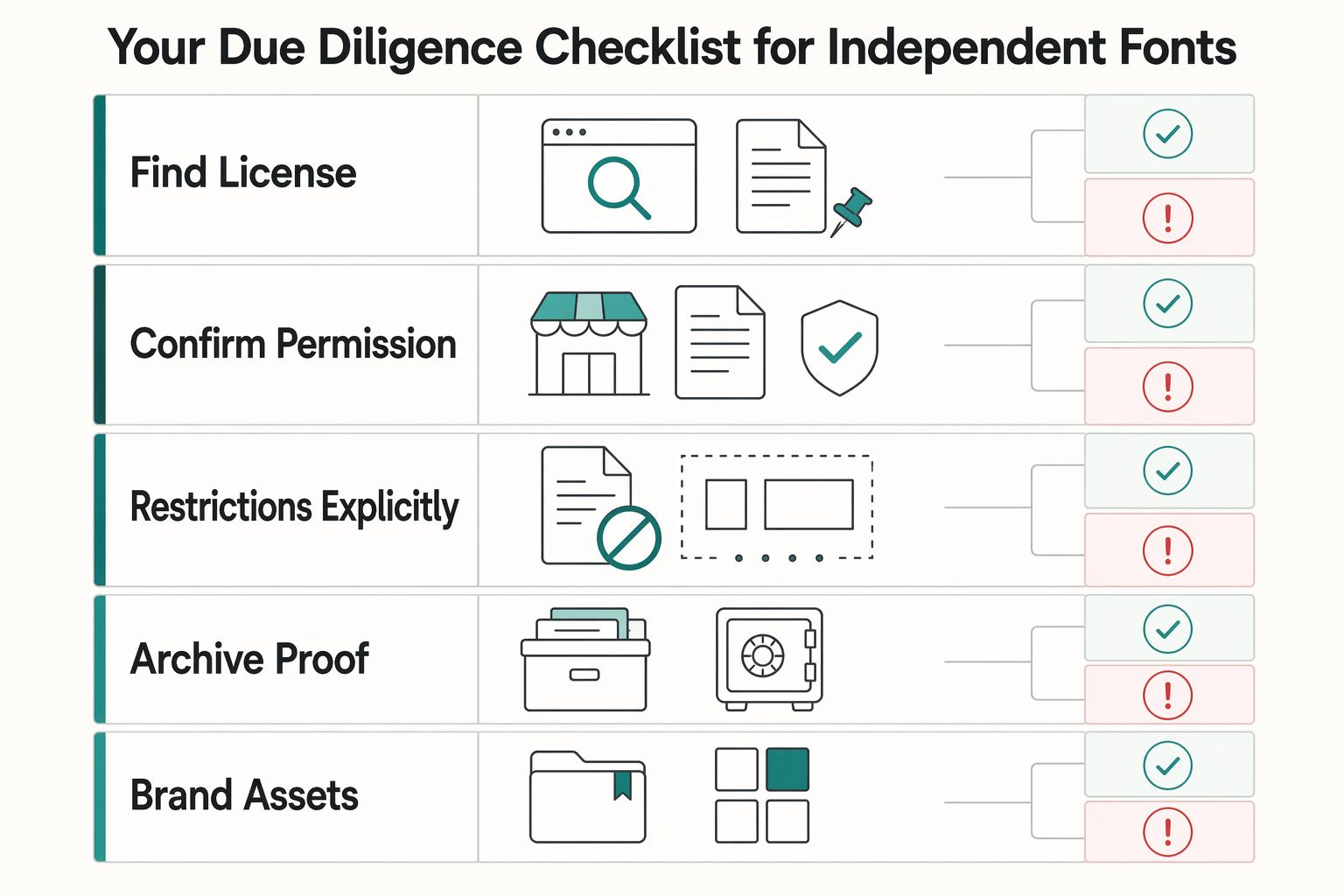
| Find the license first | Go to the foundry or marketplace page for the exact family and locate the current EULA or license terms before you download, buy, or promise the font. | No license page, no go. |
| Confirm the permission you actually need | Read for your deliverable, not for general comfort. | Treat each use case as separate unless the license text explicitly combines them. |
| Check restrictions explicitly | Check for prohibited contexts, modification limits, transfer or client-handoff limits, and seat or deployment constraints. | If the text does not clearly cover a required use, treat that as a stop, not implied permission. |
| Keep the license record | Retain the terms that apply to this copy and the agreed deployment. | Save the product page URL, the EULA/terms PDF or screenshot, the receipt or order confirmation, the downloaded file name or family/version, the capture date, and a one-line note on intended use and client handoff terms. |
Use the publisher or marketplace to match the actual font file, license, owner and intended deployment. The review is more specific than “paid equals commercial.”
MyFonts’ licensing FAQ distinguishes desktop, webfont, app, digital-ad and electronic-document licenses and links each family’s EULA. Review the actual foundry terms. When purchasing for a client, enter the client’s name as the license owner as instructed at checkout; a designer’s existing license should not be assumed transferable.
For independent foundries, compare the metrics as well as the license names. For example, MCKL describes desktop licensing by users, web licensing by monthly visitors and app licensing by monthly users. Other sellers use different metrics. Those examples are not universal thresholds.
| Use | Questions for the actual grant |
|---|---|
| Logo or print | Who installs the font; whether the delivered artwork or document is covered |
| Live website | Hosting method, domains, applicable traffic metric and term |
| App embedding | Which app, user or installation metric and term apply |
| Editable templates or server output | Whether end-user editing or server-based generation is covered |
| Client font files | Whether redistribution or transfer is allowed and required notices |
Check restrictions on redistribution, modification, client access and deployment. If the needed use is not covered, ask the seller about the correct license or choose a font with suitable terms. A complex but clear EULA is not automatically a bad source.
For each approved font, keep a short project record:
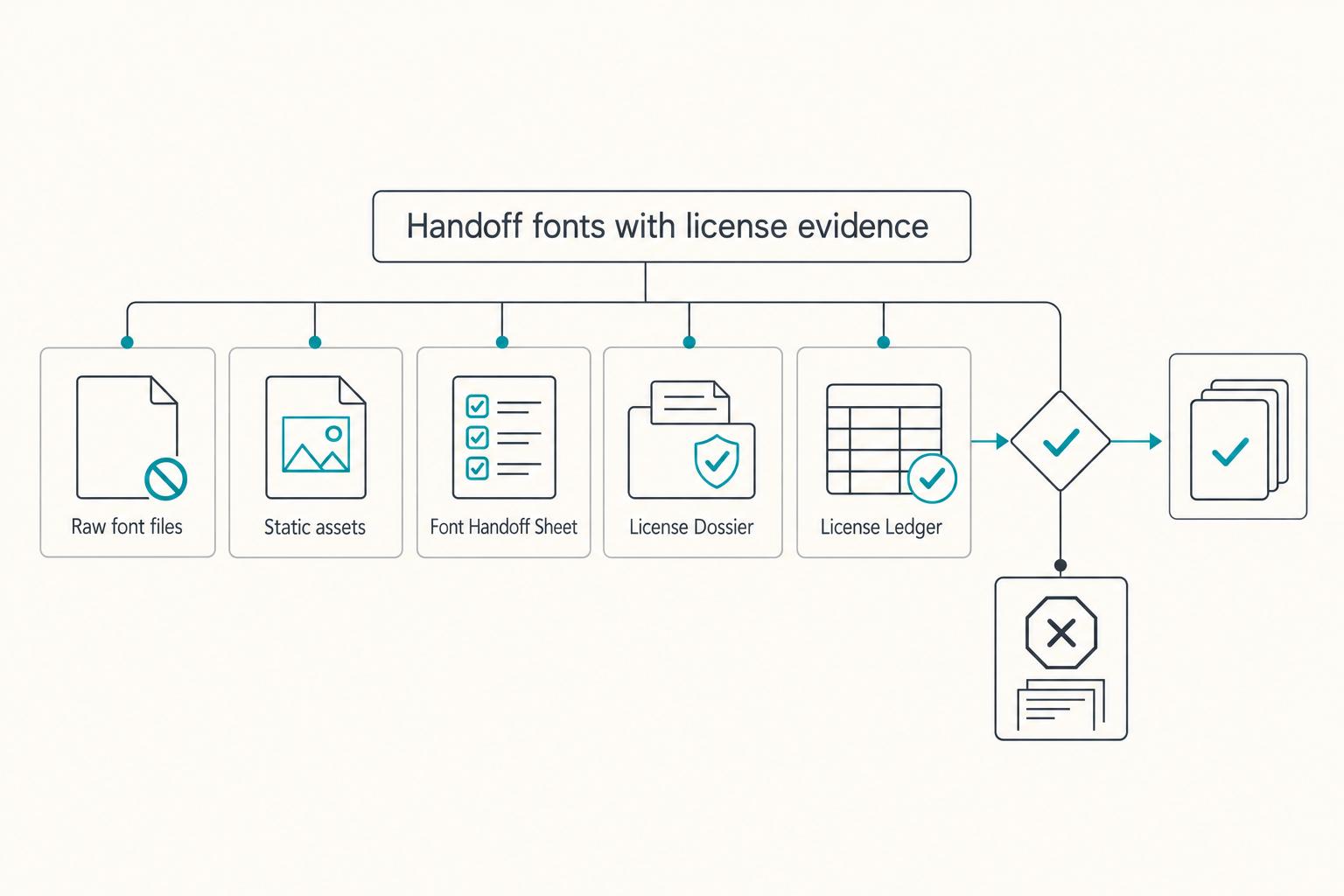
Family and files; publisher or authorized source; applicable license and receipt if purchased; license owner; permitted uses; client handoff instructions. Store the license text with the record, and set a renewal or usage review only when the grant requires it.
Worked handoff example: a client needs a logo, an editable brochure and a website. With an Adobe Fonts design, deliver the outlined logo and properly embedded PDF, explain the client’s own font access for editing, and arrange the client-owned web project. Do not send packaged font files or assume those rights cover an app. With an OFL font, permitted redistribution can instead include the license and copyright notices. Match the final plan to the actual font license.
Related: A Guide to Font Licensing for Freelance Designers.
Tier 3: unclear-origin downloads need verification#
A free price is not the red flag: open-source fonts can be fully suitable for paid work. The concern is a file whose owner, source or license cannot be established. Avoid an unauthorized repost of a paid font even if the download installs successfully.
| Red flag | What it means | What to do |
|---|---|---|
| "Personal use only" and no commercial terms link | Permission scope for your project is not clear | Stop and find the actual license or seller |
| A "premium" font appears as a free repost with no named owner | Provenance is not verifiable from that listing | Reject unless you can verify the rights holder |
| No license file, EULA link, or readable terms | You cannot confirm allowed use | Do not use in production |
| Seller authority is unclear | A platform listing alone does not validate rights | Verify publisher legitimacy before download |
| Different license versions | The copy or new use may need clarification | Identify the applicable grant; do not assume newer text revokes every earlier license |
If you cannot establish permission, use a licensed alternative or seek clarification. Saving a screenshot of an unsupported “commercial use” badge does not fix the missing grant.
A mirror can distribute an open-source font legitimately when it complies with the license. Verify the source and included terms rather than rejecting every mirror or treating every download site as equally reliable.
Keep a usable library and clear delivery notes#
Start with the deliverable and the people who need to use or edit it. Choose an open-source library, subscription workflow or paid license that fits, then retain the applicable terms and handoff instructions.
Check language coverage, required weights and readable rendering at the intended size as well as licensing. A font can be licensed correctly and still be unsuitable for the audience or format.
Keep the license record with the project. Review it when the use changes or a term requires renewal, rather than treating every later website update as a reason to discard a valid prior license.
Frequently Asked Questions
What is the safest font license for commercial use?
Use a license from a legitimate source that covers the actual installation, deployment and handoff. Open-source licenses such as OFL can cover broad commercial uses; paid licenses may provide suitable rights for a particular channel. No label guarantees that every file or use is authorized.
Can I use Google Fonts in a logo?
Yes. Google Fonts permits commercial use, including logo artwork. Retain the chosen family’s license and follow its conditions when modifying or redistributing font software. Using a font in a logo does not give you ownership of the underlying font.
How do I verify a font is 100% free for commercial use?
Find the full license from the publisher or an authorized source and match it to the downloaded family. Confirm commercial use, embedding or file-sharing conditions as relevant. A “free” price or “commercial use” tag alone does not establish those rights.
What is the difference between a personal and commercial font license?
The publisher’s terms define the distinction. A personal-use-only download does not cover ordinary paid client work. Commercial licenses can still restrict installation, deployment or font-file sharing, while open-source licenses may permit those uses subject to their conditions.
Are Adobe Fonts free for commercial use?
Adobe Fonts includes commercial design rights through the applicable subscription access. It is not an unrestricted, permanent font-file purchase. Editable client use, web hosting and app embedding have different requirements; exports and properly embedded output can continue to be used after the designer’s subscription ends.
What happens if I use a font without the correct license?
You may need to stop the uncovered use, obtain appropriate rights or replace the font and affected files. Consequences depend on the license, facts and applicable law. Record what was used and where, then resolve the actual gap rather than assuming every case has the same penalty.
Try a related tool
Researched and edited by the Gruv editorial team. Gruv builds cross-border billing, payouts, and finance-operations software for global businesses.
Sources
Includes 7 external sources outside the trusted-domain allowlist.
- developers.google.com/fontsexternal
- github.com/googlefonts/googlefonts.github.io/blob/main/...external
- helpx.adobe.com/fonts/web/font-licensing/font-licensing.htmlexternal
- helpx.adobe.com/fonts/web/font-licensing/webfont-licensing.htmlexternal
- mckltype.com/licenseexternal
- myfonts.com/pages/faqexternal
- openfontlicense.org/open-font-license-official-textexternal
Educational content only. Not legal, tax, or financial advice.
Related Posts
Font Licensing for Freelance Designers in Client Work
If you cannot show the license terms, treat the font as not approved for client production. Fonts are licensed software, and the [EULA](https://www.monotype.com/resources/videos/what-font-license-agreement) is the contract that defines what you can do with them. Before any client use, verify four things in one pass:

The Freelance Payment Penalty: A Modeled Audit of Platform Fees, FX Spreads, and Payout Delays
The money rarely disappears through a single, easy-to-spot fee. The real loss is stacked. A marketplace takes its commission, a processor adds a charge for international cards, a bank or payment company converts the currency at a spread, a platform holds the funds before release, and a wire sheds a little to intermediaries on the way in. Each layer looks defensible on its own, but the worker feels the combined result as a smaller deposit and a later payday.

How to Respond to a Subpoena for Business Records
Move fast, but do not produce records on instinct. If you need to **respond to a subpoena for business records**, your immediate job is to control deadlines, preserve records, and make any later production defensible.