
Quick Answer
Freelancers should choose a PDF editor by document risk, not brand familiarity. Use a basic editor for internal drafts, a paid professional editor for client-facing files, and a thoroughly tested professional suite for contracts, signed packets, sensitive records, or retention copies. The right choice is the lowest tier that still passes your checks for export, forms, redaction, permissions, and storage.
Tier 1: When is 'Good Enough' Actually Good Enough? (Low-Risk Internal Workflow)#
In this framework, Tier 1 is for low-risk PDFs that stay internal. If a file will be shared externally or starts carrying higher consequences, move it up a tier before you edit it.
That boundary matters because PDFs are often used for contracts, reports, invoices, and applications when layout consistency across devices matters. A file that starts as scratch work can become a real business document faster than you think. For quick internal tasks, a lightweight pdf editor is fine. The moment you need tighter control, it is not.
A quick rule works well in practice. Ask who will see this version, and what happens if it breaks. If the answer is "only me" and "not much," Tier 1 is usually fine. If you need real-time comments, version control, access control, or activity tracking, you are already outside casual editing.
A useful way to think about Tier 1 is that it covers working copies, not handoff copies. The file can be messy, temporary, or disposable because you are still using it to think, sort, and prepare. Once the PDF starts acting like a deliverable instead of a worksheet, the editing standard changes with it.
| Internal task | Stay in Tier 1 when | Move up a tier when |
|---|---|---|
| Marking up research, briefs, or reference PDFs | Only you will read the annotated copy | Anyone outside your business will see the comments |
| Merging notes, screenshots, and draft pages into a review packet | The packet is for your own prep only | It becomes a client deliverable, report, or presentation |
| Cleaning up a rough proposal or invoice draft | The file stays private and disposable | A client might open this version, or layout must be exact |
| Filling internal admin checklists or simple forms | The file remains a working draft | It starts functioning as a handoff or client-facing document |
The most common mistake is not using a free tool. It is letting an internal draft quietly become external. If that draft is turning into something a client will complete or return, move to the next tier and build it properly. That shift often happens in ordinary ways. You forward the same file for review, reuse a draft as a template, or upload a rough packet because it feels "close enough." If you are at that point, How to Create Fillable PDF Forms for Client Onboarding is the right next read.
Before anything leaves your internal space, run this quick check:
- Audience check
If an outside recipient will open the file, treat it as beyond Tier 1 and tighten the workflow accordingly.
- Sensitivity check
If the PDF includes contracts, signatures, payment details, or personal information, escalate to a higher-control workflow.
- Output check
Before sending or uploading, confirm the final exported copy is the one you intend to share and that visible comments, page breaks, and formatting look right.
Tier 1 is where speed should win, but not at the cost of control. Modern PDF tools can include forms, e-signatures, redaction, and encryption features. Once you need those capabilities, "good enough" has already expired. If you are also tightening the handoff around lead and client communication, see The Best CRMs with Sales Pipeline Features for Freelancers.
Tier 2: How Do You Project Unquestionable Professionalism? (Client-Facing Documents)#
For client-facing files, the standard is simple: the document should feel reliable on first open. Tier 1 optimizes for speed; Tier 2 optimizes for trust, clean handoff, and low revision friction on proposals, invoices, onboarding packets, and review rounds.
If another person will open the file, assume presentation quality and version clarity are part of the deliverable. Sloppy exports or unclear versions can slow decisions and create avoidable back-and-forth in your sales pipeline.
| Document | Priority | Confirm before sending |
|---|---|---|
| Proposal | Keep structure and pricing readable | Open the exported PDF in a second viewer and verify layout, tables, page breaks, and visible fonts |
| Invoice | Keep payment instructions clear | Verify totals, payment terms, due date, filename, and that draft comments are removed |
| Onboarding packet | Make completion easy | Complete fields, save, reopen, and confirm entries persist in the exact file you will send |
| Revision round | Keep review unambiguous | Clear resolved notes, confirm page order, and label the version clearly |
Use this short send sequence:
- Export and review the PDF in a different viewer than the one used to edit it.
- Remove draft residue (comments, old labels, unresolved notes) before delivery.
- Test recipient actions, not just appearance (form save/reopen, invoice readability, version label clarity).
- For revision comparisons, check the latest two files before sending. In Adobe Workfront proofing, comparison supports two different proofs or two versions of the same proof, each selected document must already have a generated proof, and access requires a Proof Permission Profile of Manager or higher. The compared proofs open side by side with separate breadcrumbs for the associated work items.
After checks are complete, send the exact copy you verified.
Compare tools like an operator#
Keep this decision test-based, not feature-list-based. Run one real proposal, invoice, onboarding form, and revision file through each option.
| Option | Export fidelity | Comment/version workflow | Form behavior | Platform fit | Support continuity |
|---|---|---|---|---|---|
| Adobe Acrobat | Verify exported output in a second viewer | Confirm how comments and final versions appear in the sent copy | Test save/reopen on your real form | Confirm fit with your actual devices | Confirm current plan and export details on vendor pages |
| PDF Expert | Test with real client files | Check review-cycle clarity across revisions | Validate field persistence on your send-ready form | Confirm fit for your daily device mix | Confirm current feature scope and fallback export path on vendor pages |
| Smallpdf | Compare browser exports against another viewer | Check final output after annotations/review steps | Test persistence after save/reopen | Confirm browser-first workflow fits your process | Confirm current plan details and offline archive workflow on vendor pages |
Continuity matters after the honeymoon#
Before you standardize, verify current plan details on vendor pages, keep a migration pack, and document fallback options. Your migration pack should include source files plus one clean exported proposal, invoice, onboarding form, and revision sample.
Use that pack as a recurring regression check whenever you change plans, devices, or tools. If proposals are a core growth lever, pair this with Value-Based Pricing: A Freelancer's Guide. If onboarding is the bottleneck, use How to Create Fillable PDF Forms for Client Onboarding. For adjacent operations workflow support, see Best To-Do List Apps for Freelancers Who Need Operational Control.
Tier 3: Where is Your Business Most Vulnerable? (High-Stakes Compliance & Legal Documents)#
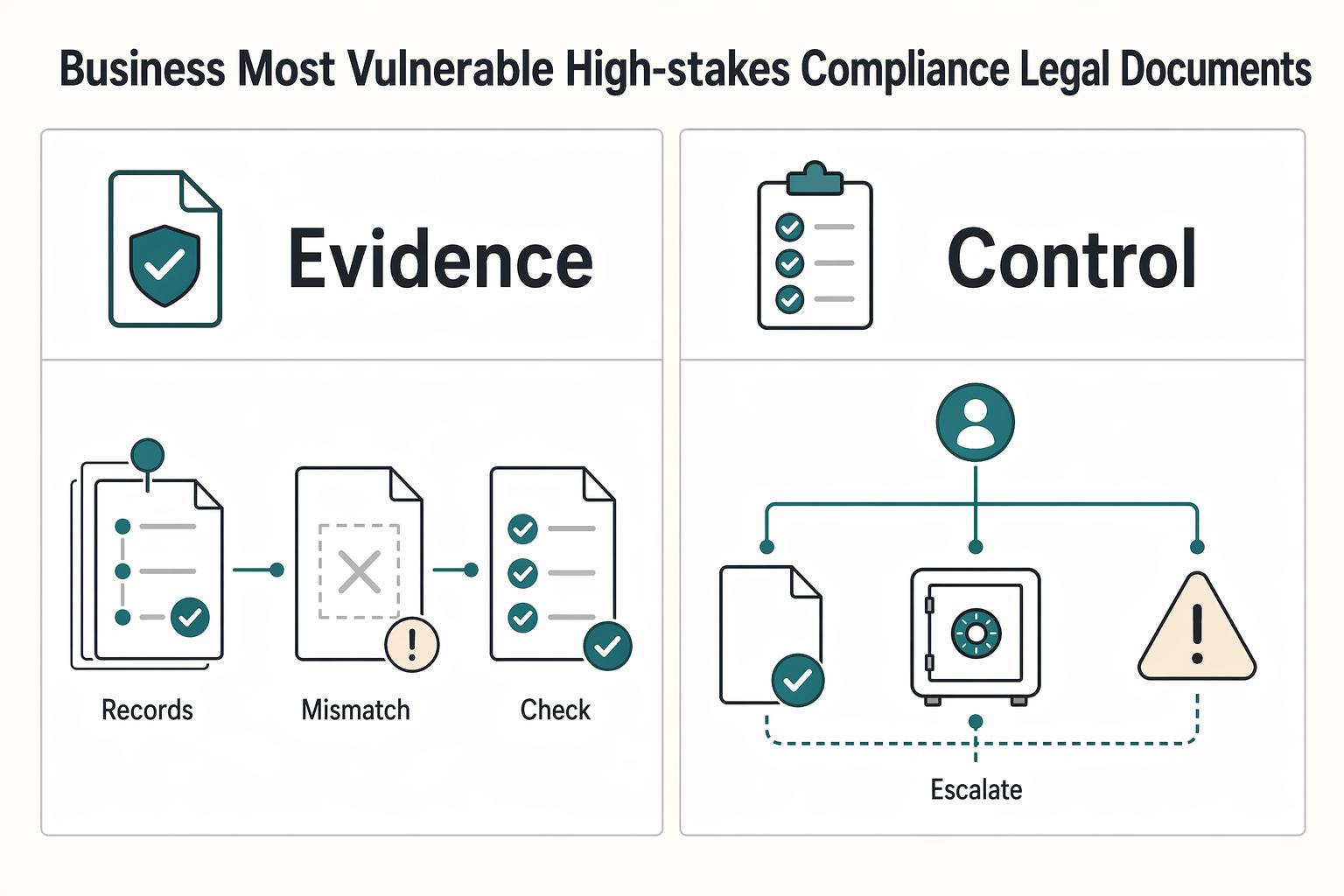
Tier 3 is about defensibility, not feature shopping. The pass condition is simple: you can show what was checked, which version was approved, and who owned the final send/store step for high-stakes files.
Use Adobe Acrobat Pro as a benchmark if you want, but hold every tool to the same controls and the jurisdiction-specific requirements you have confirmed for that workflow.
| Control | Pass/Fail verification | Business risk if skipped | Escalation path |
|---|---|---|---|
| Legal validity workflow | Pass if your real contract flow captures party names, terms, dates, required clauses, and a final review/edit step before export/signing. Fail if any of those are missing or unclear. | Disputes over enforceability, terms, or what was actually agreed. | Pause sending. Confirm the jurisdiction-specific requirements for the document, then rerun the file through a complete review/export step. |
| Permanent redaction check | Pass only if your test file confirms removed content cannot be recovered in normal downstream use. Fail if removed content is still exposed. | Confidential data leakage and downstream liability. | Stop distribution immediately and escalate to a higher-control workflow before sharing externally. |
| Long-term archival readiness | Pass if signed files and related records are stored in one retrievable workspace with clear ownership. Fail if records are scattered or retrieval depends on memory. | Weak audit trail and delayed response when records are challenged. | Assign a records owner, centralize storage, and document retention steps before rollout. |
Operational handoff for every high-risk document: assign one owner to run checks, one reviewer to approve before send/store, and escalate on the first failed control. Retain an evidence set (the checked file version, approval note, and storage location) so your process is defensible later. This same discipline also protects client momentum in your sales pipeline.
Your PDF Editor Isn't a Tool - It's Your Chief Risk Officer#
Your editor stops being "good enough" when you cannot prove the control that file needs. Use the tier model as a risk decision: Tier 1 can absorb minor friction, Tier 2 cannot absorb visible client-facing errors, and Tier 3 cannot run on assumptions. If export behavior, form behavior, permission controls, or password protection fail on the real file, move up a tier.
| Tier | Typical file | What you must verify | Minimum tool class |
|---|---|---|---|
| 1 | Drafts, notes, internal reference PDFs | You can create or edit PDFs directly without converting to another format | Basic editor |
| 2 | Proposals, invoices, onboarding forms, client deliverables | Export, reopen, and confirm layout, comments, and fields survive intact | Paid professional editor |
| 3 | Contracts, signed packets, sensitive records, retention copies | Permission controls, password protection, and any redaction or archive checks your process requires | Professional suite you can test thoroughly |
Run this sequence weekly and before any high-stakes send:
- Classify first. Set Tier 1, 2, or 3 before editing. If the document affects payment, client trust, or private data, escalate early.
- Verify one critical control on the real file. Reopen in a second viewer, test a key field, or confirm password protection works. Trust proof, not feature lists.
- Assign ownership and retain records. For Tier 2 and Tier 3, assign an internal reviewer role after verification, then keep the source file and exact sent/stored PDF together.
Adobe Acrobat Pro, PDF Expert, and Smallpdf are shortlist examples, not automatic answers. Also, do not confuse document-creation software with a PDF editor; that mismatch is where control expectations usually break.
If your workflow touches regulated or jurisdiction-specific requirements, verify the current primary rule text rather than relying only on FAQ/help-center summaries. Next actions: validate current requirements, confirm who owns review and archiving, then choose the lowest tier that still passes your checks. If intake forms are part of your workflow, start with How to Create Fillable PDF Forms for Client Onboarding. You might also find this useful: The Best Screen Recording Software for Freelancers.
Frequently Asked Questions
Can you use a free or cloud based PDF editor for contracts?
Yes for Tier 1 internal drafts, notes, and reference files. For Tier 2 client-facing PDFs, only use one after you export, reopen, and confirm formatting, fonts, page breaks, and comments stay exactly as expected. For Tier 3 contracts, verify the signing record it creates and test the full completed result against your legal and client requirements.
How do you verify that redaction is actually permanent?
Treat redaction as a Tier 3 check when personal, financial, or confidential data is involved. Redact a copy, save it, reopen it in the same app and a second viewer, search for the removed term, and try copying text from the area around the blackout. If the hidden content is still searchable, selectable, or recoverable, the tool fails.
Do you need PDF/A as a freelancer?
It depends. If a file may need long-term retention for tax, audit, client recordkeeping, or regulated work, confirm whether your editor offers the archival export or validation option you need before adopting it. Keep an evidence pack with the source draft, the exact PDF you sent or signed, and the archived copy you stored.
Is OCR worth paying for, or is it optional?
OCR is worth testing if scanned receipts, marked-up paper agreements, or legacy client paperwork slow you down. It can turn scans into editable, searchable text and help you find clauses or amounts faster. Test one ugly receipt and one crooked multi-page scan, then decide whether it removes a repeated bottleneck or just creates more cleanup.
What class of tool should you choose for security critical documents?
Choose by risk, not brand familiarity. Browser-based or cloud tools can work for some Tier 1 tasks, but once a document affects client trust, payment flow, or sensitive data, move to a professional editor class you can test. For Tier 3, compare signing records, redaction checks, and archive handling on your own files.
Are Adobe Acrobat Pro or other big names automatically the right answer for high stakes work?
No. Use a widely used option such as Adobe Acrobat Pro as a benchmark, then make every contender pass the same Tier 3 checks on your own files. Also verify the live plan page and confirm whether your workflow depends on a higher permission level, subscription tier, or platform-specific feature.
Can you use fillable forms for client onboarding without creating new risk?
Yes, but classify the form before you build it. A basic intake form can sit in Tier 2, while a form collecting tax IDs, bank details, or approvals can move into Tier 3 quickly. Test field behavior, save and reopen the completed PDF, and confirm the fixed text stays fixed while the input fields keep the entered data, including after the client returns it.
How fresh should your product research be before you choose a tool?
Research should be fresh enough that you are not buying from an old screenshot. Use older roundups to build a shortlist, but verify current plans, platform support, export behavior, and document limits yourself. Run one Tier 2 sample and one Tier 3 sample through the trial, compare the original and modified PDFs, and keep testing until you would trust it on a live send.
Try a related tool
Researched and edited by the Gruv editorial team. Gruv builds cross-border billing, payouts, and finance-operations software for global businesses.
Sources
Includes 4 external sources outside the trusted-domain allowlist.
- ccsg.isr.umich.edu/wp-content/uploads/2020/02/CCSG_Guidelines_A...trusted
- fincen.gov/boi-faqstrusted
- scholar.stjohns.edu/cgi/viewcontent.cgitrusted
- southern.edu/administration/hr/docs/Handbook20-21revisedF...trusted
- annemini.com/category/editors-and-how-to-work-with-publis...external
- appvizer.com/magazine/collaboration/pdf-software/alternat...external
- experienceleague.adobe.com/en/docs/workfront/using/review-and-approve-w...external
- fueler.io/blog/top-tools-us-freelancers-need-to-succeedexternal
Educational content only. Not legal, tax, or financial advice.
Related Posts

Value-Based Pricing for Freelancers Under Real Payment Risk
Value-based pricing works when you and the client can name the business result before kickoff and agree on how progress will be judged. If that link is weak, use a tighter model first. This is not about defending one pricing philosophy over another. It is about avoiding surprises by keeping pricing, scope, delivery, and payment aligned from day one.

How to Build a Sales Pipeline for Your Freelance Business
Before you turn this into a detailed freelance pipeline playbook, pause for a source-quality check. The available evidence here is a [Scribd listing](https://www.scribd.com/document/958783827/The-FP-a-Handbook) for **FP&A Handbook: Financial Planning Guide**, not a verified, fully reviewed operations standard.
How to Create Fillable PDF Forms for Client Onboarding
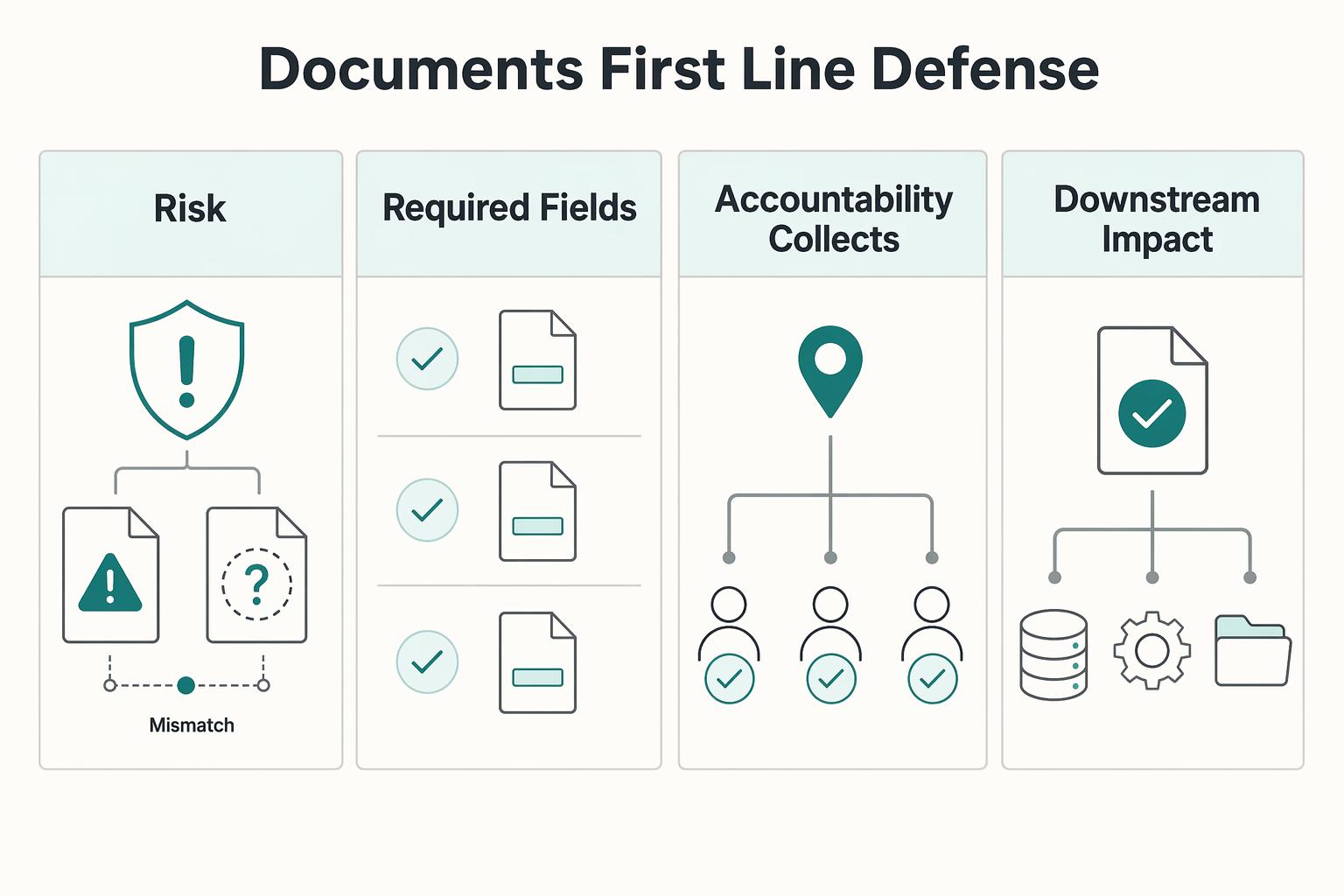
Fillable forms give you convenience. Fields designed to do a job give you control. That is the difference between a document that merely collects text and one that reduces vague starts, billing back-and-forth, and cleanup when key client details are missing.