
Quick Answer
Build the best notebooks and pens for writers around reliability, not aesthetics: pick a pair you will carry daily, can read back clearly, and can process into your archive fast. For meeting notes, prioritize quick-drying behavior and legible pages; for planning, prioritize writing comfort and usable page space. Then apply one standard for dating, indexing, and follow-up so notes stay actionable.
Why Your Current 'Notes' Are a Liability, Not an Asset#
If your notes live across sticky pads, phone drafts, random notebooks, and email screenshots, you may not have a reliable record. You may have a weak point in your day-to-day operations.
That can sound dramatic for something as ordinary as stationery, but that is exactly the point. In many small-business setups, items like stationery are often expensed at purchase instead of tracked item by item. Low purchase cost does not always mean low operational impact.
Three ordinary ways your notes can create avoidable risk#
Here are common scenarios where loose note-taking creates drag in client work and internal decision-making.
- Missed follow-up
You finish a client call with three action items, but one is buried in a margin note with no date and no client name. By the time you remember it, the follow-up window may have passed, and you are sending an apology instead of a useful update. What is going wrong: your capture process is too loose for the work.
- Unclear scope notes
You jot down a change request during a call, then later cannot tell whether it was part of the original brief or a new ask. That can create friction when you draft the proposal, invoice revisions, or explain why the timeline moved. What is going wrong: the note lacks enough context to support a business decision.
- Lost decision history
You know you already settled on the structure for an article, campaign, or client deliverable, but the reasoning is scattered across multiple places. Instead of moving forward, you spend time reconstructing why the decision was made in the first place. What is going wrong: retrieval depends on memory instead of a dependable system.
If you regularly rebuild context from email threads, old drafts, or memory, stop blaming yourself for being disorganized. A loose capture method can make normal client work harder than it needs to be.
Choose for reliability, not mood#
The conversation around notebooks and pens often drifts toward inspiration, aesthetics, or the feel of the page. Those things matter, but they should come after three simpler tests: clear capture, easy retrieval, and usable context later.
Clear capture means the note is understandable when written. Easy retrieval means you can find it later without guesswork. Usable context means the note still makes sense when you need to confirm what was discussed, decided, or promised.
Keep the checkpoint simple. Compare options by pricing, cover design, and paper quality. If you cannot explain why one notebook belongs in meetings and another belongs on your desk, you are probably choosing by habit.
Treat "too similar" as a red flag. If every notebook and pen in your stack does basically the same thing, you may not have built useful differentiation.
| Tool failure | Immediate impact | Downstream business risk |
|---|---|---|
| Notes split across multiple places | You cannot find the latest client call note | Delayed follow-up, contradictory draft decisions |
| Undated or unlabeled pages | You cannot tell which meeting a note came from | Scope confusion, weak support in a billing discussion |
| No clear purpose per notebook | You are unsure where a note belongs | Duplicate capture, inconsistent records |
| No consolidation routine | Decisions remain scattered across drafts and messages | Handoff friction and repeated context rebuild |
You do not need a benchmark to see the cost. You can usually feel it whenever you re-ask a client for something they already told you.
That is why the next step is not buying more analog tools at random. It is building a repeatable capture approach that makes your notes dependable from the moment they are written. If you want a deeper dive, read Value-Based Pricing: A Freelancer's Guide.
The Analog Capture System: A Professional Framework for Your Ideas#
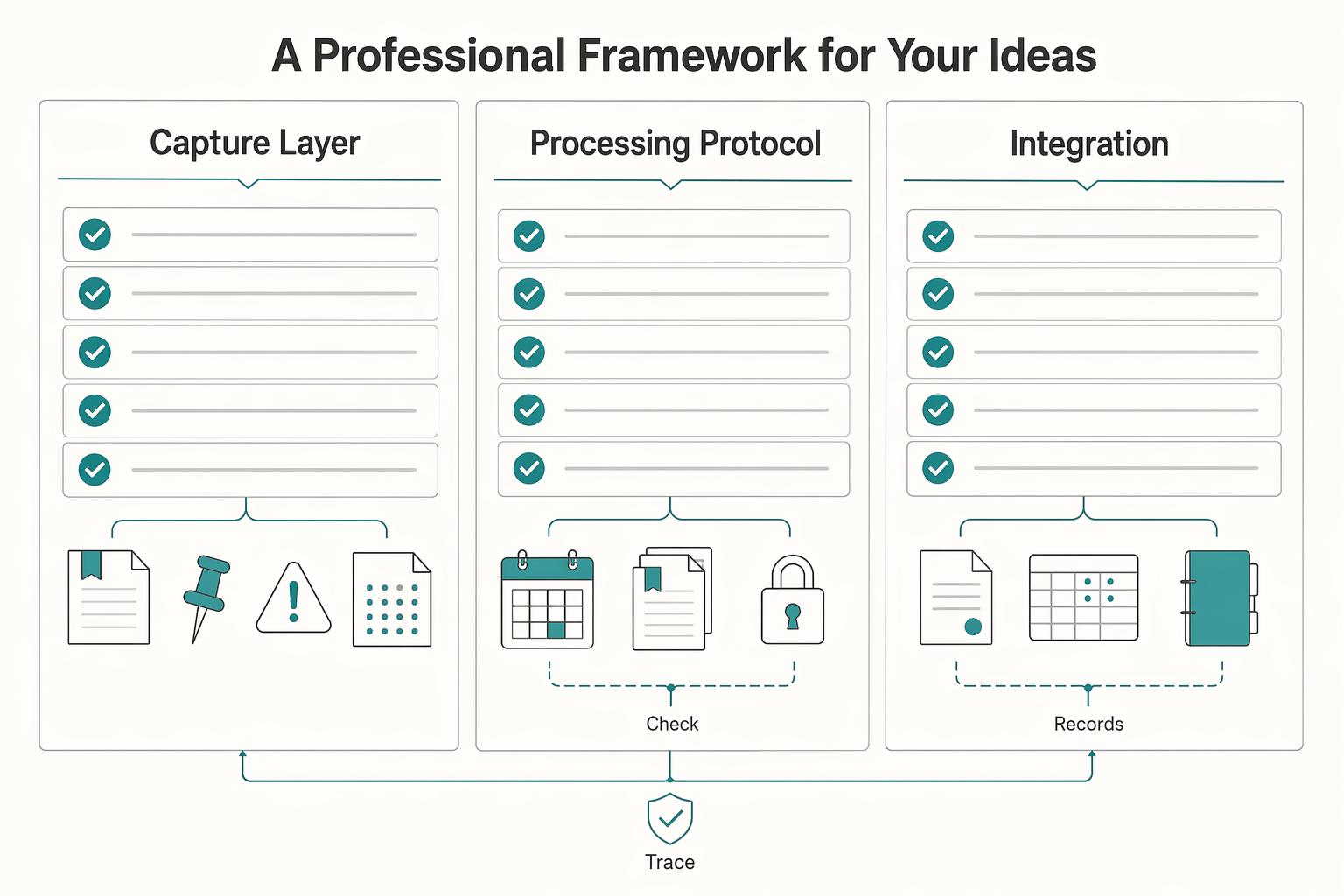
If your notes support client work, use a three-part system: capture deliberately, process on schedule, and sync high-value notes into your digital record. That is what gives you clearer decisions, cleaner handoffs, and a traceable idea history.
- Capture Layer
Before you write, match the tool to the job. Use a quick checklist each time: context, writing speed, portability, legibility later, and archive value. Handwriting helps you curate in real time because the effort forces selection; digital capture can drift into mindless saving. What to do: choose for capture quality, not mood.
- Processing Protocol
Treat notes like an inbox that must be cleared. Keep a simple cadence: a short daily review plus a weekly handwritten plan for appointments and tasks. In each review, tag every item (action, waiting, reference, archive) and assign one next step. For daily planning, review your digital calendar, handwrite next-day appointments, and set your three most important tasks. What to do: keep one master system and sync the other daily so items do not fall through the cracks.
- Integration Bridge
Move high-value notes off the page in one repeatable flow: scan, transcribe key points, then tag. Use one minimum metadata line on each note: project, topic, date, and action owner, so retrieval is fast when you need to brief someone or reconstruct a decision. What to do: a note is only complete when it is findable and usable later.
Most failures are simple: capture without review, review without execution, or scans without tags. Next, map specific notebook-and-pen combinations to specific writing scenarios so the system runs with less friction.
We covered related setup choices in The Best Ergonomic Keyboards for Programmers and Writers.
Mapping Your Toolkit to Your "Jobs-to-be-Done"#
Choose tools by outcome, not preference. Match each setup to what you need to capture, how fast you need to capture it, and how you will process the notes afterward.
| Scenario | What you need to capture | Failure risk | Ink behavior you need | Paper performance | Portability tradeoff |
|---|---|---|---|---|---|
| Client meeting | Commitments, decisions, dates, open questions | High: a missed or unclear line can weaken your record | Fast-start, quick-drying, reliable lines | 80+ GSM helps keep notes legible for later review and digitizing | Accept less portability for stability and clarity |
| Deep planning | Draft ideas, rewrites, connections, priorities | Medium: cramped pages can break thinking and structure | Consistent flow for longer writing sessions | 80+ GSM supports heavier editing and cleaner pages | Lower portability is fine if it improves thinking space |
| On-the-go capture | Fragments, follow-ups, sudden ideas | High: delay means the note is lost | Immediate start and dependable writing in imperfect conditions | Simple is fine, but pages must stay readable later | Prioritize carryability so capture actually happens |
Assigning one setup per job reduces risk and makes processing easier.
- Client meeting capture
In meetings, reliability comes first because your notes become the working record. Use a setup that writes immediately and stays readable at speed.
Good: a dependable pen with a dedicated meeting notebook. Better: the same setup on 80+ GSM paper for cleaner legibility. Best fit: a meeting-only kit with a consistent header line for project, date, and owner. Action rule: carry one tested pen and one meeting notebook; avoid loose pages and untested pens. After the meeting, tag notes for action, waiting, reference, or archive before processing.
- Deep planning and strategic work
For planning, use the setup that lets you expand and revise without friction. Keep enough page space and a consistent writing feel so your thinking stays organized.
Good: a larger notebook and a reliable everyday pen. Better: the same with 80+ GSM paper to support heavier edits. Best fit: a planning-only notebook kept in one place so long-form work stays traceable. Action rule: keep planning separate from meeting notes; avoid mixing both contexts in one notebook. End each session with one clear next step and process high-value pages into your digital workflow.
- On-the-go capture
On the move, speed of capture matters more than polish. Carry the setup you will actually keep with you every day.
Good: any portable notebook and pen you consistently carry. Better: a sturdier pocket setup that handles daily wear. Best fit: one always-with-you capture kit plus a same-day review habit. Action rule: carry the smallest reliable kit you will use; avoid tools that require careful handling. During daily review, move high-value notes into your searchable digital record.
This pairs well with our guide on The best 'Microphones' for voiceovers and podcasting.
Investing in Reliability: Choosing High-Performance Tools#
After you match tools to the job, choose for reliability first. Your aim is to reduce failure points in capture, storage, and retrieval, not buy based on personality or brand preference.
One buying note: roundup recommendations are useful for shortlisting, not final proof. Use category labels to narrow options, then validate fit in your own workflow.
| Feature category | What to verify | Business impact | Likely failure mode |
|---|---|---|---|
| Notebook structure | Indexability, page integrity, archival consistency | Faster retrieval and cleaner project history | Notes exist, but you cannot find the right page or trust sequence |
| Paper behavior | Bleed, ghosting, and show-through with your actual pens | More usable pages and clearer scans | Pages become hard to review, scan, or use on both sides |
| Pen reliability | Drying behavior, permanence, refill availability, legibility over time | Fewer missed notes and less tool switching | Smudged notes, fading text, or a pen that fails without a replacement path |
The goal is not premium stationery. It is dependable notes that stay usable when work gets busy.
- Notebook structure
Treat your notebook like a project ledger. Prioritize clear dating, stable page order, and a format you can archive consistently. If you shortlist from guides, use category labels as a filter only: WIRED lists the Leuchtturm1917 Notebook Hardcover Medium A5 as its "Best Hardcover Notebook" at $26, and the SeQeS Bullet Dotted A5 Journal as its "Best Bullet Journal" at $25.
- Paper verification
Use a verification rule, not assumptions. Run a one-page test with each pen you actually use, check the page after a short dry window and again later, then review both sides for bleed, ghosting, and show-through. Keep that test page dated inside the notebook so reorders are based on evidence, not memory.
- Pen reliability
Use a short checklist before standardizing a pen. Drying behavior matters most in live meetings, permanence matters most for long-retained notes, refill availability matters most when you standardize a model, and long-term legibility matters when notes need to stay useful beyond immediate tasks.
Standardize one primary setup and one backup setup, then test both in real workflow conditions before full adoption. Related: The Best Project Management Tools for Freelance Writers.
The Digital Bridge: An Operating Routine for Digitizing and Archiving Notes#
Treat your bridge as an operating routine, not admin cleanup: capture on paper, digitize quickly, apply metadata, move actions, and archive the physical source so notes stay traceable instead of becoming liabilities.
Your five-step bridge#
Use the same sequence every time so retrieval stays reliable.
- Mark the note for processing
Action: add the date and one clear marker for decisions or action items as soon as the session ends. Output: a page your future self can interpret without guessing. Failure mode to avoid: a readable page with no clear signal for what needs action.
- Scan for legibility, not just storage
Action: scan with perspective/contrast cleanup and review before saving. Output: a readable digital record that can be searched and reviewed later. Failure mode to avoid: unreadable scans (cropped edges, shadows, weak contrast) that reduce OCR usefulness.
- Send every scan to one processing inbox
Action: route all imports to one designated inbox in your main notes or project system. Output: one known queue for processing. Failure mode to avoid: scattered files across phone storage, downloads, and attachments that never get processed.
- Apply a minimum metadata standard
Action: add five fields to every imported note: project, context, owner, verification placeholder, next action. Output: a record you can retrieve, review, or hand off without reopening the notebook first. Failure mode to avoid: untagged files, or date-only labels that fail during real retrieval.
- Archive the paper and close the loop
Action: mark the physical page as integrated, then shelve the notebook in date order. Output: a stable source record matched to your digital copy. Failure mode to avoid: duplicate processing or physical pages you cannot map back to digital records.
What to verify in your digitizing tool#
Choose by capability first, then test with your real handwriting, including fast lines, headings, and any sketches/formulas you use.
| Capability | What to check | Why it matters |
|---|---|---|
| Scan quality | Perspective correction, shadow reduction, readable margins | Poor scans weaken review and retrieval |
| OCR accuracy | Performance across your normal writing styles and mixed content | Recognition quality varies by handwriting and content type |
| Export behavior | Can you export into a durable format your archive can keep opening over time? | Closed formats increase retrieval risk later |
| Automation and offline handling | Can notes queue locally and sync later when connectivity returns? | Reliability drops when your workflow depends on constant internet |
Some setups focus on scan-and-OCR workflows, while smartpen or optical-reader workflows can support more real-time analog-to-digital flow. Choose the one that keeps notes legible, searchable enough to find, and easy to move into your archive.
Where people get stuck#
Most bottlenecks show up in the handoff, not the writing. People scan too late, save files in more than one place, or skip metadata because the page feels obvious in the moment.
What if OCR is weak on my handwriting?#
Treat OCR as a bonus, not a dependency. Use strong titles plus the five metadata fields as your primary retrieval method.
Should every page be digitized?#
No. Prioritize high-value notes such as client meetings, decisions, reusable research, and commitment-heavy pages.
Definition of done#
- The scan is readable at full-page view (no cropped edges or heavy shadows).
- The note is in one designated inbox or project location.
- The file includes project, context, owner, verification placeholder, and next action.
- Any decision or task has been moved into your working system.
- The physical page is marked integrated and shelved in order.
When all five are true, the page is integrated and audit-ready. You might also find this useful: Best Dictation Software for Writers Who Need Better ROI and Data Control.
Conclusion: Your Ideas Are Your Business. Protect Them Accordingly.#
The right notebook and pen are the ones you will actually carry, can read back later, and can move into your archive without guesswork. This is less about stationery taste and more about running a repeatable notebook system that keeps daily work clear, findable, and usable.
- Risk control
In practice, choose tools that reduce obvious failure points: readable pages, a pen that fits your writing speed, and a notebook you will keep with you. A ballpoint pen dries quickly and smudges less, which helps when you are moving fast. The tradeoff is that it can require more pressure and cause hand fatigue. If your notebook travels in a bag or coat pocket, remember the practical downside of wire-coil formats: they can get crushed, unwind, or snag.
- Traceability
For client calls, draft ideas, and decision notes, traceability means you can tell what happened, when, and where each original note lives. Date the page, use consistent indexing, and keep your handoff process consistent so notes are easy to find later. If you often need to regroup or reorder material, a looseleaf notebook approach is worth a look because you can move notes around and organize them.
- Cognitive focus
Your brain should stay on the assignment, not on hunting for the right pad or wondering where a good note went. If your work is spread across random notebooks, or even something as fragmented as 3 dated planners, simplify. One reliable setup, with enough room to keep working without constant migration, matters more than chasing the next upgrade.
Use this quick check before you buy or change anything:
- Confirm your core tool pair: one notebook format and one pen type you can use daily, including on the move. A compact 4x6" notebook only helps if you actually carry it.
- Define your capture standard: date every page, mark decisions and action items, and keep pages readable.
- Set your processing routine: review and archive notes on a consistent cadence so important pages stay easy to retrieve.
If you want the next step on the digital side, read The Best Note-Taking and Knowledge Management Apps for Freelancers and plug that destination into the routine you now have.
Frequently Asked Questions
What if OCR is weak on my handwriting?
Treat OCR as a bonus, not a dependency. Use strong titles plus the five metadata fields as your primary retrieval method.
Should every page be digitized?
No. Prioritize high-value notes such as client meetings, decisions, reusable research, and commitment-heavy pages.
Try a related tool
Researched and edited by the Gruv editorial team. Gruv builds cross-border billing, payouts, and finance-operations software for global businesses.
Sources
Includes 6 external sources outside the trusted-domain allowlist.
- analogoffice.net/categories/paper-notebooksexternal
- asianefficiency.com/productivity/digital-analog-calendar-systemexternal
- collegeraptor.com/find-colleges/articles/tips-tools-advice/lap...external
- dayspringpens.com/blogs/the-jotted-line/whats-the-best-profess...external
- gruv.ai/blog/the-best-notebooks-and-pens-for-writersexternal
- wired.com/gallery/the-best-paper-notebook-and-journalsexternal
Educational content only. Not legal, tax, or financial advice.
Related Posts

Value-Based Pricing for Freelancers Under Real Payment Risk
Value-based pricing works when you and the client can name the business result before kickoff and agree on how progress will be judged. If that link is weak, use a tighter model first. This is not about defending one pricing philosophy over another. It is about avoiding surprises by keeping pricing, scope, delivery, and payment aligned from day one.
The Best Note-Taking and Knowledge Management Apps for Freelancers
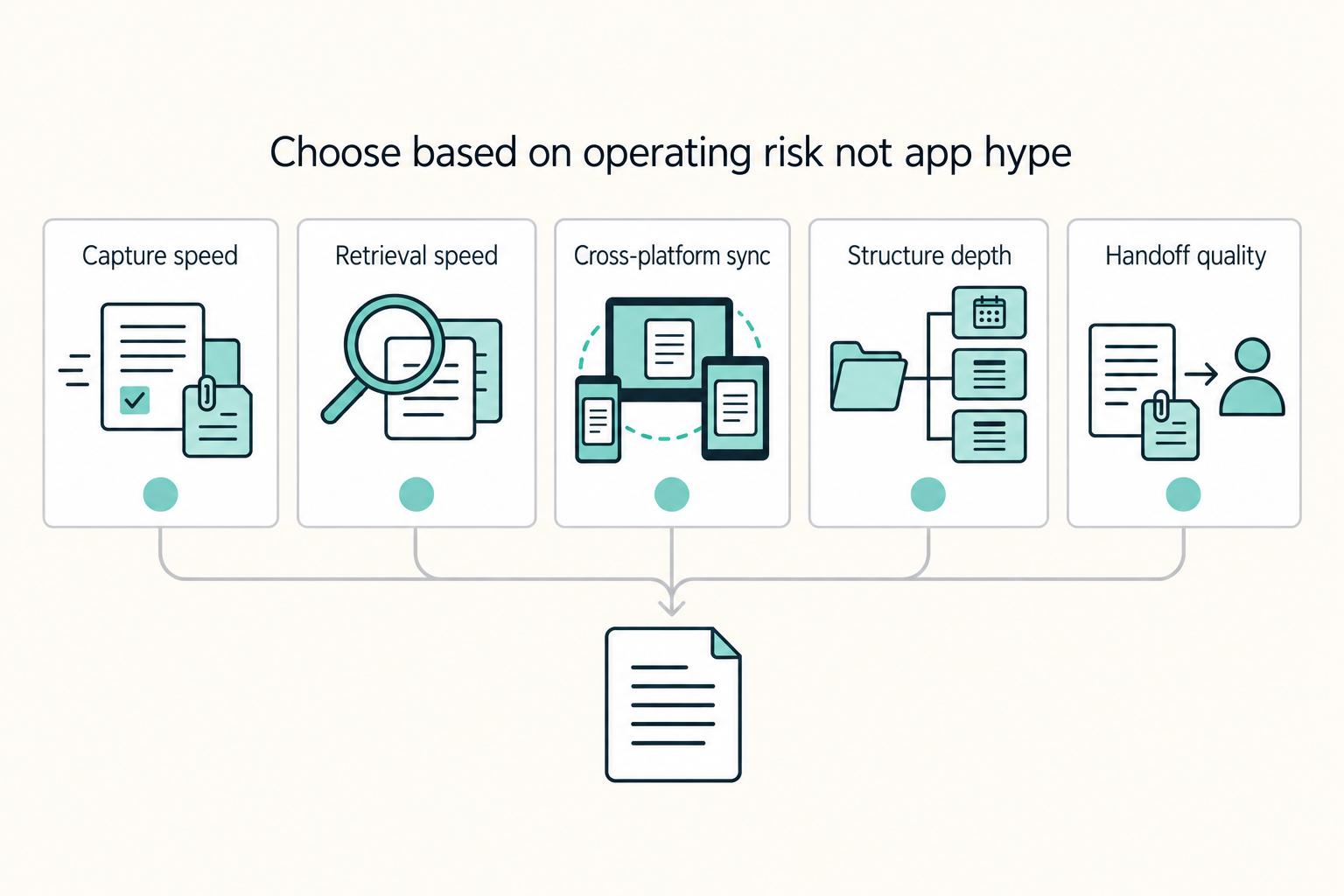
Make this decision in one sitting, then move on. One primary note app, used as the default place for client decisions, follow-ups, and reference notes, does more to cut missed details, messy handoffs, and tool churn than another week of comparing screenshots ever will.
The Best Project Management Tools for Freelance Writers
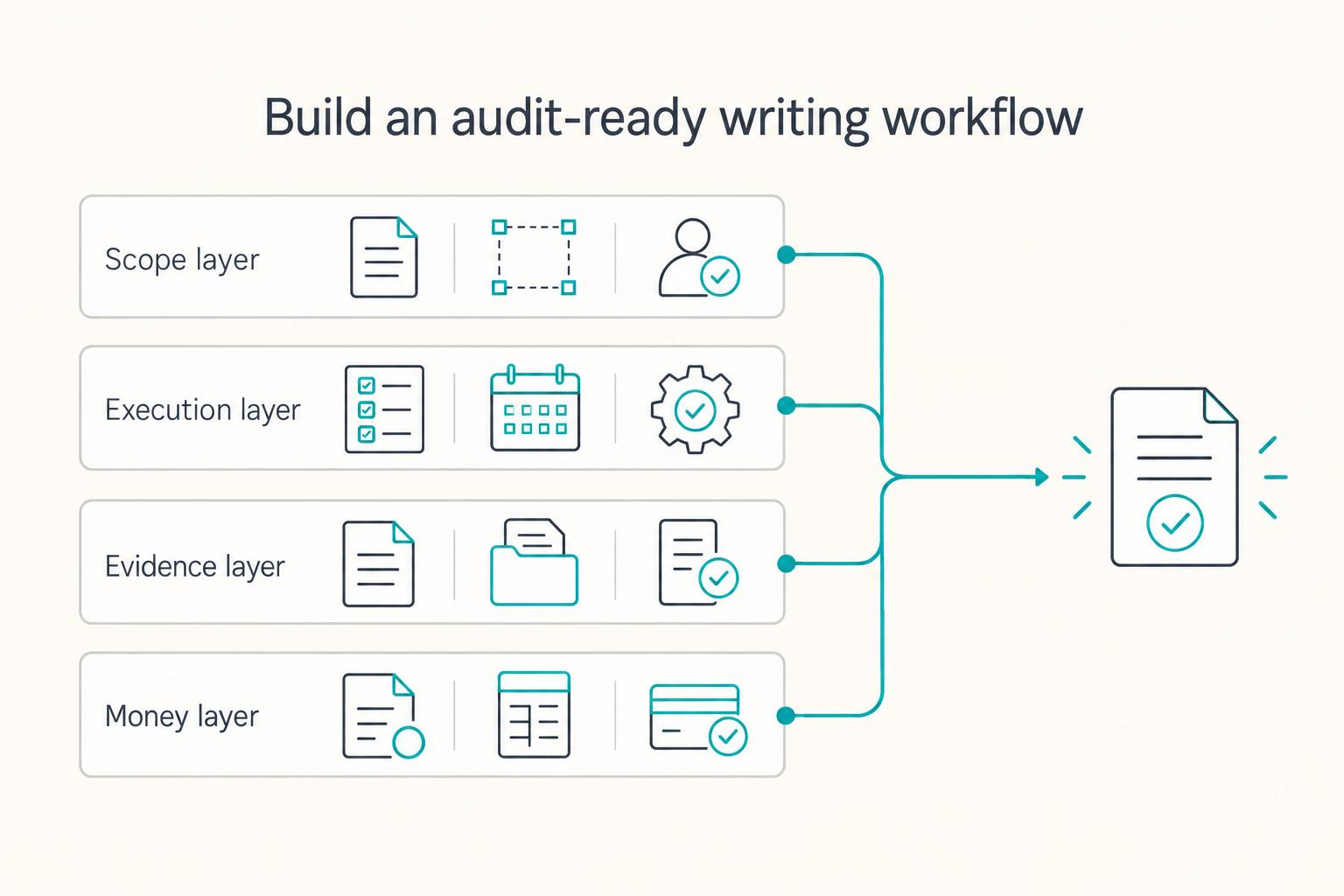
**Build one traceable system for scope, execution, and billing, and give each tool one clear job.** Freelance writing ops is not "a writing project." It is overlapping deadlines, revision cycles, approvals, and payment triggers. When you can't reconstruct what happened, you lose time, margin, and sometimes trust.