
Quick Answer
Choose the best mockup generators by running one real deliverable through your shortlist, then keep the tool that meets three checks: convincing presentation output, low-friction workflow, and verifiable licensing. In practice, that means testing a browser route like Placeit, confirming whether your Figma or Photoshop process stays fast under revisions, and validating the exact asset terms before client handoff. If any candidate looks good in demos but fails those checks, remove it.
Your Mockup Tool Isn't a Gadget. It's a Business Asset.#
Treat your mockup tool as part of your delivery stack, not a creative extra. The best mockup generators are the ones that help you deliver faster, present work better, and document commercial use clearly. If you sell design work, the tool affects how quickly you deliver, how polished the work looks, and how confidently you hand files to a client.
| Platform | Commercial-use note | Caution |
|---|---|---|
| Smartmockups | Exported mockups can be used in unlimited commercial and client projects, including portfolios and case studies | Do not distribute empty exported mockups |
| Canva Pro | Pro content uses a One Design Use License | Do not distribute Pro content as a standalone item |
| Placeit | Its license page says client sublicensing may be allowed in some client-product scenarios | Its FAQ says "you cannot sublicense the content" |
Use three tests for every option you consider: Presentation Fidelity, Workflow ROI, and Commercial-Use Security. Those tests map to the outcomes you actually care about: clearer portfolio presentation, less revision drag, and fewer licensing questions at delivery time.
- Presentation Fidelity
This is about whether the mockup places your work in a believable setting. Placeit puts the value plainly: mockups help show designs "with real people and in real scenarios," and its library claim of 43,000+ shows that breadth is part of the offer, even if breadth alone does not prove quality. In practice, the question is simple: does this tool help your logo system look credible on packaging, signage, apparel, or a website frame your client would actually use? For a portfolio case study, that can be the difference between "nice logo" and "I can picture this brand in the market." For a client deck, it can shorten the jump from flat files to approval. Relevance matters as much as realism. If you design B2B software, a cafe cup mockup does not help.
- Workflow ROI
The real cost is not just the subscription. It is the number of steps between your design file and a client-ready presentation. Canva promises "one click" mockups and supports drag and drop on desktop and mobile. Figma has a dedicated mockup plugin category, which is useful if you want fewer app switches. If you stay in Photoshop, Linked Smart Objects support non-destructive updates, which matters when one logo change has to ripple across several scenes. The tradeoff is easier to see side by side:
| Flow | Effort | Revision speed | Client-response impact |
|---|---|---|---|
| Manual PSD setup | Higher setup and export overhead | Strong once built, especially with linked Smart Objects | Often good for polished final presentations |
| Browser-based integrated tool | Low setup, fast asset swaps | Fast for single-scene changes | Often good for same-day concepts and option rounds |
| Design-app plugin flow | Lower handoff friction from source file | Fast when iterating in Figma or similar | Often good when clients expect quick visual proofs |
If you revise mockups often, choose the path with the fewest handoffs.
- Commercial-Use Security
Before you deliver anything, confirm what license applies to that exact asset and use case. Smartmockups says you can use exported mockups in unlimited commercial and client projects, including portfolios and case studies, but it also says you cannot distribute empty exported mockups. Canva's Pro content license is a One Design Use License, and its terms restrict distributing Pro content as a standalone item. Placeit needs extra care. Its license page, last revised March 11, 2025, says client sublicensing may be allowed in some client-product scenarios, while its FAQ says "you cannot sublicense the content." That is why you should read the current license text for the specific use, not rely on memory.
A simple evidence pack makes this manageable: save the asset URL, the license page as a PDF or screenshot, the export date, and the final file showing how the asset was used. That is not paperwork for its own sake. It helps you answer a client question quickly if someone later asks where a mockup came from or whether reuse is allowed.
Related: How to Create a Writer's Portfolio That Wows Potential Clients.
Pillar 1: Achieving Presentation Fidelity to Win High-Value Clients#
Start with a simple filter: does the mockup look close enough to real use that a client can trust your work quickly? Prioritize tools that make your concept feel real, stay editable, and remain consistent across the full presentation.
| Fidelity criterion | What to check before you choose | Portfolio outcome |
|---|---|---|
| Realism quality | The scene feels close to a real final result, not a generic placeholder | Your brand identity deck looks professional, not provisional |
| Customization depth | Editable color scheme and customizable components | Your product launch preview matches the brand instead of fighting the template |
| Visual consistency | Multi-screen or scene-family sets (for example, sets with six pre-designed screens) | Your social proof case study reads as one system, not disconnected images |
| Shared understanding | The mockup helps stakeholders quickly picture the concept in use | Reviews focus on decisions, not confusion |
- Realism quality: check fit to real use.
For a brand identity deck, check that the scene matches the client context and makes the design feel like a real-world output. Then do a quick review with another person. Fidelity usually gets stronger when you test and refine, not when you approve in one pass.
- Customization depth: check flexibility before committing.
For a product launch preview, confirm you can edit key visual elements without reworking the whole asset. If the controls are too rigid, a Photoshop mockup workflow can give you more room for a tighter branding presentation.
- Visual consistency: check the full set, not one hero image.
In a design portfolio or social proof case study, review multiple scenes together before export. Consistent scene families help viewers focus on your design decisions instead of presentation drift.
Related: Value-Based Pricing: A Freelancer's Guide.
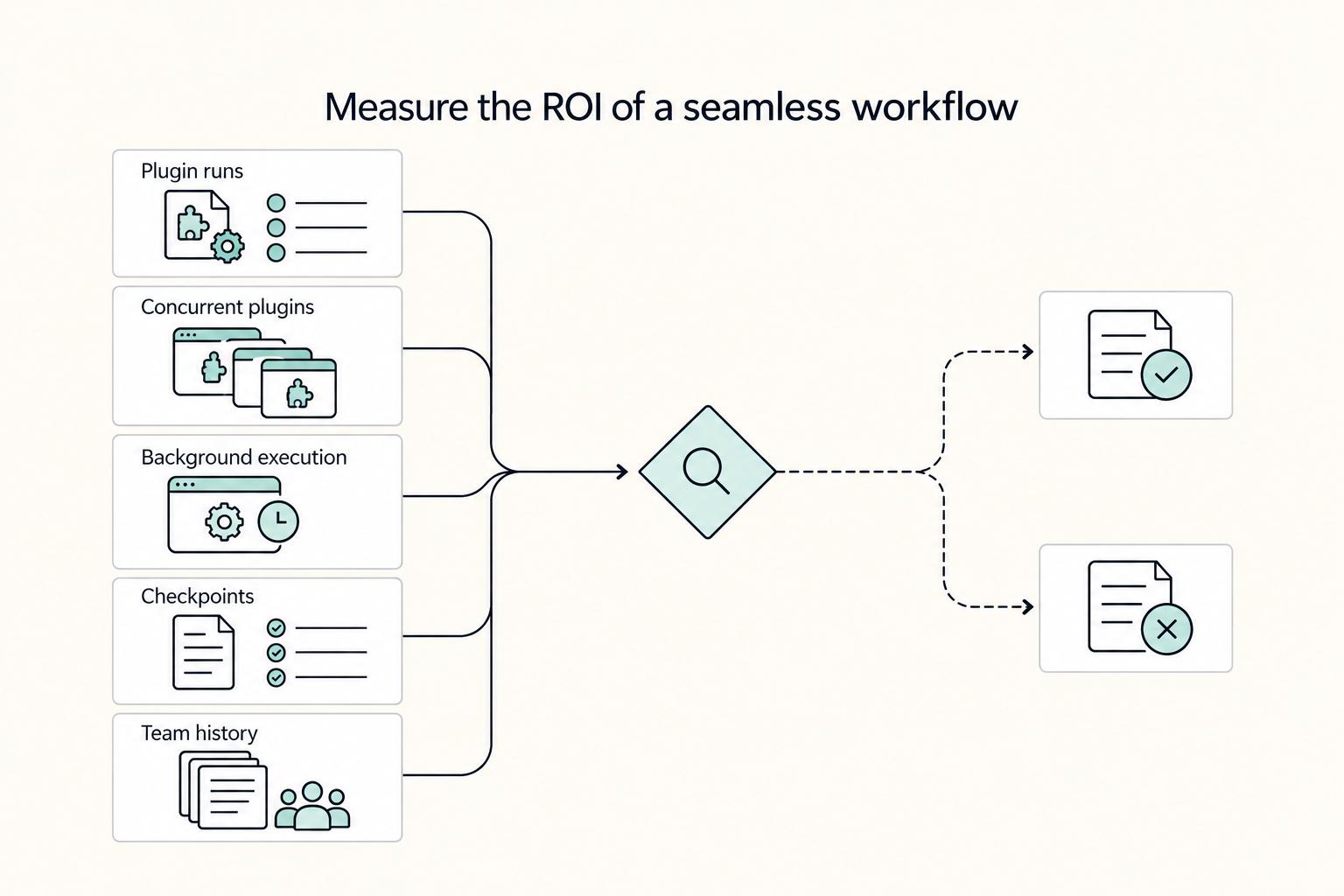
Pillar 2: Calculating the ROI of a Seamless Workflow#
A workflow pays off when it cuts handoffs in your real stack, not when it only looks fast in a demo. If your process depends on repeated exports, manual plugin runs, and hard-to-recover revisions, delivery slows, feedback rounds stretch, and margin gets thinner.
| Figma limit | Grounded note | Workflow impact |
|---|---|---|
| Plugin runs | You manually run plugins | Can bottleneck fast iteration |
| Concurrent plugins | Only one plugin can run at a time | Can bottleneck fast iteration |
| Background execution | Plugins cannot run in the background | Can bottleneck fast iteration |
| Checkpoints | Figma checkpoints every 30 minutes | Archive key approval states when review windows may run long |
| Starter team history | Starter teams only see 30 days of version history | Archive key approval states when review windows may run long |
- Run a live-project workflow check before you commit. Use one active client job and score each option on:
- Integration depth across the tools you already use
- Handoff friction between creation, review, and delivery
- Version-history reliability for rollback during revisions
- Export consistency across final formats
Plugin-first can still be the right move in many mockup workflows, but verify the limits early. In Figma, you manually run plugins, only one plugin can run at a time, and plugins cannot run in the background. That can be fine in simple cycles, but it can bottleneck fast iteration. For recovery, Figma checkpoints every 30 minutes, and Starter teams only see 30 days of version history, so archive key approval states when review windows may run long.
- Pick the workflow by outcome, not habit. Browser flow, plugin-assisted flow, and a Photoshop mockup each solve different delivery problems.
| Workflow type | Setup effort | Iteration speed | Collaboration fit | Control level | Maintenance overhead |
|---|---|---|---|---|---|
| Browser-based (for example, Placeit) | Low. Runs in browser without Photoshop | Fast for standard outputs; Placeit describes creation in "a matter of seconds" | Strong for quick-turn sharing after download | Moderate | Low to moderate |
| Plugin-assisted in design app | Moderate. Depends on plugin setup and manual runs | Fast when mapping is clean; slower when runtime limits appear | Strong in-app; weaker when review happens outside that tool | Moderate to high | Moderate |
| Photoshop Linked Smart Objects | Higher. Needs PSD discipline and linked-file structure | Strong after setup, especially when one linked file updates multiple instances | Strong when collaborators already work in Adobe files | High | Higher |
If you ship fast-turn social deliverables, Placeit is often the practical route: browser-based creation, a large template library, and direct high-quality downloads for sharing or print. If you are building high-control client presentation work, linked Smart Objects are usually stronger because repeated assets stay synced across scenes. Treat Smartmockups as part of Canva's current path, not a standalone destination, since Smartmockups.com closed on September 27, 2024.
- Use AI for exploration; avoid relying on it for trust-critical finals.
- Use when: you need rough background generation, smart placement tests, or batch variations for internal review.
- Avoid when: the output must be clearly unique, tightly brand-specific, or ready to ship without manual checks.
- Verify before delivery: review crop consistency, reflections, logo distortion, and scene-to-scene alignment; confirm plan limits and output allowances before you promise volume.
- Capability note: verify current limits before you promise volume.
Related: The Best Mockup Tools for Graphic Designers.
Pillar 3: Verify rights and keep proof before you publish client work#
Protect the final deliverable the same way you protect quality: verify rights before you publish. If you cannot trace an asset to a readable license and keep proof from the day you downloaded it, do not use it in client work.
This is boundary-setting, not fear. Intellectual property is commonly described through copyright, patent, trademark, and trade secret, but your day-to-day decision is simpler: what rights were granted for that specific asset, and what still belongs to the original creator? Editing a file does not automatically transfer ownership of the underlying scene or template. The exact phrasing can vary by jurisdiction.
Compare sources by traceability, not just price#
Treat paid vs free as a procurement and compliance decision, not a moral label. The safer source is usually the one that gives you clear terms and a record you can still verify later.
| Source type | Licensing transparency | Traceability | Operational risk |
|---|---|---|---|
| Marketplaces | Mixed; platform terms and creator terms may both apply | Moderate if you keep listing details and purchase records | Medium |
| Platform libraries (including Placeit and Smartmockups-related libraries) | Often more centralized inside the platform | Moderate to high when account history and receipts are retained | Medium |
| Free aggregators | Often unclear or hard to verify to the original source | Low | High |
| Custom PSD packs from individual creators | Can be clear when license terms are included with the files | Medium to high if you keep invoice, files, and license text together | Medium |
A polished preview is not proof of permission. If a source page errors out, disappears, or routes to a coupon-style review page instead of original terms, treat that asset as unverified until you confirm the real source.
Use this five-step check before publishing client work#
| Step | What to do | Key detail |
|---|---|---|
| Find the actual license page | Check terms at the source asset page | Do not rely on secondary summaries |
| Confirm commercial scope | Make sure usage covers your real output | Include branding presentations, portfolio use, and paid client deliverables |
| Check modification rights | Confirm what edits are allowed | Editing a file does not automatically transfer ownership of the underlying scene or template |
| Check redistribution limits | Separate final exports from source-file transfers | Delivering final exports is different from transferring PSDs or template packs |
| Keep a proof pack | Save receipt or invoice, asset URL, creator or seller name, download date, and a copy or screenshot of the license terms | Keep it so you can still review the terms later |
- Find the actual license page. Check the terms on the source asset page, not secondary summaries.
- Confirm commercial scope. Make sure the usage covers your real output, including a branding presentation, portfolio use, and paid client deliverables.
- Check modification rights. A Photoshop mockup may allow edits for output images without granting ownership of the source template.
- Check redistribution limits. Delivering final exports is different from transferring PSDs or template packs.
- Keep a proof pack. Save the receipt or invoice, asset URL, creator or seller name, download date, and a copy or screenshot of the license terms so you can still review them later.
Use this flow every time, and licensing becomes a routine pre-publish check instead of a last-minute scramble.
For a step-by-step walkthrough, see The Best AI Image Generators for Freelance Designers.
Conclusion: Make an Investment, Not Just a Choice#
Your final pick should be boring in the right way: it should help you present work well, fit how you already design, and give you enough license confidence to ship without second-guessing. If a tool looks impressive but fails one of those checks, it is probably not a good business buy.
- Presentation quality
Start with the work you actually need to show. A solid mockup generator should cover the product types you use most, whether that is apparel, packaging, stationery, web pages, or digital products, and let you choose a template, upload your design, and generate the visual quickly. If you need broad coverage fast, a browser tool such as Placeit is worth testing first because roundup material describes it as having tens of thousands of templates across multiple categories.
- Workflow fit
Do not separate output quality from speed. The practical test is whether the tool balances product variety, premium-feeling image quality, and a process fast enough for repeat use, especially if your portfolio needs multiple variants. Check integration support against your actual stack, such as Figma, Photoshop, Canva, or Brandy, and test whether you can change colors, tweak backgrounds, and preview live without friction.
- License confidence
Full commercial licensing terms for specific tools or assets are not established. Before you ship commercial work, verify the terms for the exact asset you plan to use and make sure you can keep a clear record of those terms. If the terms are vague or hard to verify, treat that as a red flag.
- Budget fit
Cheap is not automatically efficient. Template quality can vary, and some of the stronger assets may sit behind a subscription, while building mockups from scratch can be time-consuming and relatively expensive. Use browser tools like Placeit when speed matters most, and use a from-scratch route when control matters enough to justify the extra time.
Before you commit, run one real job through your shortlist: one portfolio piece, one export, one license check, and one budget check. That turns a comparison into a decision you can actually trust.
Related: The Best Analytics Tools for Your Freelance Website.
Frequently Asked Questions
What should you use for client presentations?
Use a browser-based generator when speed matters more than deep scene editing, and use a Photoshop mockup when you need tighter control over reflections, shadows, or composition. The right pick is usually the one that gets you to a credible final image fastest without forcing awkward edits. Before you place anything in a client deck, check export quality, scene style, file handoff, and the live license page. Do not choose from preview thumbnails alone, because a polished sample does not help if the real asset is rigid, hard to edit, or poorly documented.
Are mockup generators safe for commercial use?
They can work for paid client use when the platform gives you a readable commercial-use statement and you keep proof of the terms on the day you download the asset. Mockup Generator, for example, states that “all mockups available on our platform are free for commercial use.” Confirm the actual scope on the source page, then save the receipt, asset URL, and a screenshot or PDF of the license text. For Placeit and Smartmockups, check the live licensing terms before you use them, and remember that commercial-use language does not clear your design itself.
Should you use a free mockup generator for professional work?
Free access is fine for testing a tool or creating rough internal drafts. If you need the full library or advanced features, Mockup Generator says “Most mockups and advanced features are available through the Pro plan,” so treat free access as a trial, not an assumption. Check what is locked behind the paid tier, whether the asset you want is included, and whether the license is attached to the exact file you plan to use. The cheap mistake is not the monthly fee. It is building a client deliverable around a mockup you later discover you cannot access, export, or document properly.
What if your workflow depends on volume or repeatable output?
Use a generator when you need fast iteration across multiple designs, especially for portfolio refreshes or variant testing. Mockup Generator says there is no strict upload cap, but it recommends batches of 10 designs at a time for performance. Test one real batch before you commit, and check whether slowdown appears on your device. The same FAQ notes that generation can slow when your battery drops below 20% and energy saving mode kicks in, so do not judge a tool by a perfect first run on a plugged-in laptop.
How do AI mockup generators work in practice?
Use AI mockup generators when your bottleneck is repetitive setup, not when you need exact art direction. The grounded definition here is simple: they help automate repetitive design tasks, and Mockup Generator says it uses Midjourney and DALL-E under those services’ policies. Check whether the tool is generating the whole scene, placing your design into a prepared scene, or doing both, because those are different reliability levels. Do not assume AI output is automatically safer or cleaner. You still need the same proof pack and the same review for trademark, copyright, brand, and presentation accuracy.
Choosing between Placeit, Smartmockups, and a PSD
If you are deciding between placeit, smartmockups, and a manual PSD route, use this as a first filter, then verify the live product pages. | Option | Workflow compatibility | Control level | Licensing clarity | Presentation quality fit | | --- | --- | --- | --- | --- | | Placeit | Confirm on the live product page | Validate with a real sample job | Check platform terms and asset terms | Test with your own export before client use | | Smartmockups | Confirm on the live product page | Validate with a real sample job | Check platform terms and asset terms | Test with your own export before client use | | Photoshop mockup | File-based editing inside your design app | High manual control, usually slower | Depends on the creator’s license text and your saved proof pack | Best when the presentation needs heavier customization |
What is the practical difference between Placeit and Smartmockups?
Choose between them based on how you like to work, not on generic “best” claims. Both still appear in recent roundup content, which is enough to treat them as options worth checking, but not enough to pick a winner. Open the live product pages and confirm workflow compatibility and licensing details yourself. Do not build a long-term client process around either platform until you have tested a real job from import to export to license capture.
Try a related tool
Researched and edited by the Gruv editorial team. Gruv builds cross-border billing, payouts, and finance-operations software for global businesses.
Sources
Includes 4 external sources outside the trusted-domain allowlist.
- copyright.gov/title17trusted
- copyright.gov/circs/circ16a.pdftrusted
- netl.doe.gov/HGEO-External-R-and-D-Final-Technical-Reportstrusted
- repository.uclawsf.edu/cgi/viewcontent.cgitrusted
- adobe.com/learn/photoshop/web/photoshop-linked-smart-o...external
- brandyhq.com/blog/mockup-generator-toolsexternal
- canva.com/create/mockup-generatorexternal
- canva.com/policies/content-license-agreementexternal
Educational content only. Not legal, tax, or financial advice.
Related Posts

Value-Based Pricing for Freelancers Under Real Payment Risk
Value-based pricing works when you and the client can name the business result before kickoff and agree on how progress will be judged. If that link is weak, use a tighter model first. This is not about defending one pricing philosophy over another. It is about avoiding surprises by keeping pricing, scope, delivery, and payment aligned from day one.
The Best Mockup Tools for Graphic Designers
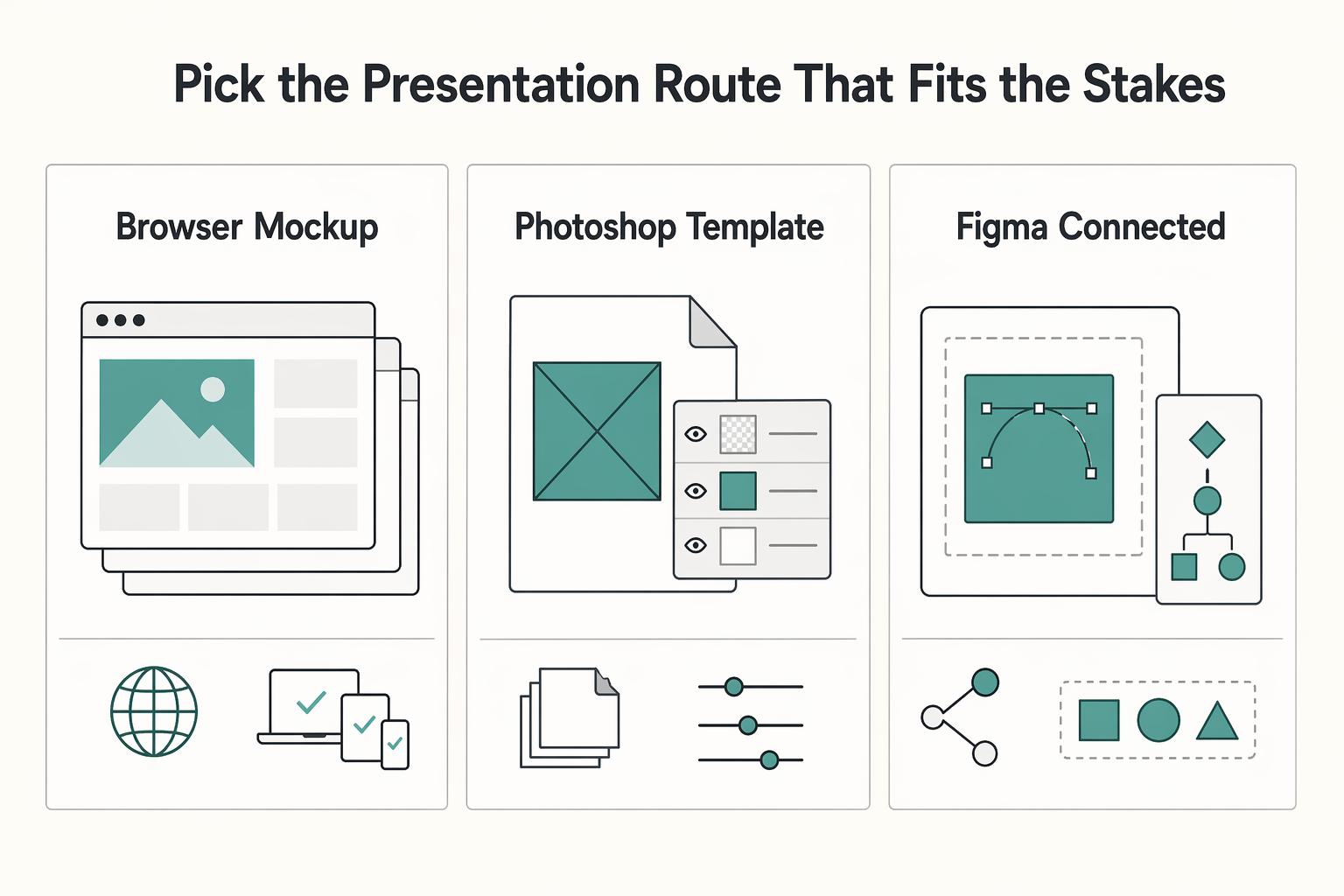
If you are looking for the single **best mockup tools for designers**, you are using the wrong decision model. In client work, the better question is simpler: what job needs doing, how high are the stakes, and what does the next handoff require?
How to Create a Writer's Portfolio That Wows Potential Clients
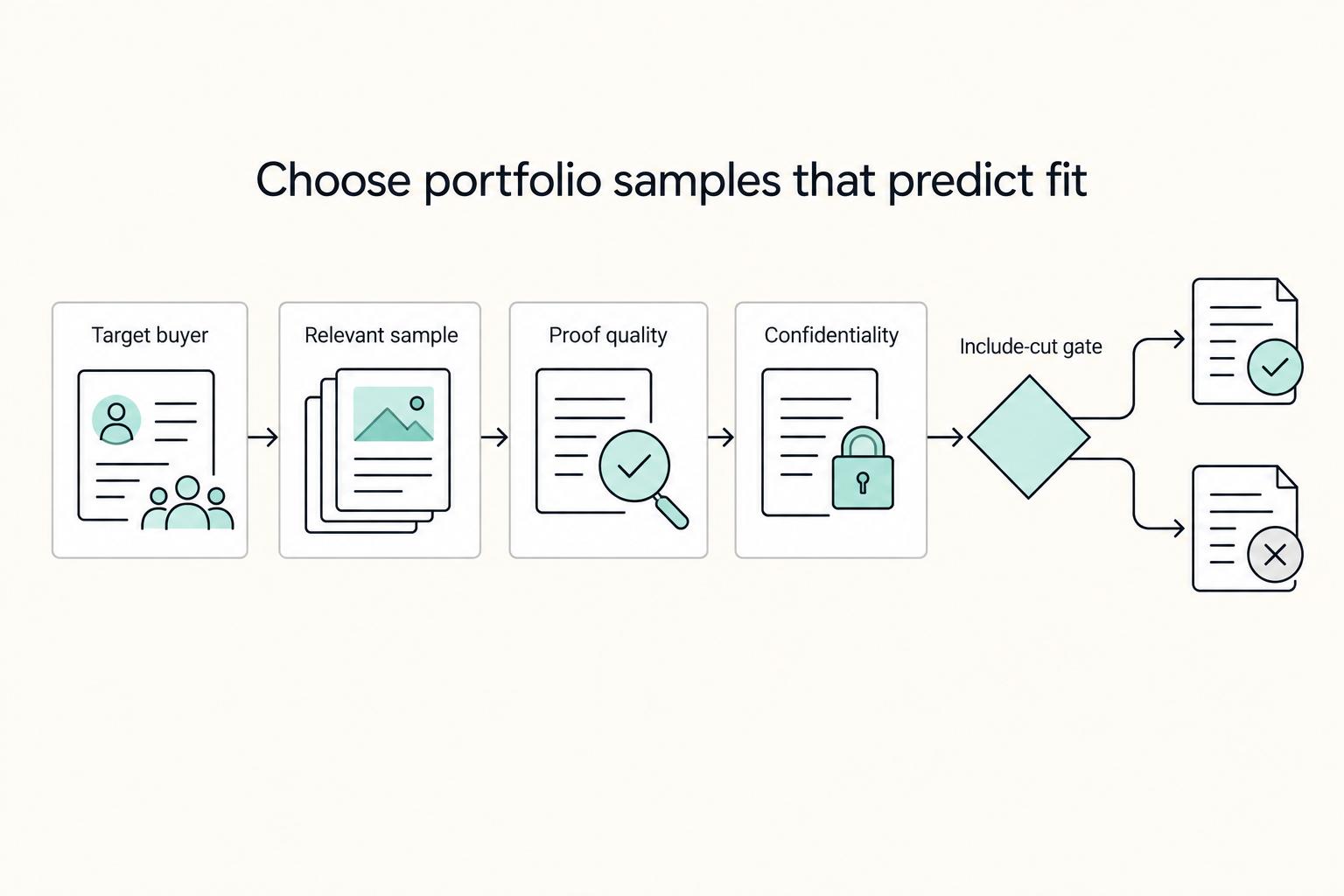
**Step 1. Treat your freelance writer portfolio like sales collateral, not a scrapbook.** Many guides offer examples, templates, and beginner encouragement. That can help you get a page live, but it does not always help you decide what belongs there once your services, niche, and client mix start shifting. Your portfolio is not just a summary of past work. It functions like your resume, business card, and shop front. If you build it with that job in mind, every sample has to earn its place.