
Quick Answer
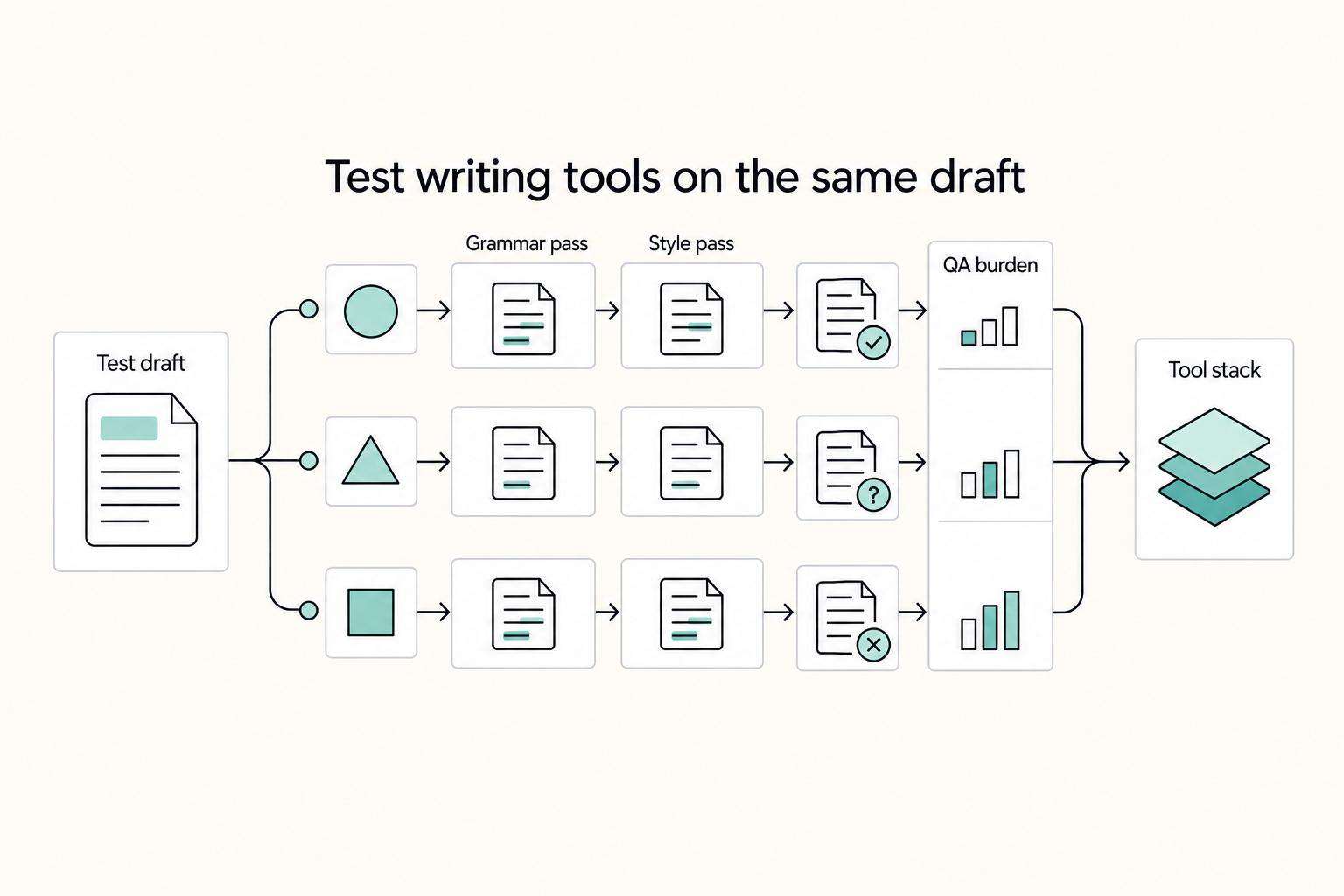
Pick two tools, not one winner: a primary grammar checker and a secondary style pass. In the article’s evidence, Scribbr reports QuillBot at 20 out of 20 in its corrections test, while Grammarly is positioned for all-around editing and still requires human acceptance of suggestions. Use a short trial on your own drafts, then keep the pair that improves turnaround without raising meaning changes or tone drift in client-facing copy.
Start Here If You Need Cleaner Drafts and Fewer Client Revisions#
If you write for clients, don't hunt for one universal winner. Build a small editing setup you trust on real drafts, then use it the same way every week. That tells you more than copying a verdict from a roundup.
- This guide is for working writers, not casual tool shoppers.
This guide is for independent professionals who keep losing time to revision loops, muddy edits, or last-minute second-guessing before delivery. In Zapier's framing, these tools are built to correct, refine, and improve text, not fully generate it. That distinction matters. You are trying to cut avoidable edits without letting a tool rewrite your intent.
- You should be able to choose in one focused session.
The goal is simple: test a few candidates on your own material, make a decision, and stop reopening the question every week. A practical checkpoint is to compare each option on three pieces you already produce, then note four things: which suggestions you accepted, which you rejected, how long the pass took, and whether any accepted change shifted meaning. If a tool looks fast but forces you to undo tone or factual changes, that is not saved time. It's hidden rework.
- Use public roundups as shortlists, not verdicts.
Zapier says it considered dozens of apps and narrowed the field to 6 after in-depth testing in its June 3, 2025 roundup. That is useful, and so are labels like Grammarly for "all-around editing," but it still is not proof for your client mix. There is also a simple risk-control reason to stay skeptical: Zapier discloses that it may earn a commission. Separately, an editGPT article published August 26, 2025 and updated February 25, 2026 lists 10 alternatives and argues some beat it on price, style, or unique features. Read both as inputs, not instructions.
- You will choose by fit and error risk, not by hype.
Most comparisons are answering different questions. It helps to frame the choice as finding the right writing tool for different situations, especially for teams that need more than a basic spell check. That is the lens to use here. If your drafts are mostly quick emails and short client updates, a broad grammar-first tool may be enough. If your work is more voice-sensitive or specialized, your shortlist should change. The red flag is any tool that improves surface polish while increasing meaning errors, voice drift, or approval risk on client-facing copy.
This article stays tightly scoped to the tools and claims surfaced in the comparison set above. No universal winner, no invented benchmarks, and no blind trust in any single roundup.
For a step-by-step walkthrough, see Best Notebooks and Pens for Writers Who Need Reliable Notes.
Set Your Selection Criteria Before You Compare Any Tool#
Choose by job first, then compare tools. Before you compare products, decide what job you are hiring the tool to do. That sounds obvious, but it is where most searches go wrong: people compare brand names before they define the risk they need reduced.
A useful starting point is editGPT's February 2, 2026 article, updated February 10, 2026, which explicitly frames the choice by use case. That is the right lens here. A basic grammar checker is a safety net for typos. A writing assistant nudges tone. A writing editor goes deeper into structure and flow. If you blur those roles together, you will reward the wrong tool for the wrong reason.
- Role clarity
Start by labeling your primary use case, such as all-around editing, creative writing, multilingual writing, or academic writing. Those are not cosmetic categories. A client email, a narrative draft, and a research-heavy piece do not fail in the same way. The best option is contextual, not universal. That is why some comparisons sort by use case while others name a single winner.
- Decision-critical scoring
Next, score each tool on only five things: correction reliability, false-positive rate, rewrite control, tone drift risk, and document-length handling. Reedsy's method is worth borrowing because it used the same error-filled passage across tools and rated both accuracy and usability. Using the same sample across every test gives you a real checkpoint. If Tool A catches more errors but creates more bad rewrites, you can see that instead of guessing from feature pages.
- Operational fit
Add operational criteria to your checklist: where suggestions get accepted, who has final approval, and how you keep client voice intact. A tool that looks strong in-browser can still create friction if your real work happens in Google Docs, Word, or pasted sections during final review. Track the acceptance point, not just suggestion quality. If edits are accepted too early, before you do a meaning check, small wording changes can slip into client-facing copy unnoticed.
- Pass or fail rule
Use one hard rule for the final decision: if the tool saves time but increases meaning errors, it fails. This is a common failure mode with rewrite-heavy tools and tone-coaching features. Speed does not count if you have to undo voice drift, factual softening, or wording that changes intent.
Keep your score sheet simple: accepted suggestions, rejected suggestions, meaning shifts caught in review, and time spent. One extra red flag is coverage mismatch. Reedsy called Grammarly the winner in its test and also noted an English-only limitation, plus a free plan cap of 150k words per 30 days. If your work includes multilingual writing or high-volume client drafts, those details belong in the decision, not buried in the fine print after you choose.
Related: How to Build a Sales Pipeline for Your Freelance Business.
Compare the Best Grammar Checkers by Use Case#
The evidence here points to roles, not a single podium. Keep two primary candidates on your shortlist, especially if you work across different writing contexts.
The table below is deliberately conservative. QuillBot has direct test-style support here. Grammarly has an explicit use-case label from EditGPT's February 2, 2026 guide, updated February 10, 2026. Several other tools are listed as provisional candidates for your own testing, not because they were proven out here.
| Tool | Best for | Key strengths | Key weaknesses | Style vs grammar bias | Ideal project type | Confidence |
|---|---|---|---|---|---|---|
| Grammarly | Daily workplace communication | EditGPT explicitly places it in this role, so it is a sensible first-pass candidate for frequent professional drafts | No test score is provided here, so you still need to check false positives and tone drift on your own samples | Mixed; likely grammar plus writing-assistant behavior, but not measured here | Client emails, briefs, short professional drafts | Medium, category/editorial positioning from EditGPT |
| ProWritingAid | Provisional candidate | Confirm with the relevant authority | No supported metric or quoted use-case placement in the extracted evidence | Unknown from extracted evidence | Decide after your own trial | Low, no direct support in extracted evidence |
| Wordtune | Provisional candidate | Confirm with the relevant authority | No supported metric or quoted use-case placement in the extracted evidence | Unknown from extracted evidence | Decide after your own trial | Low, no direct support in extracted evidence |
| LanguageTool | Provisional candidate | Confirm with the relevant authority | No supported metric or quoted use-case placement in the extracted evidence | Unknown from extracted evidence | Decide after your own trial | Low, no direct support in extracted evidence |
| Hemingway Writer | Provisional candidate | Confirm with the relevant authority | No supported metric or quoted use-case placement in the extracted evidence | Unknown from extracted evidence | Decide after your own trial | Low, no direct support in extracted evidence |
| Paperpal | Provisional candidate | Confirm with the relevant authority | The academic label in the excerpts is attached to Scribbr, not Paperpal, and there is no measured Paperpal result here | Unknown from extracted evidence | Decide after your own trial | Low, no direct support in extracted evidence |
| QuillBot | Test-backed grammar-checking candidate | Scribbr says it tested 10 free grammar checkers, counted fixed errors, deducted points for introduced errors, and found a clear winner; QuillBot scored 20 out of 20 | That is still one method, not proof that it is universally best for every writing job | Grammar-checking performance is supported by this test context | Fast first-pass cleanup on your sample drafts | High, test-style claim from Scribbr |
The key recommendation is simple: pick one test-backed or clearly positioned primary tool, then pair it with a second candidate that covers the gap. If your work is mostly client communication, the daily-communication pick above earns a shortlist slot because EditGPT names that use case directly. If you want the strongest measured starting point, QuillBot earns a slot. Scribbr's method counted both fixes and introduced errors, and it still finished first.
Use a simple verification note beside each tool: "test-based" for anything backed by a published comparison method, and "editorial positioning" for anything placed by category or roundup logic. If a tool has neither in your notes, keep it provisional. It should stay there until it survives your own three-sample trial with counts for accepted suggestions, rejected suggestions, meaning changes, and time spent.
The biggest failure mode is comparing unlike roles and calling the result decisive. A grammar checker catches errors. A writing assistant coaches tone. A writing editor goes deeper into structure and flow. If you pile those jobs together, you will overrate tools that are strong at one layer and weak at the layer that actually drives client revisions.
If you want a deeper dive, read The Best Project Management Tools for Freelance Writers.
Pick the Right Tool Category for the Job#
Choose your two shortlist tools by editing job, not brand familiarity: start with the problem costing you the most time.
| Category | Candidate tools | Grounded note | Main caution |
|---|---|---|---|
| Grammar-first cleanup | Grammarly; QuillBot; LanguageTool | Zapier labels Grammarly for all-around editing; Contentestate tested 10 free grammar checkers on a sample with 13 errors in 123 words, where QuillBot and LanguageTool emerged as top performers | Track true fixes and false positives |
| Style-heavy revision | ProWritingAid; Hemingway Writer | ProWritingAid and Hemingway are shortlist hypotheses, not fully proved picks | Use after grammar-first cleanup, not as replacements |
| Rewrite-heavy drafting | Wordtune | Zapier's category label is rewriting, shortening, and expanding content | Meaning drift; approve changes suggestion by suggestion when client voice is strict |
| Language-specific testing | LanguageTool; Paperpal | LanguageTool aligns with Walterwrites' audience-based framing and Contentestate's top-performer result; Paperpal warrants further testing | Escalate high-stakes documents to manual review when precision matters |
- Grammar-first cleanup with a broad checker or QuillBot.
Use this when your bottleneck is raw correctness and fast cleanup. Zapier labels Grammarly for "all-around editing" and says it narrowed testing to 6 apps. Contentestate says it tested 10 free grammar checkers on a sample with 13 errors in 123 words, where QuillBot and LanguageTool emerged as top performers. In your own trial, track both true fixes and false positives, since accuracy alone is not enough if clean copy gets flagged too often.
- Style-heavy revision with ProWritingAid, with Hemingway Writer as a provisional readability slot.
Use this category when correctness is mostly fine but flow, cadence, and sentence shape still need work. ProWritingAid and Hemingway are shortlist hypotheses, not fully proved picks, so treat them as second-pass tools after grammar-first cleanup, not replacements for it.
- Rewrite-heavy drafting with Wordtune.
Pick this when you are stuck on phrasing or need to shorten or expand draft text. Zapier's category label is explicit: Wordtune is for "rewriting, shortening, and expanding content." The tradeoff is meaning drift, so keep rewrites constrained and approve changes suggestion by suggestion when client voice is strict.
- Language-specific testing with LanguageTool, plus caution on academic tooling.
If you write for multilingual audiences or non-native English speakers, put LanguageTool in your first test batch. That aligns with Walterwrites' audience-based framing and Contentestate's top-performer result. Keep Paperpal provisional in this section: this evidence does not support a firm recommendation. For high-stakes documents, escalate to manual review when precision matters; a human grammar checker can adapt edits to document-specific needs.
We covered this in detail in Best Podcasts for Writers Building a Resilient Freelance Business.
Run a 60-Minute Trial and Choose Your Final Stack#
A practical trial beats more feature-page reading. Once your shortlist is set, run the same test on every candidate. The goal is not to crown a winner in theory. It is to find the pair that makes your drafts cleaner and faster without creating edits you have to reverse later.
- Build a small sample pack.
Include a mix of short copy, a longer section, and a high-stakes paragraph where tone precision matters. That mix helps you spot different failure points: fast cleanup on short copy, suggestion fatigue on longer work, and meaning drift where every word carries weight.
What you are really testing is coverage. A tool can look great on a rough email and still mishandle a polished paragraph, or help on long-form copy but over-edit client-facing tone. Save clean originals before you start, anonymize client details, and run the same sample set through every candidate so your comparison stays honest.
- Test tools by job type, not brand order.
Keep grammar checking, style coaching, and optional rewriting as distinct roles, and use the pass sequence that fits your workflow. This helps you compare like-for-like outputs and makes meaning changes easier to catch.
This matters because not all writing tools do the same job. Machined says many comparison lists rank tools "as if they're competing for the same job," even though it reviewed 29 tools across six categories. If you are testing these tools seriously, treat grammar, style, and rewriting as distinct roles. A common failure mode is letting a rewrite tool touch the whole draft before you know whether it changes qualifiers, product terms, or promised outcomes.
- Track four outputs in one simple sheet.
For each pass, log accepted suggestions, rejected suggestions, time spent, and any meaning changes you catch in manual review. Those four numbers tell you more than a vague "felt helpful" note ever will.
Your checkpoint is manual review against the original, especially after any rewrite pass. Check for changed claims, softened language, swapped terminology, and tone shifts that would matter to a client. DigitalOcean's December 11, 2025 guidance on paraphrasers is the right caution here: shallow rewrites are common without thoughtful editing, and human review is essential.
- Choose the pair that reduces total editorial drag.
Keep the stack that improves clarity and speed without increasing corrections you must undo. In many workflows, that means one primary cleaner plus one secondary style tool, not three always-on layers.
If your first-pass tool catches obvious issues quickly and ProWritingAid or Hemingway Writer improves flow without flooding you with weak suggestions, keep that pair. If Wordtune saves time on rough drafting but introduces meaning changes in high-stakes copy, confine it to early drafting or drop it from client-facing work. The right final stack is the one you trust on real copy, not the one with the longest feature list.
Avoid the Failure Modes Competitor Roundups Barely Address#
The biggest risk is not missing a feature. It is trusting the wrong process. After the trial, the next job is to keep yourself from making a bad process choice. Most competitor roundups do not spend much time on the failure modes that create client revisions.
- Separate style help from actual correction.
A readability-focused pass is not the same as a full correctness pass. Use style editing as a second pass, not as proof that your core grammar checks are complete. The rule is simple: when correctness is the job, keep a grammar-first checker ahead of any style pass.
- Read the bias signals before you trust the ranking.
Some roundup pages are useful, but they are still commercial pages. MasterBlogging's Apr 16, 2025 comparison explicitly says, "we may earn a commission at no extra cost to you," and says it scores 7 tools on four key factors: usability, reliability, features, and pricing. That can help you build a shortlist, but by itself it does not show how a tool will perform on your own drafts.
- Do not turn popularity into client process.
A strong recommendation might fit one workflow and still be wrong for your client mix. Your checkpoint is trial evidence from your own three-draft pack: one email, one longer section, one high-stakes paragraph. If a popular pick produces lots of rejected suggestions or meaning changes, it fails.
- Protect intent, not just mechanics.
Mechanical correctness is only one layer of good writing. Mr. Anderson's warning about overvaluing "surface features" matters because spelling, grammar, and syntax are not the whole goal. Review edits against the original intent before you accept them.
Related reading: The Best Calendar and Scheduling Apps for Freelancers.
Standardize Weekly Editing Operations for Consistent Delivery#
Consistency comes from a repeatable process, not any single app. Standardize the editing order, approval rules, and exception handling so each deliverable is reviewed the same way.
- Write a one-page SOP and make the sequence explicit.
Define which tool runs first, who can approve style changes, and what "publish-ready" means for your business. Run grammar first, style second, and rewrite last so grammar, spelling, and capitalization are aligned before voice polish. If you use a style guide, name it and require adherence.
"Publish-ready" should mean more than "no flags left": no unresolved correctness issues, consistent terminology and capitalization, and rewrites checked against original meaning.
- Keep a small exception log for recurring issues.
Use a lightweight log: date, document type, original line, tool suggestion, and final decision. Group patterns by tool so repeat problems stay visible: false positives in Grammarly, style conflicts in ProWritingAid, and rewrite drift in Wordtune.
Keep one internal stress-test paragraph and rerun it when tool behavior shifts. That mirrors controlled comparisons that test multiple platforms on the exact same paragraph instead of relying on marketing claims.
- Use a final human checkpoint when tools conflict.
If tools disagree on the same sentence, assign final judgment to a named reviewer, especially for client work or brand-sensitive copy. Review original and accepted versions side by side before sign-off.
This protects quality because some test methods explicitly penalize checkers for introducing new errors. A cleaner sentence is still a loss if it changes the claim or weakens intent.
- Connect editing operations to business outcomes.
A standard workflow reduces avoidable revision loops, helps protect scope, and supports firmer pricing conversations. Track two weekly numbers: revision rounds per deliverable and time spent undoing tool suggestions.
If both trend down after standardizing, you have operating evidence you can use in client discussions, including value-based pricing.
You might also find this useful: Best Dictation Software for Writers Who Need Better ROI and Data Control.
Make Your Choice and Lock the Process#
Choose one primary grammar checker and one secondary style tool, then stop switching unless your results clearly improve.
| Tool | Supported upside | Stated constraint |
|---|---|---|
| Grammarly | Reedsy's accuracy and overall usability framing makes it a defensible primary | English-only coverage; free plan cap of 150k words per 30 days |
| QuillBot | Scribbr shows 20 out of 20 in its corrections score; the article says it is a credible primary if your sample favors correction count | Use rankings to shortlist, not to auto-switch; Scribbr discloses an affiliation with QuillBot |
| Hemingway Writer | Useful as a secondary style pass | Not a standalone grammar checker |
| LanguageTool | Consider it if you need multilingual support | 2,000-character limit; inconsistent suggestions |
- Pick your primary and secondary tools based on your own test output.
Use the tool that gave you the cleanest grammar pass with the fewest meaning changes as your primary. Grammarly is a defensible primary if you value Reedsy's accuracy/usability framing, with the known tradeoffs of English-only coverage and a free cap of 150k words/30 days. QuillBot is also a credible primary if your sample favors correction count, since Scribbr shows 20 out of 20 versus Grammarly's 11 out of 20 in its corrections score. For the secondary tool, pick a different job: Hemingway is a style pass, not a standalone grammar checker. If you need multilingual support, consider LanguageTool, but account for its 2,000-character limit and inconsistent suggestions.
- Write acceptance rules before workload increases.
Document run order and where bulk edits are allowed. Some workflows support both one-click "Fix All Errors" and line-by-line acceptance, and they are not equally safe for client-facing copy. Use clear rules such as:
- Bulk fixes for low-risk drafts only.
- Line-by-line review for brand-sensitive, legal, technical, or promise-heavy copy.
- If a suggestion changes intent, keep the original and revise manually.
- Re-test on a schedule you can sustain, and on workflow changes.
A light quarterly check can work, but re-test whenever your work mix changes, for example, more multilingual or voice-sensitive writing. Keep the method consistent each time: same error-filled passage approach, same scoring lens, and a manual check for introduced errors. Use rankings to shortlist, not to auto-switch. Scribbr discloses an affiliation with QuillBot, so treat comparison results as inputs, then decide from your own accepted edits, review time, and final quality.
This pairs well with our guide on The Best Ergonomic Keyboards for Programmers and Writers.
Frequently Asked Questions
What is the best grammar checker for writers?
There is no single winner across independent reviews. Scribbr says it tested 10 popular free grammar checkers and found a clear winner in QuillBot, with 20 out of 20 shown in its comparison table, while Reedsy says it tested five checkers and named Grammarly the winner based on accuracy and overall usability. Treat both as strong shortlist candidates, not a universal ranking.
Is Hemingway Writer a grammar checker?
This guide does not test Hemingway specifically, so you should not assume it covers full grammar correction. If you are considering it, verify that with your own sample instead of trusting category labels. Paste in a paragraph with known grammar errors and see which ones it actually catches before you use it on client work.
Which tool is best for all-around editing?
Based on the evidence included here, Reedsy makes the strongest all-around case for Grammarly, but not an uncontested one. Reedsy calls it the winner in its review, and Grammarly’s product page shows a manual acceptance step: “Step 3: Click a suggestion to accept it.” The tradeoff is also clear: Reedsy notes it is limited to English, and its free plan is capped at 150k words/30 days.
Which tool is best for creative writing?
This guide does not support a firm creative-writing winner, so it is better not to pretend the answer is settled. For voice-sensitive work, the real question is not raw correction count. It is how often a tool pushes edits you reject to preserve tone, rhythm, or character voice. If accepted suggestions make your prose cleaner but flatter, that tool is not the right primary editor for fiction or essay work.
Which tool is best for multilingual writing?
There is not enough supported evidence here to name a multilingual winner. What you can say is that Reedsy flags Grammarly as English-only in that review context, which is an immediate red flag if your drafts cross languages. If multilingual coverage matters, test with real bilingual or non-English text before you commit.
Can I rely only on AI grammar checkers for client work?
Not by default. Grammarly’s own flow still expects human judgment at the point of acceptance, not blind auto-fixing. The failure mode to watch is surface improvement with meaning drift: a sentence can become cleaner while changing the claim, the promise, or the brand voice you were hired to protect.
How should I choose quickly without guessing?
Run a short test on your own drafts and score tools the way reviewers do: Scribbr uses a corrections score, while Reedsy looks at overall usability alongside accuracy. In practice, compare what each tool catches, what you reject, and how much cleanup you have to undo afterward. Keep the two-tool stack that improves clarity and speed without increasing editorial reversals.
Try a related tool
Researched and edited by the Gruv editorial team. Gruv builds cross-border billing, payouts, and finance-operations software for global businesses.
Sources
Includes 8 external sources outside the trusted-domain allowlist.
- bubblecow.com/blog/book-editing/book-editing-tools/ai-tool...external
- contentestate.com/best-grammar-checkersexternal
- digitalocean.com/resources/articles/ai-paraphrasersexternal
- editgpt.app/blog/10-best-grammarly-alternativesexternal
- editgpt.app/blog/best-grammar-checkerexternal
- eesel.ai/blog/grammarly-alternativesexternal
- genesysgrowth.com/blog/grammarly-vs-quillbot-vs-languagetoolexternal
- governmentattic.org/15docs/Gobbledygook_Has_Gotta_Go_1966.pdfexternal
Educational content only. Not legal, tax, or financial advice.
Related Posts

Value-Based Pricing for Freelancers Under Real Payment Risk
Value-based pricing works when you and the client can name the business result before kickoff and agree on how progress will be judged. If that link is weak, use a tighter model first. This is not about defending one pricing philosophy over another. It is about avoiding surprises by keeping pricing, scope, delivery, and payment aligned from day one.
The Best Project Management Tools for Freelance Writers
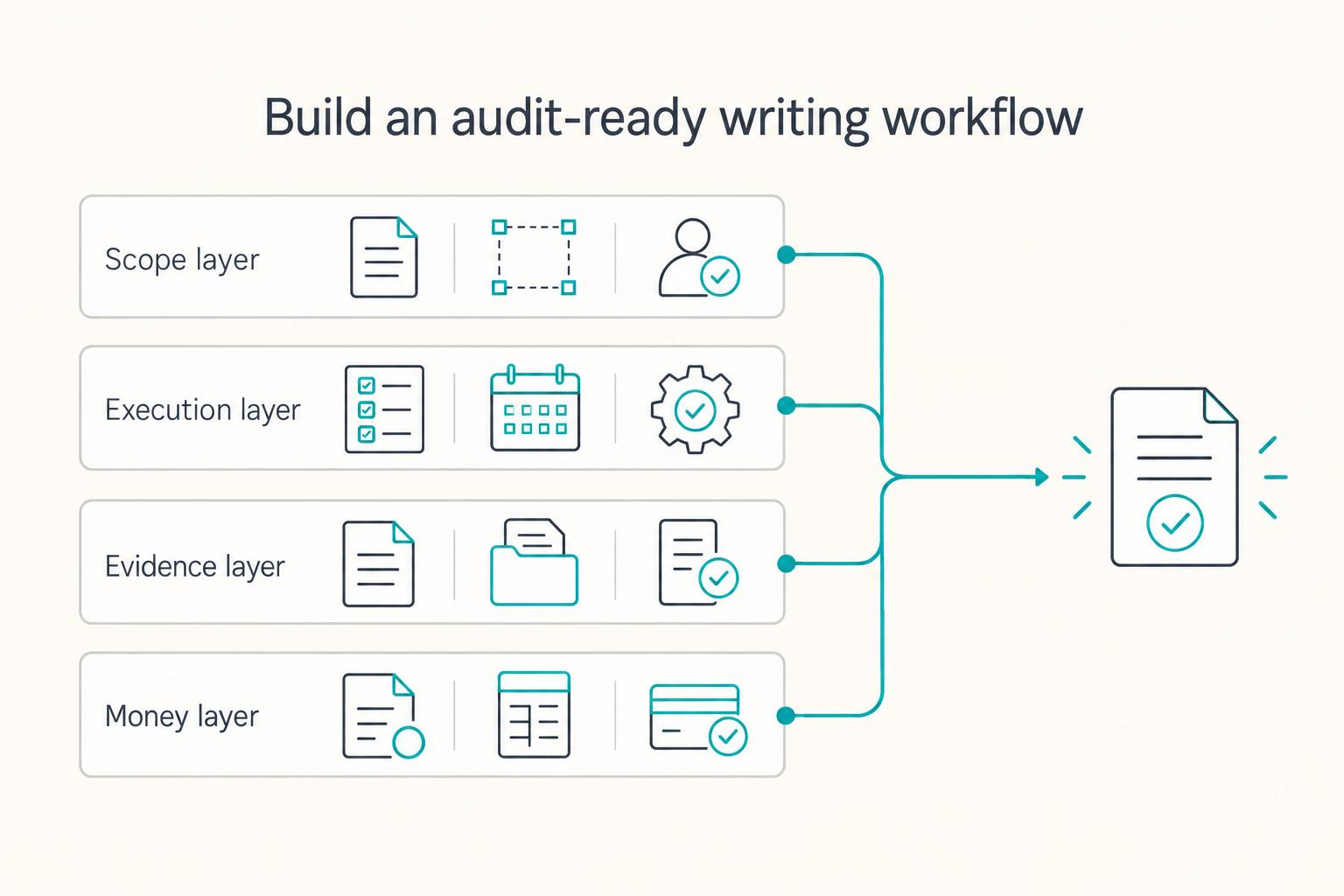
**Build one traceable system for scope, execution, and billing, and give each tool one clear job.** Freelance writing ops is not "a writing project." It is overlapping deadlines, revision cycles, approvals, and payment triggers. When you can't reconstruct what happened, you lose time, margin, and sometimes trust.

How to Build a Sales Pipeline for Your Freelance Business
Before you turn this into a detailed freelance pipeline playbook, pause for a source-quality check. The available evidence here is a [Scribd listing](https://www.scribd.com/document/958783827/The-FP-a-Handbook) for **FP&A Handbook: Financial Planning Guide**, not a verified, fully reviewed operations standard.