
Quick Answer
Choose Fillout or Jotform first if you need stronger client-intake controls than Airtable’s native form flow, then validate with your own resubmission and automation tests. For most professional workflows, the best form builders for Airtable are the ones that combine verifiable security evidence, reliable linked-record handling, and a client-friendly multi-step experience. Typeform is a strong UX option, while Tally, Softr, and Noloco fit narrower scenarios.
The Airtable Form as Your Digital Front Door: A Framework for Secure Client Intake#
Your intake form is more than a lead capture page. For a solo operator or small team, it is where you control risk, set expectations, and decide whether new information reaches Airtable cleanly enough to use. When that setup is weak, the problems are usually practical, not dramatic: duplicate records, manual re-entry, and broken handoffs that create cleanup before the real work even starts.
That is why form builders that connect to Airtable should be judged as operating tools, not feature lists. Before you get pulled toward design polish or template count, check the details that actually affect reliability. Can the vendor show a verifiable security certification such as SOC 2? Do they offer data residency options if you handle global client data? Can the form find and update existing linked Airtable records instead of creating another version of the same client?
Use three pillars to evaluate any option:
- Compliance and security
You need more than a shareable form link. The key differentiator is verifiable security evidence, plus data residency options when jurisdiction and client location matter.
- Workflow automation
A form should do more than add a new row. The key differentiator is whether it can find and update existing linked Airtable records, which is often what cuts manual entry and preserves one usable client history.
- Client experience
Intake is part of onboarding, not just admin. The key differentiator is customizable multi-page forms with conditional logic, so clients see relevant questions in an order that feels intentional.
A simple rule applies here. If your current intake forces you to merge records, chase missing details, or reconstruct client context from scattered submissions, the setup is already too fragile. This guide will help you choose a stack you can operate with confidence as client volume grows.
Why Airtable's Native Form is a Risky Welcome Mat#
Airtable's native form is fine for basic internal capture, but it becomes a bottleneck once client intake needs tighter control.
- Create-only behavior can turn revisions into duplicate records.
A small Airtable Community thread describes native forms as create-only, with no true edit flow for prior submissions, and one user reports repeat submissions creating new entries. Treat that as a practical warning, not final product documentation: test your own flow by submitting twice for the same client. If you get a second record instead of an update, onboarding changes and profile corrections become manual cleanup.
- Platform security and intake governance are separate checks.
This is not a claim that Airtable is insecure. It is a reminder that client intake adds governance questions your process still has to answer: data region, consent capture, and what audit trail you can export later if needed. Because this reflects a single account with a limited sample size, verify these controls in your own stack instead of assuming the form layer covers them.
- Workarounds are a signal that the process has outgrown the tool.
The same thread suggests using another form service plus Zapier or Integromat to handle updates, and calls that approach inconvenient for users. If your intake already depends on extra routing just to keep records usable, you are paying an operations tax at first touch.
You are likely at that point if any of these are true:
- clients need to revise answers after first submission
- you need a clearer record of consent or policy acceptance
- your intake experience no longer matches the standard you sell
At that stage, a dedicated form builder is less about prestige and more about reducing workflow friction and risk.
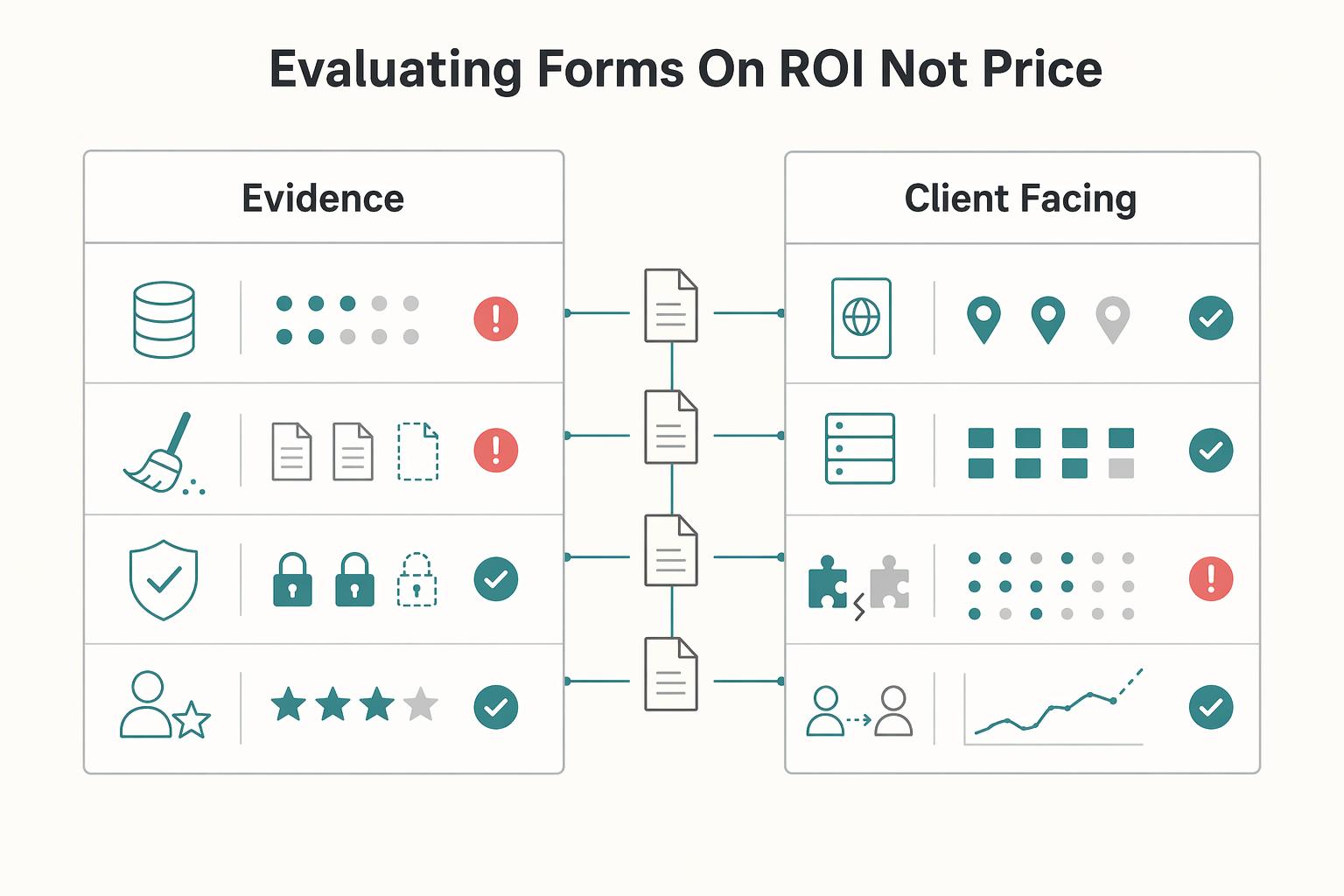
The Professional's Framework: Evaluating Forms on ROI, Not Price#
When Airtable's native form starts creating cleanup and trust issues, evaluate your next form tool on operating ROI, not monthly price. You are choosing an intake system that affects risk, admin load, and client confidence. In practice, the early return is usually fewer duplicate records, cleaner handoffs, less rework, and a stronger first impression.
Use roundup content as a shortlist, not a final decision. Jotform's 15-tool roundup (last updated March 5, 2026) includes a clear methodology section, "How we tested and picked these form builders," which is a good reminder to verify every critical claim in your own workflow.
| Criterion | What to validate | Why it matters operationally | Common red flags |
|---|---|---|---|
| Compliance evidence | SOC framework documentation, health-data compliance path if relevant, consent handling evidence, and data residency setup | Gives you defensible process evidence and lowers avoidable risk in client intake | Claims without documentation, unclear residency setup, consent language that is not clearly retrievable |
| Airtable record handling | Whether repeat submissions can reliably map to an existing record and what happens on resubmission | Reduces duplicate records, manual fixes, and downstream handoff errors | Every repeat submission creates a new record, brittle matching logic, no reliable update test flow |
| Client-facing UX quality | Mobile completion, step flow, branch logic, and brand consistency | Improves completion quality and reinforces trust at first touch | Confusing flow, too many fields at once, polished visuals with clumsy completion |
- Compliance evidence
Decision question: If a client challenged your intake process tomorrow, what evidence could you produce quickly? Verification checklist: request current security/compliance documentation, confirm the health-data path if your workflow needs it, verify how consent evidence is captured, and verify residency handling. If you need a hard benchmark, verify the current threshold in vendor documentation before rollout.
- Airtable record handling
Decision question: Can this setup prevent duplicate records when a client updates information later? Verification checklist: run a sandbox test, submit the same client twice with a stable identifier, and confirm whether the second submission updates or duplicates. Roundup positioning can guide exploration, but your decision should come from observed resubmission behavior.
- Client-facing UX quality
Decision question: Does this form experience make careful clients more likely to complete intake correctly? Verification checklist: complete the full flow on mobile, test branch paths, and confirm the form feels coherent and trustworthy from first field to final submission. In the same 2026 roundup, Typeform is positioned for conversational forms and Fillout for trustworthy payment forms, which is useful context, but your own completion test should decide.
One practical caution: packaging can hide operational tradeoffs. A February 23rd, 2026 Formbricks comparison notes Microsoft Forms requires a Microsoft 365 subscription and flags limited non-Microsoft integrations plus no self-host or full-control option. Different tool, same lesson: a simpler purchase can still create higher long-term cost once control and rework are included.
Pillar 1: Your First Line of Defense - Compliance & Security#
Use compliance and security as your hard gate: if a vendor cannot provide verifiable security evidence and clear data residency controls, do not move on to UX or automation comparisons.
Prioritize what you can verify yourself, not what sounds reassuring on a pricing page. Your goal is to confirm the control exists, where it is configured, and whether it is plan-dependent before this tool touches client intake.
| Checkpoint | What to verify | Where to confirm | Red flag |
|---|---|---|---|
| Independent assurance status | Whether current third-party assurance materials are available, with clear scope and date | Trust center, security docs, compliance contact | Security claims with no document path or no clear recency |
| Health-data workflow support | Whether a documented sensitive-data path exists, including required agreements and plan dependency | Compliance docs, contract terms, written sales responses | "Supported" language without a documented agreement/setup path |
| Data residency controls | Whether storage location is selectable, fixed, or tier-limited | Admin settings, DPA, security docs | Region control is promised but not visible in product or contract language |
| Encryption posture | Whether protections for data in transit and at rest are clearly documented | Security docs or DPA | No clear baseline documentation, only broad marketing language |
| Role-based access controls | Whether access to submissions, exports, and settings can be restricted by role | Trial workspace, permissions screen | Broad default access that cannot be narrowed for limited-duty teammates |
Verify evidence before ranking tools#
- Request the evidence pack
Collect the security overview, current assurance materials, DPA, and the vendor's standard security-questionnaire response workflow. This is your early signal for how they will handle real client trust reviews.
- Inspect admin settings directly
Check residency controls, permission controls, consent capture/logging, and visible activity history in a trial account. If any control depends on plan tier, verify the current plan requirement in vendor docs or in writing before rollout.
- Run one awkward test case
Add a limited-role teammate and verify what they can actually view or export. Submit a test response with consent enabled and confirm exported records preserve consent details, not just field values.
A common failure mode is scattered evidence packaging. Even when technical controls exist, scattered artifacts create friction when a client asks for a DPA or follow-up security detail.
Configure GDPR and residency as an operations checklist#
Treat GDPR and cross-border handling as a setup checklist, not a slogan.
| Checklist item | What to do |
|---|---|
| Privacy notice | Place the privacy notice at the point of collection. |
| Consent capture | Capture consent in a form field you can export later when needed. |
| Storage location | Confirm storage location before launch and record that choice in your vendor notes. |
| Audit trail | Define expected audit trail coverage (form changes, permission changes, and response-context history), then document any gaps explicitly. |
Shared responsibility still applies: review tracking scripts on hosted form pages, minimize unnecessary fields, and restrict permissions by role.
Pillar 2: Beyond Submissions - Architecting an Automated Workflow#
After security, your next decision is operational: choose how data moves after someone clicks submit. The differentiator is workflow depth, not just form capture. You want a path that triggers the next step cleanly, updates the right record, and avoids manual re-entry.
Use this filter first: is the automation path direct, and is the payload reliable enough to act on? In practice, dedicated node or webhook routes are usually lower-friction than connector chains, and structured JSON payloads are easier to run reliably downstream.
| Tool | Automation route in this review | Native vs connector-dependent | Update existing Airtable record | Workflow flexibility in this review |
|---|---|---|---|---|
| Typeform | Dedicated Node / Webhooks | Native path listed | Not established in this review | Not established in this review |
| Google Forms | Polling via Google Sheets Node | Connector-dependent path listed | Not established in this review | Not established in this review |
| Plumsail | Direct trigger path not established in this review | Not established in this review | Airtable community post says it creates and updates Airtable records | Airtable community post says multipage forms, conditional visibility, validation, and cascading dropdowns |
| Airtable native forms | Native submission into Airtable | Native submission path | Not established in this review | Gruv framing: insufficient for professional client-intake workflow needs |
Design for failure modes, not happy-path demos. If a flow only creates new rows, repeat submissions can create duplicates. If files do not map back to the right record, attachments get disconnected from client history. If follow-up forms cannot prefill known fields, clients repeat information you already collected.
A stronger setup aims for four outcomes: update existing records where appropriate, run onboarding in stages, keep attachments tied to the right record, and prefill follow-ups so the process feels continuous. Multipage forms also help you break long intake into manageable steps.
A repeatable onboarding sequence#
| Step | Action |
|---|---|
| 1 | A client submits your initial inquiry form. |
| 2 | You review the Airtable record and change status from New Inquiry to Approved. |
| 3 | That status change triggers an automation that sends a follow-up form with known details prefilled. |
| 4 | The follow-up submission updates the existing record (or linked project record) instead of creating a disconnected duplicate. |
Check workflow reliability before launch#
Run an end-to-end test before you trust production traffic. Confirm the submission includes a stable identifier for matching, confirm attachments land in the expected place, and confirm you can review an audit trail. Then document your fallback: if automation fails, who is alerted, where the submission waits, and which system's logs you treat as operationally authoritative.
Pillar 3: Designing Your Digital Front Door - The Client Experience#
Your form should make it easy for clients to give the right information the first time, so you spend less time clarifying details later and get cleaner Airtable records.
1. Start with one routing question#
Begin with one routing question near the top, usually service type or request type, then show only the fields that match that path. If someone selects brand strategy, show brand questions. If they select website support, show issue details, timeline, and attachments for that path only.
Use that same routing answer to support your Airtable workflow. Hidden or internal fields can stamp values like intake stage, service line, referral source, or review status before the record lands. This keeps records structured instead of forcing everything into a catch-all notes field.
Run one test submission per branch before launch. Check that the selected path is correct in Airtable, only relevant fields are populated, and internal values land where your downstream steps expect them.
2. Use pages when the decision path is long#
If your intake includes context, files, dates, and approvals, split it into pages. A practical order is: who you are, what you need, then supporting details.
Zapier's July 2, 2025 roundup compared 13 apps after scanning over 100, which is a useful reminder to evaluate tools against your real intake decisions, not just surface style.
| Tool direction | Verified positioning from source | Logic depth | Save and resume flow | File upload handling | Branding control | Airtable update behavior |
|---|---|---|---|---|---|---|
| Typeform | Called out for conversational forms | Check whether branching can handle your service paths | Verify in product | Verify in live test | Confirm it can stay true to your brand image | Test with a real Airtable submission |
| Feathery | Called out for advanced logic | Shortlist if your intake has multiple branches and dependencies | Verify in product | Verify in live test | Check how much visual control you need | Test with a real Airtable submission |
| Zapier Forms | Called out for automation | Better fit when downstream automation is the main requirement | Verify in product | Verify in live test | Confirm baseline branding is sufficient | Test with a real Airtable submission |
As you build pages, keep field order intentional: simple inputs first, specifics second, uploads last. Mark as required only what is needed for the next step, add clear progress cues, and use corrective validation copy such as "Please enter a business email."
3. Meet the minimum professional standard before publishing#
Treat branding in two layers: baseline customization and full design control. Baseline customization covers essentials like logo, colors, business name, and a clean form URL. Full design control matters when the intake must closely match a polished site or premium onboarding flow.
| Check | Minimum standard |
|---|---|
| Opening screen | The first screen explains what the form is for and what to prepare. |
| Field order | Field order moves from identification to project detail to uploads. |
| Required fields | Required fields are limited to what you need to act. |
| Error messages | Error messages explain exactly how to fix the input. |
| Confirmation screen | The confirmation screen explains what happens next and when you will respond. |
If any of these are missing, expect more follow-up messages and more manual cleanup. Related: How to Write a Follow-Up Email That Closes the Deal.
Beyond the Core Trio: Specialized Tools for Specific Needs#
Stay with Fillout, Jotform, or Typeform unless you need more than one-time intake. Before you add a specialized tool, confirm your current form already handles your real blockers, especially linked-record updates in Airtable and your governance requirements for client data.
Tally is a reasonable edge-case option when speed and low-cost entry matter more than advanced controls. It was included in Zapier's July 2, 2025 roundup of 13 form builders after a review of over 100 apps, so it is a mainstream pick, not a fringe one. The fit check is simple: for low-risk lead capture or lightweight inquiry flows, it may be enough; for sensitive intake, review security documentation, secure-cloud details, and certification evidence before you adopt it.
| Tool | Best-fit scenario | Core strength | Key limitation | Airtable integration role |
|---|---|---|---|---|
| Tally | Low-risk intake where fast launch matters most | Quick setup and simple form publishing | Governance depth may not match sensitive intake needs | Front-end form that sends submissions into Airtable |
| Softr | Client-facing access after intake, with recurring interaction | Portal-layer experience on top of existing records | Added platform complexity and potential switching friction over time | Used after Airtable records already exist |
| Noloco | Ongoing portal-style delivery beyond one-time submission | Portal-layer workflows for continued client collaboration | No-code boundary and lock-in risk can matter as requirements expand | Used on top of Airtable records, not as your primary intake form |
Treat Softr and Noloco as a portal layer, not a replacement for core intake. The operating pattern is: intake form first, then Airtable records, then client-facing portal workflows. If intake logic or record updates are still weak, fix that first before introducing a portal tool.
Choose a specialized tool only if all are true:
- You need client accounts or recurring collaboration after the initial submission.
- You need portal-style delivery that continues beyond data collection.
- Your current form setup still cannot meet the requirement after a live linked-record update test and governance review.
For a step-by-step walkthrough, see The best website builders that integrate with Notion.
Conclusion: You're Not Choosing a Tool, You're Architecting a System#
Your real decision is not which form app has the newest feature list. You are choosing an Airtable intake architecture based on three checks: security fit, workflow reliability, and client experience quality. That lens keeps you out of the usual trap of picking on design alone, then discovering later that every submission needs manual intervention.
That matters because forms are often the gateway for customer interaction. A March 2026 comparison page may help you build a shortlist, and some directories are updated regularly, but lists are only a starting point. What you need is a tool that fits your risk level, sends clean data into Airtable, and gives clients a path they can finish without confusion.
- Security fit
Start with the data, not the template gallery. If your intake includes sensitive client details, ask for the current evidence pack before rollout: treat the compliance scope as unresolved until vendor documentation verifies it, confirm who can access submissions, and document where the data goes after form submission. In one evaluation of 8 form builders, security, compliance, and collaboration were treated as enterprise-level checks, which is the right standard if your form is part of onboarding rather than a casual contact page. The practical takeaway is simple: verified documentation beats marketing copy.
- Workflow reliability
A form is only useful if the submission arrives in Airtable cleanly and predictably. Check the integration method end to end, because setup can range from a simple webhook URL to more involved API authentication, and that difference affects maintenance. Before you trust any builder, inspect one real submission and look at the payload shape, since well-structured JSON is a concrete checkpoint for automation readiness. What you are really buying here is fewer manual handoffs and fewer human-error moments caused by broken mappings or messy data.
- Client experience quality
Once security and reliability pass, judge the front-end experience. Look for the pieces that help real people complete the form correctly: conditional logic, multi-page flows, and a layout that matches the seriousness of your service. The differentiator is not novelty. It is whether your intake feels clear, professional, and proportionate to the work you are asking a client to start.
If you want a practical next step, keep it short:
- Choose your tool based on risk level first, then integration method, then presentation.
- Map your intake-to-Airtable flow from first submission to record creation, status review, and follow-up action.
- Run an end-to-end client-path test before rollout so you can verify permissions, field mapping, confirmation messages, and the actual Airtable output.
That is the useful way to think about this choice. You are not buying a prettier form. You are building an intake path that creates cleaner records, reduces manual follow-up, and gives you a more consistent onboarding process.
Frequently Asked Questions
Which tool should you choose for secure client onboarding?
Start with the risk level of the data, not the design. If you need a HIPAA-related option, a March 20, 2026 comparison lists one for Jotform. If your intake is simple and low-risk, Airtable's form builder can work, but remember Airtable says anyone with the share link can submit, so treat link distribution and access checks as part of the process.
How do the main options compare on security and data-handling checks?
Use the table below as a verification sheet, not a promise sheet. Where a compliance claim is unconfirmed, the right move is to ask for current documentation before you collect client data. | Tool | Verified compliance scope | Verified data-handling or access detail | Practical fit | |---|---|---|---| | Airtable form builder | No specific certification confirmed | Available on all plans, but some features require paid plans; anyone with the share link can submit | Fine for simple collection when you control distribution and do not need advanced logic | | Jotform | A March 20, 2026 comparison says it has a HIPAA-compliant option | Security specifics beyond that option — confirm with Jotform directly | Strong first check if you handle regulated health-related intake or need a larger template library | | Fillout | No compliance certification confirmed — verify with Fillout directly | Separate community claim says it can update Airtable records via a form; verify security docs directly | Good candidate when record updates matter, but ask for current compliance documentation before using it for sensitive intake |
How do you build a staged intake and approval flow in Airtable?
Keep the sequence simple and explicit. A full native Airtable workflow for create/find/update/link logic in one form is not confirmed, so treat that as a build-time test requirement. A practical staged flow is: collect an initial submission, review it, then send a second form link for the next step after approval. If record updates are required, a community claim about Fillout supports that option, so validate your exact workflow in your own base before rollout.
Is Tally a smart choice for early-stage intake?
It can be, if your use case is light intake and your real constraint is speed or budget. A March 20, 2026 comparison listed Tally from $29/month, so do not assume it is your cheapest option without checking the current plan page. If you collect sensitive client data, pause and ask for current compliance and data-handling documentation first.
What if you want a free or very low-cost option?
Do not choose on old pricing claims alone. A 2026 comparison includes starting prices and an older May 22, 2023 community claim that Fillout was “100% free.” That conflict should send you to the live pricing page before you commit. If your intake is early-stage and low-risk, start with the tool that passes your live test form and current pricing check.
Can one form create, find, update, and link records across Airtable tables?
Sometimes, but treat this as a demo requirement, not a marketing phrase. A closed Airtable community thread says Fillout can update Airtable records using a form, so test your exact case: create a Project, find an existing Client by email, update that Client record, then link the Project back to the Client. If the form only creates new rows and cannot find or update an existing record, the failure mode is duplicate clients, broken links, and manual cleanup later.
Should you use Airtable’s older form view or the newer form builder?
Use the form builder unless you have a specific reason not to. Airtable’s own support article, updated Mar 19, 2026, says the form builder is the recommended way to build and share forms, while the older form view will not receive the newest features. If you are starting fresh, build where Airtable is still shipping improvements.
Try a related tool
Researched and edited by the Gruv editorial team. Gruv builds cross-border billing, payouts, and finance-operations software for global businesses.
Sources
Includes 3 external sources outside the trusted-domain allowlist.
- apps.mht.maryland.gov/medusa/PDF/NR_PDFs/NR-MPS-28.pdftrusted
- collegecatalog.uchicago.edu/thecollege/MediaArtsandDesigntrusted
- egrove.olemiss.edu/cgi/viewcontent.cgitrusted
- etda.libraries.psu.edu/files/final_submissions/23814trusted
- nyc.gov/assets/opportunity/pdf/evidence/sds-evaluati...trusted
- community.airtable.com/other-questions-13/the-big-list-of-forms-tha...external
- community.airtable.com/other-questions-13/editing-existing-airtable...external
- formbricks.com/blog/best-microsoft-forms-alternativeexternal
Educational content only. Not legal, tax, or financial advice.
Related Posts

Value-Based Pricing for Freelancers Under Real Payment Risk
Value-based pricing works when you and the client can name the business result before kickoff and agree on how progress will be judged. If that link is weak, use a tighter model first. This is not about defending one pricing philosophy over another. It is about avoiding surprises by keeping pricing, scope, delivery, and payment aligned from day one.
How to Write a Follow-Up Email That Closes the Deal
**Run every freelance follow-up email like a mini sales process that turns uncertainty into one clear next step.** As the CEO of a business-of-one, your job is to turn messy inbox threads into clean decisions you can actually plan around.
How to Set Up Your First Sales Call Funnel Using Calendly and a Typeform Quiz
The conventional sales advice aimed at high-value professionals is not just dated. It can actively work against you. The standard sales funnel was built for a volume game you should not be playing. It is designed to catch as many leads as possible, which fills your calendar with weak prospects and drags you into unnecessary admin. When your time is your inventory, every bad-fit call has a real cost.