
Quick Answer
Start by matching the mouse to your main strain pattern and work motions, then validate with full-day use. For posture relief, test Logitech MX Vertical or Logitech Lift (both use a 57-degree upright angle); for heavy scrolling and switching, test MX Master 3S; for tight desks, trial a thumb trackball. Make the final pick only after comfort improves, pointer accuracy stays stable, and any required software such as Logitech Options+ works in your setup.
Your Mouse Isn't an Accessory - It's a Business-Critical Asset. Here's How to Invest in the Right One.#
If your work depends on a cursor, your mouse is part of your risk management setup, not a throwaway accessory. This is not just about desk comfort. It is about protecting consistent delivery and continuity when symptoms start interfering with work.
- Protect your working capacity first
Computer-based work is routine for millions of people, and repetition-related pain is a real operational risk in that context. RSI is pain linked to repeated movement, and work-related musculoskeletal disorders are tied to factors like repetitive motion and awkward positions. If hand, wrist, or forearm symptoms start limiting normal work, output and reliability usually drop with them.
- Treat risk as multifactorial
Do not expect one device to solve everything. Repetitive or strenuous work does not always cause RSI, there is no single setup that fits everyone, and conditions like carpal tunnel syndrome can have more than one contributing cause. When you evaluate ergonomic mice, treat mouse choice as one control alongside posture, workstation fit, movement breaks, and time spent in static positions.
- Use neutral wrist position as your filter
Prioritize tools that help keep your wrist in a neutral position instead of bent forward or back. During testing, check whether your wrist stays naturally aligned and whether using the mouse requires awkward positions or extra force. A premium mouse cannot offset a setup that still keeps you in strained positions for long stretches.
- Know when this is bigger than hardware
If you already have numbness, tingling, pain, or symptoms that disrupt normal activities or sleep, treat that as a functional warning sign, not a simple preference issue. A new mouse may reduce load, but it is not a diagnosis or a cure.
With that baseline in place, the next step is to choose for your risk profile, workflow, and the few features that actually change outcomes. If you want a deeper dive, read Value-Based Pricing: A Freelancer's Guide.
Choose in this order: claim confidence, dominant motions, then environment#
Choose in this order: claim confidence, your dominant mouse motions, then your operating environment. That sequence keeps the decision practical and helps you avoid overconfident claims.
1. Sort yourself into a risk path first#
Start by being honest about how strong the evidence behind a claim really is. Use these paths as a quick source-quality check:
| Risk path | Definition |
|---|---|
| Low-risk | Claims are traceable to official sources, and you can verify the domain and secure connection. |
| Medium-risk | Claims come from brand or review content with partial support, but no clear primary-source backing. |
| High-risk | Claims sound specific, especially health or performance outcomes, but you cannot verify strong supporting evidence. |
2. Match the mouse to your dominant motions#
A common buying mistake is shopping by category instead of by repeated motion. For two workdays, track what your mouse hand actually repeats most. Use this matrix as a sorting tool, not a clinical or scientific model.
| Profile | Primary on-screen actions | What to test directly | Unsupported-claim warning |
|---|---|---|---|
| Scroll-heavy operator | Long pages, tab hopping, text selection | Whether scrolling and clicks feel controlled over long sessions | Avoid assuming specific models or specs will reduce injury risk |
| Precision mover | Drag-and-drop, fine cursor adjustments, canvas/timeline work | Whether tracking and button placement feel predictable in your apps | Avoid ranking brands/models as objectively "best" without evidence |
| Frequent switcher | Constant app/window/device switching | Whether switching is reliable in your real setup | Avoid treating software/device-compatibility claims as proven until verified |
Decision checkpoint:
- Prefer claims you can validate from official sources using a secure connection (
httpslock). - Treat product-specific medical or performance promises as unproven unless you can verify strong evidence.
- Treat workflow fit as a test-first decision, not a guaranteed outcome from a category label.
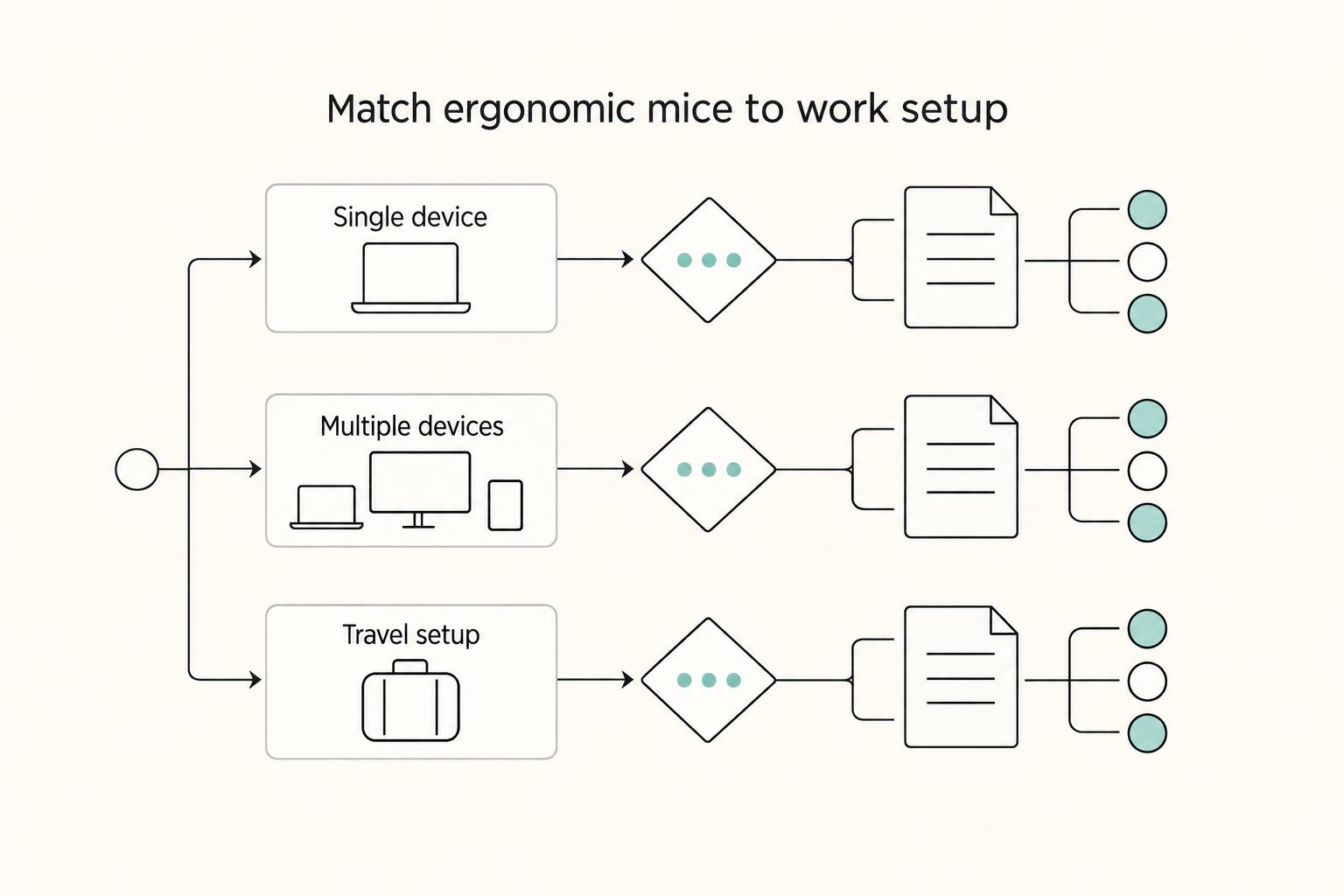
3. Check your environment before you buy#
A strong shortlist still has to work in your actual setup:
| Setup | What to test |
|---|---|
| Single-device setup | Test all-day control in your normal workflow. |
| Multi-device setup | Test your switching flow and required shortcuts in practice. |
| Travel/portable setup | Test on the surfaces and locations you actually use. |
Before you commit, verify claims on official pages and confirm the site connection is secure (https lock on the official domain). If you review public guidance, prefer official .gov sources where relevant. Do not over-read database inclusion alone. Inclusion in NLM is not an endorsement, and formal reports may be background guidance rather than product-specific approval.
Once you have your risk path, motion profile, and environment locked in, the shortlist gets much easier. You might also find this useful: The Best Gear for a Portable Home Office.
The Investment-Grade Shortlist: Matching the Asset to Your Workflow#
Start with your work pattern, not the brand. Pick the least specialized mouse that removes your main strain or workflow friction, then confirm fit, display feel, and software compatibility.
OSHA guidance links awkward postures and repetitive tasks with MSD risk, and it also ties ergonomics to productivity. That is why this shortlist compares posture relief, control speed, and practical constraints instead of treating premium models as interchangeable.
| Option | Start here if this is your work pattern | Core ergonomic benefit | Productivity strengths | Tradeoffs to check | Not ideal for |
|---|---|---|---|---|---|
| Logitech MX Master 3S | Scroll-heavy work, long documents, spreadsheets, frequent device switching | Prioritizes repetitive-input efficiency more than major posture change | MagSpeed scrolling up to 1,000 lines per second; 8,000 DPI sensor; Logitech Flow supports cross-computer copy/paste and file transfer | Some gesture and haptic features require Logitech Options+; RTINGS reports a 125Hz polling-rate cap that can feel less smooth on high-refresh displays | Anyone prioritizing posture change first, or highly sensitive to cursor smoothness on fast displays |
| Logitech MX Vertical | You want posture change first, especially if flat mice increase tension | 57° upright design; Logitech says 10 percent lower muscular strain vs a standard mouse | Strong fit when your first goal is a more relaxed hand and wrist posture | Logitech positions it for medium-to-large hands; switching from flat mice may require an adjustment period | Small hands, or users who need immediate fine-control confidence |
| Logitech Lift | You want vertical posture support but MX Vertical feels too large, or you need left-handed availability | 57° "natural handshake position" for a more upright hand angle | Vertical entry point for small-to-medium hands; left-handed option available | Still requires adaptation from low-profile mice; handed availability can vary by region | Large hands that feel cramped on smaller shells |
| Thumb-operated trackball mouse | Tight desk space, limited arm movement, or a goal to reduce wrist travel | Cursor control by thumb reduces arm movement | Can keep hand and arm more rested by reducing arm travel | Control feel is highly personal and needs real trial use | Users with existing thumb irritation or low tolerance for relearning |
| Razer Basilisk V3 | Shortcut-heavy workflows where custom controls can remove repeated clicks or menu steps | Ergonomic shell plus command consolidation, not posture correction | 10+1 programmable buttons and intelligent scroll wheel for macro-heavy workflows | Extra complexity if you do not actively map controls | Users whose main issue is wrist posture rather than command density |
Quick start rules#
If comfort is mostly stable but your day is heavy on scrolling and switching, start with MX Master 3S. If flat mice are causing recurring fatigue, start with MX Vertical or Lift first, then choose by hand-size fit. If desk space or arm travel is the constraint, test a trackball mouse as a real fit trial. If repetitive commands are the bottleneck, Razer Basilisk V3 is worth it only if you will actually configure and use its programmable controls.
A practical ROI check#
Use this framework to sanity-check value:
- Time saved
Estimate the daily minutes you lose to scrolling, switching, and repeated clicks.
- Downtime risk
BLS reported 1.8 million private-industry DAFW cases with a median 8 days away (release date: January 22, 2026). This is not a product claim, but it supports treating discomfort-related downtime as a real operating risk.
- Network friction reduction
Count the value from smoother cross-device or cross-app work separately. Features like Flow or persistent button mappings matter most when context-switching is central to your day.
Implementation checklist#
Once you have a shortlist, execution matters more than spec sheets:
- Confirm hand-size fit, required software, and environment limits before ordering. If you need Flow or advanced gestures on MX Master models, verify Options+ is allowed on your machines.
- Run a comfort check over several full workdays, not a short first impression. Pay attention to whether tension shifts into your thumb, forearm, or shoulder, because a mouse that feels novel at first can still be the wrong long-session fit.
- Test one real task that matches your workload, for example long-document scrolling, precision drag-and-drop, or multi-device switching.
- Define decision criteria in advance: if comfort worsens, accuracy does not stabilize after adjustment, or required features fail in your setup, switch models.
Related: The Best Ergonomic Gear for Your Remote Work Setup. Once you narrow your shortlist, tighten the rest of your workflow so repetitive admin clicks do not undo the ergonomic gains. Explore practical freelancer tools
Your Final Decision: An Investment in Your Most Valuable Asset#
Your final choice is usually narrower than reviews make it look. Pick the mouse that fits your body and workflow in your setup, not the one that tops the most lists. TechGearLab's June 17, 2025 testing covered 14 models and favored Logitech MX Vertical for most users. WIRED names a different top pick, which is exactly why your final call should come from fit-testing, not roundup consensus.
| Decision factor | Priority | How to evaluate |
|---|---|---|
| Physical capacity | Choose the option that reduces your main strain pattern first. | Test each finalist across several full workdays and judge comfort by end-of-day fatigue, not a short first impression. |
| Operational efficiency | Keep the mouse that removes friction in your real paid tasks, even if it has fewer advanced features. | Run one real weekly task and confirm desk space, software compatibility, and control feel all work together. |
| Financial continuity | Treat recurring discomfort from repeated mouse use as an operating risk you handle early, not a cosmetic issue. | If you reference legal language in your buying notes, verify it against the official Federal Register edition. |
- Physical capacity
Start here. If a flat mouse keeps leaving you with wrist or forearm tension, a vertical design is the next logical test. If your thumb is already sensitive, be careful with trackball options and judge them only after extended use.
- Operational efficiency
Do not keep a mouse just because it looks more ergonomic on paper. Keep the one that removes friction in your real paid tasks, even if it has fewer advanced features. Ergonomics is not one-size-fits-all, and the most comfortable-looking option is not always the fastest for your workload.
- Financial continuity
Keep the business case grounded. You are trying to reduce a recurring operating risk, not turn ergonomics into a compliance claim. If you reference legal language in your buying notes, verify it against the official Federal Register edition, since FederalRegister.gov is not the official legal edition.
Shortlist one posture-first option and one productivity-first option. Set a defined trial period. Write your pass/fail criteria before testing: comfort trend, accuracy stability, and feature reliability in your environment. Finalize the purchase only when one option clearly passes. If pain worsens, precision does not stabilize, or required features fail in your setup, return it and choose the other finalist.
For a step-by-step walkthrough, see The Best Ergonomic Keyboards for Programmers and Writers.
Before you finalize the purchase, sanity-check your pricing so short health interruptions do not create immediate revenue pressure. Run the freelance rate calculator
Frequently Asked Questions
Is a vertical mouse better if you think you have carpal-tunnel-like symptoms?
It may feel more comfortable for some people, but it is not treatment. Carpal tunnel syndrome involves pressure on the median nerve, so a mouse change alone is not the full solution. If symptoms affect your usual activity or sleep, get clinical evaluation.
Should you choose vertical, standard ergonomic, or a trackball mouse?
Pick based on the movement that triggers your symptoms. You can test vertical for wrist or forearm discomfort from flat-mouse use, trackball when desk movement is the trigger, and standard ergonomic when you need minimal relearning. If pain shifts and gets worse in a new area, that setup is likely not the right fit.
What if you have small hands?
Hand fit matters more than the label. Lift is positioned for small-to-medium hands, while MX Vertical is positioned for large-to-medium hands. If a mouse is too large, you may notice extra finger reach, a tighter grip, and worse end-of-day comfort.
Are trackballs good for RSI prevention?
They may help some users, but prevention evidence is not definitive. A Cochrane review of 15 studies (2,165 workers) found mouse-related ergonomic changes may or may not prevent work-related upper-limb issues. Use trackballs as a practical option to test, not a guaranteed prevention tool.
How do you know if a model is still worth considering in 2026?
Check live availability before you shortlist. Some older trackball options are now discontinued or listed as no longer available, including Kensington Orbit Fusion and a Kensington Pro Fit vertical trackball SKU. If a roundup is older, verify the current product page first.
Do you need a productivity-first mouse instead of an ergonomic-first one?
Only if you can use it comfortably through full workdays. A standard ergonomic model is often the simpler choice when your workflow depends on familiar control and you are not correcting a clear wrist-position problem. If you want a wired conventional option on Windows, Microsoft still documents its Ergonomic Mouse for Windows 11 and Windows 10.
When should you stop testing gear and seek medical help?
Stop self-testing when symptoms are persistent, worsening, or disrupting sleep or normal work. NHS guidance says to see a GP if RSI-type symptoms are not going away or are getting worse, and those symptoms can build gradually as burning, aching, or throbbing. Do not delay evaluation, since untreated carpal tunnel syndrome can lead to permanent nerve and muscle damage.
Try a related tool
Researched and edited by the Gruv editorial team. Gruv builds cross-border billing, payouts, and finance-operations software for global businesses.
Sources
Educational content only. Not legal, tax, or financial advice.
Related Posts

Value-Based Pricing for Freelancers Under Real Payment Risk
Value-based pricing works when you and the client can name the business result before kickoff and agree on how progress will be judged. If that link is weak, use a tighter model first. This is not about defending one pricing philosophy over another. It is about avoiding surprises by keeping pricing, scope, delivery, and payment aligned from day one.
The Best Ergonomic Gear for Your Remote Work Setup
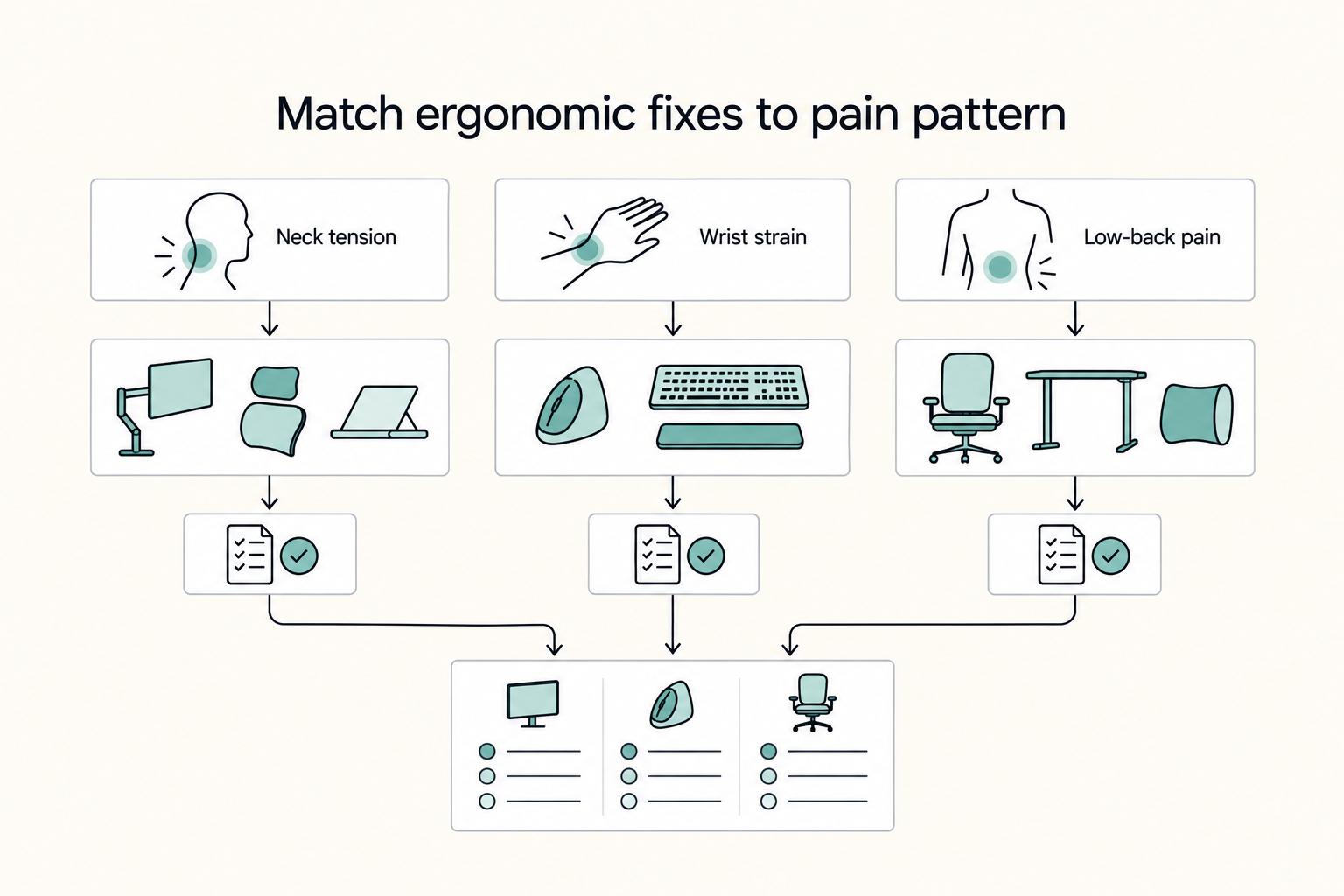
**Treat your ergonomic remote work setup as operating infrastructure, not a comfort splurge.** When posture breaks down, delivery quality and scheduling usually break down right after. Start by setting a baseline that protects your body and your business before you compare products.

The Best Gear for a Portable Home Office
Portable-office gear decisions are not directly tested in this guide, so use this as a practical framework rather than a proven standard.