
Quick Answer
Pick based on your primary workload: Day One for secure chronological logs, Reflect for connected daily notes, Obsidian for private local-file strategy work, and Stoic for prompt-driven consistency. Then apply one operating routine: capture key client events, do a brief review after meaningful work, and keep scheduled exports so your records stay usable if you switch apps.
Three Jobs Your Journal Has to Do for a Solo Business#
If you freelance, one journaling habit can become a practical system for your business: stronger records, better weekly reviews, and more grounded decisions.
That is the CEO's Log. It is not a motivation exercise. It is a structured way to run your solo business: capture facts, review outcomes, and test decisions before you commit. A journaling app is only useful if it supports those jobs.
- Secure Ledger
This is your recordkeeping layer. The IRS requires books that show gross income, deductions, and credits, and applies the same requirements to electronic and paper records. In practice, your journal should help you log what happened and tie entries to supporting documents. If capture is easy but export is hard, treat that as a warning sign.
- Performance Dashboard
This is your review layer. An After Action Review is a qualitative review of actions taken for continuous improvement and learning. Use a repeatable weekly format to track what you planned, what happened, what worked, and what you will change next.
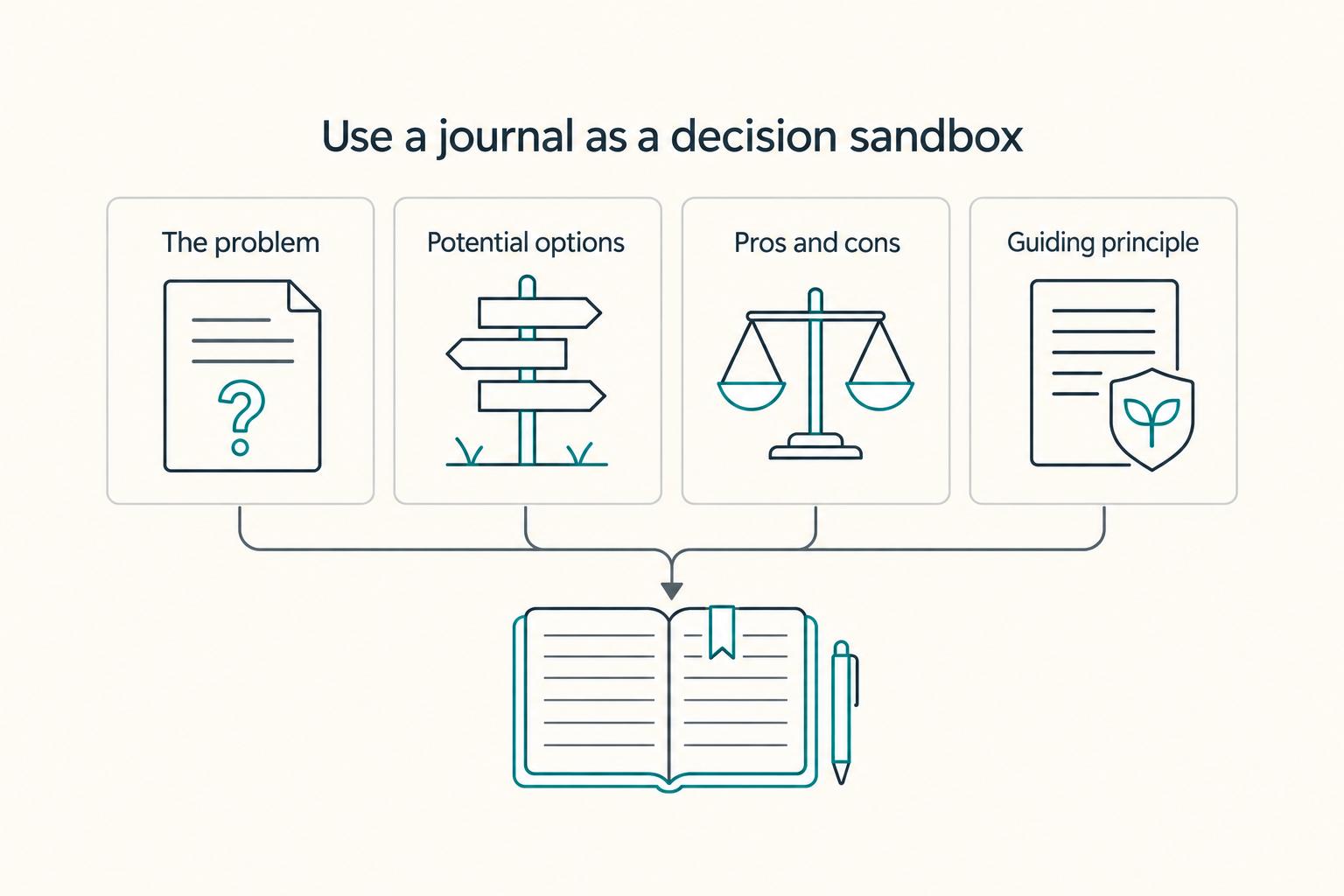
- Strategic Sandbox
This is your decision layer for pricing choices, client calls, pivots, and written thinking before action. Privacy and control both matter. Reflect markets end-to-end encryption and export/API access. Day One export options vary by platform: web and Windows support JSON only, while Android supports PDF or JSON. If you cannot verify privacy claims and export paths, do not rely on that tool for high-stakes notes.
Use this guide in order: set up the Secure Ledger first, run the Performance Dashboard weekly, and compare tools on evidence capture, privacy, and export before aesthetics. Part 1 starts with the ledger because disciplined evidence capture makes the rest of the system work.
Related: How to Get Featured in the Press as a Freelance Expert.
Part 1: The Secure Ledger - Your Foundation for Defense#
If you want your journal to protect you, treat it as a record system first. The standard is simple: capture defensible notes close to the event, link supporting evidence, and keep your data exportable.
1. Capture the event while it is still fresh#
Your highest-leverage habit is a contemporaneous log: notes created at or very near when an event happens. These records are generally more credible in legal and tax contexts because they are closer to the facts than a summary written later from memory. Use one repeatable template after every meaningful interaction:
- Event
- Participants
- Decision
- Scope impact
- Timestamp
- Attachment reference
Example: client review call, Jane Smith and me, approved homepage wireframes, copy rewrite excluded from this phase, app timestamp visible, attachment ref: proposal-v3.pdf and email subject "Approved wireframes." Prioritize scope impact. If an approval, change, or deferral affects work or billing, record that effect in the same entry.
2. Use metadata as support, not proof#
Metadata is useful, but only in the right role. A timestamped entry can be a practical defensive record in disputes. One journal entry a day can build an exportable trail that is much stronger than trying to rebuild details later.
Keep the claim narrow: metadata can support documentation, but it does not prove tax status by itself. For U.S. readers, one commonly cited example is the physical presence test described as 330 full days in a 12-month period. If you are relying on any jurisdiction-specific threshold, verify the current rule before you rely on your journal as support.
Treat metadata as one part of an evidence pack. Pair entries with calendar records, tickets, invoices, or receipts when the stakes are high.
3. Audit the tool before you trust it#
Choose the app like an operations tool, not a design preference. Before you commit, verify what the provider discloses about data handling, access, and export usability. If you do one test, make it export. Run a sample export and open the files yourself.
| Check | What to verify | Why it matters | Red flag |
|---|---|---|---|
| Data handling clarity | What the provider discloses about where notes are stored | Clear disclosure helps you assess fit and risk | No clear storage answer |
| Security model | How security and access are described | Security is a core software-selection criterion | Vague security claims with no plain access explanation |
| Access policy | Whether staff/processes can access note content | Sensitive client notes need clear boundaries | Broad internal-access language |
| Export portability | Whether entries and metadata export in usable formats | Daily logs are more useful when they are easy to move or archive | Partial/proprietary export or stripped metadata |
4. Make the ledger boring enough to survive real life#
A simple system survives busy weeks better than a clever one. Start with a small, stable tag set, for example: client/acme, project/site-redesign, type/approval, type/expense, status/waiting, evidence/attached.
Set a realistic export and backup cadence you can sustain. Judge the system by outcomes, not elegance. You want better accuracy, faster processing, and fewer errors.
Watch the main failure mode: manual drag. When capture feels hard, you delay entries and rebuild them from memory. That is how typos, misplaced decimals, and other human errors creep in.
This ledger supports legal, tax, and accounting workflows, but it does not replace professional advice.
You might also find this useful: The Best Calendar Apps for Freelancers Who Juggle Multiple Projects.
Part 2: The Performance Dashboard - Your Engine for Growth#
Use your journal as a performance system, not just a memory system. After each meaningful project, call, or proposal, run a short review, attach the evidence, and end with one owned next action.
1. Run a short AAR while the evidence is still open#
Do the review before the trail goes cold. Open a fresh entry and answer four prompts in plain language: expected outcome, actual outcome, why it happened, and one improvement action. Keep it brief so you can repeat it consistently.
| AAR step | Write this | Evidence captured | Follow-up owner |
|---|---|---|---|
| Expected outcome | Original goal and success measure | Proposal, brief, or agenda link | Leave blank |
| Actual outcome | What happened and resulting effects | Email reply, marked-up file, meeting note, invoice | Leave blank |
| Why it happened | One strength and one gap (1-2 causes total) | Screenshot, comment thread, backlink to related note | Leave blank |
| Next action | One concrete change for the next similar event, with due date | Updated checklist, template, or draft | Name one owner (even if it is you) |
Treat the last row as mandatory. If there is no owner and no date, you captured reflection, not an improvement plan.
If your app supports context capture, use it. Day One states it auto-records time, date, weather, and location, and supports PDF/JSON export. Reflect states it can turn meeting notes into action items and keep notes accessible via export/API.
2. Keep a #win proof log, not a brag file#
A good #win log is evidence you can retrieve quickly. For each entry, capture what happened, who confirmed it, the exact artifact, and why it matters.
Keep tags consistent: #win plus one secondary tag such as type/feedback, type/referral, or type/pricing. Avoid tag drift like #wins, #client-win, or #goodnews because it fragments the proof log.
Before pricing decisions, pitches, or a performance self-check, scan this log for concrete examples. It gives you material for proposals and case examples, and it pairs well with Value-Based Pricing: A Freelancer's Guide.
3. Tag work in a way you can measure#
If tagging gets too detailed, consistency breaks. Use only three dimensions so your weekly review stays light and comparable:
| Dimension | Example tags | Review focus |
|---|---|---|
| Work type | work/proposal; work/client-call; work/admin; work/deep | Note which work types produce strong outcomes |
| Energy state | energy/high; energy/flat; energy/tired | Note where strong outcomes happen at high energy |
| Outcome quality | quality/strong; quality/rework; quality/stalled | Note where rework keeps recurring or work stalls |
Recorded progress monitoring is associated with better goal attainment, so write patterns down instead of relying on memory. Before the next week starts, review your tags for repeatable pairings. Note which work types produce strong outcomes at high energy, where rework keeps recurring, and which interactions create the clearest next actions.
Those patterns set up Part 3, where you turn evidence from the log into better strategic decisions. For a related planning workflow, see The Best Calendar and Scheduling Apps for Freelancers.
Part 3: The Strategic Sandbox - Your Private Think Tank#
When patterns start repeating in your operating log, do not decide on instinct alone. Open a pre-decision note before you act on a meaningful choice.
1. Open one pre-decision entry for one real choice#
Give each meaningful decision its own entry, written before the outcome is known. Writing it contemporaneously helps you see what you knew at the time, what you assumed, and what still needed verification.
A simple template is usually enough:
| Decision point | What to write |
|---|---|
| The problem | Name the specific issue in one sentence |
| Potential options | List your paths, including doing nothing |
| Pros and cons | Note likely upside, cost, and downside for each option |
| Guiding principle | State the business rule or value that should govern the choice |
2. Attach evidence, not just opinion#
A strategy note is only as strong as the artifacts behind it. Link the decision entry to relevant records so you are deciding from documentation, not memory.
If a client confirmed something on a call, a timestamped note is more reliable than a recollection. For example: "Mar 15, 2024, 10:05 AM: Client X approved final wireframes via call." The common failure mode here is fragmented context. When notes and proof live in separate silos, decision quality can drop.
3. Use a narrow strategic tag set#
Keep tagging tight so the weekly review stays useful. There is no single source-validated tag taxonomy here, so use a small, consistent set that reflects your work.
Tag only entries that might change what you do next. Then review for repeats and promote recurring themes into actual priorities.
4. Run a short weekly operating cadence#
Weekly review only matters if it changes what you do next. Treat it as an operating check, not a motivation ritual, and end with clear follow-ups and dated next checks for open decisions.
One journal entry a day can build a useful, exportable record over time, but only if insight turns into scheduled follow-through.
Once that cadence is working, tool choice gets easier: pick the app that supports this style of review instead of creating more overhead.
For related reading, see The Best Meditation and Mindfulness Apps for Freelancers.
The Verdict: Choosing the Right Tool for the Job#
Pick the tool based on the job you cannot afford to do poorly. For most freelancers comparing the best digital journaling apps, that means choosing a primary app by function first. Add a second app only if it solves a specific gap.
Day One is a strong fit for defense-oriented logging. Reflect fits a connected daily operating note. Obsidian fits private, long-range strategy with local file ownership. Stoic fits habit consistency, with extra care around sync and AI settings.
| App | Privacy model | Export ownership | Cross-device reliability | Metadata capture | Integration fit | Setup friction |
|---|---|---|---|---|---|---|
| Day One | End-to-end encryption is built in and on by default | Export options vary by platform; Web and Windows support JSON only, Android supports PDF or JSON | Available across phone, desktop, tablet, and Apple Watch; free web sync is limited to the web plus one other device | Web can auto-add location and weather | Supports IFTTT applets for importing outside activity | Structured, timestamped records are the core workflow |
| Reflect | Advertises end-to-end encryption | Exports include JSON, CSV, Markdown zip, and HTML zip, plus API access | Claims real-time sync | Verify in-app or via official docs | Integrates with Google Contacts, Google Calendar, iCal, and Office 365 | Best fit when you want your daily note to pull meetings, contacts, and follow-ups into one flow |
| Obsidian | Local Markdown files by default; with Obsidian Sync, synced data including file names is end-to-end encrypted | Notes are plain-text Markdown files in a vault | Sync is optional and starts at $4 per month | Confirm with the app's documentation | Extensible through plugins, but plugins run third-party code and can be harmful | You define your own structure and plugin boundaries |
| Stoic | Privacy policy says it cannot access diary content; secure iCloud sync across Apple devices is tied to Premium | App Store listing references journal export | Cross-Apple iCloud sync is available with Stoic Premium | Confirm with the app's documentation | AI features can send the current entry text to OpenAI servers | Strong for guided journaling habits, but review sync and AI settings before using sensitive work notes |
Day One#
Choose Day One when your CEO's Log is mainly about defense. It combines default end-to-end encryption with automatic location and weather capture on web entries, which helps you keep contemporaneous records with context.
Before you commit, test exports on the devices you actually use. Export formats differ by platform, and Web/Windows are JSON only, so archive behavior is something you should verify early.
Reflect#
Choose Reflect when your journal is your day-to-day operating note. Its daily-note workflow and integrations with calendars and contacts are the practical advantage if you review performance through linked context instead of isolated notes.
It also gives you real-time sync, multiple export formats, and API access. One naming gotcha: Reflect (reflect.app) is different from Reflection (reflection.app).
Obsidian#
Choose Obsidian when privacy control and long-term ownership are your top priorities. Your notes live as local Markdown files, so portability is built into the core model.
Sync is a separate service starting at $4 per month. Obsidian notes that synced data remains on servers for one month after Sync or Publish expires before permanent deletion. If you use plugins, keep the list tight because community plugins run third-party code.
Stoic#
Choose Stoic when your main issue is consistency. If guided prompts help you write every day, it can be a practical starting point, and the App Store listing includes journal export.
Treat privacy settings as part of setup. Stoic says it cannot access diary content. Secure iCloud cross-device sync is tied to Premium, and AI features can send your current entry text to OpenAI servers.
How to choose in practice#
Start with the function that matters most:
| Primary need | Start with | Test or note |
|---|---|---|
| Defense | Day One | Use it when your highest-risk need is defense |
| Performance tracking tied to meetings/contacts | Reflect | Use the two week free trial to test fit |
| Private strategy plus file ownership | Obsidian | Use it when your highest-priority need is private strategy plus file ownership |
| Habit consistency | Stoic | Use it when your biggest blocker is habit consistency |
If you use two tools, split by function, not by feature. Day One + Obsidian fits defense + strategy. Reflect + Stoic fits performance + habit.
If you want a deeper dive, read How to Deal with Imposter Syndrome as a Freelancer.
If you're using your journal as part of a compliance routine, pair it with Gruv's tax workflows. That keeps tax planning and records organized in one routine.
Conclusion: Your Journal as a Strategic Asset#
The payoff comes from using the system consistently, not from comparing features forever. Use your app as a regular feedback loop. Write, review, adjust, repeat.
| System part | Benefit | This week |
|---|---|---|
| Secure Ledger | Cleaner records because you capture details while they are fresh, before memory edits them | Use one simple entry format for key events and commitments so your recent notes are easy to find and review |
| Performance Dashboard | A clearer performance review because progress, misses, and recurring blockers become easier to spot instead of staying vague | Close each workday with a short note on what moved, what stalled, and what you will change next |
| Strategic Sandbox | Stronger decision notes because structured reflection can make tradeoffs explicit before you act | Write one decision note with your options, assumptions, risks, and next step |
That is the practical payoff: cleaner records, stronger decisions, and a review rhythm you can actually keep. Journaling works best as a feedback loop when you keep showing up.
Keep the core simple: poor tool fit can lead to abandonment. Pick one primary app, set a minimum journaling cadence, and run a simple weekly review loop before you consider switching tools.
This pairs well with our guide on The Best Note-Taking and Knowledge Management Apps for Freelancers.
When you're ready to connect better journaling habits to day-to-day freelance operations, explore Gruv's tools for freelancers and pick what fits your workflow.
Frequently Asked Questions
Is Day One secure enough for confidential business notes?
If your main goal is secure, chronological logging, Day One is a strong fit. Day One states entries are encrypted before they reach its servers, which is a solid baseline for sensitive notes. You still need to manage your own weak points, especially device access and account recovery settings.
What is the best digital journal for an entrepreneur or executive?
Pick based on your primary job to be done, not a universal ranking. Use Day One when you need a dated operational log with metadata like date/time and, when enabled, location fields. Use Reflect or Obsidian when strategic thinking is the priority, because linked notes and backlinks are central there, and Obsidian stores notes as local Markdown files.
How do you use a journal as a legal record for freelance work?
Treat your journal as supporting documentation, not automatic legal proof. Write entries at or near the event, keep scheduled exports, and archive related artifacts so your record is not just one note. Since Day One date/time can be edited, keep exports and related records that support positions on returns. A reusable template works well: event context, timestamp, counterpart, decision, scope note, next step.
Can a journaling app help with tax residency tracking?
Yes, if you use it as part of a consistent recordkeeping process. Log regularly, confirm location permissions are enabled, and export on a schedule so you are not relying on one live app at filing time. Keep travel records, day counts, and journal exports together, then review them with a qualified adviser. If a threshold applies, verify the current rule before relying on it.
What should you check before relying on Day One for residency or compliance support?
Start by testing exports on your actual device, since formats vary by platform. Day One's Web and Windows apps support JSON, while Android supports PDF or JSON. Then spot-check entry metadata so the fields you depend on are present and accurate.
Evernote vs. Day One for business journaling?
For this article's CEO's Log workflow, Day One fits better when your core need is a secure chronological ledger. The practical reason is the combination of encrypted sync, structured metadata, and export paths you can verify. If you already use another notes app for reference material, keep that workflow and use Day One for the ledger role.
Should you use one app or split journaling across two?
Use one primary app unless you have a clear operational reason to split. Keep the official daily log in one place, especially if you need defensible records. If strategy work needs deeper linking, use Reflect or Obsidian for that layer and define clear boundaries so notes do not get lost.
Try a related tool
Researched and edited by the Gruv editorial team. Gruv builds cross-border billing, payouts, and finance-operations software for global businesses.
Sources
- ecfr.gov/current/title-2/subtitle-A/chapter-II/part-2...trusted
- irs.gov/businesses/small-businesses-self-employed/wh...trusted
- irs.gov/businesses/small-businesses-self-employed/re...trusted
- michigan.gov/msp/-/media/Project/Websites/msp/EMHSD/Train...trusted
- oecd.org/content/dam/oecd/en/publications/reports/201...trusted
- preptoolkit.fema.gov/documents/d/cip-citap/after_action_review_us...trusted
- preptoolkit.fema.gov/documents/d/cip-citap/after_action_review_us...trusted
- reach.cdc.gov/sites/default/files/job-aids-resources/AAR%2...trusted
Educational content only. Not legal, tax, or financial advice.
Related Posts

Value-Based Pricing for Freelancers Under Real Payment Risk
Value-based pricing works when you and the client can name the business result before kickoff and agree on how progress will be judged. If that link is weak, use a tighter model first. This is not about defending one pricing philosophy over another. It is about avoiding surprises by keeping pricing, scope, delivery, and payment aligned from day one.
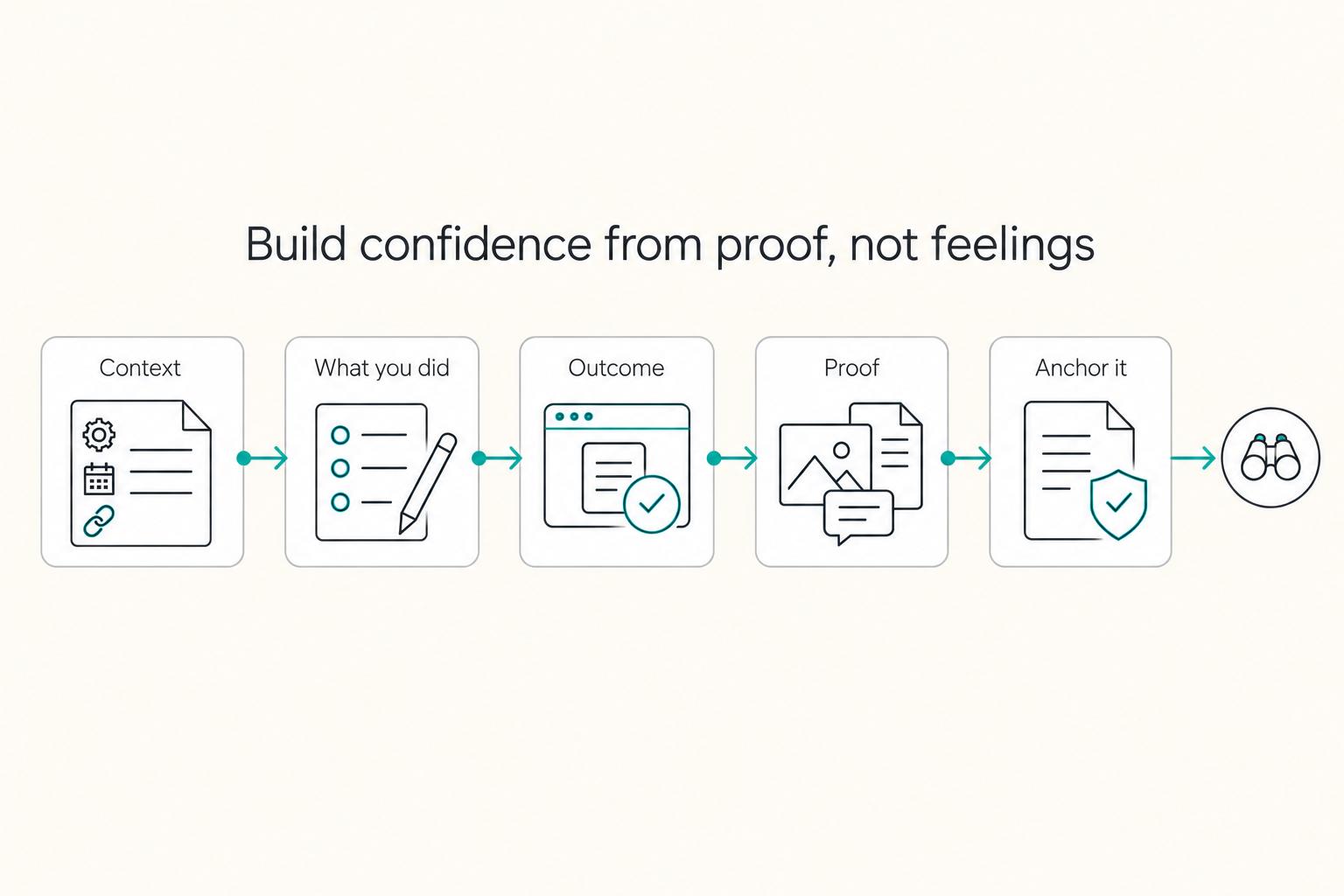
How to Deal with Imposter Syndrome as a Freelancer
**Freelance impostor feelings can flare when your work lacks clear, documented boundaries-even when you *do* have talent.** You're the CEO of a business-of-one, and your job is to turn shaky moments into repeatable operations.
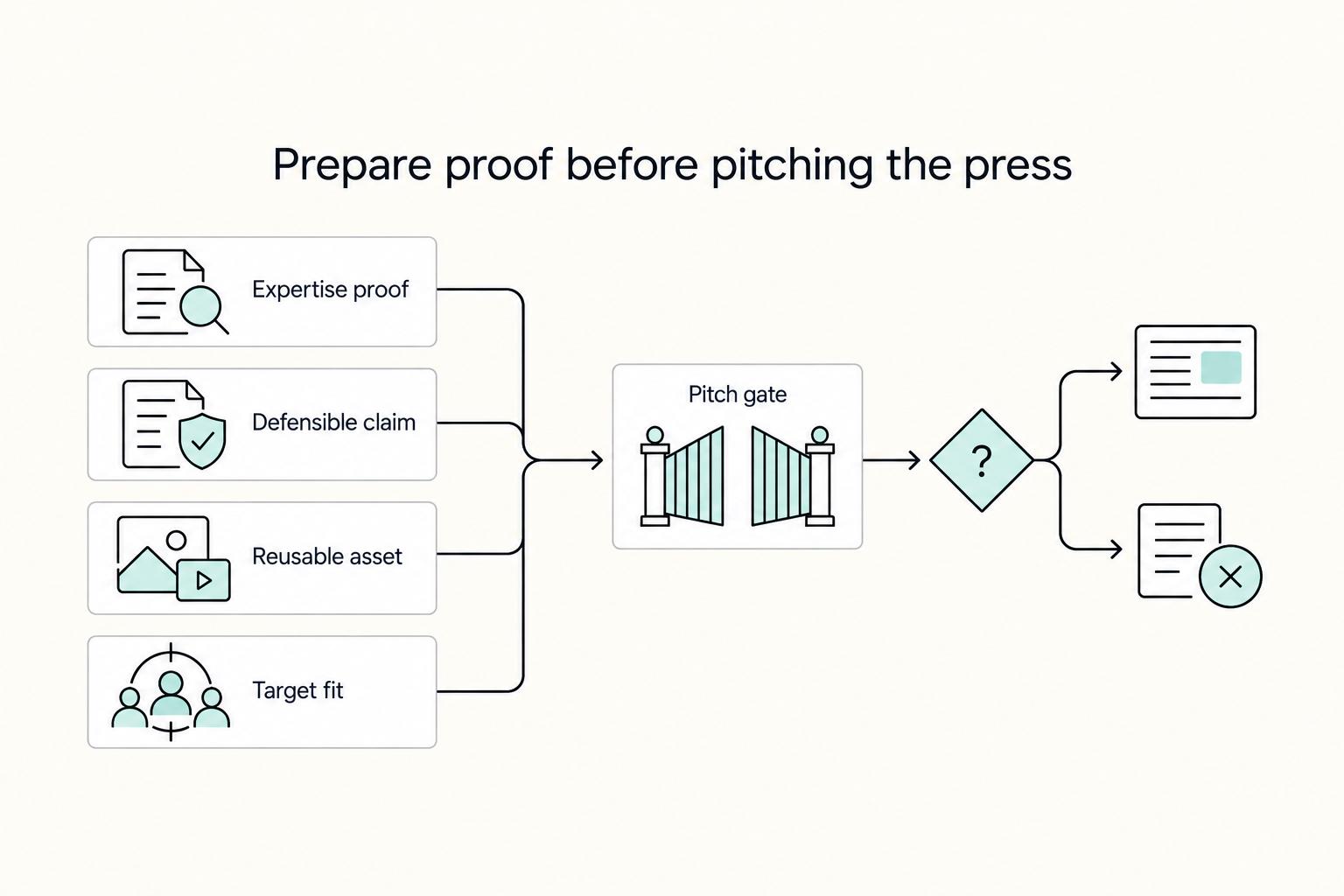
How to Get Featured in the Press as a Freelance Expert
Treat press outreach as a repeatable earned media channel, not a lottery ticket. The goal is to be quoted, mentioned, or featured because your expertise fits a real story, not to expect instant placement in outlets like Forbes or TechCrunch.