
Quick Answer
Trial the CRM and edition that fit your sales process and maintenance budget. Test one account from proposal through agreement, reviewed billing requirements, payment terms and kickoff, then renewal or cancellation. Keep billing authoritative for money and subscription status, use stable identifiers, and verify automated-update exceptions before trusting stage gates.
Three Practical Payoffs to Judge a CRM On#
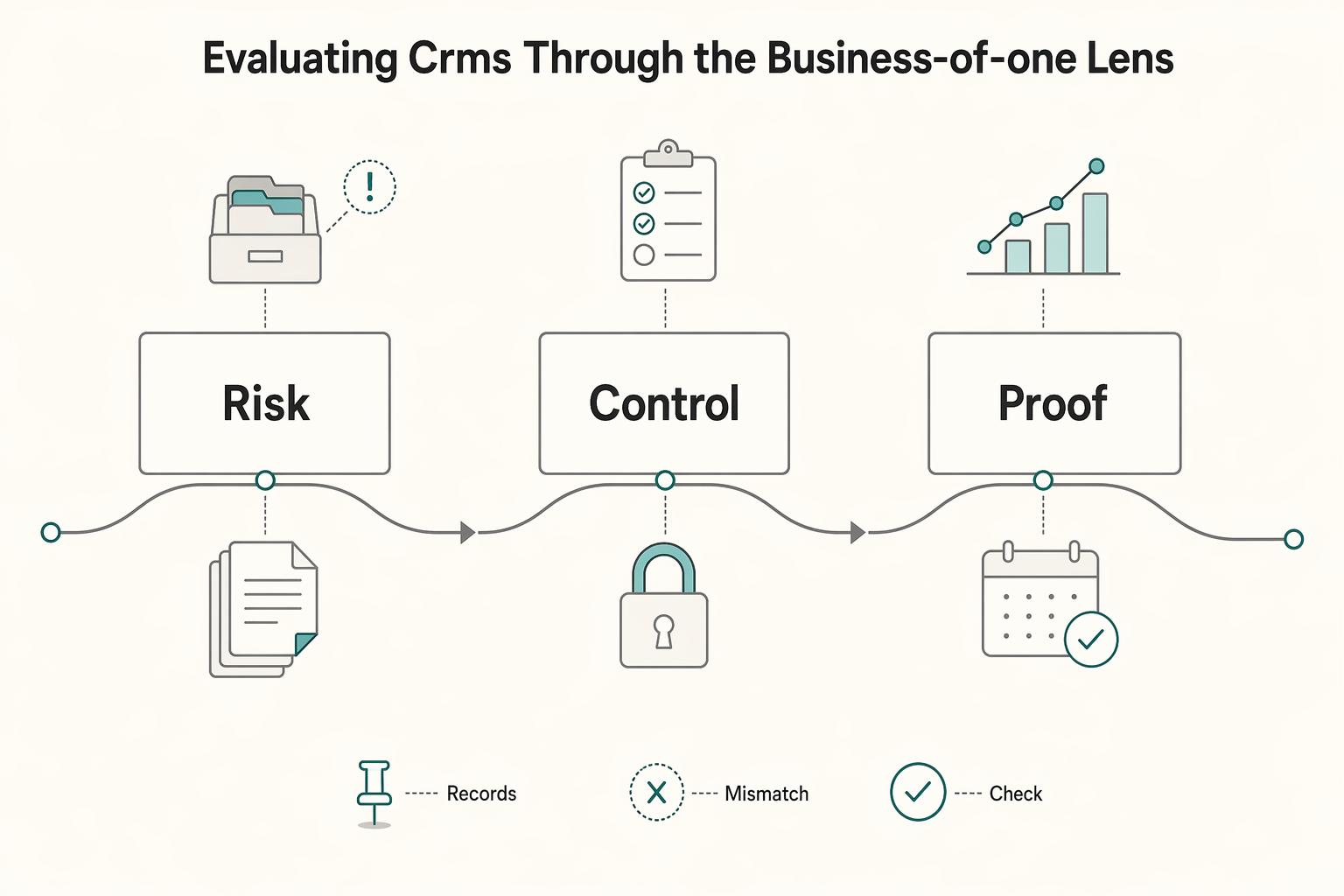
For a solo B2B SaaS operator, a CRM should connect the sales promise to onboarding, payment follow-up, and renewal review. Use it as the working account history, with links to authoritative billing and document records. Judge the choice on three practical payoffs: consistent client execution, less repeated admin, and retrievable evidence.
| Practical payoff | Grounded check | Red flag |
|---|---|---|
| Stronger client trust | Onboarding steps, contracts, MRR, and renewal dates stay attached to one client record | Records are rebuilt from memory |
| Lower admin friction | The CRM acts as your hub for email, calendar, and payment activity | The admin burden just moves somewhere else |
| Retrievable decision evidence | Legal entity, billing facts, applicability decisions and restricted evidence links | Document status is confused with a valid tax or payment decision |
- Stronger client trust
Clients notice when your process is tight. The first checkpoint is whether you can run onboarding through CRM deal stages, with onboarding steps, contracts, MRR, and renewal dates attached to one client record instead of rebuilt from memory. What matters here is consistency. You look prepared, responsive, and credible even when you are the only operator.
- Lower admin friction
Most solo operators do not lose time in one dramatic block. It leaks away through handoffs, invoice chasing, manual spreadsheet updates, and client paperwork management. If the CRM cannot act as your hub for email, calendar, and payment activity, the admin burden just moves somewhere else.
- Cleaner compliance records
Cross-border records need clear ownership. Record the customer’s legal entity, business location, billing details, applicable tax identifiers, and the basis for the invoicing decision. Keep document status, reviewer, and restricted evidence links on the client record. A W-8 form is not a universal customer-onboarding requirement: it documents foreign payee status in applicable U.S. withholding contexts. IRS requester guidance distinguishes the forms; W-8BEN is for individuals and W-8BEN-E generally for entities. If a U.S. customer requests your form, that is documentation of you as supplier, not a reason to demand the same form from every SaaS customer.
Use the guide to test whether a CRM can connect client decisions to evidence without creating more maintenance than it saves. For setting the commercial offer before it enters your pipeline, see Value-Based Pricing: A Freelancer’s Guide.
Make sales and onboarding decisions visible#
Your CRM should make revenue work visible, repeatable, and hard to miss, especially when you handle sales and delivery yourself.
| Stage | Required artifact | Advance rule |
|---|---|---|
| Proposal Sent | Proposal/scope reference | Evidence available and next action assigned |
| Agreement Signed | Executed agreement or controlled link | Agreed parties, scope, price and effective date reviewed |
| Billing Requirements Reviewed | Invoice instructions; applicable document decision | Required facts reviewed; not-applicable basis recorded |
| Payment Terms Ready | Deposit receipt or approved credit terms | Match evidence to original invoice/terms |
| Kickoff Ready | Date, agenda, owner and readiness decision | Required controls satisfied through all update paths |
- Use a practical onboarding pipeline with hard stage gates
Use a configurable onboarding template: Proposal Sent, Agreement Signed, Billing Requirements Reviewed, Payment Terms Ready, and Kickoff Ready. Require the relevant evidence at each stage, including an explicit not-applicable decision where a document is unnecessary. Payment readiness may mean a received deposit or approved invoice terms, depending on the agreement. Keep sales outcome and onboarding readiness separate so a won contract is not confused with a fully activated account. Test every update path; a required field in the interface is not proof that imports or automation cannot bypass it.
- Set a minimum record standard for every account and deal
Keep legal entity, primary contact, scope, owner, next action, agreement reference, billing customer ID, invoice IDs, and document-review status on the record. Add subscription ID, recurring amount, currency, interval, effective dates, and renewal or cancellation date where applicable. Treat the billing system as authoritative for invoices, payment, subscription status, and refunds; use the CRM to coordinate action. Sensitive documents can remain in controlled storage with restricted links rather than broad CRM attachments. Do not make MRR mandatory for a one-time setup-fee deal.
- Automate follow-up for revenue protection
Focus automation on stalled proposals, unpaid invoices, and inactive opportunities. For stalled proposals, create an owner task and follow-up draft using your own follow-up timing rule. For unpaid invoices, trigger a reminder task and flag the deal for review. For inactive opportunities, assign re-engagement or move the deal to a clearly labeled at-risk stage. Define escalation paths up front: pause onboarding, mark blocked, or archive with a reason code when there is no response.
- Track recurring-revenue KPIs directly in the CRM
Separate forecast pipeline from active subscription MRR. In an illustrative account, a $1,200 annual subscription normalizes to $100 MRR; a separate $300 setup fee is excluded. A duplicate renewal opportunity must not add another $100 to active MRR. If the subscription rises to $150 per month next month, retain $100 until the effective change and then update to $150 under your stated metric policy. MRR is a recurring-revenue metric, not this month’s cash receipts or recognized accounting revenue. Review renewals, payment-risk flags, and effective cancellations against the authoritative subscription record. Keep an expansion-opportunity flag with the proposed change, owner, and next-review date; a proposal stays outside active MRR until the subscription change takes effect.
For qualifying opportunities before they enter this process, see The Best Tools for Lead Generation for a B2B SaaS.
Reduce repetitive admin with defined handoffs#
Use your CRM to reduce context switching first: connect email, calendar, payment, and project delivery before anything else. That core stack is usually enough to cut non-billable admin work and protect focused time.
- Connect the core stack first
Make integration depth your first filter. The goal is not the biggest app marketplace, but one client record that pulls in communication, scheduling, payment status, and delivery progress so you stop re-entering the same updates across tools.
A linked billing or project tool can remain authoritative while its identifiers, current status, timestamp, and next action are visible in the CRM. The goal is reliable handoff, not forcing every document and calculation into one product. A controlled spreadsheet or export can be proportionate for a solo operator if its source, owner, and refresh process are clear.
- Define "good sync" by behavior you can verify
Define sync direction and ownership before testing it. Calendar updates may be bidirectional; invoice amount and payment state should usually flow from billing into the CRM. Treat a CRM task as a prompt to review or act, not permission to overwrite financial truth. Verify these behaviors:
- Calendar events created on either side stay linked to the right contact or account.
- Payment status changes update the related account or deal record.
- Delivery milestones are visible from the CRM record, even when execution happens in another tool.
Test create, edit, cancellation, and recovery after a missed update. Match account and subscription identifiers, not only email addresses. Replay the same payment update and confirm it does not create duplicate follow-up tasks or financial actions. A stale failure event must not overwrite a newer confirmed payment. A genuine later return, reversal, or refund is a new financial fact: verify it against billing, preserve the original payment, and update the current exception with its own reference and effective time. Mark missing or stale data for review rather than generating another charge or invoice. Record the last successful sync and repair owner so a quiet integration failure is visible.
| Manual task | CRM trigger | Automation action | Expected operational outcome |
|---|---|---|---|
| Chasing meeting notes across inbox and calendar | Meeting booked or completed | Log activity to contact or deal and create next-action task | Follow-up starts from one record |
| Locating executed agreement | Agreement ready for review | Require reviewed agreement reference or controlled link before marking signed | Kickoff relies on executed terms, with applicable document decisions |
| Checking payment tools for late accounts | Invoice sent, unpaid, or payment failed | Flag record, create reminder task, update account status | Revenue risk is visible earlier |
| Reviewing renewals in a side spreadsheet | Renewal date approaching or account inactivity | Create review task and mark account for attention | Renewal and churn-risk checks happen on time |
- Use automation as prompting, not autopilot
Automate predictable steps: task creation, reminders, meeting logging, renewal flags, and payment-status updates. Keep human review for decisions that change obligation or risk, such as scope changes, pricing exceptions, tax-form validation, pauses, and cancellations.
Before Kickoff Ready, confirm the agreement reference, applicable billing requirements, document-review decision, and received deposit or approved credit terms. If a requirement is not applicable, record its basis; a nonblank but unreviewed status is not approval. Manual and automated stage changes must produce the same readiness result.
- Run your day from one CRM view
Your daily dashboard should answer three questions quickly: what is due, what is blocked, and what is stale. Include widgets for today's tasks, upcoming meetings, unpaid or payment-risk accounts, deals waiting for approval, and inactive records.
Use this triage order: revenue risk, scheduled commitments, stalled deals, then record cleanup. Track admin-load trend against a baseline from your own records once you have one you trust. Set one stale-record rule for no-activity deals or accounts, using a timeframe you can apply consistently. Each time, take one action: update next action, move to at-risk, or archive with a reason code.
For comparing pipeline features, see The Best CRMs with Sales Pipeline Features for Freelancers.
Keep decisions and evidence retrievable#
Use the CRM to index important decisions, evidence locations, and review owners. It need not be the storage location for every sensitive tax document or the accounting ledger. Stage checks should distinguish missing facts, a reviewed not-applicable decision, and an approved exception.
What should the client record include for compliance?#
Start with the customer’s legal entity and billing country or countries relevant to the transaction. A single Client Tax Jurisdiction label can hide establishment, registration, and place-of-supply questions. Keep the invoicing decision, evidence reference, reviewer, and review date together; do not infer tax treatment from a country field alone.
| Operating field | On-record status | Kickoff-ready check |
|---|---|---|
| Legal entity and billing country | Verified customer and invoice details | Reviewed for actual relationship |
| Entity type and tax identifiers | Known or pending; identifiers only where needed | Required facts resolved |
| Document applicability/status | Required/valid, not applicable with basis, or review needed | Nonblank status alone insufficient |
| Invoicing instructions | Recipient, currency, timing, terms and PO if required | Billing process ready |
| Review owner and date | Named decision owner, evidence link, review trigger | Accountable review recorded |
Then keep a minimum operating schema visible on the record:
- Legal entity, billing country and relevant tax identifiers
- Customer/business status relevant to invoicing
- Applicable document status and decision basis
- Invoice recipient, currency, terms and purchase-order requirements
- Review owner, date and controlled evidence reference
Treat these as practical operating fields, not universal legal requirements. Before kickoff, you should be able to see who the client is, what paperwork is pending, how invoicing should run, and who owns the file.
Before Kickoff Ready, verify the signed agreement or evidence link, reviewed billing instructions, and applicability decisions for requested documents. If upfront payment is required, match receipt to the original invoice; if credit terms are agreed, retain the approval and due date. A status saying collected does not establish validity or completion.
Which activities belong in your audit trail?#
Log the events that change obligation, price, timing, or evidence. At minimum, always log these four categories on the client or deal record:
| Activity category | What to log | Timing rule |
|---|---|---|
| Scope changes | Old/new scope, approver, effective date and agreement reference | Before changed work begins |
| Approvals | Decision, basis, approver and timestamp | Before dependent action |
| Billing events | Invoice ID, original/due amount, status, source and exception | On authoritative update; review stale sync daily |
| Document/tax decisions | Applicability, evidence, reviewer and date | Before affected billing treatment; recheck on relevant change |
You do not need every casual message. You do need consistent, timestamped records for these moments.
When is your CRM process enough, and when should you escalate?#
Use your CRM process when the requirement is known, the record is complete, and you are following a path you have already run successfully. Escalate when the record shows uncertainty, conflicting facts, unusual invoicing requirements, or a jurisdiction question you cannot resolve from your standard process.
For handoff, export a clean package instead of forwarding scattered email threads:
- Client legal-entity and billing summary
- Applicable requirements and open question
- Approvals and billing-event history
- Agreement reference and controlled evidence links
- Required document status and evidence, where applicable
- Dated VAT-validation evidence where relevant
- Invoice IDs, payment references, due dates and exceptions
How should you organize the document vault?#
Consistency is the goal: one standard location, one naming pattern, and one review trigger per document type.
| Document type | Storage location | Naming convention | Review trigger |
|---|---|---|---|
| Agreement | Controlled document store; CRM reference | ACME-agreement-2026-10-05-v1 | Before kickoff and approved scope change |
| Applicable tax documents | Restricted storage; status/reviewer/link in CRM | ACME-document-type-received-date | On required expiry or relevant status change |
| VAT evidence where applicable | Controlled evidence store with CRM reference | ACME-VAT-check-2026-10-05 | Before applicable billing decision or changed details |
| Invoices and receipts | Authoritative billing/accounting; IDs in CRM | Original invoice/transaction identifiers | Billing event, due-date follow-up or reconciliation exception |
Compare required-field enforcement, automated-update exceptions, evidence links, access control, and exports. These are operating controls to configure and verify, rather than proof that a CRM is compliant by default. For reporting alongside the account history, see The Best Analytics Platforms for SaaS Businesses.
How to Trial Each CRM Against the Same Operating Controls#
Trial the edition you would actually buy. Use the same sample account, signed agreement, applicable document-review decision, invoice/payment reference, subscription change, and renewal event. Check paid-tier limits, integrations, permissions, exportability, and the time you would spend maintaining the workflow. All four candidates below can be assessed without assuming one is universally best.
Run a bounded trial with a small representative set of accounts and an agreed maintenance budget. Evaluate the next 12–24 months of requirements separately from the trial duration. A manual step is acceptable when it has a clear owner and reliable evidence; unexplained stale states and untraceable handoffs are the failure signals. Include total cost for seats, automation tiers, connectors, billing fees, setup, and ongoing upkeep.
- HubSpot
HubSpot: trial it when you want connected customer and sales workflows. Pipeline rules have plan and enforcement conditions; test manual and integration updates. The specific recurring revenue analytics report requires Sales Hub or Service Hub Enterprise and uses manually maintained recurring-revenue properties rather than automatically reading associated products or quotes. Do not assume a free or starter CRM includes that report. A simpler billing-backed view may meet a solo operator’s needs without buying Enterprise.
- Salesforce
Salesforce: assess it when configurable records, workflows, permissions, or an existing Salesforce environment justify the maintenance. Its Pro Suite page also offers a small-business route; neither a ten-person sales team nor a RevOps hire is an eligibility requirement. Identify the exact edition and any extra integration or automation entitlement before trialing your approval and renewal flow. Pass when you can retrieve the needed account history and maintain it yourself; cross-border work alone is not a reason to buy the most complex setup.
- Zoho
Zoho CRM: trial it when a defined process and related operations matter. Blueprint documentation describes transition criteria, mandatory fields, validation, checklists, notes, and attachments. Confirm your edition’s availability and integration entitlements. Configure a billing-review transition, then test the actual workflow and API update routes instead of assuming every update must use the manual transition. Keep CRM, invoicing, and accounting responsibilities explicit; the presence of a broader suite does not automatically synchronize all records.
- Pipedrive
Pipedrive: trial it for a focused deal pipeline. Its required-field guide explicitly says imports, bulk edits, APIs, automations, and third-party integrations can bypass progression checks. Confirm the applicable purchased tier and add exception detection for those paths. Recurring products are documented on Growth and higher plans and calculate predicted MRR/ARR. That forecast is not evidence of collected invoices. Test cancellation, renewal, and subscription updates against billing before relying on the CRM total.
Best fit if#
- Lean pipeline: trial HubSpot or Pipedrive on the actual paid/free tier, with billing-backed payment and renewal visibility.
- Structured transitions: trial Zoho Blueprint if the entitled edition and maintenance effort fit your required process.
- Existing Salesforce stack or complex configuration: trial Salesforce without assuming cross-border work or team size alone requires it.
- Connected operations: compare the exact invoicing, project and accounting connectors; linking reliable source records can be sufficient.
Related: The Best CRMs for Freelancers to Manage Client Relationships.
Conclusion: Choose the CRM You Will Keep Clean Every Day#
Your CRM choice is an operating decision, not a feature hunt. In 2026, the right CRM for a B2B SaaS is the one you will actually keep clean enough to act as your working record for deals, client communications, and key contract or invoice details.
-
Protect your time. Set the required fields, then connect the tools you depend on. Test whether one account view gives you reliable next actions and links to agreements, billing and delivery. Measure repeated data entry and stale updates; a controlled external record is acceptable when its source and refresh process are clear.
-
Strengthen your authority. Standardize stage exits so each step asks for the same evidence every time: decision notes, signed agreement, billing details, and the client identifiers you rely on. That helps create more consistent touchpoints across channels and makes you look organized for the right reason: your process is clear, not improvised. A red flag is any stage that can be marked complete before the record is complete.
-
Protect revenue. Review one billing-backed active-subscription view and one renewal-risk list. Separate forecast MRR from live subscriptions, preserve effective dates and currency, and prevent duplicate renewals from inflating totals. Turn stale payment or cancellation updates into owner tasks. Track expansion opportunities separately with an owner and next-review date.
Choose the platform that matches your workflow complexity, your integration needs, and the level of record-keeping discipline you can maintain every day. Then do the boring work that makes it useful: set required fields, standardize stage exits, log important emails the same day, and link the agreement and invoice details to the client record as they arrive. You might also find this useful: The Best CRM for Independent Consultants.
Frequently Asked Questions
Which CRM is the better starting point for a one-person SaaS business?
Start with a candidate that fits your budget, billing setup, and willingness to configure it. HubSpot and Pipedrive are reasonable trial candidates for a lean workflow; Zoho and Salesforce may fit a more structured process or existing stack. The table below gives tests rather than a universal ranking. Use the edition you intend to buy and include connector and maintenance cost.
How much setup time should I budget before I judge a CRM?
Estimate setup effort from a timed trial rather than a universal hour range. Time a small trial: import representative accounts, build one pipeline and renewal view, connect the actual billing route, and test incomplete, paid, failed, and canceled cases. Record setup effort and recurring weekly maintenance. If the core workflow is still unreliable, identify whether the missing piece is configuration, an entitlement, an integration limit, or an unsuitable process before buying.
How do I track MRR, renewals, and churn risk without tying myself to one vendor's setup?
Use stable customer and subscription IDs, amount, currency, billing interval, effective dates, and subscription status. Define which active amounts count as MRR, exclude one-time fees, and separate forecast deals from live subscriptions. Prevent renewal deals from counting the same subscription twice. Reconcile changes to billing and retain an owner and timestamp for manual updates. A $1,200 annual recurring charge normalizes to $100 MRR under the stated policy; it does not mean $100 cash was received each month.
Can a CRM help with cross-border invoicing and compliance records?
A CRM can index the customer facts, invoice references, applicability decisions, and restricted evidence needed for your process. It does not determine tax treatment. Collect only the documentation required for the actual relationship and payment; W-8BEN is not a universal form for foreign business customers. Keep sensitive files in approved controlled storage and link their review status rather than granting broad access through ordinary sales records.
What matters most if payments are part of the buying process?
Distinguish a data connector from payment processing and subscription management. HubSpot’s Stripe processing documentation supports collection through HubSpot revenue tools, but does not make HubSpot-created invoices and subscriptions into Stripe objects. Existing Stripe subscriptions remain unchanged, and account-country restrictions apply. Test the precise integration route for identifiers, payment state, refunds, cancellation, recurring metrics, and delayed-event recovery. If it also initiates money movement, verify authorization and duplicate safety separately.
When should I choose for today, and when should I choose for future scale?
Choose for the next operating stage you can maintain. Team size alone is not a threshold for switching vendors. Reassess when permissions, process complexity, data volume, reporting, or integration needs change. Before migrating, export a representative account with history, document references, billing IDs, and open tasks, and prove it can be mapped into the destination without duplicating subscriptions or losing review evidence.
How do I keep a reliable audit trail in 2026?
Record who decided what, when it takes effect, and the linked evidence. Preserve the old and new values for important changes and distinguish an activity timeline from a system audit log: edit history, retention, export, and permissions depend on the plan and configuration. Use the daily habits below, then test whether you can reconstruct one account’s agreement, invoice, receipt, scope change, and renewal decision six months later.
Try a related tool
Researched and edited by the Gruv editorial team. Gruv builds cross-border billing, payouts, and finance-operations software for global businesses.
Sources
Includes 5 external sources outside the trusted-domain allowlist.
- ec.europa.eu/taxation_customs/viestrusted
- irs.gov/instructions/iw8trusted
- irs.gov/instructions/iw8benetrusted
- help.zoho.com/portal/en/kb/crm/process-management/blueprin...external
- knowledge.hubspot.com/object-settings/set-up-pipeline-rulesexternal
- knowledge.hubspot.com/reports/track-recurring-revenue-with-revenue...external
- salesforce.com/small-business/pro-suiteexternal
- support.pipedrive.com/en/article/required-fieldsexternal
Educational content only. Not legal, tax, or financial advice.
Related Posts

Value-Based Pricing for Freelancers Under Real Payment Risk
Value-based pricing starts with the client’s expected benefit and willingness to pay. It still needs a deliverable, scope and payment agreement you can perform. Use a discovery phase when the benefit or effort is too uncertain to support a defensible quote.

Best CRM for Freelancers Who Need Reliable Client Follow-Up
If your client work is solid but your admin lives across email, notes, calendar alerts, and a spreadsheet, your CRM choice will succeed or fail on operations, not features. That is why so much advice on the **best crm for freelancers** misses the real issue. The main risk is not choosing a tool with too few buttons. It is choosing one that looks polished in a demo but still lets follow-ups slip when work gets busy.
The Best CRM for Independent Consultants
Judge a CRM by one standard first: does it help you execute the next client move when you are busy? Feature count matters far less than whether the tool can become your daily system of record for pipeline stage, next action, and client context. If it cannot do that, it adds admin without giving you control.