
Quick Answer
Choose a Mumbai coworking space by checking three things first: professional presence, operational resilience, and paperwork fit. Shortlist options by timing and lease flexibility, then verify the real meeting-room setup, privacy, internet continuity, backup power, after-hours access, address-use documents, and mail handling in writing. The guide treats brand reputation and polished tours as secondary to branch-level proof for your exact plan.
Judge each Mumbai workspace against three pillars, in sequence#
Before you sign anything, treat this as an operating decision, not a lifestyle purchase. If you're evaluating Mumbai workspaces for a long stay or relocation, use it as a pre-signing filter. Line up your move timeline, confirm what paperwork you will need from the operator, and test whether the space holds up on an ordinary workday.
This matters even more with managed offices, which are fully equipped workspaces run by a third-party operator. They often come with shorter leases, which helps if your landing dates or housing plans are still moving. One provider may include IT support, security, maintenance, and conference-room access; another may not. Get the inclusions in writing.
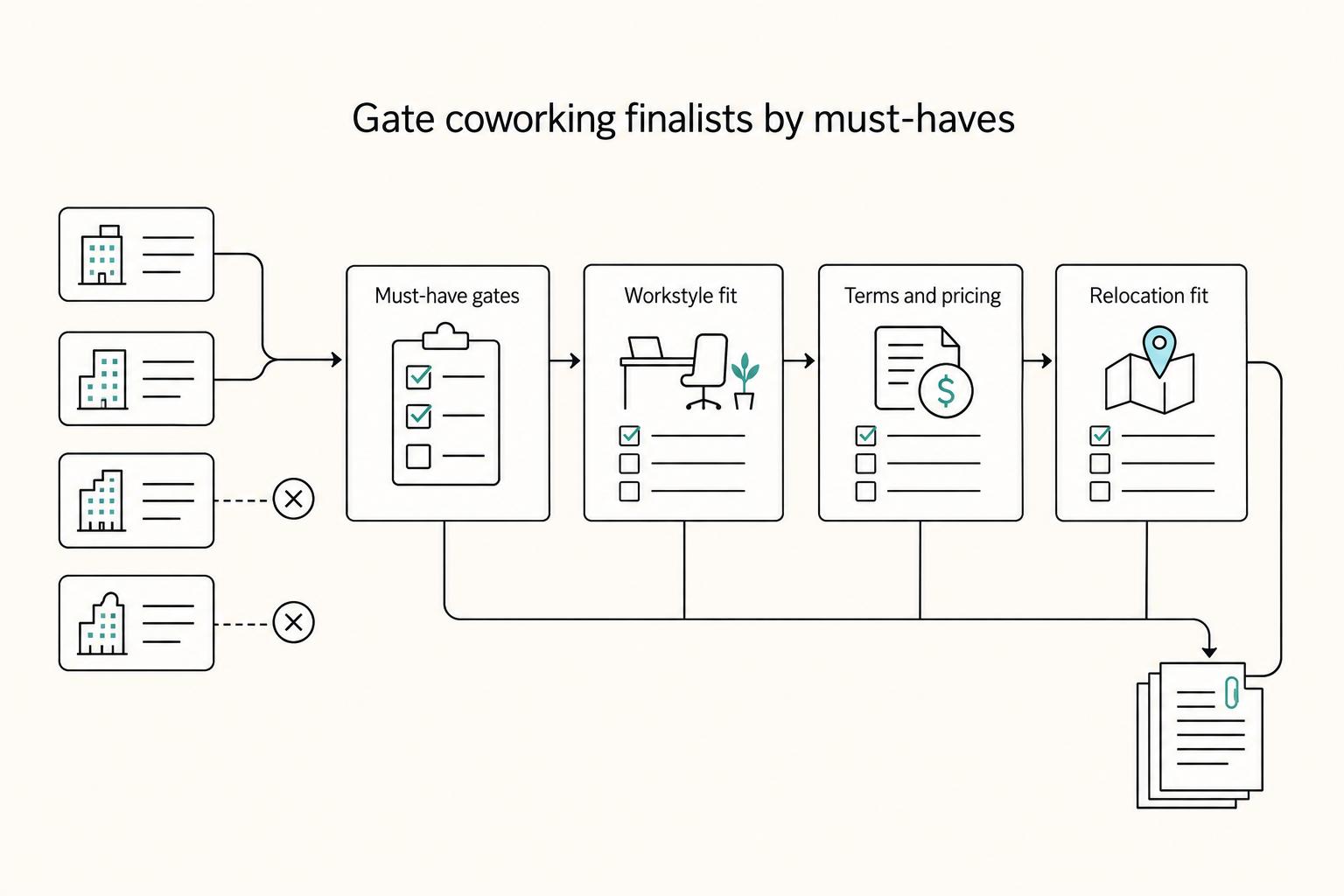
The simplest way to stay clear-headed is to judge each option against three pillars, in sequence, so a polished tour or brand recognition does not pull you off course.
- Pillar 1: Professional presence. Decide whether you would comfortably host a client call or meeting here. This is not about decor. It is about whether the setting supports focused, credible work.
- Pillar 2: Operational resilience. Decide whether your day can run without avoidable friction. What matters is verified support for basics like IT help, room access, maintenance response, and security coverage.
- Pillar 3: Paperwork and admin fit. Decide whether the operator can provide the written service details and admin processes you need. The difference is written proof, not verbal reassurance.
How to use this guide#
Use the guide in order. Start with fit and lease flexibility, verify claims in person, then compare the tradeoffs side by side.
- Screen online for fit and lease flexibility.
- Shortlist only spaces that match your timing and core needs.
- On the tour, verify claims in person. Ask to see the actual call areas, meeting rooms, and front-desk process.
- Compare tradeoffs side by side. A polished tour can still hide weak operations or a culture that does not hold up in daily use.
| Pillar | What to verify | Red flag | Evidence to request |
|---|---|---|---|
| Professional presence | Noise, privacy, meeting-room condition | Great photos, weak real call setup | Tour notes, room-booking policy |
| Operational resilience | IT support, security, maintenance, access rules | Staff answer vaguely or inconsistently | Service inclusions sheet, house rules |
| Paperwork and admin fit | Contract terms, mail handling, admin services | "We can sort that later" | Sample agreement, written mail-handling process |
Pillar 1: Does This Space Enhance Your Professional Presence?#
Your professional presence shows up before the work starts: in your address, your client's arrival experience, and the room where key conversations happen.
| Check | What to verify | Red flag |
|---|---|---|
| Meeting-room call | Use your own setup for a real video call; check clear audio, stable sharing, and a professional on-camera background | "Reception" and "Meeting rooms" are listed, but quality in use is unproven |
| Privacy | Check privacy with the door closed at normal speaking volume | Your conversation carries |
| Guest arrival | Ask exactly how visitors are greeted, signed in, and routed to you | Vague answers on guest process |
| Reception and floor behavior | Watch guest acknowledgment, waiting handling, staff composure during busy moments, and whether normal hours support focused work | Loud calls bleeding into arrival areas, or a lobby that feels social-first during business hours |
- Read the address like a client would
In Mumbai, location still signals business positioning. Nariman Point and Bandra Kurla Complex (BKC) are identified as major financial centres, so they usually read as formal and corporate. That matters more when your work is confidentiality-heavy or enterprise-facing, where a casual setup can feel misaligned.
| Area | Best-fit client type | Commute practicality | Brand signal |
|---|---|---|---|
| Bandra Kurla Complex (BKC) | Enterprise, finance, cross-border corporate clients | Strong if your meetings are concentrated in the district; verify your real route | High corporate signal; recognized as a major financial centre |
| Nariman Point | Traditional corporate and formal client meetings | Check practical travel times for your schedule | High formal-business signal; recognized as a major financial centre |
| Andheri East (JB Nagar Metro area) | Teams and clients who prioritize access and day-to-day convenience | Metro-linked access is a practical advantage | Practical-first signal that can still present well in the right building |
| Chembur | Visitors arriving by monorail, bus, road, or car | Transit links and secure underground parking are explicitly highlighted | Convenience-forward rather than prestige-first |
Listed pricing also reflects positioning differences: WeWork BKC is listed from 60,000 per seat/month for private offices and 15,000 for desks, while Regus Chembur is listed from 22,000 for private offices and 10,100 for desks. Treat this as market signal, not a quality ranking across operators.
For creative work, a design-led area can strengthen your fit when clients hire you for taste and brand judgment. For procurement-led, high-stakes, or confidentiality-sensitive meetings, a more formal district is usually the safer choice.
- Run a pre-signing client walkthrough, not a photo check
A listing that includes "Reception" and "Meeting rooms" confirms availability, not quality in use. Test it under real conditions.
- Place a real video call from the meeting room using your own setup; confirm clear audio, stable sharing, and a professional on-camera background.
- Check privacy with the door closed at normal speaking volume; if your conversation carries, treat it as a risk.
- Review the room as your client will see it: lighting, visible clutter, and whiteboard/background cleanliness.
- Simulate guest arrival and handoff; ask exactly how visitors are greeted, signed in, and routed to you.
- Use front-desk and floor behavior as decision criteria
Reception is part of your brand, not a side detail. Watch live operations: are guests acknowledged quickly, is waiting handled calmly, and do staff stay composed during busy moments?
Then watch the floor during normal working hours. You are not grading tenant names; you are checking whether the environment supports focused work or slips into spillover noise and hallway meeting overflow.
Ask direct questions before signing: How are guest arrivals handled if you are on a call? How far ahead do you need to book rooms? What happens when bookings overrun?
Red flags are usually obvious: vague answers on guest process, loud calls bleeding into arrival areas, or a lobby that feels social-first during business hours. If trust is core to your work, pick the space where competence is visible before the meeting begins.
If you are also thinking about how positioning affects what you charge, see How to Price Webflow Development Services.
Pillar 2: Can This Space Guarantee Your Operational Resilience?#
This is the core test: can you deliver client work from this location without interruption? Amenities come second. Calls, file transfers, and deadlines need to hold up when something goes wrong.
| Area | What to confirm | Unproven sign |
|---|---|---|
| Internet continuity | More than one internet provider, failover, peak-hour congestion handling, and segmented network access for confidential calls and file transfers | The answer stays at "high-speed internet" |
| Backup power | What stays operational during an outage, plus the scope and switchover behavior | "Generator backup" is mentioned, but scope or switchover behavior is unclear |
| After-hours access | Who handles late-night entry, a guest arriving before you, and incidents after hours | After-hours handling is unclear |
| Package and equipment custody | How items are logged, stored, and released | Custody procedures are vague |
- Define your non-negotiables before the tour
Write your operational deal-breakers first. That keeps you focused on what your work actually needs and prevents polished tours from steering the decision.
- Verify internet continuity, not "fast Wi-Fi"
Use this checklist on the tour:
- Do they rely on more than one internet provider?
- What is the failover process if the primary line drops?
- How do they handle peak-hour congestion across the workspace?
- How is network access segmented for confidential calls and file transfers?
Then test from a normal member seat on your own device: run a live video call, then try an upload and download. If the answer never gets past "high-speed internet," treat continuity as unproven.
- Treat backup power as a live-operations requirement
Ask what stays operational during an outage for your workflow, then ask for proof. Request the documented outage process and the latest backup-test record they are willing to share. "Generator backup" is useful only when the scope and switchover behavior are clear.
- Stress-test after-hours access and physical security
If you work across time zones, run practical scenarios during the tour: late-night entry for a client call, a guest arriving before you, and package or equipment custody. Ask who handles access, guests, and incidents after hours, and how items are logged, stored, and released. Data security is a known flex-workspace risk area, so vague custody procedures should count against the space.
Use an evidence table the same day so your decision is based on proof, not memory:
| Shortlisted space | Internet continuity | Backup power scope | Security controls | Storage reliability | Decision |
|---|---|---|---|---|---|
| Space 1 | Verified live / Documented only / Unanswered | Verified live / Documented only / Unanswered | Specific procedure / Partial / Vague | Logged custody / Basic only / Unclear | Proceed / Caveat / Do not sign yet |
| Space 2 | Verified live / Documented only / Unanswered | Verified live / Documented only / Unanswered | Specific procedure / Partial / Vague | Logged custody / Basic only / Unclear | Proceed / Caveat / Do not sign yet |
| Space 3 | Verified live / Documented only / Unanswered | Verified live / Documented only / Unanswered | Specific procedure / Partial / Vague | Logged custody / Basic only / Unclear | Proceed / Caveat / Do not sign yet |
If two spaces feel similar, choose the one with clearer evidence, not better wording.
Pillar 3: Does It Provide the Compliance & Business Infrastructure You Need?#
Do not sign until the provider can support your business in writing, not just on a tour. You need clear address-use documentation, reliable admin handling, and written support if compliance questions come up later.
| Item | What to request | Warning sign |
|---|---|---|
| Address-use documents | The exact onboarding document pack for address use and written confirmation that it fits your intended setup | Verbal reassurance only |
| Written onboarding support | The step-by-step onboarding sequence, what they need from you, who owns each step, expected timelines, and written support for follow-up questions | Sales can explain the process but will not confirm it in writing |
| Mail and package controls | Intake logging, notification method, secure storage, authorized pickup process, and escalation for sensitive items | "Reception will call you" |
| Network access rights | Which locations are included, what costs extra, booking rules, and whether meeting-room or guest rights travel with you | Large network claims without clear access rights in the agreement |
- Address-use documents
If you plan to register using the coworking address, start with the provider's virtual office offer, not a hot-desk plan. Virtual office setups are marketed as including legal documentation and communication support, and some providers state the address can be used for GST, compliance, and ROC-related needs.
Before payment, ask for the exact onboarding document pack issued for address use, plus written confirmation that it fits your intended setup. Do not rely on verbal reassurance. If your accountant says timing depends on a rule or turnover trigger, confirm the current threshold separately with your accountant before you commit.
- Written onboarding support
Some operators market setup "within days" and claim support tied to MCA/GST requirements. Treat that as a claim you still need to verify. Ask for the onboarding sequence step by step: what they need from you, who owns each step, expected timelines, and what written support they provide if follow-up questions are raised.
If sales can explain the process but will not confirm it in writing, treat support quality as unproven. A named contact, documented flow, and written support commitment are stronger signals than brand positioning.
- Mail and package controls
Once your business address is live, mail handling becomes an operational control. Confirm five points: intake logging, notification method, secure storage, authorized pickup process, and escalation for sensitive items when you are unavailable.
Shared workspaces can carry privacy and data-security risks, so "reception will call you" is not enough. Ask how custody is tracked from arrival to release.
- Network access that actually reduces risk
A pan-India or global footprint is only useful if your contract gives you practical access. If you move between cities or need fallback work locations, multi-city access can reduce relocation friction, but only when the terms are usable.
Verify which locations are included, what costs extra, booking rules, and whether meeting-room or guest rights travel with you. Large network claims can be real, but they are only valuable when your agreement defines clear access rights.
Use this shortlist as a verification queue#
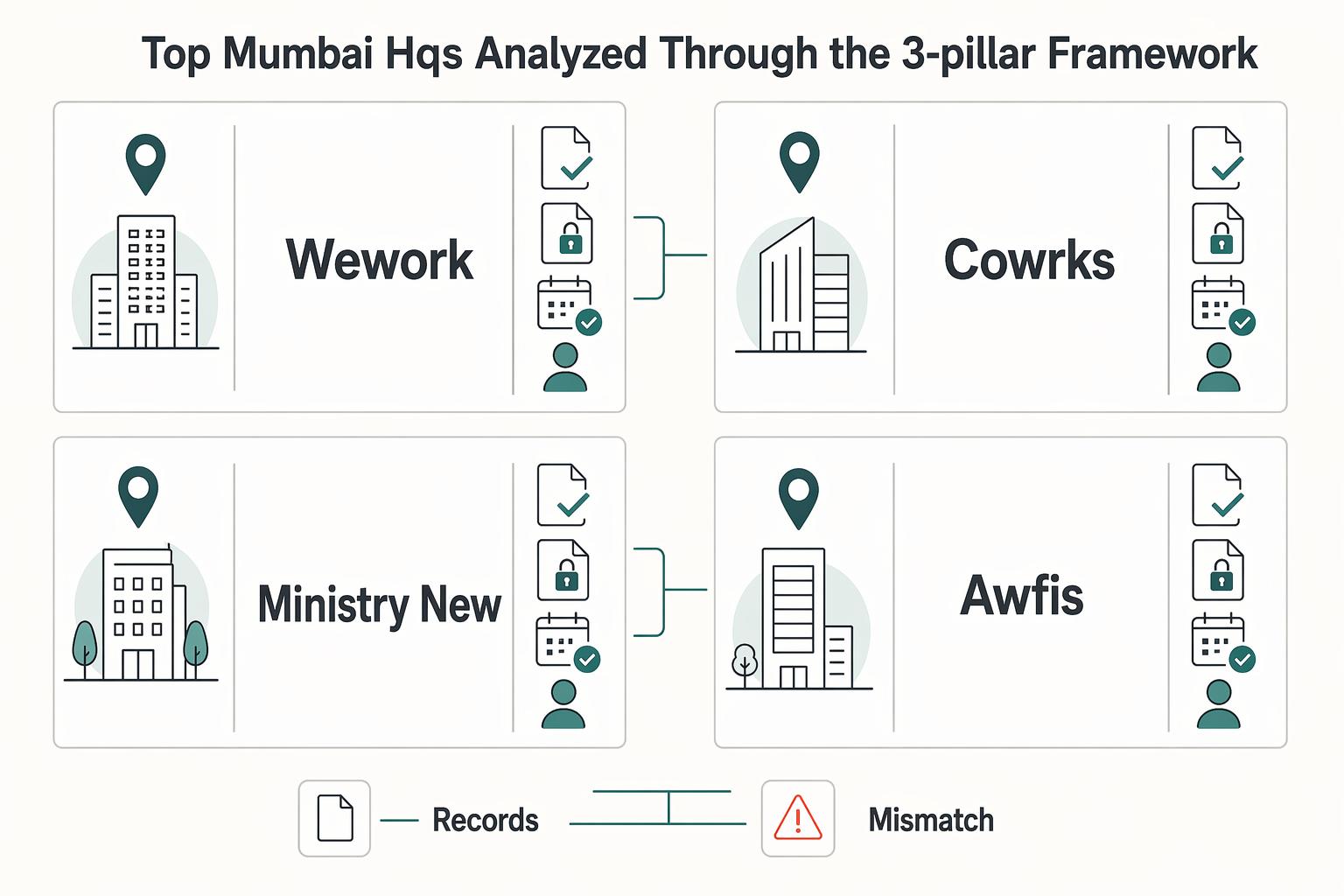
Use this shortlist as a verification queue, not a ranking. In this research set, Mumbai provider details for 2026 were not verifiable from the extracted content, so your decision should come from written branch-level proof for Pillars 1-3, not provider reputation.
Branch and plan variance can change what you actually get. Ask each provider for the same evidence pack before you compare atmosphere: a sample agreement, written address-use terms, reliability details for the exact center, and one named operations contact.
| Provider | Best-fit use case | Pillar 1 signal | Key tradeoff |
|---|---|---|---|
| WeWork | You are evaluating this option and want a structured branch-level review | Verify the exact center experience with a current walkthrough and written access rules | Decision quality depends on how much is confirmed in writing for your exact plan |
| CoWrks | You want to compare this option with the same checklist and evidence standard | Verify current center conditions and meeting access rules in writing | Sales framing is less useful than documented branch terms |
| Ministry of New | You are considering a workspace where environment fit may affect client work | Verify whether the center setup matches your working style and client interactions | Environment fit can be strong while compliance fit is still unknown until verified |
| Awfis | You want to test whether this option fits your mobility and operating needs | Verify center-level access terms and guest/meeting rules in writing | Multi-location value is unclear until your actual membership rights are documented |
Quick self-selection:
- WeWork: Choose if you can get complete branch-specific answers for all three pillars in one written thread. Skip if key terms remain verbal.
- CoWrks: Choose if you want to compare operational details line by line with other options. Skip if you cannot get clear written confirmations.
- Ministry of New: Choose if workspace feel is important to your client delivery and you can still clear Pillars 2-3 in writing. Skip if formal documentation support is your first filter and remains unclear.
- Awfis: Choose if you need flexibility and can confirm exact access and document terms before signing. Skip if you are assuming all centers and plans operate the same way.
Make the call only after written proof is complete for your exact branch and plan. For a step-by-step walkthrough, see The Best Coworking Retreats for Digital Nomads.
Conclusion: Keep only the spaces that pass all three pillars#
Your final call should be simple: each shortlisted space either passes all three pillars or it does not. If a space looks good on the tour but fails on written terms, product matching, or operating limits, drop it.
- Professional Presence
Pass only if the listed seat type and meeting setup match how you actually work with clients. A polished lobby is not enough if your plan is a Dedicated Desk but your meetings need more privacy. Use side-by-side comparison, not memory. One Mumbai directory shows 291 results and includes a Compare step, so your job is to judge finalists on the same criteria.
- Operational Resilience
Pass only if the listed operating window and daily access rules fit your real schedule. If a live listing shows 09:00 to 18:00, treat that as a checkpoint until the provider confirms anything broader in writing. Also confirm location-level differences instead of assuming every branch includes the same add-ons.
- Compliance Infrastructure
Pass only if the exact branch and membership tier support the business use you need. Match like with like: a desk listed at ₹24,500 / desk / month and marked Quoted price (negotiable) is not directly comparable with a Private Office from 26,500 per seat/month. If you need a Virtual Office layer, ask for branch-specific scope and written confirmation.
Before you sign, get these points in writing and keep them in the same thread or attachment set:
- service scope by product type and branch
- quoted pricing, negotiation outcomes, and inclusions
- access hours and any location-specific limits
- any additional commercial terms you need clarified before commitment
That is the real filter for the best Mumbai coworking options: not the tour, but what survives written verification. Want to confirm what's supported for your specific setup? Talk to Gruv.
Frequently Asked Questions
Can you use a coworking space for registration or official business address purposes?
Yes, but only if your exact branch and membership tier includes address-use support. Ask for written confirmation and a sample of the paperwork before you sign. If documents are only offered after payment, treat that as a risk.
Is paying extra for Bandra Kurla Complex worth it?
Paying extra for BKC usually makes sense when client meetings, investor perception, or a central business district address materially affect your work. Still, verify the exact building, commute, and meeting-room rules rather than buying the postcode alone. Higher positioning does not guarantee better day-to-day access or privacy.
How should you choose between a hot desk, a dedicated desk, and a private cabin?
Choose a dedicated desk when you need routine, a permanent setup, and less daily friction. Verify what your exact seat category includes, whether storage is assigned, and whether meeting rooms are part of the quote. Hot desks keep commitment lower, while a fixed seat or cabin trades flexibility for more stability.
What security checks matter most before signing?
Check how visitors are signed in, how access works outside listed operating hours, where packages are received, and whether equipment can be secured at your desk or cabin. Ask the team to show you the actual front-desk process instead of repeating brochure claims. Vague answers are an operating risk, especially if you handle client calls or physical documents.
What listing details are worth checking before you even book a tour?
Use filters like brand, price range, parking, and metro connectivity to eliminate bad fits quickly. Then verify one live listing detail such as operating window, meeting-room availability, and pricing format. A listing can look strong online but still fail on access, schedule, or real commercial terms.
Should you choose coworking, a managed office solution, or a traditional private office?
Choose coworking when you need immediate setup and the most flexibility, managed offices when you want more privacy and a customized branded office with faster setup than a traditional office, and a traditional private office when maximum control and privacy matter most. The tradeoff is setup and management burden: coworking is lighter, managed offices are mid-range, and traditional offices are highest. Confirm add-on fees, service boundaries, and timing before you commit.
What are the most common contract mistakes?
The most common mistake is treating the headline price as the full monthly cost. Ask for the full monthly payable amount in writing, what happens outside listed hours, which services are limited, and whether the plan excludes address use or meeting-room access. If you do not get a line-item commercial summary before payment, you are taking avoidable risk.
Try a related tool
Researched and edited by the Gruv editorial team. Gruv builds cross-border billing, payouts, and finance-operations software for global businesses.
Sources
Includes 5 external sources outside the trusted-domain allowlist.
- academia.edu/41844928/as_a_future_working_place_co_workin...trusted
- pmc.ncbi.nlm.nih.gov/articles/PMC12334619trusted
- web.stanford.edu/group/archaeolog/cgi-bin/archaeolog/wp-conte...trusted
- bhiveworkspace.com/the-ethical-considerations-of-coworking-priv...external
- flexospaces.com/in/coworking-space/mumbai/wadalaexternal
- ofissquare.com/unlock-flexibility-and-professionalism-with-...external
- registerkaro.in/post/top-virtual-office-providers-in-indiaexternal
- venturexindia.com/blog/premium-coworking-spaces-indiaexternal
Educational content only. Not legal, tax, or financial advice.
Related Posts
Best Coworking Spaces for Nomads Who Need Reliable Workdays
Start with infrastructure, not aesthetics. If a space cannot support your real work window, client calls, and first week in town, it is not a real option.

How to Price Webflow Development Services
Price a Webflow project from the work you will deliver: design readiness, templates, CMS relationships, integrations, content entry, testing, reviews and handoff. Estimate the cost of that work, add the margin you need, and write the assumptions into the quote.

The Freelance Payment Penalty: A Modeled Audit of Platform Fees, FX Spreads, and Payout Delays
The money rarely disappears through a single, easy-to-spot fee. The real loss is stacked. A marketplace takes its commission, a processor adds a charge for international cards, a bank or payment company converts the currency at a spread, a platform holds the funds before release, and a wire sheds a little to intermediaries on the way in. Each layer looks defensible on its own, but the worker feels the combined result as a smaller deposit and a later payday.