
Quick Answer
Use the best calendar apps for freelancers as operating systems, not reminder lists. Set a consistent event naming rule, protect delivery and admin blocks before sharing booking links, and run a weekly check against your timesheet. For global work, include location context in entries and keep exports plus supporting documents together. The right app is the one that keeps these habits accurate with the least daily friction.
Capture, Categorize, and Protect the Work on Your Calendar#
If your calendar only shows meetings, you are managing your week after the fact. A useful calendar shows the work that earns money, the work that keeps the business running, and where capacity is already gone before someone asks for another slot.
A useful calendar passes a simple test. You can look at the next 7 days and see what is client delivery, what is admin, what is business development, and where the week is already full. Use this three-part check:
- Capture
Put real work on the calendar, not just meetings. Schedule delivery blocks, invoicing time, proposal follow-up, and review time. That makes capacity visible. By Friday, you should be able to scan the week and get a first-pass view of billable versus non-billable time.
- Categorize
Name events so they still mean something two weeks later. A simple pattern like ACME | Website Refresh | Draft homepage is far more useful than "deep work," especially when you need a clean handoff or have to reconstruct what happened. If you use Google Calendar, separate calendars and color labels are enough to start, and Time Insights can help you review labeled time on a work or school account.
- Protect
Block time before clients consume it. Reserve space for delivery, admin, and business development, then share only the availability you actually want booked. You get an earlier warning on capacity. If Tuesday and Wednesday are already packed with client work, you will see the squeeze before you promise a Thursday turnaround.
Watch for one red flag. If your calendar is only reminders, it will not hold up under pressure. Calendar logs can support your records, and the ATO explicitly includes diary or calendar entries as a record type, but they should sit alongside other supporting documents rather than stand alone. That is why disciplined naming and clear categories matter. If you want a tool that supports this style of calendar management, the next section gets into the mechanics.
You might also find this useful: Best To-Do List Apps for Freelancers Who Need Operational Control.
Run a Weekly Loop: Plan, Track, Then Reconcile Your Time#
If you want your calendar to protect revenue, treat it as planning, not proof. Run a simple weekly loop: put intent on your calendar, track actuals in your timer or timesheet, then reconcile before the week closes.
| Weekly step | What to do | Why it matters |
|---|---|---|
| Classify before the week starts | Classify the next 7 days as billable delivery, meetings, admin, business development, and personal | Gives you a fast capacity read before you share availability |
| Run a fixed weekly review | Block a recurring 30-45 minute review on Friday afternoon or Monday morning | Lets you compare planned, tracked, variance, and what to fix next week |
| Use a title standard | Use `Client \ | Project \ |
| Reconcile planned vs actual | Compare calendar intent against tracked time in one pass before invoicing | Catches meeting spillover, under-scoped work, and billable blocks that turned into admin |
- Classify every block before the week starts
Classify the next 7 days now: billable delivery, meetings, admin, business development, and personal. This gives you a fast capacity read before you share availability. If your app supports color labels, use them for scan speed; just note that Google Time Insights labeling depends on a work or school account.
- Run one fixed weekly review and protect it like client work
Block a recurring 30-45 minute review on Friday afternoon or Monday morning. Use this review template each week: Planned: What did you schedule for delivery, meetings, and admin? Tracked: What did your timesheet show? Variance: Where did meetings or interruptions consume delivery time? Fix next week: What booking limits, buffers, or availability windows need to change? If meetings keep overrunning your week, change booking controls, not just task lists. A 30-minute meeting with 15-minute buffers before and after requires 60 minutes of free time.
- Use an event title standard that survives billing and scope questions
Rename vague blocks now so your calendar still makes sense later. Use one pattern consistently: Client | Project | Task | Deliverable. Example: Acme | Website Refresh | Draft homepage copy | v1. This keeps entries usable for invoicing prep and scope conversations without guesswork.
- Reconcile planned time against actual tracked time every week
Compare calendar intent against tracked time in one pass before invoicing. This is where you catch meeting spillover, under-scoped work, and billable blocks that turned into admin. If your setup supports planned-versus-actual comparison, use it; if not, export records regularly. For example, Google Calendar exports iCalendar files that include event start and end times.
When you compare apps, use this lens first:
- Category tagging depth for fast weekly capacity checks
- Scheduling-link controls (buffers, booking windows, and meeting caps)
- Timesheet integration or easy handoff into time tracking
- Export reliability for recordkeeping and migration
- Cross-device sync consistency between mobile and desktop
Before you close the week, run this checkpoint:
- Did you protect enough billable capacity before opening your booking link?
- Where did meeting spillover reduce delivery time?
- Are client blocks specific enough to support invoicing and scope review?
- Can you explain moved, canceled, or shortened blocks clearly from your records?
- Where did tracked time differ from planned time, and what control will you change next week?
If planned and tracked time keep drifting, your issue may be pricing, not just scheduling. See Value-Based Pricing: A Freelancer's Guide.
The Three Hidden Risks in Your Expat Contract (and How Your Calendar Solves Them)#
If you work across borders, your calendar should be a consistent evidence log, not just a planner. It can give you dated, searchable support for adviser conversations and audits, but it is not legal proof of treaty entitlement, tax residency, or permanent establishment status.
| Risk | What goes wrong | What to log | How it helps |
|---|---|---|---|
| Treaty eligibility risk | You assume treaty coverage based on country pair alone or generic summaries | Physical work location, client or payer, work type, and the contract/SOW version tied to that activity | Helps your adviser map activity to the relevant treaty article and conditions |
| Tax residency risk | Residency analysis becomes a day-count and location reconstruction problem | Work location for each workday, travel days, overnight moves, and whether planned work happened, moved, or was canceled | Gives your adviser a usable chronology for jurisdiction-specific analysis |
| Permanent establishment exposure | Activity pattern shows repeated operations from one country for one client despite remote-work contract language | Location, attendees, activity type, and whether the work was delivery, admin, or strategic decision-making; keep moved and canceled events visible | Provides a time-stamped fact pattern instead of a memory-based narrative |
Use one format for every entry so retrieval is fast and consistent: [Client] | [Work type] | [Task or meeting] | [Location context] | [Status] Sample: Northshore GmbH | Delivery | Draft compliance memo review | Berlin, DE onsite | Done
Here, app fit is practical: choose a tool with filtering (by client/calendar), tags or color categories, reliable sync, searchable history, and exportability. Google Calendar, for example, supports searching past and future events, selecting which calendars to search, separate calendars for event types, and export. If your app cannot do those basics, it is weak for recordkeeping even if it is fine for booking. For broader tool selection, see The Best Calendar and Scheduling Apps for Freelancers.
- Treaty eligibility risk
What goes wrong: You assume treaty coverage based on country pair alone or generic summaries. Treaty outcomes vary by country and income type, and if no treaty rule applies, normal taxation rules apply. In U.S. contexts, state treatment may differ from federal treaty treatment. What to log: Physical work location, client or payer, work type, and the contract/SOW version tied to that activity. For in-person meetings, log the actual place, not just "client call." How it helps: Your adviser can map activity to the relevant treaty article and conditions. Do not mark entries as "treaty exempt" unless that article-level check is complete. If a threshold matters, verify the current threshold before you rely on it.
- Tax residency risk
What goes wrong: Residency analysis often turns into a day-count and location reconstruction problem. The UK Statutory Residence Test is multi-part (automatic overseas tests, automatic UK tests, sufficient ties test), so missing travel-day or partial-day logs creates avoidable gaps. What to log: Work location for each workday, travel days, overnight moves, and whether planned work happened, moved, or was canceled. Keep location naming consistent (for example, city + country code). How it helps: Organized records are easier to use in an examination context and to support return positions. Your calendar will not determine residency, but it gives your adviser a usable chronology for jurisdiction-specific analysis.
- Permanent establishment exposure
What goes wrong: Contract language says "independent remote work," but the activity pattern shows repeated operations from one country for one client. PE is a treaty concept tied to taxable business presence, often framed around a fixed place of business. What to log: Location, attendees, activity type, and whether the work was delivery, admin, or strategic decision-making. Keep moved and canceled events visible rather than deleting them. How it helps: You give your adviser a time-stamped fact pattern instead of a memory-based narrative, which is critical when contract terms and actual behavior start to diverge.
Keep this evidence pack together as you go:
- calendar entries using the same title format
- monthly calendar exports or backups
- contracts, statements of work, and change requests
- invoices, payout records, and bank statements
- travel records such as tickets, boarding passes, and accommodation receipts
Treat your calendar as supporting evidence only. For treaty, residency, and PE questions, rely on jurisdiction-specific professional advice before acting on any conclusion. For an operations-focused next step, read Value-Based Pricing: A Freelancer's Guide.
How to Compare Calendar Apps Against Your Real Constraints#
There is no universal winner. For you, the best calendar app is the one that works under your real operating constraints, not the one with the longest feature list.
Roundups are useful for discovery, not final decisions. Toolfinder's "6 Best Calendar Apps in 2026" (updated 25 Mar 2026) includes Morgen, Fantastical, and Notion Calendar, and Calendar0 published a "Top 12 options" list on January 11, 2026. Use those lists to build a shortlist, then run your own trial.
The buyer lens that matters#
Use the same checks across every app, including your current one:
- Capture speed: Can you log meetings, work blocks, and location context quickly enough to keep records current?
- Calendar-task separation: Can you keep dated commitments distinct from non-dated tasks so your day view stays readable?
- Sync stability: Do desktop, phone, and booking surfaces stay aligned on title, time, and placement?
- Booking control: Can you protect deep-work blocks and limit what clients can book?
- Search and export reliability: Can you find old entries and export clean history when needed?
If setup starts feeling heavy, use a verification checkpoint instead of guessing.
Before switching, run one practical test week: create two client calendars, one admin block, one location-sensitive workday, one moved meeting, and one canceled meeting. Then verify on desktop and phone that names, boundaries, and change history remain clear.
| App | Best fit | Likely friction | What to test in your own trial |
|---|---|---|---|
| Google Calendar | You already work inside Google's network and want a familiar baseline | Generic tools can miss specific needs; interface and privacy concerns are common objections | Multi-project visibility, client-boundary controls, audit-friendly history after edits, and location logging for cross-border records |
| Fantastical | You want to compare a specialist option against a default setup | Switching only pays off if daily capture and review are clearly easier | Capture speed, client-boundary clarity, change history readability, and location-entry consistency |
| Notion Calendar | You want calendar workflows closer to your planning environment | Extra layers can add admin if they do not reduce operational friction | Separation of tasks vs dated commitments, workload visibility across projects, edit history clarity, and location note workflow |
| Morgen | You want to test shortlisted alternatives instead of assuming your default is enough | More tooling can create upkeep if your operating model is still simple | Cross-project workload visibility, booking controls, history traceability, and whether cross-border entries stay easy to maintain |
Do not overbuy. If your current app already supports clean naming, weekly review, and usable history, keep it until a repeated failure appears in practice. Run a 7-day side-by-side trial with one challenger, then keep the option that preserves accuracy with the least effort. For a broader comparison, see The Best Calendar and Scheduling Apps for Freelancers. Related: The Best Digital Journaling Apps for Freelancers.
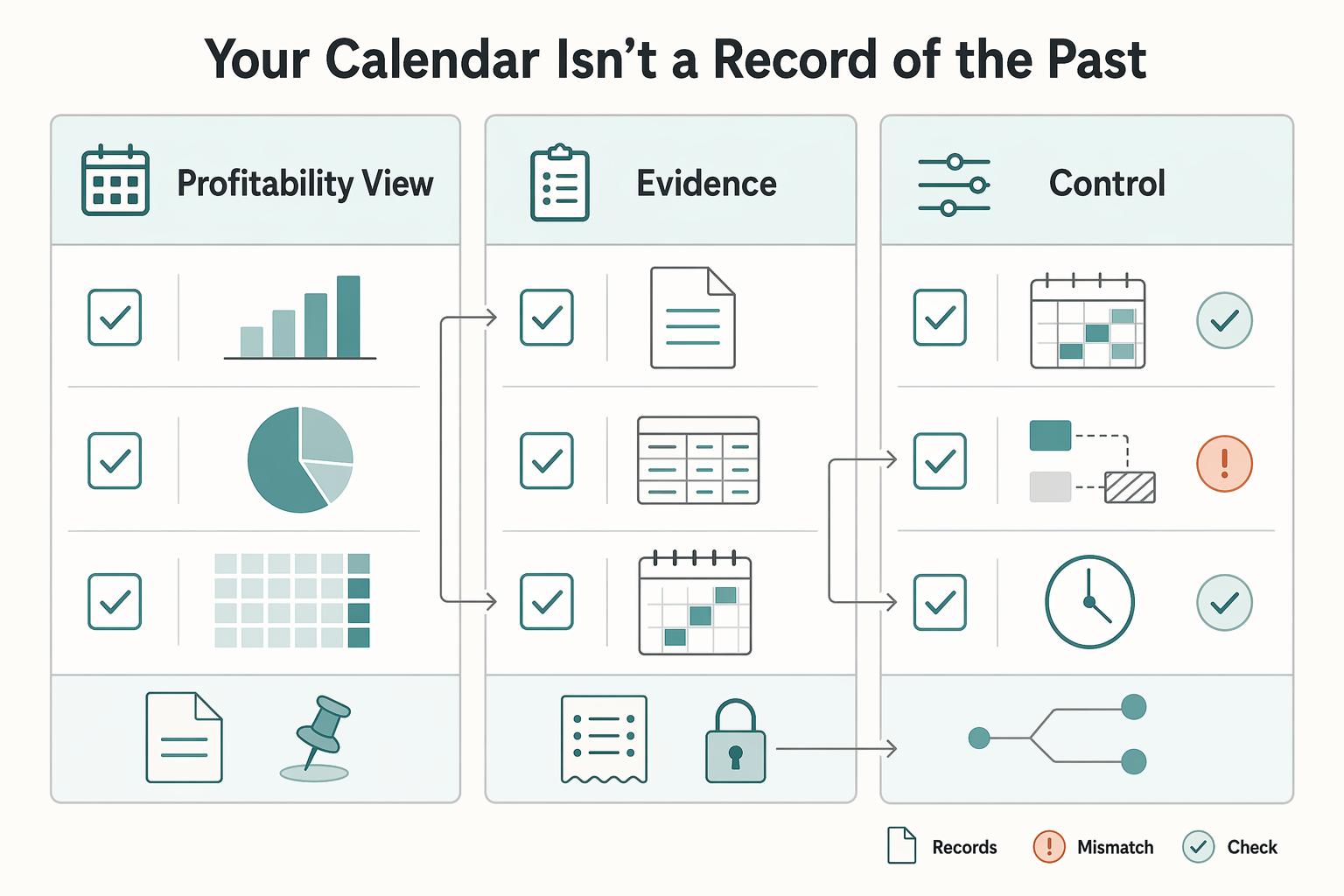
Three Ways Your Calendar Supports Profit, Records, and Planning#
Your calendar should run your week, not just document it. Used well, it gives you better capacity control, cleaner invoicing support, and fewer scheduling surprises.
Three uses matter most:
- Profitability view
Treat every block as a usable business record, not a placeholder. Use one event title rule like [Client] [Project] [Task] so your week is readable without guesswork, and vague entries like "work" or "call" are easy to catch. When you compare tools, check whether separate calendars, search, and export make this easy to maintain over time.
- Risk-support records
Use your calendar as a supporting timeline, not a standalone proof file. Add one context field you will actually keep up with (for example location, deliverable, or meeting purpose), then keep matching invoices, contracts, and receipts outside the calendar.
- Foresight and control
Set planning blocks before you share any external appointment scheduling link. Protect deep-work and admin-review time the same way you protect client calls, then test booking controls, reminders, and sync reliability by moving one event and canceling another across desktop and phone. If inbound meeting volume matters, also compare routing and integration behavior.
Use this checklist now: set one naming rule, one context rule, and one protected planning block. Run a weekly 7-day review, then apply a simple keep/change loop: what helped, what created friction, what needs cleanup.
That is the practical decision test behind any shortlist. Rankings are directional, not absolute: one roundup lists 6 apps, while another reviewer says they tested 15+. Keep the tool that supports this workflow with the least daily effort. If you want candidates to test, start with this comparison of calendar and scheduling apps. For another example of protecting planned blocks in a busy week, see The Best Fitness Apps for Busy Freelancers. If you need program-specific guidance, Talk to Gruv.
Frequently Asked Questions
How can a calendar app improve freelancer profitability?
It improves profitability when it shows what was billable, what was admin, and what slipped without guesswork. Use one naming pattern such as [Client] [Project] [Task], apply category labels consistently, and review the last 7 days every week so you can see where time went by client and work type. Separate calendars help, but only if titles stay clear enough to search later and export without cleanup. Action: audit last week’s entries and rename any block that does not clearly show client, project, task, and category.
Can your calendar support tax or residency documentation?
It can support your records, but it is not legal proof on its own. IRS guidance says your records should support items reported on your tax returns, and UK self-employed guidance explicitly includes records for income, costs, and profit. For certain U.S. substantiation rules, documentary evidence should include amount, date, and place, so calendar entries can help with timeline and location context but do not replace invoices, receipts, contracts, or accounting records. Action: add location notes and consistent labels to this week’s travel and client events, then flag any threshold-based assumption for adviser review.
What is the best way to manage multiple client projects on a calendar?
Start with visible separation before you reach for more features. Outlook supports additional calendars for projects, and Notion Calendar lets you connect multiple calendars in one sidebar, so you can view one client alone or your full week without mixing everything into one noisy stream. The failure mode is a single calendar full of vague titles like “call” or “work block,” which hides overruns and makes weekly review useless. Action: create one calendar or category per active client this week and require every new event to follow the same naming rule.
How do you prevent meeting overload as a freelancer?
Use controlled booking, not open availability. Google Calendar appointment schedules let you add buffer time and set a maximum number of bookings per day, and clients can book directly from a booking page. Some appointment-schedule features are subscription-dependent. Notion scheduling links also let invitees reschedule or cancel, while Fantastical Openings is built for sharing available slots. Action: offer one public meeting type only, cap daily bookings, and leave your deep-work blocks unavailable.
Which search, export, and sync checks matter before you switch apps?
Search and export are where weak tools, or weak setups, usually show themselves. Google Calendar can search past and future events, but export is computer-only, while Outlook search checks more than titles, including subject, location, message body, attachments, organizer, and attendees. Before you trust any app, move one meeting, cancel another, and confirm on desktop and phone that the title, time, and client calendar stay intact and still searchable. Action: run that moved-and-canceled event test today and make sure you can still find both events from your normal device.
How do you choose among the best calendar apps for freelancers?
Start with the constraint that hurts you most, not the app with the loudest feature list. If you need strong booking controls inside Google Workspace, start with Google Calendar. If you want multiple connected calendars in one view, test Notion Calendar, and if broad integration coverage matters, Fantastical connects with Google, Microsoft 365, Exchange, iCloud, Todoist, CalDAV, and more. Action: pick one challenger, run a 7-day side-by-side test against your current calendar, and keep the one that preserves clean client separation with the least daily effort.
Try a related tool
Researched and edited by the Gruv editorial team. Gruv builds cross-border billing, payouts, and finance-operations software for global businesses.
Sources
Includes 1 external source outside the trusted-domain allowlist.
- ato.gov.au/individuals-and-families/income-deductions-o...trusted
- ecfr.gov/current/title-26/chapter-I/subchapter-A/part...trusted
- irs.gov/businesses/small-businesses-self-employed/wh...trusted
- irs.gov/businesses/small-businesses-self-employed/re...trusted
- legalinstruments.oecd.org/en/instruments/OECD-LEGAL-0151trusted
- oecd.org/en/publications/the-2025-update-to-the-oecd-...trusted
- oecd.org/en/about/news/press-releases/2025/11/oecd-up...trusted
- calendar0.app/blog/google-calendar-alternativesexternal
Educational content only. Not legal, tax, or financial advice.
Related Posts

Value-Based Pricing for Freelancers Under Real Payment Risk
Value-based pricing works when you and the client can name the business result before kickoff and agree on how progress will be judged. If that link is weak, use a tighter model first. This is not about defending one pricing philosophy over another. It is about avoiding surprises by keeping pricing, scope, delivery, and payment aligned from day one.
The Best Calendar and Scheduling Apps for Freelancers
Your scheduler is an operations layer, not just a booking link. It determines whether clients can self-book, whether buffers actually protect your day, and whether confirmed meetings land cleanly in Google Calendar or Outlook instead of creating cleanup work later.

The Freelance Payment Penalty: A Modeled Audit of Platform Fees, FX Spreads, and Payout Delays
The money rarely disappears through a single, easy-to-spot fee. The real loss is stacked. A marketplace takes its commission, a processor adds a charge for international cards, a bank or payment company converts the currency at a spread, a platform holds the funds before release, and a wire sheds a little to intermediaries on the way in. Each layer looks defensible on its own, but the worker feels the combined result as a smaller deposit and a later payday.