
Quick Answer
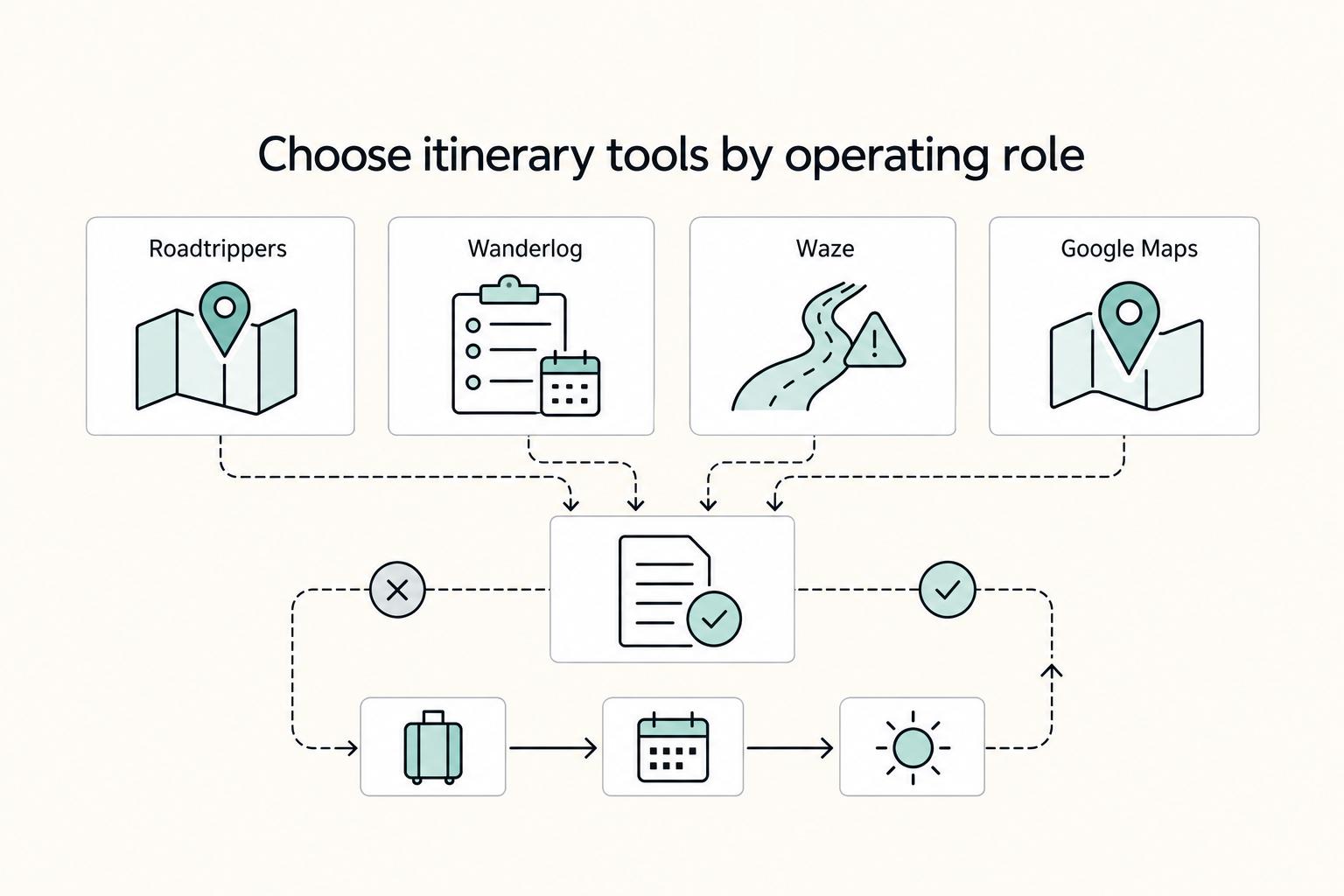
Build your stack by job, not by popularity. Use Roadtrippers to shape options, move approved stops into a Google Maps My Map for live execution, and use Waze only for day-of reroutes. Pair that route flow with a work routine: test upload reliability before calls, enable VPN on public Wi-Fi before opening files, and keep an encrypted Digital Black Box accessible from a second device.
The Global Professional's Road Trip Operations Kit: A Strategic App Guide#
If you are planning a move or a long stay, do not start with a random download spree. Build a small operations kit instead. Road trip planning apps are most useful when each one has a defined job. They should fit into a repeatable way of working that protects your time, money, and focus while you are still meeting deadlines on the road.
Use one rule for the whole trip: plan, secure, back up, verify. Plan the route and timing first. Secure your work on public networks and set communication habits that do not depend on instant replies. Back up essential records in an encrypted document set. Verify the latest version of plans and files before you lock anything in, because standards and planning documents can change between releases.
| Track | Primary goal | Core app types | Key setup actions | Failure risk if skipped |
|---|---|---|---|---|
| Mission Control Stack | Keep itinerary, budget, and schedule aligned | Maps, route planners, booking trackers, budget tools | Build a dated route, pin key stops, store confirmations in one place | Missed handoffs, weak timing, scattered bookings |
| Mobile Office | Protect work continuity | Connectivity testing, hotspot support, VPN, async communication | Pack a dedicated Connectivity Go-Bag, test signal, secure public Wi-Fi use | Downtime, exposed client data, reactive workdays |
| Contingency Protocol | Reduce physical, digital, and financial risk | Document vaults, location logs, emergency utilities | Create an encrypted Digital Black Box and track your physical location | Lost access to records, poor audit trail, avoidable exposure |
These three tracks answer three different questions. Mission Control Stack covers how you plan with a timeline in mind. Mobile Office covers how you keep paid work moving when the trip cannot be allowed to interrupt it. Contingency Protocol covers the failures that can derail the trip fast if you are not ready for them.
One checkpoint matters more than it sounds: verify access before departure. If a shared file opens in read-only mode, you may not see embedded documents until editing is enabled. Some formats also require specialized viewers. Start there, then build the planning track first. If you want a deeper dive, read Value-Based Pricing: A Freelancer's Guide.
Your Mission Control Stack: Engineering an ROI-Positive Itinerary#
Build this stack around a timeline: set up before departure, review weekly, and execute daily. Keep each app in one role, and make Google Maps your final source of truth once stops are approved.
| Tool | Best use case | Key strength | Overlap risk | Handoff step |
|---|---|---|---|---|
| Google Maps | Final itinerary and day-by-day execution | One master view for confirmed stops through a custom My Map | Competing with discovery tools creates duplicate or stale pins | Move only approved stops here and run this as your live route |
| Roadtrippers | Early discovery and route shaping | Helps you explore possible additions before plans harden | Discovery clutter can leak into execution planning | Promote only stops that pass your weekly review |
| Wanderlog | Spend tracking during the trip | Keeps trip costs visible while your route evolves | Loose categories create cleanup work later | Export tagged records and receipts to bookkeeping weekly |
| Waze | Same-day driving decisions | Live routing input when timing is tight | Using it as a planner fragments your broader itinerary | Use it on drive day after the route is fixed in Maps |
Set up the trip before you leave#
Start with a Google Maps My Map and create layers for the trip you will actually run. Pin confirmed lodging, housing-viewing stops, visa or admin stop points, document-service locations, and backup connectivity checkpoints where you can recover a workday if needed.
Before departure, open every critical pin and verify the address, access details, and current hours from the official source. Repeat that check before each key stop, since location details and travel guidance can change.
Plan the week#
Use Roadtrippers upstream to explore options, then promote only approved stops into Google Maps. That keeps one working itinerary instead of separate versions across planning and navigation.
For expense discipline, tag each purchase immediately with fixed categories, then keep the same categories for the whole trip. If a charge mixes personal and business use and you cannot support the split with a receipt and short note, tag it personal until bookkeeping review. Hand off weekly records with date, merchant, amount, category, and receipt image, and confirm current tax handling separately.
Execute driving days and meetings#
On execution days, keep it simple: run the planned sequence in Google Maps and use Waze for live rerouting. Check conditions before departure and again before any time-sensitive housing viewing, office visit, or meeting window.
If delays appear, cut optional discovery stops first. Protect fixed admin and work-critical stops.
- Minimum viable stack: Google Maps plus one spend tracker. Use this when your route is mostly stable and you need clean pins, confirmed stops, and consistent records.
- Full stack: Google Maps, Roadtrippers, Wanderlog, and Waze. Use this when your move includes multiple viewings, document errands, and fixed work commitments where timing errors are costly.
For another example of keeping a tool stack simple, see The best 'Teleprompter' apps for video recording.
The Mobile Office: Maintaining Peak Productivity from Anywhere#
Once your route is set, consistency matters more than gear. Use the same order each workday: check the connection, log in securely, pick the right workspace, then send your handoff before you drive again.
A common failure pattern is doing those steps backward. If you open client files before testing the network, or promise a live call before checking the room, you create avoidable risk.
| Tool type | Best use case | Setup effort | Failure mode | Backup option |
|---|---|---|---|---|
| Network-testing tool | Check hotel, cafe, or rental internet before committing to a work block | Low: install once, run on arrival | Browsing works, but uploads stall during document submissions or calls | Relocate quickly or switch to your hotspot |
| Dedicated mobile hotspot | Primary fallback when venue Wi-Fi is inconsistent | Medium: keep charged and ready | Weak local signal or dead battery | Use phone tethering for short urgent tasks, then relocate |
| VPN | Public networks (hotel, airport, cafe) | Low to medium: sign in and enable before work | You start work before turning it on | Disconnect, enable it, then reconnect |
| Workspace-booking app | Confidential calls or focused deep work on short notice | Medium: account and payment setup | No useful same-day availability | Use a private room you control and hotspot, or switch the meeting async |
| Async update tool | Keep clients aligned across time zones while you are in transit | Low | Update is vague, so people still chase status | Send a structured message with deliverables, blockers, and next online window |
Work in this order#
| Step | Action | Key detail |
|---|---|---|
| 1 | Check the connection before you unpack | Run a quick test and a small upload before the real task |
| 2 | Log in securely before opening sensitive work | On public networks, turn on your VPN first |
| 3 | Match the workspace to the task | Use cafes for admin, inbox cleanup, or route updates; use a private space you control or book a professional workspace for confidential calls or focused work |
| 4 | Send the handoff before you get back on the road | Include what is done, what is next, what is blocked, and when you will be online again |
-
Check the connection before you unpack. Test early, and do not judge a network by download alone. If you need to upload signed forms, send housing documents, or take calls with landlords or service providers, upload reliability matters too. Run a quick test and a small upload before the real task.
-
Log in securely before opening sensitive work. On public networks, turn on your VPN first. Keep accounts behind a password manager and multi-factor authentication so rushed logins and reused passwords do not become the weak point.
-
Match the workspace to the task. Cafes can work for admin, inbox cleanup, or route updates. For confidential calls or focused work, choose a private space you control or book a professional workspace.
-
Send the handoff before you get back on the road. An asynchronous-first communication strategy reduces scheduling friction across time zones. Before you leave, send a short status update covering what is done, what is next, what is blocked, and when you will be online again.
Build a real fallback ladder#
A Connectivity Go-Bag works best as a sequence, not a pile of tools. Start with tested venue Wi-Fi. If it fails, switch to your dedicated hotspot. If that fails, use phone tethering only for short urgent actions, then relocate.
Also plan for offline access: save key routes and addresses in tools that still help in poor-signal areas, and keep your document packet locally available so a failed upload does not force a full rebuild.
Use a secure-by-default checklist#
- Turn on your VPN before using public Wi-Fi.
- Store passwords in a password manager.
- Enable multi-factor authentication on priority accounts.
- Save offline directions before driving into weak-signal areas.
- Close battery-heavy navigation/discovery apps once you are settled and working, since Roadtrippers and Waze are both noted for heavier battery use.
If a location fails either the privacy check or the upload check, skip it. Your mobile office does not need to be perfect. It needs to make the next work block predictable. For a step-by-step walkthrough, see The Best Language Learning Apps for Travelers.
The Contingency Protocol: Mitigating Risks You Cannot Afford#
Your contingency plan should do one thing well: keep a single disruption from cascading across your documents, accounts, location record, and route. You are not trying to predict every issue. You are setting clear fallback steps before you need them.
Before departure, choose tools based on failure behavior, not just convenience:
| Contingency tool | Primary risk covered | Offline resilience | Setup complexity | Failover option |
|---|---|---|---|---|
| Secure storage for your Digital Black Box | Document recovery | Stronger when paired with an encrypted local copy or separate drive | Medium | Encrypted USB copy stored separately |
| Password manager | Account security | Depends on vault access from a second device | Medium | Recovery kit stored inside your document pack |
| Authenticator method | Account security | Weaker if tied to one phone; stronger when backup codes are stored offline | Low to medium | Backup codes or a secondary trusted device |
| Location log | Tax and location tracking | Better if you can record days without signal and sync later | Low | Dated spreadsheet, notes app, or paper log |
| Roadside or resource app | Physical logistics and rerouting | More useful when key areas or stops are saved ahead of time | Low | Offline maps plus a short written list of fuel and repair options |
Build your fallback pack before you leave#
| Step | Action | What to verify |
|---|---|---|
| 1 | Set up your Digital Black Box | Create one encrypted document pack you can access if your primary phone or laptop fails |
| 2 | Test access on a second device | Open files, confirm they are readable, and make sure access does not depend on one device |
| 3 | Separate storage and recovery access | Keep the main pack in secure storage, keep an encrypted offline copy, and store password-manager and authenticator recovery codes inside the pack |
- Set up your Digital Black Box. Create one encrypted document pack you can access if your primary phone or laptop fails. Keep practical files you actively rely on, such as identity, vehicle, insurance, housing, and work/travel paperwork.
- Test access on a second device. Do not stop at scanning files. Open them, confirm they are readable, and make sure access does not depend on one device.
- Separate storage and recovery access. Keep the main pack in secure storage, keep an encrypted offline copy, and store password-manager and authenticator recovery codes inside the pack.
Run a weekly contingency check#
| Check | Action | Supporting detail |
|---|---|---|
| Location record | Export or screenshot location history and reconcile where you stayed | Keep dated supporting records that help explain your route |
| Tax tracking | Use tax tracking as a decision prompt, not a legal conclusion | Current jurisdiction threshold and filing trigger pending official tax or source-record verification |
| Account and connectivity recovery | Sign into your password manager from a backup device and confirm authenticator backups are available | Verify your Connectivity Go-Bag still works |
| Remote legs | Pre-check the next segment before departure if it has weaker services | Check fuel, vehicle condition, and repair options |
Switch to contingency mode on clear triggers#
Move to contingency mode immediately when you hit a trigger: lost or failing device, suspected account compromise, warning light, route closure, or a remote segment without confirmed fuel or service.
- Simplify first. Pause detours, protect account access, preserve evidence, then reroute.
- For device/account issues. Use a clean device to rotate key credentials (email, banking, storage), then use stored recovery codes. Log timestamps and screenshots because resolution may not be immediate.
- For route/physical issues. Use your route planner app to reroute around traffic, accidents, or weather, notify anyone waiting on you, and store related receipts or repair records in your Digital Black Box.
If you cannot verify the next fuel stop, repair option, or data connection, treat that leg as contingency mode. Related: The Best Travel Apps for Digital Nomads.
From Road Trip to Well-Managed Operation#
Treat your app stack as a daily system, not a one-time setup. You will get better results from a repeatable routine across a few tools than from searching for one app that does everything.
- Reset your shared plan first. Start each trip, and any major route change, from the same reusable planning file. Keep one general-info tab for addresses and transport details, and a separate suggestions tab so new ideas do not overwrite the active plan.
- Plan in one tool, drive in another. Use your planner to shape the route and stops, then use your navigation app for the live leg. Before you leave each morning, open each address in your navigator and confirm it resolves correctly.
- Run your work block check. Confirm where you will work, when, and what your fallback is if the first option fails. Keep this in the same daily plan so route, work, and timing stay aligned.
- Verify generated suggestions. If you use an AI travel planner, treat its output as a draft. Manually confirm times, addresses, and route assumptions, especially if your vehicle has clearance or grade constraints that scenic planning views may miss.
Use these checkpoints on the road: your next stop is confirmed, your work block is set with a backup, and your route has been checked for obvious failure points.
Next step, pick one: refine your app stack, test your offline and readiness setup, or run a pre-departure dry run for your first three legs. You might also find this useful: How to Plan a Cross-Country Road Trip.
Frequently Asked Questions
How should you plan a relocation focused road trip from start to finish?
Use one tool for route design and one for day-of navigation. A practical stack is Roadtrippers for stop discovery and route segmentation, then Google Maps or Waze for live navigation. If you want a bigger planning canvas, Roadtrippers Plus has been described as allowing up to 150 waypoints per trip. Feature and tier details can shift, so verify current limits before paying. | Need | Primary choice | Why it fits | Fallback | |---|---|---|---| | Route design | Roadtrippers | Better for discovery and segmenting a long route | Saved stop list | | Daily navigation | Google Maps or Waze | Reliable live navigation | Printed next-leg notes | | Offline backup | Maps.Me | Offline turn by turn navigation | Paper fuel and repair list | Next action: pick your route planner, map the first three legs, and save an offline backup before you leave.
How do you choose apps without overbuying or following stale rankings?
Do not choose from "best road trip planning apps" lists alone. Some recommendation pages are affiliate supported, and one commonly cited roundup explicitly targeted 2021, so pricing, plans, and features may be stale by 2026. Next action: shortlist two tools, then verify the current plan page and export or offline options before you subscribe.
What documents should you keep accessible on the road?
Build one digital document pack with your ID, vehicle records, insurance details, lease or housing paperwork, and any active work or travel documents. Keep a separate local or USB backup copy. Then open every file on a second device to confirm it is readable. Next action: test your pack tonight on a backup device, not just your main phone.
How do you secure your accounts and data on unfamiliar networks?
On networks you do not control, follow your standard account-security setup and keep a separate recovery path available offline or on a second device. Avoid keeping your only sign-in and recovery method on the same phone. Next action: confirm you can sign in from a second device if your primary phone is unavailable.
How do you keep your workspace reliable enough for paid calls and focused work?
Plan for common road failures, including getting lost or missing nearby fuel, and keep one backup location plus offline directions ready if the first stop fails. Next action: for your next work block, identify a primary stop and one backup within 15 to 20 minutes.
How should you track expenses and location for tax or compliance questions?
Log expenses as they happen, save receipts into the same dated document pack, and keep a weekly location record with screenshots or exports plus supporting receipts or bookings. For each jurisdiction, record that the current threshold and jurisdiction rule must be verified from official tax or source records before use. If a payment, client, or route issue could touch sanctions, check the current OFAC program guidance first because the prohibitions vary between programs. Update dates like August 21, 2024 are a useful freshness check. Next action: create one weekly review reminder for receipts, mileage, and your location log.
Try a related tool
Researched and edited by the Gruv editorial team. Gruv builds cross-border billing, payouts, and finance-operations software for global businesses.
Sources
- dodcio.defense.gov/Portals/0/Documents/CMMC/AssessmentGuideL2.pdftrusted
- fmcsa.dot.gov/sites/fmcsa.dot.gov/files/docs/Motor%20Carri...trusted
- nvlpubs.nist.gov/nistpubs/SpecialPublications/NIST.SP.800-53r...trusted
- ofac.treasury.gov/faqs/all-faqstrusted
- ops.fhwa.dot.gov/publications/fhwaop04010/handbook.pdftrusted
- taxpayeradvocate.irs.gov/wp-content/uploads/2024/01/ARC23_MSP.pdftrusted
- transportation.gov/media/1751trusted
- tsa.gov/sites/default/files/checkpoint-requirements-...trusted
Educational content only. Not legal, tax, or financial advice.
Related Posts

Value-Based Pricing for Freelancers Under Real Payment Risk
Value-based pricing works when you and the client can name the business result before kickoff and agree on how progress will be judged. If that link is weak, use a tighter model first. This is not about defending one pricing philosophy over another. It is about avoiding surprises by keeping pricing, scope, delivery, and payment aligned from day one.

Best Travel Apps for Nomads Moving Abroad
If you are comparing travel apps for a move abroad, choose by move stage, not by feature depth. A short stack that reduces four common failures works better: booking drift, missing documents at the wrong moment, no data on arrival, and a chaotic first week.
How to Plan a Cross-Country Working Road Trip Without Dropping Client Work
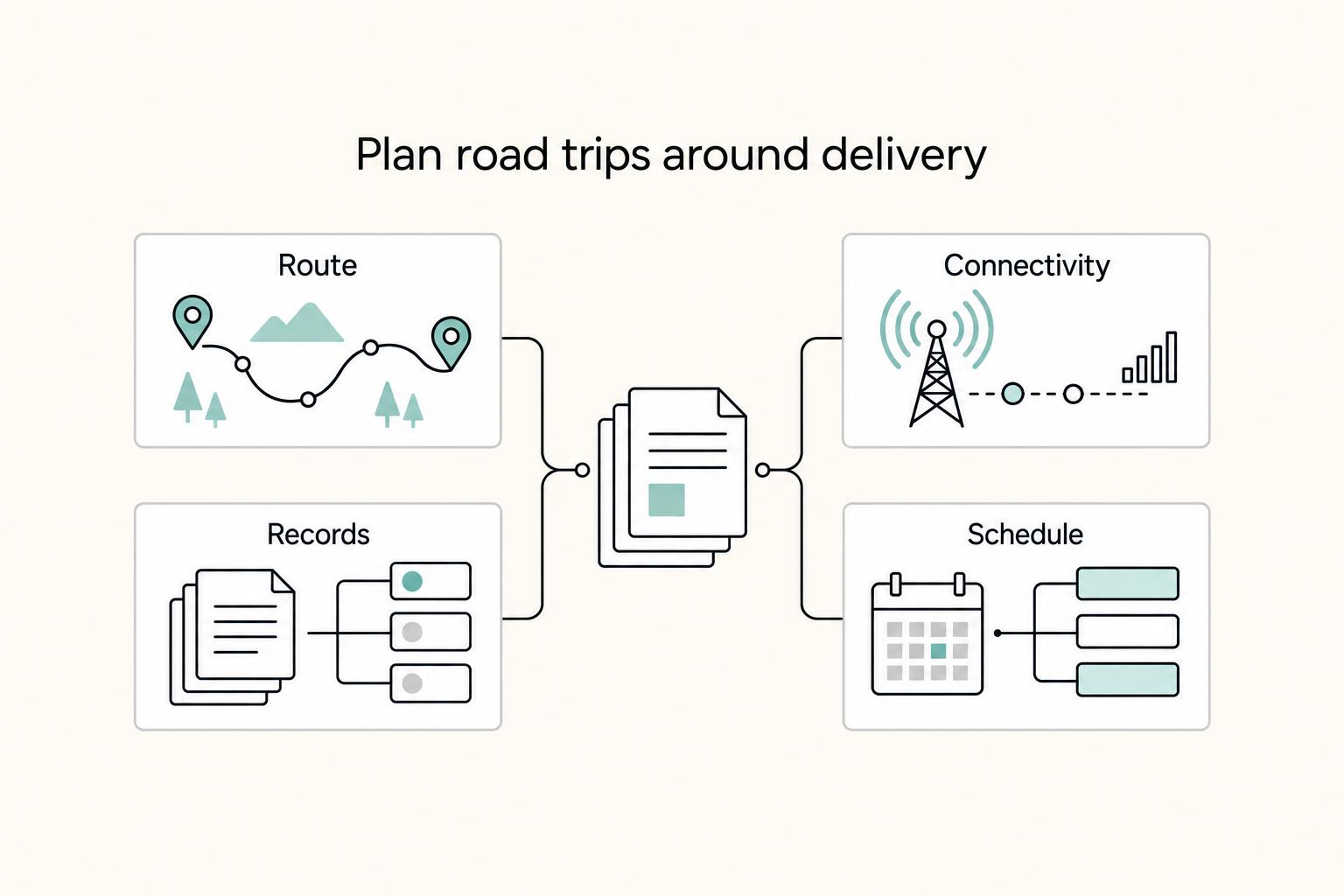
If you want to **plan a cross-country road trip** without dropping client work, treat it like an operating plan, not a vacation. You are balancing travel, delivery, and admin risk at the same time, so the bar is not "fun enough." It is "can I stay operational the whole way through?"