
Quick Answer
Use a three-step setup: run a one-week scorecard, choose tools by failure mode, and automate sessions in your calendar. For device hopping, test Freedom across every device you actually use. For mid-session self-overrides, trial a stricter option like Cold Turkey. Keep separate Deep Work and Admin/Comms modes, and check one blocked site plus one required client tool each week. That process is what makes the best website blocker apps useful in real client work.
Protect your attention with repeatable rules#
If you are still trying to focus by "being more disciplined," you are treating a systems problem like a character problem. Your attention is a business asset. The practical move is to protect it with repeatable rules, not a fresh act of self-control every hour.
That usually shows up in ordinary moments, not dramatic ones. You are finishing a client deliverable, checking email "for one minute," replying to a message, opening a browser tab, and coming back later with your thread broken. Or you leave chat open all morning, react to pings, and push proposal writing into the afternoon. Or admin work expands because nothing tells you when to stop.
This guide uses a simple three-step method:
- Audit
First, identify where your focus actually leaks. Track the moments you task-switch during real work: which app, which device, what triggered it, and what job got delayed. The point is evidence over guesswork. You are not judging yourself. You are checking the pattern.
- Stack design
Next, match tools to the work. App blocking controls when and how you use certain apps, but the setup matters more than the label. Deep work may need one blocklist, communication windows another, and cross-device blocking if your usual escape route is your phone instead of your laptop.
- Automation
Then stop renegotiating the same choice all day. Some tools let you create multiple blocklists, schedule sessions, and use stricter settings such as locked mode to make it harder to end a block when your willpower drops. The payoff is less decision friction.
Systems usually beat willpower because they rely on pre-commitment and repeated habits, not mood. Blocker apps help, but only as part of that larger setup.
For a deeper dive, read Value-Based Pricing: A Freelancer's Guide.
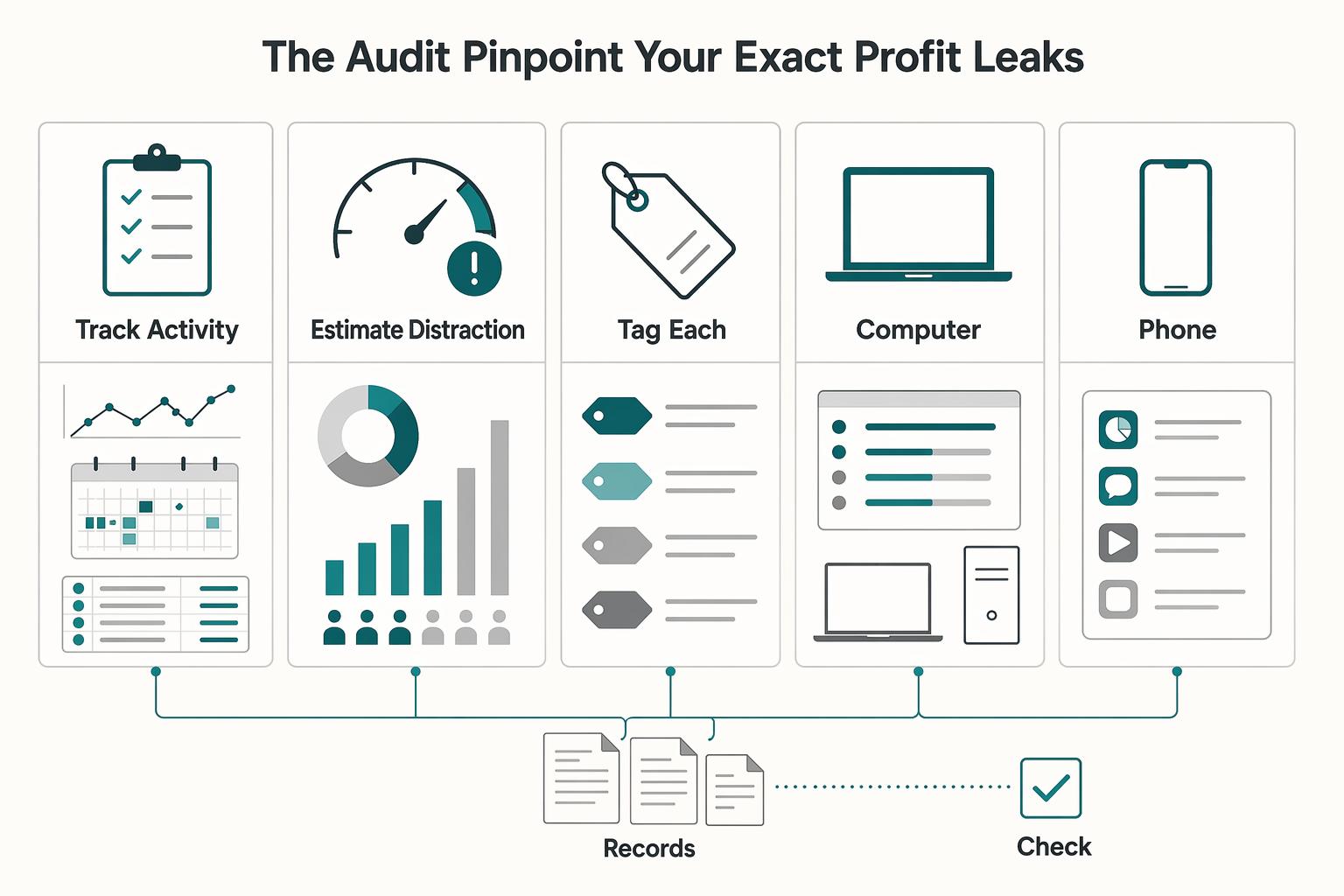
Step 1: The Audit - Pinpoint Your Exact Profit Leaks#
Do not compare tools yet. Start with one clean week of evidence so you can see routine focus leaks clearly, not guess at them.
| Audit step | Key inputs | Outcome |
|---|---|---|
| Track activity with one weekly scorecard | Log planned task, actual app/site opened, device, trigger, minutes lost, and delayed output; pull entries from device activity reports, browser history, calendar blocks, time tracker logs, and task history | Measure with observable signals, not intuition |
| Estimate distraction cost with verified inputs | Total distraction minutes across devices; add your effective rate only if you can verify it from delivered work, invoices, or your existing pricing baseline | Get a re-measurable leak estimate without fake precision |
| Tag each task as deep or shallow with one rubric | Use Deep when work needs sustained concentration and interruption creates restart cost; use Shallow for admin, coordination, or maintenance work that can pause and resume with low friction | Avoid over-locking your workflow and keep controls proportional |
- Track activity with one weekly scorecard
For one working week, log the same fields every time you drift from a planned task: planned task, actual app/site opened, device, trigger, minutes lost, and delayed output. Pull entries from systems you already use, for example device activity reports, browser history, calendar blocks, time tracker logs, and task history, then merge them into one sheet so the signals are comparable. The point is to measure observable signals, not intuition.
- Estimate distraction cost with verified inputs
At week end, total distraction minutes across devices. Add your effective rate only if you can verify it from delivered work, invoices, or your existing pricing baseline. If not, leave it blank and flag follow-up. The result is a re-measurable leak estimate without fake precision.
Use a simple roll-up like this:
| Audit line | Verification note |
|---|---|
| Computer | Match to same-week report + calendar |
| Phone | Use the same week window |
| Total | Remove duplicate entries |
- Tag each task as deep or shallow with one rubric
Use Deep when work needs sustained concentration and interruption creates restart cost. Use Shallow for admin, coordination, or maintenance work that can pause and resume with low friction. If you can stop at minute 15 and restart easily, tag it shallow; if interruption breaks the thread, tag it deep. This keeps you from over-locking your workflow and helps you keep controls proportional.
With this audit complete, Step 2 becomes a fit decision: you can choose for cross-device coverage, enforcement level, and workflow fit based on your real leak pattern.
We covered this in detail in The Best All-in-One Productivity Apps for Freelancers.
Step 2: The Architecture - Design Your Professional 'Focus Stack'#
Use a lean, role-based stack that closes the leaks from your audit, not a long list of apps. For most people, that means 2 to 3 core apps. You can stretch to four if needed, but each extra tool adds setup overhead, more failure points, and harder troubleshooting.
| Layer | Use when | Decision criteria | Common failure | Candidates |
|---|---|---|---|---|
| Cross-device base | Distractions jump between devices | Verified device coverage across your real setup; usable scheduling controls; enough block strength to stop easy switching during work blocks | Assuming sync/coverage without testing every device you actually use | Freedom |
| High-enforcement deep-work layer | Tasks tagged Deep, where interruptions create restart cost | Stronger enforcement during focus windows; reliable scheduling for deep-work blocks; practical bypass resistance when you are under pressure | Applying strict settings to all-day work instead of targeted deep-work periods | Cold Turkey |
| Lighter shallow-work layer | Admin and coordination work where you need the web but want guardrails | Browser/device fit for shallow tasks; lighter block scope; flexible schedules; enough friction to reduce drift without breaking legitimate workflows | Sloppy whitelist setup that blocks needed client or research tools, then gets disabled | LeechBlock NG; BlockSite |
Design this as a simple signal flow: what to block, on which device, during which work mode, and what must stay accessible.
- Cross-device base
Start here if your distractions jump between devices. Your decision criteria are verified device coverage across your real setup, usable scheduling controls, and enough block strength to stop easy switching during work blocks. Freedom is a common candidate for this role, but confirm current support and behavior before committing. Common failure: assuming sync and coverage without testing every device you actually use.
- High-enforcement deep-work layer
Add this only for tasks you tagged Deep, where interruptions create restart cost. Your decision criteria are stronger enforcement during focus windows, reliable scheduling for deep-work blocks, and practical bypass resistance when you are under pressure. Cold Turkey is often tested for this role. Common failure: applying strict settings to all-day work instead of targeted deep-work periods.
- Lighter shallow-work layer
Use this for admin and coordination work where you need the web but still want guardrails. Your decision criteria are browser or device fit for shallow tasks, lighter block scope, flexible schedules, and enough friction to reduce drift without breaking legitimate workflows. LeechBlock NG and BlockSite are common candidates here. Common failure: sloppy whitelist setup that blocks needed client or research tools, then gets disabled.
If you want a short comparison sheet for testing, use this:
| Option | Best role to test first |
|---|---|
| Freedom | Cross-device base candidate |
| Cold Turkey | High-enforcement deep-work candidate |
| LeechBlock NG | Lighter shallow-work browser layer |
| BlockSite | Lighter shallow-work browser layer |
Before Step 3 automation, confirm this checklist:
- Assign each layer to one audited problem: device hopping, deep-work boundary breaks, or shallow-work drift.
- Prepare blocklists, whitelist exceptions, and mode presets.
- Test for loopholes: time-zone errors, unsynced schedules, duplicate rules, and blocked client tools.
- Name presets you will automate (for example: Deep, Admin, Travel).
- Make sure each preset is calendar-trigger ready with prebuilt rules.
You might also find this useful: The Best Noise-Cancelling Apps for a Quiet Workspace.
Step 3: The Automation - Implement Your 'Productivity OS'#
Automate this in your calendar so focus starts by default, not by willpower. Once your presets are ready, each calendar event should trigger one blocker mode and run the same sequence every time: trigger, mode, start routine, shutdown, reset.
Keep only two protocols: Deep Work and Admin/Comms. Set each event length by workload, then map each event type to a named mode. The goal is consistent execution, not fixed session duration.
Time-based automation is the core control. Depending on your tool, this may appear as schedule filters or Schedule Mode. On Apple devices, Ochi lists Schedule filters, Shortcuts integration, locked filters, timed filters that cannot be stopped for a period of time, and sync across iPhone, iPad, and Mac. If you use Freedom, Zapier's November 5, 2024 roundup highlighted it for blocking distractions on all your devices at once. The same roundup identified Cold Turkey for scheduled system-wide blocking.
Practical runbook#
| Protocol | Trigger | Tool mode | Allowed apps or sites | Fallback if blocked incorrectly | Post-session review checkpoint |
|---|---|---|---|---|---|
| Cross-device base | Start of workday or recurring schedule filter | Synced cross-device block where supported | Core work tools, required client domains, calendar | Use temporary pause only for urgent access, then log the exception | Did you switch devices when friction showed up? |
| Deep Work | Calendar event labeled Deep | Strict scheduled block, timed filter, or locked filter | One task app, essential docs, one research source only if required | Do not loosen rules mid-session unless delivery is blocked; capture missing allowlist item and fix after | Did you try to override settings during the block? |
| Admin/Comms | Calendar event labeled Admin or Comms | Schedule Mode, lighter browser block, or password-protected settings | Email, calendar, CRM, project management, client portals | If a needed site is blocked, use redirect or a brief pause, then tighten allowlist after | Which blocked items were legitimately needed more than once? |
Keep your start routine short: open the task, close nonessential tabs, confirm the correct mode, then test one blocked destination and one allowed tool. Your shutdown routine should be just as consistent: end the block, log legitimate exceptions, add new distractions to the right list, and reset for the next session. If your tool offers review signals like BlockSite's Insights, review after the session, not during it.
Troubleshooting and weekly handoff#
Most failures come from three things: self-overrides, device switching, or over-restrictive lists. If you keep overriding, use locked filters or password protection. If you switch devices, verify sync and test the same blocked site on each device you actually use. If you keep pausing blocks, split Deep and Admin rules more clearly so Deep stays narrow and Admin stays practical.
| Failure mode | Signal | Adjustment |
|---|---|---|
| Self-overrides | You keep overriding | Use locked filters or password protection |
| Device switching | You switch devices | Verify sync and test the same blocked site on each device you actually use |
| Over-restrictive lists | You keep pausing blocks | Split Deep and Admin rules more clearly so Deep stays narrow and Admin stays practical |
Also test browser coverage directly. A user review on Ochi reports macOS website blocking did not work on Firefox; that is not universal proof, but it is a good reason to test your own browser mix before you rely on any setup.
Run this once a week:
- Start one Deep event and one Admin event from your real calendar.
- Confirm the right mode triggers on every work device.
- Test one blocked site and one required client tool in each mode.
- Review overrides, temporary pauses, and repeated exceptions.
- Remove duplicate rules and update your evidence pack with new whitelist items.
For a step-by-step walkthrough, see The best 'Teleprompter' apps for video recording.
Conclusion: Keep the blocking setup small, concrete, and repeatable#
Once you can see the escape hatches, the next decision is straightforward: stop asking willpower to do a blocker's job. What you want from blocker apps is not a motivational boost. You want a system that protects deep-work windows and makes delivery more reliable when distractions spike.
In practice, keep it small, concrete, and repeatable:
-
Audit your attention. Start with real usage data instead of guessing where time went. Usage dashboards, visual charts, or daily reports give you evidence to build a blocklist around actual distraction patterns, not vague intentions.
-
Pick the blocker that matches your failure mode. If you switch from laptop to phone the moment friction appears, test a cross-device option such as Freedom on every device you use. If your problem is editing settings or rationalizing "just five minutes," use a stricter scheduled tool such as Cold Turkey, or choose full blocking like StayFocusd's Nuclear Option instead of relying only on daily limits.
-
Schedule protection into your calendar. Put deep-work sessions in your calendar during your strongest hours and automate the block when the tool supports it. Manual activation can fail when the task feels hard, so pre-scheduled enforcement is usually more dependable.
-
Review and adjust every week. Try opening one blocked site on each device, check whether in-app distractions like reels, shorts, recommended videos, or comments are still getting through, and tighten the rules. Keep a short note with sessions completed, bypasses found, and list changes made so your setup improves from evidence.
Do those four things this week and your focus can become easier to protect on low-energy days, not just good ones. If you want the next layer, read A Guide to 'Deep Work' for Freelancers next, then How to Manage Your Time Effectively as a Freelancer.
Related: How to Manage Your Time Effectively as a Freelancer.
Frequently Asked Questions
How can a website blocker increase your billable hours?
A blocker helps only when it protects work you can actually invoice for. The real test is whether it shields a defined deep-work block so you finish client deliverables with fewer context switches. Any gain still depends on your task quality, pricing, and schedule, so treat any benchmark as pending source verification instead of assuming a fixed ROI. Run one protected session and one unprotected session this week, then log completion quality, interruptions, and whether the protected block produced more invoiceable output.
What is the best way to block distractions across all your devices at once?
Start with one tool that covers the devices you actually reach for, then test the same blocked site on each device before you trust it. Platform gaps matter more than marketing, and they can break your setup fast. For example, FocusMe lists Windows, macOS, Linux, and Android support, does not provide an iOS app ETA, and points iPhone users to Apple Screen Time built into iOS 12 and later. If you are considering Freedom, its homepage does offer a free-start option, but you still need to verify your own device mix.
Are these apps easy to bypass?
If you already know you override soft browser extensions under pressure, use a stricter tool. No blocker is impossible to bypass in every scenario, and hardening usually comes with tradeoffs. FocusMe, for example, says Windows users can enable Protect Uninstall, while on macOS a concrete checkpoint is to enable and password-protect at least one plan, and on Android the Play Store version cannot use Protect Uninstall because of Google’s rules. During a live session, try to disable, uninstall, or edit the blocker, then fix the first bypass that succeeds.
Is it better to pay for an app or use a free one?
Free is useful when you are still testing whether blocking changes your behavior at all. Paid can make more sense once you need stronger controls or scheduled rules, but feature sets vary by app. For example, FocusMe says its Android app is free at the moment, while noting it may offer a premium version later. Test a simple setup against your audit sheet for a week, then pay only if stronger controls close a leak you have already verified.
Try a related tool
Researched and edited by the Gruv editorial team. Gruv builds cross-border billing, payouts, and finance-operations software for global businesses.
Sources
Includes 5 external sources outside the trusted-domain allowlist.
- apps.apple.com/us/app/ochi-block-websites-apps/id1603024803external
- community.thriveglobal.com/15-best-apps-and-websites-for-focus-and-prod...external
- digitalzen.app/frequently-asked-questionsexternal
- material.security/workspace-resources/stop-silent-data-leaks-g...external
- natesnewsletter.substack.com/p/the-ai-productivity-stack-27-toolsexternal
Educational content only. Not legal, tax, or financial advice.
Related Posts

Value-Based Pricing for Freelancers Under Real Payment Risk
Value-based pricing works when you and the client can name the business result before kickoff and agree on how progress will be judged. If that link is weak, use a tighter model first. This is not about defending one pricing philosophy over another. It is about avoiding surprises by keeping pricing, scope, delivery, and payment aligned from day one.
How to Manage Your Time Effectively as a Freelancer
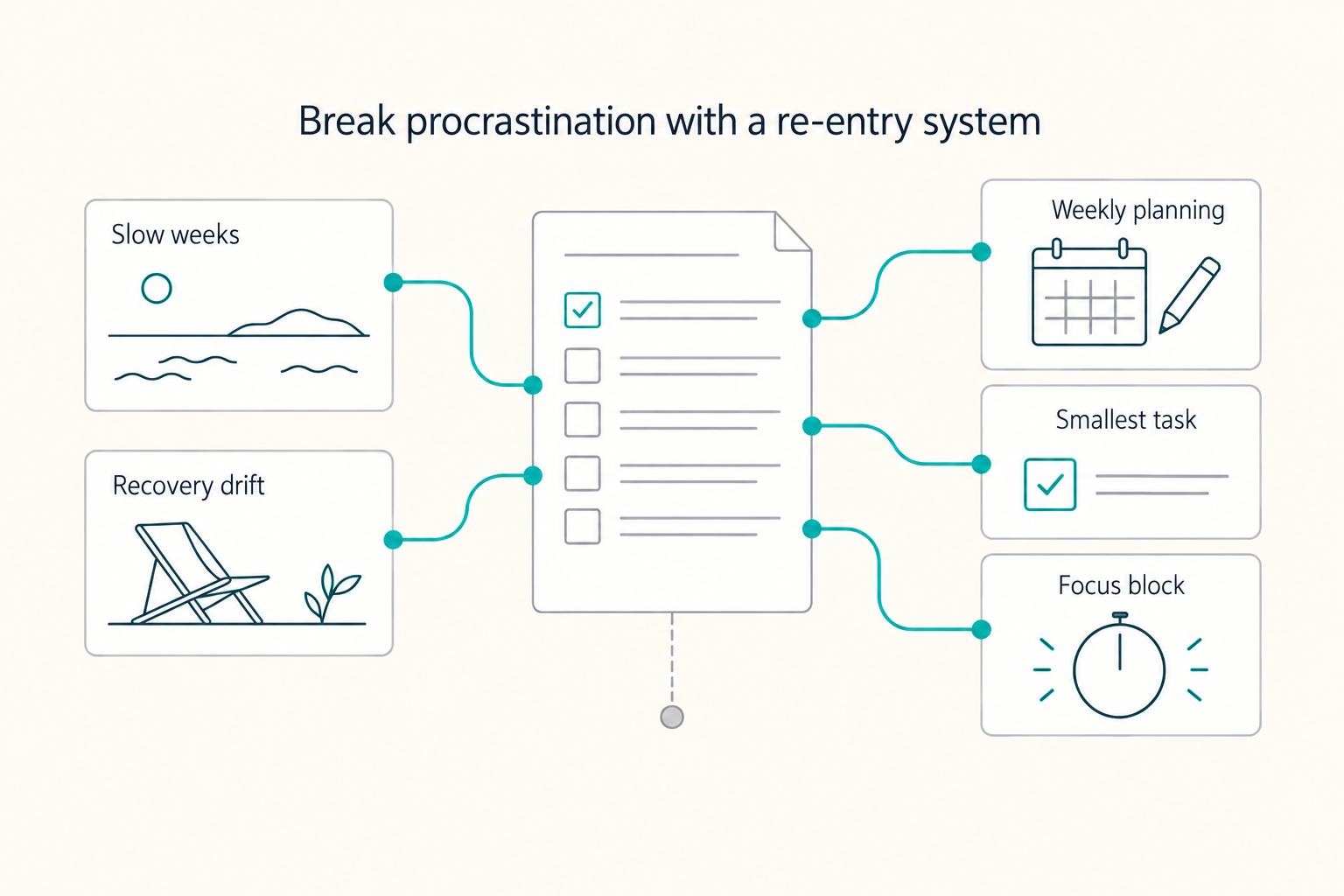
Most freelancers struggle not because they work too few hours, but because they misallocate the hours they have—treating time as an infinite resource rather than a finite business asset with a real cost per unit. The solution is a three-layer operating system: a Time Budget Framework that commits hours to four categories before any client work is booked, a Weekly Operating Template that assigns those categories to specific calendar windows, and a monthly Admin Audit Checklist that reconciles invoicing, bookkeeping, and compliance records. Multi-client orchestration requires a WIP limit, dedicated client windows, and a capacity decision rule run before accepting new engagements. Together, these systems replace reactive decision-making with a repeatable structure that keeps delivery quality consistent, records audit-ready, and the freelance practice operationally durable.
Deep Work for Freelancers Who Run a Business of One
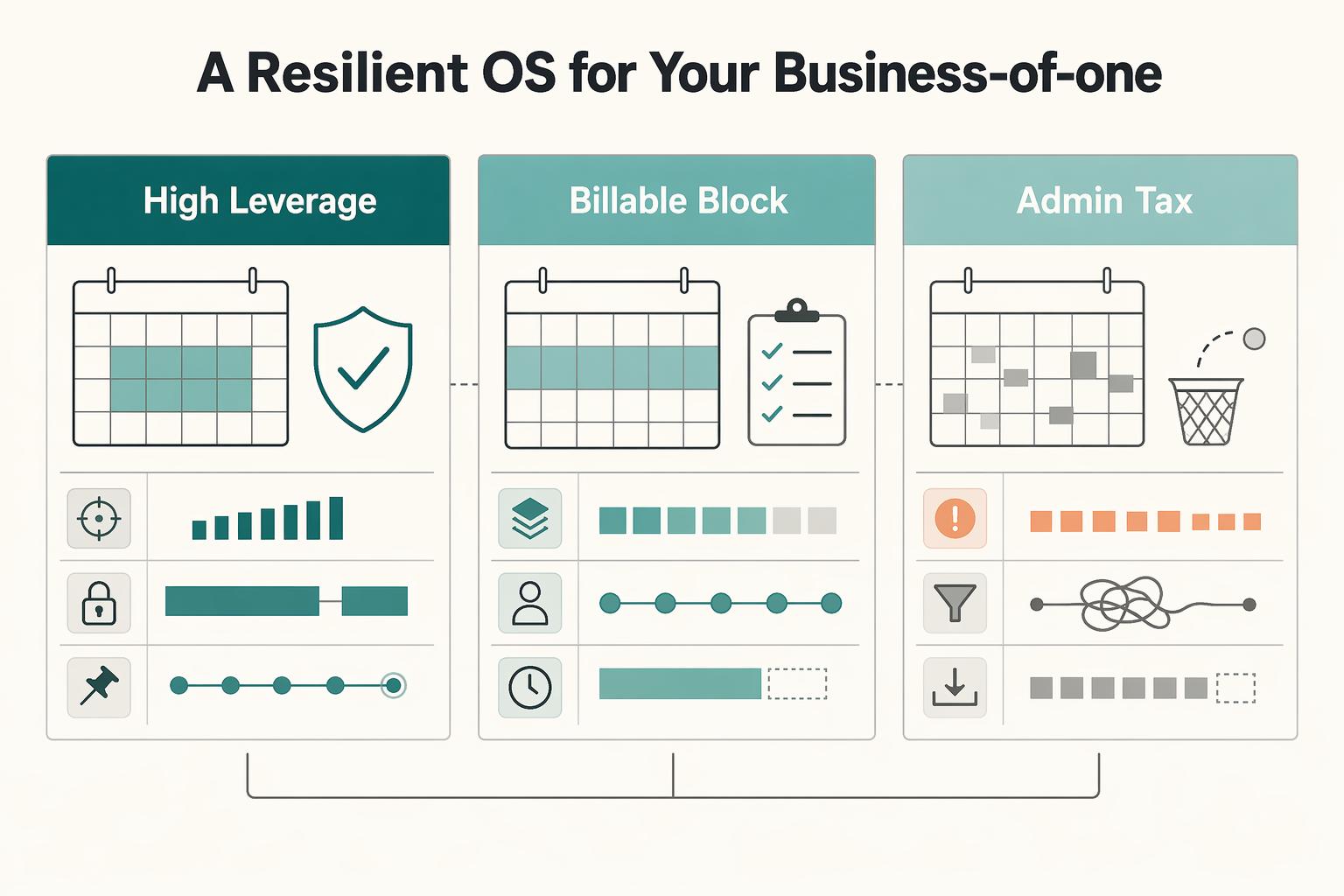
If you run a business of one, deep work is not a lifestyle preference or a generic productivity trick. It is part of how you protect quality and judgment in client work. Context switching quickly becomes an operational risk when you are doing delivery, sales, finance, and admin from the same chair.